Wordpress-ios: Switching between dark and light mode while the app is open confuses the appearance
Steps to reproduce:
- Open any area of the app.
- Put the app in the background (do not force close).
- On the device, go to Settings > Display & Brightness > Appearance.
- Change the mode from Light to Dark or vice versa.
- Go back to the app and observe that some parts of the app change and others do not.
- Force refresh the app.
- Repeat steps 1-5.
Result: if the appearance is switched from Dark to Light or from Light to Dark after the app is opened, the colors become confused. (40s)
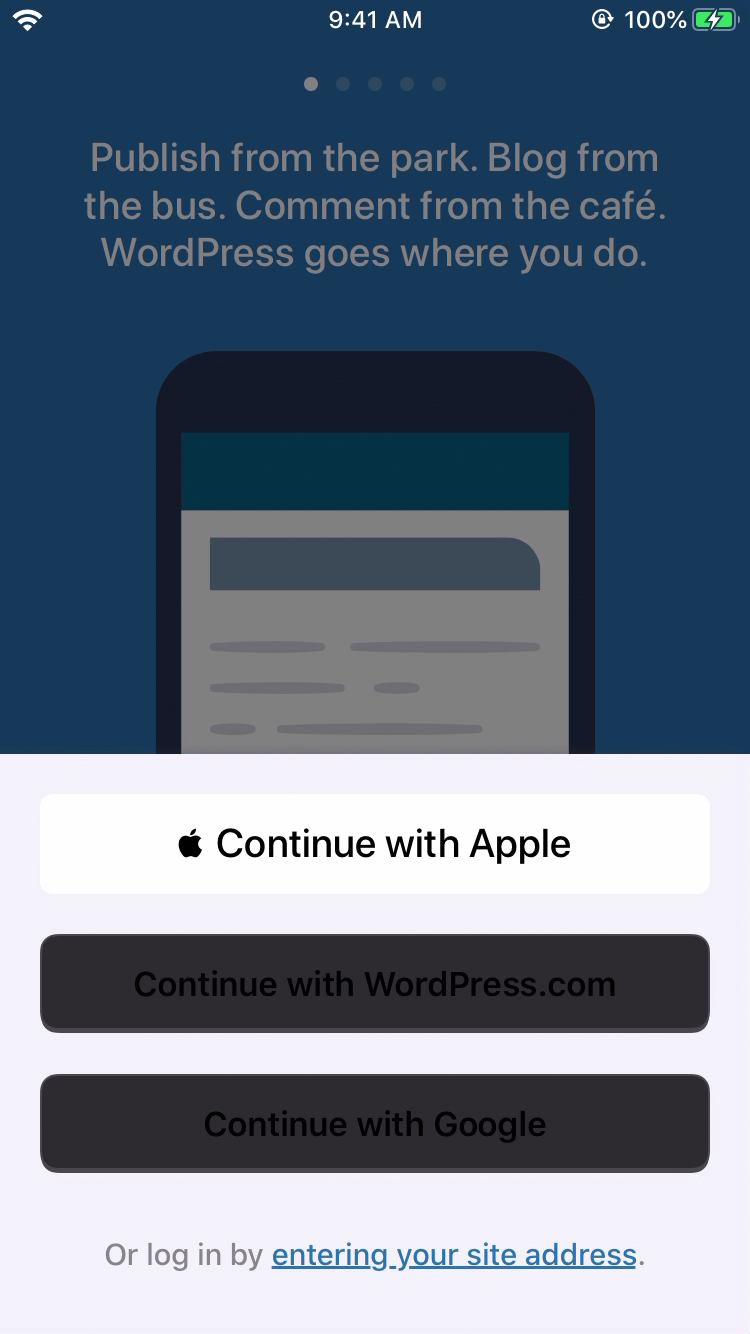
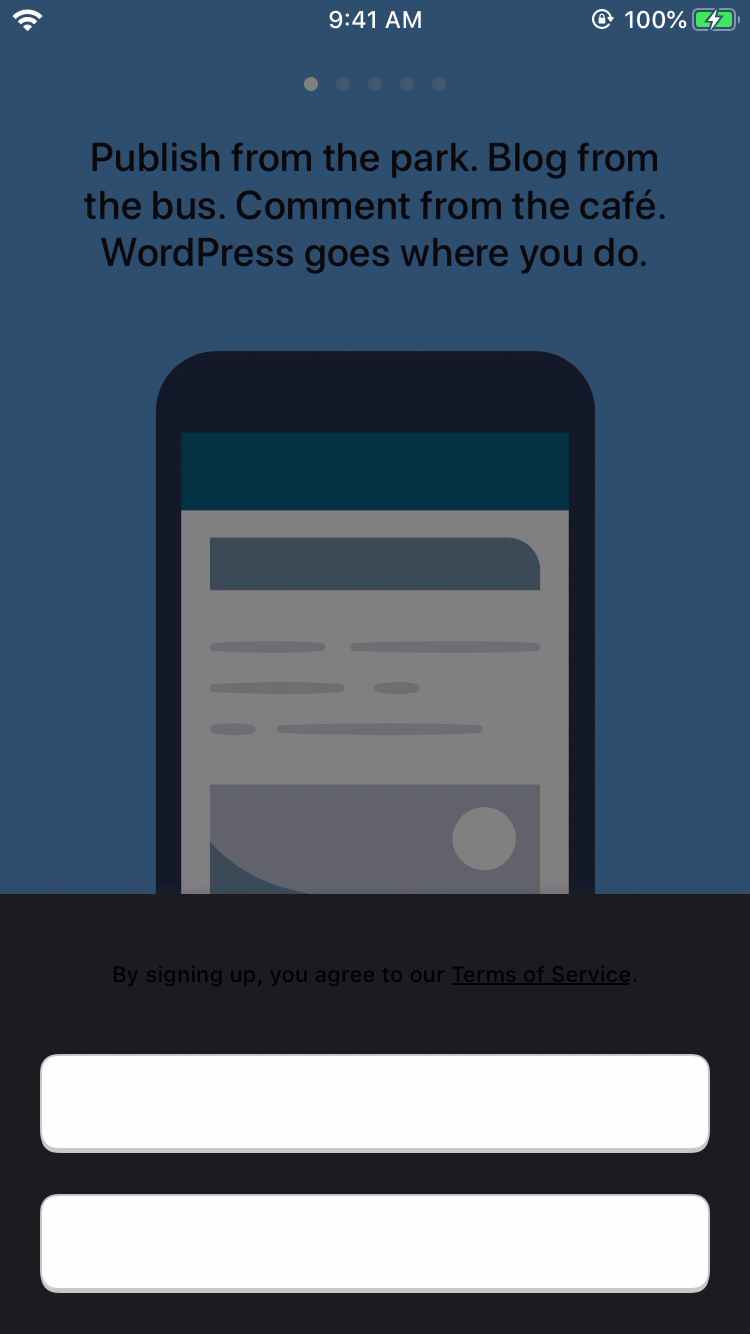
Tested with WPiOS 13.2-beta1 (TestFlight) on iPhone 6S iOS 13.1 Beta 1 in Dark & Light Modes.
The view controller needs to listen for the notification that the mode has changed and refresh the UI.
h/t @rachelmcr for the original report at p5T066-Zv-p2#comment-3427 and @jkmassel for the tip.
 designsimply
All 8 comments
I tested this again as part of 13.4 beta testing and found that if you toggle dark mode while the screen is visible the text color still doesn't update for the login/signup, log in, and logged in as screens.
Steps to reproduce:
- Log out.
- Tap "Log In".
- Go to iOS Settings > Display & Brightness > Appearance.
- Switch from Light to Dark (or vice versa).
- Go back to the WP app and check to see if the buttons on the log in screen look correct.
- Close and re-open the app.
- Repeat steps 3-6 for the "Log In/ Sign up" screen.
- Repeat steps 3-6 for the "Logged in as" screen.
Result: the buttons become unreadable with dark text on a dark background or light text on a light background if you toggle dark mode for the login/signup, log in, and logged in as screens screens while the app is open.
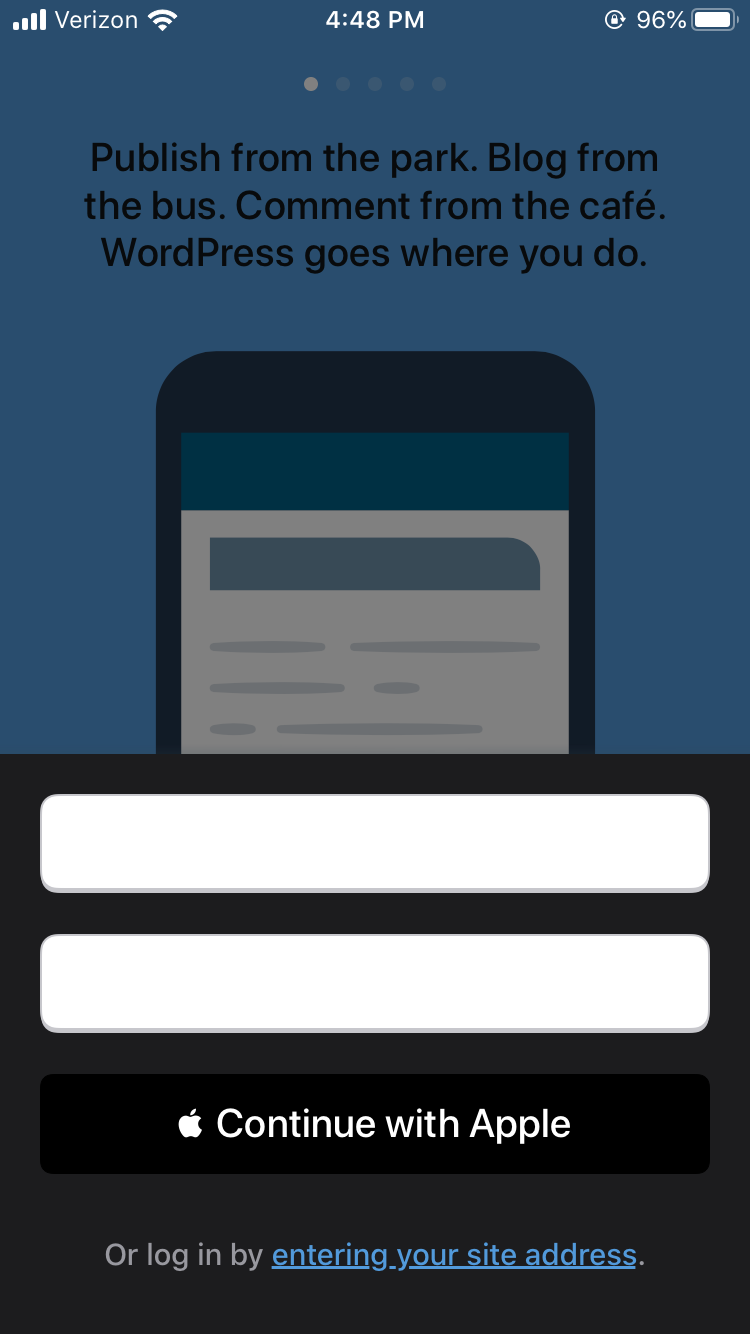
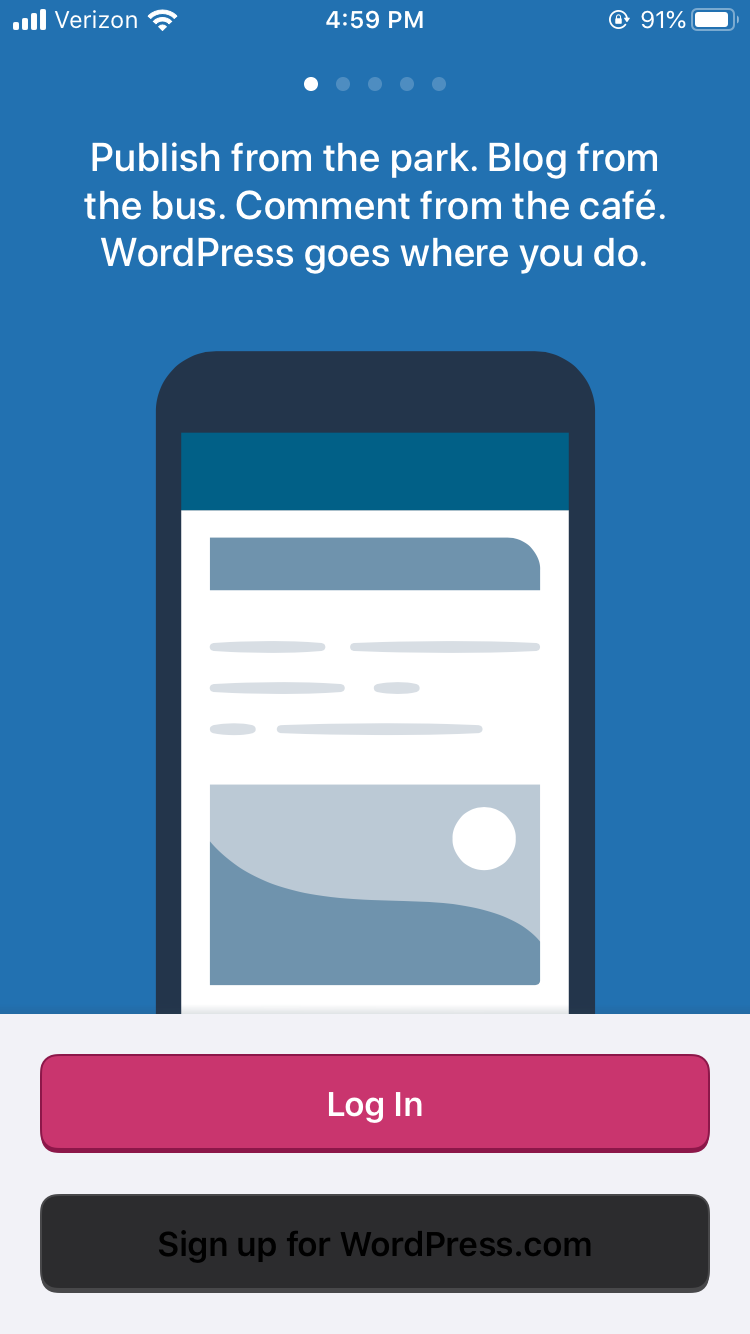
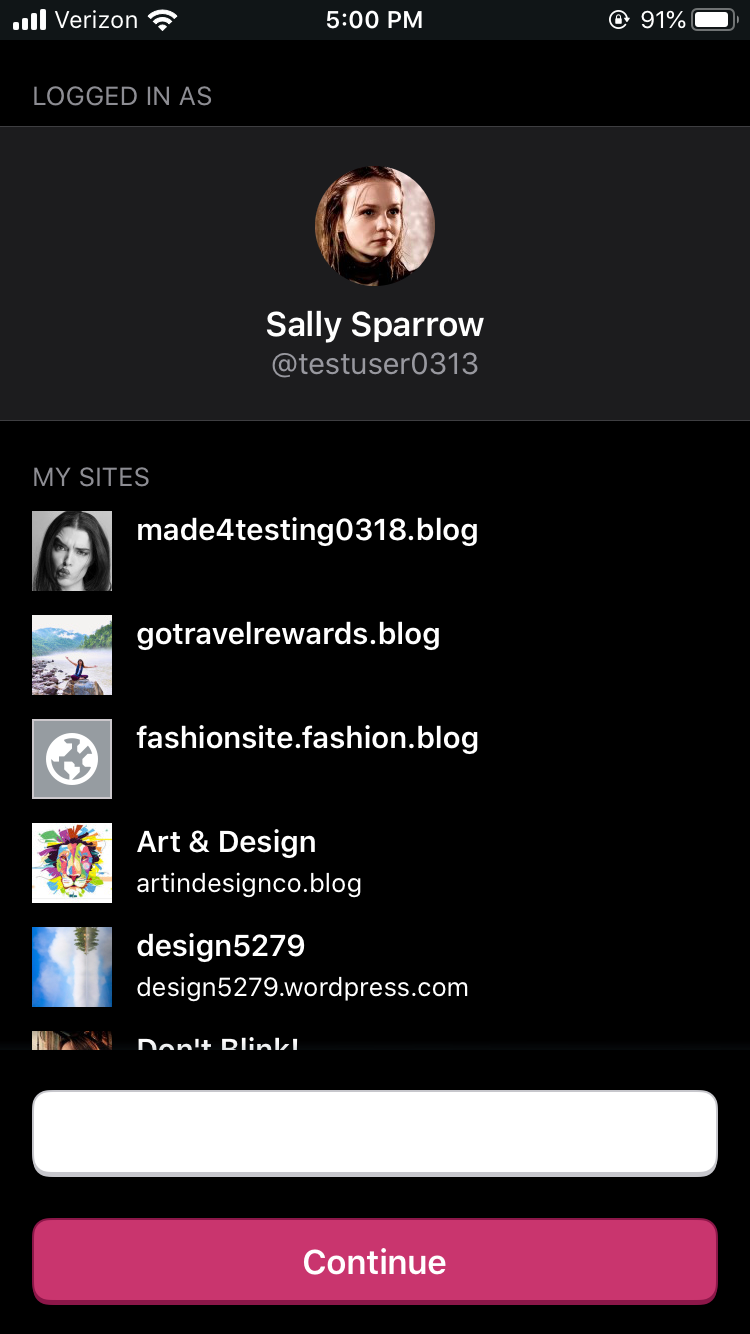
Tested with WPiOS 13.4.0.1 (TestFlight) on iPhone 6S iOS 13.2.
designsimply
on 17 Oct 2019
- Start in Dark Mode.
- Open Reader and like some posts.
- Switch to Light Mode.
- Open Reader again and like some posts.
Result: the icons at the bottom of the post become very light gray on white and are hard to see.

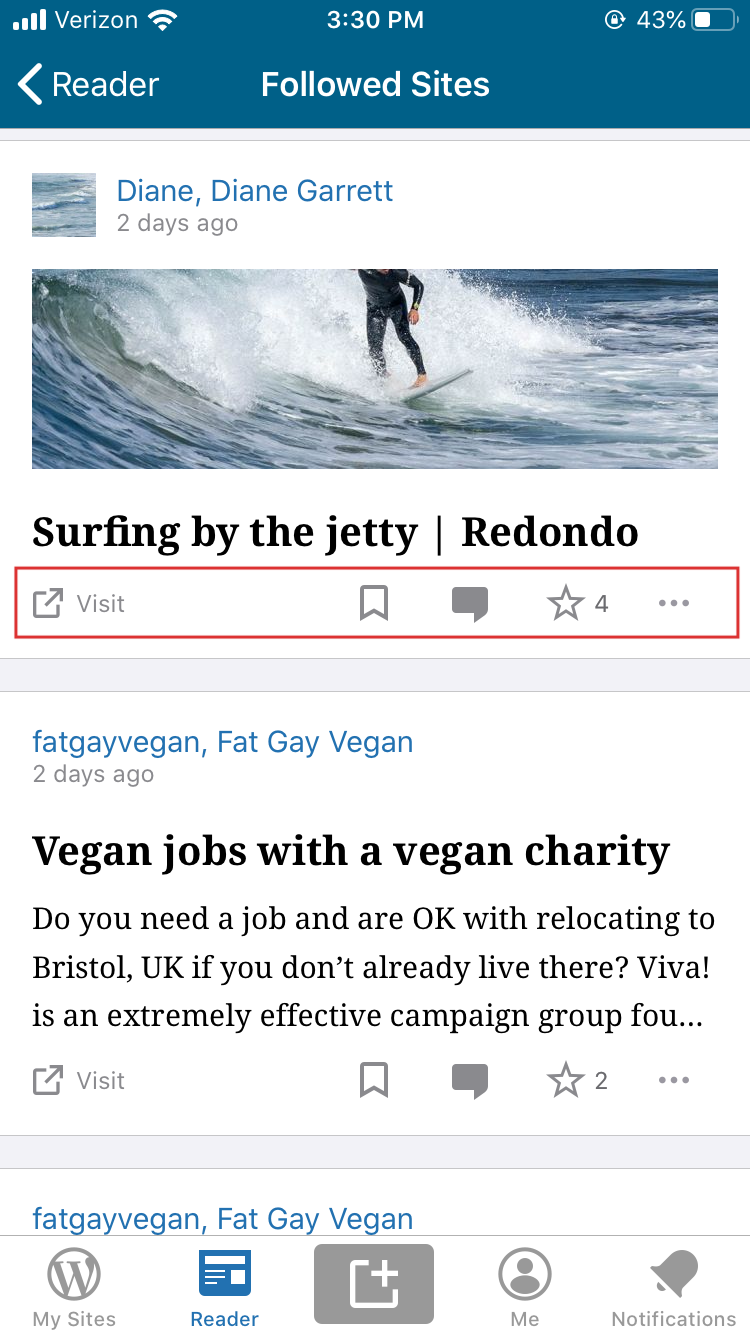
(Left) After switching from dark to light while the app is open and (right) after closing and reopening the app while in light mode, tested with WP Internal 13.5.20191021 (HockeyApp) on iPhone 6S iOS 13.2.
designsimply
on 21 Oct 2019
I tested with WP Internal 13.6.20111104 and I can still see the problem happening where switching from dark to light mode, or vice versa, causes some buttons to become unreadable. (13s)
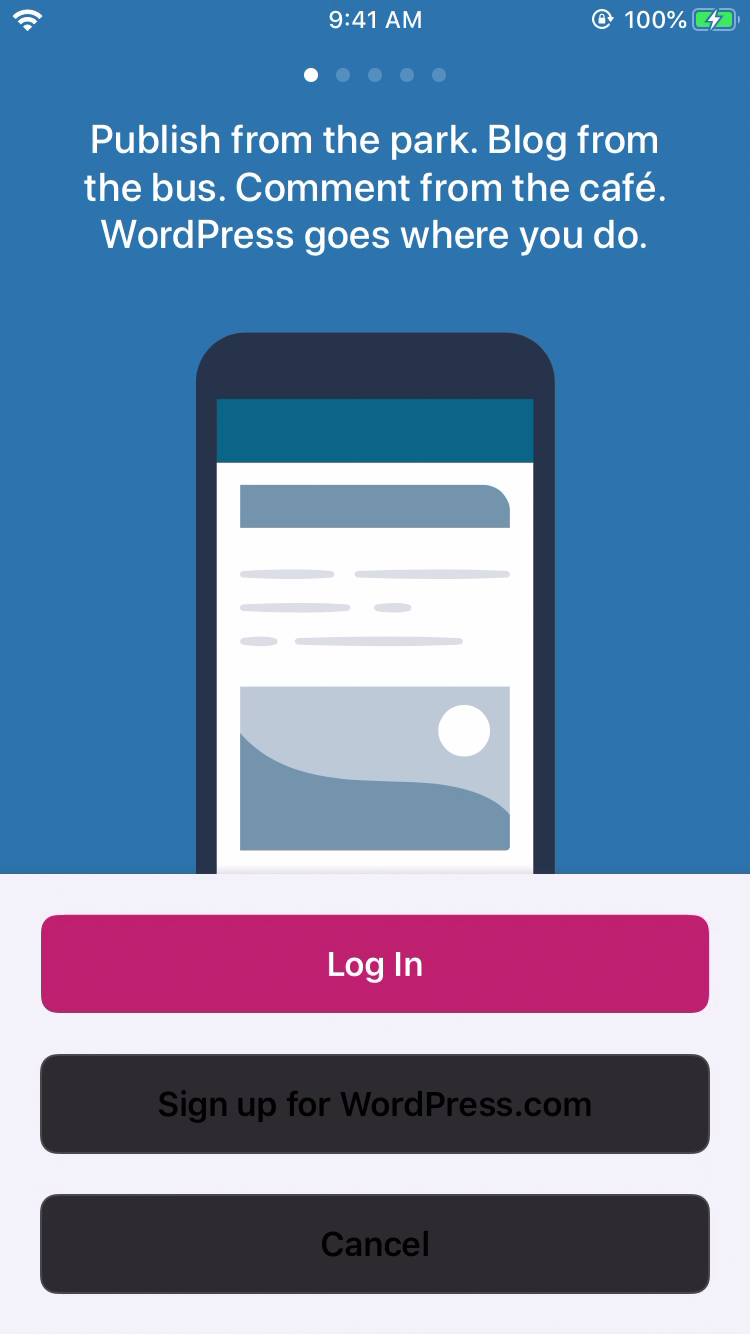
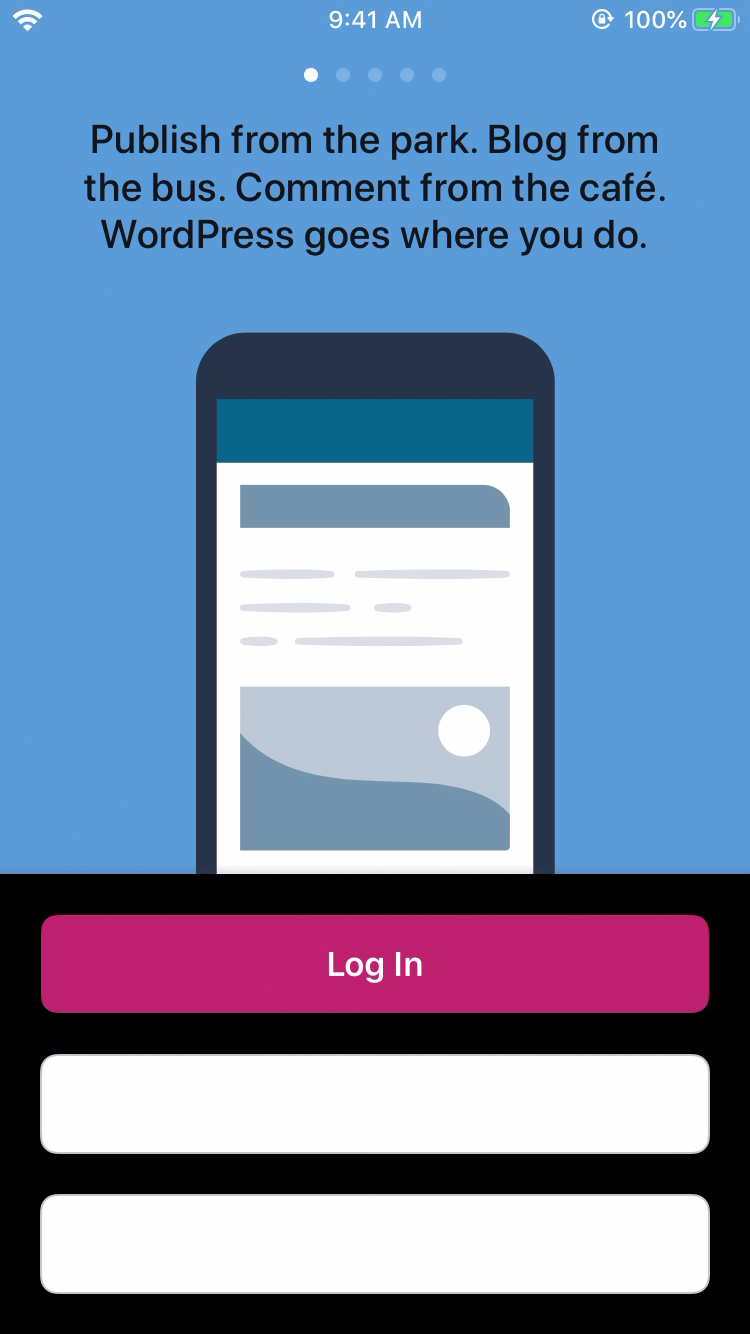
Tested with WP Internal 13.6.20111104 (HockeyApp version) on iPhone 6S iOS 13.2.
@danielebogo do you think you could fix this for the 13.6 or 13.7 release?
designsimply
on 7 Nov 2019
@designsimply this is basically the main task for Dark Mode V2. There's a list of elements you can see in the project card that have the same problem. Probably some can be addressed in 13.7? @frosty
 danielebogo
on 8 Nov 2019
danielebogo
on 8 Nov 2019
Possibly related: https://github.com/wordpress-mobile/WordPress-iOS/issues/13364.
designsimply
on 4 Feb 2020
Reader comment text color doesn't update when you switch between dark and light mode, rendering the text invisible against the background. This is visible both in the Reader tab and when accessing all comments on a post through the Notifications tab.
- Set your device to dark mode.
- Open the comments section on a post in the Reader.
- Switch to light mode. Notice that any comment text is not visible, although other elements (comment author, timestamp, emoji, links) are visible.
- Exit the comments section and reopen it, and notice that the text color is now fixed.
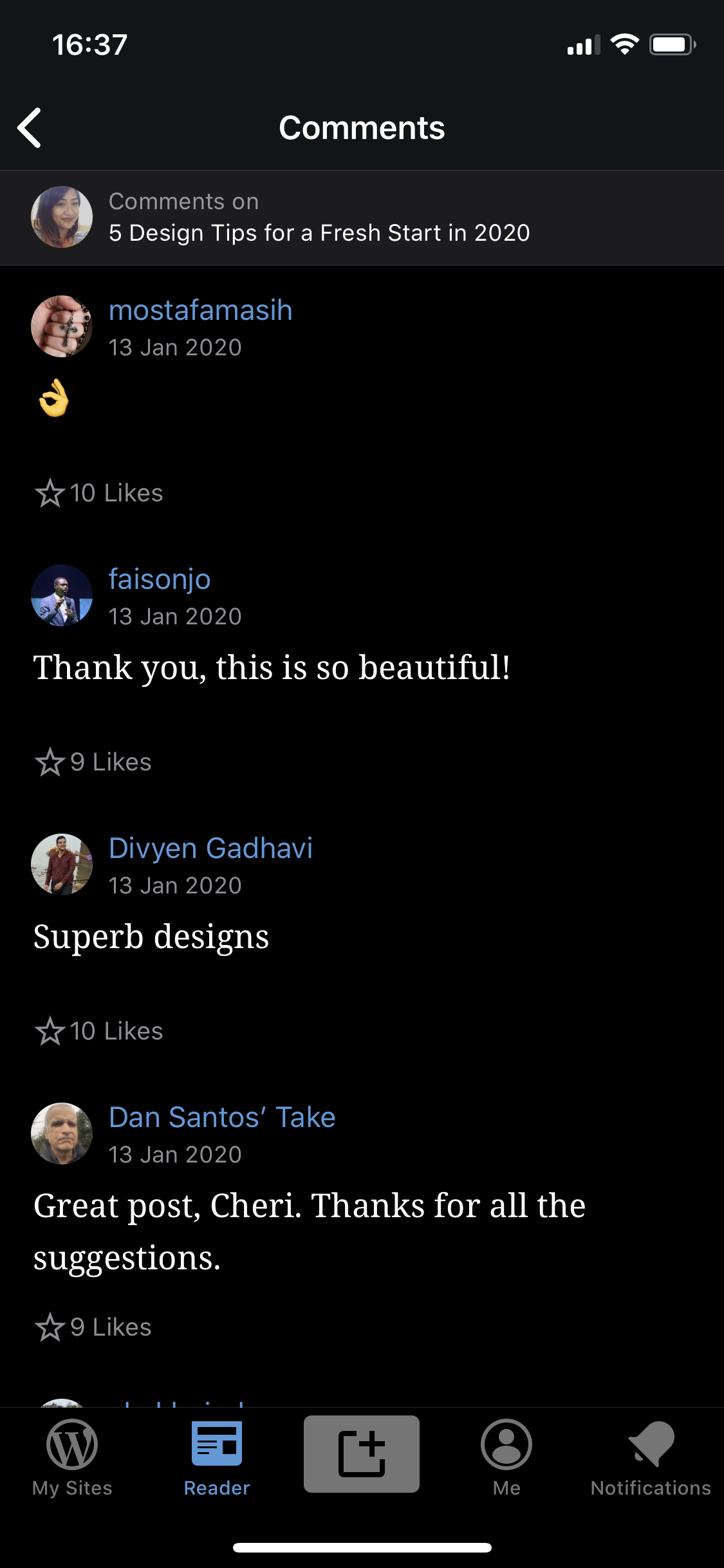
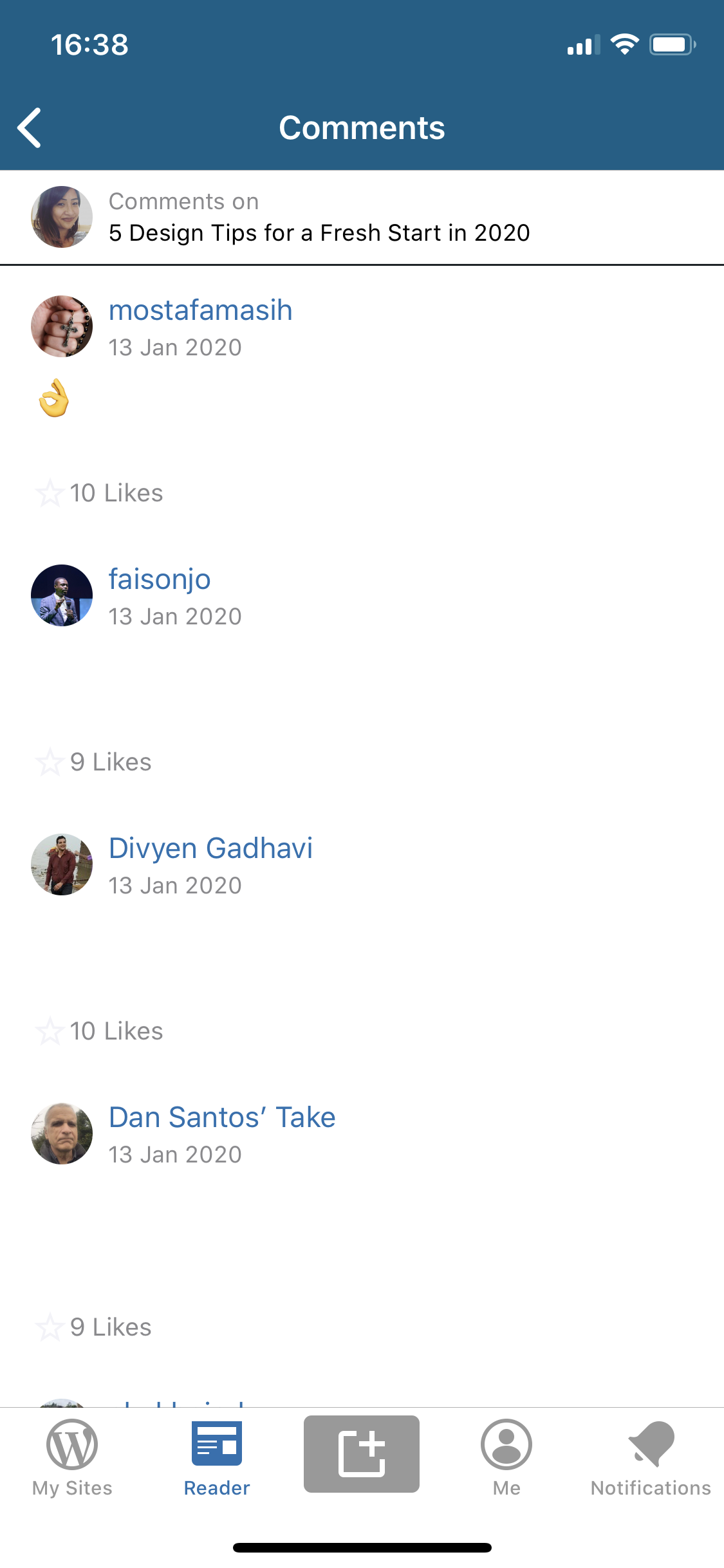
Tested with WPiOS 14.1.0.20200131 on iPhone XS, iOS 13.3.
 rachelmcr
on 4 Feb 2020
rachelmcr
on 4 Feb 2020
There was another report of this issue in 2744797-zen, the user notes that the input fields in the post editor were black on black after switching between modes.
They weren't able to grab a screenshot (and I can't replicate as I have an older iOS device that doesn't support dark mode).
 SiobhyB
on 27 Feb 2020
SiobhyB
on 27 Feb 2020
I'm closing this as these issues have either been fixed or are tracked on other issues. Since Dark Mode is no longer a project, I think it'd be best to create separate issues going forward so they can be addressed individually.
Recap:
- Login/Signup buttons - mostly fixed with https://github.com/wordpress-mobile/WordPress-iOS/pull/13636. At noted on that PR:
- Sign in with Apple will be updated on https://github.com/wordpress-mobile/WordPress-iOS/issues/13620.
- 'Connect another site' button on the login epilogue will be removed with the new epilogue https://github.com/wordpress-mobile/WordPress-iOS/issues/13413, and thus won't be an issue soon.
- Reader icons - https://github.com/wordpress-mobile/WordPress-iOS/issues/13630
- Reader comments - https://github.com/wordpress-mobile/WordPress-iOS/issues/13638
- Post editor input fields - couldn't reproduce. Tested on
develop(i.e. release 14.5)
 ScoutHarris
on 12 Mar 2020
ScoutHarris
on 12 Mar 2020
Related issues
designsimply
·
3Comments
designsimply
·
3Comments
 mindgraffiti
·
3Comments
mindgraffiti
·
3Comments
 marekhrabe
·
3Comments
marekhrabe
·
3Comments
 iamthomasbishop
·
3Comments
iamthomasbishop
·
3Comments
Most helpful comment
I'm closing this as these issues have either been fixed or are tracked on other issues. Since Dark Mode is no longer a project, I think it'd be best to create separate issues going forward so they can be addressed individually.
Recap:
develop(i.e. release 14.5)