Wordpress-ios: [Stats Refresh] cannot tap chart bars to change data on first view
Steps to reproduce:
- Go to the Days/Weeks/Months/Years view for Stats on any site.
- Tap the bars in the first chart you see and check that the data changes in the modules below.
- Switch to a different site.
- Go to the Days/Weeks/Months/Years view for Stats.
- Check to see if tapping the bars changes the data below.
- Close and re-open the app.
- Go to the Days/Weeks/Months/Years view for Stats on any site.
- Check to see if tapping the bars changes the data below.
Result: the first time you open stats after closing the app or switching sites, tapping on the bars in the chart does not change the data in the modules. If you use an arrow to change bars or if you change to a different time period (DWMY), then it starts working normally. (2m29s)
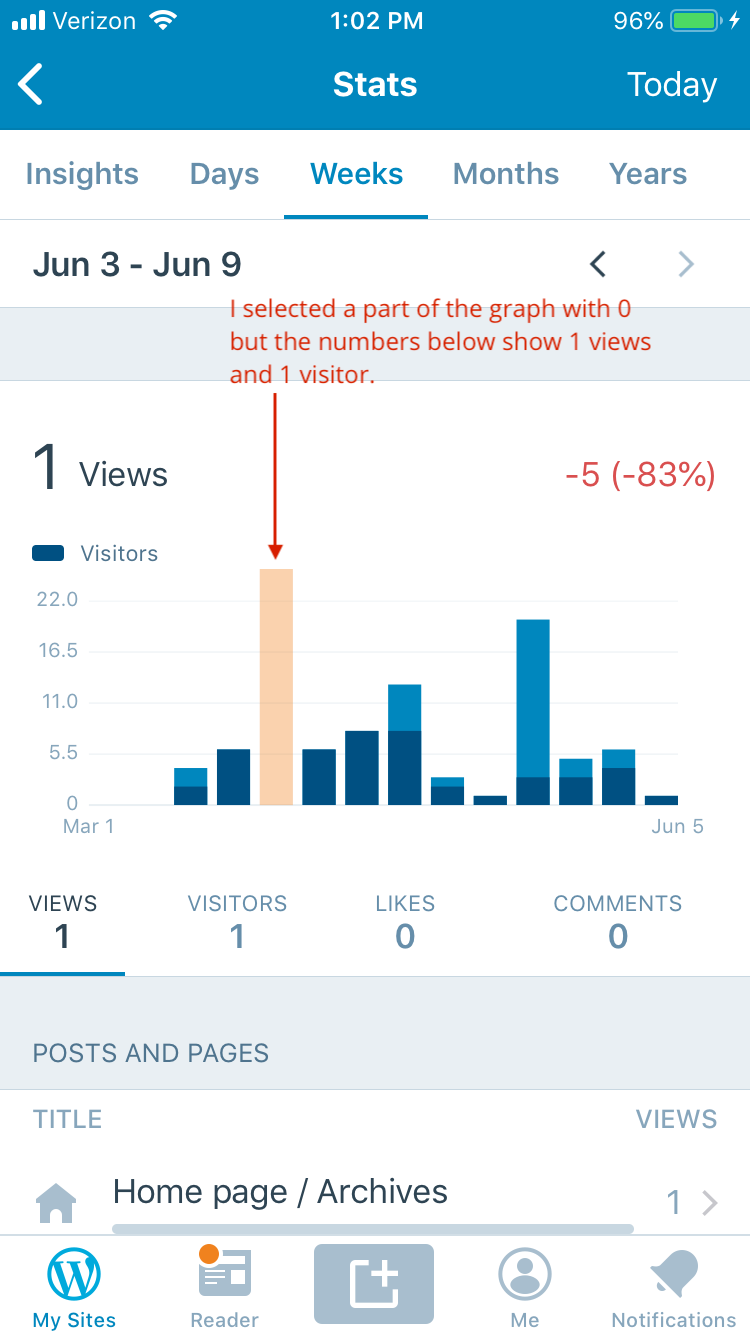
Tested with WP Internal 12.6.0.20190604 on iPhone 6S iOS 12.3.1
 designsimply
All 6 comments
@jklausa believes this is related to #11873.
 ScoutHarris
on 7 Jun 2019
ScoutHarris
on 10 Jun 2019
ScoutHarris
on 7 Jun 2019
ScoutHarris
on 10 Jun 2019
I re-tested with WP Internal 12.6.0.20190604 and develop d780002de0 (12.6 alpha) on iPhone 6S iOS 12.3.1 and found it is working much better except for the graphs for individual post views such as Stats > Insights > Latest Post Summary > View more. (21s)
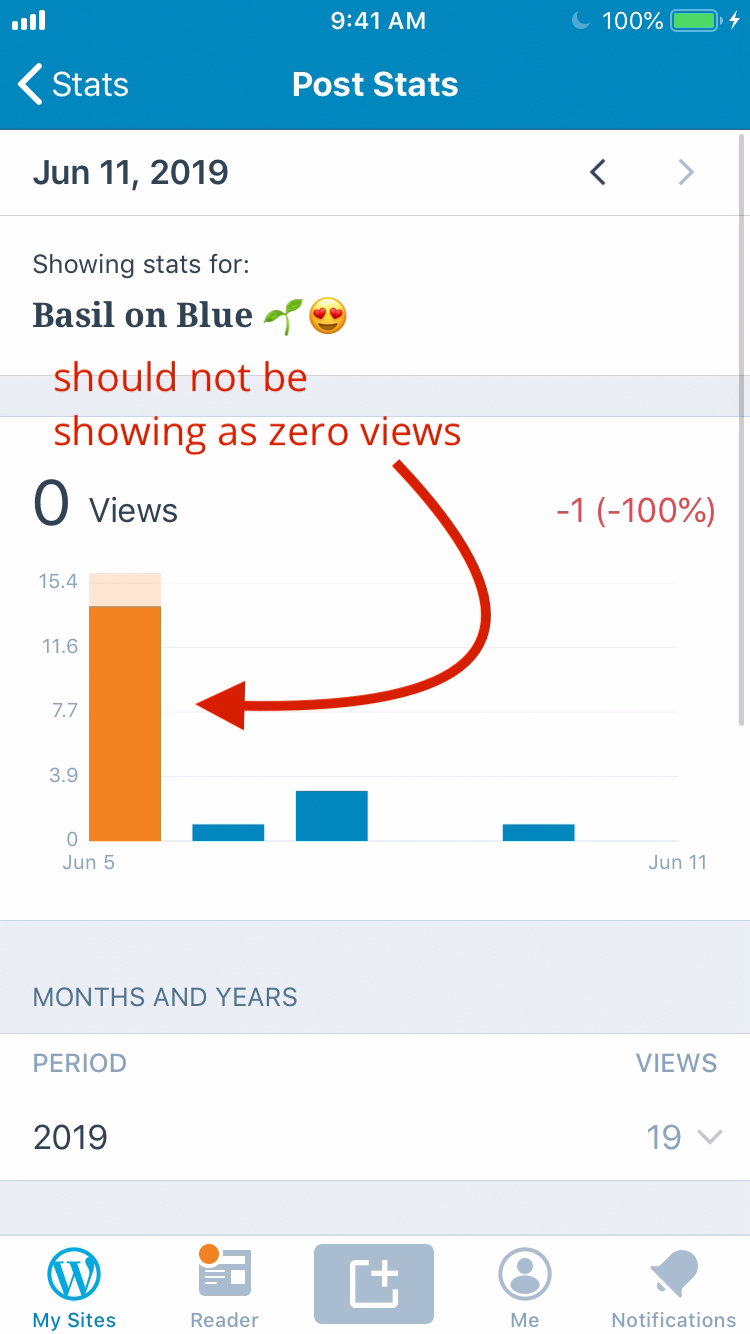
Would you like me to file this as a separate issue?
designsimply
on 11 Jun 2019
@designsimply ah, yeah — that is a separate issue. If you could file it, I’d super appreciate it :)
 jklausa
on 11 Jun 2019
jklausa
on 11 Jun 2019
Certainly! Filed at https://github.com/wordpress-mobile/WordPress-iOS/issues/11894.
designsimply
on 12 Jun 2019
I think @ScoutHarris pre-empted you with fixing this before you got around to filing this :P Should've gotten fixed in #11892 :)
jklausa
on 12 Jun 2019
Related issues
designsimply
·
3Comments
 jleandroperez
·
3Comments
jleandroperez
·
3Comments
 rclations
·
3Comments
rclations
·
3Comments
 wptester9845
·
3Comments
designsimply
·
3Comments
wptester9845
·
3Comments
designsimply
·
3Comments