Wordpress-ios: Stats: Insights Followers: Not all Followers are Displayed
Expected behavior
When clicking "View all" below the Followers section of Stats > Insights, I expect to be able to scroll through all
Actual behavior
After clicking "View all", I can see the most recent 20 followers, but no more.
Steps to reproduce the behavior
- Open the mobile app to a site with many followers.
- Go to My Site > Stats > Insights, find the "Followers" section, and tap "View all".
- Compare the number of followers you can see here with those in My Site > People > Followers.
Tested on iPhone SE, iOS 12.2, WPiOS 12.3
Here's how that looks - the site has way more than 20 followers, but only 20 show up in Stats > Insights > Followers:
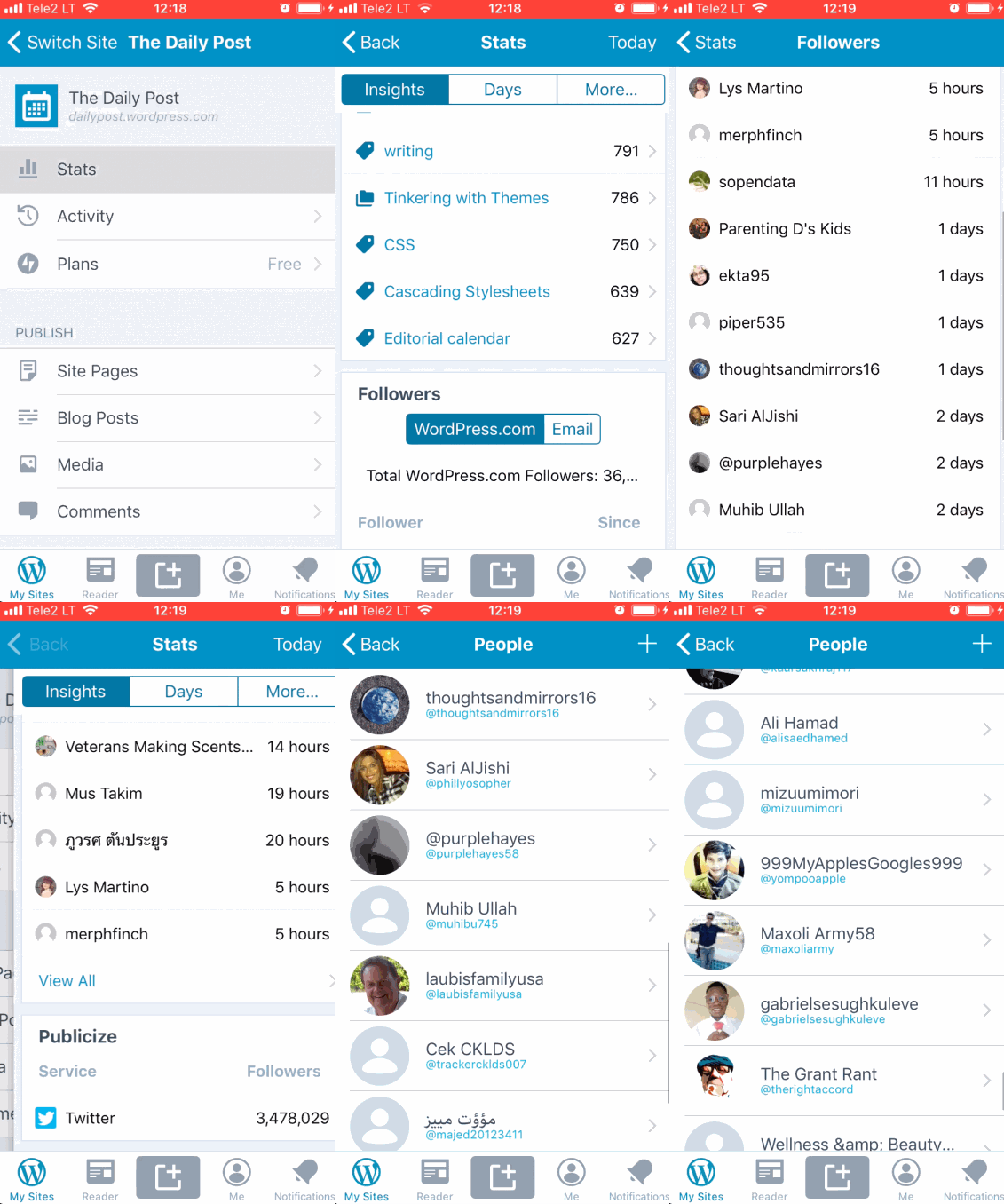
User report in 2026096-zen.
In Calypso, Stats > Insights > Followers > View All redirects to People > Followers, so the same list is seen in both places.
 thehenrybyrd
All 6 comments
Tested with WPiOS 12.3 (app store version) and with WP Internal 12.4.0.20190506 (12.4 beta) on iPhone 6S iOS 12.2 and confirmed that going to Stats > Insights > Followers > View All shows only the latest 20 followers.
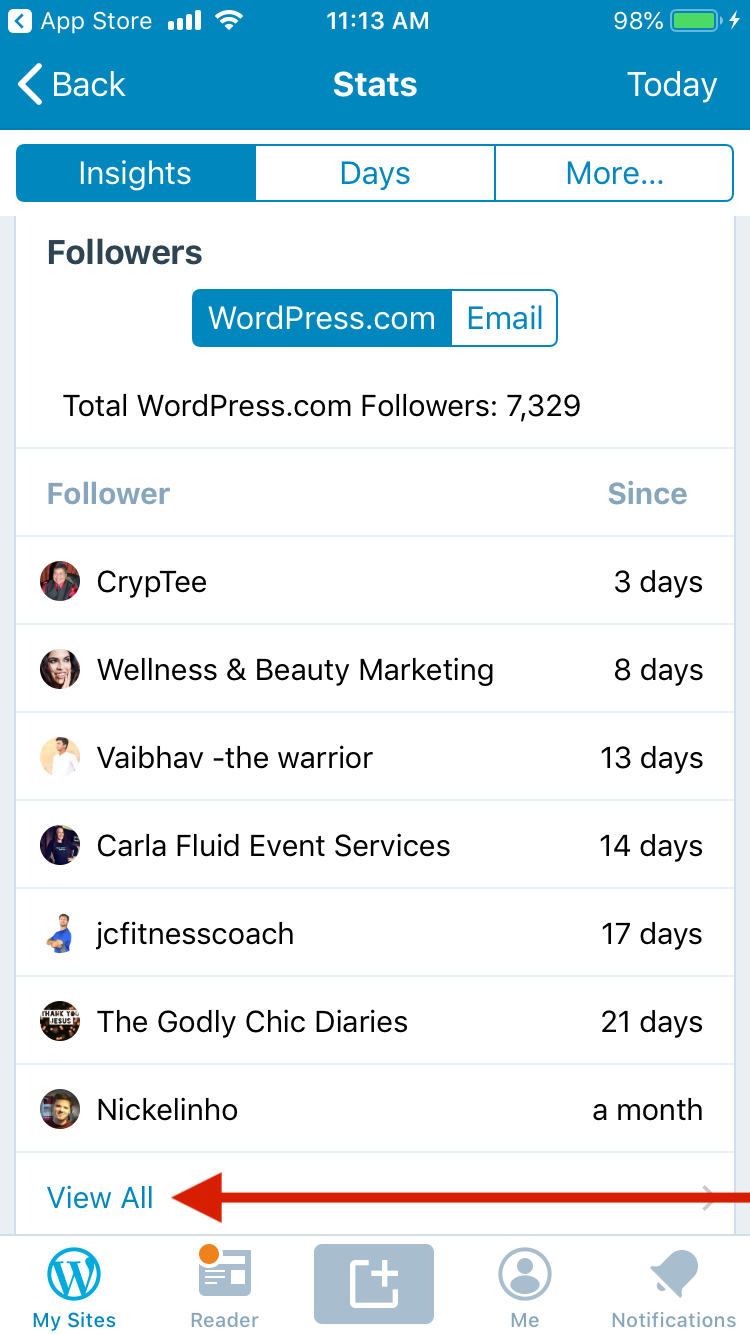
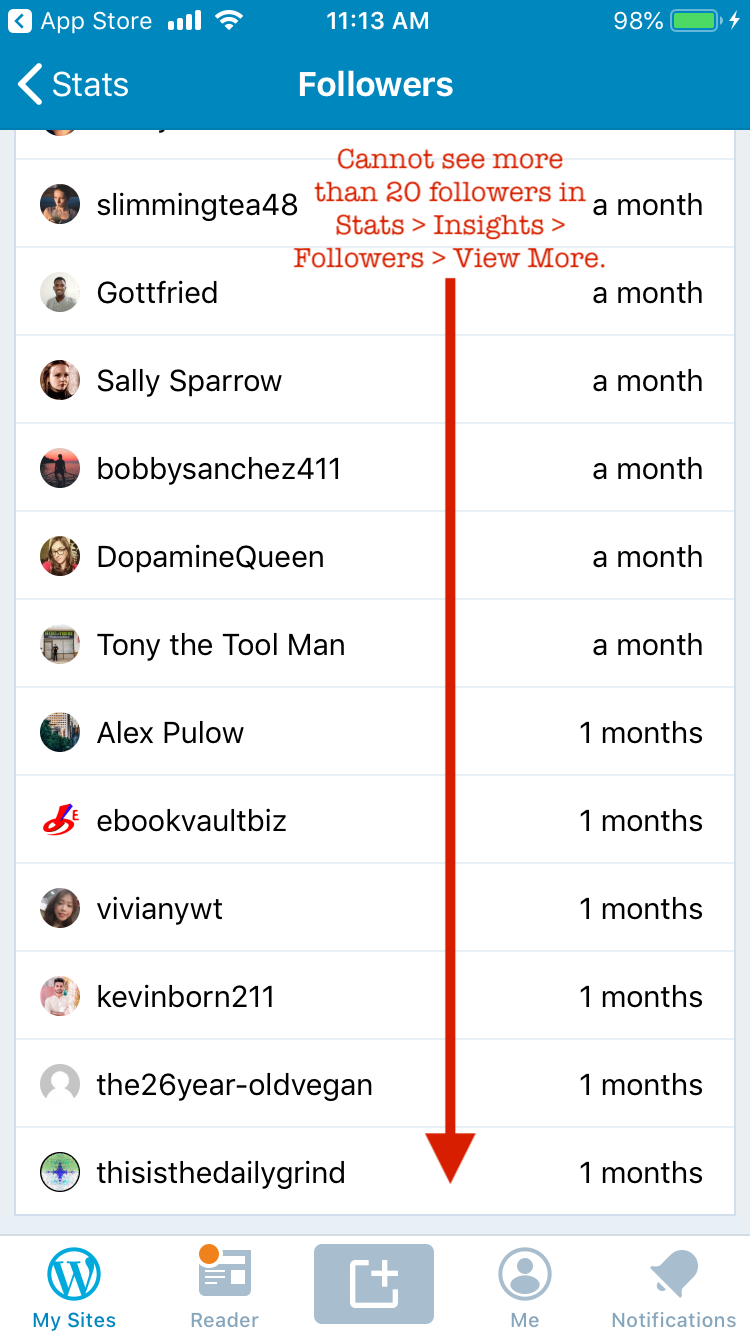
Tested with WPiOS 12.3 (app store version) on iPhone 6S iOS 12.2 for `cute.wordpress.com`.
@ScoutHarris I noticed that in Stats Refresh you added the detail list view for Insights Followers in https://github.com/wordpress-mobile/WordPress-iOS/issues/11128. May we add this issue to the To do list in the Full Stats Refresh project at https://github.com/wordpress-mobile/WordPress-iOS/projects/13?
 designsimply
on 15 May 2019
designsimply
on 15 May 2019
Hey @thehenrybyrd .
Thank you for catching this! Actually, the new Stats is also being limited to 20, which we hadn't noticed. However, it's nothing we're doing explicitly. We're fetching followers from the API unlimited, meaning we're asking for and expecting all followers. However, the is API being smart and only returning 20. Why is this smart you ask? Well, for example, en.blog has 54 million WordPress followers. So the API is protecting us from disaster. 😄
We did notice the same scenario with Comments and Tags & Categories. If we set a limit on the API request, we'll actually get that number. So @jklausa set the limit on those to 1000 as we agreed that should be enough for most cases. I'll do the same for Followers, and review all the other stats to be sure we've caught all these cases.
 ScoutHarris
on 15 May 2019
ScoutHarris
on 15 May 2019
To follow up, per the documentation it seems this particular endpoint returns a maximum of 100 results.

So, I'll set it to the max of 100. If this becomes an issue we can look into pagination as this endpoint does support pages.

ScoutHarris
on 16 May 2019
So, I'll set it to the max of 100. If this becomes an issue we can look into pagination as this endpoint does support pages.
How would you feel about noting the limit of 100 at the bottom of the list of followers? That way, any users who do try to browse past more than 100 of the latest followers in the app (which I feel would be rare!) would get a clear indicator that the app only displays the latest 100 and they need to go to a web browser to see more or to search.
designsimply
on 29 May 2019
How would you feel about noting the limit of 100 at the bottom of the list of followers?
I suppose we could. I'll leave that up to @SylvesterWilmott to consider. For consistency, _if_ we do this, we should do it for all limited stats. There's a couple at 1000, one at 5000, and this one at 100. Which itself is inconsistent, but oh the fun we have with APIs. 😄
ScoutHarris
on 29 May 2019
How would you feel about noting the limit of 100 at the bottom of the list of followers?
Love this! And I agree that noting this for all limited stats would be most consistent.
Having the limit stated will let users know what's up, and give HEs something to point to if/when users ask about it.
thehenrybyrd
on 2 Jun 2019
Related issues
designsimply
·
3Comments
 hypest
·
3Comments
hypest
·
3Comments
 rclations
·
3Comments
rclations
·
3Comments
 wptester9845
·
3Comments
designsimply
·
3Comments
wptester9845
·
3Comments
designsimply
·
3Comments