Wordpress-ios: Webviews: tapping `tel:` or `mailto:` protocol links in a webview results in an "unsupported URL" error
Steps to reproduce:
- Create some links in a post or sidebar widget with the
tel:andmailto:link protocols.
You can use the sample content below. - Save and publish the post.
- Tap "View" in the snack bar that shows after the post is published to open a Preview.
Or you can tap "View" on the post in the Posts List. - Note that the links work in a Preview.
- Go to Reader > Followed Sites and find the post.
- Tap on the post to open the Reader view and try the links.
- Tap the More menu at top right and select "Visit" to open a Webview and try the links.
- Go to My Sites > View Site, find the post, and try the links.
Result: tapping on tel: or mailto: links from a Webview results in an "unsupported URL" error, but those same links work normally in Previews and from a mobile browser such as Safari. (2m17s)
Sample content:
<a href="tel:(415) 555 1212">Call (415) 555 1212</a>

<a href="mailto:[email protected]">Send Email</a>
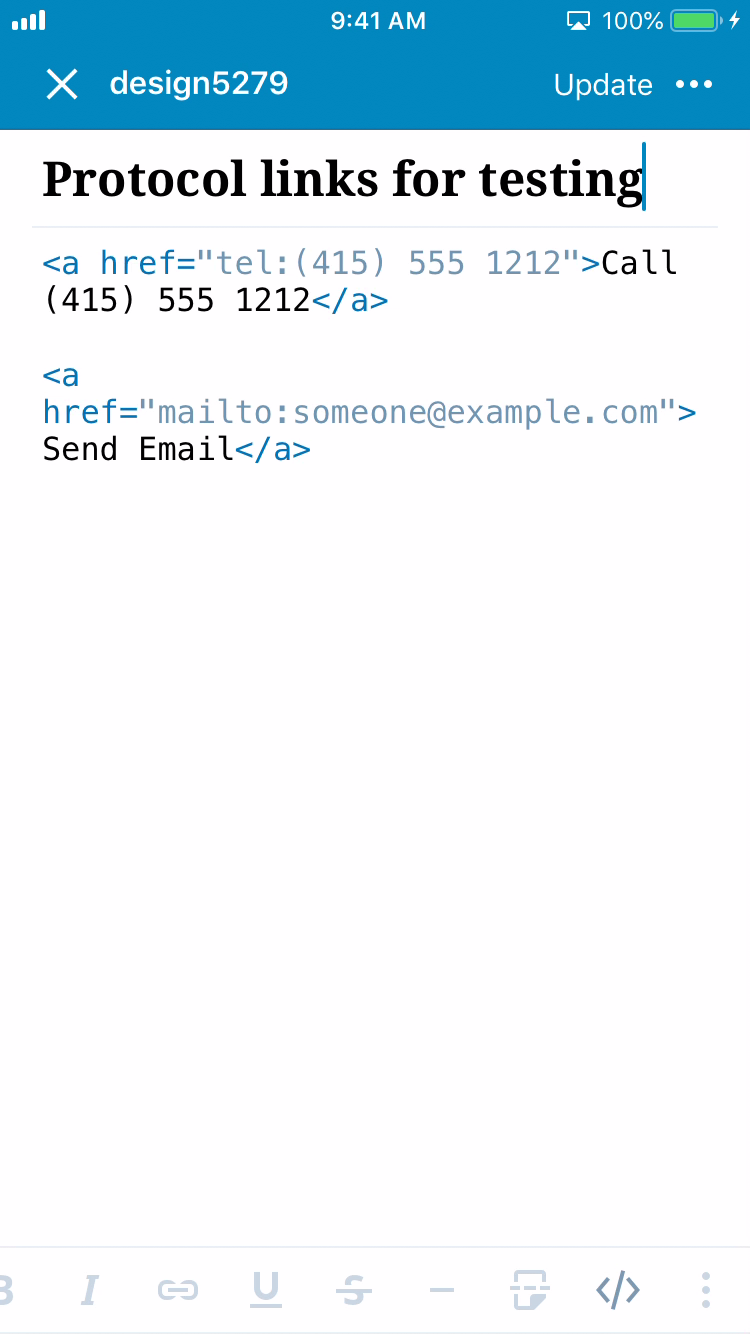
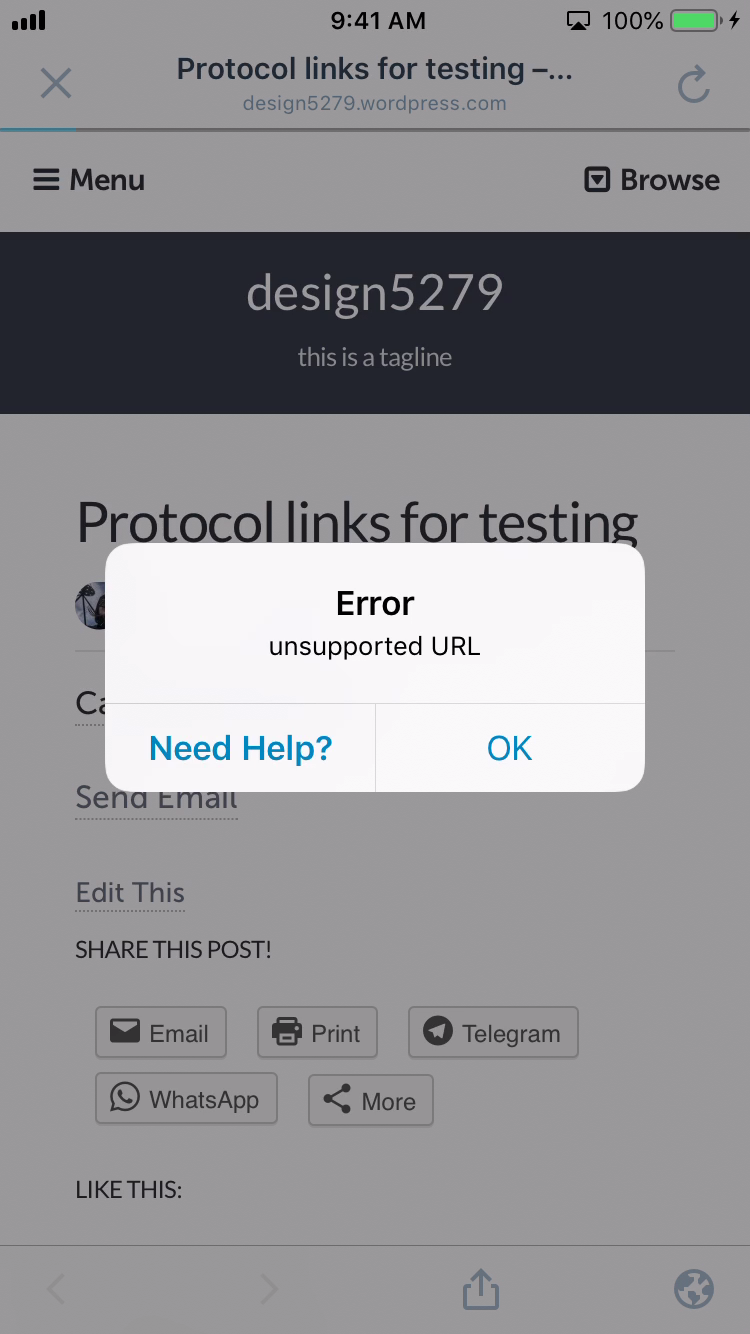
Tested with WP Internal 12.3.0.20190422 on iPhone 6S iOS 12.2 on `design5279.wordpress.com`.
(internal reference: p4a5px-2of-p2 and 1999324-zen)
 designsimply
All 10 comments
Noting some possibly useful Apple and StackOverflow links:
designsimply
on 6 May 2019
Added to the Groundskeeping project because we've been working recently to improve Webviews interactions.
designsimply
on 23 May 2019
I just ran into this issue with a user who has a Contact Info Widget added to their site and the telephone field filled out. I was able to replicate as well.
cc @designsimply
 brookewp
on 26 Feb 2020
brookewp
on 26 Feb 2020
Another report in 3385201-zen on version 15.7.
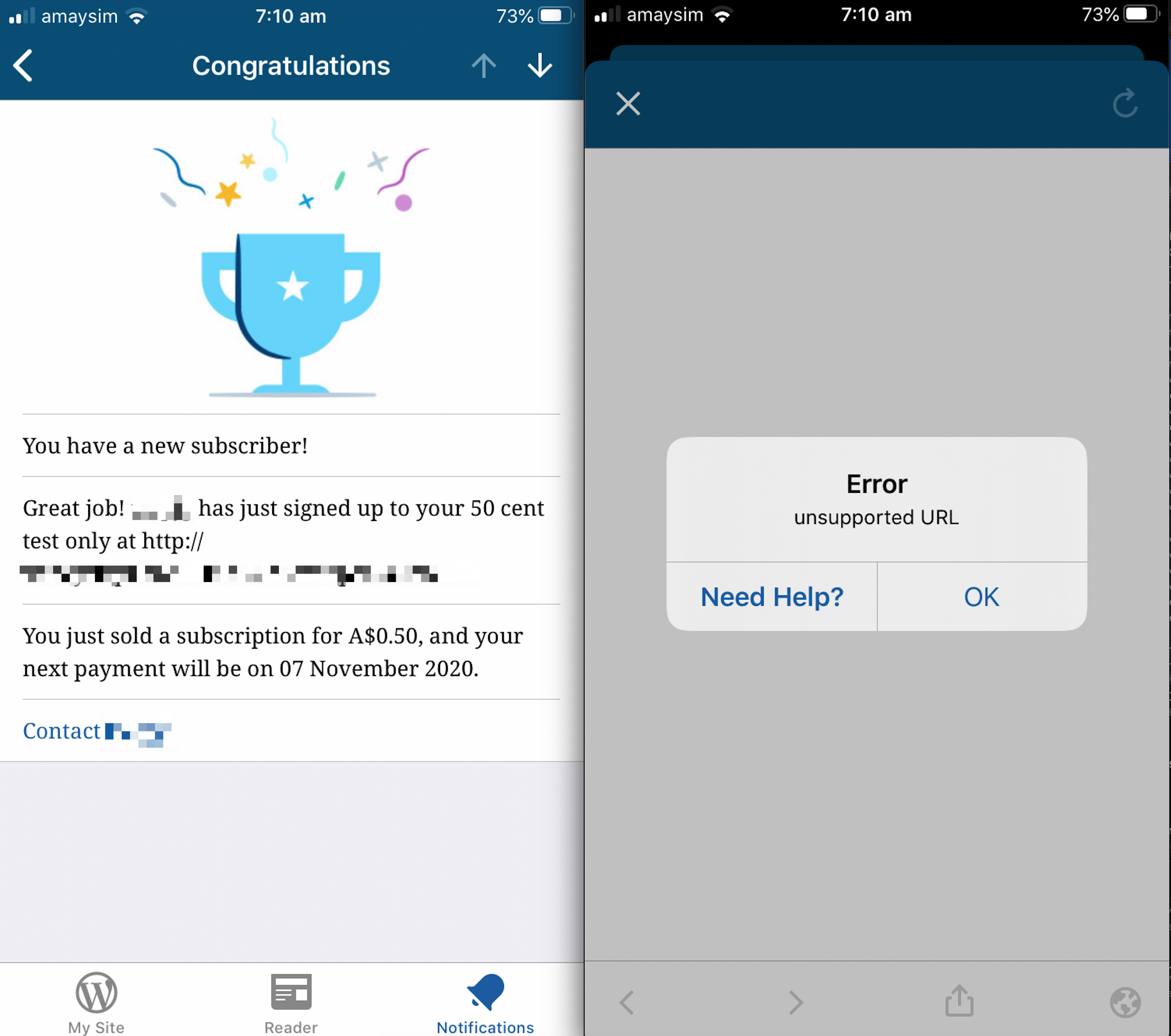
The link in the notification is mailto:
 reginabally
on 8 Oct 2020
reginabally
on 8 Oct 2020
Relevant Stack Overflow: https://stackoverflow.com/a/52174457. iOS 13 and below will need special links (tel: mailto: facetime:) handled.
~Interestingly, it works in iOS 14, WPiOS 16.1, with no changes.~ (only in certain places).
 mindgraffiti
on 6 Nov 2020
mindgraffiti
on 6 Nov 2020
Another report in 3479618-zen on version 16.0 / iOS 14.1 for a mailto: link.
 momo-ozawa
on 11 Nov 2020
momo-ozawa
on 11 Nov 2020
These are probably 3 separate classes.
- [ ] Support common link protocols in Reader posts (
ReaderDetailViewController) #15307 - [ ] Reader > {post} > {more} > Visit (webview) #15310
- [ ] Notifications > tap a link > (webview) #15310
mindgraffiti
on 16 Nov 2020
Part 3. Rough outline of steps to reproduce:
- Make sure your test site sends notifications for new followers on your blog.
- Have a test site with a Personal Plan (at minimum).
- Create a new page and add the Payments block.
- Log in with a test account to be the subscriber.
- Subscribe to the test site and pay (use a dev testing account).
- Go to the app > Notifications and open the subscriber notification.
- Tap the "Contact
" link in the notification detail view.
mindgraffiti
on 17 Nov 2020
Part 3. Notifications > tap a link > (webview) uses the same universal coordinator as Part 2. So the fix is already in place for Part 3.
mindgraffiti
on 17 Nov 2020
Timeboxed an attempt to test the payments notification. I couldn't successfully receive a masterbar notification using a testing environment. Once this bug is closed, it would be good to follow up with 3385201-zen to see if the link works.
mindgraffiti
on 17 Nov 2020
Related issues
designsimply
·
3Comments
designsimply
·
3Comments
 jkmassel
·
3Comments
mindgraffiti
·
3Comments
designsimply
·
3Comments
jkmassel
·
3Comments
mindgraffiti
·
3Comments
designsimply
·
3Comments
Most helpful comment
I just ran into this issue with a user who has a Contact Info Widget added to their site and the telephone field filled out. I was able to replicate as well.
cc @designsimply