Wordpress-ios: The copy when installing Jetpack is confusing
Expected behavior
I expect to understand what I am doing on each Jetpack installation step.
Actual behavior
After a Jetpack install is completed I get this screen:
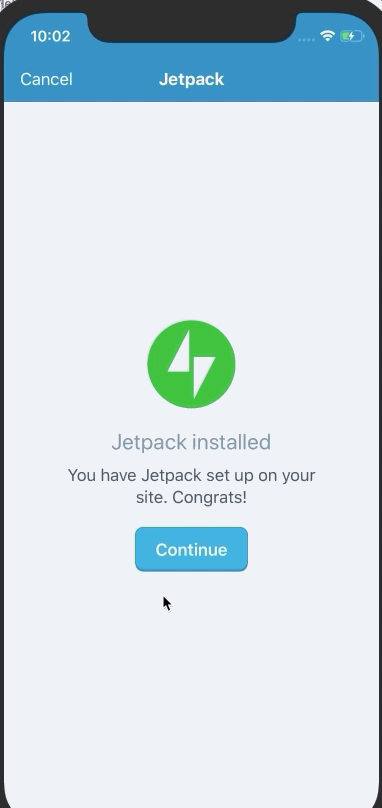
And if I tap Continue I land on this one:
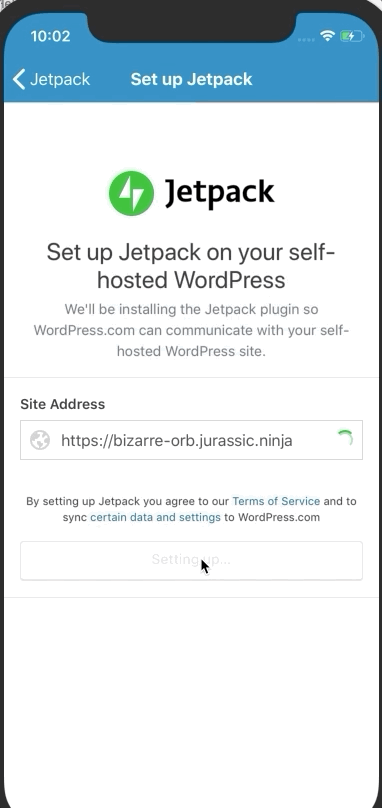
Which is confusing, since I thought I was done with the Jetpack Setup. @planarvoid how does this look in Android?
@danielebogo @SylvesterWilmott can we look into updating the copy so this is less confusing?
Steps to reproduce the behavior
Trigger a Jetpack install on a self-hosted stie.
Tested on Simulator, iOS 12, WPiOS 12.4
 elibud
All 7 comments
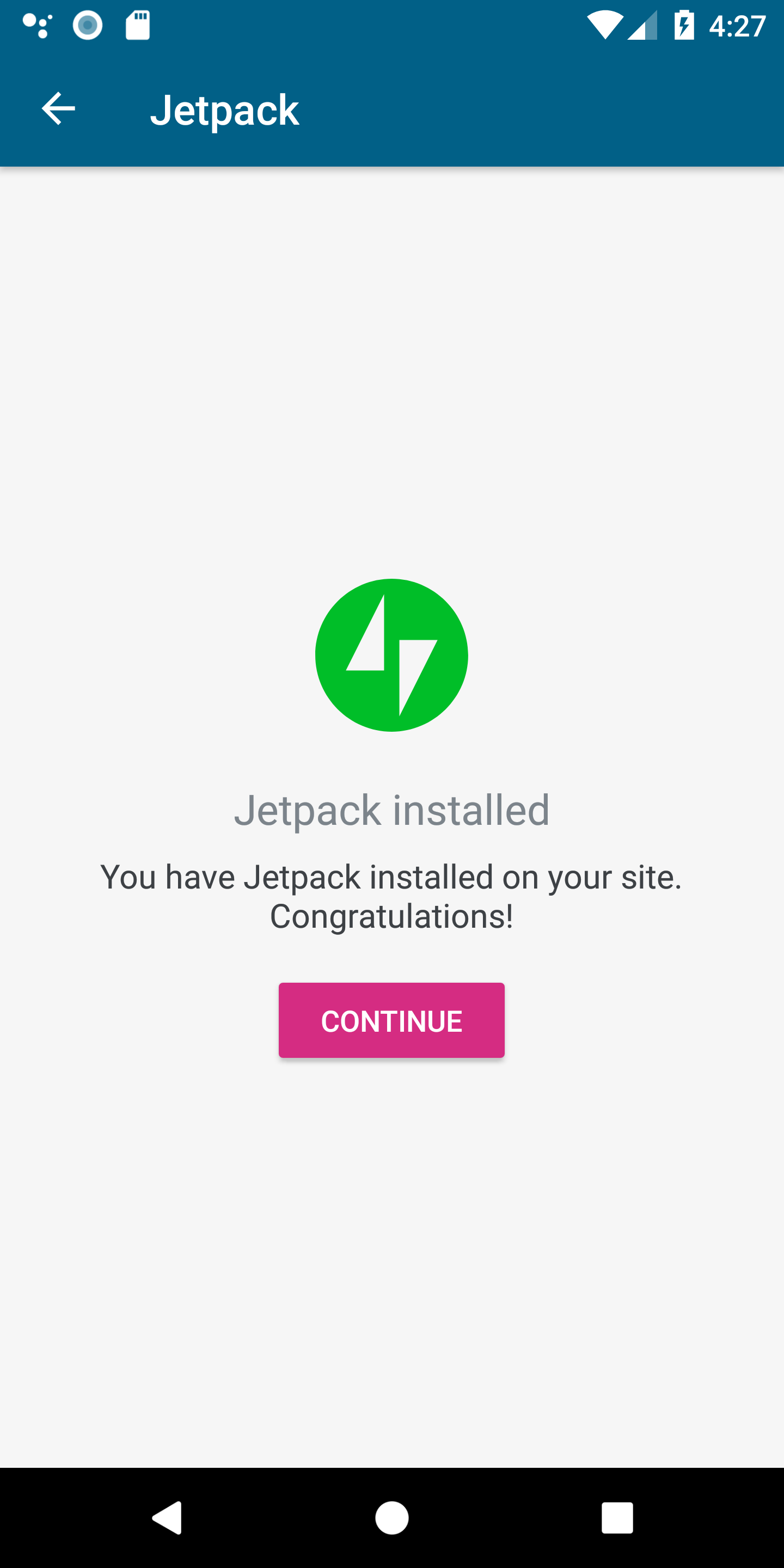
hey @elibud @danielebogo 👋 , this is what it looks like on Android
 planarvoid
on 23 Apr 2019
planarvoid
on 23 Apr 2019
Thanks @planarvoid ! @elibud @SylvesterWilmott can we use this copy?
 danielebogo
on 23 Apr 2019
danielebogo
on 23 Apr 2019
I don't think so, I think we need to be explicit that this is one step, and there's still one remaining one, to manage user expectations, something like:
Now that Jetpack is installed, let’s set it up, it will only take one minute.
Or something among those lines.
elibud
on 23 Apr 2019
Let me know what you pick and I can implement it on Android @danielebogo
planarvoid
on 23 Apr 2019
Thanks for the suggestion @elibud
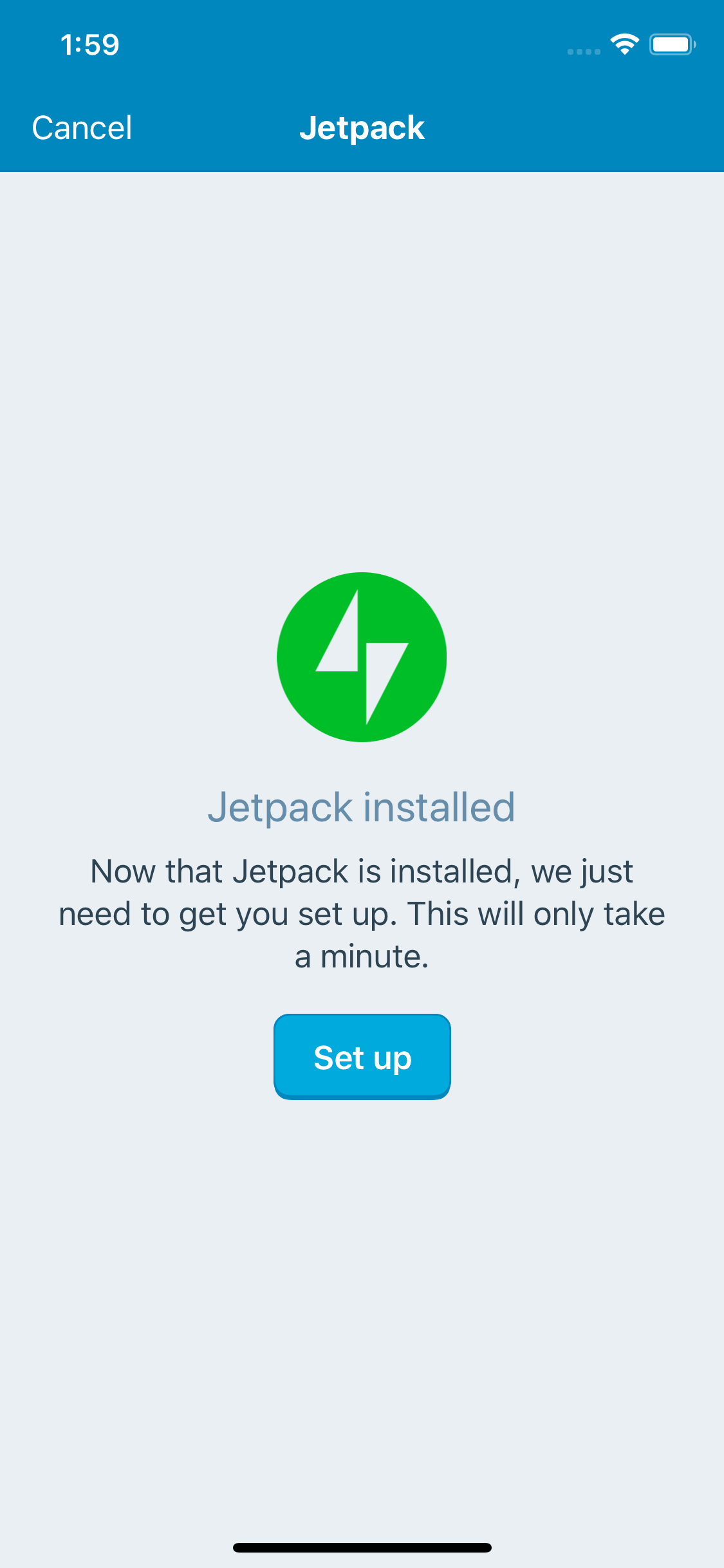
Minor change just to communicate that the set up is a requirement
Title: Jetpack installed
Body: Now that Jetpack is installed, we just need to get you set up. This will only take a minute.
Button: Set up
 SylvesterWilmott
on 24 Apr 2019
SylvesterWilmott
on 24 Apr 2019
@elibud @SylvesterWilmott
danielebogo
on 24 Apr 2019
This PR updates the strings on Android - https://github.com/wordpress-mobile/WordPress-Android/pull/9716
planarvoid
on 25 Apr 2019
Related issues
 designsimply
·
3Comments
designsimply
·
3Comments
designsimply
·
3Comments
designsimply
·
3Comments
 jkmassel
·
3Comments
jkmassel
·
3Comments
 hypest
·
3Comments
hypest
·
3Comments
 frosty
·
3Comments
frosty
·
3Comments
Most helpful comment
Thanks for the suggestion @elibud
Minor change just to communicate that the set up is a requirement
Title:
Jetpack installedBody:
Now that Jetpack is installed, we just need to get you set up. This will only take a minute.Button:
Set up