Wordpress-ios: Preview of draft post/View of published post is not loading images every time
Expected behavior
Previewing a draft post loads all its content.
Actual behavior
When there is an image on a draft post, it is not shown on preview. This happens when the draft was just created on and the site is private. Sometimes previewing an old post, the image is shown.
Steps to reproduce the behavior
- Create a new post.
- Write some title.
- Add an image.
- Save as draft.
- Make sure that the
Updatebutton is inactive (the post has no changes). - Press the
more(...) button. - Select
Preview. - The image won't show.
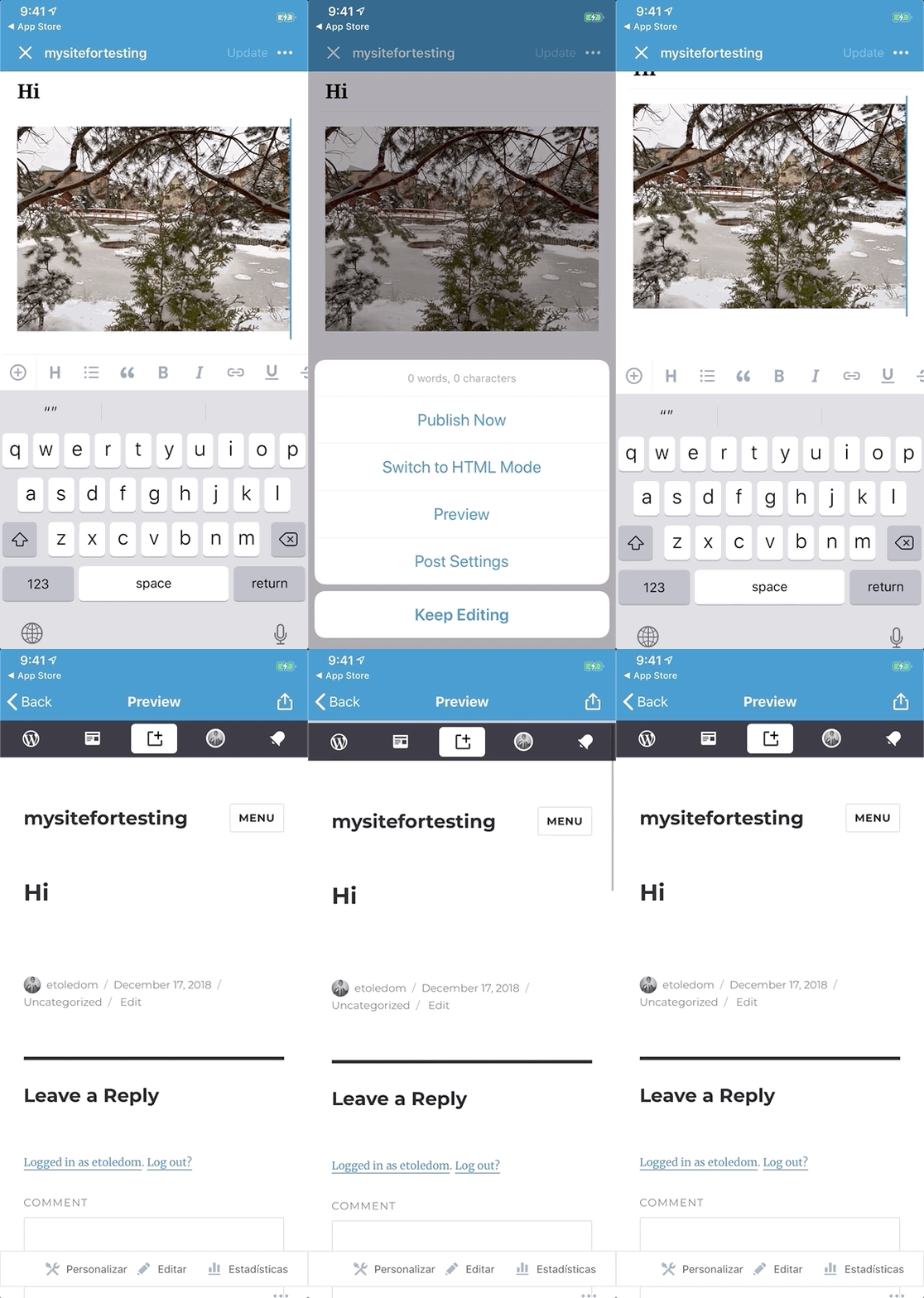
Tested on iPhone XS, iOS 12.1, WPiOS 11.3.1
 etoledom
All 10 comments
This isn't only happening on private sites. I've noticed it happening quite a bit recently on public sites, as well. Here's a screenshot I captured of the preview for this post:
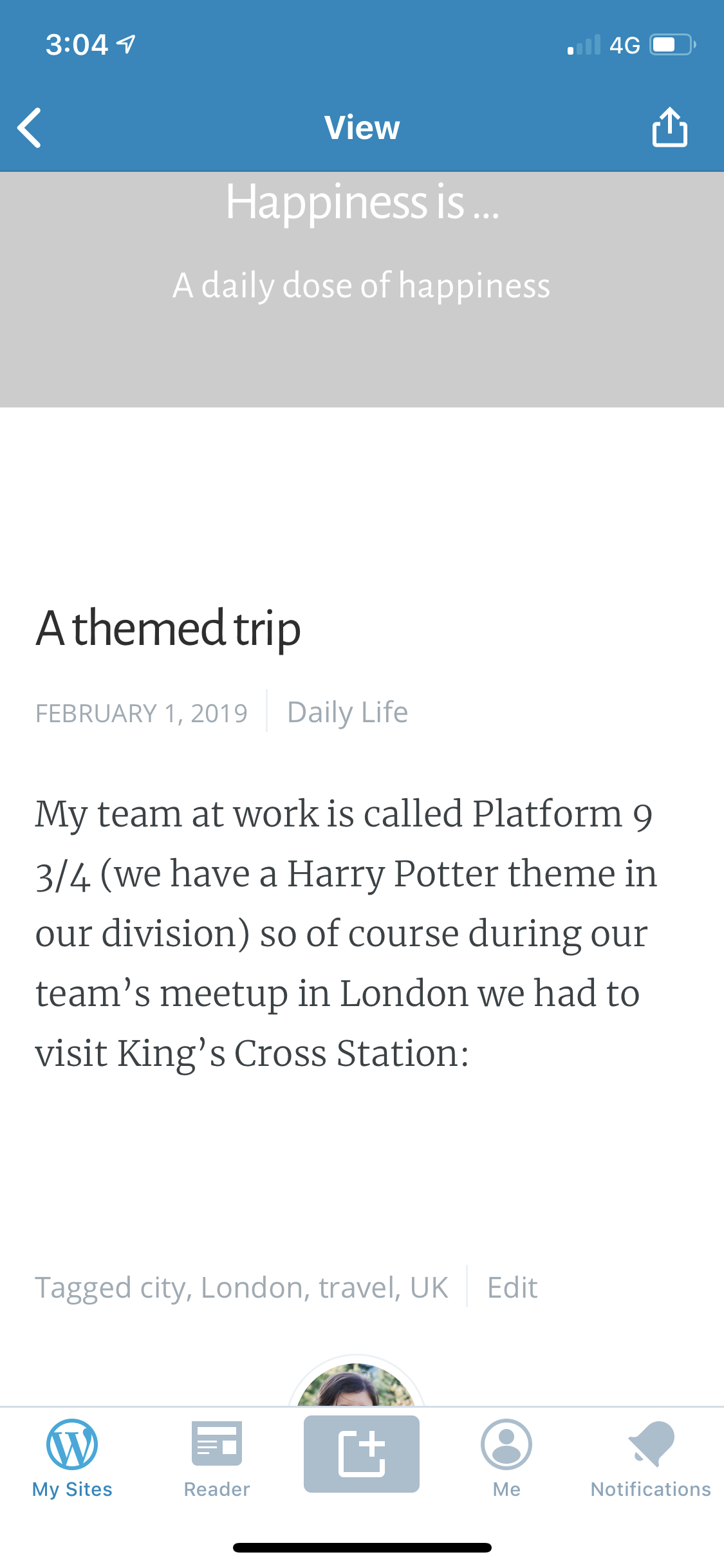
There should be a photo in the header area (behind the header text, instead of the grey background), as well as under the text in the post content.
 rachelmcr
on 18 Feb 2019
rachelmcr
on 18 Feb 2019
It looks like this is fixed now. Can you please confirm, @etoledom and @rachelmcr?
I did find a similar issue when offline. I added it as a separate issue: #11808.
 shiki
on 29 May 2019
shiki
on 29 May 2019
I'm still seeing this issue, using the steps in the original report, in WPiOS 12.6.0.20190604 (on iPhone XS). I confirmed that the image is uploaded and I can preview the post with the image in a web browser.
rachelmcr
on 10 Jun 2019
This came up again in a user report (iPhone X, iOS 12.0, WordPress for iOS 12.9.1 - internal ref: p4a5px-2qw-p2). I tested in the 13.0 beta (iPhone XS, iOS 12.3.1) and see the same issue.
However, it isn't only happening when previewing draft posts — it also happens when viewing a published post:
- Open the My Sites > Blog Posts section.
- Select "View" for a post in the posts list.
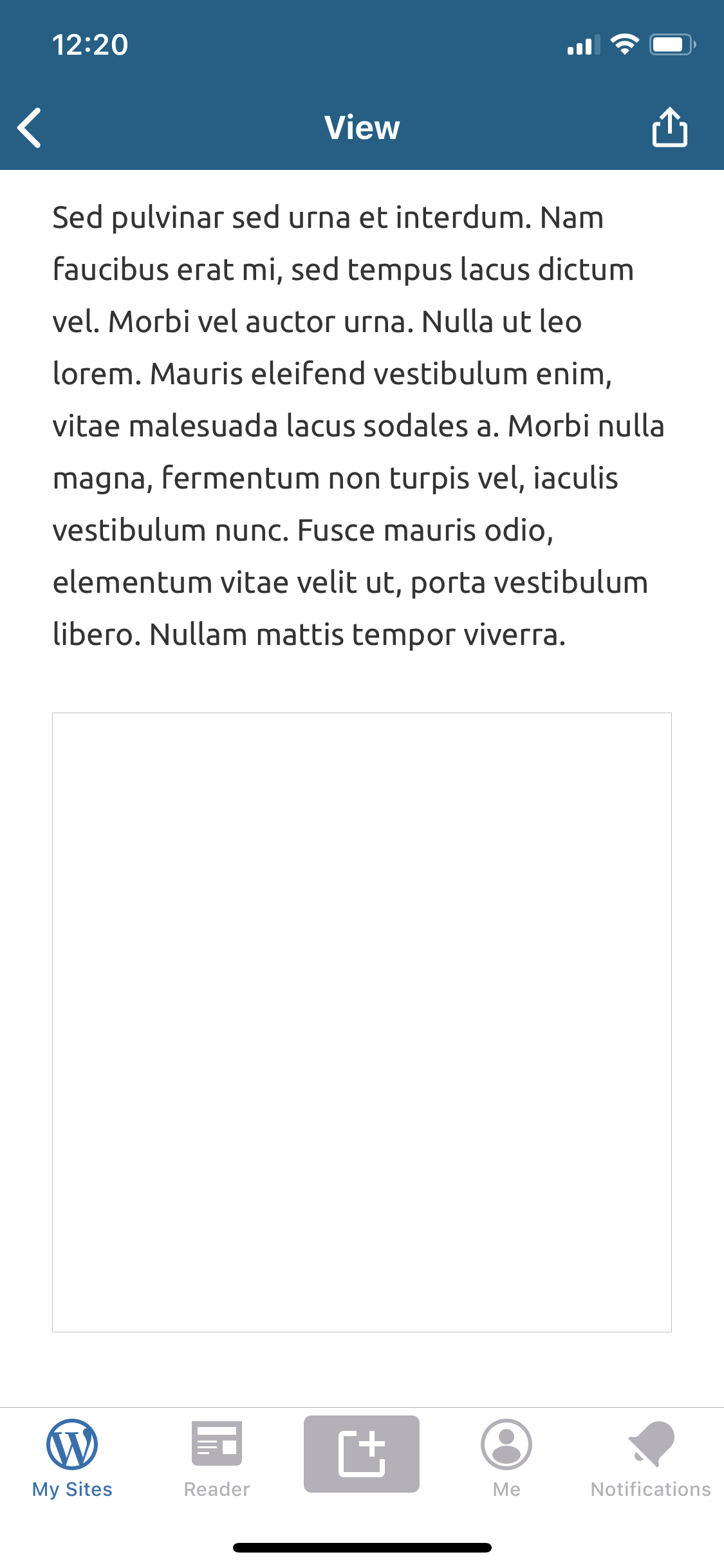
Result: The images don't load.
The images appear on the web and in other screens in the app, but not in the webviews while viewing or previewing the post.
In both the user report and my testing, the app logs show an error like this:
2019-08-13 12:20:25:704 <PostPreviewViewController: 0x105597e20> webView:didFailLoadWithError:Error Domain=NSURLErrorDomain Code=-999 "(null)" UserInfo={NSErrorFailingURLStringKey=https://rachelmpublictestblog.wordpress.com/2019/08/13/test-post-16/, NSErrorFailingURLKey=https://rachelmpublictestblog.wordpress.com/2019/08/13/test-post-16/}
Here's a screenshot showing a empty box where an image should appear:
rachelmcr
on 13 Aug 2019
I'm seeing this _very_ often on WordPress.com Simple sites (and so far only on simple sites), but not 100% consistently. I took a look with Charles Proxy and when the images don't load I'm seeing a couple different issues:
- GET requests for images that are complete but have this failure message:
Client closed connection before receiving entire response. - CONNECT requests to the site's *.files.wordpress.com address (the address that hosts the images) that fail with this failure message:
EOF: EOF reading HTTP headers
I also noticed that sometimes I see the images appear for a split second when I first view the post, and then they disappear.
@diegoreymendez are you able to look into this?
rachelmcr
on 13 Aug 2019
@rachelmcr - We're having a full plate right now, but I've added a task to review / test / anlyze this by Aug 23.
Can you let me know if that is fine, or if this needs to be tackled with a higher priority?
 diegoreymendez
on 13 Aug 2019
diegoreymendez
on 13 Aug 2019
@elibud what do you think? Since this isn't 100% reproducible or highly reported by our users (and it has been around for a while now) I think that timeline is ok, unless you'd like to make it higher priority.
rachelmcr
on 13 Aug 2019
@diegoreymendez any chance of having @shiki look at it sooner so we can have a fix this sprint? This is quite a serious problem for users.
 elibud
on 13 Aug 2019
elibud
on 13 Aug 2019
I'll look into this now.
diegoreymendez
on 13 Aug 2019
On the upside:
I believe I found the technical problem that would cause images in previews not to load.
Something is causing these events:
- The web view properly starts loading the correct URL (
https://diegotest4.wordpress.com/?p=748). - The web view for some reason starts loading a different URL... kind of like a redirect (
https://public-api.wordpress.com/wp-admin/rest-proxy/#https://diegotest4.wordpress.com). This request cancels the first one causing some things not to load consistently (like images).
An easy solution I could find was to check if request.URL == request.mainDocumentURL before allowing the new URL to load... mainDocumentURL has the URL we really want to load.
On the downside:
The proposed solution feels a bit like trial-and-error right now, and it's definitely not something I feel very convinced to push without more investigation around what's going on.
The ultimate cause behind this problem isn't 100% clear to me at the moment - so I'll investigate a bit more.
diegoreymendez
on 13 Aug 2019
Related issues
 wptester9845
·
3Comments
wptester9845
·
3Comments
 designsimply
·
3Comments
designsimply
·
3Comments
 jkmassel
·
3Comments
wptester9845
·
3Comments
designsimply
·
3Comments
jkmassel
·
3Comments
wptester9845
·
3Comments
designsimply
·
3Comments