Wordpress-ios: Reader: Improve how quotes are displayed in posts
Expected behavior
Quotes on a Gutenberg post should display correctly on Reader.
Actual behavior
They don't look like quotes at all.

Steps to reproduce the behavior
Check out a post with quotes on reader.
Tested on iPhone X, iOS 12, WPiOS 10.5
 elibud
All 12 comments
I'm not entirely sure what's wrong with them. I looked at a non-Gutenberg post to compare and it seems similar to this:
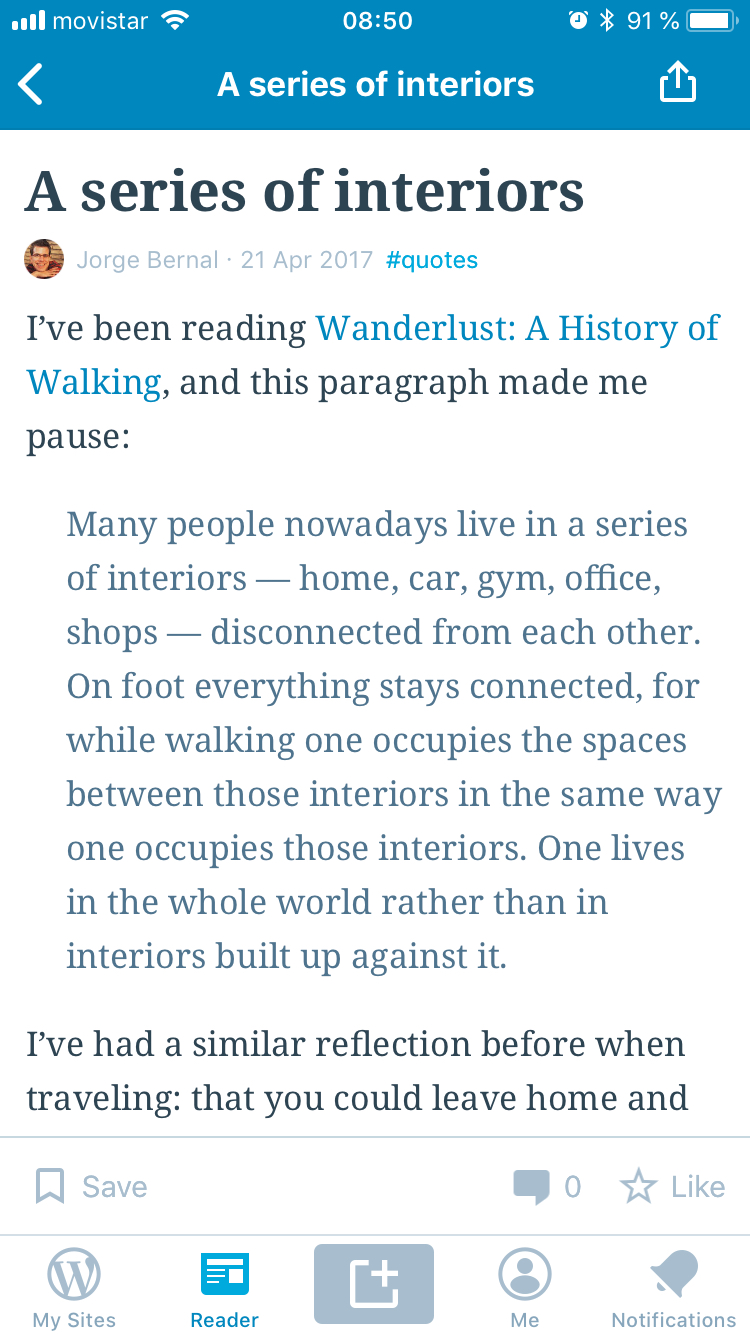
Do we have a design of how they should look like?
 koke
on 29 Aug 2018
koke
on 29 Aug 2018
Well, it is very possible that I've lost my mind, but I was pretty sure they used to look closer to Android, with a line on the side.
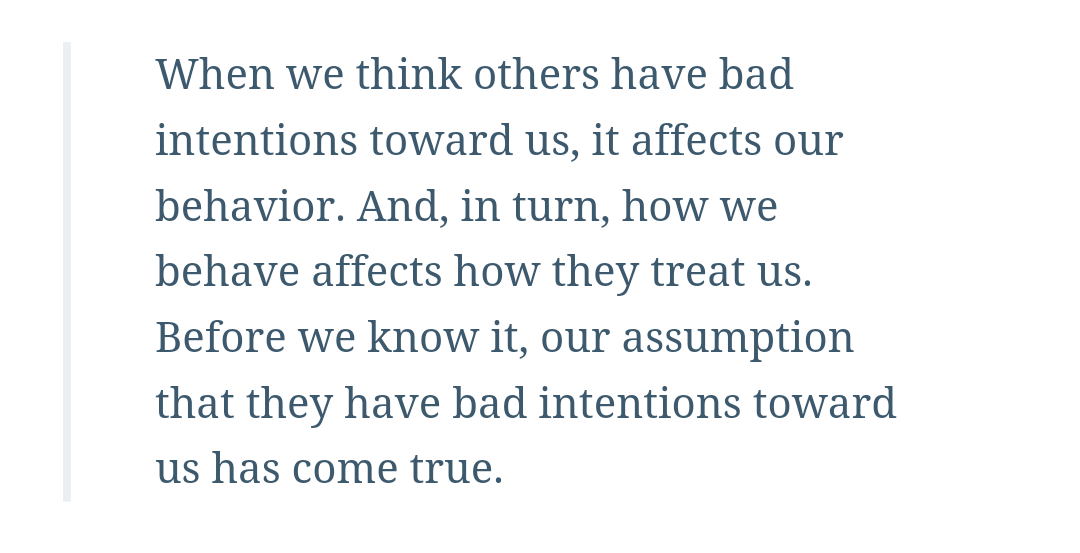
That being said, this is clearly not a Gutenberg problem, thanks for checking it out @koke. Let's get a Design Review and take it from there. @SylvesterWilmott @iamthomasbishop how do you think quotes should look in Reader, both iOS and Android?
elibud
on 29 Aug 2018
I think that would be a good start @elibud. I'd maybe reduce some of the spacing between the vertical line and the text (maybe bring down to ~12pt? I think that's what I'm using in the upcoming Gutenberg implementation).
 iamthomasbishop
on 30 Aug 2018
iamthomasbishop
on 30 Aug 2018
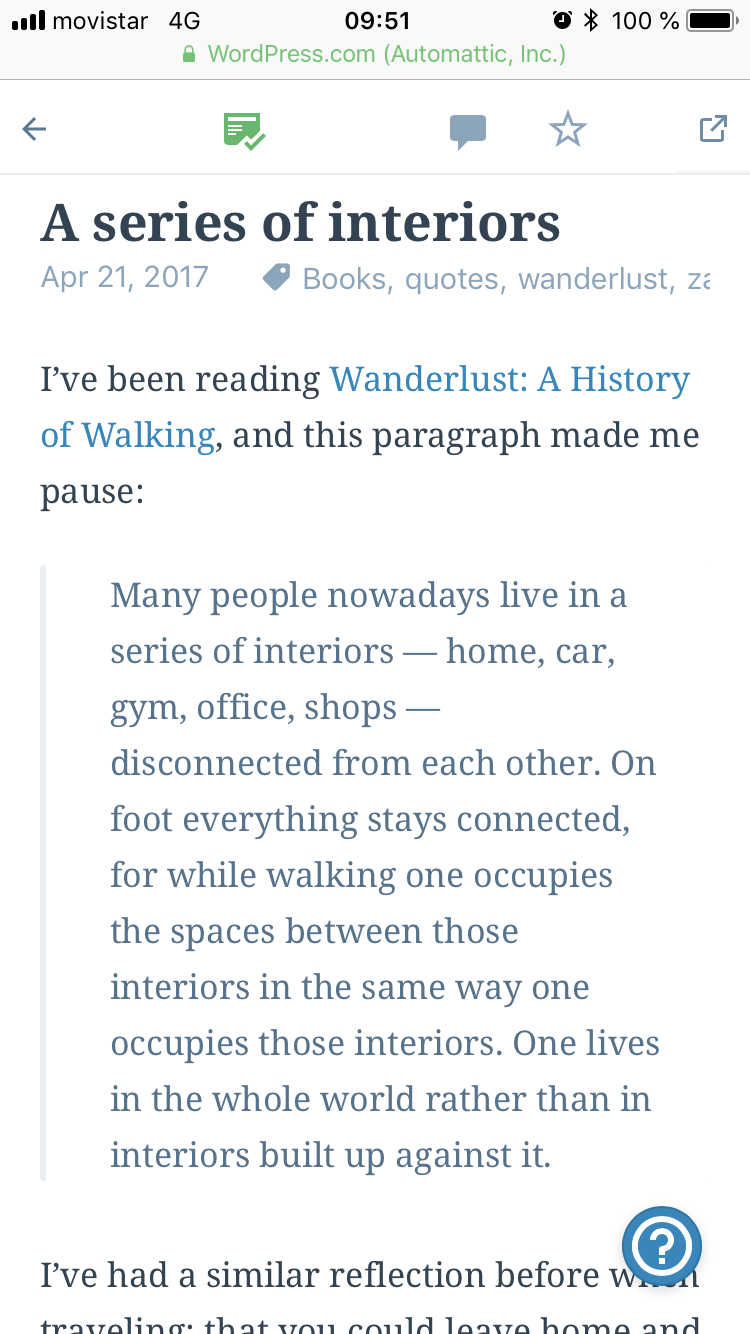
That seems to match what calypso is doing
koke
on 31 Aug 2018
Design decision time: let's match calypso styling for now, but narrow the spacing between the vertical line and content.
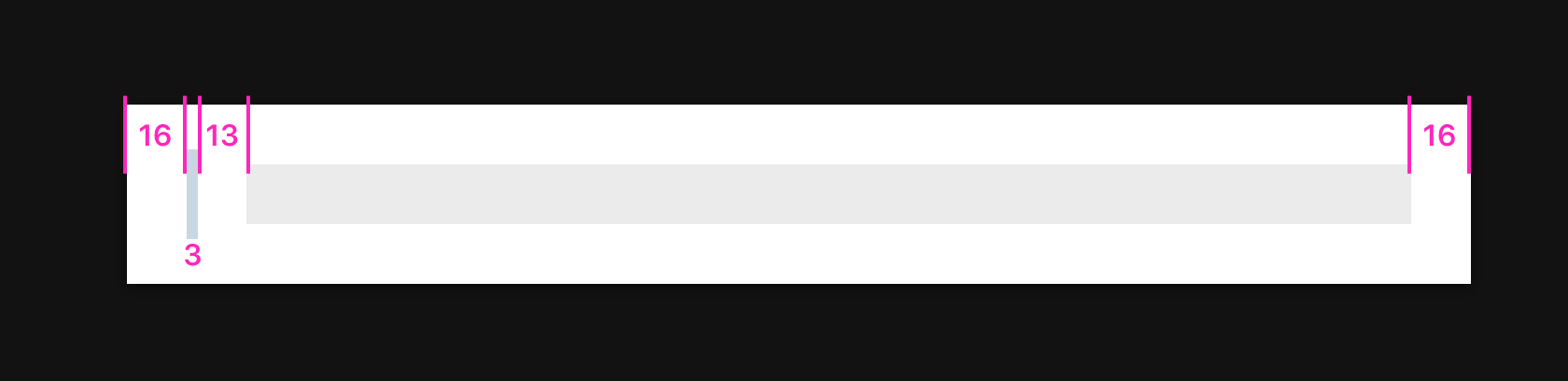
The vertical border is #e9eff3 aka greyLighten30 on Calypso, so we can match that.
Text color is #4f748e, aka greyDarken20.
iamthomasbishop
on 17 Sep 2018
You ask for a tricky thing. :)
The web, and the Android reader (@nbradbury can correct me if I'm wrong) achieve the vertical border by defining it in CSS. Something like border-left:3px solid #e9eff3. There is limited HTML and CSS support available in TextKit when configuring an NSAttributedString with an NSAttributedString.DocumentType.html document type (as we do). Unfortunately blockquotes are barely supported (we can set the color via CSS but have to manually apply indentation) and borders are not supported at all.
If we're unable to define the define the border as an attribute on the NSAttributeString, we could try composing it with some special handling in a NSLayoutManagerDelegate. We could add a custom attribute for blockquotes, get the range of that attribute, calculate the CGRect that text range will be drawn in then clear/draw the border in a separate drawing context anytime the NSTextContainer's geometry changes. Its a bit hacky and I'm inclined to say its not worth the effort.
Maybe @diegoreymendez knows of a different trick?
 aerych
on 15 Nov 2018
aerych
on 15 Nov 2018
The web, and the Android reader (@nbradbury can correct me if I'm wrong) achieve the vertical border by defining it in CSS.
Yep, that's correct.
 nbradbury
on 15 Nov 2018
nbradbury
on 15 Nov 2018
Aztec has a solution to this puzzle that @diegoreymendez shared with me -- a custom NSLayoutManager (not a delegate) to draw the background of the block quote.
aerych
on 19 Nov 2018
I fell like I might be over my head on this but I'll try tackling this.
 jklausa
on 2 Apr 2019
jklausa
on 2 Apr 2019
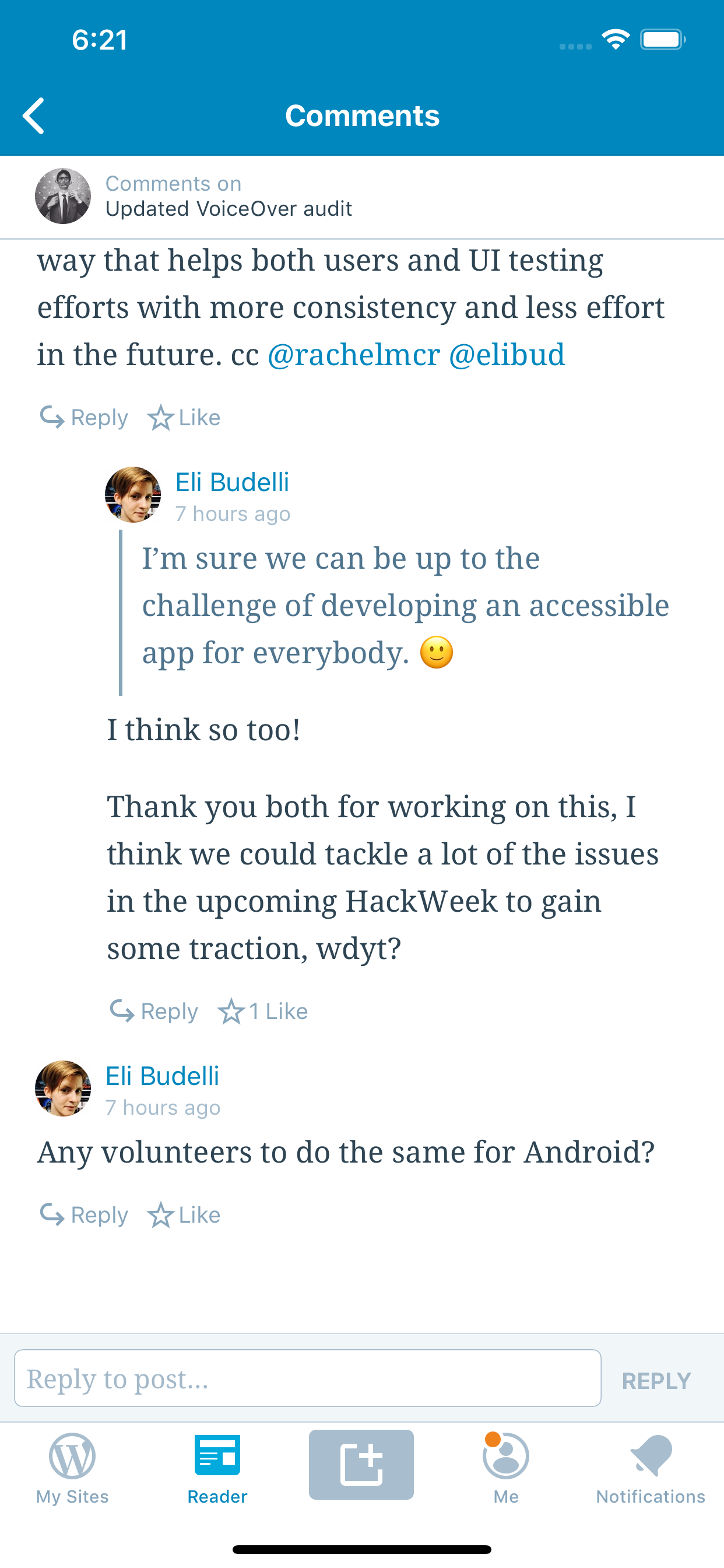
The code for this is atrocious for now, but I think we're getting somewhere :)
jklausa
on 3 Apr 2019
Looking good @jklausa, does the same atrocious code work for the post body?
elibud
on 3 Apr 2019
Looking good!
 diegoreymendez
on 3 Apr 2019
diegoreymendez
on 3 Apr 2019
Related issues
 hypest
·
3Comments
hypest
·
3Comments
 jleandroperez
·
3Comments
jleandroperez
·
3Comments
 designsimply
·
3Comments
designsimply
·
3Comments
 marekhrabe
·
3Comments
marekhrabe
·
3Comments
 frosty
·
3Comments
frosty
·
3Comments
Most helpful comment
The code for this is atrocious for now, but I think we're getting somewhere :)