Wordpress-ios: Draft Share: Shared note from Notes.app wrapped with <blockquote>
Expected behavior
Shared note will appear in exactly same styles (or with only supported styles)
Actual behavior
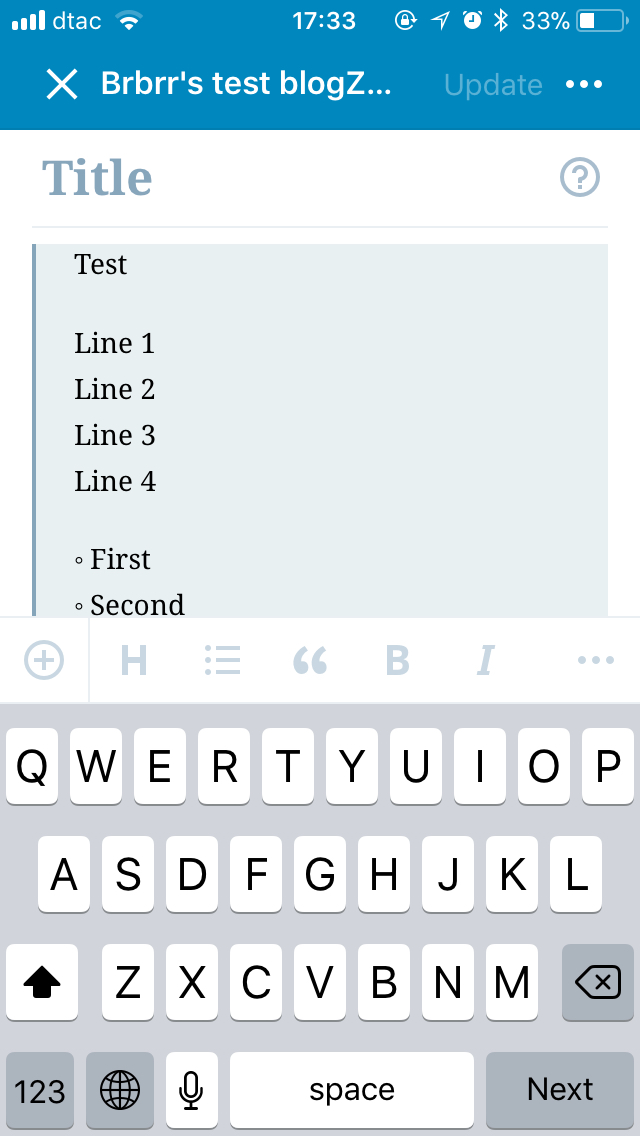
Shared note is wrapped with <blockquote> so the whole draft looks like one big quote
Steps to reproduce the behavior
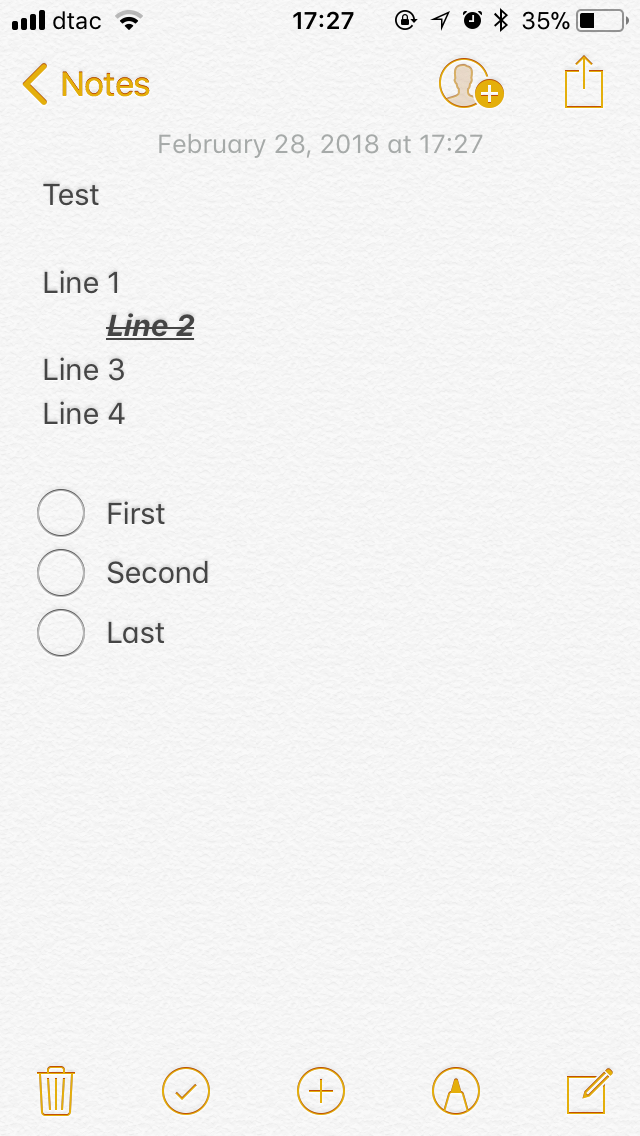
- Create a note in Notes.app
- Share it with WP Draft Share
- review new draft post in WP-iOS app
Tested on iPhone SE, iOS 11.2.5, WPiOS 9.5.0.20180227
 brbrr
brbrr
All 5 comments
This is a little bit of a "difficult solution" 😛 This is what is happening:
- When sharing content from Notes, what iOS delivers to us is not a "Note" object, but plain text.
- When our draft extension receives the content of the note, it is not aware of the app it is coming from. All it is aware of is that it is receiving text.
- Our draft extension wraps in
<blockquote>the text it receives as plain text. From what I've gathered, this is the expected behaviour.
So, long story short, we don't have a way (as far as I am aware of) to figure out if what we get is a Note or just plain text.
In order to workaround this limitation, I have been playing with something like this:
- Step 1. Add a row after Tags, that would be visible only for text-only content, that defaults to "block quote".
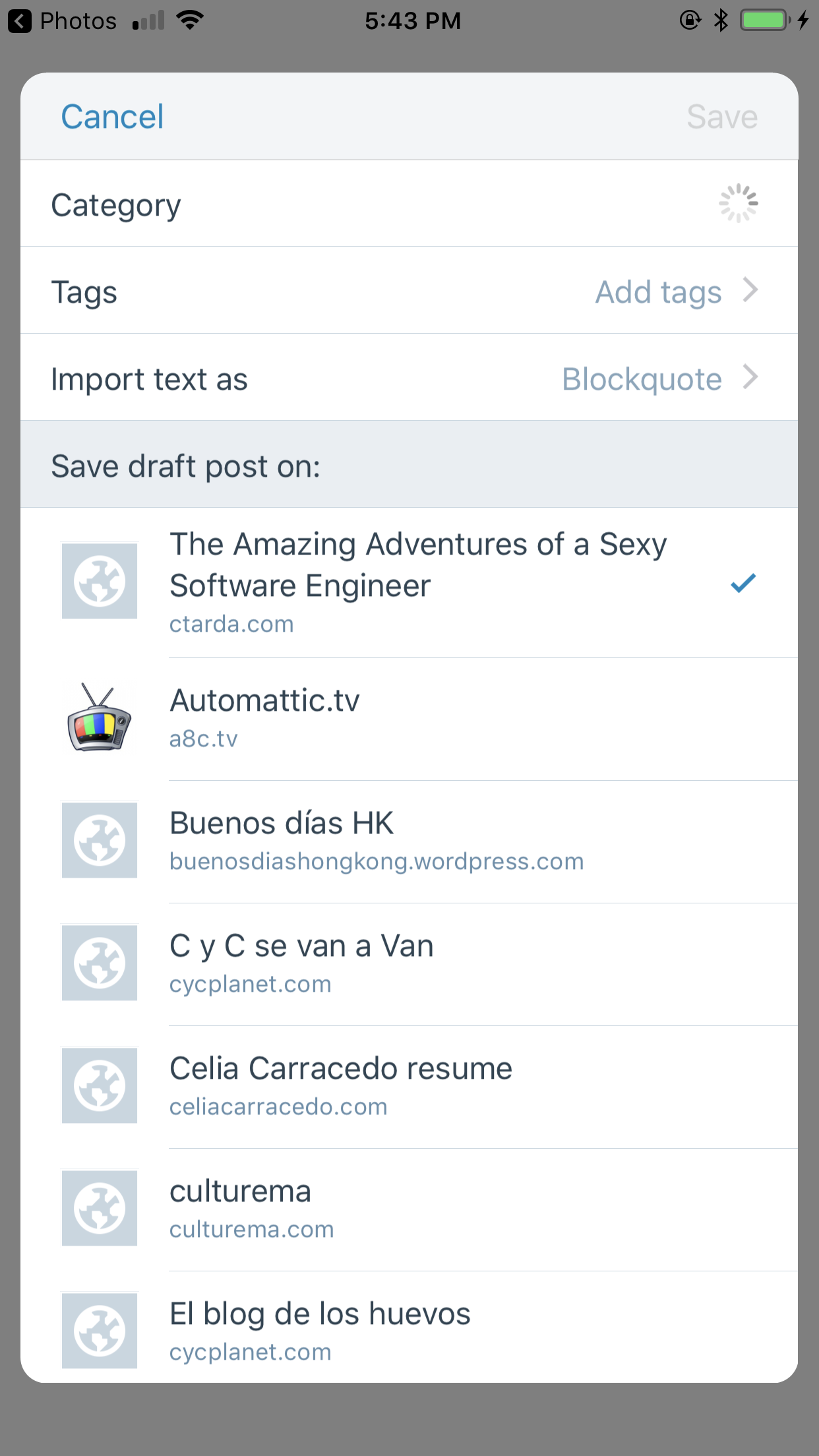
- Step 2. Tapping that row allows users to select if they want to insert text as plain text or as a quote.
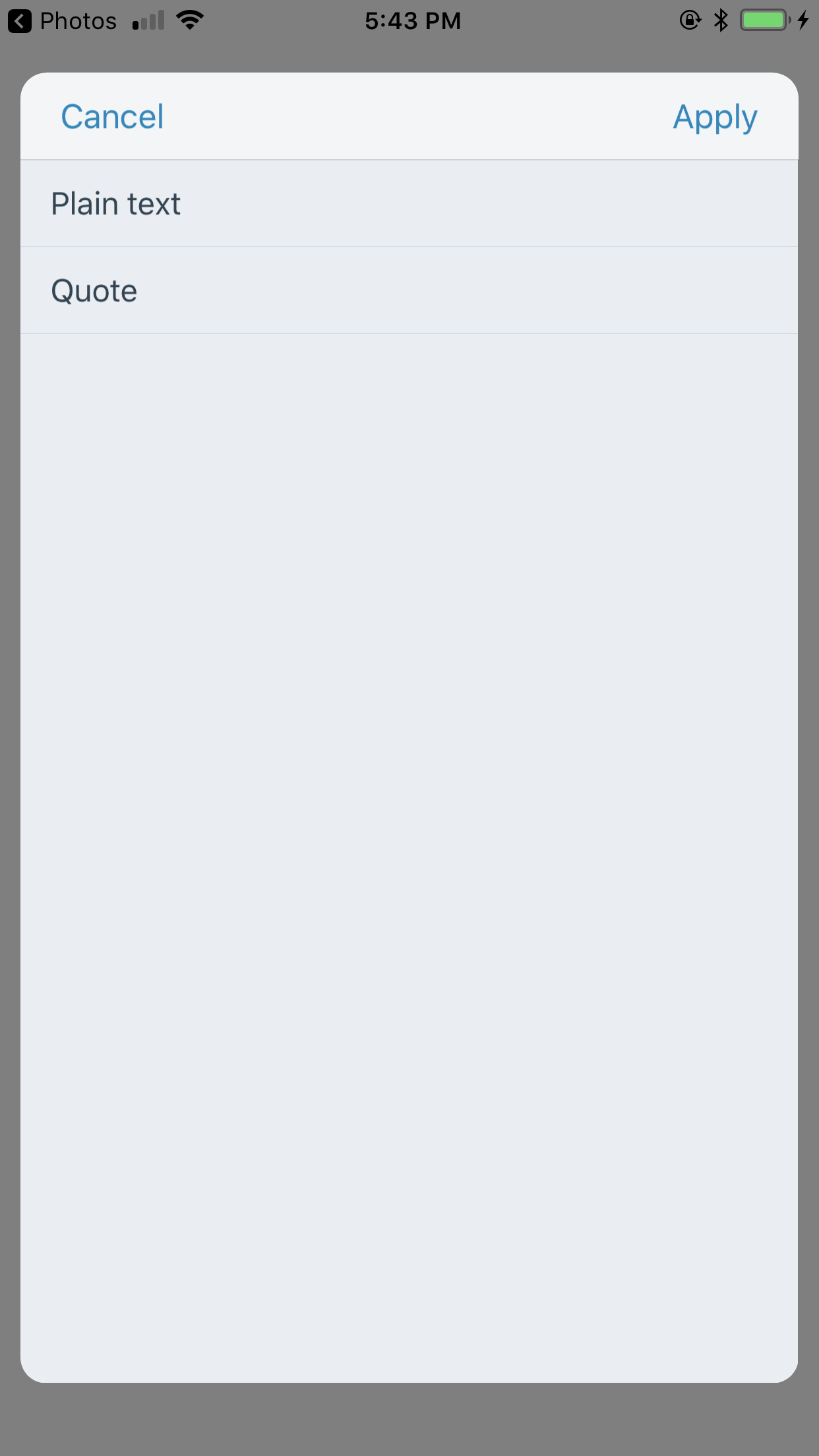
If they select plain text, we strip the blockquote tags from the text before creating the draft.
You can see a video here:
https://cloudup.com/cYOhK4iYbTE
(caveats, the "blockquote" string does not get updated when selecting plain text, and we should probably make whatever the user selects as the default for future executions of the extension)
This is just an experiment, I assume I used not very appropiate user-facing strings, but I wanted to gather feedback, and discuss if this could make sense.
So, what are your thoughts, @folletto @iamthomasbishop @bummytime @mindgraffiti ?
Note: I have pushed this code (ugly as a naked cat) to fix/8757-share-notes-blockquote, in case anyone wants to take a look
 ctarda
on 7 Jun 2018
ctarda
on 7 Jun 2018
Initial thoughts are to give the user the option but to default to a blockquote. The blockquote makes sense imo because the user's intent is to pull in a text snippet that they want to quote rather than creating a full post inside of a Note and then copy/pasting it into a WordPress draft. I don't have any stats to prove that this is the user's true intent though, so take my opinion with a heavy dose of salt.
 mindgraffiti
on 7 Jun 2018
mindgraffiti
on 7 Jun 2018
There seem to be two different issues here:
- Importing the note properly
- Blockquote
For the first — from the message above, it seems a technical limitation on how Apple shares the note. Given that, there's nothing we can do.
For the second — I don't think adding an option to update the blockquote is necessary, as the note is pulled in as text and it's possible to just select and remove blockquote in the editor.
Measuring the raw interactions:
Editor:
- Tap cursor
- Tap select all
- Tap "Blockquote" to remove quote
- Done
Setting
- Tap the setting
- Tap the updated value
- Tap back
- Done
Even if we optimize the settings option, it seems we can gain just one tap. Overall seems an optimization that comes at a high cost in terms of maintenance and UI complexity, for something that's already possible with a comparable number of steps in the editor.
That said, the proper way to do this seems related to what "Notes" are, which compared with other source of quotes is more likely to be a full article vs something to quote. Would be interesting to see if we can detect:
- Source app in some way.
- If the content is a "full" page, or comes from a "selection" range.
What we could do then is to automatically either:
- Tailor for Notes
- Blockquote if it's a selection, or paste the text interely if not (this applies only to text, URLs and other potential types of context would still get blockquoted).
 folletto
on 7 Jun 2018
folletto
on 7 Jun 2018
Even if we optimize the settings option, it seems we can gain just one tap. Overall seems an optimization that comes at a high cost in terms of maintenance and UI complexity, for something that's already possible with a comparable number of steps in the editor.
I think this is a great point @folletto and I agree.
Would be interesting to see if we can detect:
- Source app in some way.
- If the content is a "full" page, or comes from a "selection" range.
Excellent question! The only thing the host app (Notes in this situation) provides our extensions is an ExtensionContext which contains a content type and the content itself. Information about the host app itself is not shared with extensions and, per Apple, this is a security measure.
So going back to the Notes example sharing this entire note:
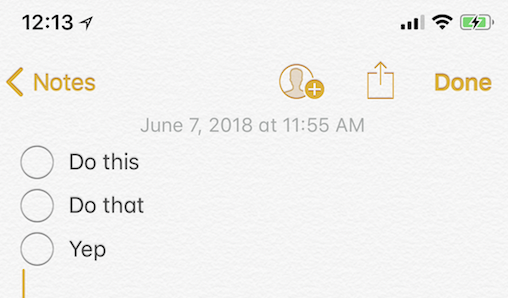
yields a context containing a content type of public.plain-text and the following content: ◦\tDo this\n◦\tDo that\n◦\tYep\n\n
While sharing this:
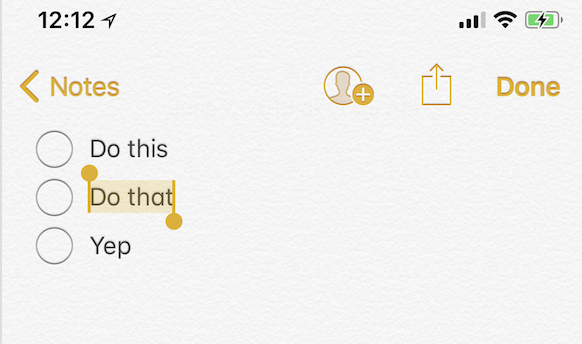
yields a context containing a content type of public.plain-text and the following content: Do that\n
Nothing else is provided in terms of the content being a selection or full screen. In addition, to complicate things more, every host app can share content differently. So while Notes is sharing plain text, TextEditor XYZ may share a PDF, etc. 🤕
Sooooo given all that ☝️☝️☝️, perhaps taking no action on this issue is prudent right now.
 bummytime
on 7 Jun 2018
bummytime
on 7 Jun 2018
Sounds good to me!
ctarda
on 8 Jun 2018
Related issues
 designsimply
·
3Comments
designsimply
·
3Comments
designsimply
·
3Comments
designsimply
·
3Comments
designsimply
·
3Comments
designsimply
·
3Comments
designsimply
·
3Comments
designsimply
·
3Comments
 SiobhyB
·
3Comments
SiobhyB
·
3Comments
Most helpful comment
I think this is a great point @folletto and I agree.
Excellent question! The only thing the host app (Notes in this situation) provides our extensions is an
ExtensionContextwhich contains a content type and the content itself. Information about the host app itself is not shared with extensions and, per Apple, this is a security measure.So going back to the Notes example sharing this entire note:
yields a context containing a content type of
public.plain-textand the following content:◦\tDo this\n◦\tDo that\n◦\tYep\n\nWhile sharing this:
yields a context containing a content type of
public.plain-textand the following content:Do that\nNothing else is provided in terms of the content being a selection or full screen. In addition, to complicate things more, every host app can share content differently. So while Notes is sharing plain text, TextEditor XYZ may share a PDF, etc. 🤕
Sooooo given all that ☝️☝️☝️, perhaps taking no action on this issue is prudent right now.