Wordpress-ios: Crash: Cannot upload media with Jetpack and IndieAuth plugin installed
On a .org WordPress site with the Jetpack and IndieAuth plugins installed, we are unable to create/upload new media via the Media Library and also when editing a post. When the app POSTs to:
https://public-api.wordpress.com/rest/v1.1/sites/*/media/new?locale=en
a 400 is returned from the server with the following response body:
{
    "error": 403,
    "message": "Forbidden"
}
You can upload media successfully (200 response from the same endpoint 👆) if you either:
1) Disable IndieAuth and leave Jetpack activated
2) Disable Jetpack and leave IndieAuth activated
Steps to reproduce the behavior
1) On a .org WordPress install, install Jetpack and activate it.
2) Next install IndieAuth and activate it
3) Run the latest WPiOS build and attempt to upload media via the Media Lib or within Aztec.
4) See the app crash hard when the server returns a 400 (403) and we don't handle it well.
Tested on iPhone Simulator, iOS 11.1, WPiOS develop
Tested on WordPress 4.9 with Jetpack and IndieAuth plugins installed & activated
 bummytime
All 5 comments
Also, I should note you are able to create posts without attached media when both Jetpack and IndieAuth are installed & activated.
bummytime
on 20 Nov 2017
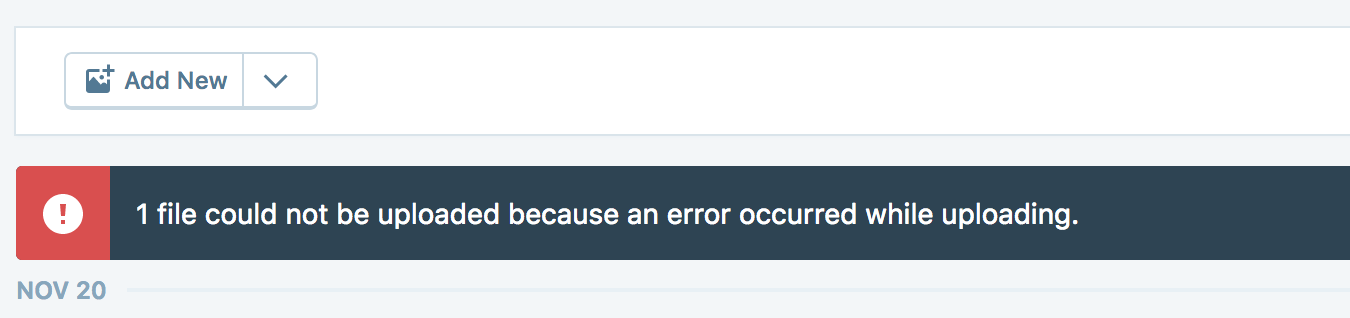
One more thing...having this plugin installed also causes Calypso to fail media uploads as well:
bummytime
on 20 Nov 2017
After chatting with @jeherve about this, it seems the issue likely has to do with the plugin hooking into authenticate thus overwriting all authenticated requests WordPress.com makes to the site.
Calling on the plugin author @pfefferle to jump in here with some thoughts about what might be blocking this from working so we can come up with a solution :)
 annezazu
on 20 Nov 2017
annezazu
on 20 Nov 2017
Thanks @annezazu. For now, on the WPiOS side, we should definitely handle this 400 error in a better manner.
bummytime
on 20 Nov 2017
This issue has been marked as stale and will be automatically closed. This happened because:
- It has been inactive for the past year.
- It isn't in a project or a milestone.
- It hasn’t been labeled `[Pri] Blocker`, `[Pri] High`, or `good first issue`.
However, discussion is still welcome! If the issue is still valid, please leave a comment with a brief explanation so the issue can be reopened.
![stale[bot] picture](https://avatars3.githubusercontent.com/in/1724?v=4&s=40) stale[bot]
on 20 Nov 2018
stale[bot]
on 20 Nov 2018
Related issues
 designsimply
·
3Comments
designsimply
·
3Comments
 jleandroperez
·
3Comments
jleandroperez
·
3Comments
 iamthomasbishop
·
3Comments
iamthomasbishop
·
3Comments
 hypest
·
3Comments
hypest
·
3Comments
 rclations
·
3Comments
rclations
·
3Comments
Most helpful comment
After chatting with @jeherve about this, it seems the issue likely has to do with the plugin hooking into
authenticatethus overwriting all authenticated requests WordPress.com makes to the site.Calling on the plugin author @pfefferle to jump in here with some thoughts about what might be blocking this from working so we can come up with a solution :)