Wordpress-ios: Duplicate Entries In “My Sites”
From mobilerequests:
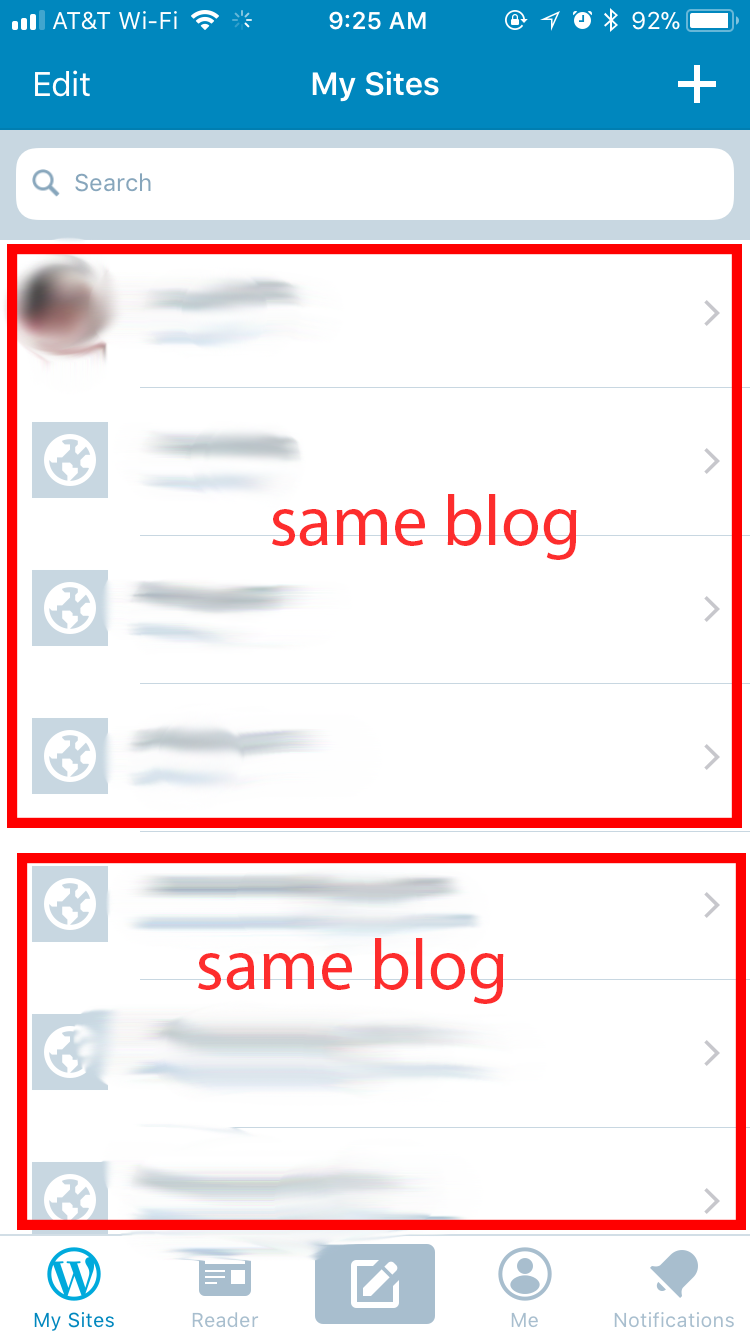
I’m getting multiple entries for each of my sites. Version 8.5.0.20170929 on iOS 11.0. This has been going on for a while though. I haven’t cleared the cache or anything so that this could be better debugged.
 khaykov
All 24 comments
From the OP
I deleted the app and reinstalled it and all is well now.
 elibud
on 2 Oct 2017
elibud
on 2 Oct 2017
This came up again in p4a5px-2fv-p2. See P2 for site details, etc.
- App version: 10.5.1
- Country Code: ee
- iOS version: unknown
- Phone: unknown
[Update from Sheri: there's a decent screenshot in the internal reference Siobhan mentioned above. Also, the user confirmed that deleting and reinstalling the app solved the problem for them.]
 SiobhyB
on 21 Aug 2018
SiobhyB
on 21 Aug 2018
We've got another mention of this is #2073587-zen.
Looks like it's probably the same issue as p4a5px-2fv-p2 (seeing some similar logs).
- App version: 12.4
- Country Code: us
- Device model: iPhone XR
- OS: iOS 12.3.1
[Update from Sheri: this one is odd, I read the original ticket and it sounded to me like the user was saying they see the text "My Sites" plural when it should be "My Site" singular. In all of the screenshots they provided, there was never any duplicate site showing in My Sites.]
 thehenrybyrd
on 2 Jun 2019
thehenrybyrd
on 2 Jun 2019
Another one in #2239935-zen
[Update from Sheri: this person reported seeing a duplicate site in Reader > Followed Sites > Manage and not in My Sites from what I can tell. I will add some quotes from the user below.]
I had changed my site address. Now it seems as if there are 2 sites but I can not get to one of them. How do I fix this so my follower count is correct?
Here’s a screenshot of 2 [sites] that show up in my manage followed sites.
 fresatomica
on 2 Aug 2019
fresatomica
on 2 Aug 2019
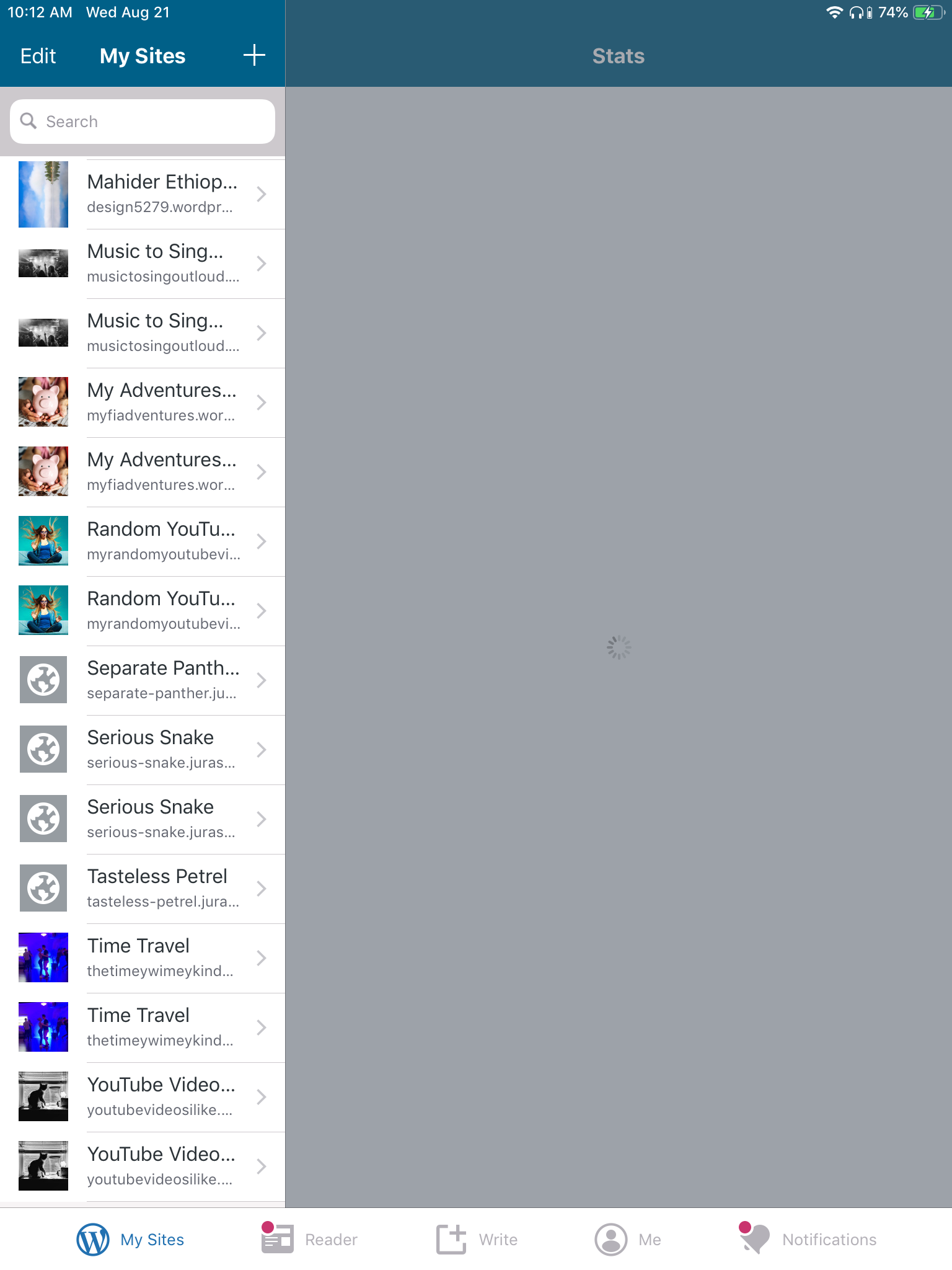
Tested and confirmed using WP Internal 13.1.0.20190819 that I can see duplicate sites in My Sites on my iPad. In my case, the sites are a mix of WordPress.com and Jetpack sites.
It's easy to see in a search too:
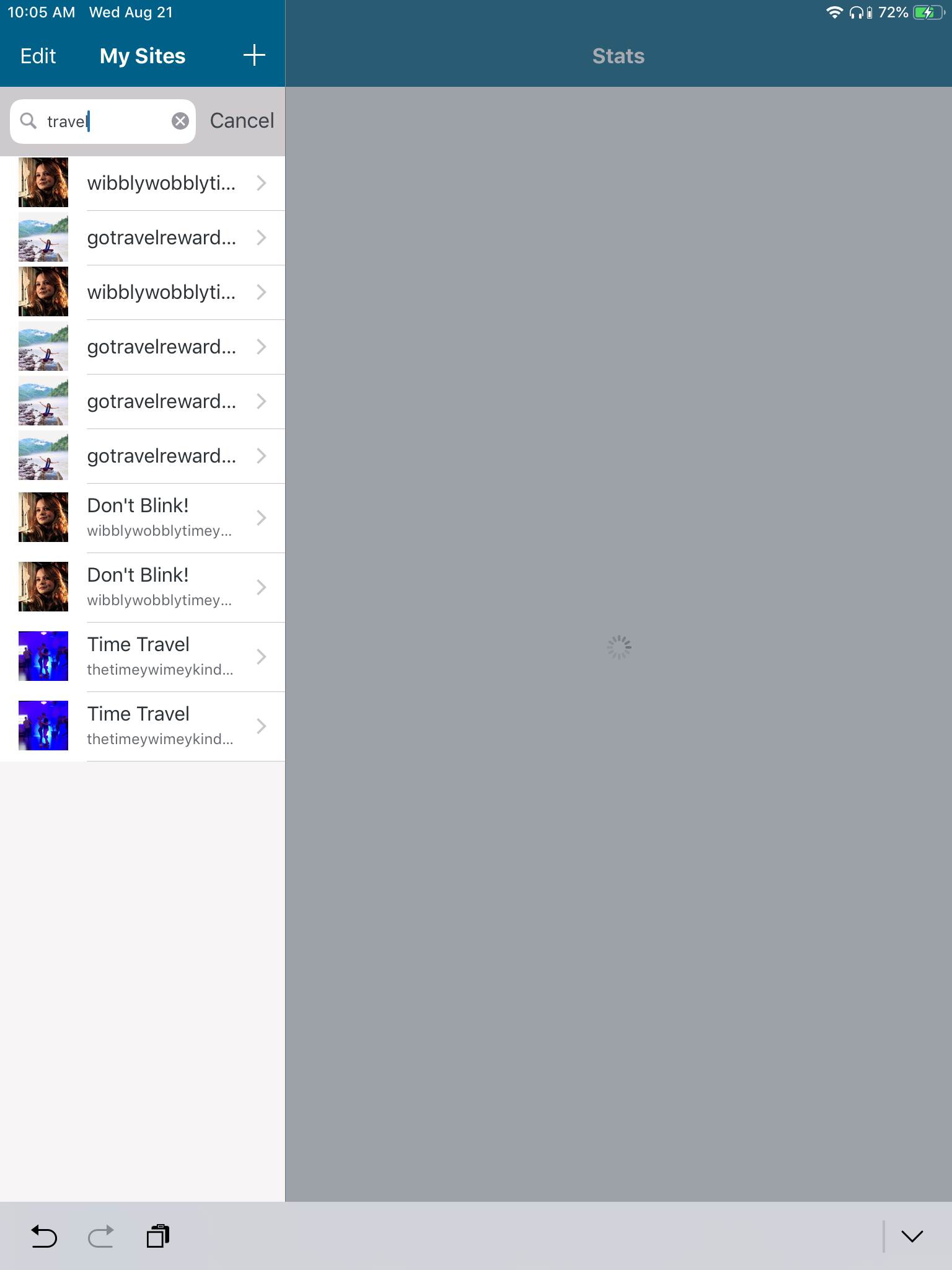
Deleting and re-installing the app makes the problem go away. I can't remember the exact timeline, but it's possible this started showing up after upgrading to iOS 12.4.
- App version: 13.1 beta
- Country Code: us
- Device model: iPad Mini 4 (WiFi)
- OS: iOS 12.4
 designsimply
on 21 Aug 2019
designsimply
on 21 Aug 2019
I also noticed that, when sites were showing up as duplicate in the My Sites list, the list in Reader > Followed Sites > Manage also showed duplicates. Delete+reinstall made the problem go away.
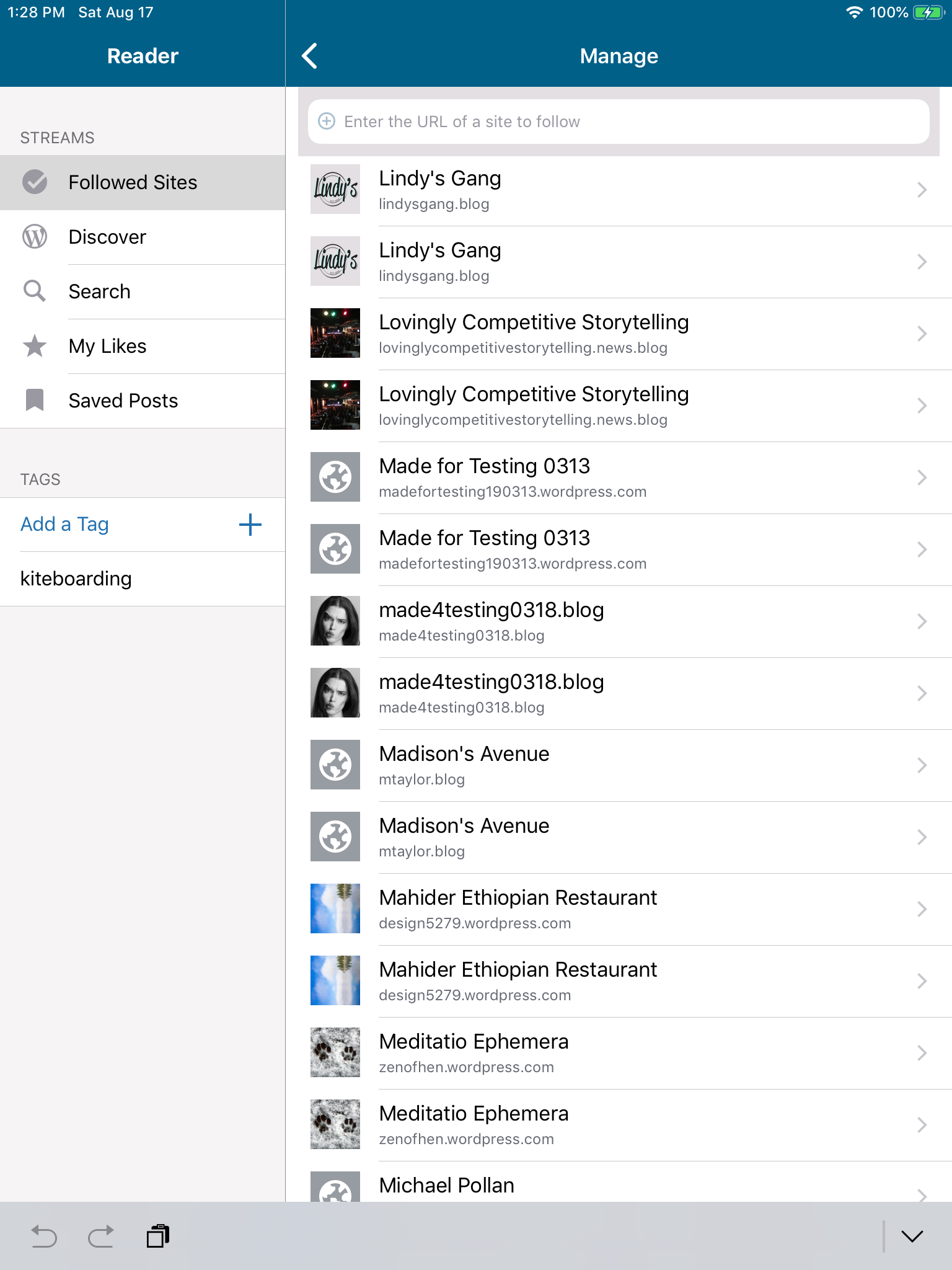
Tested with WP Internal 13.1.0.20190819 on iPad Mini 4 (WiFi) (iPad5,1) iOS 12.4.
designsimply
on 21 Aug 2019
@designsimply did you have to log-in again to the app when updating to 13.0 / 13.1?
 jklausa
on 21 Aug 2019
jklausa
on 21 Aug 2019
@designsimply did you have to log-in again to the app when updating to 13.0 / 13.1?
I don't think so, but it has to be said that I'm an odd case and log out and back in a ridiculous number of times throughout the day because I often am doing beta testing from various different accounts. Also, note that I used a HockeyApp install of WP Internal in this case (which might be different than an upgrade via the app store version?). FWIW, I checked WPiOS 13.1 (app store version) both on my iPhone 6S and iPad Mini (both iOS 12.4) and neither of those shows duplicate sites.
designsimply
on 21 Aug 2019
Reported again in 2289542-zen. Device details:
- App version: 13.0
- Country Code: de
- Device model: iPad Air 2 (WiFi/Cellular) (iPad5,4)
- OS: iOS 12.4
- UI language: de-DE
App logs show 6 copies of each site in the app. All of the sites connected to this user's WordPress.com account are self-hosted with Jetpack. Some of the duplicate copies are shown as connected to a WordPress.com account and using the latest version of Jetpack (7.6) while others are listed with an older Jetpack version and an unknown WordPress.com account like this: Jetpack 7.5.2 connected as UNKNOWN.
 rachelmcr
on 22 Aug 2019
rachelmcr
on 22 Aug 2019
Adding here some analysis I recently posted internally.
I don’t know what chain of events leads to that situation, but I’ve experienced this in development in the past and what I observed was that the app had somehow forgotten what the default account was. So this is what happens after.
First of all, since I don’t know how to reproduce the actual bug, I’ll fake it by pausing the app in the debugger and removing the reference to the default account (but not the account itself), and relaunching the app:
(lldb) po [[NSUserDefaults standardUserDefaults] removeObjectForKey:@"AccountDefaultDotcomUUID"]
Some context on multiple accounts
We have never officially supported multiple accounts in the app, but some cases have been allowed. I thought we didn’t anymore, but I tested and it’s still working.
You can only log in to one WordPress.com account, which we call the default, and have that be used for Reader, Me, and Notifications.
However, if you add a self-hosted site with Jetpack connected to a different account, you can still go to Stats on that site and log in to a second WordPress.com account that will be used just for that site.
This means we can actually have multiple different accounts in the app, but we have no UI to manage them other than signing out of the default one. This can make reasoning tricky when dealing with issues like these.
Bug 1: The app thinks I’m logged out
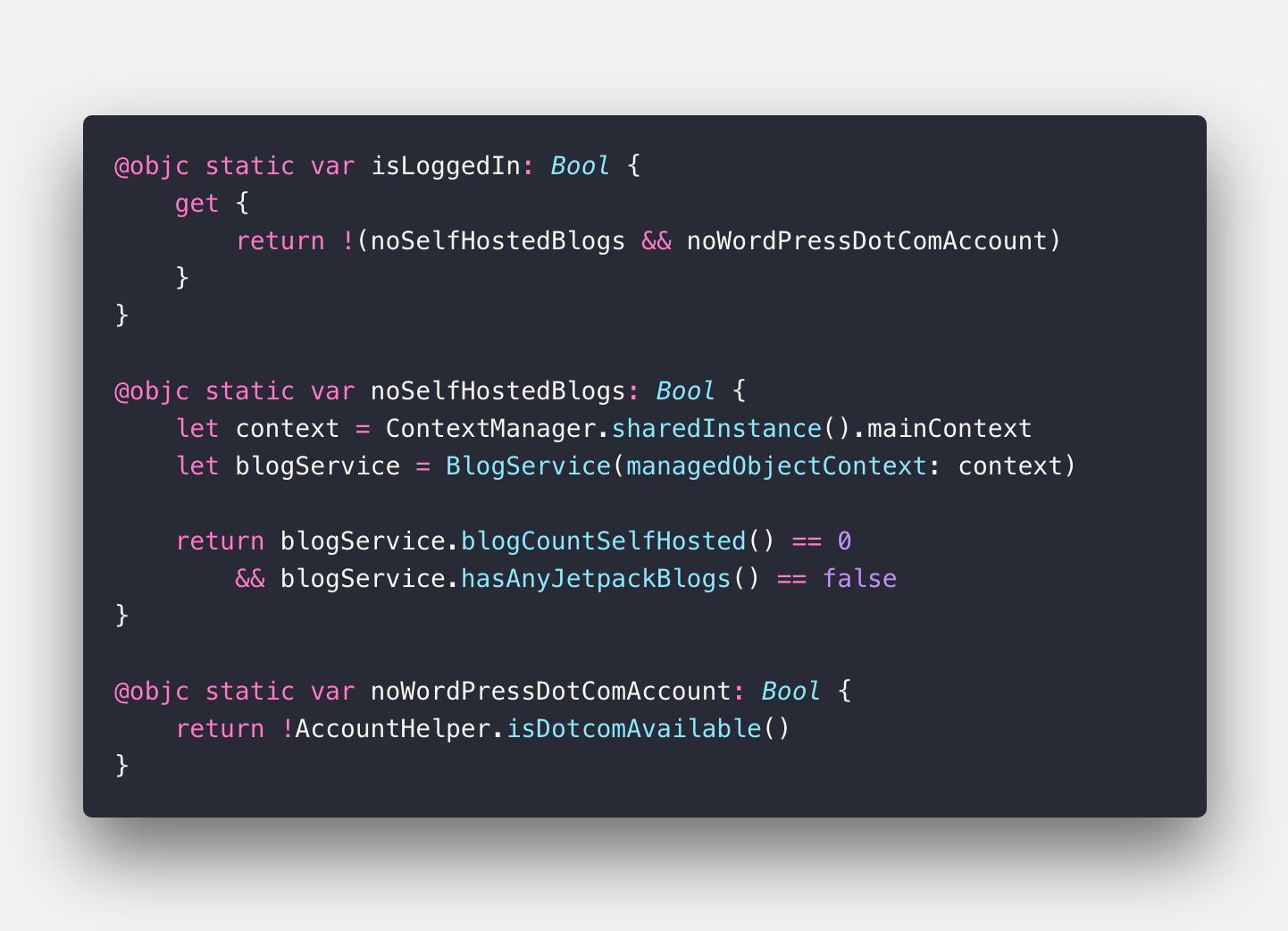
If the value that points to the default account is missing, the app thinks there is no default account. The current check will present the welcome screen if there is no default account and there are no “self hosted” blogs, which are blogs that either have no account or that have one but aren’t hosted on WordPress.com.
My account was a testing account with only WordPress.com blogs in it, so isLoggedIn evaluates to false and I get a Login screen.
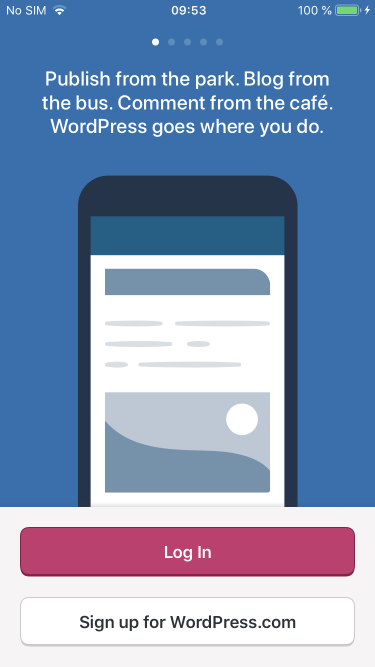
I’m not sure why this check is so complicated. I think the app should only present the welcome screen if there are no blogs and there’s no default account. That way you would still be logged out of your account for reader and notifications, but the sites would still be accessible.
Bug 2: The app is allowed to be in a state where there are WordPress.com blogs but there’s no default account
We shouldn’t have got into this state, but since we are, I think when the app doesn’t have a default account but there is at least one other WordPress.com account with credentials, we should make that one the default.
There are some edge cases where this could lead to annoying behaviour (someone with several accounts logging out of their main account to switch to a different one having all of the other ones promoted to default and having to log out and back in again), but it could help mitigate problems like these and it seems like a good tradeoff. We could limit that to only accounts that have WordPress.com blogs (which should only exist if a bug like this has happened).
Bug 3: Login gets me a duplicate account
Since I’m presented with the Welcome Screen, I log back into my account. Once the app authenticates I see that it calls -[AccountService createOrUpdateAccountWithAuthToken:], which in turn tries to create or “update” an account with a temporary UUID as its username. Since that’s not the actual username, it can’t match the existing account and it generates a duplicate.
At this point we haven’t synced the user details yet, but the username should be available to the app. The users/social/new endpoint to sign in with Google includes the username in the response. The oAuth2 login endpoint does not, but the user has entered their email or username to log in, so we should have that available on loginFields.
If we attempted to log in with an username/email that has a matching account in the app, we could just make that one the default and continue.
Bug 4: I’m allowed to be logged in to the same account twice
This should not happen if we fix bug 3, but since we have several users in this state already, we should think of a better solution than asking to reinstall.
Unfortunately, what this means is that we would have to merge two accounts, which seems like a complicated and risky operation.
In theory, if we find any non-default account that matches the default account’s user ID, we should migrate any existing unsaved drafts from that account, then remove it.
Bug 5: Syncing blogs is not thread-safe when used with derived contexts
The blog list will sync blogs whenever it appears or on pull to refresh, and it uses a new derived context each time.
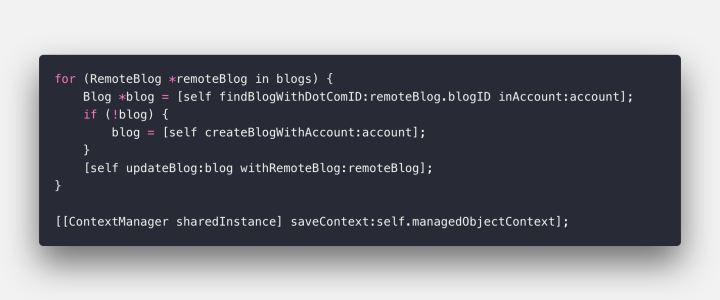
Different Core Data contexts can’t see each other’s changes, at least until those are saved and propagated. Assuming that’s working correctly, this code is going through all the blogs received from the API, looking for a match in Core Data, and creating a new entity if it doesn’t find a match. Then, after going through all the list, it saves the context and changes are propagated.
I got this error earlier today because I logged in with a bad network connection so the initial blog sync failed (but the login went through).
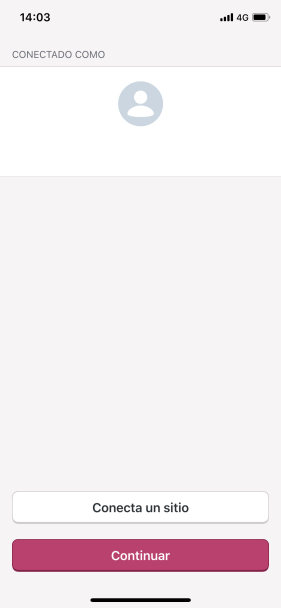
So after this, I went to my sites and found an empty list. It didn’t seem to be refreshing so I immediately pulled to refresh, and moments later, I had two of each site.
2019-08-22 14:03:39:168 <BlogService: 0x281c645a0> syncBlogsForAccount:success:failure:
2019-08-22 14:03:41:318 <BlogService: 0x281c62e40> syncBlogsForAccount:success:failure:
Bug 6: Syncing blogs doesn’t remove duplicates
The previous scenario explain why you would get duplicates initially, but one would expect that another sync after that would get rid of duplicates.
The current algorithm tries to optimize the merge to naively and it won’t remove any duplicates.
Bug 7: Blogs shouldn’t be synced more than once at a time
The only reason bug 5 happened is because blog list allowed me to pull to refresh while it was syncing already.
 koke
on 23 Aug 2019
koke
on 23 Aug 2019
Reported again here: 2305573-zen
App version: 13.1
Device: iPhone 6s
 sanjeev00733
on 28 Aug 2019
sanjeev00733
on 28 Aug 2019
I am also seeing this issue after installing the beta today.
Device: iPad (5th generation)
OS version: iOS 12.4
App version: 13.2
 philnick206
on 30 Aug 2019
philnick206
on 30 Aug 2019
@philnick206 thanks for testing the beta! If you pull to refresh does the problem go away? Are all of your sites showing as duplicates or just some?
designsimply
on 30 Aug 2019
@designsimply pulling to refresh doesn't seem to fix it. All sites seem to be showing dupes. Additionally, Many (most?) of my sites won't load after I select them. Just blank loading screens in all the sections (posts, media, etc) and blank settings...
philnick206
on 30 Aug 2019
While the root cause of this is still unknown, I think all the fixes Eric did should mitigate the problem any time it happens. I'd put this issue on hold until 13.3 gets released and monitor feedback to see if it's still happening.
koke
on 27 Sep 2019
I'd put this issue on hold until 13.3 gets released
👋, to be sure, does this mean 13.3 may fix the issue _without app reinstall or logout/login_ for the user?
 hypest
on 7 Oct 2019
hypest
on 7 Oct 2019
That is our hope :)
 aerych
on 7 Oct 2019
aerych
on 7 Oct 2019
There is a customer report about this same issue here: 2503235-zen
 davipontesblog
on 19 Nov 2019
davipontesblog
on 19 Nov 2019
@davipontesblog can you please check that they are on the latest version of the app, and if so ask them if pulling to refresh on that feed fixes the issue?
elibud
on 19 Nov 2019
@davipontesblog can you please check that they are on the latest version of the app, and if so ask them if pulling to refresh on that feed fixes the issue?
It's resolved, I had given them instructions to remove the app and install again from the app store, and they reported it's all good now. Unfortunately, I don't have the info of what version they had before the update.
davipontesblog
on 21 Nov 2019
I checked for any recent App Store reviews mentioning duplicates and the most recent one I spotted was dated 2019-12-31.
designsimply
on 9 Mar 2020
Let's close this one then @designsimply, thanks for the follow up.
elibud
on 9 Mar 2020
You got it!
Closing with an ask for someone to re-open this same issue if this case comes up again.
designsimply
on 9 Mar 2020
This issue came back from the dead 😭 3430870-zen
I'm hoping it's just that she hasn't seen the sites list yet and the problem never fixed itself, but we'll see
koke
on 23 Oct 2020
Related issues
 mindgraffiti
·
3Comments
designsimply
·
3Comments
designsimply
·
3Comments
designsimply
·
3Comments
designsimply
·
3Comments
mindgraffiti
·
3Comments
designsimply
·
3Comments
designsimply
·
3Comments
designsimply
·
3Comments
designsimply
·
3Comments
Most helpful comment
You got it!
Closing with an ask for someone to re-open this same issue if this case comes up again.