Wordpress-android: "This post no longer exists" for links that use the non primary domain
It was reported in 3771371-zd-woothemes that when opening a link through the Chrome browser, the app shows "The post no longer exists".
Expected behavior
I would expect the app would be able to open up the post that I clicked through the Chrome browser.
Actual behavior
When I click a link that's pointing to the URL with a non-primary domain on Chrome browser, choose to open up with the WordPress app, I see a "The post no longer exists" error.
Steps to reproduce the behavior
- Visit a WordPress.com site that has a custom domain set as the primary domain on a Chrome browser (e.g. https://premiumtestsite20190311.blog/)
- Click a link on the site that is pointing to the WordPress.com site address (see this image for the link to click)
- Open up the link with WordPress app
- See "This post no longer exists" error
Video recording: https://d.pr/v/JCZtZS/QfCufdf8mG
Tested on OPPO Reno 4, Android 11, WPAndroid 16.8-rc-2
 reginabally
All 3 comments
Thanks for including a video @reginabally!
Tested and confirmed that links opened from Chrome into the app that are pointing to the *.wordpress.com version of a URL on a site using a custom domain results in a "This post no longer exists" message.
My testing steps:
- Be on a site with a custom domain set as the primary domain.
- Copy the URL for any post from the site.
- Create a new post and add a link to the URL from the previous step.
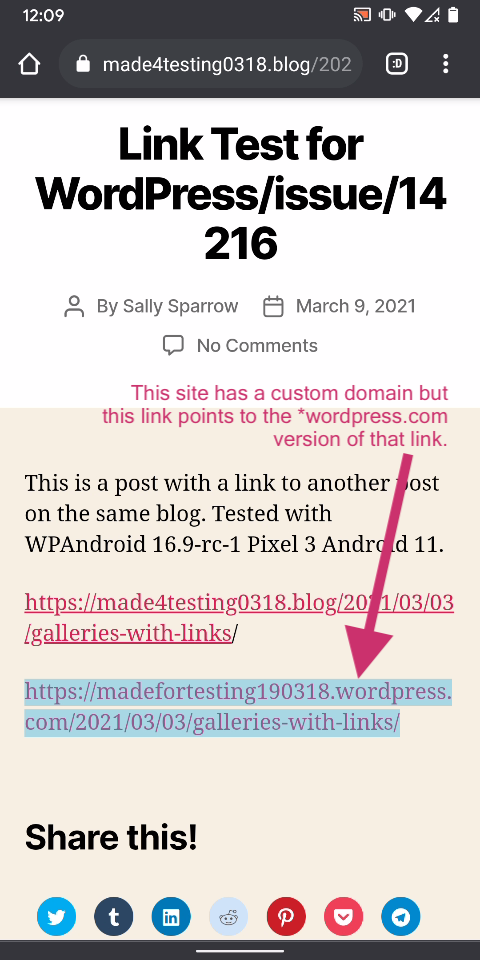
- Add another link to the URL from the previous step, except change the custom domain to the *.wordpress.com version.
- Publish the post.
- Open the post in Chrome.
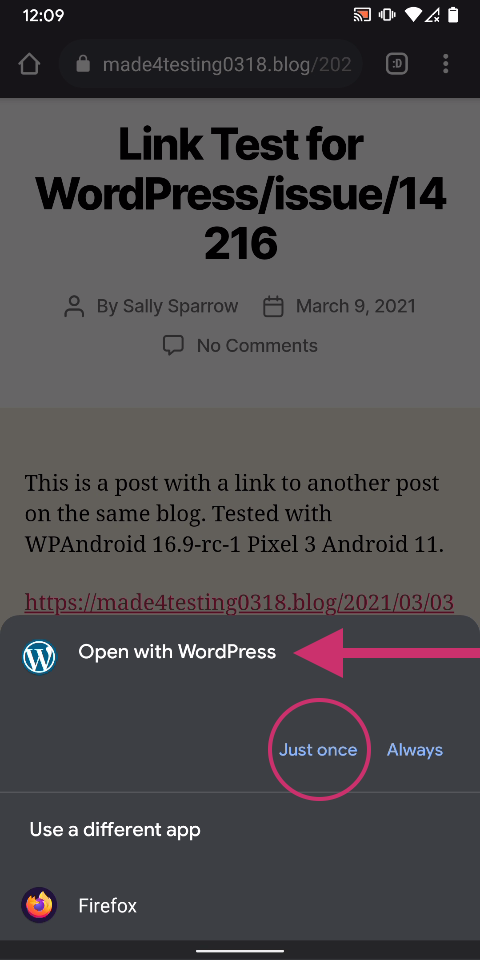
- Click on the 2nd link and choose to open the link in the app when prompted.
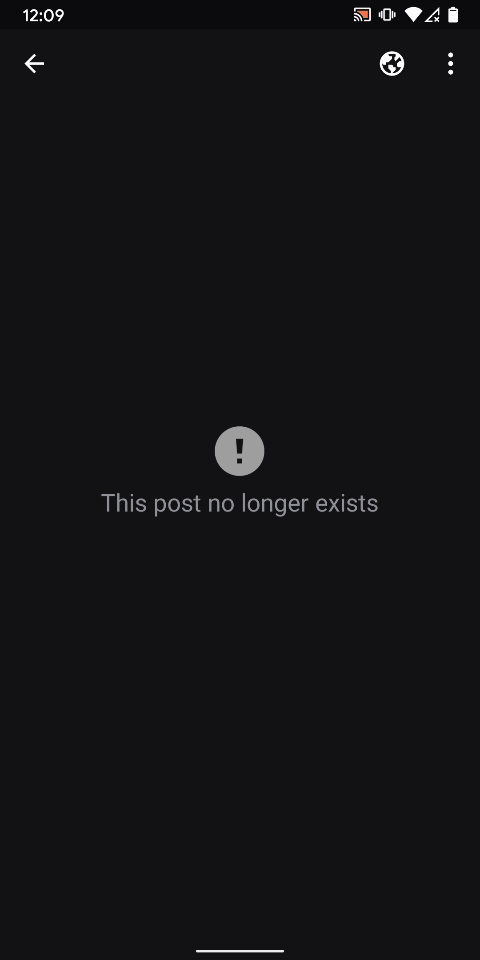
Result: an error appears saying "This post no longer exists." It appears the in-app browser does not properly redirect *.wordpress.com links to their custom domains. (1m35s)
*.wordpress.com version of link|Opt to open link in app|Error
---|---|---
 |
| |
|
Tested with WPAndroid 16.9-rc-1 on Pixel 3 Android 11.
Notes: the same link works properly when opened using a web browser—it redirects to the custom domain version of the URL. Links in the app to the custom domain do not offer to open the link in the app (as expected).
 designsimply
on 9 Mar 2021
designsimply
on 9 Mar 2021
Thanks for reproducing this @reginabally and @designsimply 🔆 I have started my investigation into the issue and once it has been resolved and tested, I will provide a link to the APK so you can test while the PR is being reviewed. 🙇🏾
 jd-alexander
on 18 Mar 2021
jd-alexander
on 18 Mar 2021
I was able to resolve the issue @reginabally @designsimply 😄 . If you wish to give it a try you can download the APK .
jd-alexander
on 18 Mar 2021
Related issues
 develric
·
3Comments
develric
·
3Comments
 maxme
·
3Comments
reginabally
·
3Comments
designsimply
·
3Comments
maxme
·
3Comments
reginabally
·
3Comments
designsimply
·
3Comments
 wptester9845
·
3Comments
wptester9845
·
3Comments
Most helpful comment
Thanks for including a video @reginabally!
Tested and confirmed that links opened from Chrome into the app that are pointing to the *.wordpress.com version of a URL on a site using a custom domain results in a "This post no longer exists" message.
My testing steps:
Result: an error appears saying "This post no longer exists." It appears the in-app browser does not properly redirect *.wordpress.com links to their custom domains. (1m35s)
*.wordpress.com version of link|Opt to open link in app|Error
 |
| |
|
---|---|---
Tested with WPAndroid 16.9-rc-1 on Pixel 3 Android 11.
Notes: the same link works properly when opened using a web browser—it redirects to the custom domain version of the URL. Links in the app to the custom domain do not offer to open the link in the app (as expected).