Wordpress-android: Site Address accepts emails when trying to log in using an URL
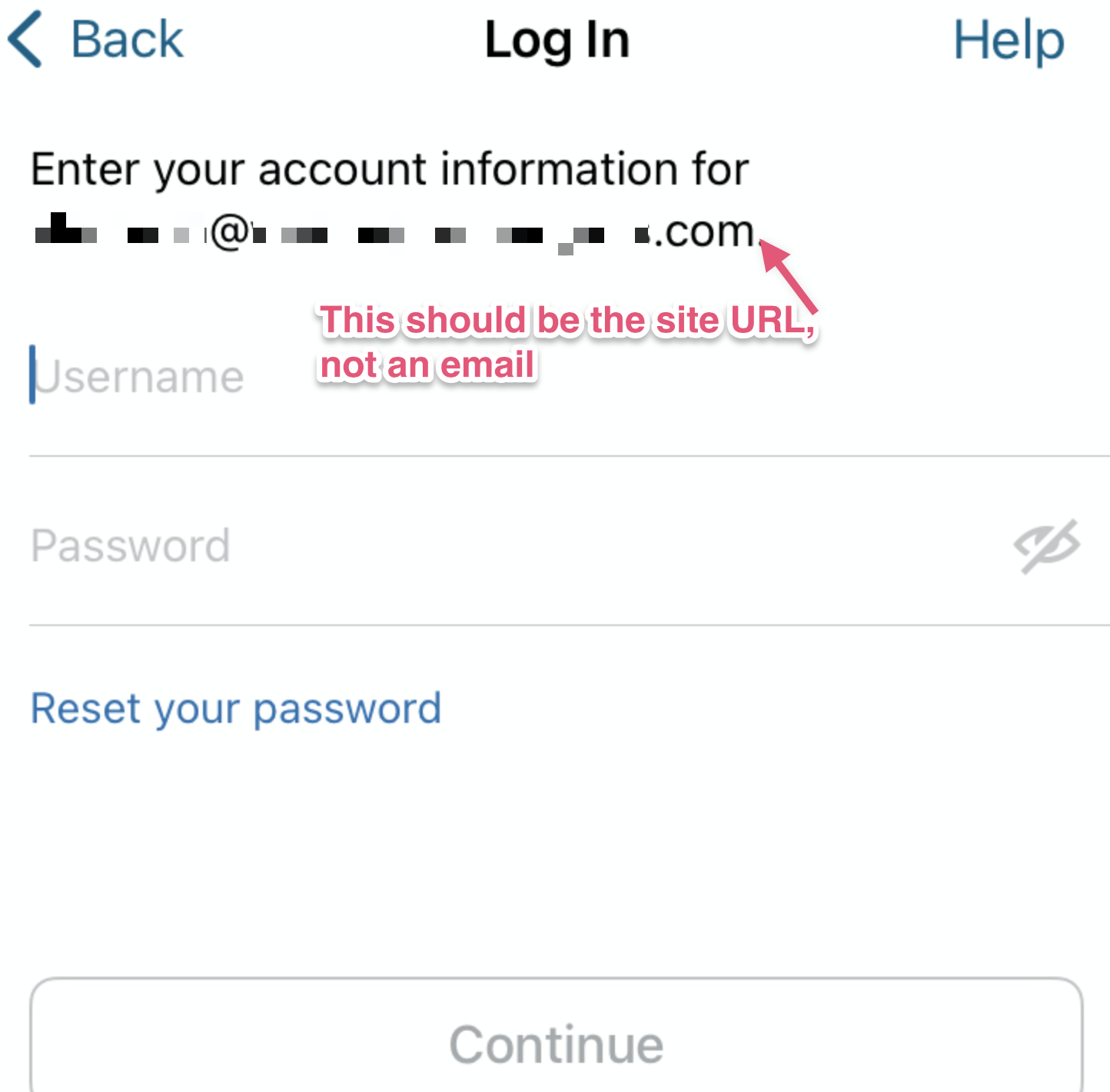
I've seen a few cases when users are getting an incorrect username/password message but they are sure that the credentials are correct. What is probably happening (example on 3729175-zen) is that users type their own email instead of their site URL. And for some reason, we accept that if the part after the @ is a WP site.
Expected behavior
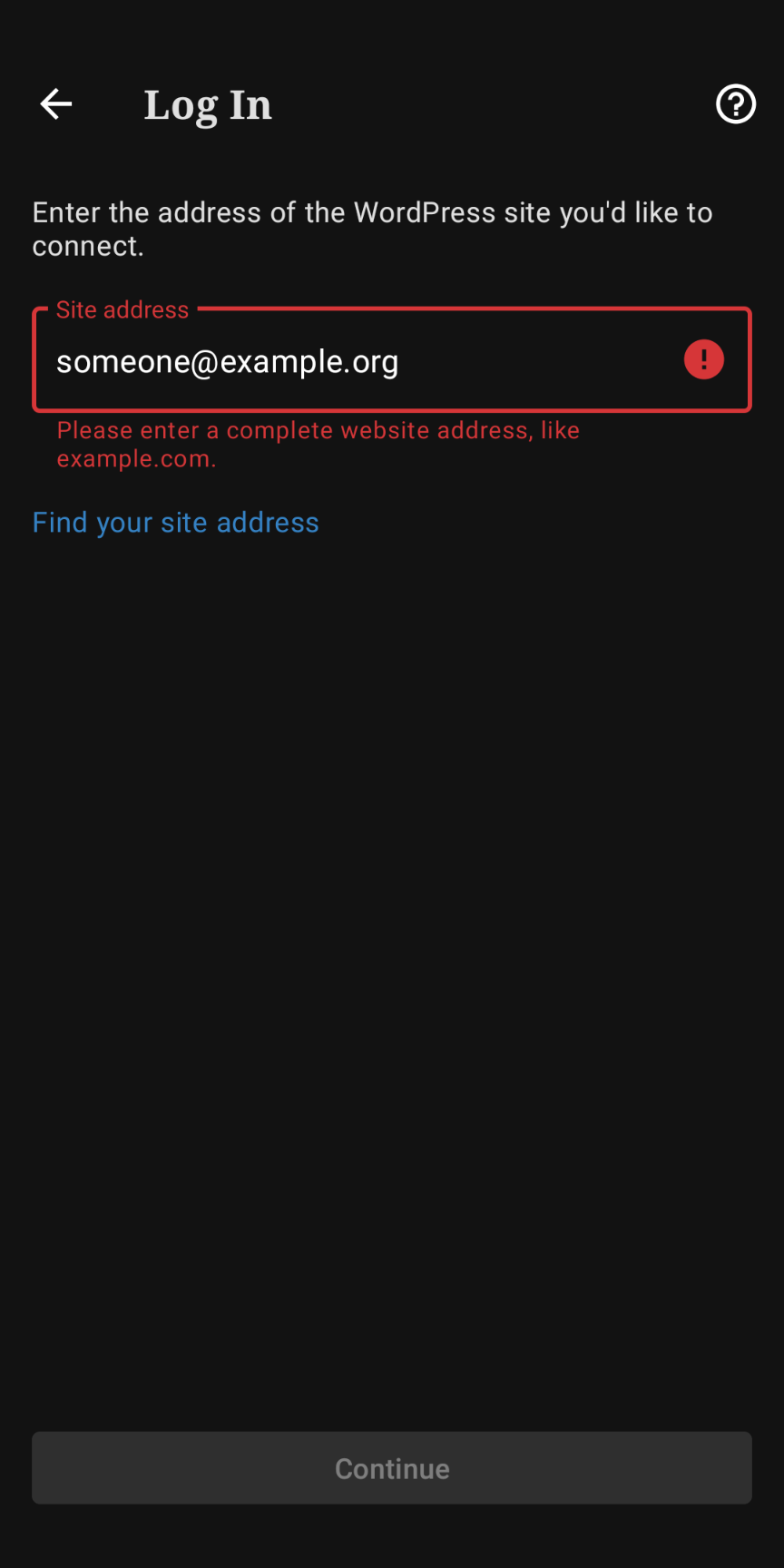
To see an error message explaining to the user that this field is for site URLs, not emails.
Actual behavior
- If you type an email (valid or not) followed by a domain that is not pointing to a WP site, you'll see the 'The site at this address is not a WordPress site` message.
- If you type an email (valid or not) followed by a domain that IS pointing to a WP site, we will let the user proceed and ask them to log in (to an email).
Image from https://github.com/wordpress-mobile/WordPress-iOS/issues/15868 :
Steps to reproduce the behavior
- Open the app while unlogged
- Click on Enter your existing site address
- Type something like
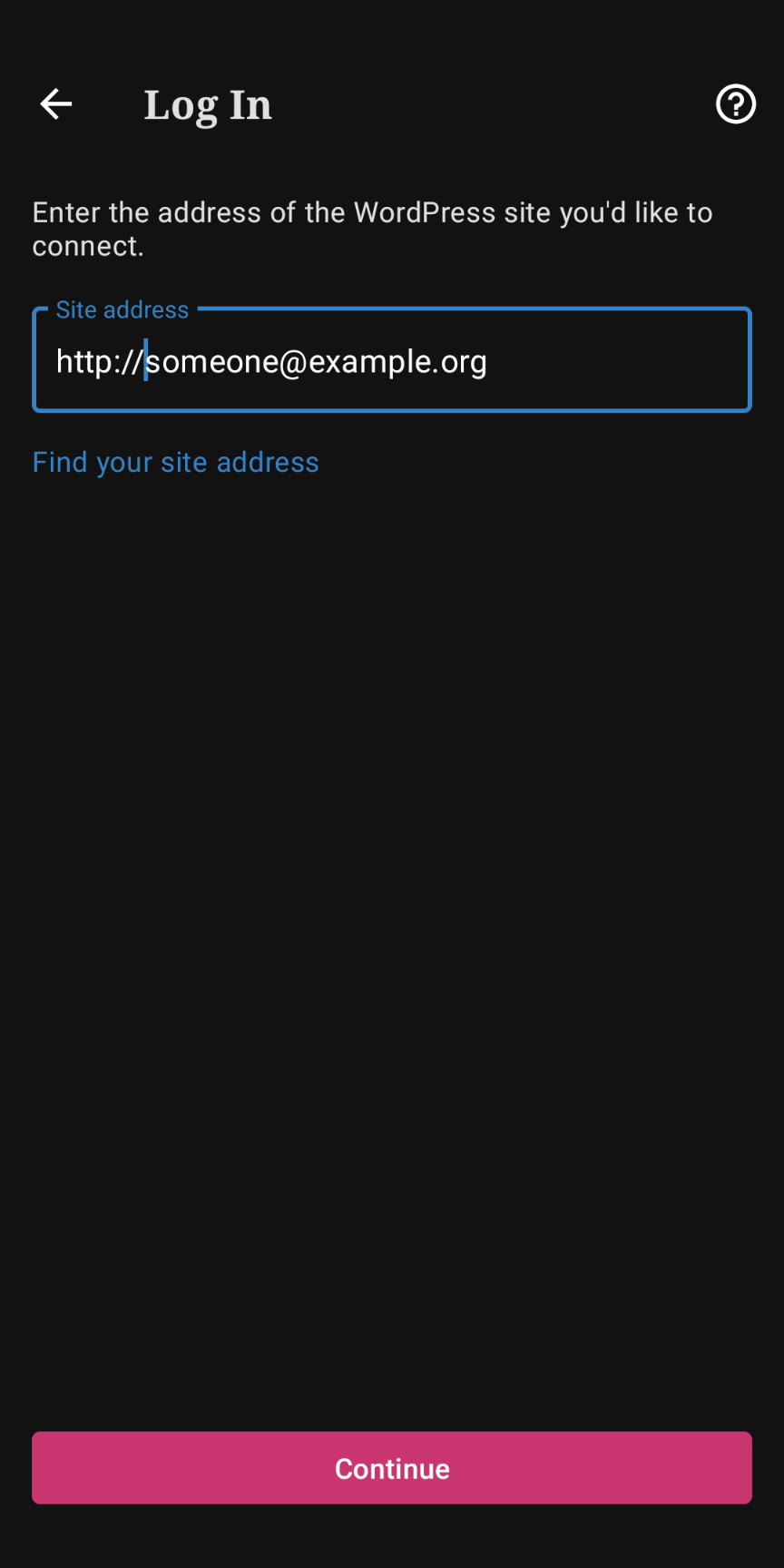
http://[email protected]. Make sure thatexample.comis a WP site.
Tested on iPhone 7, iOS 14.4, WPiOS 16.5 and 16.6
 eduardozulian
All 5 comments
Here's an example: 3783275-zen
eduardozulian
on 2 Mar 2021
Making it so the "Site address" field will not validate if an @ symbol is included in the URL field could help, however, I will also note that in many of these cases users may still need help understanding very basic things such as the difference between an email address and a site address or help figuring out what their website address is at a very basic level because they are entering completely wrong information (as in the case of 3783275 where the person entered a wordpress.org address and it's not possible for them to get that).
@renanferrari could you help us with a quick review and recommendation for this case. Do you think it would be worth updating the validation for the site address field to make it so "http://[email protected]" does not count as a valid url? Would this likely be a quick fix or take some time to investigate and update?
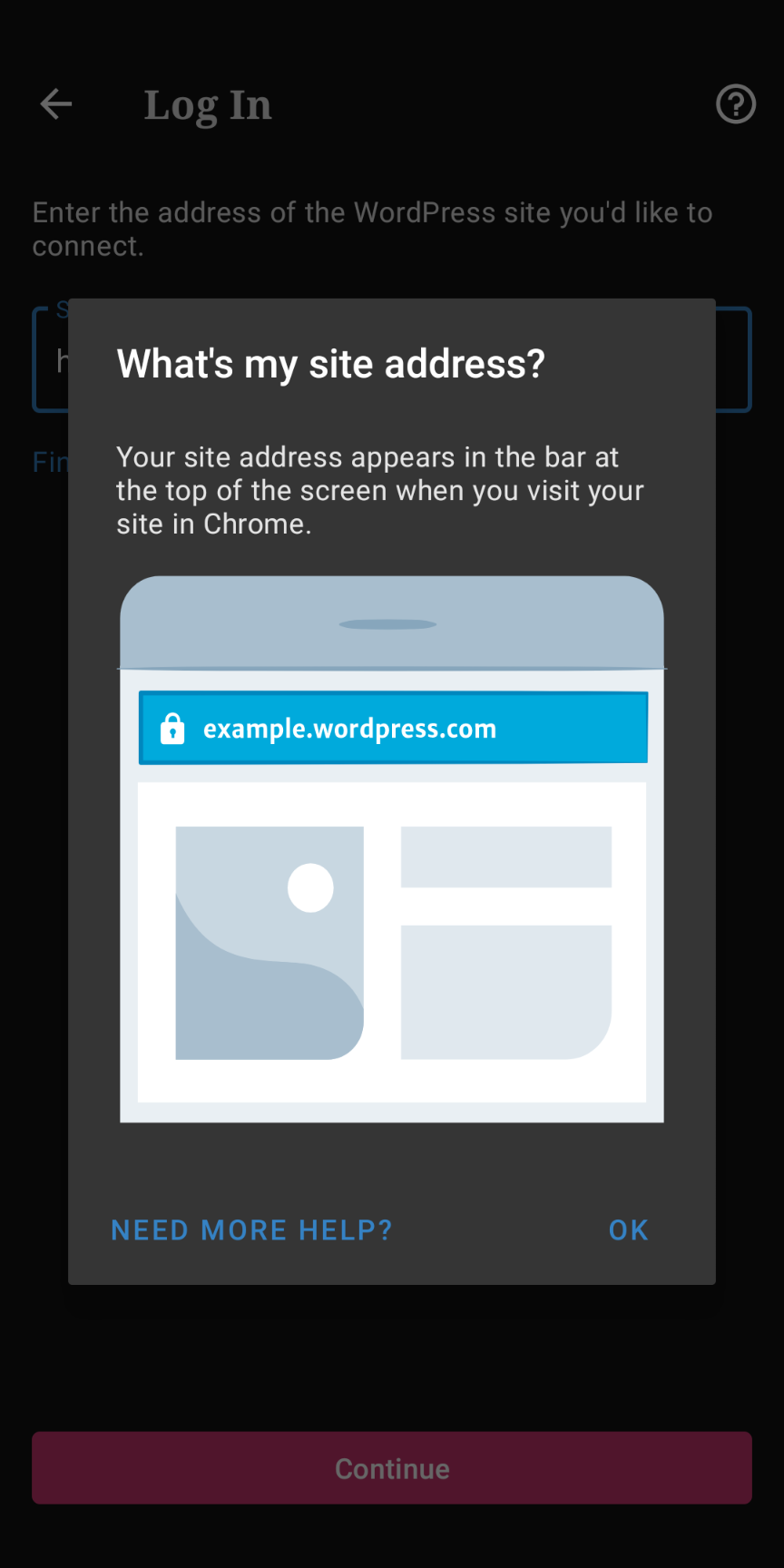
For reference, this is the error shown if you enter an email into the site address field|Sometimes people try to get around that by adding http:// to the front of an email address|These users either do not appear to be able to find the related help tip or maybe they don't understand it?
---|---|---
 |
| |
|
Tested with WPAndroid 16.8-rc-1 on Pixel 3 Android 11.
 designsimply
on 4 Mar 2021
designsimply
on 4 Mar 2021
Hey 👋 This is an interesting one!
The reason we accept a @ as part of the URL is because we are currently using a validator that follows the standards defined by the RFC 3987, which is basically the document that says what should be considered a valid URL and what should not. Despite what we might think, there's a really broad range of valid URLs that are covered by these standards (you can test some yourself on this link).
Long story short, yes, believe it or not http://[email protected] is a valid URL. And [email protected] is not 🤷♂️
That said, we could definitely try to add some logic to validate whether or not a URL is a valid _WordPress_ URL. This should be doable and might even be a trivial change code-wise, but I'd say that unless we already have some documentation on this that I'm not aware of (not very unlikely), it would probably take a while to investigate and make sure we have all the valid cases covered.
For now, I'd suggest leaving it as it is and maybe trying to tackle this from an UX angle, specially considering the points raised by @designsimply above and the fact that those screens have plenty of space to work with.
 renanferrari
on 5 Mar 2021
renanferrari
on 5 Mar 2021
@renanferrari Ah! RFC 3987! 😁 Thank you for checking in on this and adding excellent notes.
@eduardozulian after some investigation, it appears that ruling out site addresses like http://[email protected] is not a super straightforward change may not cover the use cases you've raised. I'm keen to make sure your suggestion gets seen and evaluated. Would you like to keep this case open in order to see if you can find some additional cases of confusion around this issue? Adding specifics and increasing the numbers of cases here in the comments would help sway the issue to a higher priority. For specifics on what to note, I think user quotes from users explaining the problem and a shorthand link to the ticket would be a great start.
designsimply
on 5 Mar 2021
@designsimply most of the cases I've seen came from the logs directly when there was a volley error trying to access something like http://[email protected]/xmlrpc.php. So my assumption is that users simply don't know what went wrong and contact support saying they "can't log in".
That said, let's keep it open for now then and I'll make sure to ping other guild members to collect a few reports!
eduardozulian
on 9 Mar 2021
Related issues
 khaykov
·
3Comments
khaykov
·
3Comments
 hoverduck
·
3Comments
hoverduck
·
3Comments
 prtksxna
·
3Comments
prtksxna
·
3Comments
 reginabally
·
3Comments
reginabally
·
3Comments
 guarani
·
3Comments
guarani
·
3Comments
Most helpful comment
Hey 👋 This is an interesting one!
The reason we accept a
@as part of the URL is because we are currently using a validator that follows the standards defined by the RFC 3987, which is basically the document that says what should be considered a valid URL and what should not. Despite what we might think, there's a really broad range of valid URLs that are covered by these standards (you can test some yourself on this link).Long story short, yes, believe it or not
http://[email protected]is a valid URL. And[email protected]is not 🤷♂️That said, we could definitely try to add some logic to validate whether or not a URL is a valid _WordPress_ URL. This should be doable and might even be a trivial change code-wise, but I'd say that unless we already have some documentation on this that I'm not aware of (not very unlikely), it would probably take a while to investigate and make sure we have all the valid cases covered.
For now, I'd suggest leaving it as it is and maybe trying to tackle this from an UX angle, specially considering the points raised by @designsimply above and the fact that those screens have plenty of space to work with.