Wordpress-android: Images added using Image blocks appear smaller in Reader (compared to Classic blocks)
Expected behavior
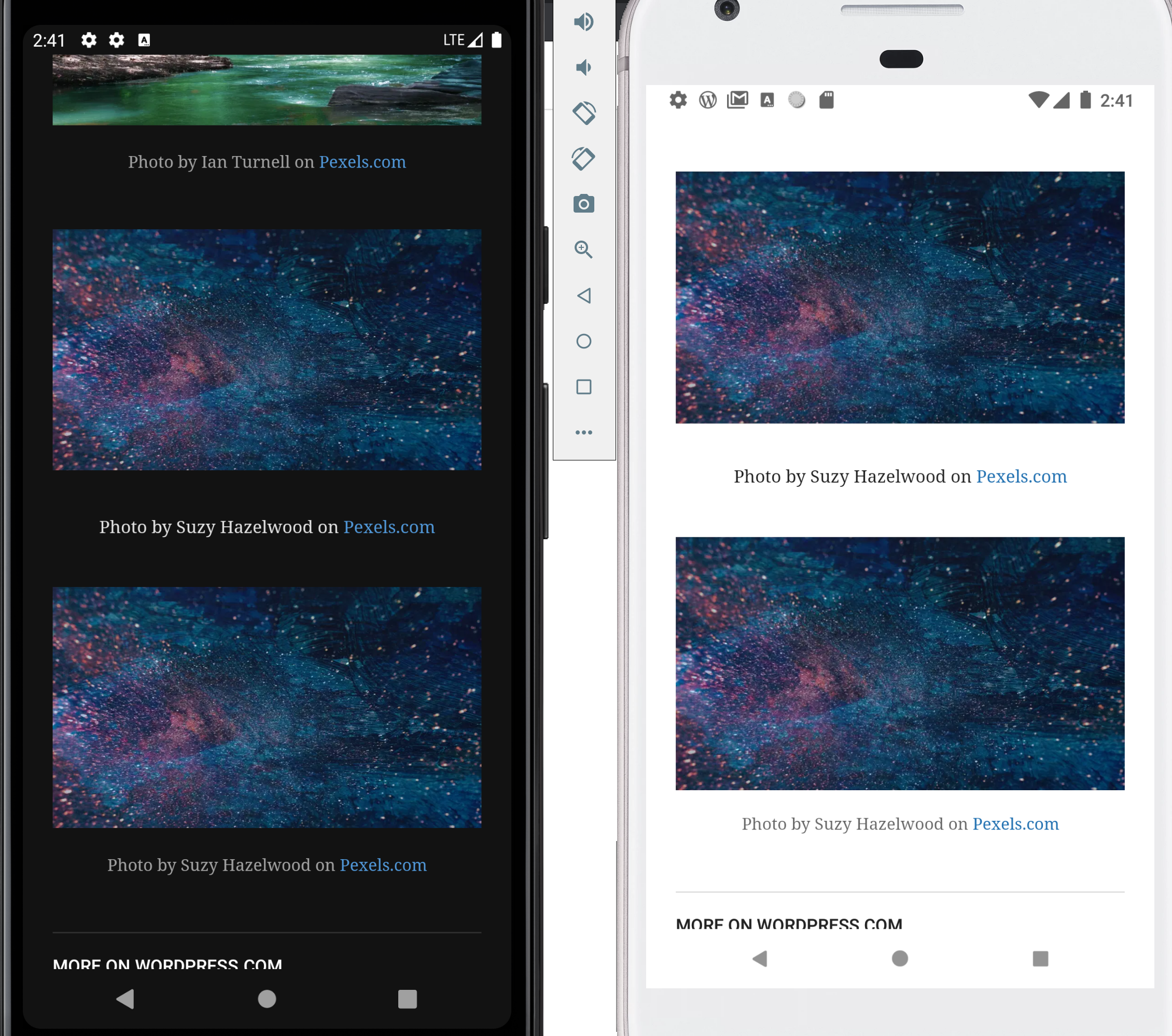
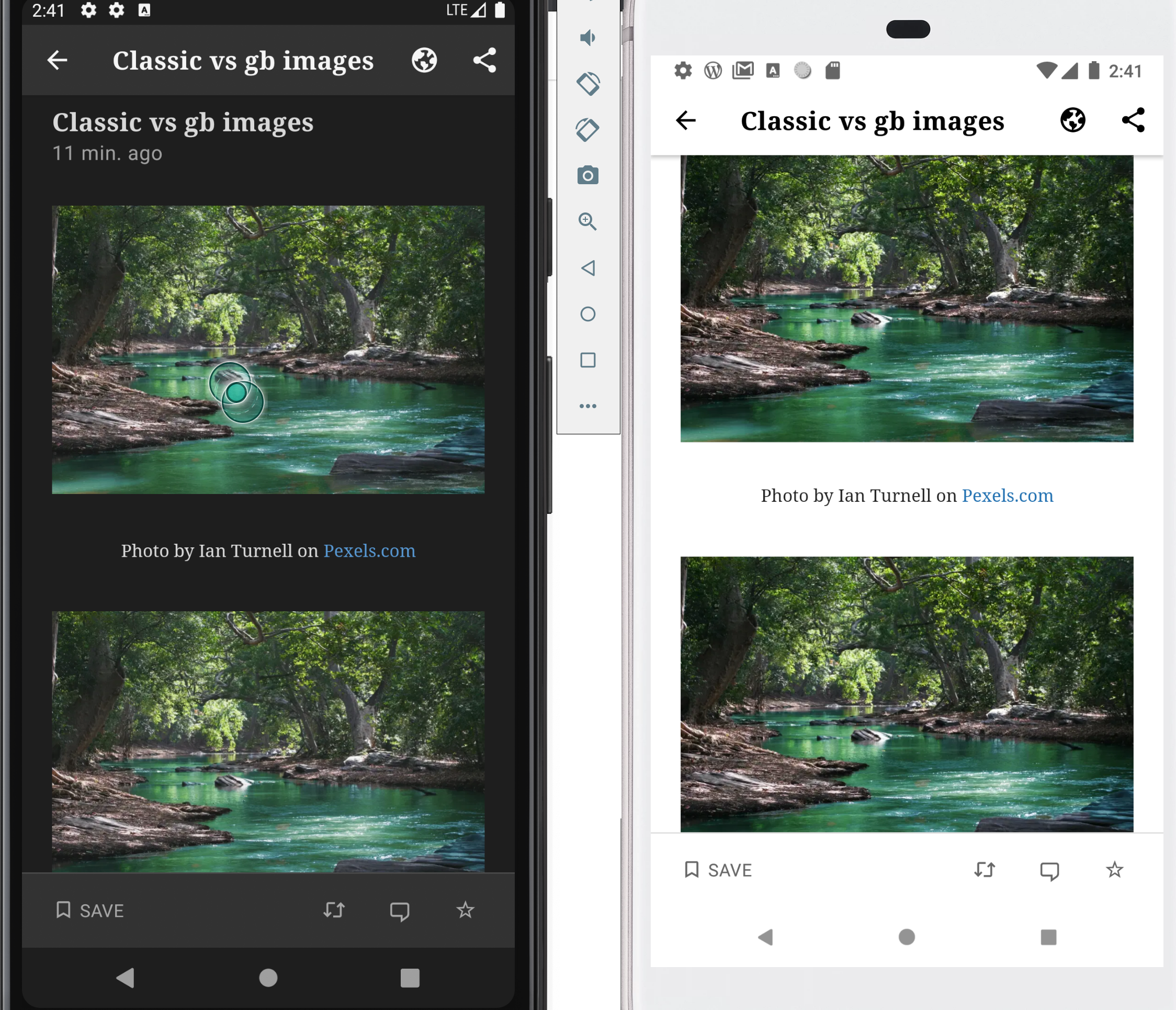
I would expect the images added to a post using Image blocks appear the same sizes as the images added using Classic blocks in the app's Reader.
Actual behavior
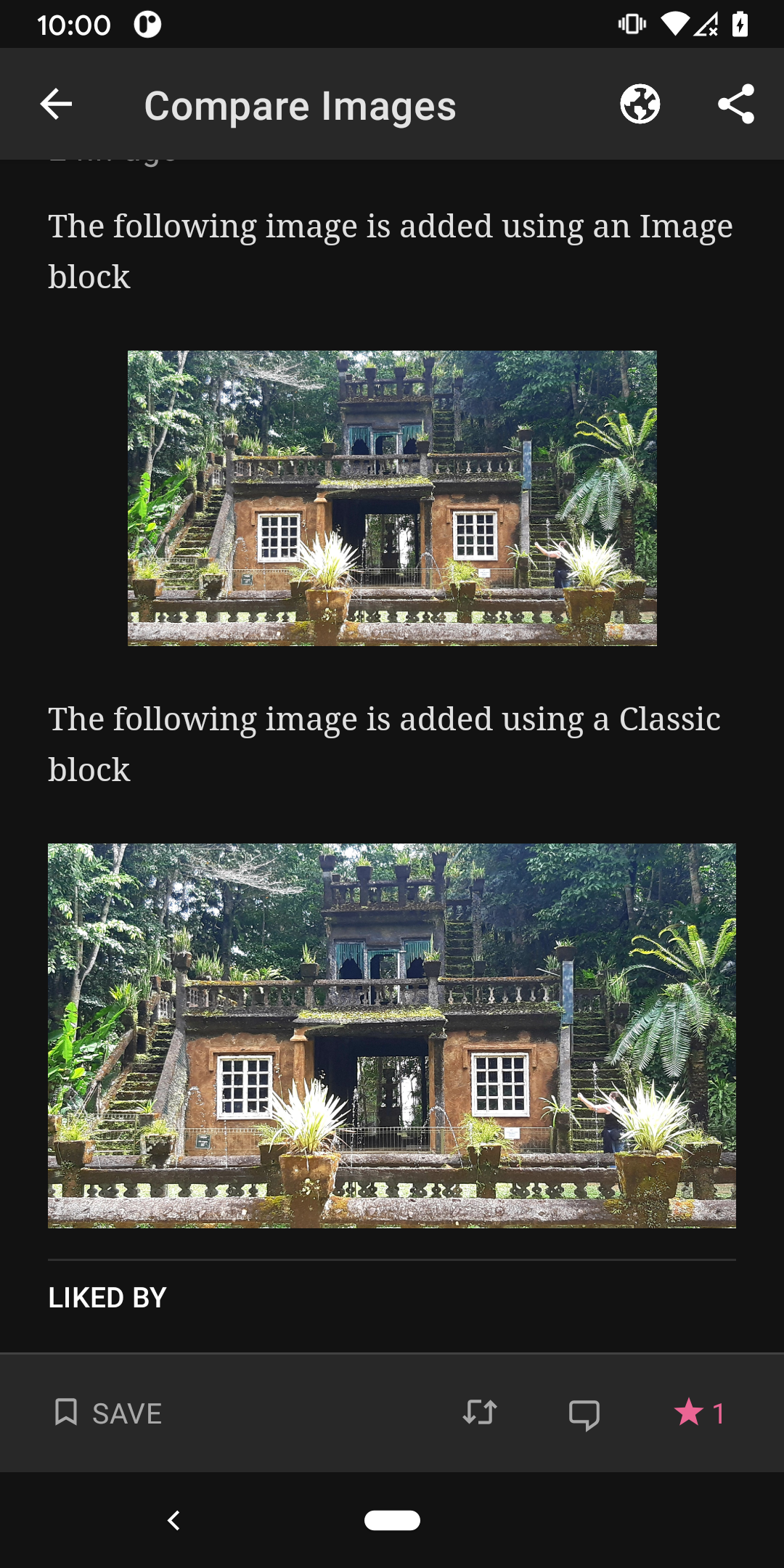
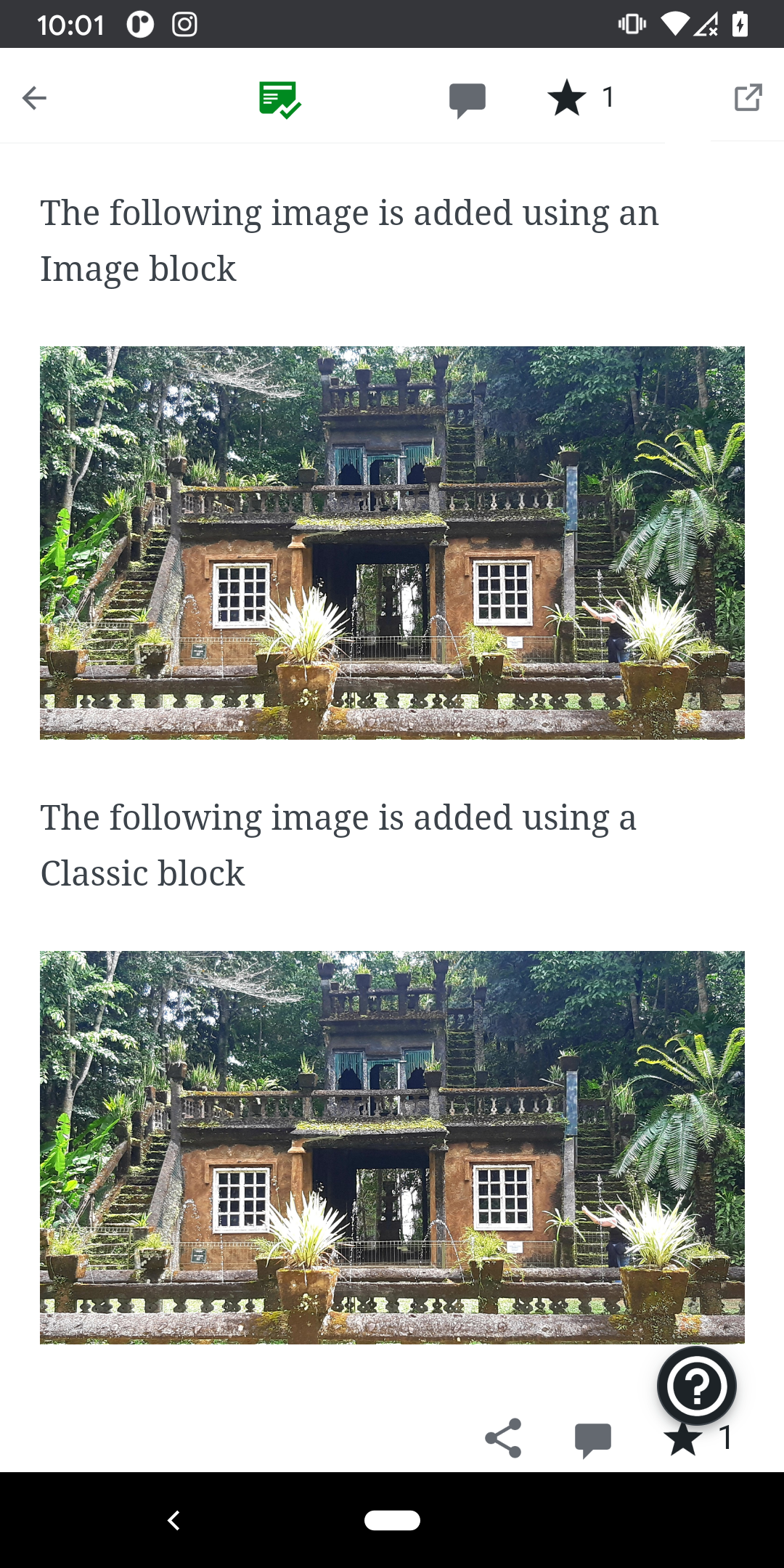
The images added using Image blocks are smaller in the Reader compared to the Classic block.
Steps to reproduce the behavior
- Create a new post
- Upload an image using an Image block, make sure the image size is set to Full size
- Add a Classic block on the same post and insert the same image
- Publish the post and check the post on Reader
- See that the image added using the Image block is smaller
Screenshot
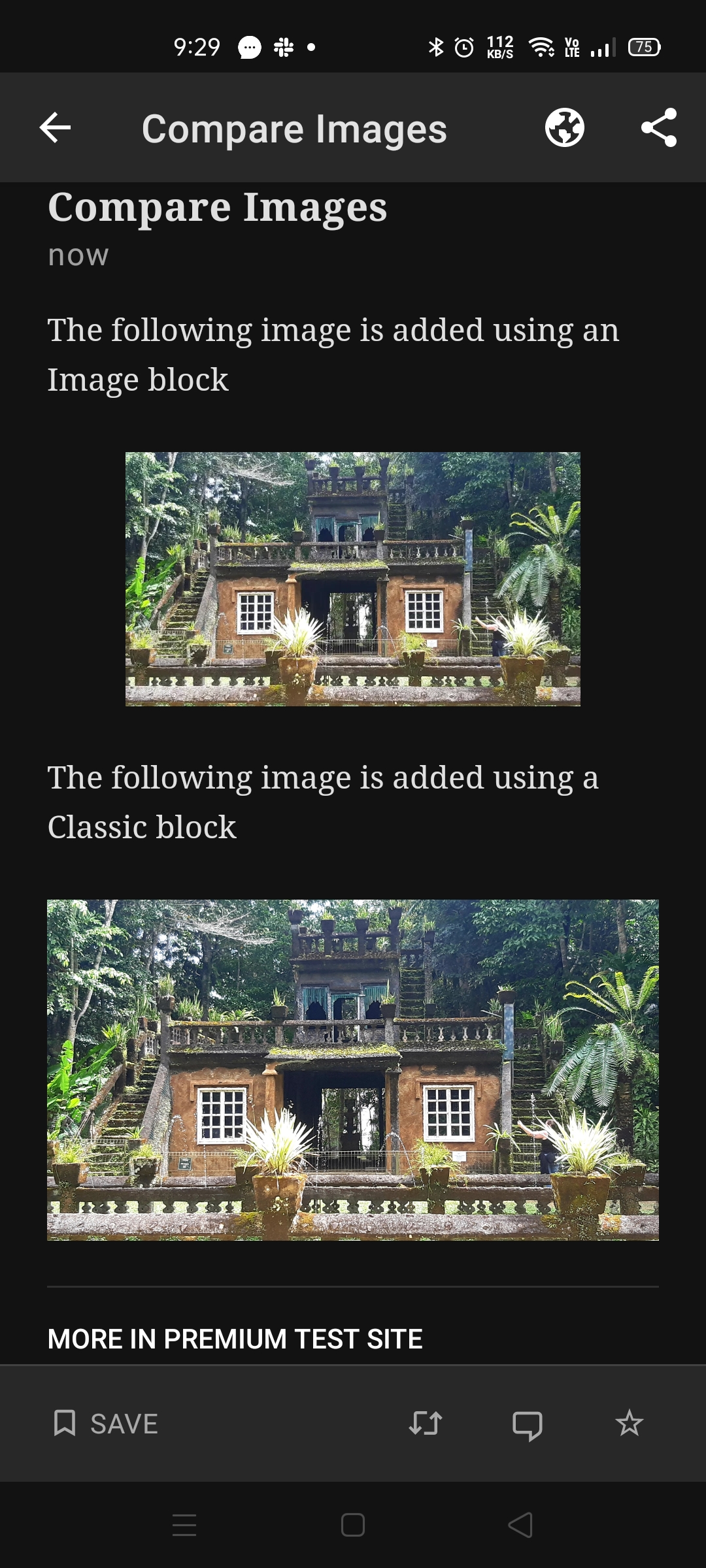
Note: This issue doesn't happen on iOS
Link of the test post: https://wp.me/paNoI6-e0
Tested on Oppo Reno 4, Android 10, WPAndroid 15.7-rc-3
Also reported in 3324970-zen on Samsung SM-A530F, WPAndroid 15.5.1
 reginabally
All 8 comments
@malinajirka is this a bug or expected behavior—should images inserted using the block editor as full size look the same as image inserted using the classic block as full size?
Example Reader post URL: https://wordpress.com/read/feeds/102614808/posts/2918187307
Here's the HTML for each scenario from the example post noted, for reference.
Image block:
<figure class="wp-block-image size-full"><img src="https://premiumplantestsite20190311.files.wordpress.com/2020/09/20200913_1943136044126510656295836-1.jpg" alt="" class="wp-image-865" scale="0"></figure>
Image in classic block:
<img loading="lazy" class="alignnone size-full wp-image-865" src="https://premiumplantestsite20190311.files.wordpress.com/2020/09/20200913_1943136044126510656295836-1.jpg" alt="20200913_1943136044126510656295836-1" width="3000" height="1675" srcset="https://premiumplantestsite20190311.files.wordpress.com/2020/09/20200913_1943136044126510656295836-1.jpg 3000w, https://premiumplantestsite20190311.files.wordpress.com/2020/09/20200913_1943136044126510656295836-1.jpg?w=150&h=84 150w, https://premiumplantestsite20190311
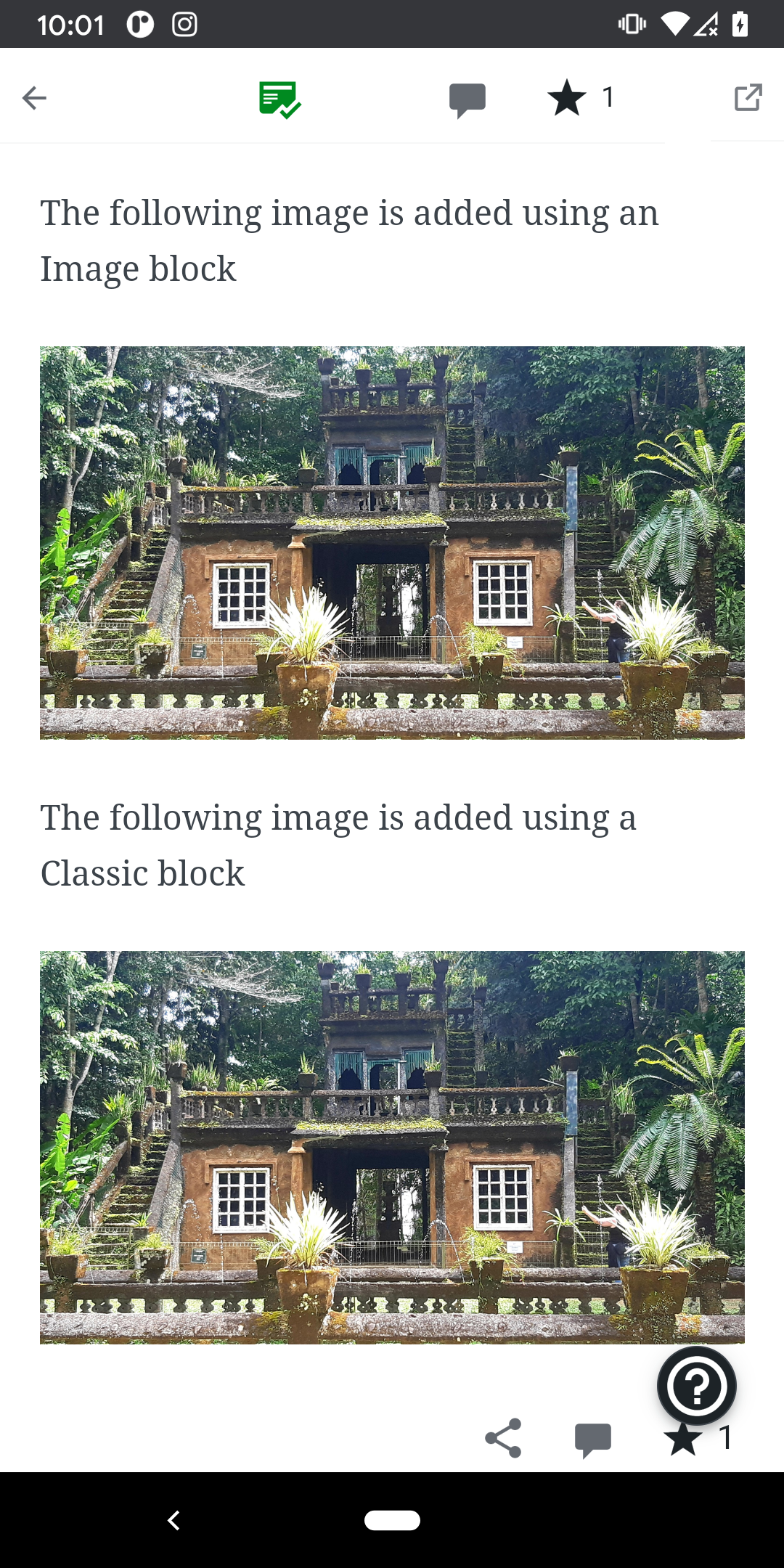
.files.wordpress.com/2020/09/20200913_1943136044126510656295836-1.jpg?w=300&h=168 300w, https://premiumplantestsite20190311.files.wordpress.com/2020/09/20200913_1943136044126510656295836-1.jpg?w=768&h=429 768w, https://premiumplantestsite20190311.files.wordpress.com/2020/09/20200913_1943136044126510656295836-1.jpg?w=1024&h=572 1024w" sizes="(max-width: 3000px) 100vw, 3000px">
Note: this does not happen on the mobile web Reader view.
WPAndroid Reader|Mobile Web Reader
---|---
 |
|
Tested with WPAndroid 15.7-rc-3 on Pixel 3 Android 11.
 designsimply
on 18 Sep 2020
designsimply
on 18 Sep 2020
@designsimply It looks like a bug to me. Both images look as expected on the Web and iOS so it's probably an issue with one of the hardcoded styles on Android.
 malinajirka
on 18 Sep 2020
malinajirka
on 18 Sep 2020
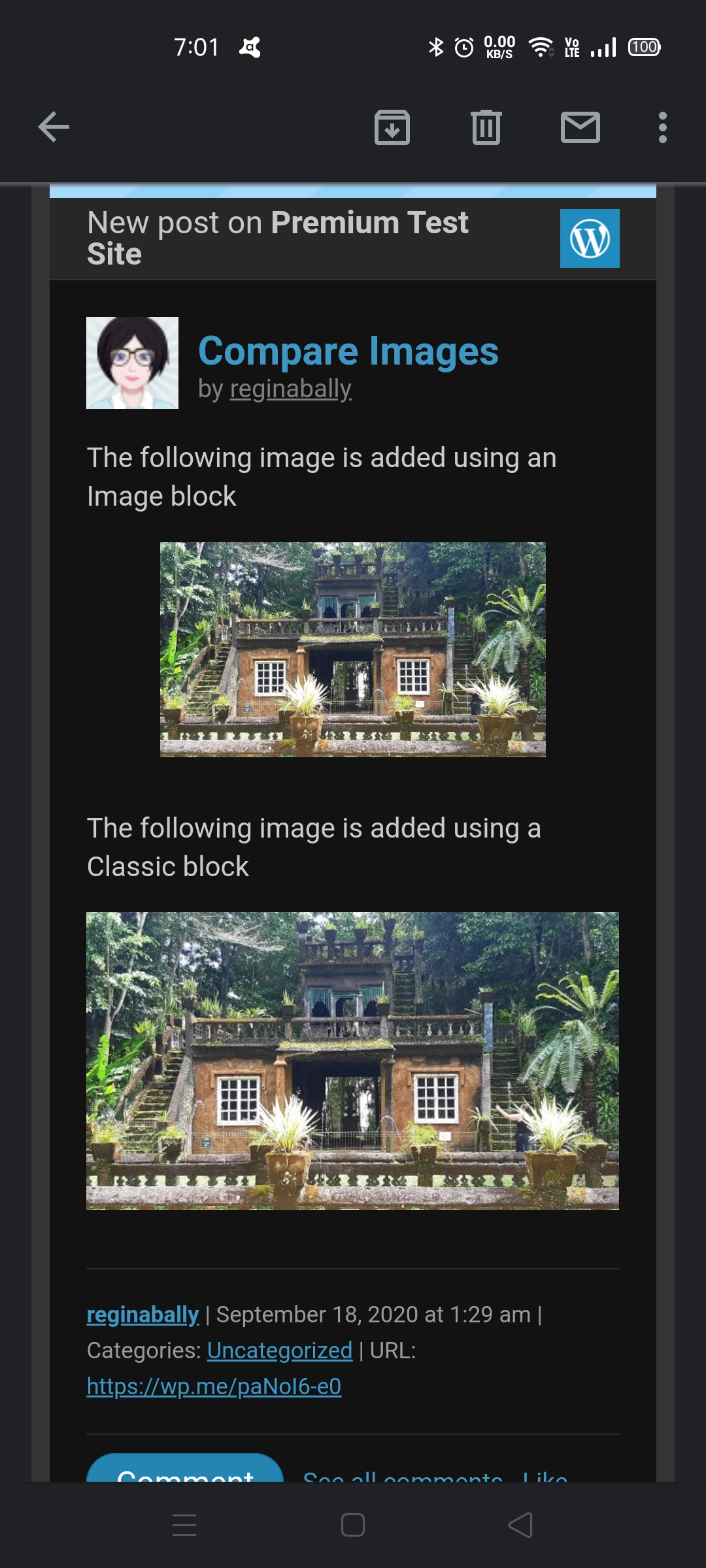
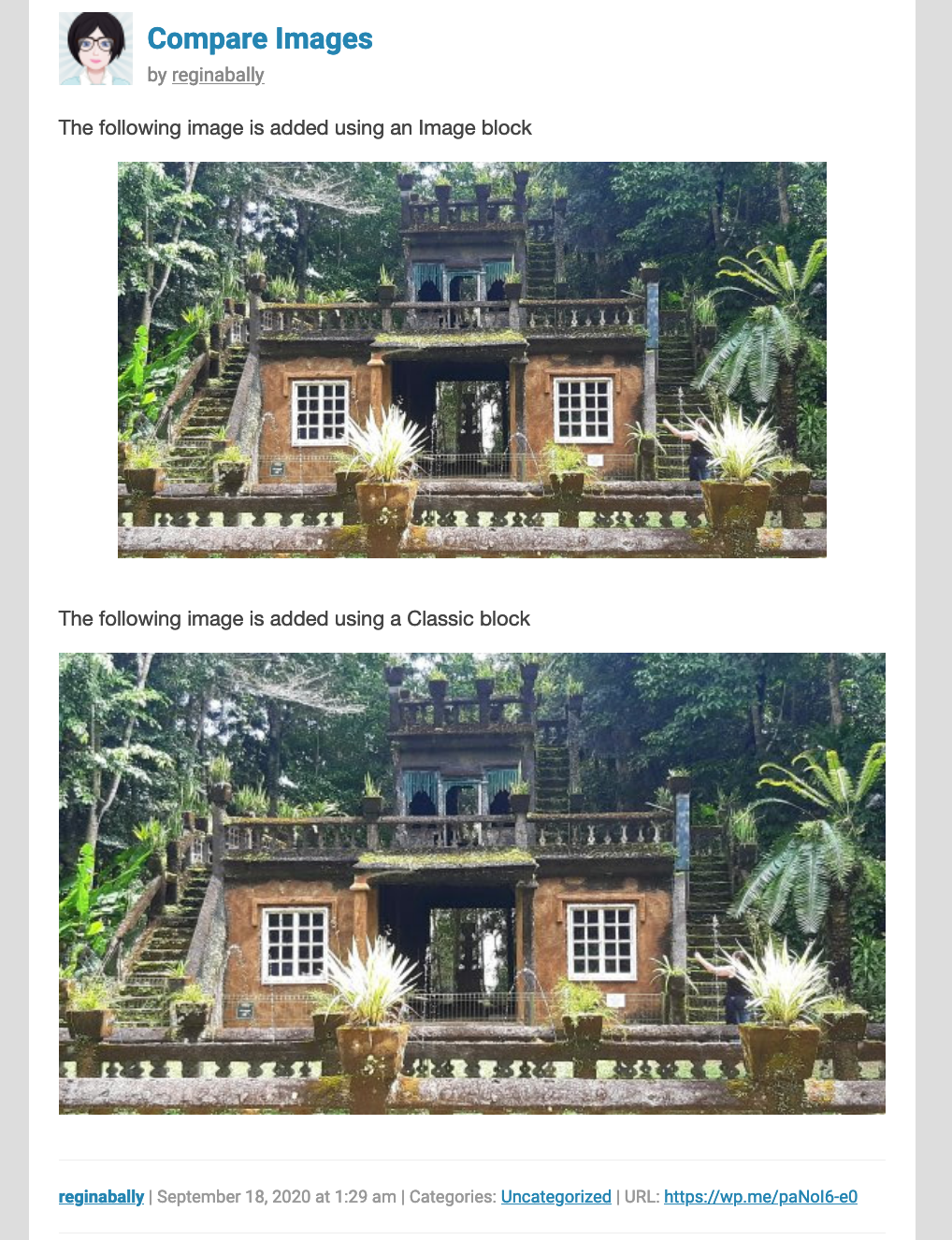
I'm not sure if this is related but I see the same behavior on the email notification.
Mobile view
Desktop view
reginabally
on 18 Sep 2020
I'd say it's related. The only weird thing is that I can't explaing why it's not happening on iOS (any ideas @leandroalonso)?
malinajirka
on 18 Sep 2020
@malinajirka I'm pretty sure this is a browser style being applied to the figure tag.
In iOS, Safari does exactly that: it adds a margin to the figure. To prevent that from happening I've override this style to "reset" this behavior:
figure {
  margin-block-start: 0;
  margin-block-end: 0;
  margin-inline-start: 0;
  margin-inline-end: 0;
}
 leandroalonso
on 18 Sep 2020
leandroalonso
on 18 Sep 2020
@leandroalonso I see, thanks for the info. It seems it's a bug on Android, Web and iOS (it's already fixed in iOS). We might want to consider removing the hardcoded style from ios and moving it into the shared css, wdyt?
malinajirka
on 21 Sep 2020
@malinajirka sure thing!
leandroalonso
on 28 Sep 2020
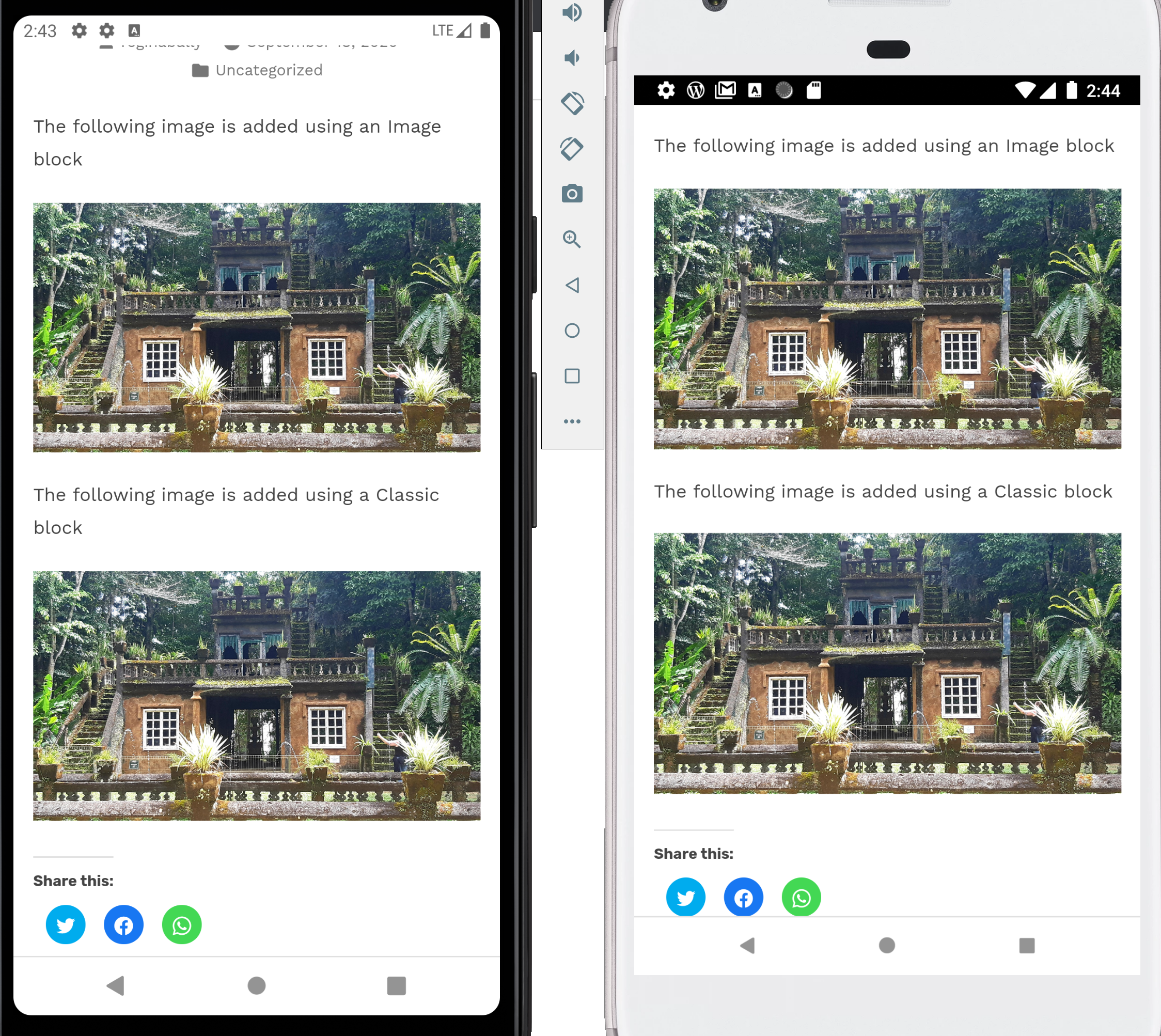
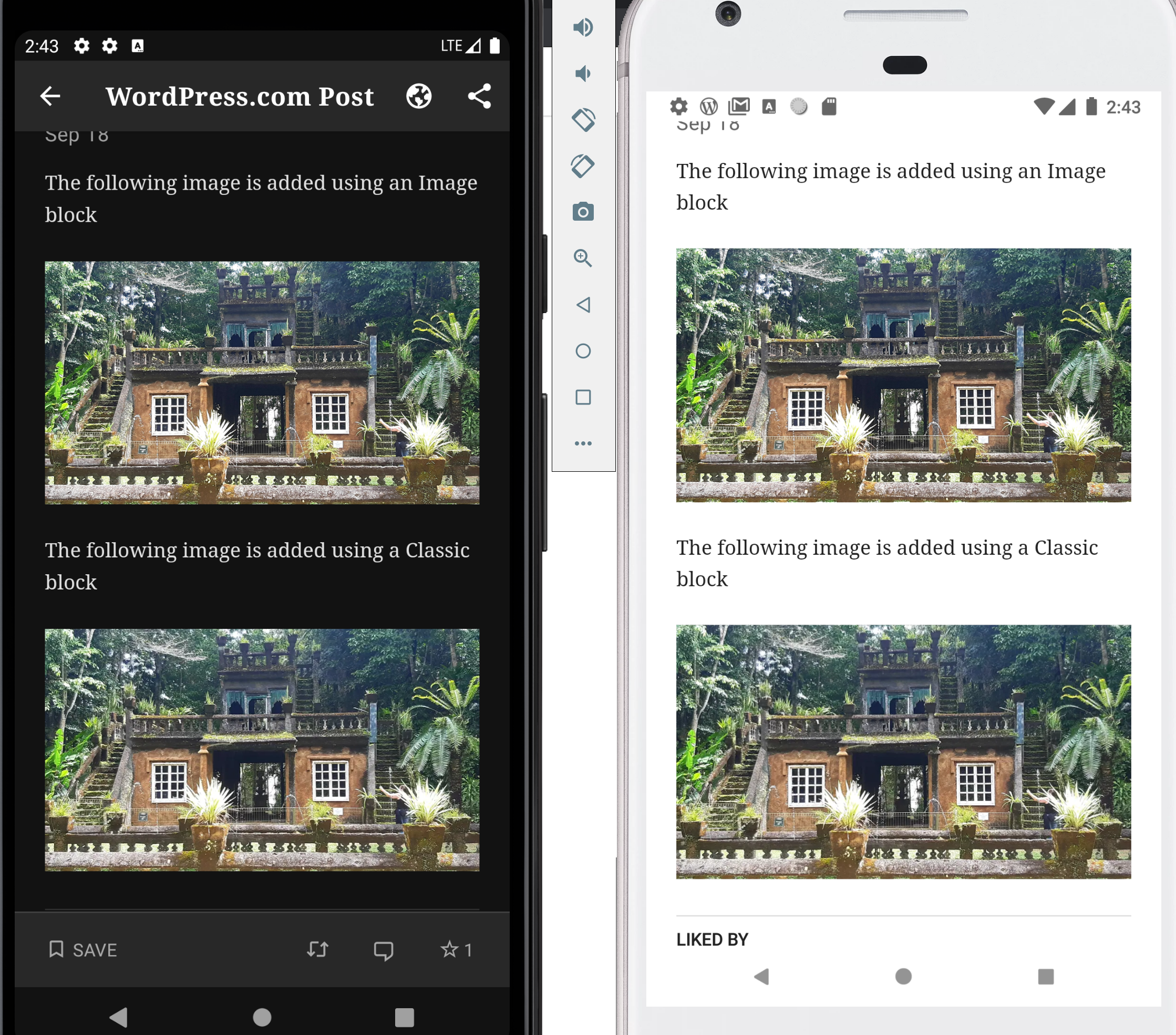
@designsimply I'm probably missing some step. I've tried to re-test this on a few emulators (different Android version 7,9,10) and all the images looked ok. I used my own post (https://wp.me/p22nRd-1CR) + the post you shared. Could you please re-test it -> 🤞 perhaps someone already fixed it. Thank you!
malinajirka
on 29 Sep 2020
Related issues
 JavonDavis
·
3Comments
JavonDavis
·
3Comments
 khaykov
·
3Comments
khaykov
·
3Comments
 roundhill
·
3Comments
roundhill
·
3Comments
 maxme
·
3Comments
maxme
·
3Comments
 jkmassel
·
3Comments
jkmassel
·
3Comments