Wordpress-android: Site icon change not working when aborting action
Expected behavior
Changing the site's icon should either work or show an error if something could not be done or if the process is aborted.
Actual behavior
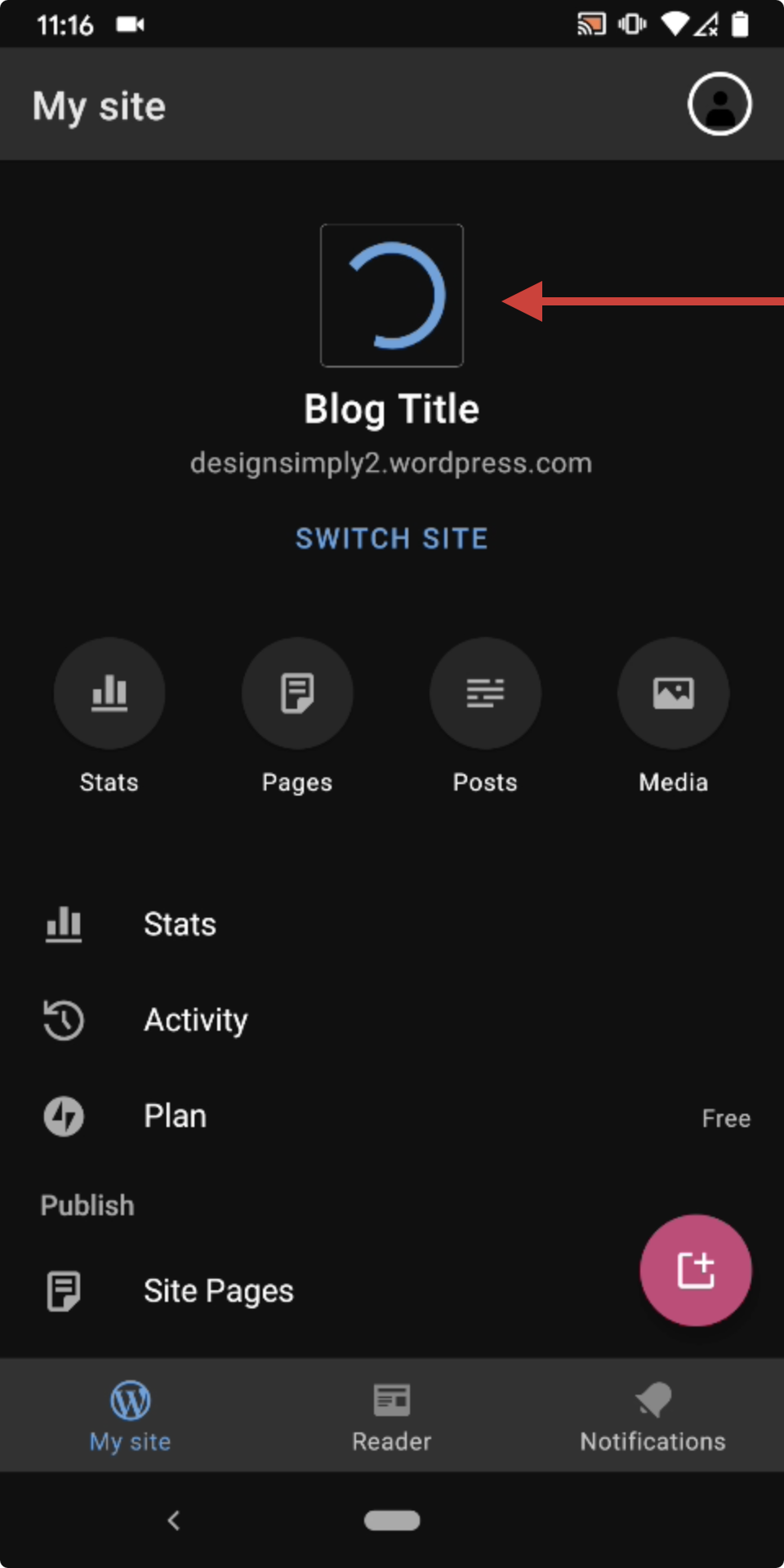
When aborting a change in the crop tool, you end up with a forever spinning wheel.
Steps to reproduce the behavior
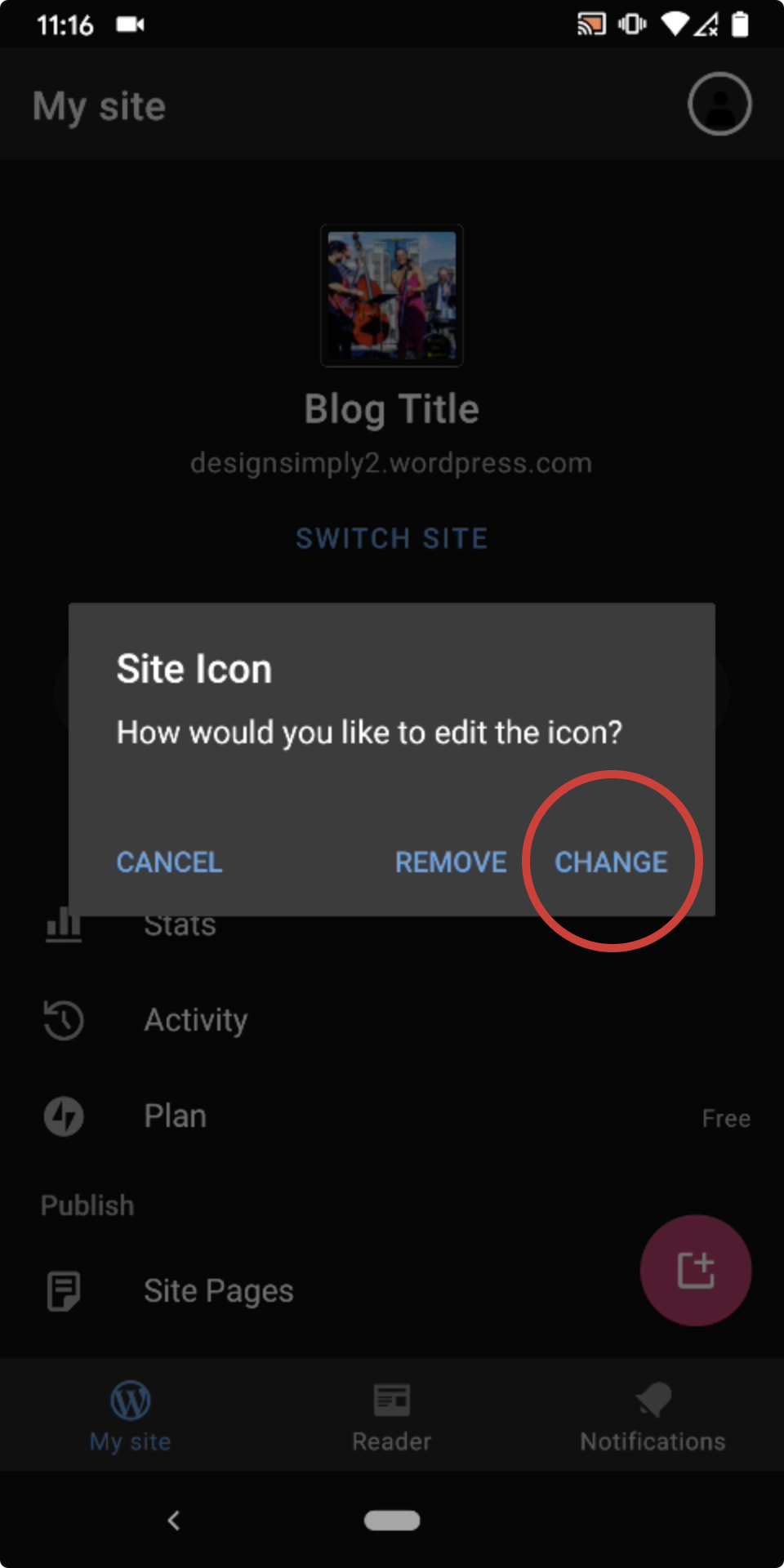
- tap on my site icon to change the icon
- accept the dialog
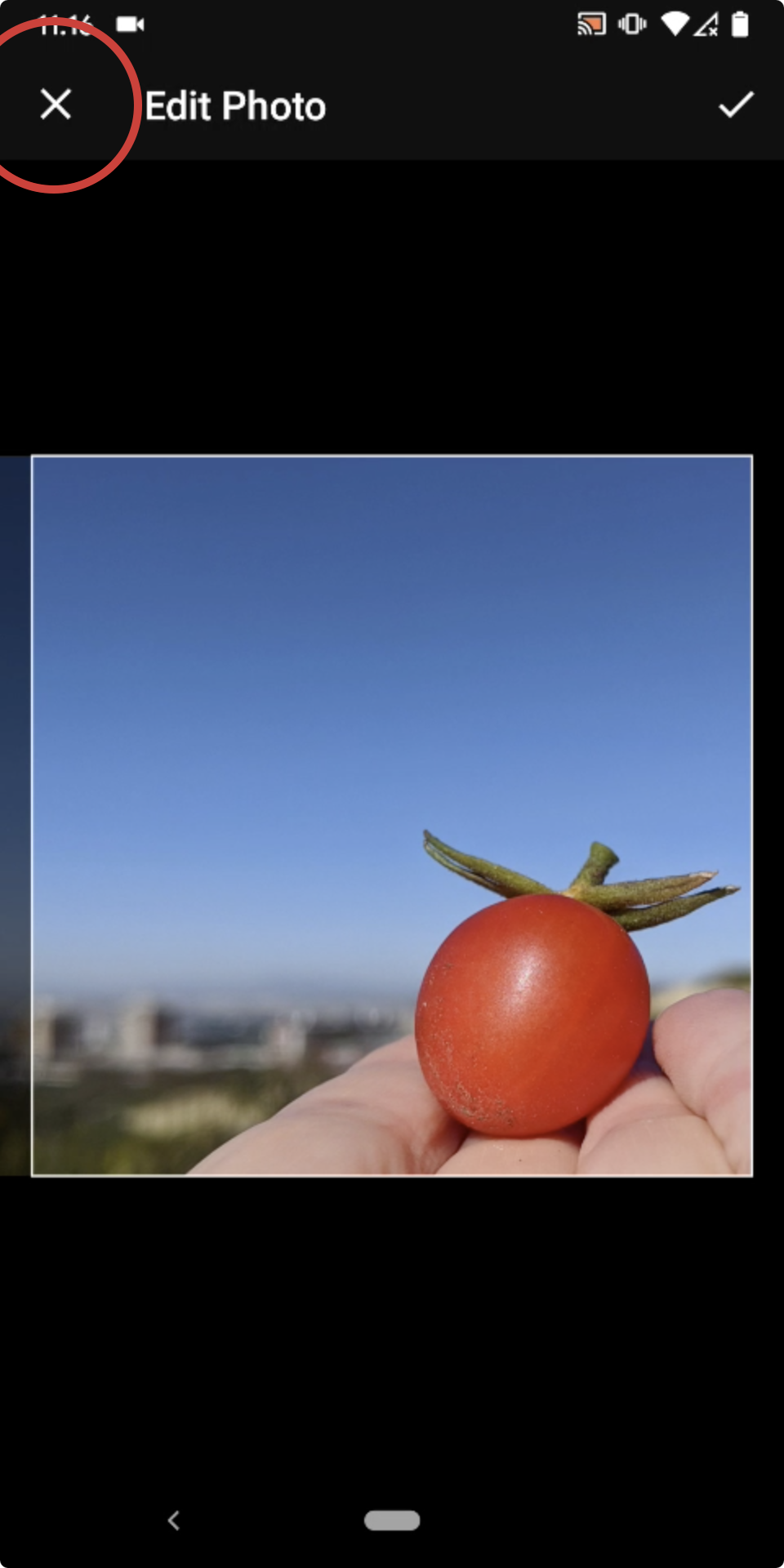
- choose an image
- when the crop tool appears, tap the X on the top left to abort the action
- observe the site's icon shows a neverending spinning wheel instead of showing the previous, unchanged site icon.
- Also, try tapping on it: nothing happens (so you can't change it anymore).
Tested on [Xaiomi Redmi Note 5], Android [8.1], WPAndroid [alpha-237]
 mzorz
mzorz
All 2 comments
Good find! Tested and confirmed using WPAndroid 15.5-rc-1 that starting to select an image then exiting the Edit Photo screen using the X results in a spinner that doesn't go away until you leave the My Site section of the app and then go back again. (2m12s)
Tested with WPAndroid 15.5-rc-1 on Pixel 3 Android 10.
 designsimply
on 13 Aug 2020
designsimply
on 13 Aug 2020
👍1
Thanks for confirming and adding screenshots to this @designsimply 🙇
mzorz
on 13 Aug 2020
🚀1
Was this page helpful?
0 / 5 - 0 ratings
Related issues
 jkmassel
·
3Comments
jkmassel
·
3Comments
 prtksxna
·
3Comments
prtksxna
·
3Comments
 maxme
·
3Comments
maxme
·
3Comments
 JavonDavis
·
3Comments
designsimply
·
3Comments
JavonDavis
·
3Comments
designsimply
·
3Comments