Wordpress-android: Login: Site List does not update automatically after logging in to WordPress.com via Jetpack Install
Steps to reproduce:
- On the log in screen, select the "Enter your site address" option and log in to a self-hosted non-Jetpack site.
- Go to Notifications.
- Tap "Install Jetpack".
- Tap "Set Up".
- Log in to the WordPress.com account you'd like to associate the Jetpack account with.
- Tap "Approve" when prompted.
- Go to My Site > Switch Site.
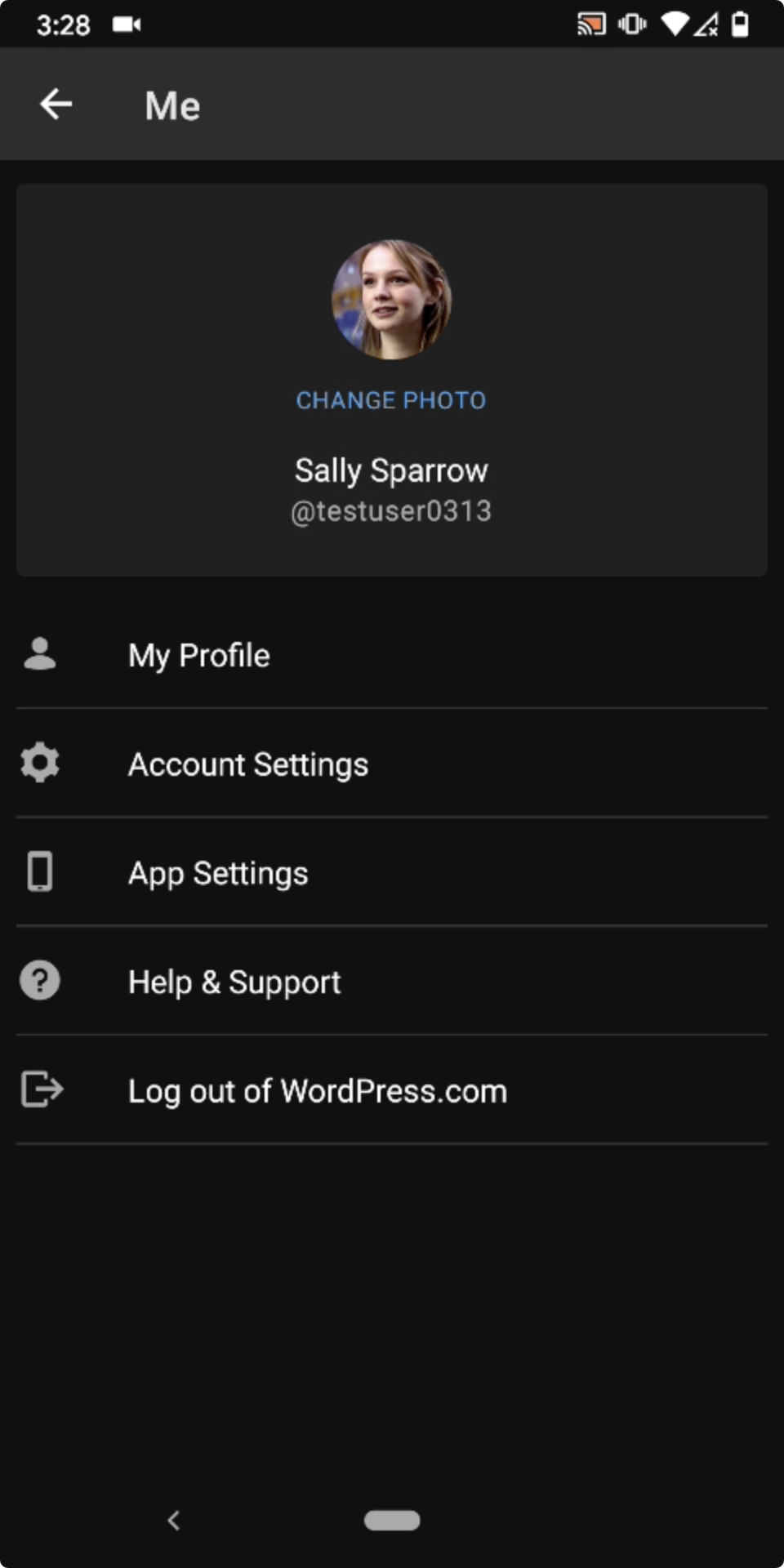
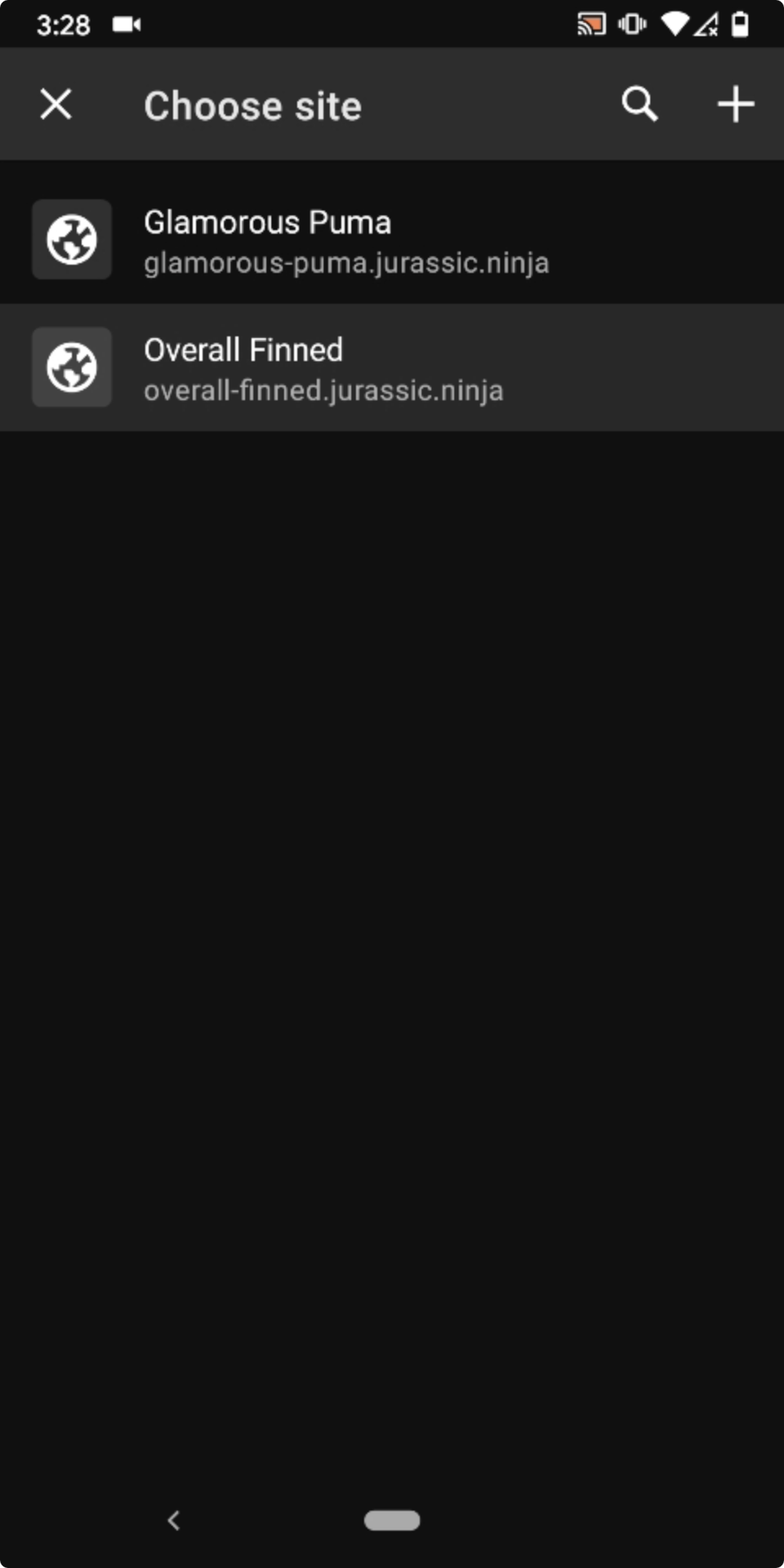
Result: Associated WP.com sites are missing from the My Site > Switch Site > Choose site screen if you log in by way of the Install Jetpack flow. (2m35s)
Account screen after installing Jetpack via the app|Choose site screen missing WP.com sites|Pull-to-refresh|Choose site with WP.com sites showing after pull-to-refresh
---|---|---|---
 |
| |
| |
|
Tested with WPAndroid 15.4-rc-1 on Pixel 3 Android 10.
 designsimply
All 2 comments
So, after testing this for a bit, here's what I found:
- This only happens when using a Magic Link to login on step 5.
- This also happened before the Unified Login & Sign-Up was implemented (so I'll go ahead and remove that label, just to make sure we're tracking only newly introduced bugs with it, but feel free to use it again in the future if you're not sure).
Assuming those findings are accurate, here's what I believe is happening: apparently we're skipping the Epilogue screen when using Magic Links, but we shouldn't, since we fetch for the user's sites on that screen. There's logic in place to handle this specific scenario, but somehow it's not working. As far as I can see, this could either mean that logic is broken for a while and we hadn't noticed (is there a way to find out if that's the case?) or that the logic for Jetpack connect (or Magic Link login in general) changed recently and broke this flow.
Without digging a bit more into this, I have no way of knowing for sure and unfortunately I don't quite have the time to do so right now. But assuming this is really only happening on this flow and only when using Magic Links, what do you think of making it a Groundskeeping issue? If you believe this is more urgent, I could certainly take a few hours to look into it again next week.
 renanferrari
on 29 Jul 2020
renanferrari
on 29 Jul 2020
Totally cool by me to put this one in Groundskeeping—I put it in the to-be-triaged list for now and will circle back. Thanks for the update and feedback @renanferrari!
designsimply
on 29 Jul 2020
Related issues
 JavonDavis
·
3Comments
JavonDavis
·
3Comments
 develric
·
3Comments
develric
·
3Comments
 jkmassel
·
3Comments
jkmassel
·
3Comments
 reginabally
·
3Comments
reginabally
·
3Comments
 wptester9845
·
3Comments
wptester9845
·
3Comments