Wordpress-android: Signup Magic Link Emails not being received
Expected behavior
I expected that when I followed the steps to create an account through WordPress.com in the app, I would be receiving the email or if not given the option to continue creating an account manually.
Actual behavior
A lot of users are not receiving the email link in their inbox (this seems mostly for Android users) and then get stuck in the sign-up process and need to contact support for help.
Not everyone has their email connected to the device, and sometimes emails get caught in spam folders or promotional folders.
There should be a way for the user to continue creating an account without needing to reach out to support if the login link isn't being received.
Steps to reproduce the behavior
- Open a fresh installation of the app.
- Select the optino to 'Sign up for WordPress.com'
- Enter an email address that doesn't yet have an account linked to it.
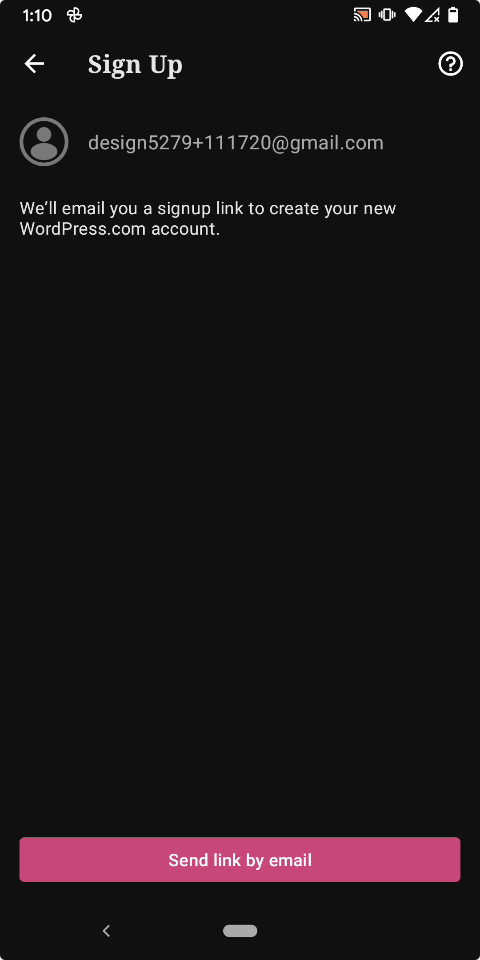
- You'll see the screen to send the magic link, no other options are available.
If I don't have my email account set up on my device (which I didn't) I then need to proceed with setting that up before I can complete the process.
A search for the tag tags:origin:signup-magic-link shows that this is a high volume request we see in the app and could easily be avoided by adding a link to direct users to https://wordpress.com/start/account if the link isn't received or have the option to proceed and confirm the email at a later point.
Is there some background on why this is setup this way I'm missing?
Tested on Samsung Tab A, Android 9, WPAndroid 15.0-rc-2
 rezzap
All 14 comments
Reported in the following tickets after a search:
- 3061770-zen
- 3076370-zen
- 3071463-zen
- 3070130-zen
- 3069354-zen
- 3064020-zen
- 3068629-zen
- 3062121-zen
Some of these already have a WordPress.com account it looks like but I don't know if that's been created before or after they reached out. There should be clearer options here either way so the user knows if they already have an account to use the Log In flow.
rezzap
on 19 Jun 2020
Another report in 3072085-zen
I'm seeing a lot of tickets that are just 'Hi' with this tag too, so I'm wondering if this is creating a lot of tickets where people think this is a chat and are waiting for an answer.
rezzap
on 19 Jun 2020
Tested the steps provided with WPAndroid 15.1-rc-2 and grabbed some screenshots of the flow:
Video: 38s
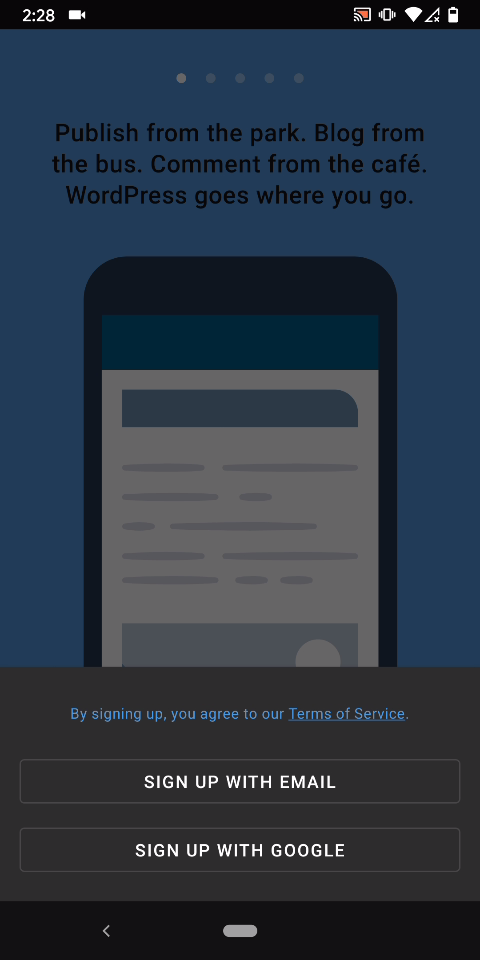
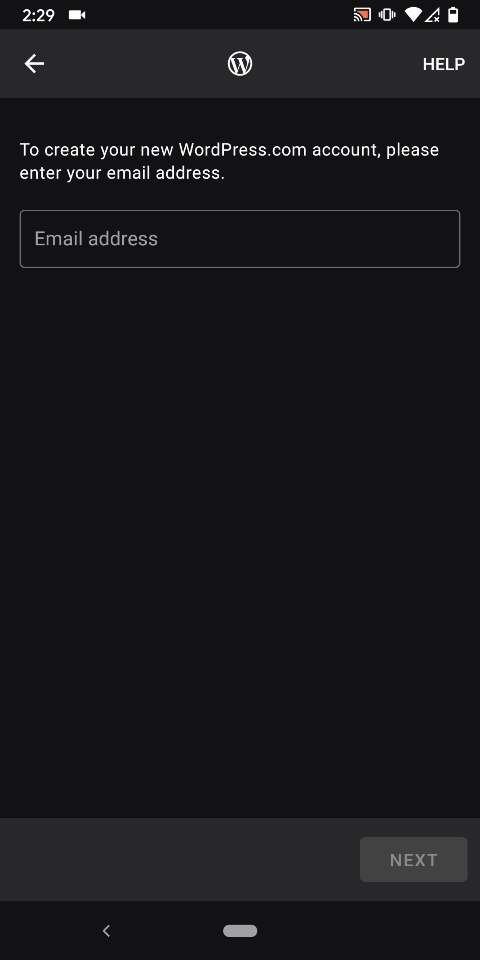
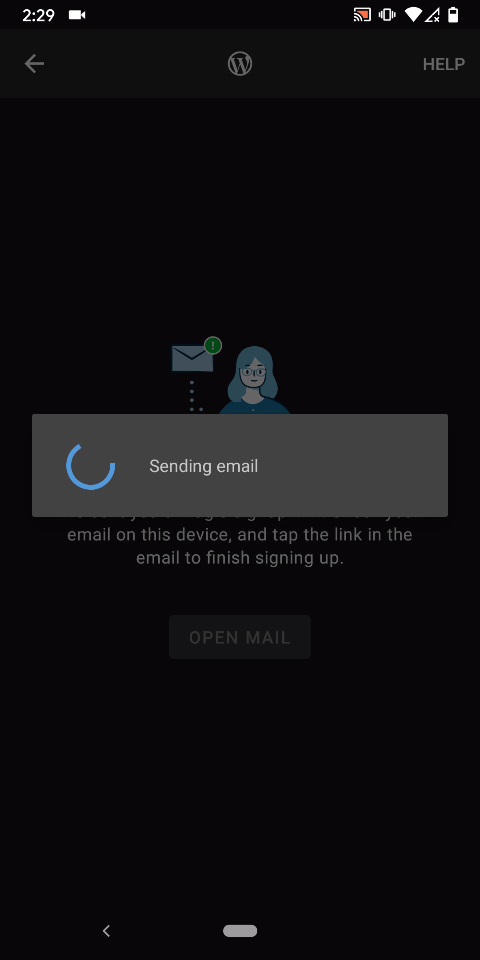
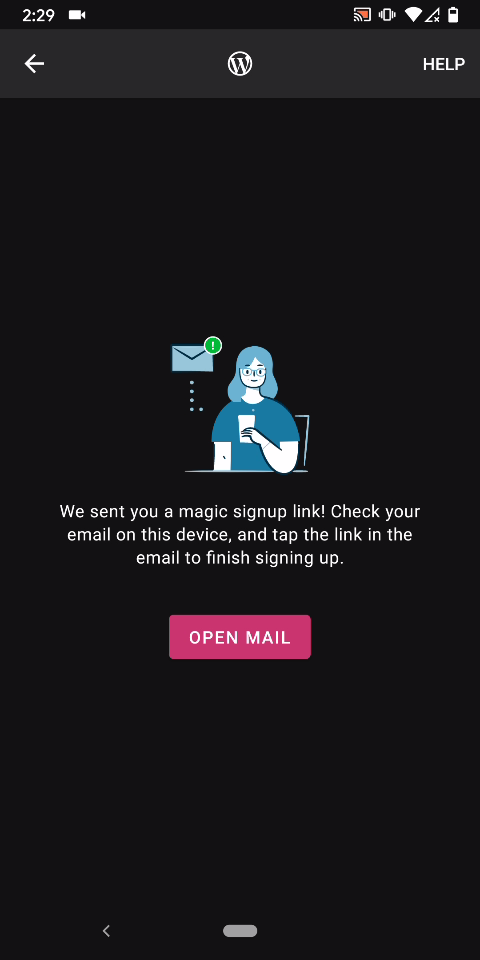
Tested with WPAndroid 15.1-rc-1 on Pixel 3 Android 10.
Using our priority matrix as a guide, I'm interpreting this issue as high impact (5+ user reports) medium severity because while it's a high priority flow it's not completely broken or non-functional in all cases.
(internal reference: paaHJt-UE-p2)
Is there some background on why this is setup this way I'm missing?
My understanding is that Magic Links were implemented as a way to simplify the login/signup flows at a time when a lot of users were having a lot more trouble with login flows compared to today. I am not sure about the reasons around signup requiring Magic Links without an alternate option. It might be one way to verify the signup was made with a valid email address, which if bypassed can cause all sorts of additional problems down the road or which may indicate a spam signup attempt.
@rezzap I checked all 9 help requests you referenced, and I found that 5 have accounts setup now, 3 had records in the email delivery logs showing an email was indeed sent (of those, 2 returned a 250 SMTP success response and 1 returned a 550 SMTP "Non-existent email address" response so I think that last one may have made a typo in their email and they should try again), and 1 was a rough translation from Turkish translated with Google as saying "Text did not come" so I'm not 100% sure we can attribute that one to a signup flow problem just yet. I'm noting these for reference and have left notes on the tickets with more detail as well.
@renanferrari @mindgraffiti may we have your input first because you are the leads for the Unified Login & Signup projects which are currently underway? Do you have any suggestions for improvement to the the signup flow in cases where a Magic Link is difficult to use either because the email cannot be found or setting up email on the device is not wanted by the user? What if we detected cases where the "magic signup link" screen has appeared multiple times without a successful signup or login and sent them pertinent instructions at that point? (not sure if that's possible or if it's worth the effort considering the volume)
 designsimply
on 20 Jun 2020
designsimply
on 20 Jun 2020
Thanks for the ping @designsimply 🙂
I don't know the history of magic links, so I'm not sure why we make new users verify their email address as a first step. (I'm checking into this.)
Last I knew, our servers were successfully sending magic link emails, but they often land in a spam or junk folder. In the new designs we make note of that:
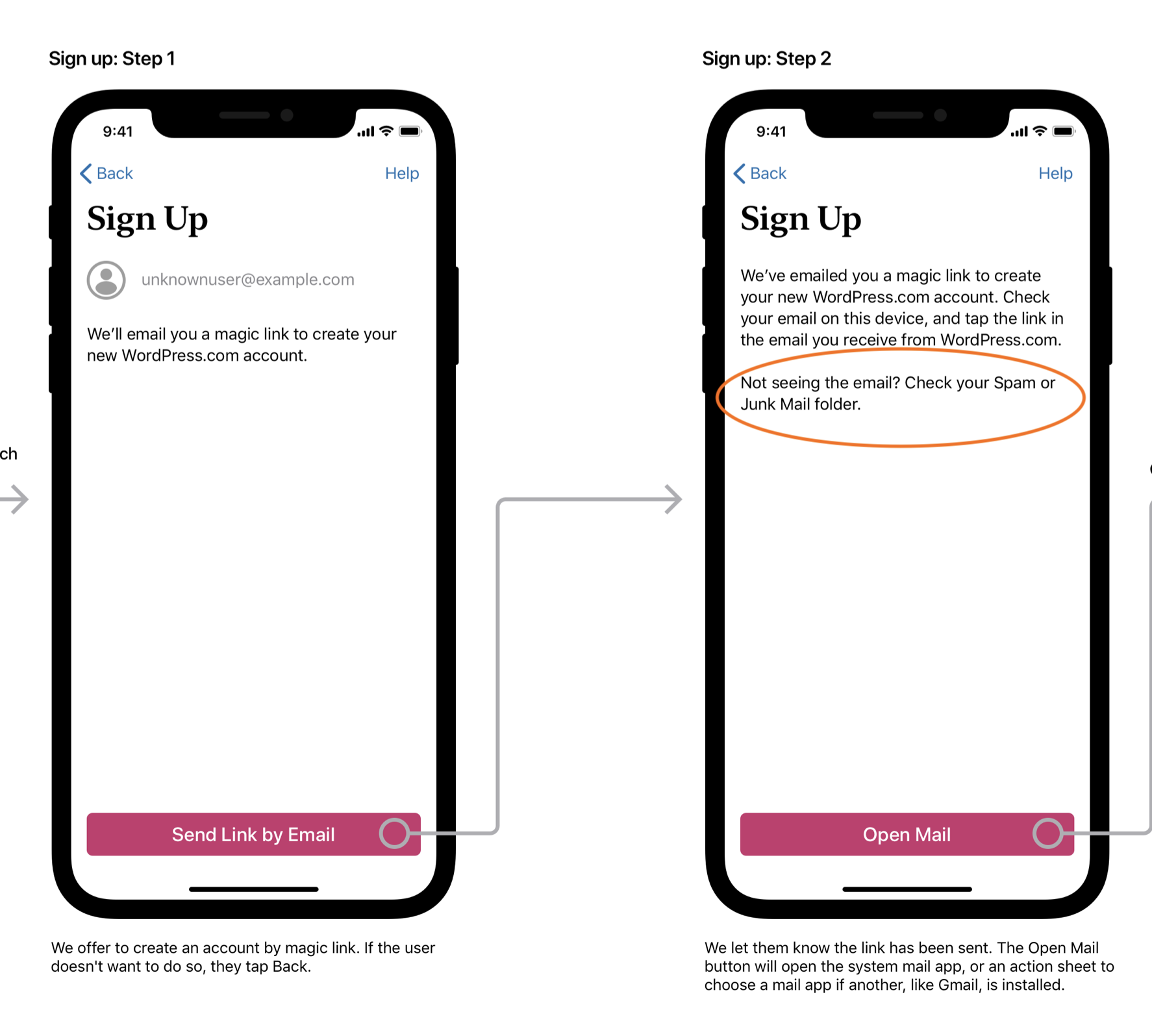
A lot of users are not receiving the email link in their inbox (this seems mostly for Android users)
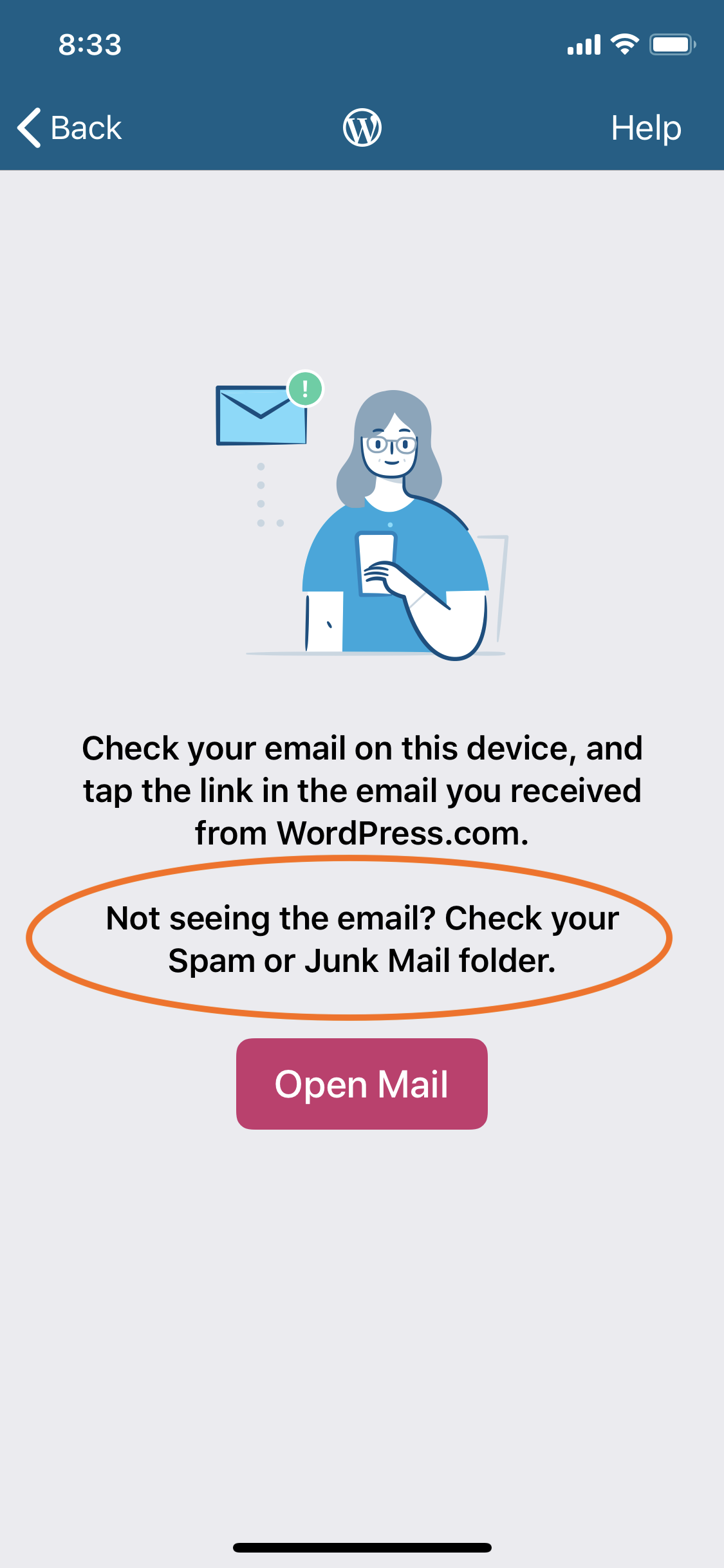
@rezzap this is probably because iOS added a line to the current login & signup flows that lets users know that the magic link might land in their spam / junk folders:
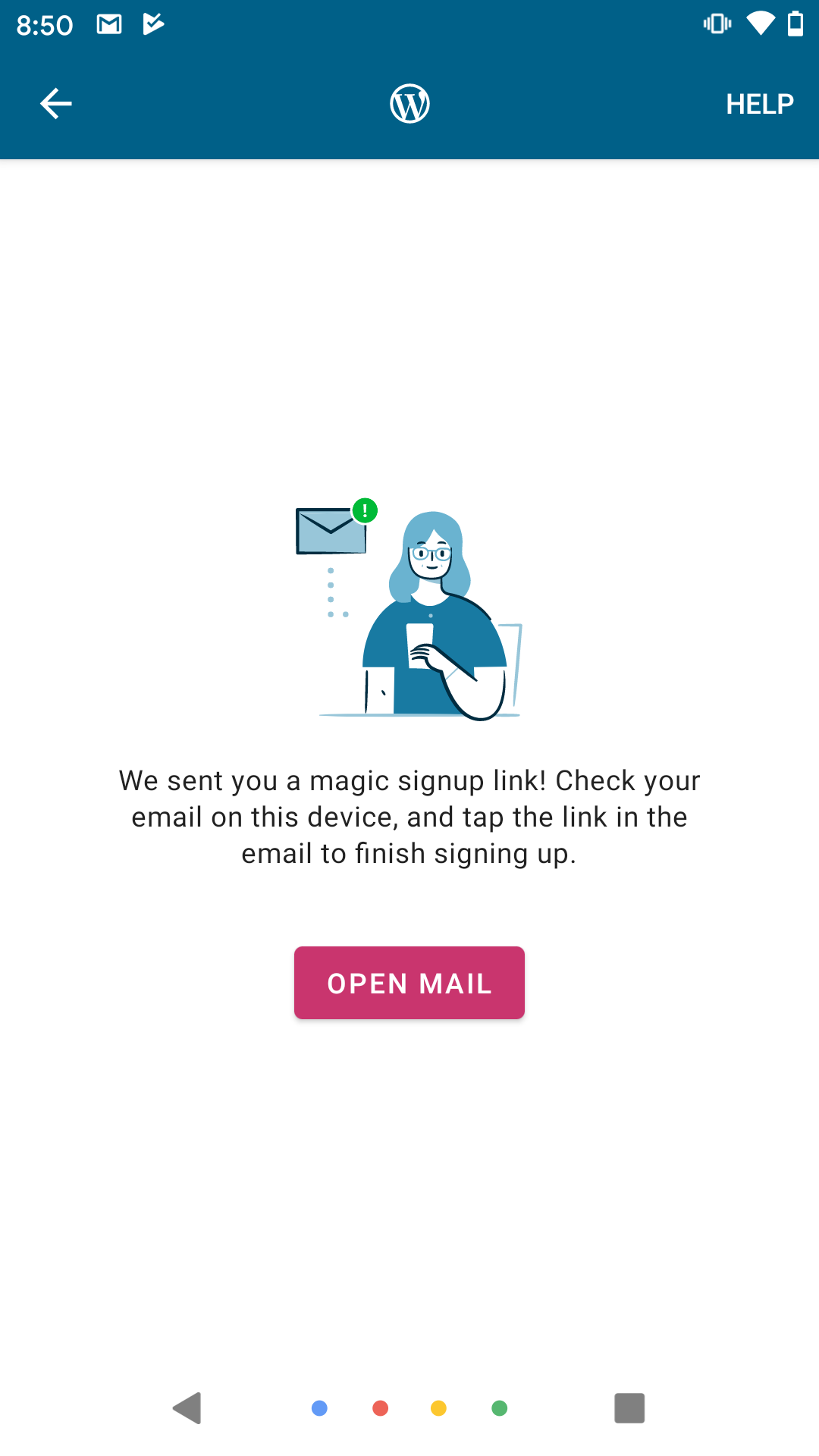
It looks like Android hasn't added it:
@renanferrari is adding that line to the current flows low hanging fruit? It seems that it helped iOS.
 mindgraffiti
on 22 Jun 2020
mindgraffiti
on 22 Jun 2020
@designsimply Thanks for pinging me here. I think @mindgraffiti already addressed the main points here, but I'd also like to share my perspective on this.
First of all, I think we should make an important distinction between the signup email not being sent and the user being unable to find or access the email. I'm assuming this issue is addressing the latter, since @designsimply apparently couldn't confirm that the users were not receiving the email in their inboxes (with 1 expected exception, since the user entered the wrong email address).
That being said, even though I'd still like to see some numbers on how many users are dropping at this step of the funnel, I think that, regardless of what those numbers might be, it's clear this is a problem worth addressing, given it's already creating some overhead for the support team.
Like @mindgraffiti, I don't have a lot of context on the history of Magic Links so I also don't know why they were setup this way, but I think the reasons @designsimply mentioned are probably pretty close:
Magic Links were implemented as a way to simplify the login/signup flows at a time when a lot of users were having a lot more trouble with login flows compared to today. [...] It might be one way to verify the signup was made with a valid email address, which if bypassed can cause all sorts of additional problems down the road or which may indicate a spam signup attempt.
Before trying to come up with any further solutions, I'd suggest we make sure we understand why it was done this way in the first place. Having the full context seems to be a pre-requisite to come up with more long-term solutions here.
As for the short-term, I'd suggest the following:
- Wait for the Unified Sign-Up & Login project to be released, since it's around the corner and it introduces the changes @mindgraffiti mentioned above, as you can see here.
- If we decide that's not enough, experiment with adding a link to direct users to https://wordpress.com/start/account as suggested by @rezzap, and measure if it makes any difference.
 renanferrari
on 22 Jun 2020
renanferrari
on 22 Jun 2020
I found a little more history behind our Magic Links flow. Calypso used to make users verify their email addresses before continuing to the next step in signing up. Our flow was consistent with theirs. Calypso has changed their sign up flow (possibly around the time that private by default was pushed).
There is an ongoing discussion about what the expected behavior is so that mobile can be consistent with everyone else.
Ref. pbAPfg-ym-p2#comment-1182
mindgraffiti
on 23 Jun 2020
I tested and compared the Calypso and Android app signup flows. Currently, Calypso allows you to both sign up and create a site without confirming your email address but you must confirm your email address before you are able to launch your site—unless you launch from the editor (5m1s) although https://github.com/Automattic/wp-calypso/pull/43436 is an attempt to address that loophole.
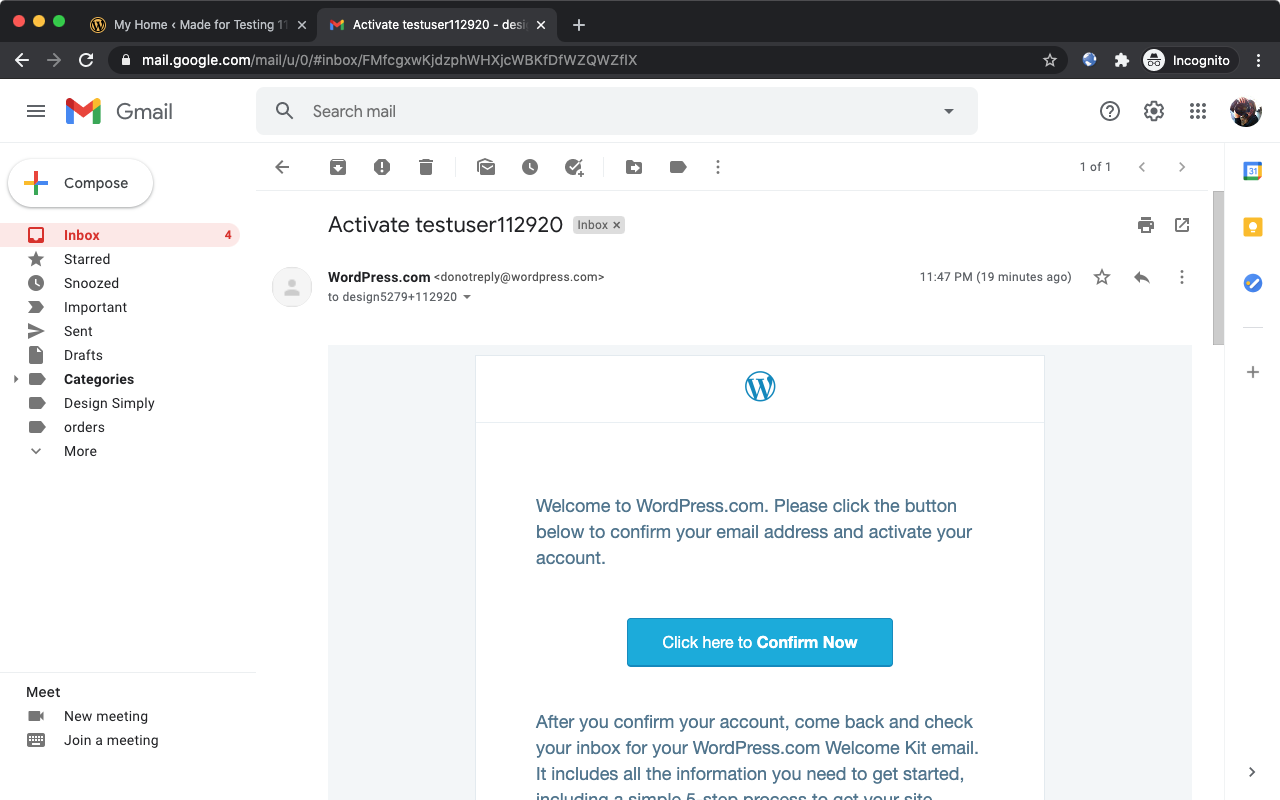
Calypso uses an activation email but it does not block account or site creation:
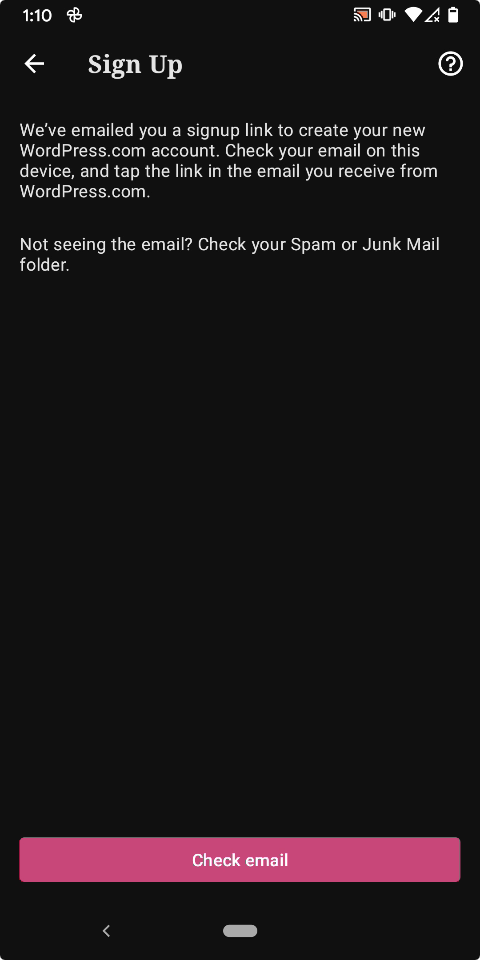
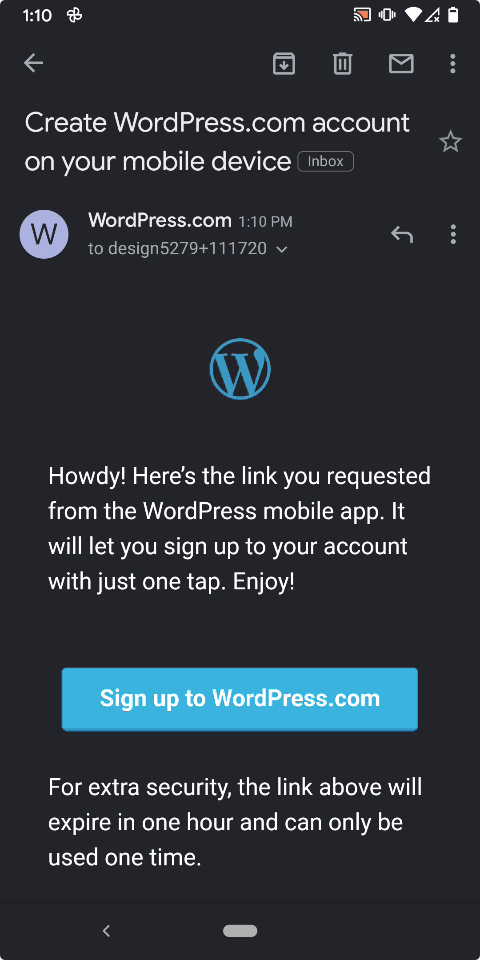
In contrast, the signup flow in the WPAndroid app requires that the user must complete an email signup step from the same device where the app is installed prior to being able to either create an account or setup a site and new sites created with the app are not private by default. (3m54s)
Send link by email|Check email|Mobile app signup email
---|---|---
 |
| |
|
Tested with WPAndroid 16.2-rc-1 on Pixel 3 Android 11.
@bummytime at this point I think this it's a high level decision whether or not we should make any changes to the signup flow in the app to match with the current Calypso signup flow. If we are required to verify email addresses for account recovery or legal reasons (as asked about at pbAPfg-ym-p2#comment-1182) then I think the current behavior in the app is acceptable and we should not change it or we should consider making sites private by default and requiring the email step before launch (but even then I think the same types of users would still have the same trouble except they would be further along in the account/site creation flow before bumping into the problem).
@rezzap it would help to know if you've continued to see reports of this from users since June or if you feel it's no longer a problem?
designsimply
on 30 Nov 2020
As mentioned above, I don't think it's prudent to make any major changes to our recently-updated UL&S flows until we review the data in more detail. Pulling in @frosty and @mattmiklic here, any thoughts on this (esp given the recently released Coming Soon v2 pbAok1-1gI-p2)?
In terms of this ticket specifically, echoing the question to @rezzap — has support seen continued problems with email?
 bummytime
on 1 Dec 2020
bummytime
on 1 Dec 2020
@bummytime @designsimply - Yes, this is definitely something that still comes up a lot in support. In most cases, we don't get any follow up from users and they usually do have an account created by the time we get to the requests. Most likely they found the email before we had a chance to reply. In most cases when I do check Logstash for reports of this, the emails have been sent and usually multiple times.
rezzap
on 2 Dec 2020
I don't think it's prudent to make any major changes to our recently-updated UL&S flows until we review the data in more detail. Pulling in @frosty and @mattmiklic here, any thoughts on this
I think letting people complete the signup flow without having to verify the address on the device would result in a higher signup completion rate.
I don't think launching sites private by default is a good idea until we have the experimentation platform in place to make sure it doesn't have any unintended negative effects on user success elsewhere. We'd probably need to pair this with a new design post-signup for a way to teach the user how to make their site public, after they have verified their email.
Allowing signups with public site creation without verifying emails first feels like a vector for abuse.
There is the option of including some messaging on the "We've emailed you" screen telling them how to log in on the web if they aren't able to verify their email on the device. This doesn't guarantee they'll ever get signed into the app though.
I think it's worth experimenting on but would like to have the proper tooling in place to measure its effect before we make a change here.
 mattmiklic
on 2 Dec 2020
mattmiklic
on 2 Dec 2020
Thanks for checking in everyone. Based on the last comment, it sounds like we do not want to make an immediate change but I cannot tell if this issue should remain high priority.
@rezzap if these types of issues continue to be a problem for users and you think we need to take action on it sooner than later, it would help very much to get a better idea of how many users are affected. I suggest tagging them in Zendesk and then getting a count after a few weeks or months.
@bummytime I'm ok to deescalate this one for now but check back in on it in 3 months to see if we have more data by then. Sound good?
designsimply
on 8 Dec 2020
Sounds good to me, @designsimply!
 frosty
on 15 Dec 2020
frosty
on 15 Dec 2020
Ace. I will add a reminder for myself to check back in after 3 months. 👍
designsimply
on 16 Dec 2020
I'm removing the high priority label for this issue because there has been no new activity on this thread and would also like to note the ask is still open for anyone to add new cases we can review.
designsimply
on 15 Mar 2021
Related issues
 JavonDavis
·
3Comments
JavonDavis
·
3Comments
 jtreanor
·
3Comments
jtreanor
·
3Comments
 jkmassel
·
3Comments
jkmassel
·
3Comments
 maxme
·
3Comments
maxme
·
3Comments
 reginabally
·
3Comments
reginabally
·
3Comments
Most helpful comment
Thanks for checking in everyone. Based on the last comment, it sounds like we do not want to make an immediate change but I cannot tell if this issue should remain high priority.
@rezzap if these types of issues continue to be a problem for users and you think we need to take action on it sooner than later, it would help very much to get a better idea of how many users are affected. I suggest tagging them in Zendesk and then getting a count after a few weeks or months.
@bummytime I'm ok to deescalate this one for now but check back in on it in 3 months to see if we have more data by then. Sound good?