Wordpress-android: Discarding unsaved changes unexpectedly deletes the whole post
3032851-zen
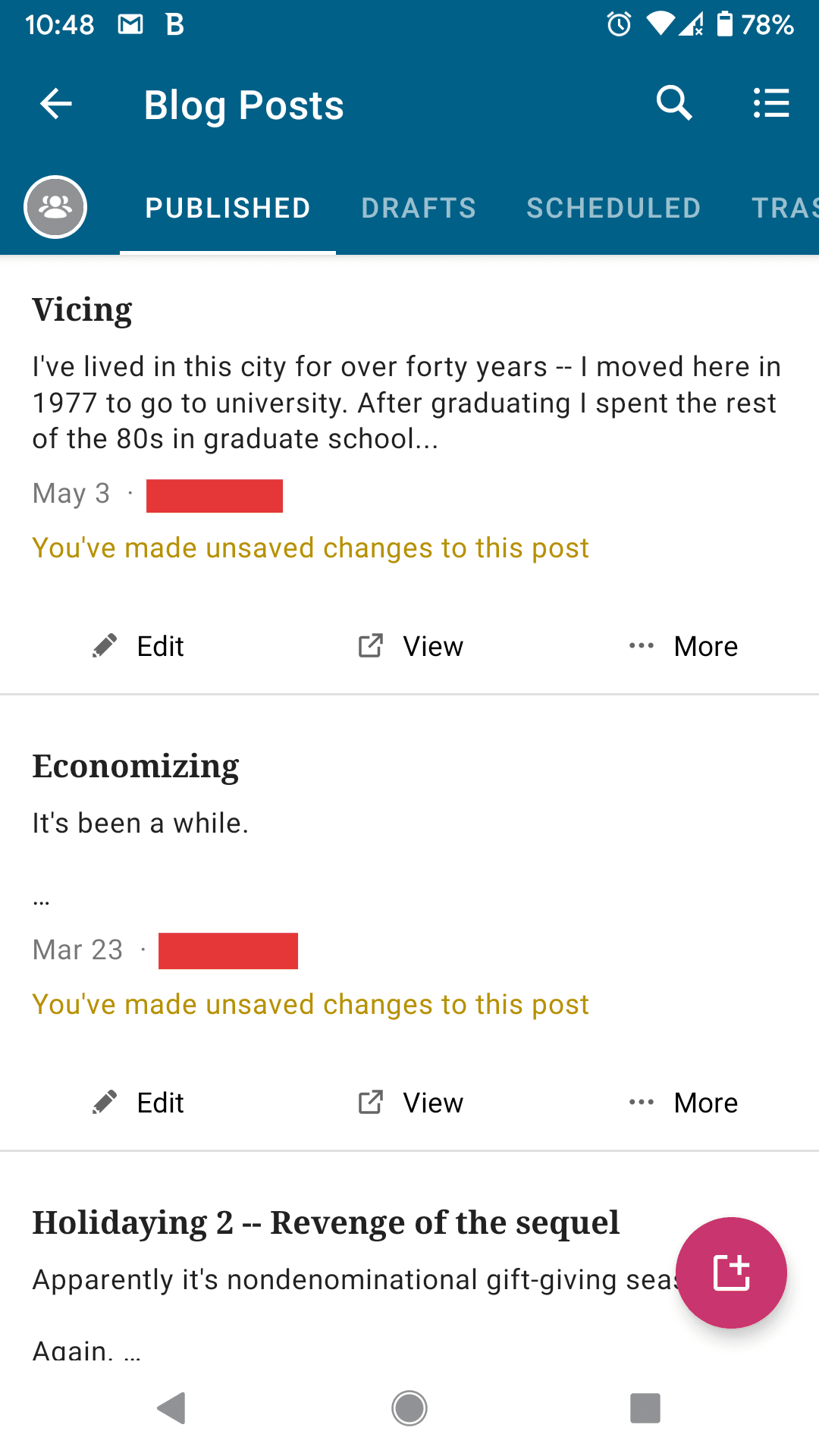
User says their posts and pages on the app show a message saying You've made unsaved changes to this post and they claimed they have not made any changes to the post.
Screenshot: https://d.pr/i/48pCRQ+
I was able to find an open issue here for the same thing but for iOS (https://github.com/wordpress-mobile/WordPress-iOS/issues/9614) but not for Android. So, talking to @rezzap about this we started testing following the steps on this post p7cLQ7-Td-p2
Expected behavior
We expected the app to discard the changes and It should sync the post with the version of the post that is published on the website.
Actual behavior
Instead, it moves it to trash on the app and on the browser version as well and if the user doesn’t notice, in 30 days it will be permanently deleted.
Steps to reproduce the behavior
- Start with a post that has ‘You’ve made unsaved changes to this post’
- Select the post and choose the option to edit the version from this app.
- Make some changes.
- Click on the arrow to go back (you now see the label change to Local Changes)
- Go back to the post, type more content to make a change.
- Go back to the blog post list.
- Click the ...More button and opt to Bin the changes. Message shows up (Local Changes, binning this post will discard local changes, are you sure you want to continue?)
- Click okay, the post disappears from the post list and is completely deleted.
- Visit the link to the post that was published, the post is no longer available and 404s.
Pixel3 Android 10 WP app 15.0-rc-3 (@rossanafmenezes) and Samsung Tab A, Android 9, WP app 15.0-rc-2 (@rezzap)
 rossanafmenezes
All 9 comments
Thank you for the bug report @rossanafmenezes! This bug seems bad because it involves content loss, so I'll do some testing right away. The first tricky part will be to figure how how to trigger the 'You've made unsaved changes to this post' warning consistently. 🤔
 designsimply
on 11 Jun 2020
designsimply
on 11 Jun 2020
This also happened consistently for me if I had a post with 'Local Changes' to start with. I'm not sure how the label gets added, but it seems to be quite inconsistent. And always moves from the first 'unsaved changed' label to 'local change'.
It also didn't seem to matter whether I tried with both the version from this app or the version from a different device. In both cases, the post was moved to trash.
 rezzap
on 11 Jun 2020
rezzap
on 11 Jun 2020
Click the ...More button and opt to Bin the changes.
To clarify, the "Bin" ("Trash") button here is to trash the post, so it's expected that this will send the whole post to the trash. I believe the warning here is meant to clarify that this will trash the post but also discard (and thus lose) any local changes.
So at least this sequence of steps seems to be the expected behavior, although it does sound like a confusing UX.
 rachelmcr
on 11 Jun 2020
rachelmcr
on 11 Jun 2020
That's a very confusing message then, and it also means there is no way to discard the local changes without discarding the post. I was expecting a message to save or discard local changes to show up when I clicked to return to the post list originally, this is what led me to the "Bin" to try and delete the local changes and sync the post with the published version of the post which is published on the site.
rezzap
on 11 Jun 2020
I investigated this further and wanted to share my findings:
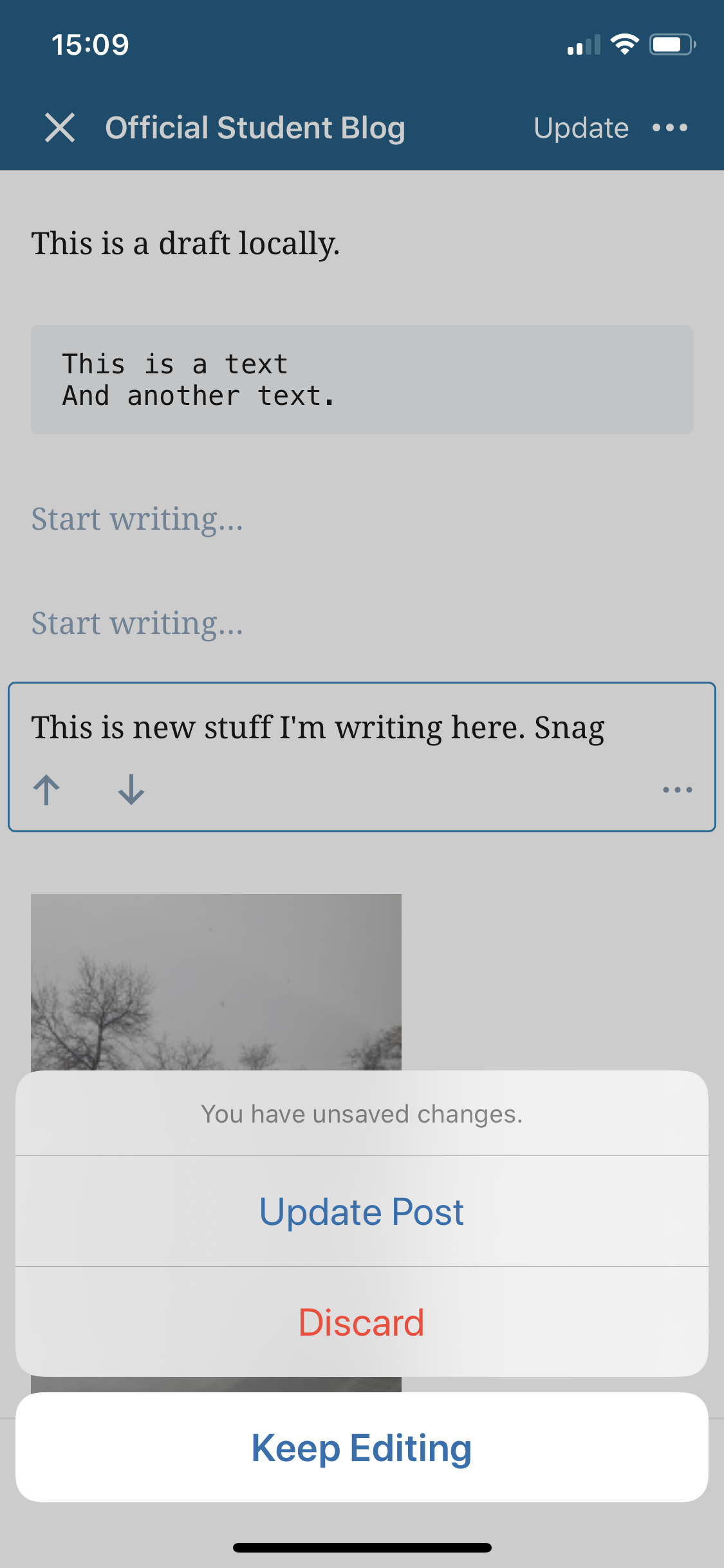
- The message "You've made unsaved changes to this post" does not refer to local changes. It refers to changes from the post being auto-saved, but not due to local changes. For example, this happens when you publish a post, edit it, and then preview it on the web (to be sure it autosaves) and then view it in the app.
- When I open a post with unsaved changes, I'm given the option to edit the remote version (which has the autosave changes) or the local version (which doesn't have those changes). Either way, once I load my selected version I can update the post to save the changes. (Since it's a published post, simply exiting the editor won't resolve the issue since that autosaves changes but a published post can only be updated by explicitly updating it. The Android app always autosaves on exit.)
- In the code there's a note about how this may be changed in the future to show a better conflict UX. This issue is evidence that an improvement is needed. :)
For local changes (not unsaved changes) there's an open issue https://github.com/wordpress-mobile/WordPress-Android/issues/10701 that might be a good place to discuss improving how that label works and how changes can be discarded. (I'd suggest addressing "unsaved changes" and "local changes" in separate issues just for clarity, although they are clearly related in terms of how users might experience them.) I believe the current expectation is that you can use post revisions (under the ellipsis menu > History) to revert local changes you don't want to save, so if that's unclear maybe it can be addressed while also addressing confusion around the "local changes" label itself.
rachelmcr
on 12 Jun 2020
It seems like there are two problems at play here. First, there is the confusion around what "local changes" and "unsaved changes" mean. I have to admit I didn't understand them either until I read @rachelmcr 's earlier explanation in this issue. :bow: I agree with @rachelmcr that the confusion between these terms and the confusion about how to discard local changes is best addressed in a separate issue like #10701 .
The second problem, which is the problem the original issue description here seems more focused on, is the unintentional deletion of posts. I see two scenarios where that can happen.
1. "Local changes"
If a post is labelled as having "Local changes", then tapping More→Trash brings up the following dialog:
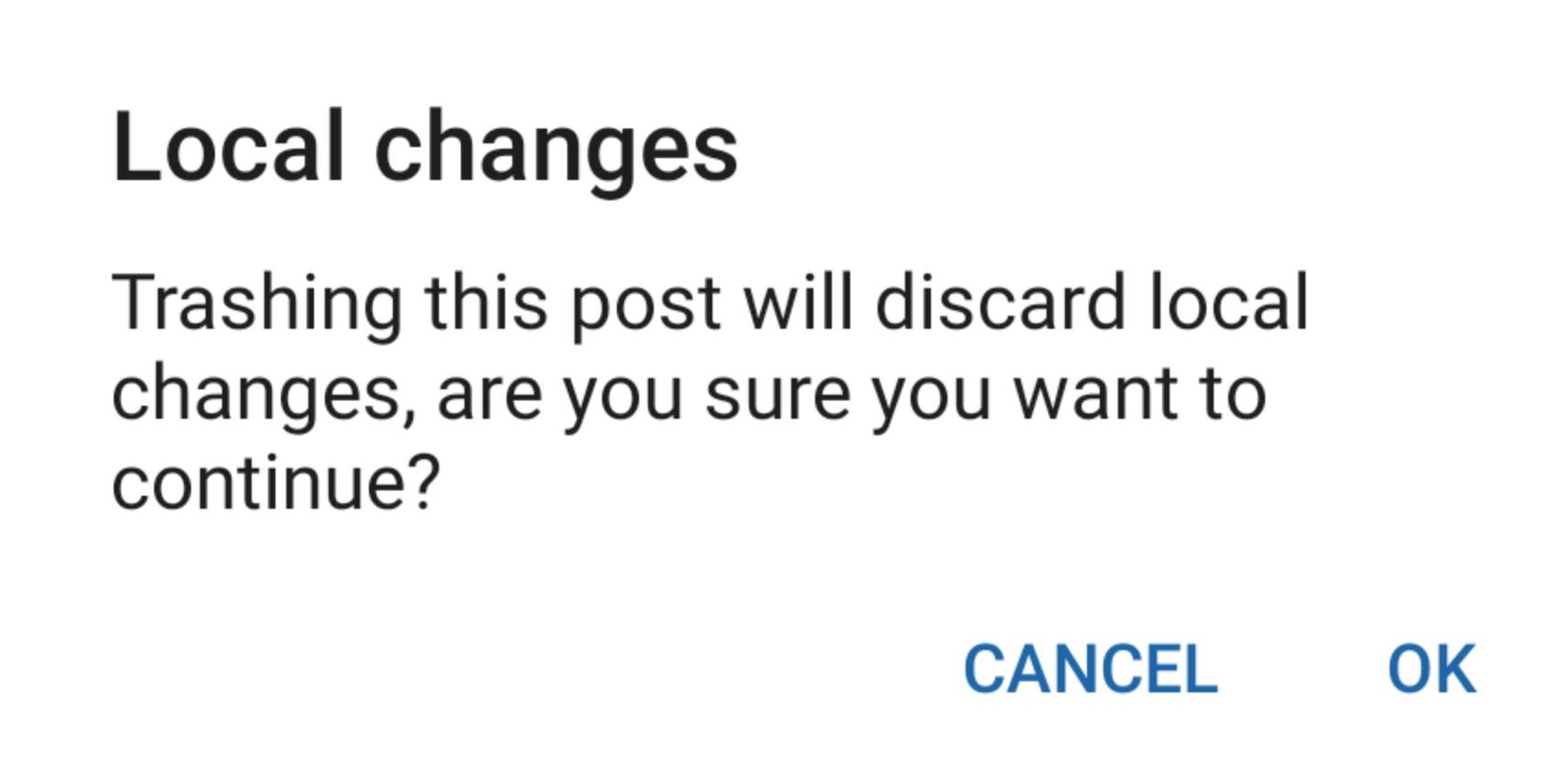
This is potentially confusing because the phrase "Trashing this post will discard local changes,..." _can_ be read as defining what "Trashing" a post does ("Oh, so if I want to discard the local changes I tap the Trash button"). I think an easy, quick win here would be to just add the word "also" so that it is clear that discarding local changes is an _additional_ effect of trashing a post: "Trashing this post will also discard local changes,..."
2. "You've made unsaved changes to this post"
If a post is labeled with "You've made unsaved changes to this post", then tapping More→Trash deletes the post immediately. I can also see how a user might be misled here into thinking that they are just trashing their unsaved changes. Perhaps a dialog similar to the "Local changes" dialog would be helpful here: "Trashing this post will also discard your unsaved changes, are you sure you want to continue?"
Thoughts?
 mchowning
on 30 Jun 2020
mchowning
on 30 Jun 2020
I like the idea of clarifying the trash message, I was completely caught off guard by this and only now see what was actually meant by that message.
What's still very unclear to me and probably most users that we help with this is how can they get rid of unsaved changes and sync the post with the web version they want to keep? Is there anything that can be done to clarify that this needs to be done via history or to add an option as we have in iOS to discard local changes when the post is exited?
rezzap
on 30 Jun 2020
I updated the confirmation dialogs in #12350, which automatically closed this issue. However, we still have the issue that it is not clear how a user can get rid of local or unsaved changes:
What's still very unclear to me and probably most users that we help with this is how can they get rid of unsaved changes and sync the post with the web version they want to keep? Is there anything that can be done to clarify that this needs to be done via history or to add an option as we have in iOS to discard local changes when the post is exited?
I agree that this is still very unclear, and this was brought up in #10701, so we could continue to address it there. Or, if this is a distinct enough issue, we could instead open a new issue regarding the lack of clarity on how to discard unsaved or local changes. Wdyt @rezzap, @designsimply ?
mchowning
on 7 Jul 2020
I'm happy to keep tracking this in #10701, as long as it's clear we're not just wanting to improve the label, but the actual flow to discard unsaved changes. :)
rezzap
on 7 Jul 2020
Related issues
 guarani
·
3Comments
guarani
·
3Comments
 prtksxna
·
3Comments
prtksxna
·
3Comments
 maxme
·
3Comments
maxme
·
3Comments
 JavonDavis
·
3Comments
maxme
·
3Comments
JavonDavis
·
3Comments
maxme
·
3Comments