Wordpress-android: Reader: gallery blocks are displayed as a bulleted list of images
Steps to reproduce:
- Create a new post.
- Add a gallery block and add several images.
- Publish the post.
- View the post in the Reader or Notifications.
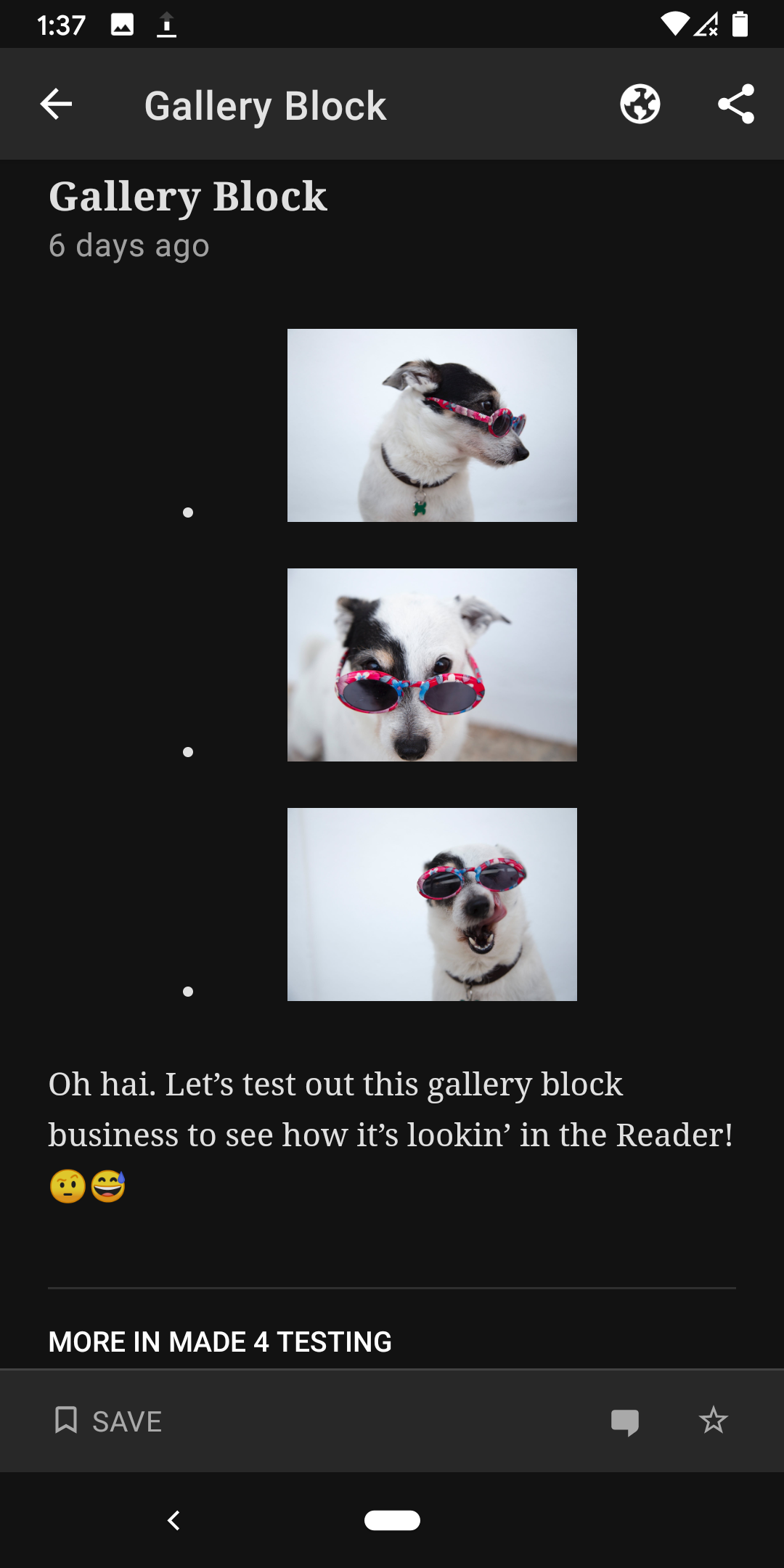
Result: gallery blocks are displayed as a bulleted list of images instead of as a gallery.
Block Editor | Reader Cards in app | Reader Full Post in app
--- | --- | ---
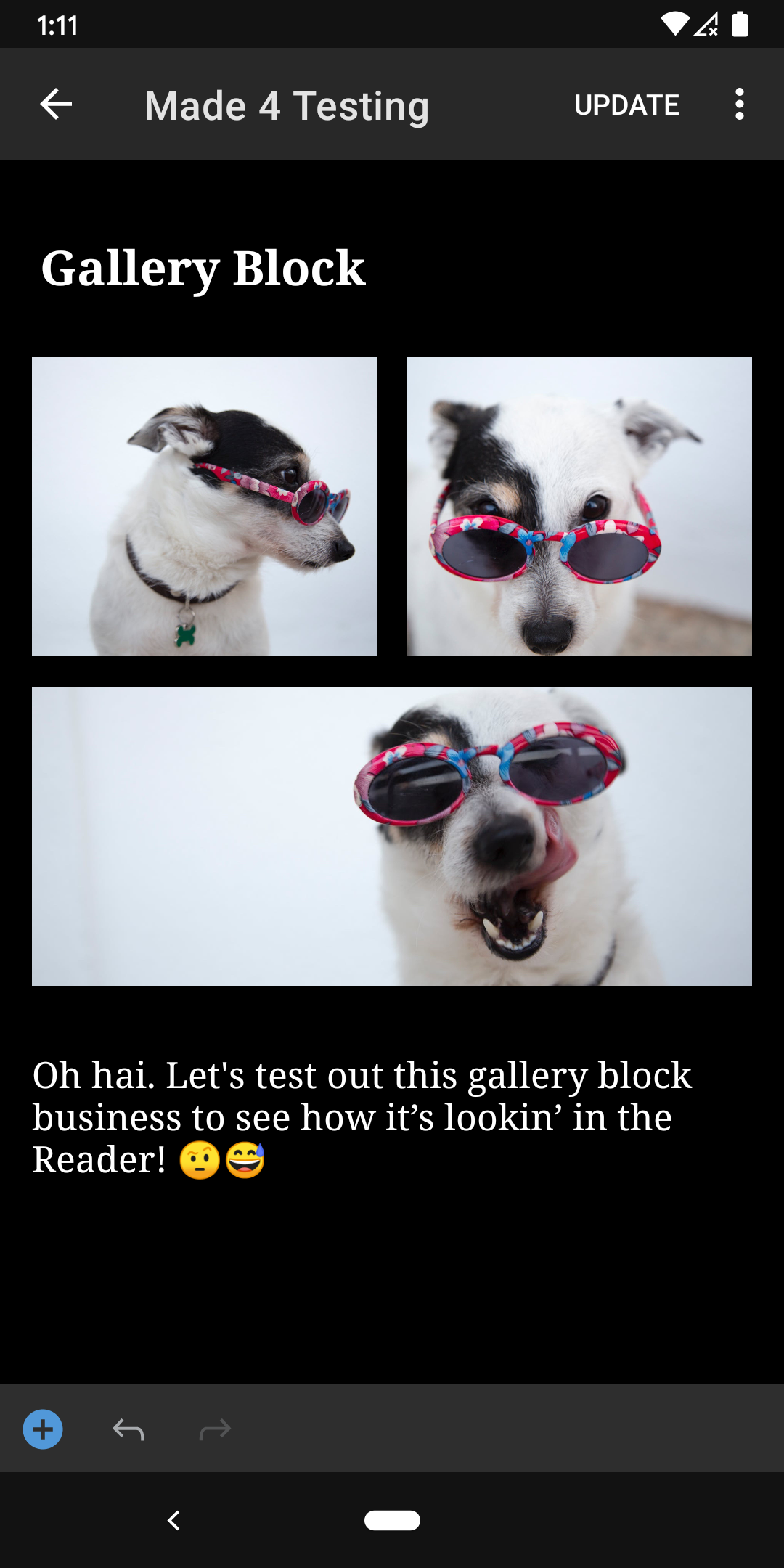 |
| 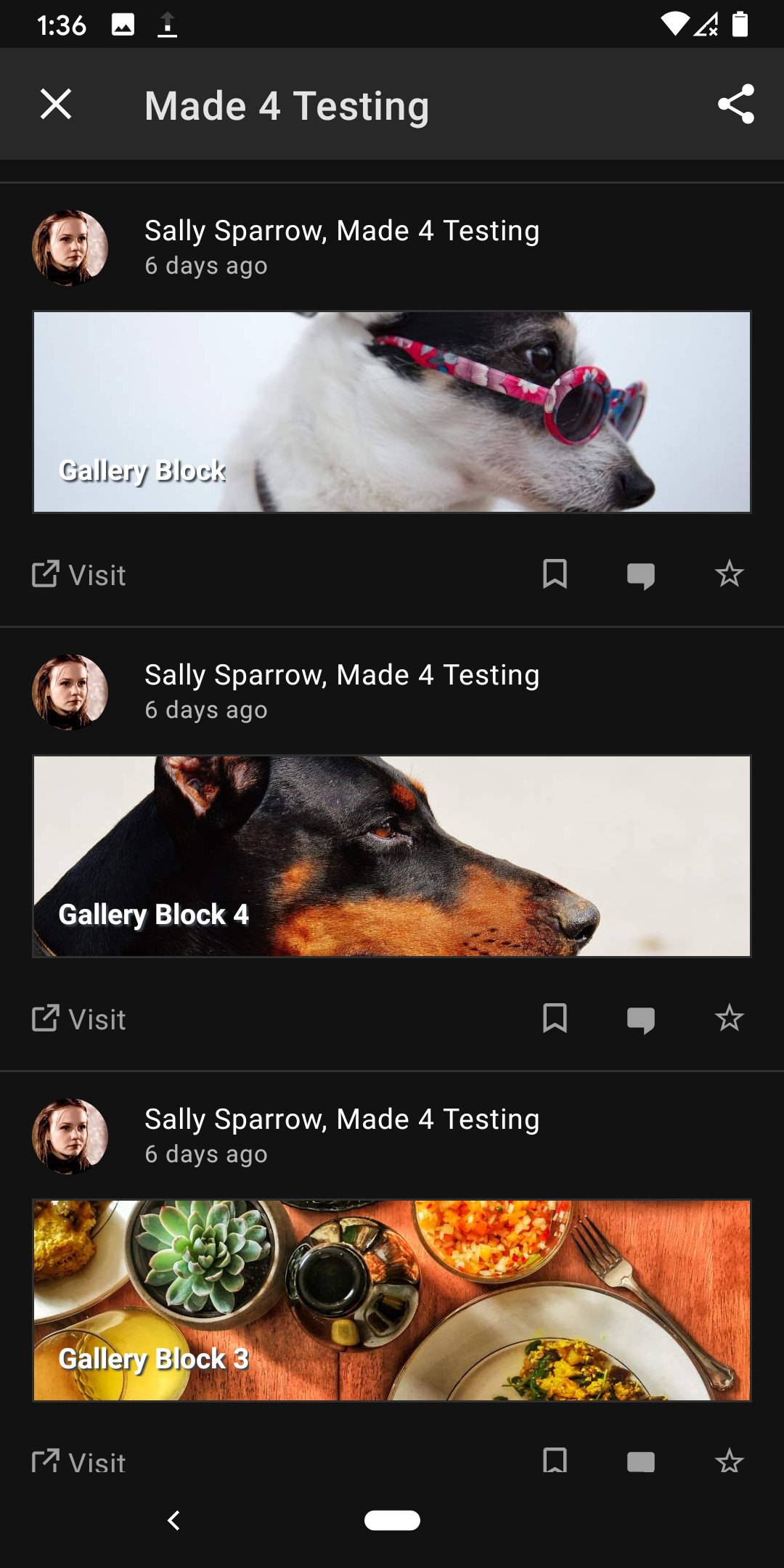 |
| 
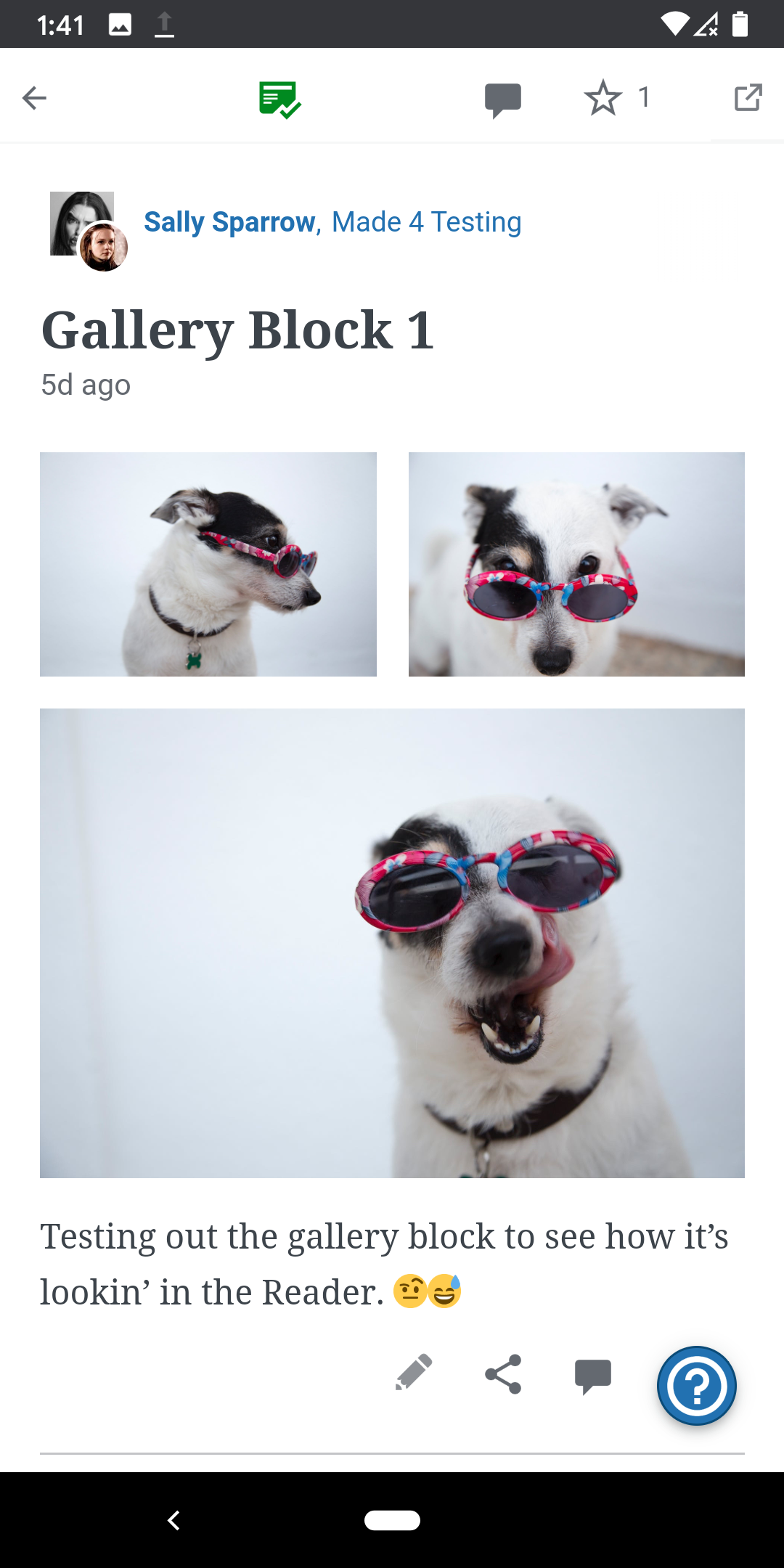
Reader Cards Mobile Web | Reader Full Post Mobile Web
--- | ---
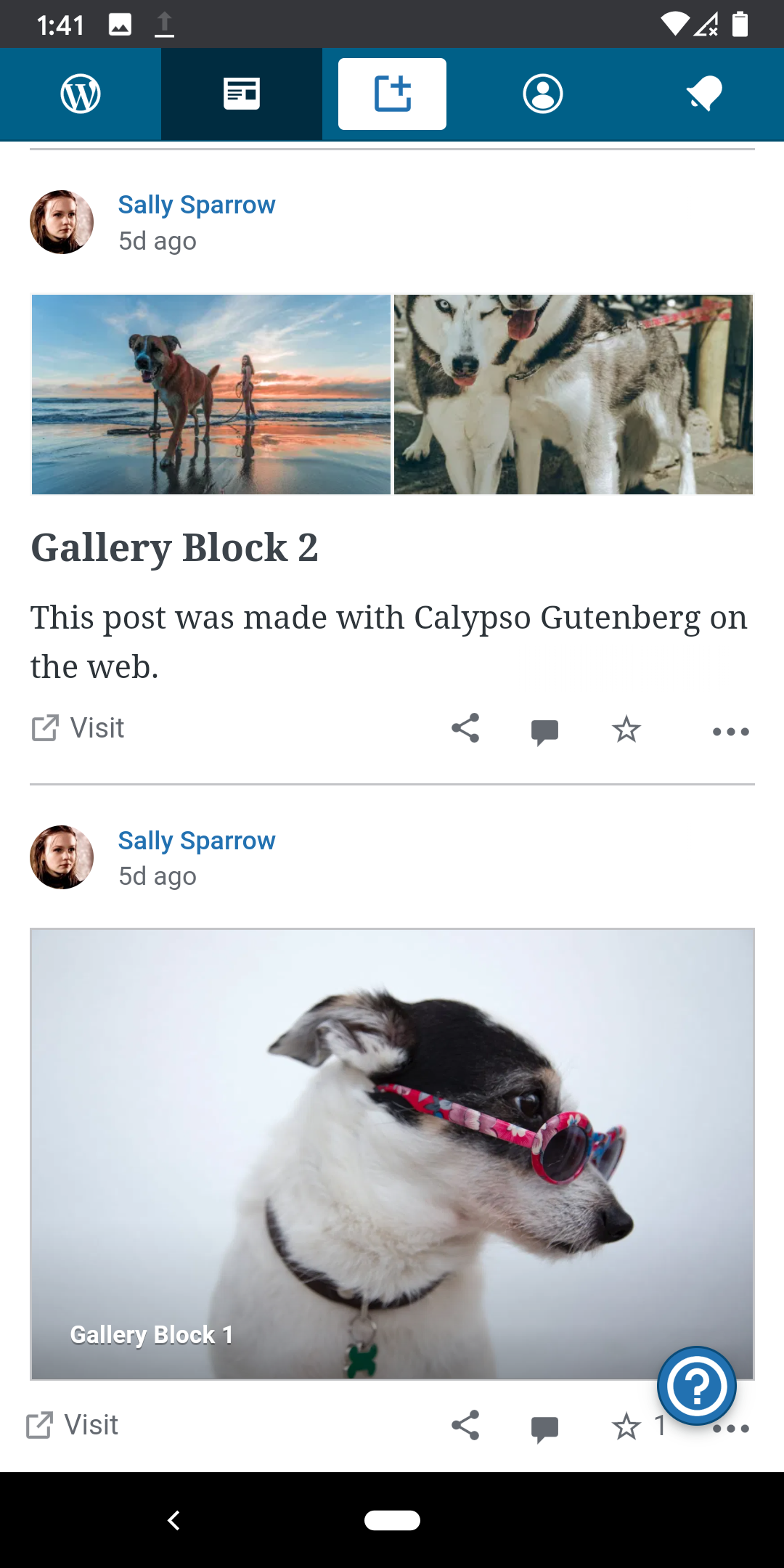 |
| 
Tested with WPAndroid 14.6-rc-2 on Pixel 3 Android 10 in Dark Theme.
(internal reference: p4a5px-2wF-p2 h/t @elibud)
 designsimply
All 8 comments
It appears galleries were supported in Reader streams at one point (https://github.com/wordpress-mobile/WordPress-Android/pull/4316), and there are two major changes that possibly affected it: images are no longer attached to posts as a rule, the gallery block html code is quite different.
For reference, here is the source code for the gallery block from the post shown in the first set of screenshots in the original report in this issue.
<!-- wp:gallery {"ids":[878,886,880],"linkTo":"media"} -->
<figure class="wp-block-gallery columns-3 is-cropped"><ul class="blocks-gallery-grid"><li class="blocks-gallery-item"><figure><a href="https://madefortesting190318.files.wordpress.com/2020/04/pexels-photo-1629777.jpg"><img src="https://madefortesting190318.files.wordpress.com/2020/04/pexels-photo-1629777.jpg" data-id="878" class="wp-image-878"/></a></figure></li><li class="blocks-gallery-item"><figure><a href="https://madefortesting190318.files.wordpress.com/2020/04/pexels-photo-1629780.jpg"><img src="https://madefortesting190318.files.wordpress.com/2020/04/pexels-photo-1629780.jpg" data-id="886" class="wp-image-886"/></a></figure></li><li class="blocks-gallery-item"><figure><a href="https://madefortesting190318.files.wordpress.com/2020/04/pexels-photo-1629781.jpg"><img src="https://madefortesting190318.files.wordpress.com/2020/04/pexels-photo-1629781.jpg" data-id="880" class="wp-image-880"/></a></figure></li></ul></figure>
<!-- /wp:gallery -->
Thanks for finding the bug and also for finding the releated PR ;).
I think we'll need to manually modify ReaderPostRenderer so it supports the syntax of gallery blocks. Tbh I'm not fully convinced it's something we want to do. Since as the number of blocks increases we might find ourselves keep adding workarounds into the Reader.
I'm wondering if inlining the css classes (replacing classes with inline styles) on the server would help. What do you think @maxme @hypest? Or do you have another idea how to solve this without manually handling specific types of blocks?
(cc @leandroalonso )
 malinajirka
on 16 Apr 2020
malinajirka
on 16 Apr 2020
I'm wondering if inlining the css classes (replacing classes with inline styles) on the server would help.
It's not going to work that way, Gutenberg and themes are using those classes.
What do you think @maxme @hypest? Or do you have another idea how to solve this without manually handling specific types of blocks?
Can we take the styles from the web reader and reuse them in our apps reader? There is maybe a way to automate that part. I think the current supported styles live in ReaderPostRenderer
 maxme
on 16 Apr 2020
maxme
on 16 Apr 2020
I'm wondering if inlining the css classes (replacing classes with inline styles) on the server would help.
It's not going to work that way, Gutenberg and themes are using those classes.
I meant replacing them just on the mobile-reader endpoint. Not on all the endpoints.
Can we take the styles from the web reader and reuse them in our apps reader? There is maybe a way to automate that part. I think the current supported styles live in ReaderPostRenderer
Yeah, we can update the renderer but it seems like we'll need to keep updating whenever a new block is introduced, right?
malinajirka
on 16 Apr 2020
I meant replacing them just on the mobile-reader endpoint. Not on all the endpoints.
Ok I see, this should work. Do you plan to do this replacement automatically? If not, we'll just move the problem to another place.
we can keep update the renderer but it seems like we'll need to keep updating whenever a new block is introduced, right?
Yes and even when old blocks are modified, I agree this is not an ideal solution if we have to manually update that. Can't we reuse the same stylesheet which is used in Calypso for the Mobile Web version?
maxme
on 16 Apr 2020
Ok I see, this should work. Do you plan to do this replacement automatically? If not, we'll just move the problem to another place.
Yeah, I was thinking about automatic replacement. Essentially inline all the classes.
Yes and even when old blocks are modified, I agree this is not an ideal solution if we have to manually update that. Can't we reuse the same stylesheet which is used in Calypso for the Mobile Web version?
We'll look into that ;).
Thanks for the discussion ;)!
malinajirka
on 16 Apr 2020
Updating the mobile-reader endpoint seems great, @malinajirka.
Once we do that I'll have to double-check the iOS behavior — since we render the content there natively. Hoppefuly we won't need any additional change, but who knows.
 leandroalonso
on 16 Apr 2020
leandroalonso
on 16 Apr 2020
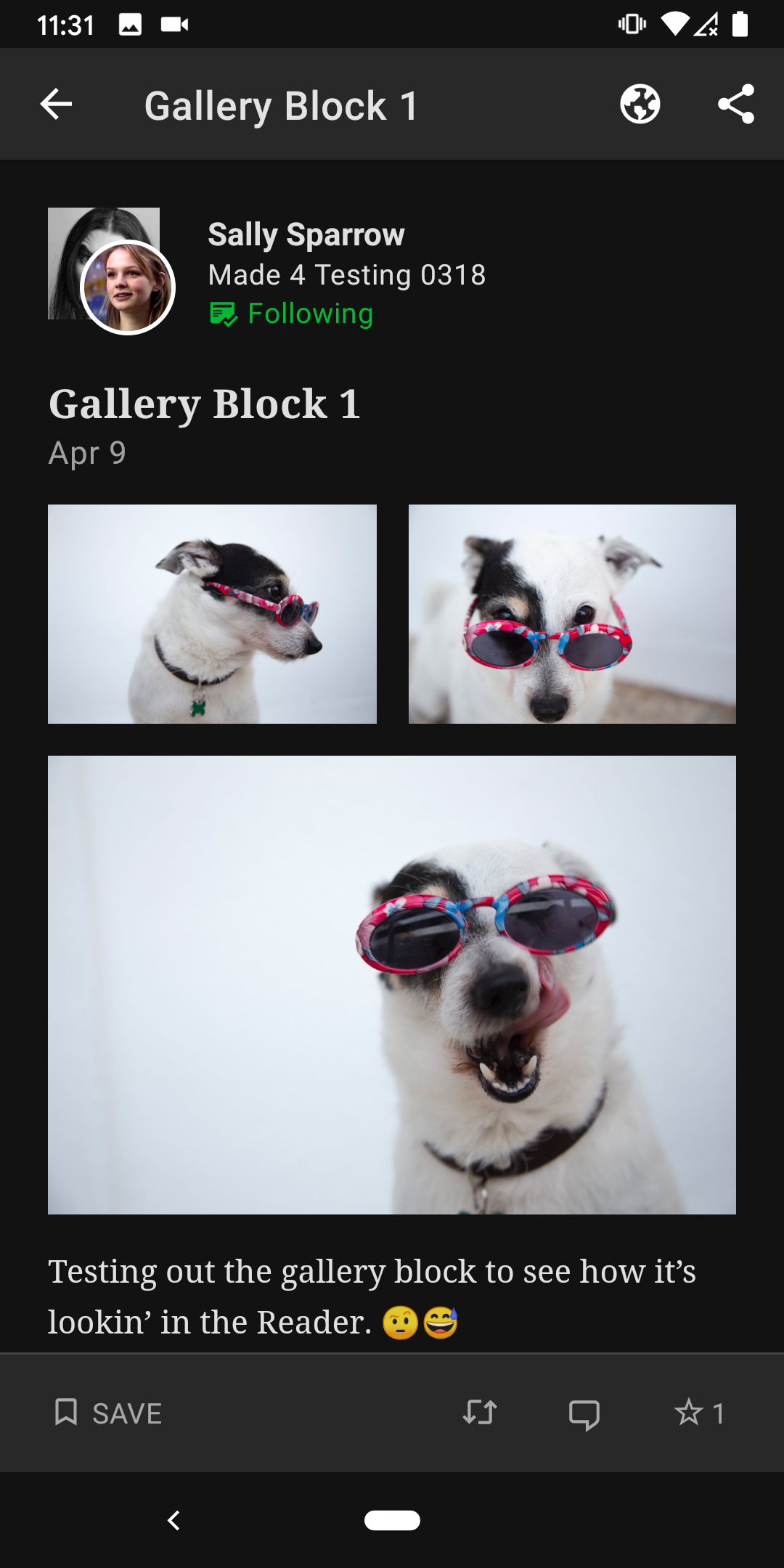
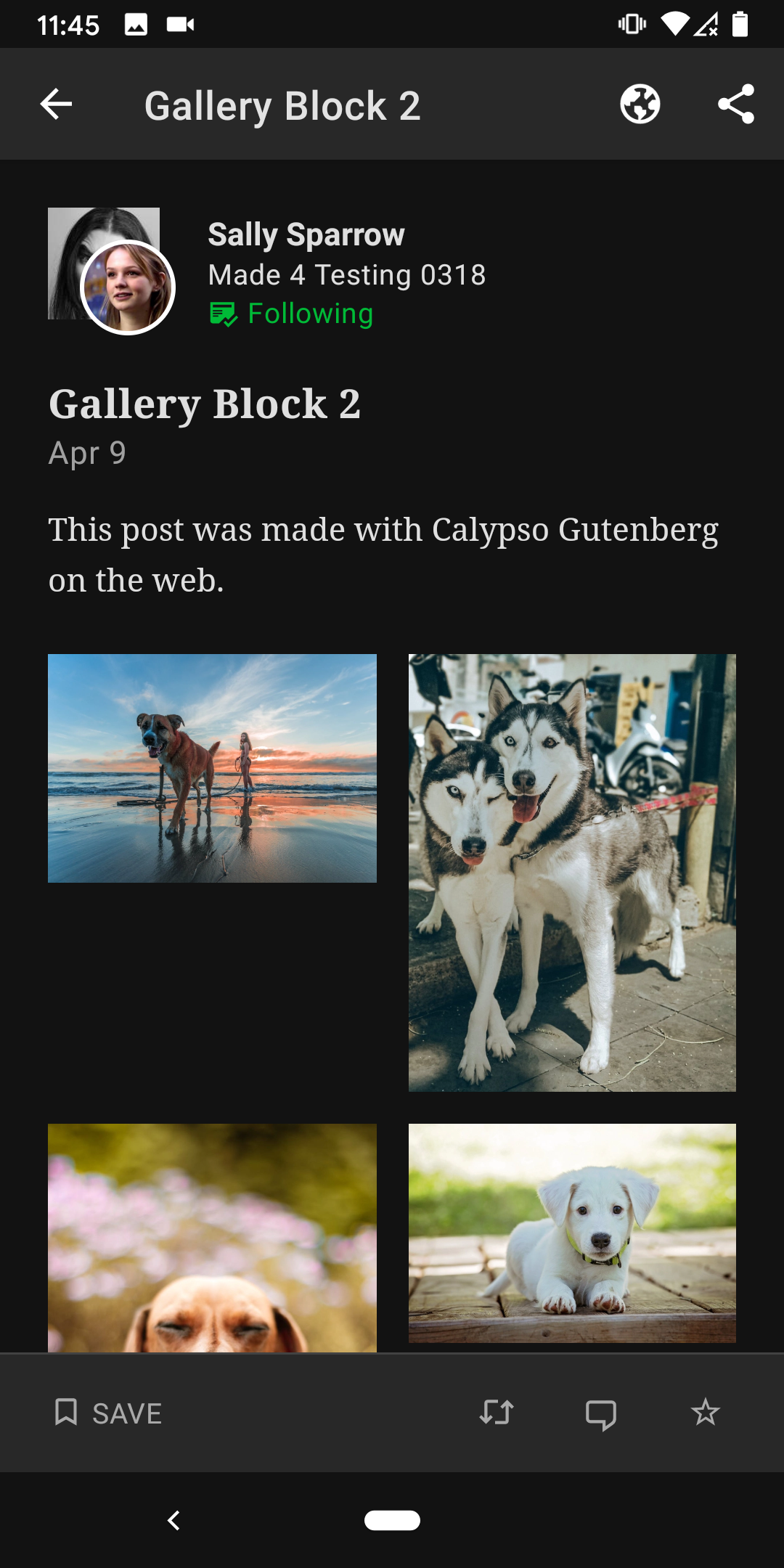
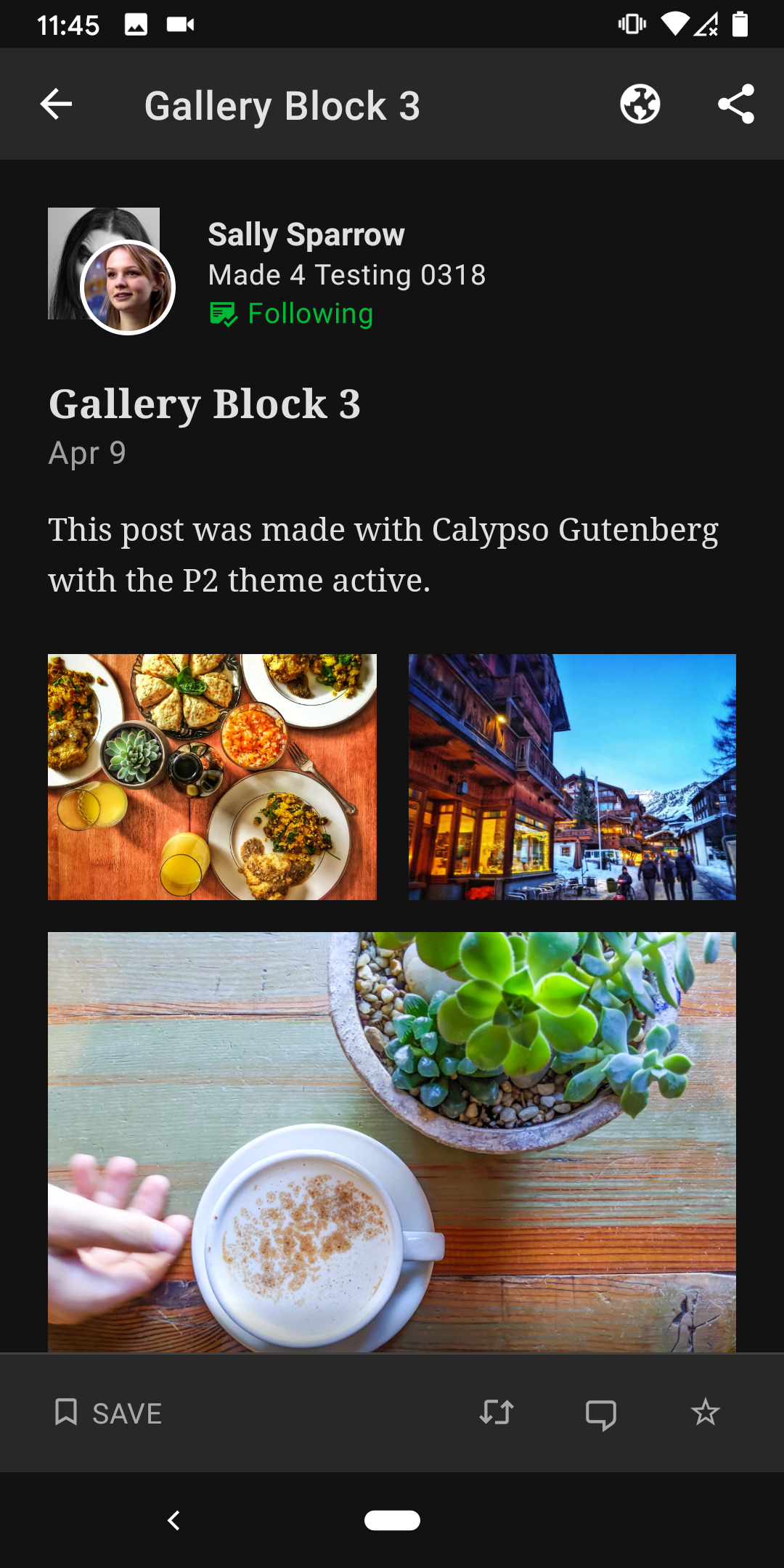
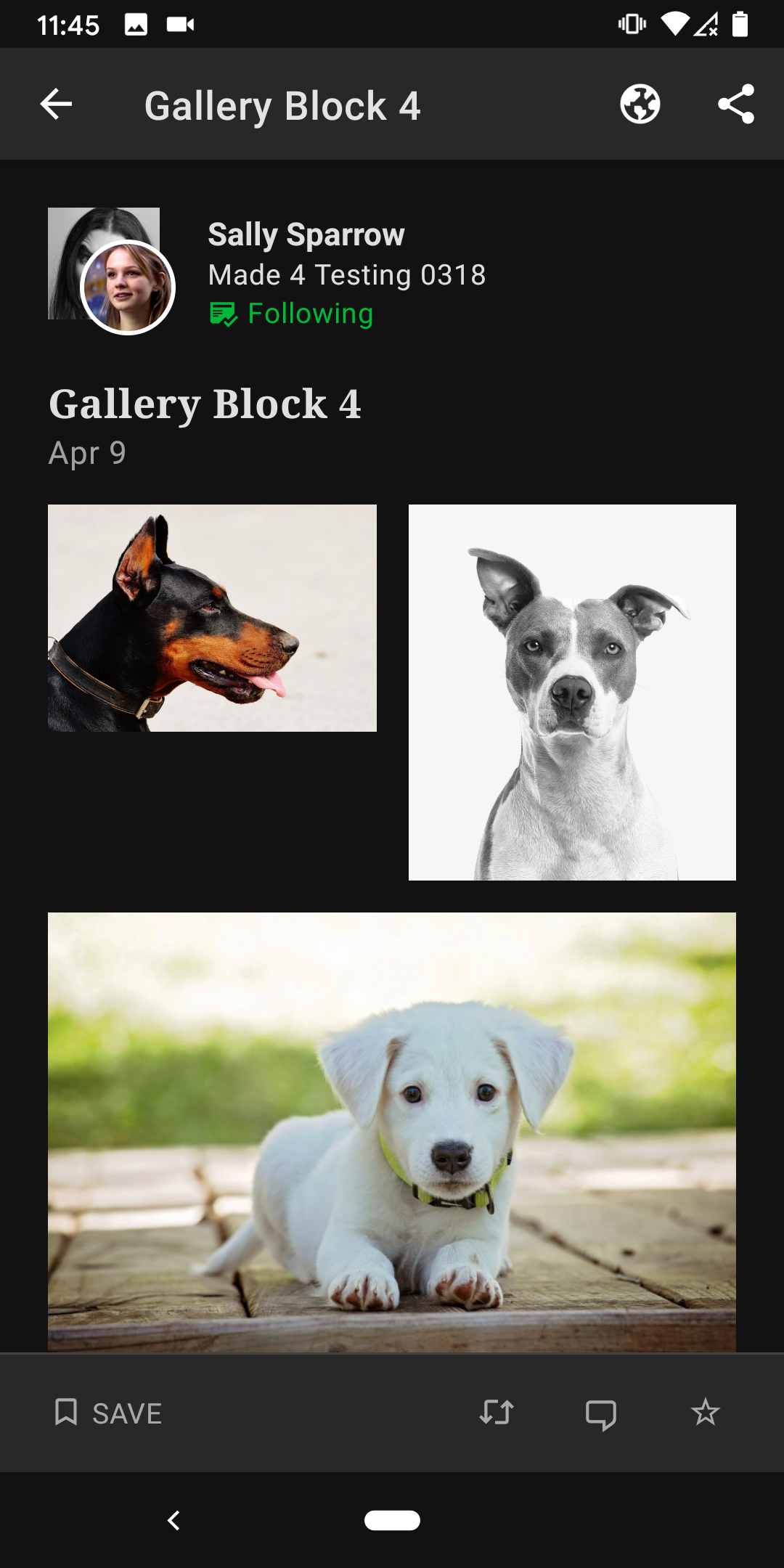
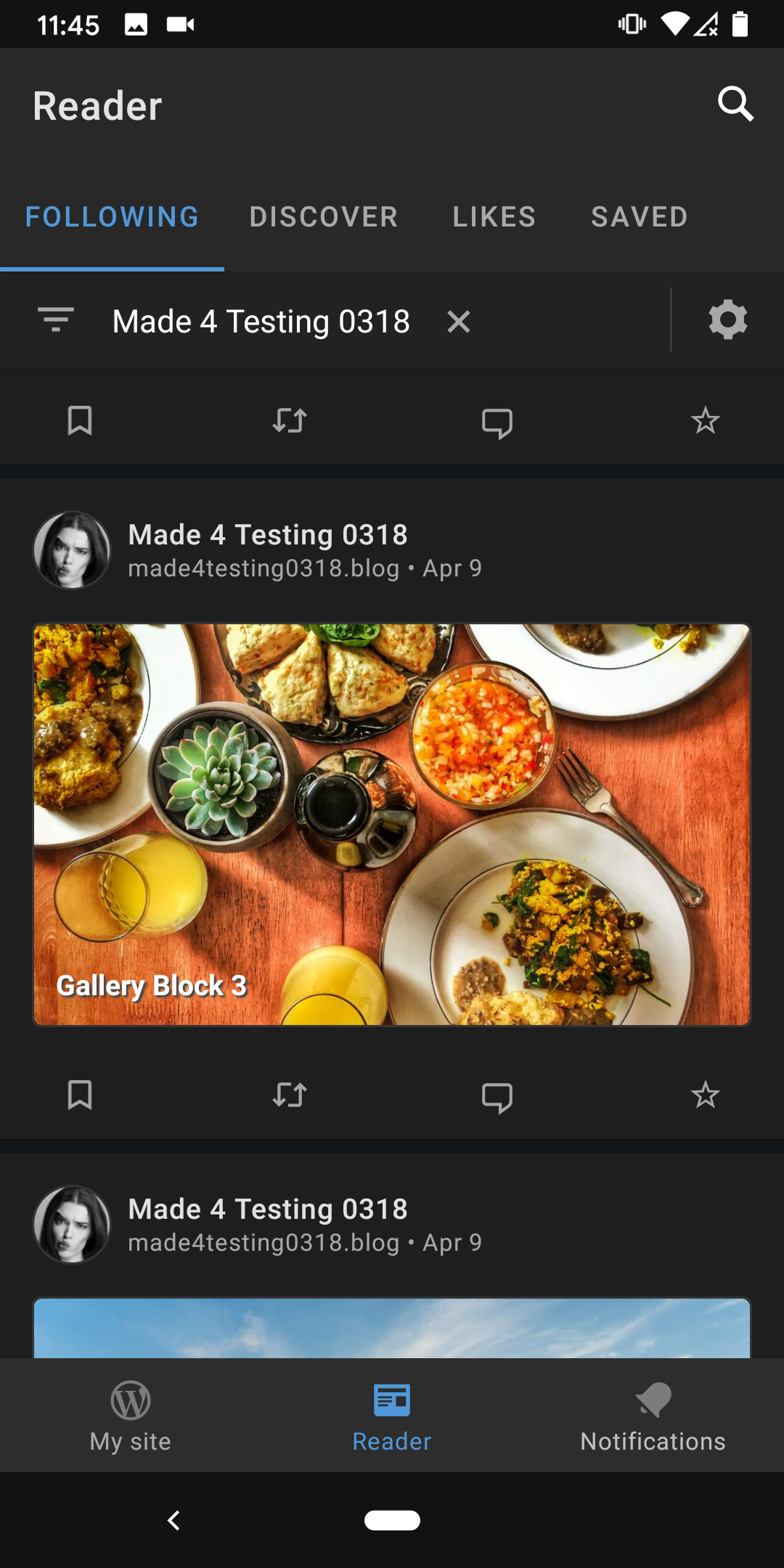
So much better! 😍 I'm adding in a few Reader detail screenshots of galleries after the update to have for reference.
Reader detail gallery block:
Reader card for post with gallery:
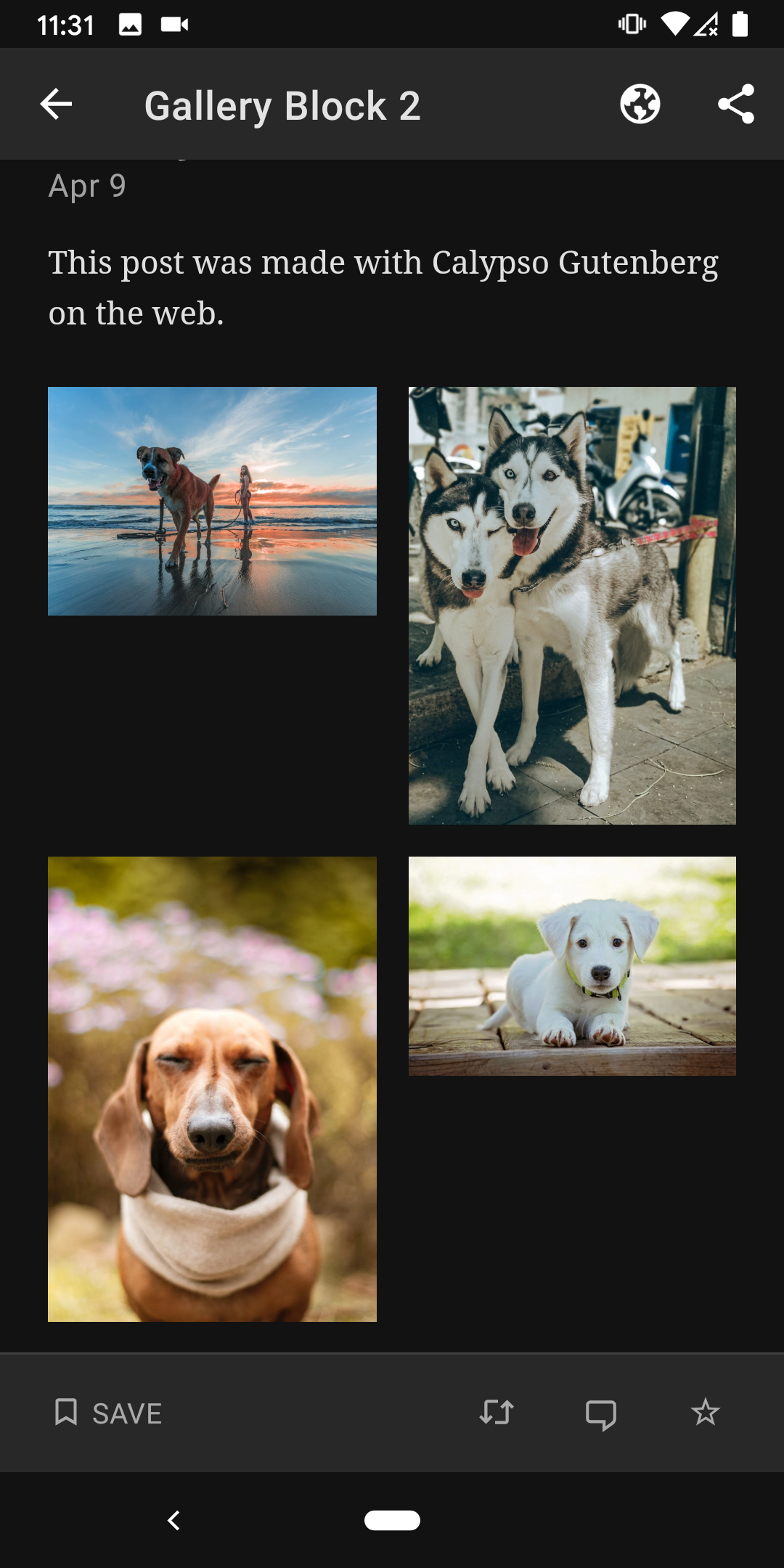
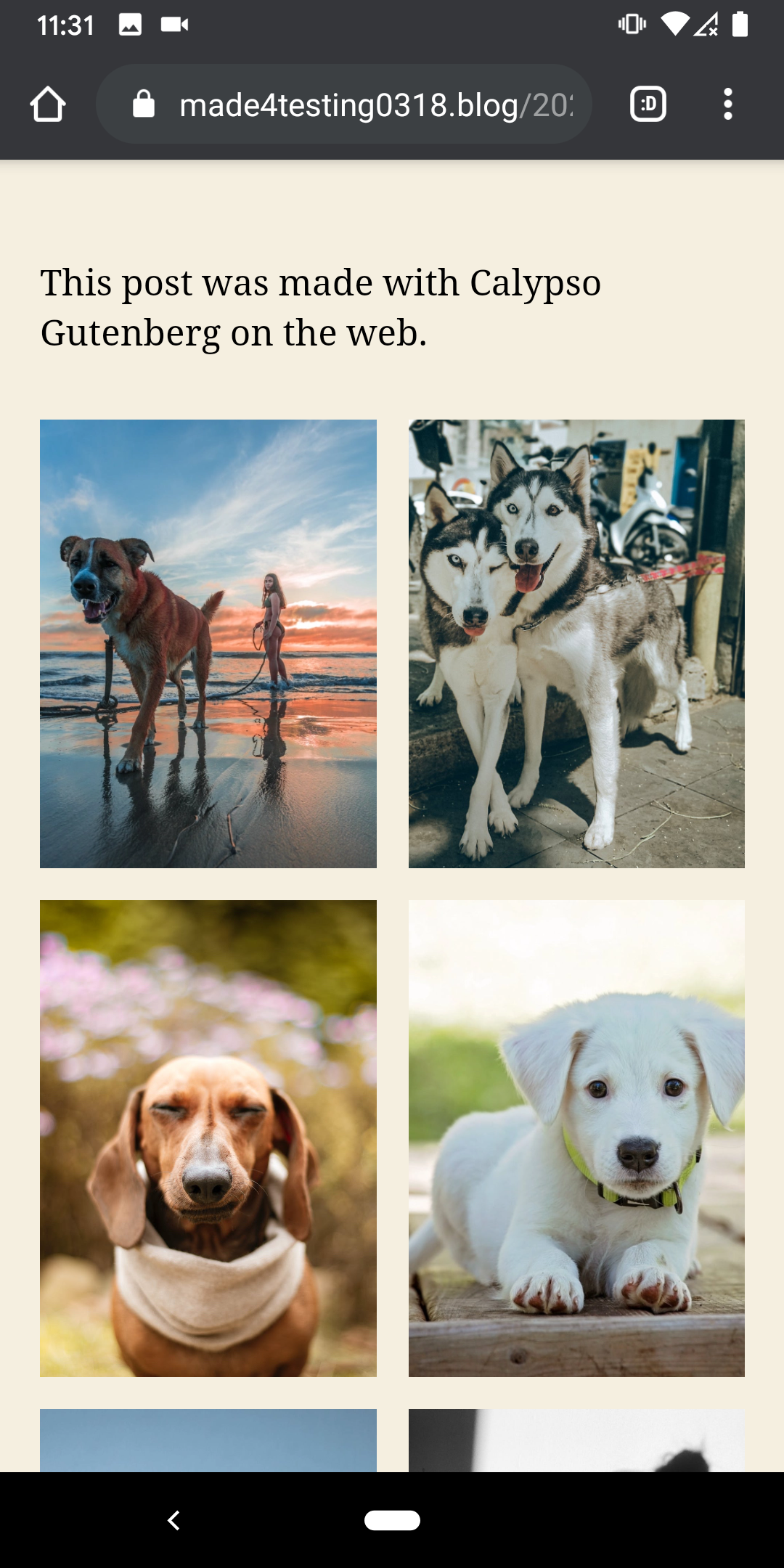
One thing I did notice is there is a difference in between the Reader and the mobile web where thumbnails are cropped to align and look great on the web—this is with the "Crop images" setting on in the gallery block settings—while the corresponding gallery doesn't look as good in the app because the thumbnails aren't cropped:
Reader detail in app|Mobile web
---|---
 |
| |
|

Tested with WPAndroid 15.2-rc-1 on Pixel 3 Android 10.
designsimply
on 3 Jul 2020
Related issues
 JavonDavis
·
3Comments
maxme
·
3Comments
malinajirka
·
3Comments
JavonDavis
·
3Comments
maxme
·
3Comments
malinajirka
·
3Comments
 jd-alexander
·
3Comments
jd-alexander
·
3Comments
 khaykov
·
3Comments
khaykov
·
3Comments
Most helpful comment
Yeah, I was thinking about automatic replacement. Essentially inline all the classes.
We'll look into that ;).
Thanks for the discussion ;)!