Wordpress-android: Switch to disable all notifications for a specific notification type
Currently after navigating to the Notification settings from the notifications tab, when disabling notifications for a specific site you'll have to manually uncheck each of the specific notifications for a type of notification
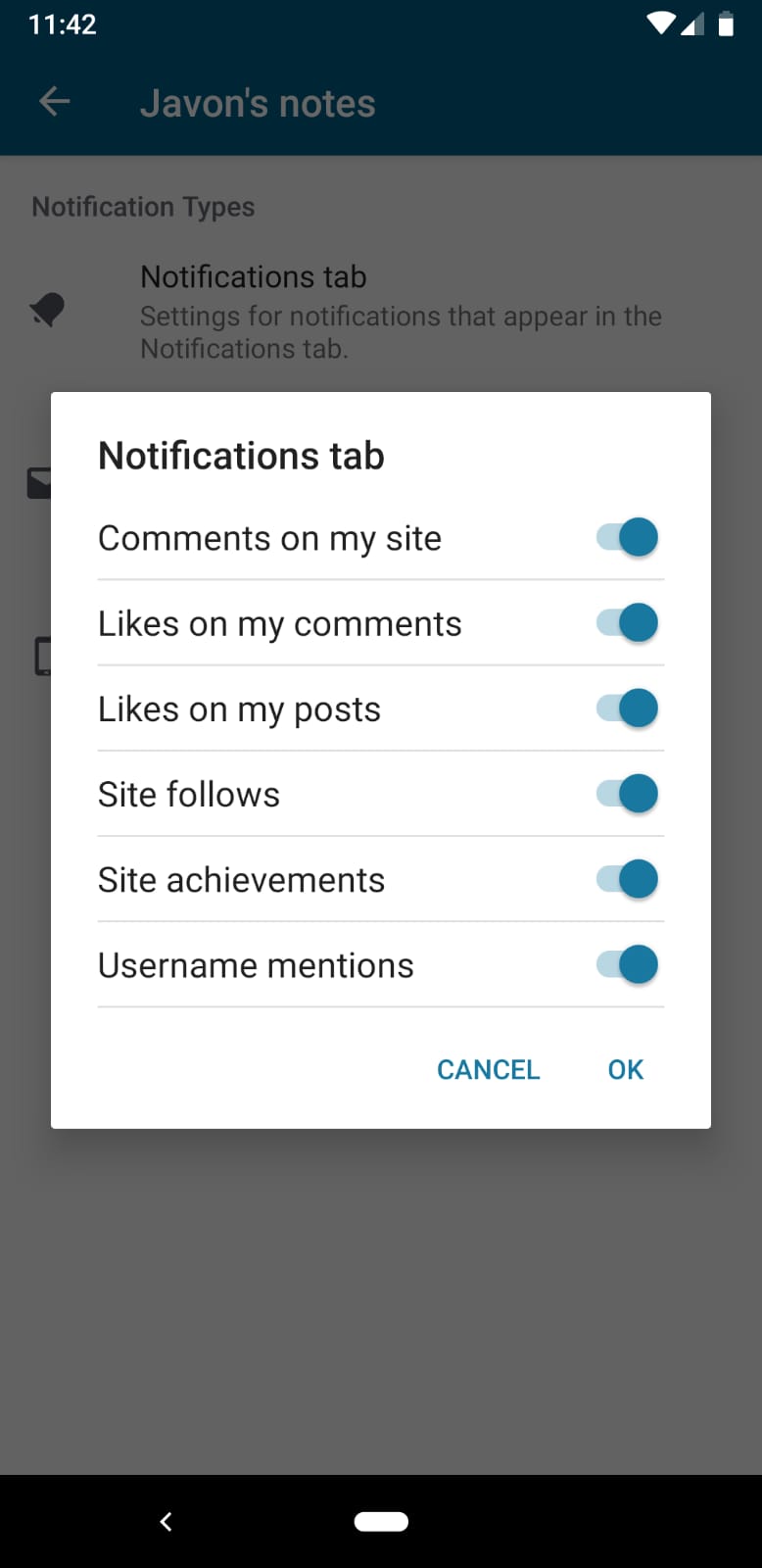
I'm proposing an on/off switch at the top right of the dialog maybe, to switch off all the items.
 JavonDavis
All 5 comments
What do you think about this proposal @osullivanchris ?
 planarvoid
on 2 Oct 2019
planarvoid
on 2 Oct 2019
I think its a good idea to allow the user to turn on/off all notifications.
However, if it is done as a switch it doesn't really work. Because the switch will need an indeterminate state when some of the below items are on/off.
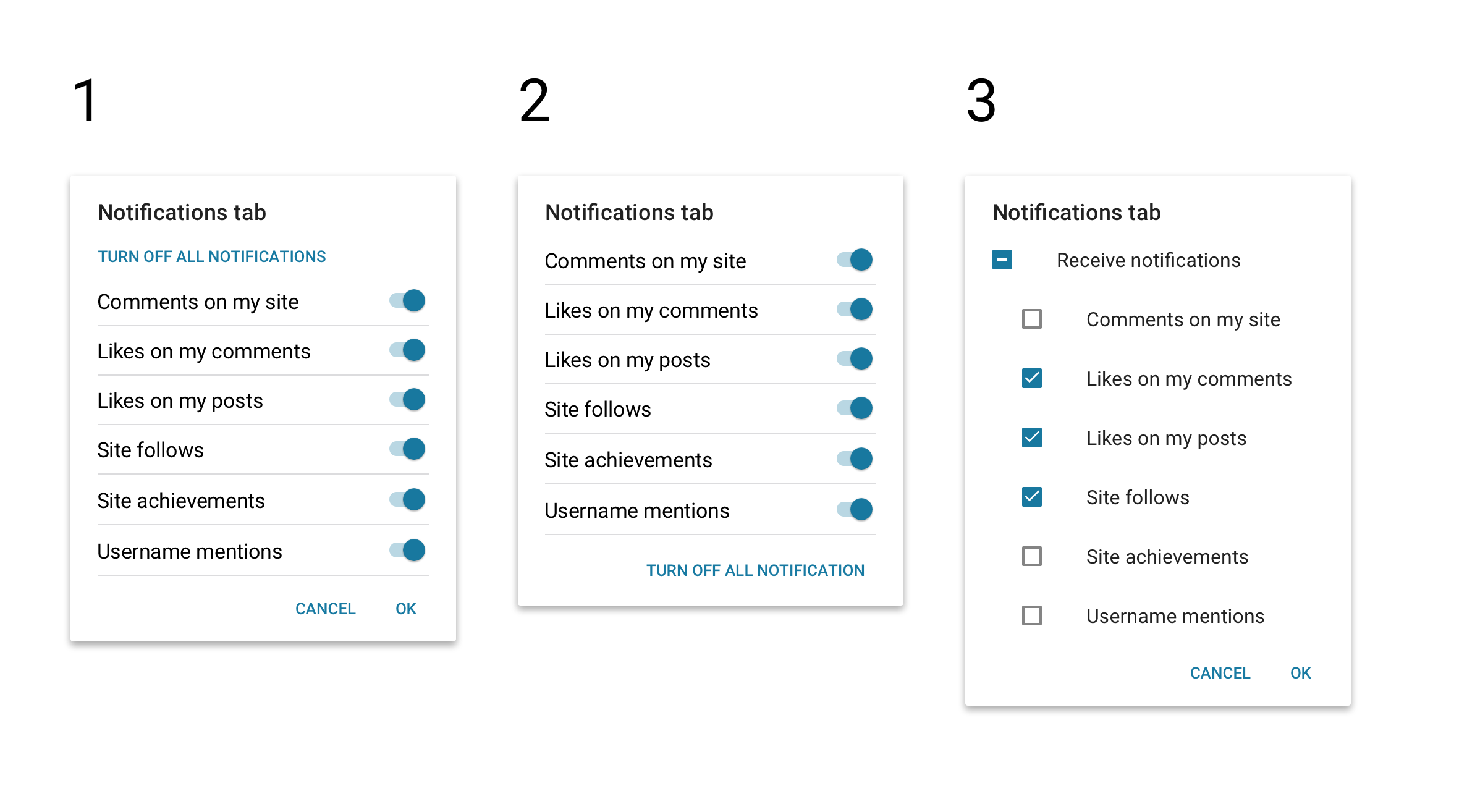
I explored a few ways to do it
- Add a button above the list to 'turn off all notifications'. Once the user hits it, it changes all the other switches. Once the user is in this state, the action would change to 'turn on all notifications'. I am not sure if this is possible, because I think this system component only allows actions at the bottom of the modal?
- Following the thought process of the first option. Do we really need 'OK' and 'CANCEL' actions here? We could just make the change happen as soon as the user taps the switch, without needing confirmation. That frees up this action space to add the all action.
- Checkboxes are better at dealing with indeterminate states, so we could follow the material guidelines here. But I don't know if we use checkboxes in settings today (See 'when to use checkboxes instead of toggles) https://material.io/components/selection-controls/#usage
However I wasn't happy with any of these options. I found something that we already have that we can re-use. In the main "Notification Settings" page there is a switch in a blue bar. When this switch is on, you can choose subsets. When it is off, everything is disabled. This gets me out of the complexity of indeterminate states in all the previous options. So this is what I propose we go with. Here's how it would look
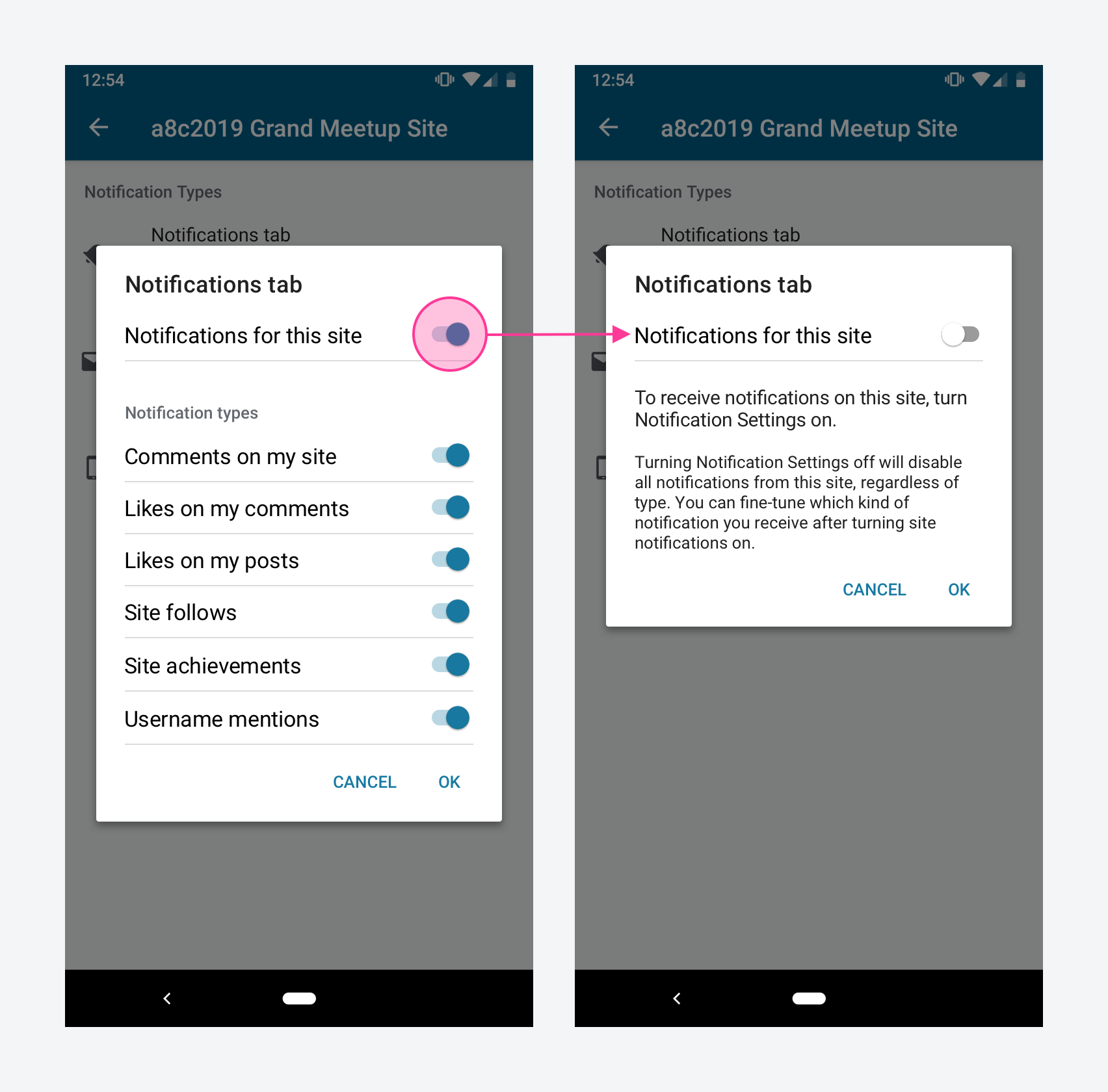
If we are doing this we should also implement it for app notifications and email. Let me know what you think. Its slightly non-trivial. A copy review might be needed to for the super-switch.
 osullivanchris
on 2 Oct 2019
osullivanchris
on 2 Oct 2019
Hi, can i work on this issue ? @osullivanchris @planarvoid
 martkop12
on 7 Oct 2019
martkop12
on 7 Oct 2019
hey @martkop12, this is actually already being worked on
planarvoid
on 16 Oct 2019
This is done
planarvoid
on 26 Nov 2019
Related issues
 hoverduck
·
3Comments
hoverduck
·
3Comments
 designsimply
·
3Comments
designsimply
·
3Comments
 jd-alexander
·
3Comments
jd-alexander
·
3Comments
 prtksxna
·
3Comments
prtksxna
·
3Comments
 guarani
·
3Comments
guarani
·
3Comments
Most helpful comment
I think its a good idea to allow the user to turn on/off all notifications.
However, if it is done as a switch it doesn't really work. Because the switch will need an indeterminate state when some of the below items are on/off.
I explored a few ways to do it
However I wasn't happy with any of these options. I found something that we already have that we can re-use. In the main "Notification Settings" page there is a switch in a blue bar. When this switch is on, you can choose subsets. When it is off, everything is disabled. This gets me out of the complexity of indeterminate states in all the previous options. So this is what I propose we go with. Here's how it would look

If we are doing this we should also implement it for app notifications and email. Let me know what you think. Its slightly non-trivial. A copy review might be needed to for the super-switch.