Wordpress-android: PostList: Change copy of "Unhandled autosave" label
Two things related to "Unhandled Auto Save" label came up during our design review with @osullivanchris.
- We might want to consider changing the copy
- We might want to consider changing the color from red to yellow
cc @osullivanchris
Question for a copy reviewer:
We currently show "Unhandled Auto Save" when the user edits a post on another device (eg web) and leaves the editor without saving the changes.
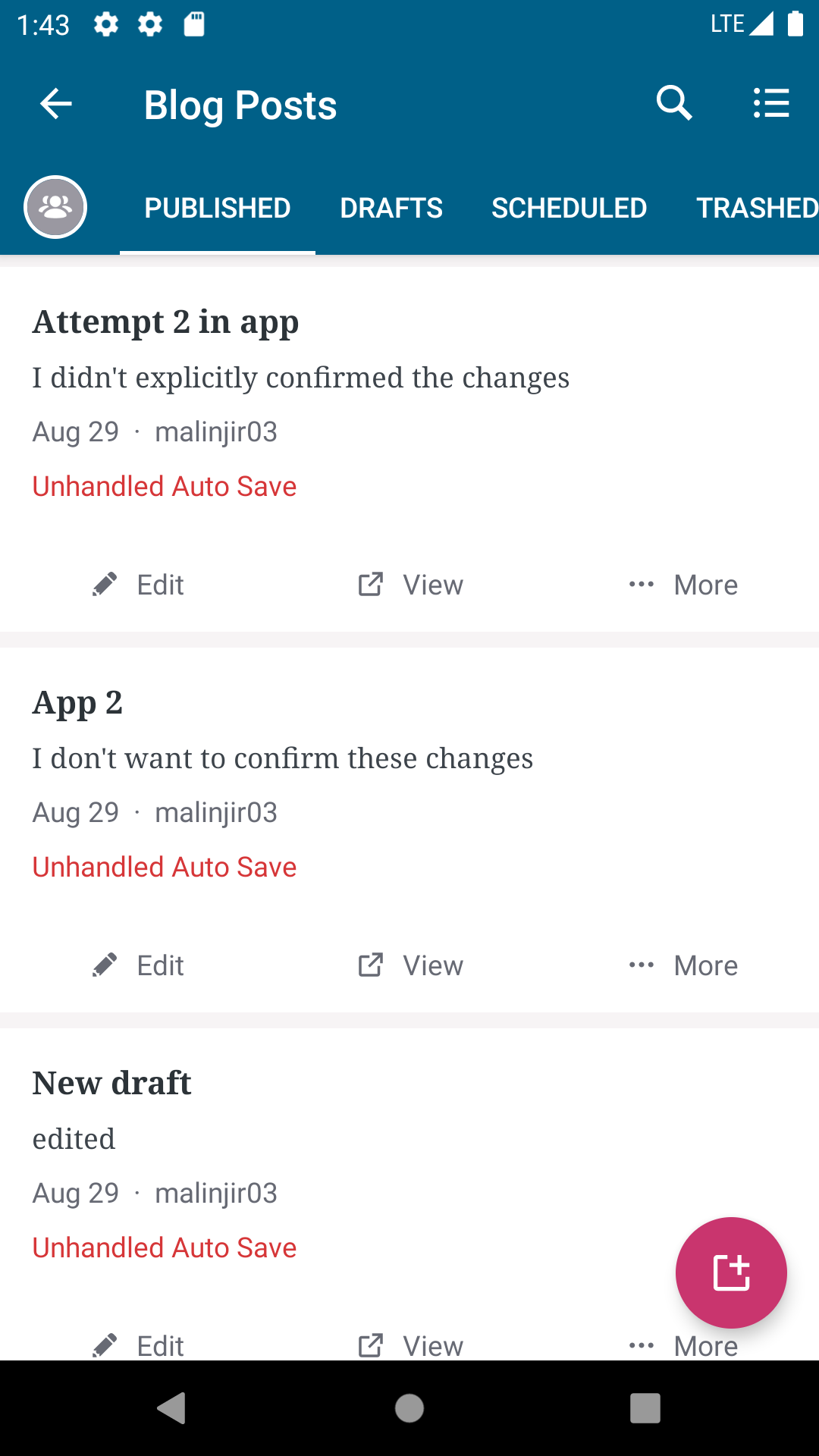
When the user clicks on such post we show the following dialog (the dialog has already been copy reviewed).
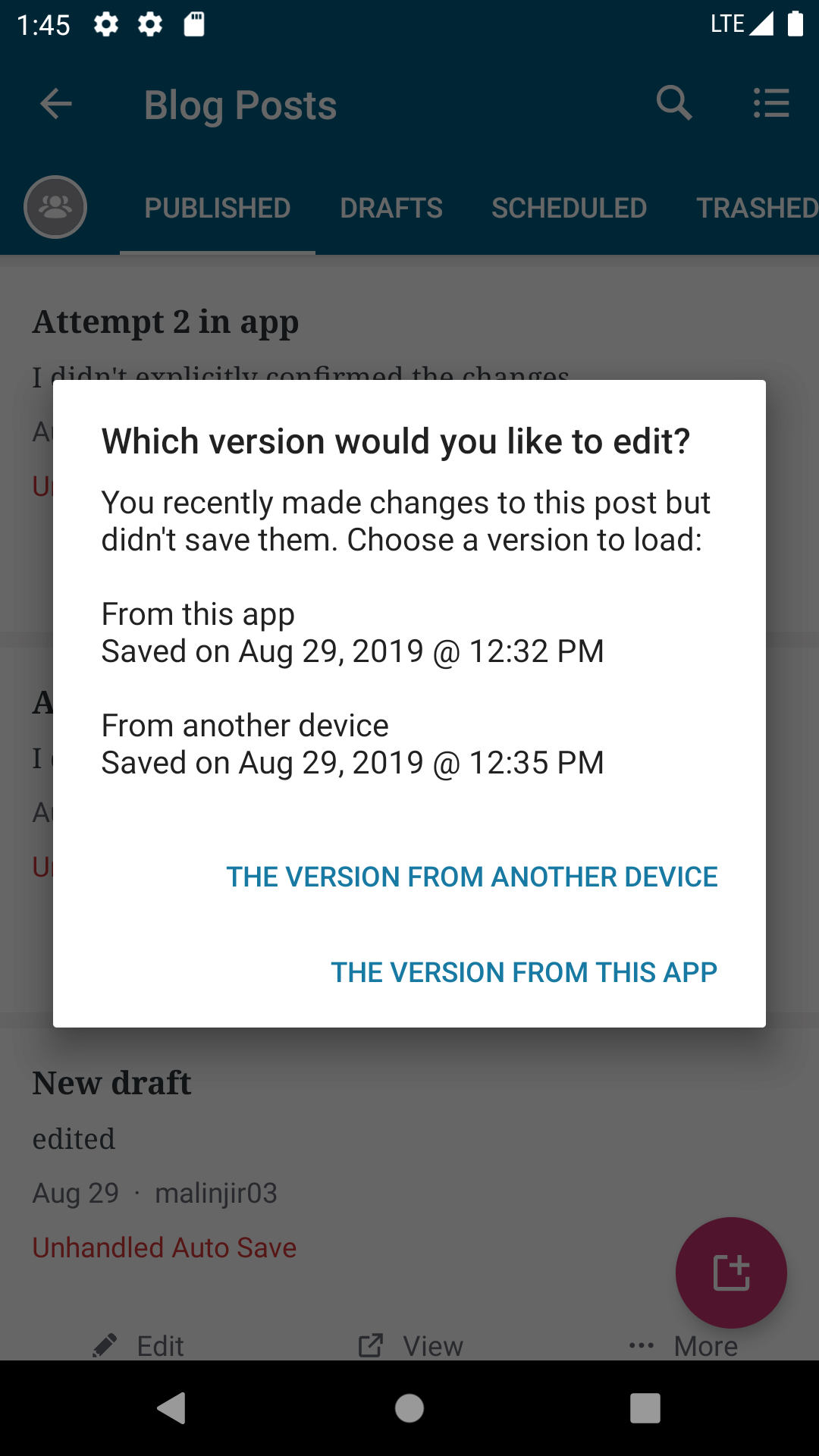
I'm not sure about the current "Unhandled Auto Save" copy, wdyt?
 malinajirka
All 7 comments
We might want to consider changing the copy
Please do. "Unhandled autosave" is not clear/descriptive to users.
We currently show "Unhandled Auto Save" when the user edits a post on another device (eg web) and leaves the editor without saving the changes.
I don't really understand the situation from that description.
 elibud
on 24 Sep 2019
elibud
on 24 Sep 2019
We currently show "Unhandled Auto Save" when the user edits a post on another device (eg web) and leaves the editor without saving the changes.
I don't really understand the situation from that description.
- Open a published post in Calypso and edit its content
- Wait approximately 30s so the autosave gets invoked
- Close the browser without manually saving the changes
- Open the app
- The post has two versions
- published version
- unpublished version (the one you created in step 1)
-> we currently show "Unhandled Auto Save" label to indicate this state
This is the dialog we show in Calypso
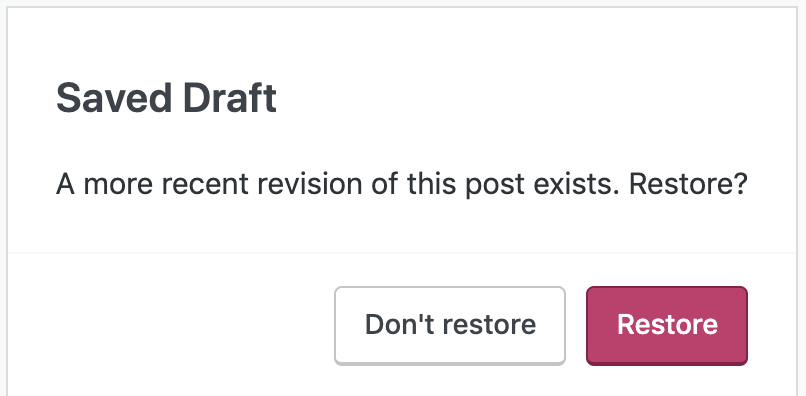
I think we could change "Unhandled Auto Save" to "Unpublished revision available" and change its color from red to yellow. Wdyt?
malinajirka
on 24 Sep 2019
I think we could change "Unhandled Auto Save" to "Unpublished revision available" and change its color from red to yellow. Wdyt?
Much better than "Unhandled Auto Save", but maybe we want to mention the fact that there's a conflict? Have you looked at what Calypso does if things happen the other way around? (post updated on mobile)
elibud
on 24 Sep 2019
Much better than "Unhandled Auto Save", but maybe we want to mention the fact that there's a conflict?
In fact, there isn't any conflict in this scenario -> there is just an unpublished/autosaved revision available.
Calypso doesn't show any indication on the item in the post list -> it simply shows the dialog I posted above when the user clicks on a post with "unpublished/autosaved revision". We could theoretically follow the same pattern, but we thought it'd be nicer to be explicit since we already support "status" labels on post list items.
malinajirka
on 24 Sep 2019
but we thought it'd be nicer to be explicit since we already support "status" labels on post list items.
Agreed, let's wait to see what Editorial says about the copy.
elibud
on 24 Sep 2019
@malinajirka @elibud I very much agree that "Unhandled Auto Save" is not optimal. I'm also not sure about "Unpublished version available," which could be confusing in the case of edits made to an already-published post (as opposed to a draft). How about this as another option:
This post has more than one version available.
Or:
You've made unsaved changes to this post.
I would likely vote for the second option, as it centers the user's perspective. But as I also remember from the recent discussion around the dialog copy ("which version would you like to edit?") this is a really tricky scenario/flow, and no single line of copy is likely to make it all perfectly clear and obvious.
 benhuberman
on 25 Sep 2019
benhuberman
on 25 Sep 2019
This was done in #10528
 shiki
on 27 Sep 2019
shiki
on 27 Sep 2019
Related issues
 maxme
·
3Comments
maxme
·
3Comments
 jtreanor
·
3Comments
jtreanor
·
3Comments
 designsimply
·
3Comments
designsimply
·
3Comments
 guarani
·
3Comments
guarani
·
3Comments
 reginabally
·
3Comments
reginabally
·
3Comments
Most helpful comment
@malinajirka @elibud I very much agree that "Unhandled Auto Save" is not optimal. I'm also not sure about "Unpublished version available," which could be confusing in the case of edits made to an already-published post (as opposed to a draft). How about this as another option:
Or:
I would likely vote for the second option, as it centers the user's perspective. But as I also remember from the recent discussion around the dialog copy ("which version would you like to edit?") this is a really tricky scenario/flow, and no single line of copy is likely to make it all perfectly clear and obvious.