Wordpress-android: Back dating a brand new post still shows "Immediately" for the publish date
Steps to reproduce:
- Start a brand new post.
- Enter a title and some content.
- Tap More > Post settings > Publish.
- Select a date in the past and tap "OK".
- Did the publish date show up under "Publish"?
- Tap "Publish" again.
- Select a date in the past and tap "OK".
- Did the publish date show up under "Publish"?
- Repeat the steps for a previously saved draft.
Result: when I back date a brand new post the "Post settings" > "Publish" value says "Immediately" but when I future date a post then it's updated to show a timestamp. I expected to see a timestamp when back dating a brand new post—although, I noticed the decision made in https://github.com/wordpress-mobile/WordPress-Android/pull/6122 seems to go against that. (2m11s)
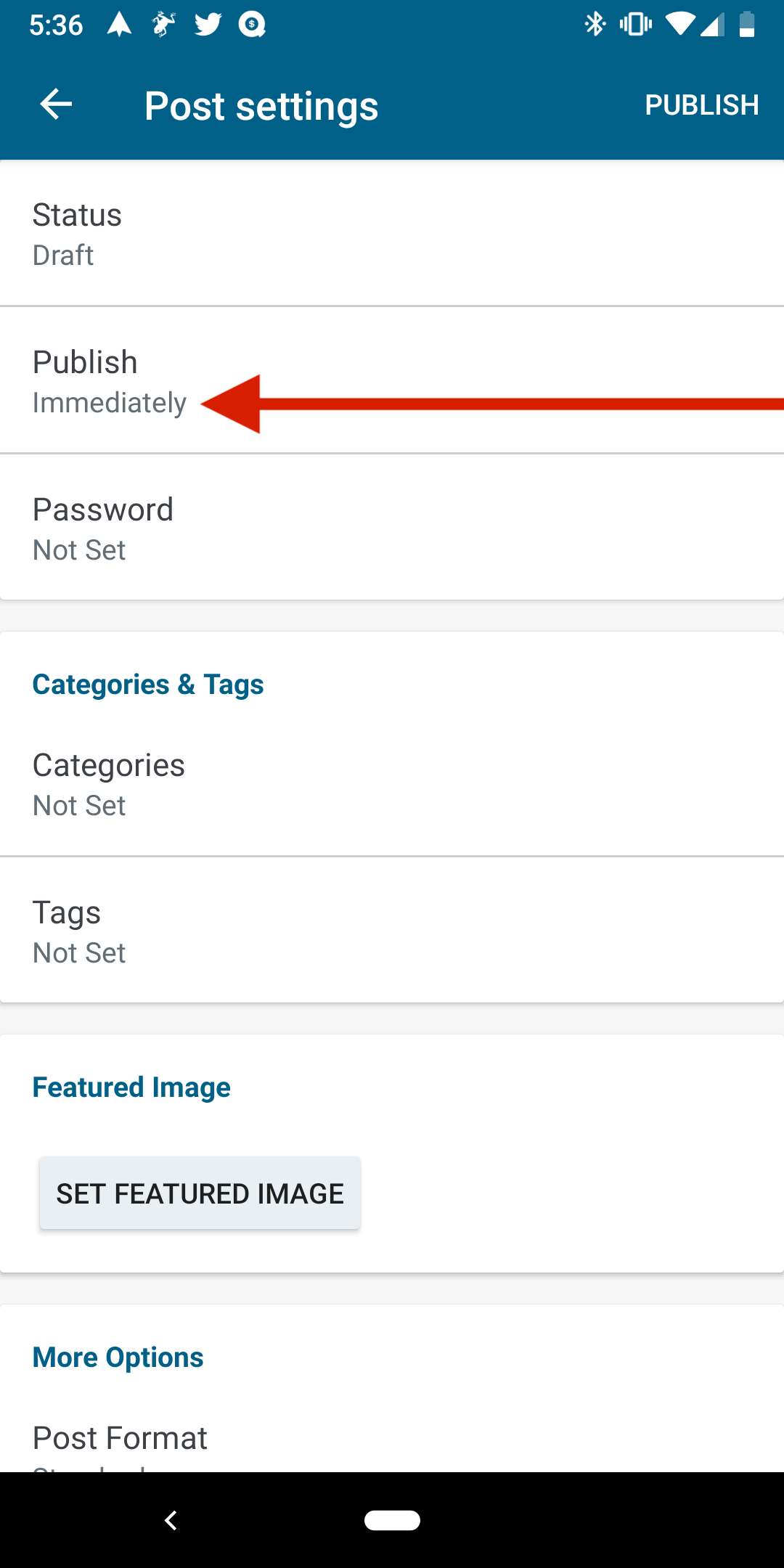
Tested using WPAndroid alpha-162 (12.2 alpha) on Pixel 3 Android 9 with a WordPress.com Free site.
h/t @scruffian for the original report (internal reference: p5T066-OB-p2).
@mzorz if the decision in 6122 still stands, then this issue should be closed as wontfix with an explanation.
 designsimply
All 4 comments
This behavior is different compared to previously saved drafts.
Exactly, it shows Immediately only for drafts that have not been saved yet. The reasoning behind it is the following route applies: it's a draft that has not even been saved yet, thus making it effectively "Immediately" as soon as you publish it.
It's also described in this PR #9466 (see test case D) so it would keep the same functionality as before.
We can remove the Immediately label completely so it's easier to not misinterpret or make it too ambiguous. To be fair, this was brought up by @daniloercoli here and @oguzkocer while testing/reviewing the PR before, but I explained that was the case as it was working before so, we decided to leave the functionality as is and only bring up the discussion with a designer about what's best to do in that case later.
Now it seems to be a good time to discuss, I can surely bring the Immediately label down and let the user see the date with no special handling, which seems like the common sense expectation @daniloercoli, @oguzkocer, @designsimply and others had (and to be honest, probably mine as well, just that I tried to keep things "as they were" from a developer perspective).
Can we summon a designer to see if we need to ditch that special Immediately label altogether?
Adding the Needs Design solution label 👍
 mzorz
on 10 Apr 2019
mzorz
on 10 Apr 2019
My expectation would be to see something like:
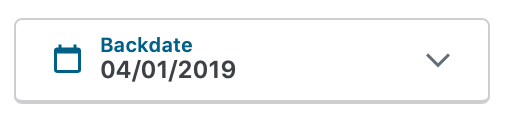
when a draft is backdated. The "immediately" label is confusing, especially because the post actually is backdated when it's published. But it sounds like there are some complexities discussed in #9466. @iamthomasbishop could you take a look at this one in the context of your editor work?
 mattmiklic
on 12 Apr 2019
mattmiklic
on 12 Apr 2019
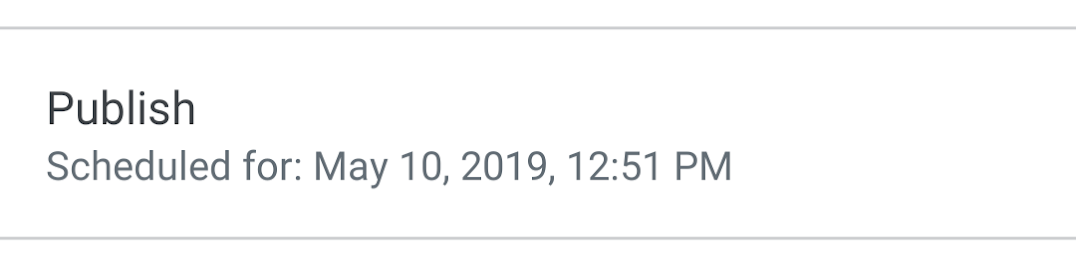
I've not read all of the history of this issue, but at first glance I agree with something along the lines of @mattmiklic's assessment – an explicit label. Assuming we want to keep in-line with what exists for scheduled posts (screenshot below – Scheduled for: [date], [time]), backdated posts would be labeled as: Backdated for: [date], [time].
 iamthomasbishop
on 23 Apr 2019
iamthomasbishop
on 23 Apr 2019
Excellent! Thank you @iamthomasbishop 🙇 - will try and put something together along these lines
mzorz
on 23 Apr 2019
Related issues
 hoverduck
·
3Comments
hoverduck
·
3Comments
 develric
·
3Comments
designsimply
·
3Comments
develric
·
3Comments
designsimply
·
3Comments
 reginabally
·
3Comments
mzorz
·
3Comments
reginabally
·
3Comments
mzorz
·
3Comments
Most helpful comment
My expectation would be to see something like:
when a draft is backdated. The "immediately" label is confusing, especially because the post actually is backdated when it's published. But it sounds like there are some complexities discussed in #9466. @iamthomasbishop could you take a look at this one in the context of your editor work?