Wordpress-android: Offline Support: Improve View Post UX.
Description:
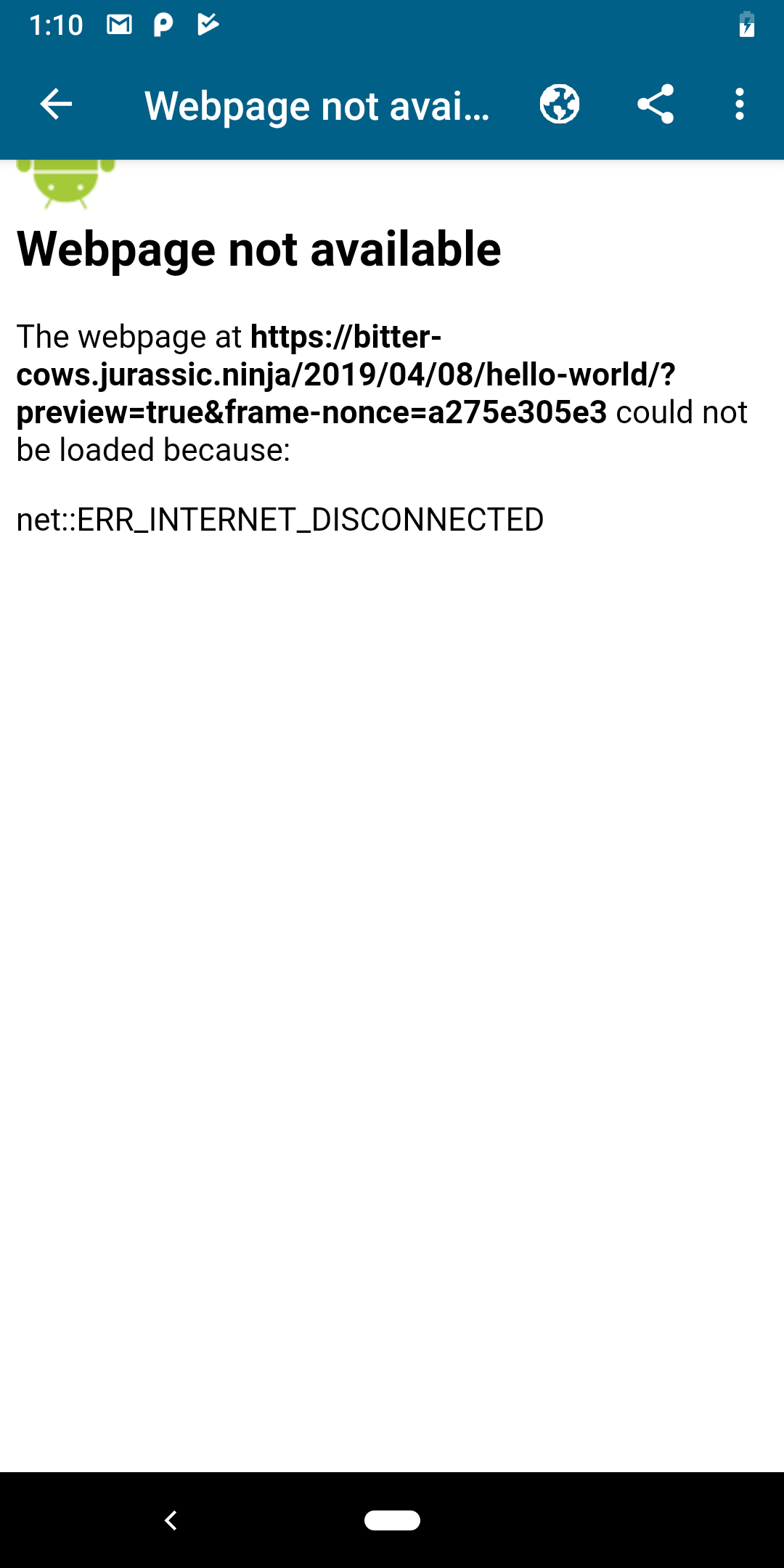
Clicking on “View” on the Post List screen opens a webview with an “Webpage not available” message.
 diegoreymendez
All 19 comments
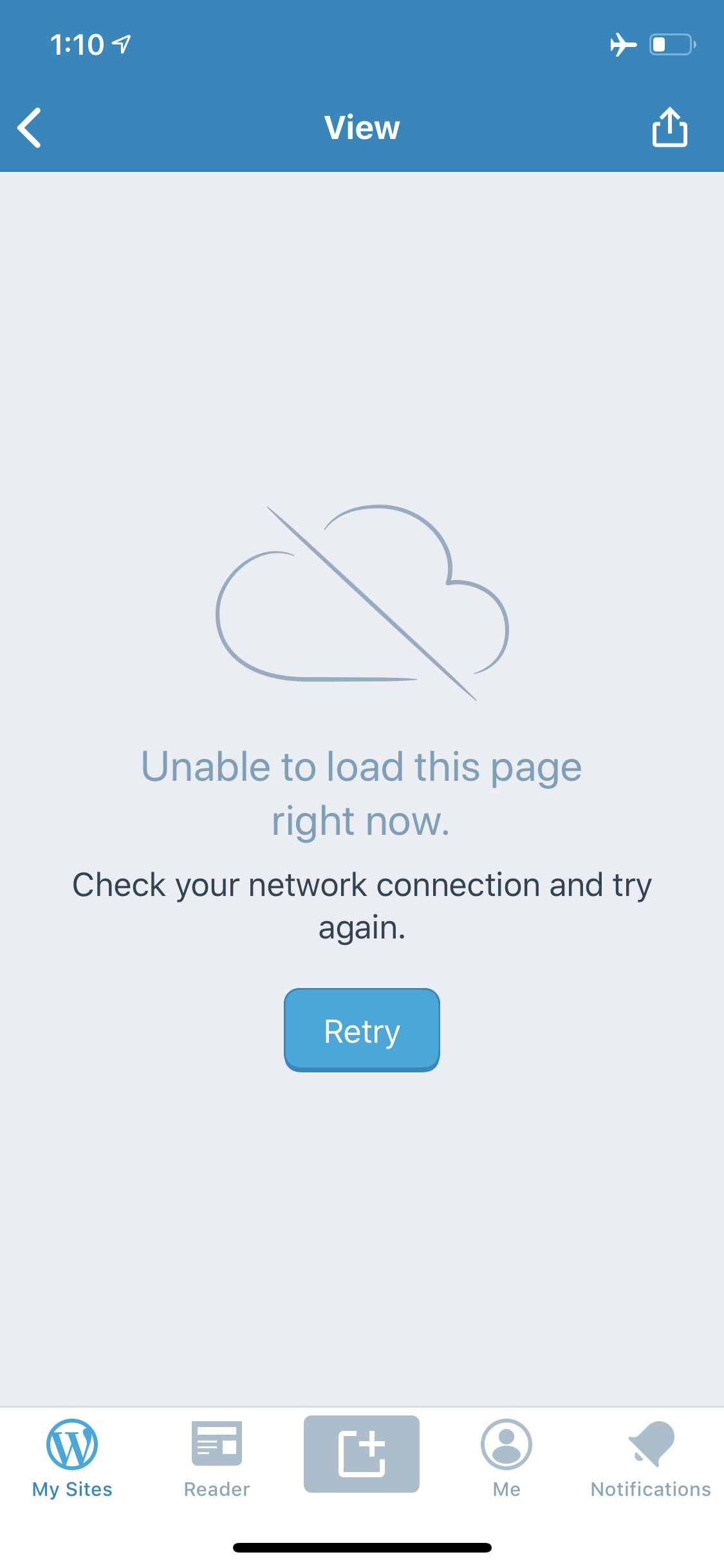
It works okay as it is right now but it can be better. The iOS experience is a little bit better I think.
| Android | iOS |
|--------|-------|
|  |
|  |
|
 shiki
on 10 Apr 2019
shiki
on 10 Apr 2019
I suggest disabling the preview action while offline. Regardless of how we approach this problem, we can never guarantee that we'll be able to show the correct preview at all times. There are ways to get really close to it, but since this is not a critical action and we can't guarantee its correctness, I feel our time is better spent on something that'll be more useful for the user.
With our current editors showing a decent representation of the posts already, I strongly believe we should either show the correct preview (while online) or not show it at all (while offline).
 oguzkocer
on 11 Apr 2019
oguzkocer
on 11 Apr 2019
I'll mark this as low priority, for now. If anyone disagrees please feel free to speak up.
diegoreymendez
on 11 Apr 2019
I suggest disabling the preview action while offline.
I'd recommend against this approach as it goes against one of the things that we identified as a guideline for handling offline / poor connectivity:
"Never prevent a user from taking an action"
I agree it's lower priority, but at a minimum we should bring android up to par with iOS.
 megsfulton
on 11 Apr 2019
megsfulton
on 11 Apr 2019
I'd recommend against this approach as it goes against one of the things that we identified as a guideline for handling offline / poor connectivity:
"Never prevent a user from taking an action"
I thought there was an asterisk for this statement, because we _can't_ actually make every action available. That's not the case here though, so I guess that doesn't matter.
I agree it's lower priority, but at a minimum we should bring android up to par with iOS.
I thought the preview for iOS was just as bad, could you elaborate on what kind of improvements you had in mind to bring Android up to par with iOS? Is it just that it's a native view saying there is no connection with a retry button? That we can do, but I don't think that actually makes the action available, it just makes the unavailability of the action visible.
I think I initially misunderstood this issue, I thought we were going to make the preview available for when the user is offline and my suggestion is to remove that and I am totally fine with just saying you can't see this post while offline. Here is a quick gif of what I am talking about: https://cloudup.com/cw2Bjr-7UFp
oguzkocer
on 11 Apr 2019
I thought the preview for iOS was just as bad, could you elaborate on what kind of improvements you had in mind to bring Android up to par with iOS? Is it just that it's a native view saying there is no connection with a retry button?
Yes that's a significant improvement -- it tells the user in human-readable language what the problem is and gives them an opportunity to re-try it. The Android example posted above is bad because it looks like the app itself has broken in some way.
Simply removing the preview option altogether when offline isn't as good because it changes the options available to the user with no explanation why. There will also be times when we're not able to detect that they're offline before they try to press the button, and we'll still need a more humane explanation of the reason why the action couldn't be completed. Giving Android a page with the same messaging that we use on iOS would be an improvement.
 mattmiklic
on 12 Apr 2019
mattmiklic
on 12 Apr 2019
I double checked this and we offer a pretty bad UX in offline mode when we try to open a published post without modification (like described above). The same kind of view/message also appears when the connection is unreliable and the network call fails.
We should fix both cases with the same improved view.
 maxme
on 7 May 2019
maxme
on 7 May 2019
Broke this into 3 tasks that I will be implementing:
- [x] Display error screen with retry button when user tries to "view" a post while offline or with poor connection
[ ] Update the views being displayed for any changes that need to be made(copy text, images, buttons, etc)
[ ] Unit tests
 adsonafonso
on 10 May 2019
adsonafonso
on 10 May 2019
This is happening in a few other places in the app. I'm attaching some gifs of some of the other places I could find. There are a few more places just from looking at the code. The same kind of view/message also appears when the connection is unreliable and the network call fails.
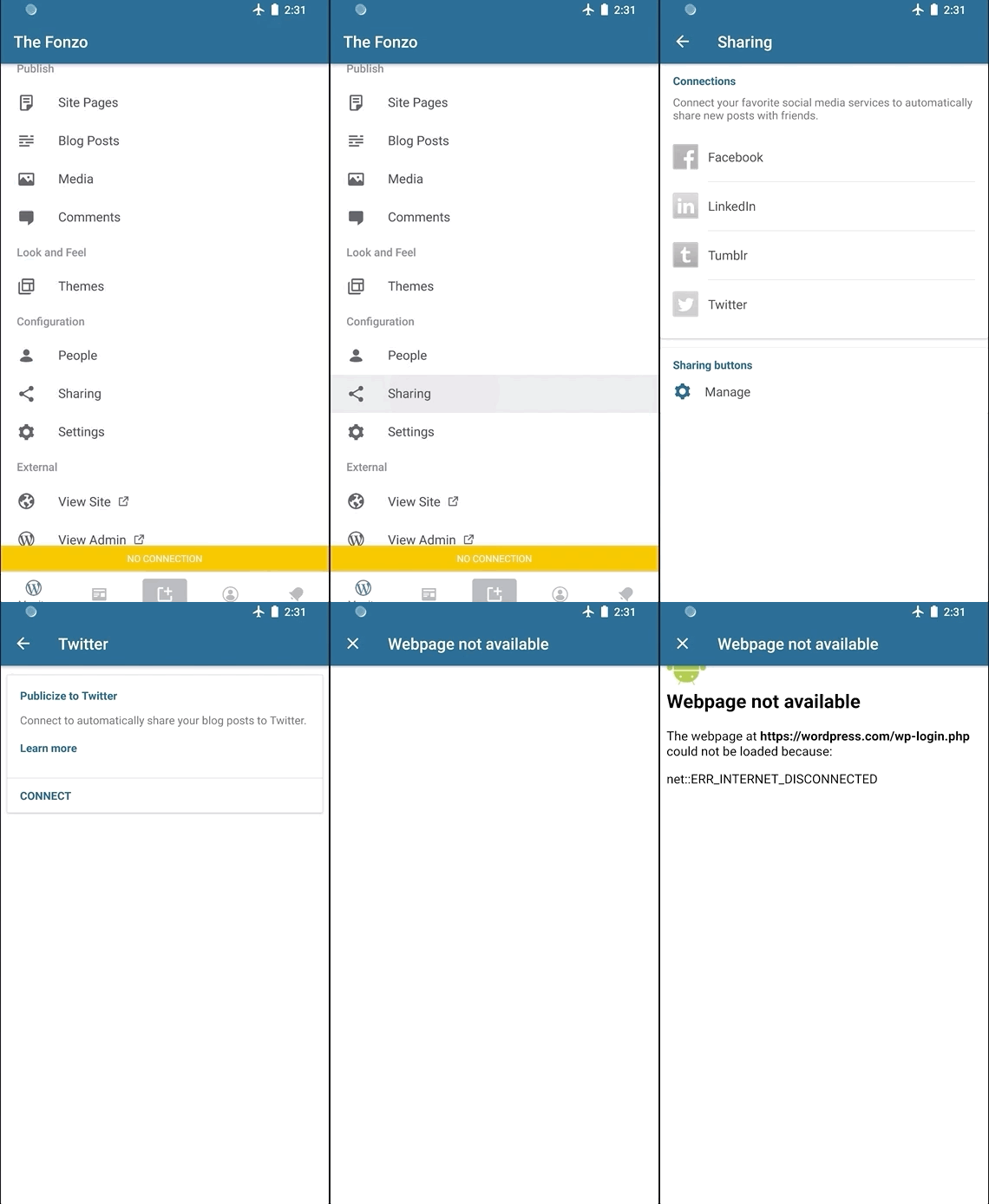
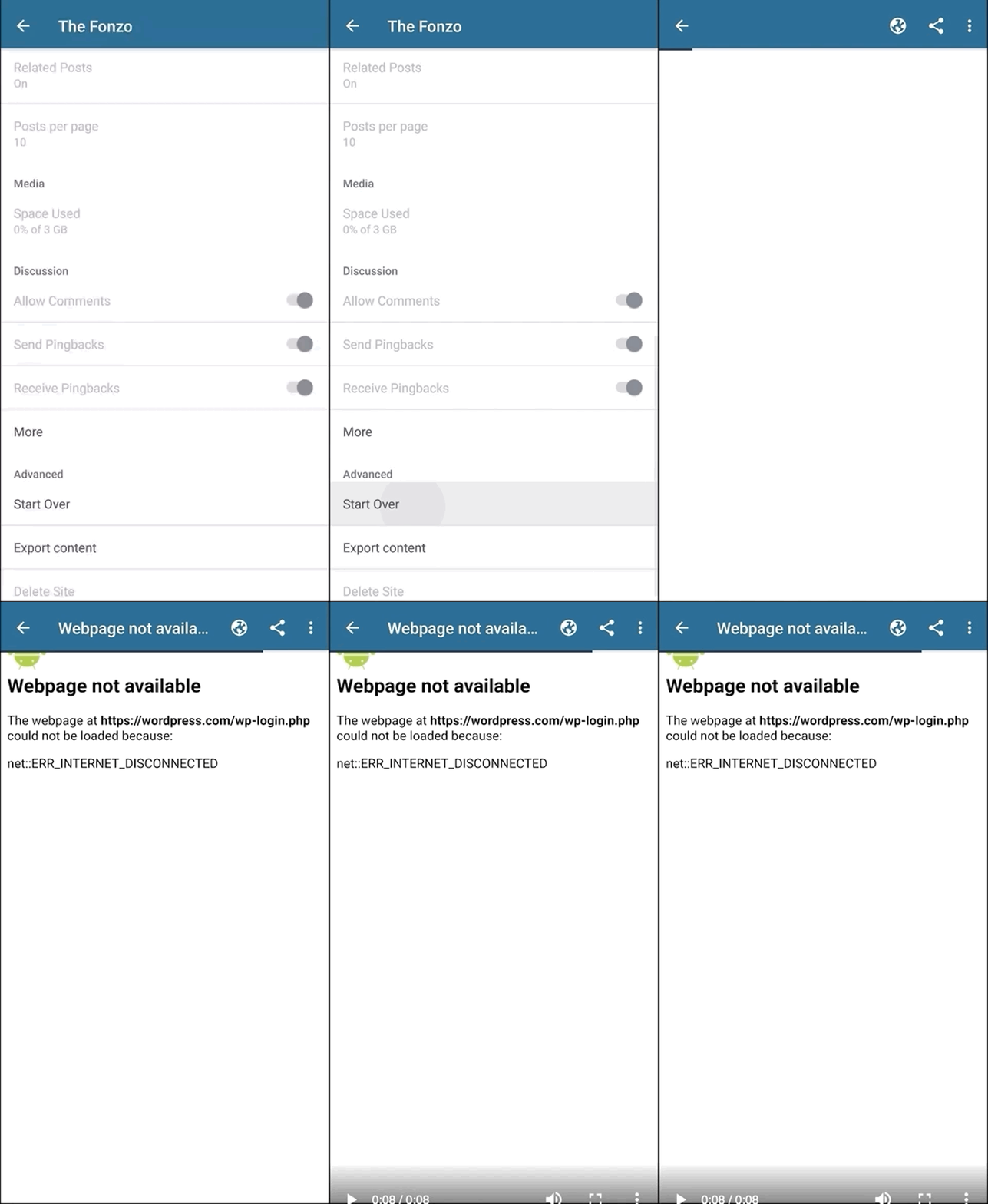
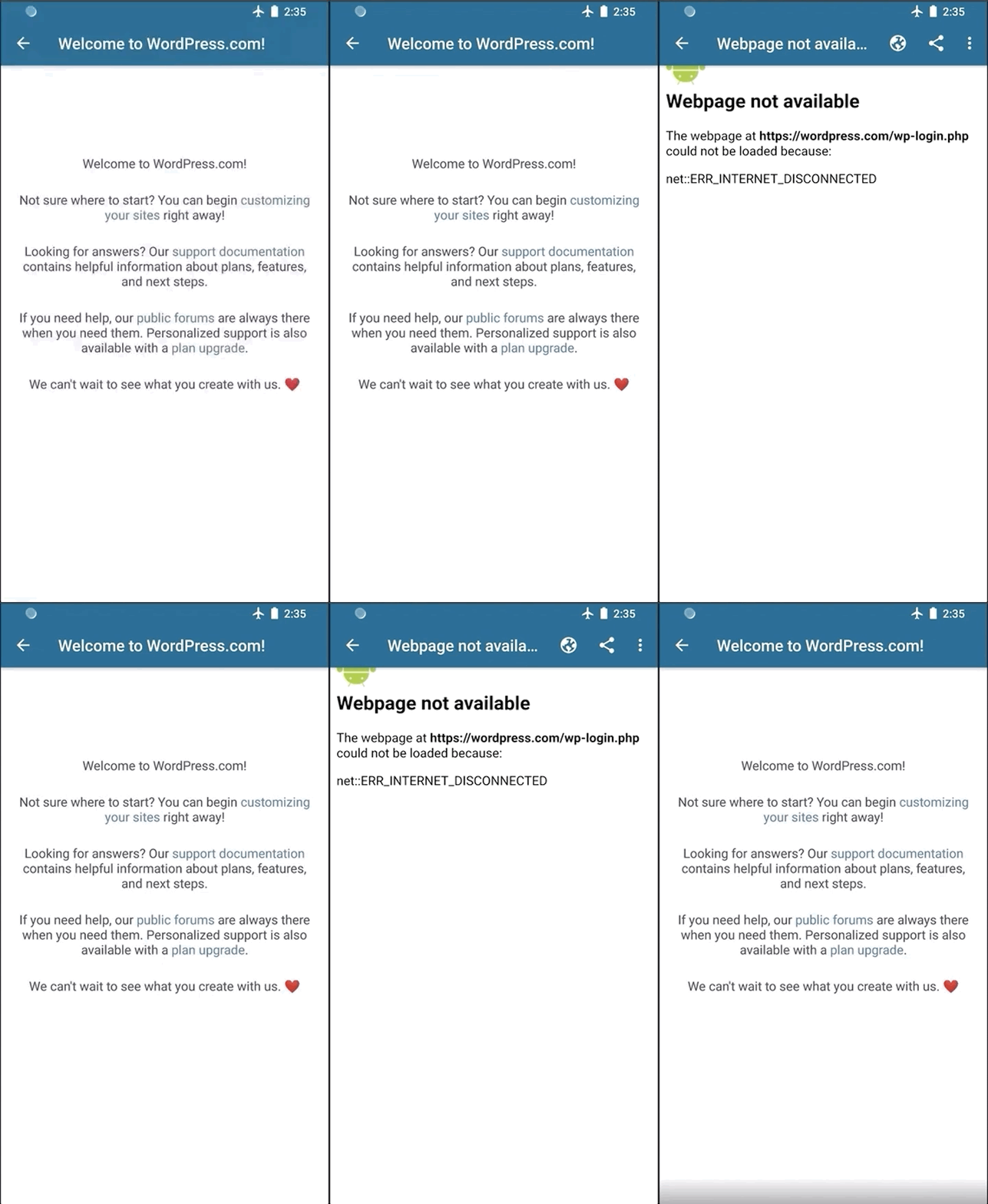
I think we should show the same behavior for those screens as well. If the request fails display similar screen as iOS. Thoughts?
adsonafonso
on 13 May 2019
I think we should show the same behavior for those screens as well. If the request fails display similar screen as iOS. Thoughts?
Agreed.
megsfulton
on 14 May 2019
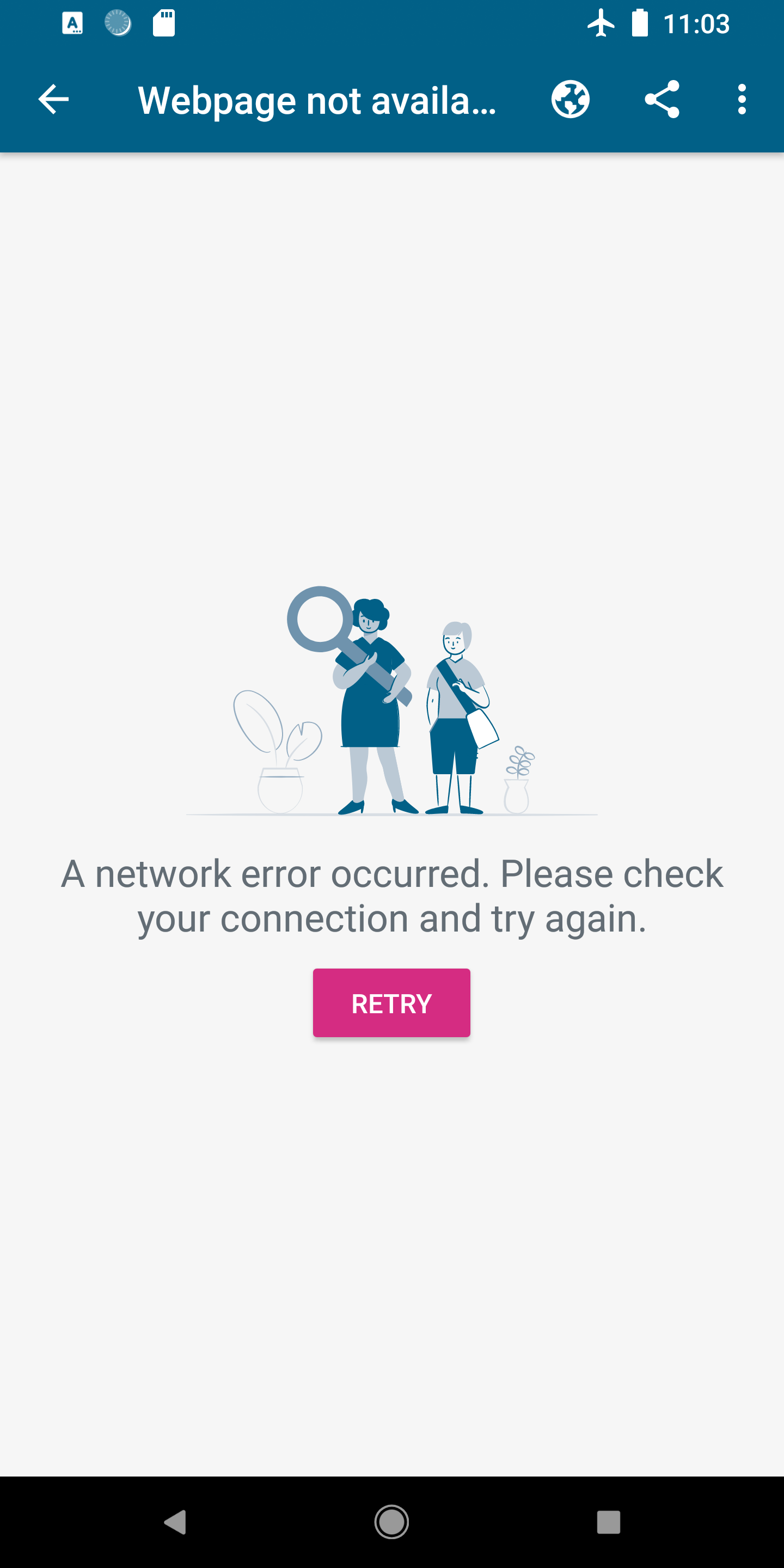
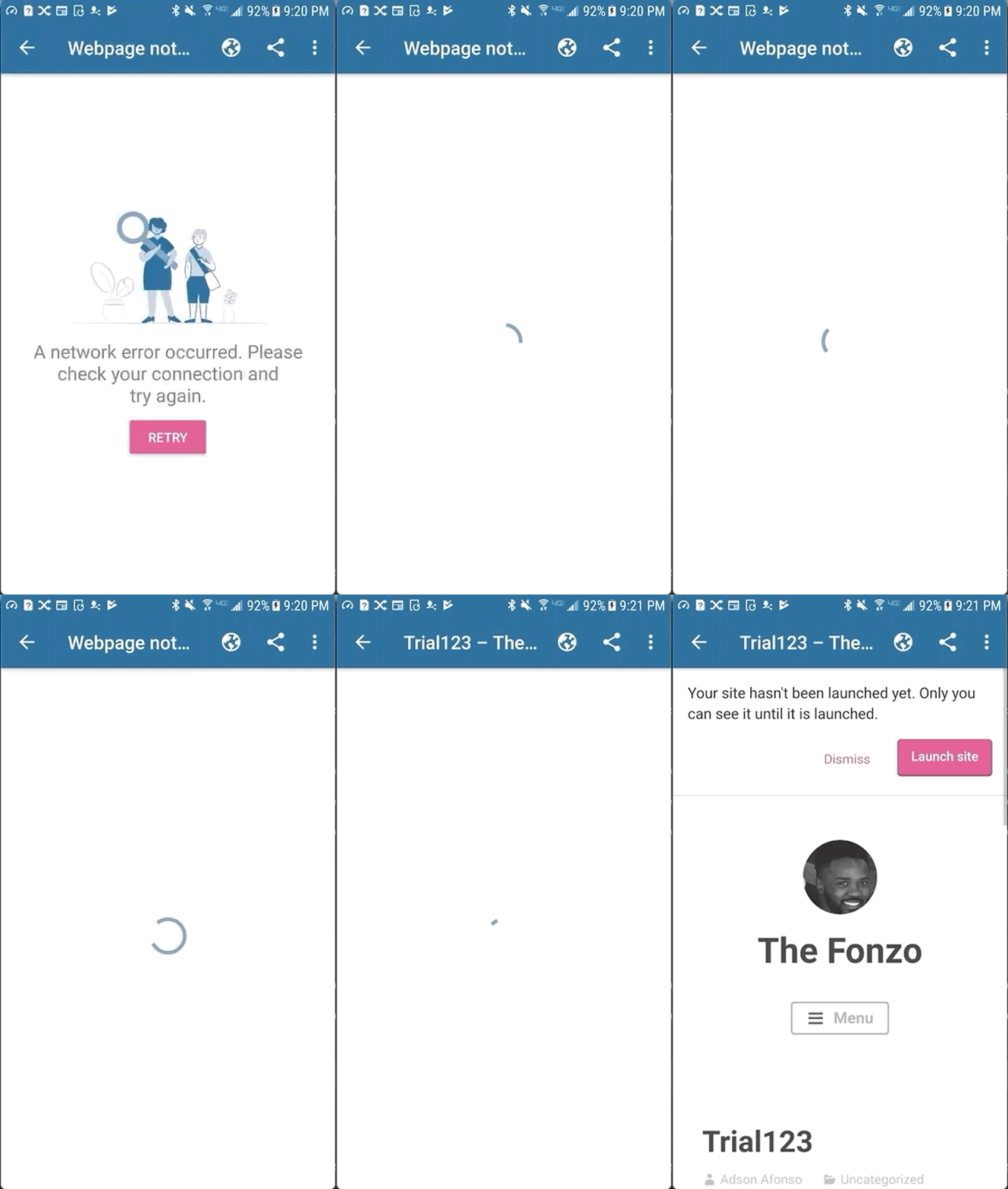
Android updated view: I am reusing the resources we currently use in the app for scenarios like this to maintain consistency, but let me know if you think of any changes.
adsonafonso
on 16 May 2019
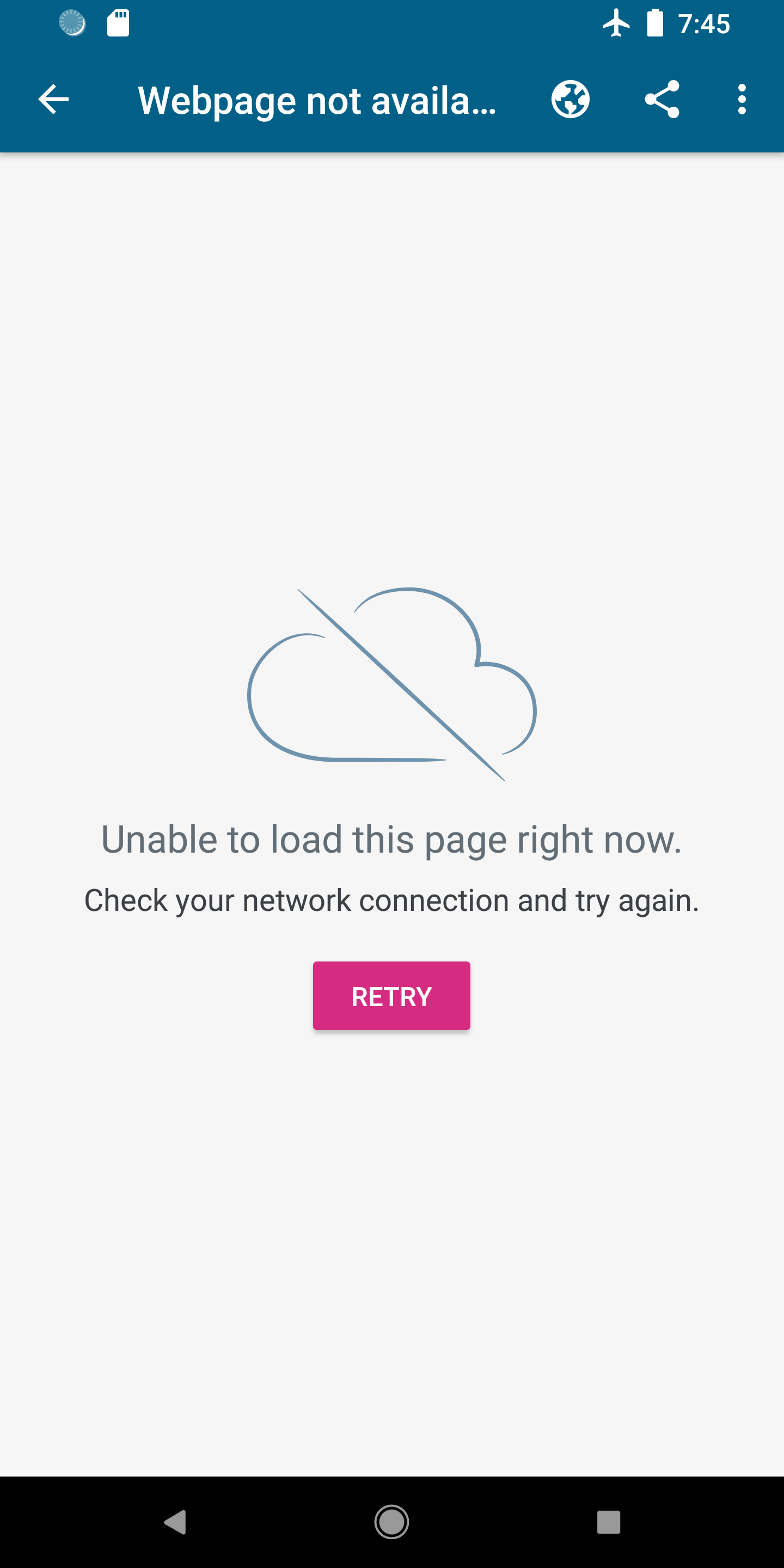
Can we update the screen text to match the iOS page and use the "cloud offline" illustration?
I'm not sure if the cloud asset for android has been created yet. If you need it, please let me know.
Here's the text from iOS:
Unable to load this page right now.
Check your network connection and try again.
Also for quicker design feedback, please add the "Needs Design Review" tag. It will ping the mobile designers to let us know it's ready to review.
megsfulton
on 17 May 2019
Sure thing @megsfulton. I went through the images that we currently have in the app and did not find the "cloud offline" illustration. I think it may be an iOS default graphic, so I'll need the asset for Android.
Also for quicker design feedback, please add the "Needs Design Review" tag. It will ping the mobile designers to let us know it's ready to review.
Thank you. Will do. I can't currently add labels, because I'm on my trial, so I don't have the right permissions to do it, but I will ask my trial lead to do it, and I can also post it on a slack channel for next time if that helps(#user-expectations maybe??).
adsonafonso
on 17 May 2019
@adsonafonso - sent you a DM with the file!
And good to know on the labeling, I wasn't aware that you couldn't add labels on a trial.
megsfulton
on 19 May 2019
Hi @megsfulton . Here is the updated version of the screen with new image and text changes. let me know what you think
adsonafonso
on 21 May 2019
Looks good @adsonafonso
megsfulton
on 21 May 2019
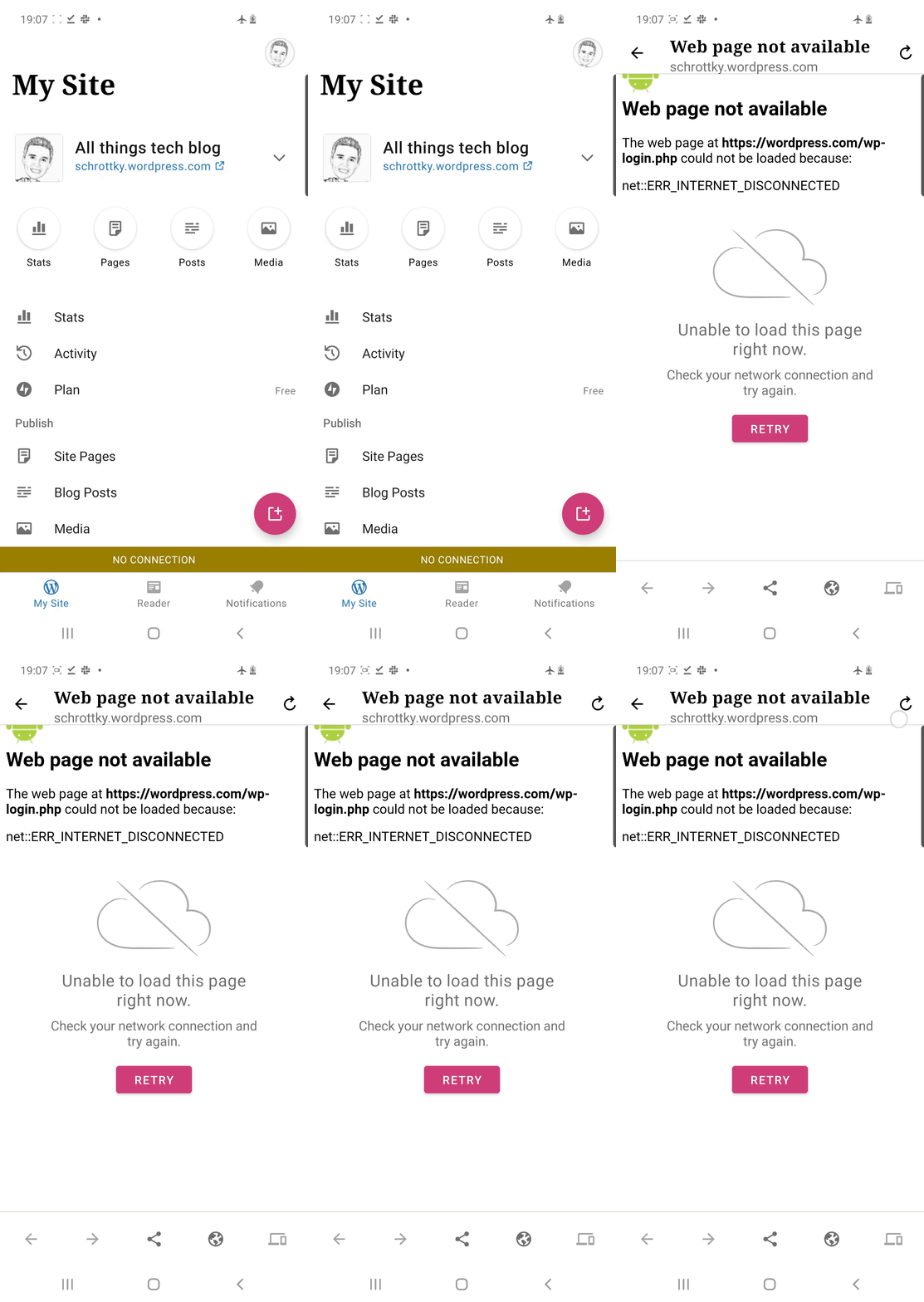
I noticed today that attempting to view a _site_ while offline shows both the broken-looking "Web page not available" screen and by the more user-friendly UI below it:
|  |
|
| - |
@malinajirka would it be best I create a new issue for this, or reopen this one?
 guarani
on 22 Oct 2020
guarani
on 22 Oct 2020
@guarani I think it'd be better to open a new issue. The convo on this ticket won't be most probably related to the fix. Thanks!
 malinajirka
on 26 Oct 2020
malinajirka
on 26 Oct 2020
@guarani I think it'd be better to open a new issue. The convo on this ticket won't be most probably related to the fix. Thanks!
Created https://github.com/wordpress-mobile/WordPress-Android/issues/13231, thanks!
guarani
on 26 Oct 2020
Related issues
malinajirka
·
3Comments
 prtksxna
·
3Comments
prtksxna
·
3Comments
 designsimply
·
3Comments
maxme
·
3Comments
designsimply
·
3Comments
maxme
·
3Comments
 nbradbury
·
3Comments
nbradbury
·
3Comments
Most helpful comment
Yes that's a significant improvement -- it tells the user in human-readable language what the problem is and gives them an opportunity to re-try it. The Android example posted above is bad because it looks like the app itself has broken in some way.
Simply removing the preview option altogether when offline isn't as good because it changes the options available to the user with no explanation why. There will also be times when we're not able to detect that they're offline before they try to press the button, and we'll still need a more humane explanation of the reason why the action couldn't be completed. Giving Android a page with the same messaging that we use on iOS would be an improvement.