Wordpress-android: Blog Posts: Can't view posts on a Jetpack/Atomic site with Jetpack 7.2+
Expected behavior
I expect to go to My Sites > Blog Posts and select "View" on a post to view the post on the site.
Actual behavior
When I try to view a post on a Jetpack or Atomic site, I get the invalid_site_url_message error message:
Check that the site URL entered is valid
I couldn't find a straightforward way to confirm what URL the app is trying to open, to identify the cause. However, I tested with Jetpack 7.1.1 and Jetpack 7.2 and the issue only occurs with version 7.2+, so it looks like something changed in Jetpack that's causing this error. (I also tested in the iOS app and WordPress.com web, and the issue only occurs in the Android app.)
Steps to reproduce the behavior
- Go to My Sites and select a Jetpack site.
- Open Blog Posts.
- Choose a blog post and select "View."
Result: A toast message with the invalid site URL message appears.
Tested on [moto e5 play], Android [8.1], WPAndroid alpha-161
We have received a number of reports from end users about this issue (internal refs: 1942661-zen, 1940262-zen, 1942425-zen, 1940655-zen). cc @thehenrybyrd
@malinajirka given your familiarity with the post list, could you take a look at this?
 rachelmcr
All 15 comments
I've run into 4 of these in the mobile queue today and yesterday, plus 2 from the Jetpack queue have come up. Jetpack has an open issue for this at https://github.com/Automattic/jpop-issues/issues/3724 for one user.
Here are three more tickets I've seen this issue in:
1939313-zen
1946014-zen
1939585-zen / 1945971-zen
 thehenrybyrd
on 8 Apr 2019
thehenrybyrd
on 8 Apr 2019
I've looked into the issue and it seems the URL we are trying to open isn't valid. More specifically the URL contains "frame-nonce" which isn't being escaped and contains some invalid characters.
java.lang.IllegalArgumentException: Illegal character in query at index 118: https://variable-mamba.jurassic.ninja/2019/04/08/hello-world/?preview=true&frame-nonce=O@VA6GPF3W$jUS5*pr1hBFluiX*AvAv^:1:1.2XCXnSI0+5sOZWIDOxxQFZEA=
I'm not sure what the "frame-nonce" is for. I've tried to escape it with url += "&frame-nonce=" + UrlUtils.urlEncode(frameNonce); in https://github.com/wordpress-mobile/WordPress-Android/blob/86bad9898eefbbe2da2c736ffc30ab6214c60631/WordPress/src/main/java/org/wordpress/android/ui/WPWebViewActivity.java#L109 and it works. However, I can't commit/push the change as I don't have the context. @oguzkocer Do you know what the "frame-nonce" is for and if we can just simply escape it or if we need to do something else? Looking at the git history, it seems you might have some context. Could you also please take over as I'm done for today and it seems like a critical issue which might need a hotfix. Thank you!
 malinajirka
on 8 Apr 2019
malinajirka
on 8 Apr 2019
I forgot to mention it might be related to change in Jetpack 7.2 (D24388).
malinajirka
on 8 Apr 2019
@malinajirka As far as I know frame-nonce is added to be able to show Jetpack private posts as authenticated and I agree it should be escaped. I am looking into it and will likely send a PR with the escape fix. Just double + triple checking that this is what the issue is.
 oguzkocer
on 8 Apr 2019
oguzkocer
on 8 Apr 2019
I have tested the issue with Jetpack 7.0.1 and was able to reproduce it. I don't think it was caused by Jetpack 7.2.
oguzkocer
on 8 Apr 2019
Tested and confirmed using WPAndroid alpha-161 on Pixel 3 Android 9 with a WordPress 5.1.1 Jetpack 7.1.1 & 7.2 site (serious-snake.jurassic.ninja) that the problem does not happen when Jetpack 7.1.1 is installed and that it does happen when Jetpack 7.2+ is installed: clicking "View" on a post from the Blog Posts page results in a message that says "Check that the site URL entered is valid" and a preview is not shown. Page previews do work normally though. (21s)
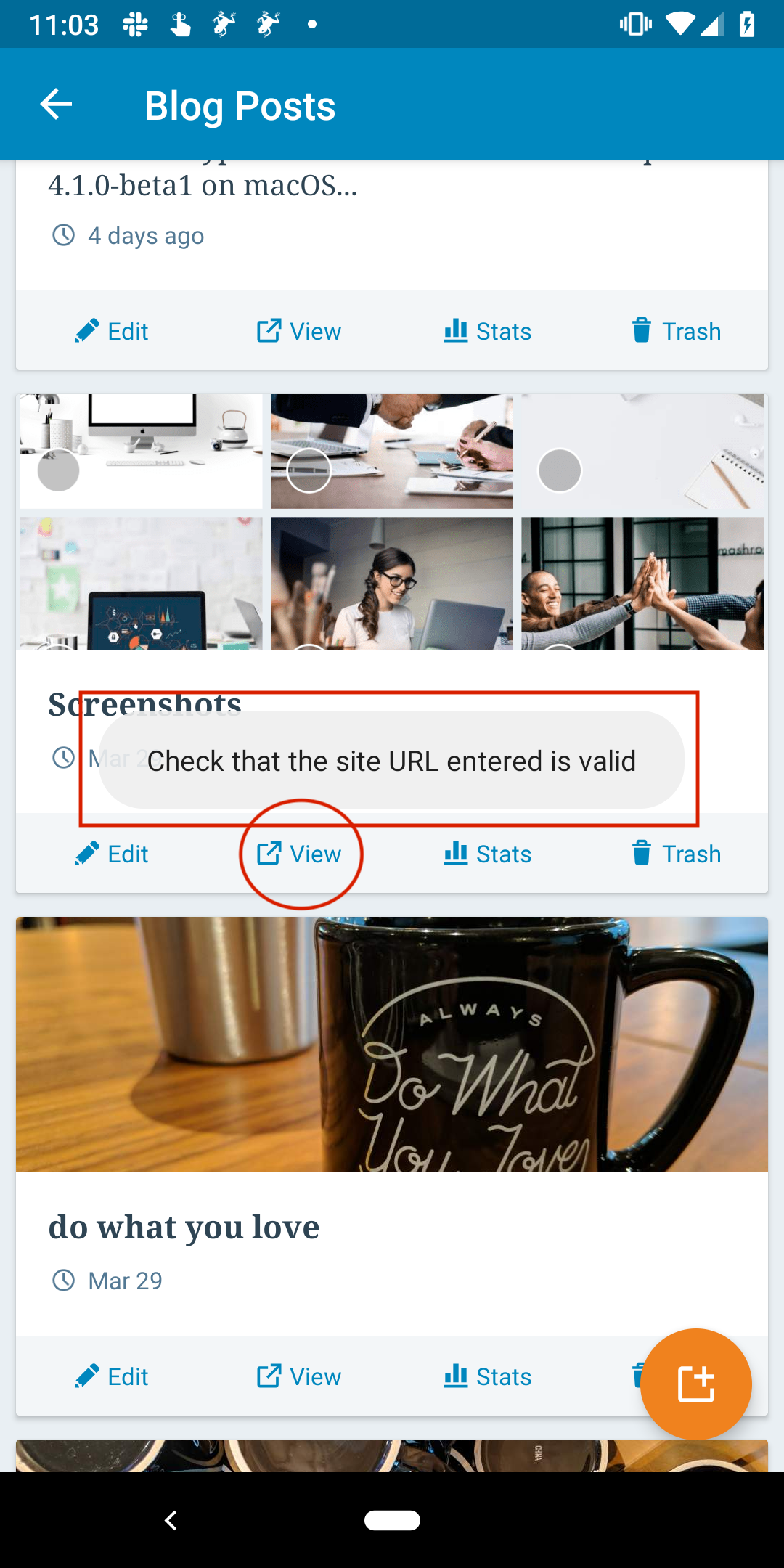
Note: ~when switching between Jetpack versions, I found that you must switch sites _away_ from the Jetpack site and back again to reset it within the app and see the problem happen. So, if you switch from Jetpack 7.2.1 to Jetpack 7.1.1, make sure to switch to a different site and back again before re-checking the webview/preview.~ I tested again and you are right @oguzkocer — the same problem happens with Jetpack 7.0.1, however!, it _does_ work with 7.1.1 if I reinstall that and switch to a different site then switch back and try the preview again. (3m14s)
 designsimply
on 8 Apr 2019
designsimply
on 8 Apr 2019
Here are three more tickets I've seen this issue in:
1939313-zen
Just adding here that 1946266-zen is the follow-up to the quoted issue. Sent them an email to see if they could confirm the issue on iOS. Otherwise, probably Android only as covered above.
 a8ck3n
on 9 Apr 2019
a8ck3n
on 9 Apr 2019
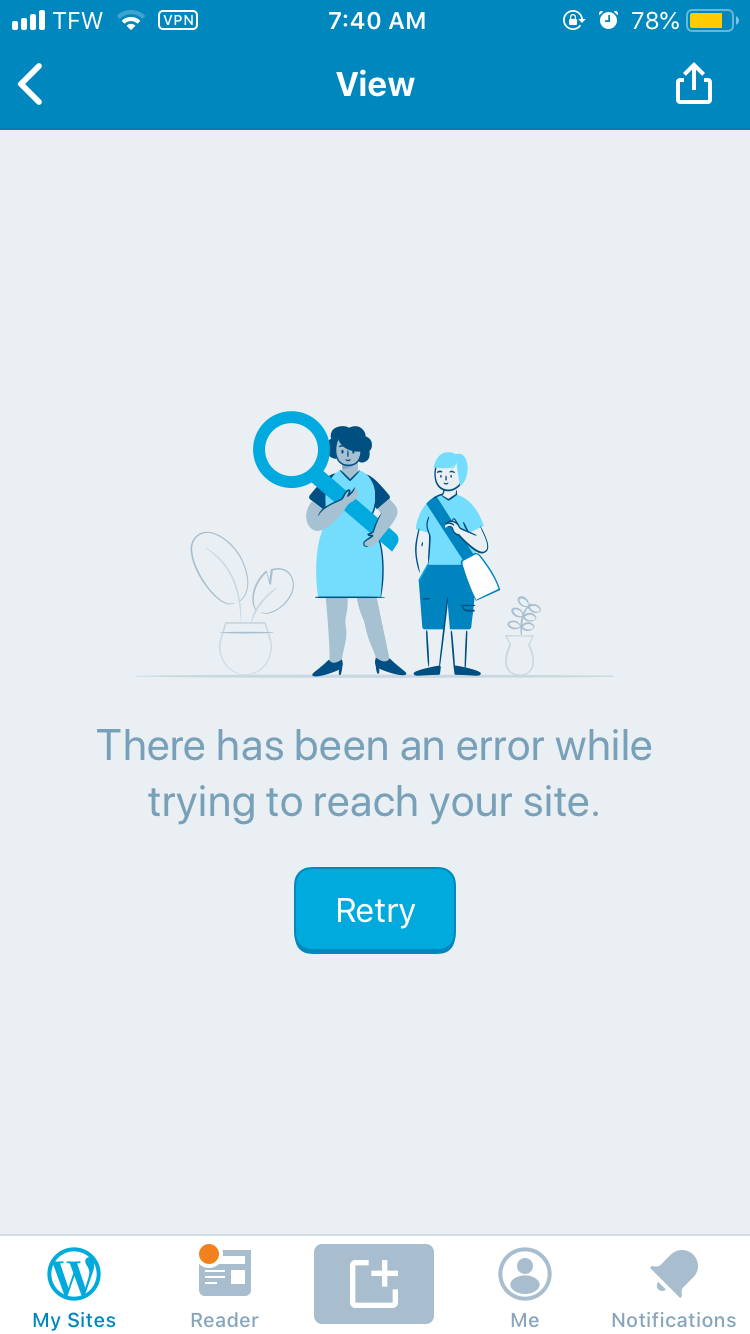
Update from user in 1946266-zen. Noting the issue is happening on both their iOS and Android devices. Included a screenshot from iOS that shows an error message but not the one noted previously for Android devices.
I’m using both an iPhone 6s (iOS 12.2) and Galaxy Note 8 (Version 8.0.0).
a8ck3n
on 9 Apr 2019
Received logs from 1942425-zen, if that's helpful to the case.
Possibly relevant logs:
19 - [Apr-08 11:51 STATS] ?? Tracked: post_list_button_pressed, Properties: {"blog_id":157701047,"post_id":2298,"action":"view","is_jetpack":true}
20 - [Apr-08 11:51 UTILS] No valid URLs passed to URLFilteredWebViewClient! HTTP Links in the page are NOT disabled, and ALL URLs could be loaded by the user!!
21 - [Apr-08 11:51 UTILS] Empty or null or invalid URL passed to WPWebViewActivity
Another report in 1947073-z, using Jetpack 7.2.1 on a OnePlus A3000, WPAndroid 12.0.
thehenrybyrd
on 9 Apr 2019
An update from the user in 1946266-zen. The "Check that the site URL entered is valid" message only occurs on their Android device, not their iOS device. The error message as noted by Kevin is still relevant and occurs on both iOS and Android.
 coder-karen
on 9 Apr 2019
coder-karen
on 9 Apr 2019
We are rolling out a hotfix (https://github.com/wordpress-mobile/WordPress-Android/pull/9539) for the Android-specific issue in version 12.1.1. That version isn't available to everyone yet, but it should be soon. Can you please ask users to watch for that update and see if it resolves the issue? Specifically, this hotfix release should resolve the error "Check that the site URL entered is valid" that has been reported.
For any other issues (Android issues that are not the error in the original report or errors on iOS) please follow up separately so we can investigate them independently of this issue/fix. Thanks!
rachelmcr
on 9 Apr 2019
I'm going to close this issue as the original issue reported here should be resolved by the 12.1.1 release, but if it persists we can reopen it.
rachelmcr
on 9 Apr 2019
@malinajirka @oguzkocer This is caused by changes to the API (my bad, so sorry!). See p4a5px-2nx (#comment-9660) for the details and the correct fix.
 kwight
on 9 Apr 2019
kwight
on 9 Apr 2019
I reverted changes (D26711-code) that I think could have caused the original issues. @oguzkocer leaving #9539 in as-is shouldn't affect anything; I'll post internally and ping you with details and next steps.
kwight
on 10 Apr 2019
Related issues
 guarani
·
3Comments
malinajirka
·
3Comments
guarani
·
3Comments
malinajirka
·
3Comments
 reginabally
·
3Comments
reginabally
·
3Comments
 hoverduck
·
3Comments
hoverduck
·
3Comments
 jd-alexander
·
3Comments
jd-alexander
·
3Comments