Wordpress-android: [Site Creation] Site Preview extra black bar
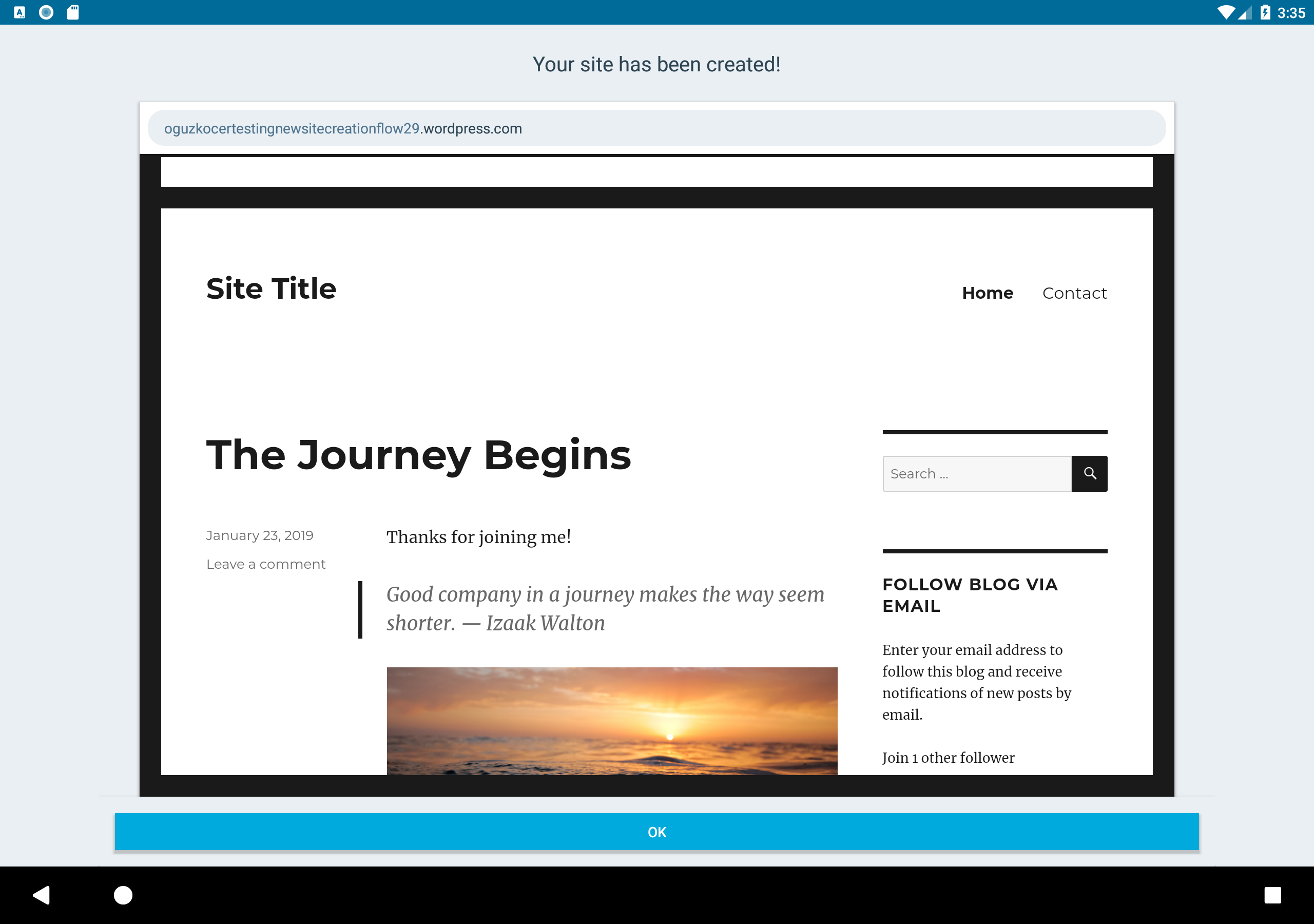
We are hiding the admin bar in the site preview page to avoid confusion for users, but it's currently leaving an extra black bar in the landscape orientation. I think this could be frustrating experience for a new user. I am not yet sure whether this needs to be addressed in the backend or in the client, so I am opening an issue here for now.
 oguzkocer
All 17 comments
This turned out to be a theme issue as I don't experience it if I use a different theme in the preview. Of course that's normally not possible, since the sites are created with the same theme, at least for now, but I thought I'd still document it in case it's helpful.
oguzkocer
on 29 Jan 2019
We are looking into using the hide_masterbar=true parameter instead of using this hack which will fix this issue. Unfortunately that currently only works for the admin bar (if logged in) and doesn't hide the get started bar (if logged out), so we can't make that change yet.
I've these changes ready in the issue/site-preview-hide-masterbar and waiting to see what we'll do on the server side.
oguzkocer
on 31 Jan 2019
There is a theme specific pseudo-class that is added here on a media query for larger screens. This is why the problem is only present on tablets.
@media screen and (min-width: 48.9375em)
body:not(.custom-background-image).admin-bar:before {
    top: 32px;
}
This is unique to this theme though.
 SylvesterWilmott
on 7 Feb 2019
SylvesterWilmott
on 7 Feb 2019
Thanks @SylvesterWilmott! @kwonye mentioned that this theme will not actually be used in the new sites, so we might not need to do anything about it. Let's wait for the server side changes for now.
oguzkocer
on 7 Feb 2019
Great news, @oguzkocer! Just tested and all sites created with our new Site Creation do not have the black bar on top. I believe we can close this issue out.
 kwonye
on 7 Feb 2019
kwonye
on 7 Feb 2019
Sounds good, thanks @kwonye!
oguzkocer
on 7 Feb 2019
Nevermind so sorry, Didn't have it in landscape mode properly. It definitely shows. One way iOS solves this is by limiting the width to 800 OR we simply show the masterbar.
@oguzkocer @SylvesterWilmott do either of you have an opinion on whether we should do this?
kwonye
on 7 Feb 2019
I don't think we should show the Get Started bar. Even in another place it'd be confusing, but telling the users that they can start creating sites just after they created a site is extremely confusing if you ask me. Not that they can tap on the bar and go anywhere from it, but still.
If it's present in the current themes, I think we should try to do something about it. The best solution I can think of is to have hide_getstartedbar=true parameter in the url similar to hide_masterbar=true. If that's not possible, or it'd implemented in the far future, I am open to any css hack. Regardless of which hack we use, it's going to be unpleasant, so no strong opinions on that.
oguzkocer
on 7 Feb 2019
If it's present in the current themes, I think we should try to do something about it. The best solution I can think of is to have
hide_getstartedbar=trueparameter in the url similar tohide_masterbar=true.
This options definitely sounds like the best solution! Using a css hack sounds a bit risky to me, especially since the API can start returning a different theme in the future and it might break old versions of the app. Tbh for me it's either a backend fix or do nothing about it.
 malinajirka
on 8 Feb 2019
malinajirka
on 8 Feb 2019
Moving to the Site Creation Improvements project, to wrap up the original project board.
 diegoreymendez
on 15 May 2019
diegoreymendez
on 15 May 2019
I'm trying to understand this issue but even in the initial image in this thread I'm not sure what the extra black bar is.
The site above looks consistent with what I'm seeing in my iPhone, in my Android phone and in Safari (while logged out).
@shiki - Can I ask you to double check what I'm seeing and let me know if you find anything that's off? Right now I'm trying to assess whether it makes sense for us to focus on this, or if it's fine and consistent across platforms.
diegoreymendez
on 15 May 2019
@diegoreymendez That black bar is Android's taskbar that is visible by default for all apps. I was able to reproduce this on a tablet, Pixel C, Android 8.0. I was not able to reproduce this on a phone, PIxel 3, Android 9.0.
I cannot reproduce the black bar on both tablet and phone. I think we can close this.
 shiki
on 16 May 2019
shiki
on 16 May 2019
Actually, scratch that. I was talking about a different thing. 🤦♂ Updated my comment above. ☝️
shiki
on 16 May 2019
This is the blackbar this issue is about (I used the image from the description).
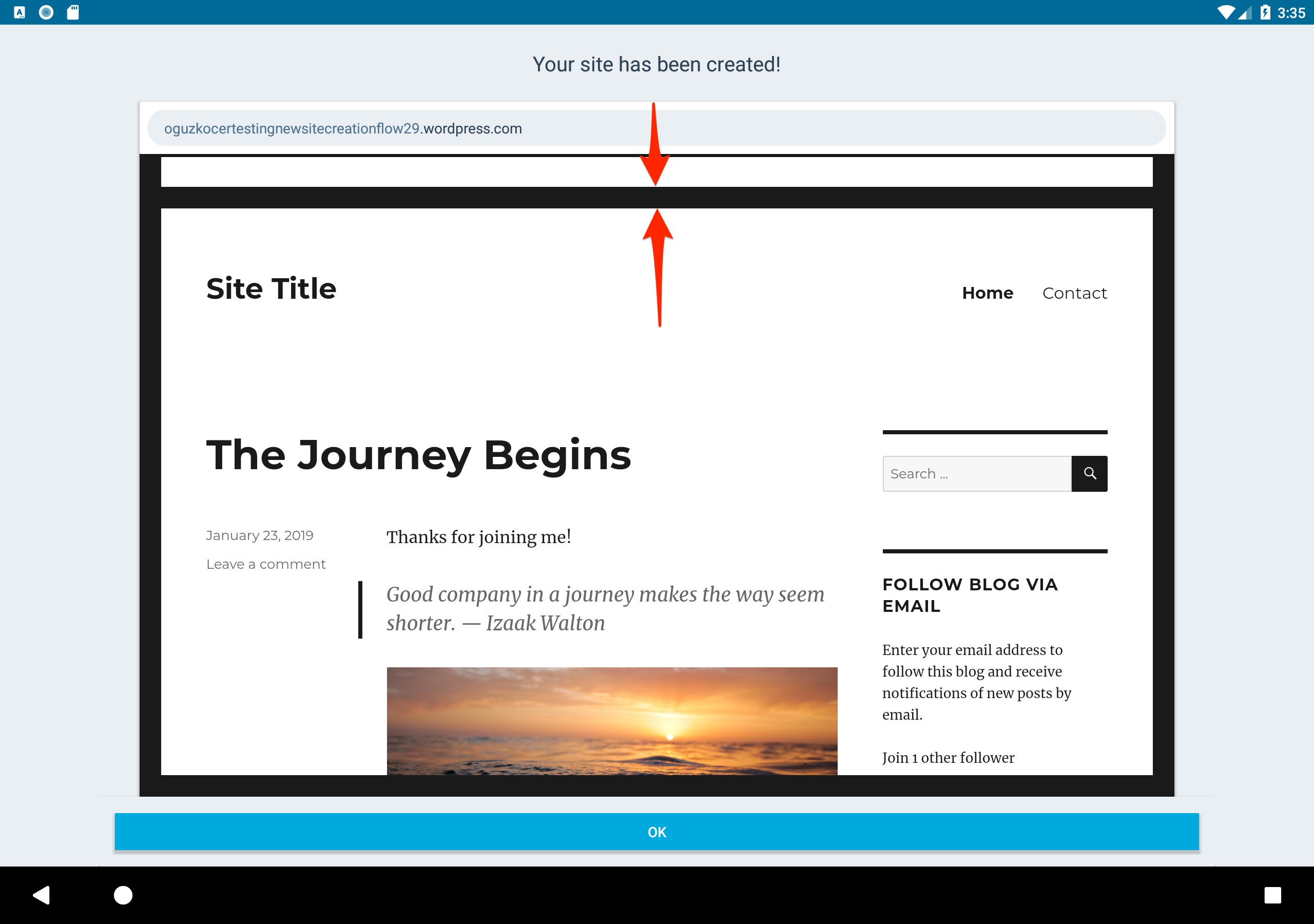
I have been able to reproduce the issue, even though I still think it should be fixed either on the backend or we should consider closing it with "Won't fix - minor issue".
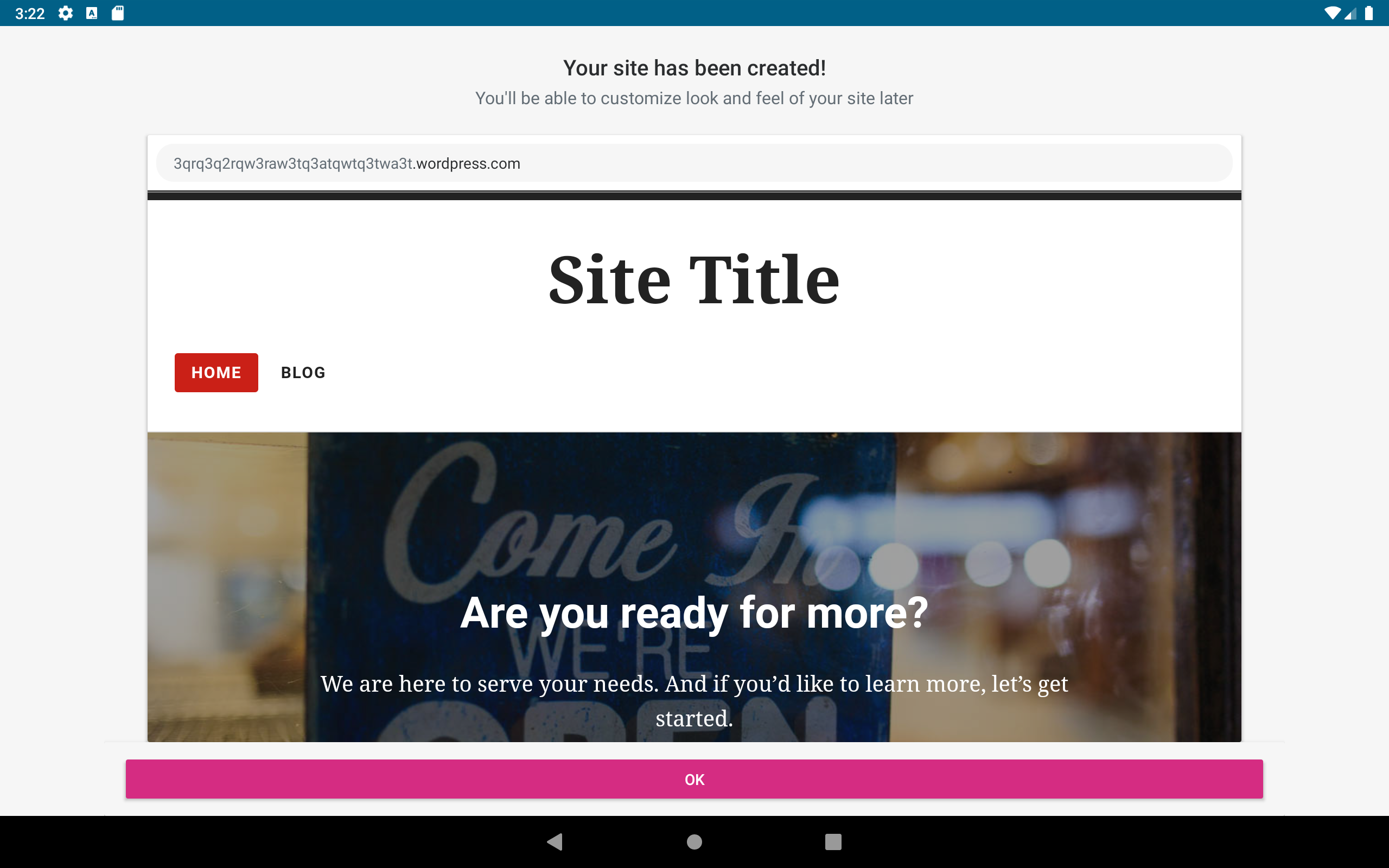
cc @diegoreymendez @shiki
malinajirka
on 16 May 2019
Ohh, I actually just noticed I can't reproduce the issue with "blog" segment, but I can reproduce it with "business" segment. But my opinion remains the same.
malinajirka
on 16 May 2019
@malinajirka Good find. I was only using Blog at that time. I agree that this should be fixed in the backend.
shiki
on 16 May 2019
Closing as won't fix for now. It's not great to have that bar there, but it's an issue with the theme and not really in the Apps.
diegoreymendez
on 16 May 2019
Related issues
malinajirka
·
3Comments
 maxme
·
3Comments
maxme
·
3Comments
 develric
·
3Comments
develric
·
3Comments
 designsimply
·
3Comments
designsimply
·
3Comments
 reginabally
·
3Comments
reginabally
·
3Comments