Wordpress-android: My Site > People: Can't paste in "Usernames or Emails" field on Android browsers
Expected behavior
I should be able to long-press to paste a name or email address in the "Usernames or Emails" field
Actual behavior
Nothing happens if I long press
Steps to reproduce the behavior
Add something to the clipboard, then head to My Site > People > Add and try pasting that with a long press.
Tested on [device], Android [version]
Pixel II, alpha-111
 supernovia
All 7 comments
Noting a related Calypso issue here:
https://github.com/Automattic/wp-calypso/issues/25205
supernovia
on 31 May 2018
I know it's not intuitive but, can you try to long-press close to the input caret @supernovia and see if that causes the "Paste" popup to happen? Thanks!
 hypest
on 4 Jun 2018
hypest
on 4 Jun 2018
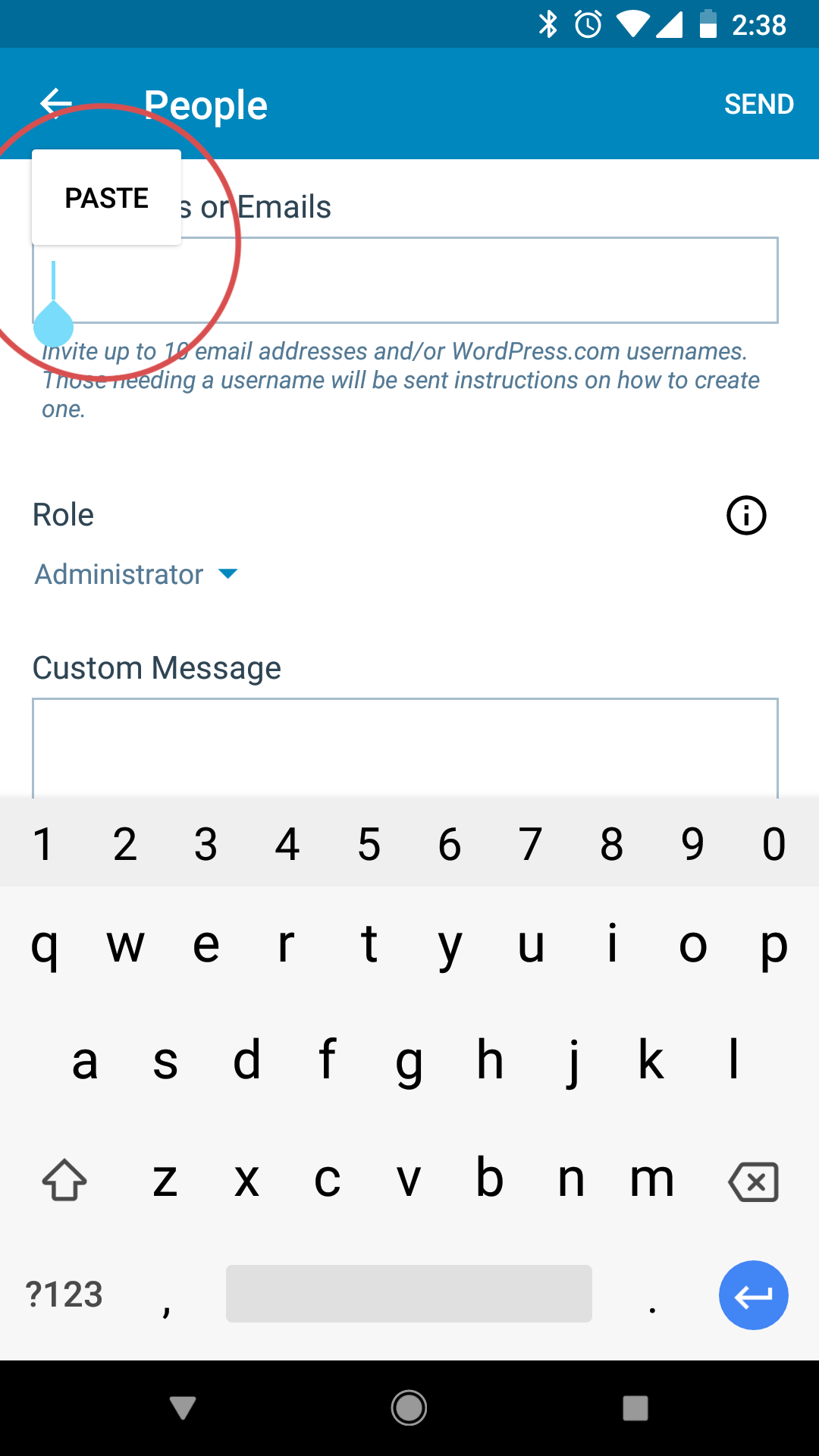
I tested and confirmed using Pixel, Android 8.1.0, WPAndroid alpha-111 that a long press on the My Sites > People > "Usernames or Emails" field only works if you press directly on top of the input caret.
 designsimply
on 4 Jun 2018
designsimply
on 4 Jun 2018
I'm able to long-press paste now -- did something change?
supernovia
on 17 Jun 2018
I'm able to long-press paste now -- did something change?
Nothing's changed @supernovia AFAICT. Long-press works when performed near the caret and it doesn't when far enough.
hypest
on 18 Jun 2018
Got it, I didn't notice myself pasting far from the caret before
supernovia
on 21 Jun 2018
Closing as it looks like this issue is resolved.
 rachelmcr
on 3 Jan 2019
rachelmcr
on 3 Jan 2019
Related issues
 prtksxna
·
3Comments
prtksxna
·
3Comments
 wptester9845
·
3Comments
wptester9845
·
3Comments
 malinajirka
·
3Comments
malinajirka
·
3Comments
 roundhill
·
3Comments
roundhill
·
3Comments
 guarani
·
3Comments
guarani
·
3Comments