Wordpress-android: Make sure new media are attached to post on uploading
We should make sure new media are attached to post on uploading.
In WordPress (web):
- If a media file is uploaded within the edit screen, it will automatically be attached to the current post being edited. This is the closest use case to a user writing a post in the mobile apps that adds a picture to the post.
- If it is uploaded via the
Add Mediabutton in the toolbar, it will be unattached, but may become attached to a post when it is inserted into post. Whether an image is attached or not depends on certain conditions https://codex.wordpress.org/Using_Image_and_File_Attachments#Attachment_to_a_Post but I checked that it's attached for the common user-flow of adding a new media and then insert it in the post.
Things to check:
- New media uploaded in the editor.
- Unattached media already in WP Media Library, that become attached to a post.
Implementation note
The app can potentially attach new images uploaded to drafts or posts as long as there was a postID available. It seems that in the iOS app we're checking if the uploaded images are already attached to a post, and if not we attach them to the just published post. after we publish/save the post we get the post ID. Then we update any media associated to the post that still doesn’t have a post ID.
 daniloercoli
>All comments
Hello,
Can I bump this a little? Sadly it's a very annoying bug because if I use the app to upload a photo, I have to manually log in to Dashboard via Chrome to delete the post content and re-insert it.
My flow is as:
1) Take a photo
2) Go to my library app (Google Photos)
3) Open the photo and using the share menu send it to the WordPress app.
4) WordPress app modal appears and I select "New Post".
5) Image is uploaded and inserted into post.
6) Hit Publish.
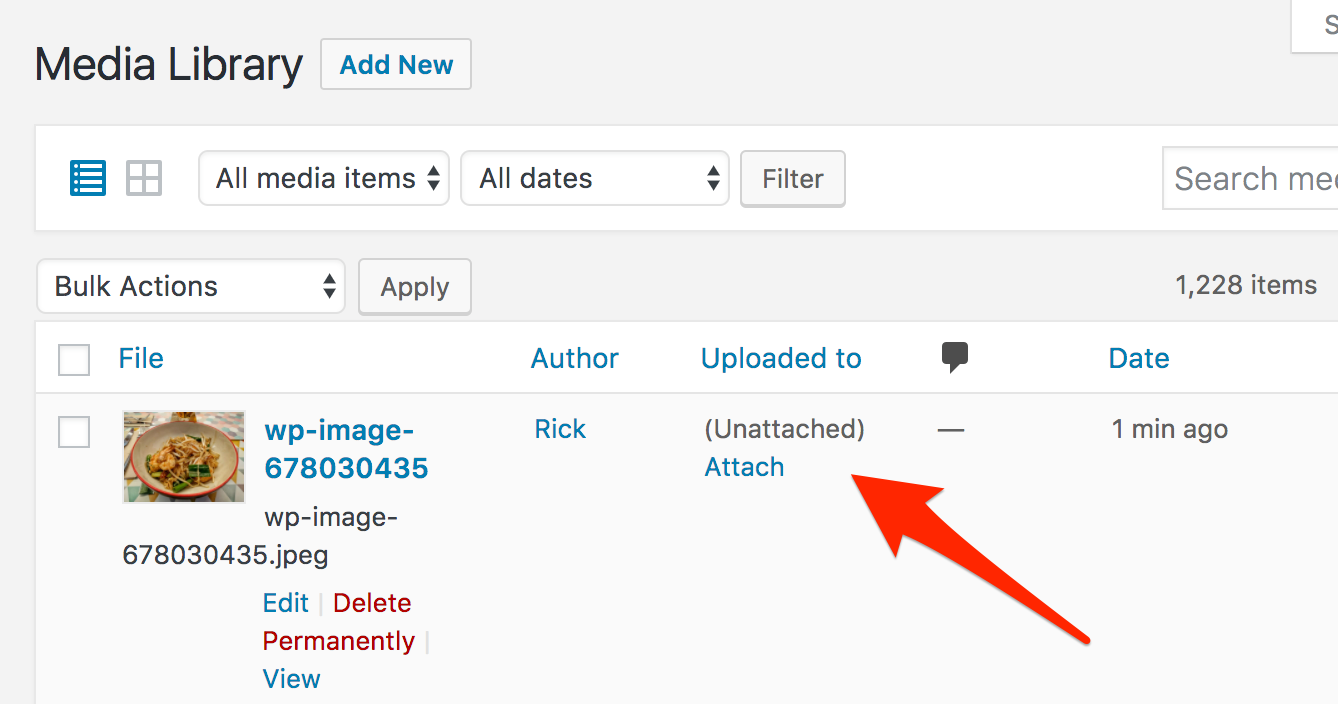
As you very well describe, the image shows as "unattached".
Hope this helps. It would mean a world to me if this got fixed (it worked before in a previous version, can't tell which one).
Thank you.
 quicoto
on 22 Jun 2017
quicoto
on 22 Jun 2017
Related issues
 designsimply
·
3Comments
designsimply
·
3Comments
 roundhill
·
3Comments
roundhill
·
3Comments
 khaykov
·
3Comments
khaykov
·
3Comments
 JavonDavis
·
3Comments
designsimply
·
3Comments
JavonDavis
·
3Comments
designsimply
·
3Comments
Most helpful comment
Hello,
Can I bump this a little? Sadly it's a very annoying bug because if I use the app to upload a photo, I have to manually log in to Dashboard via Chrome to delete the post content and re-insert it.
My flow is as:
1) Take a photo
2) Go to my library app (Google Photos)
3) Open the photo and using the share menu send it to the WordPress app.
4) WordPress app modal appears and I select "New Post".
5) Image is uploaded and inserted into post.
6) Hit Publish.
As you very well describe, the image shows as "unattached".
Hope this helps. It would mean a world to me if this got fixed (it worked before in a previous version, can't tell which one).
Thank you.