Woocommerce-services: Cannot select package after removing only item from only package
Cannot select package after removing only item from only package:
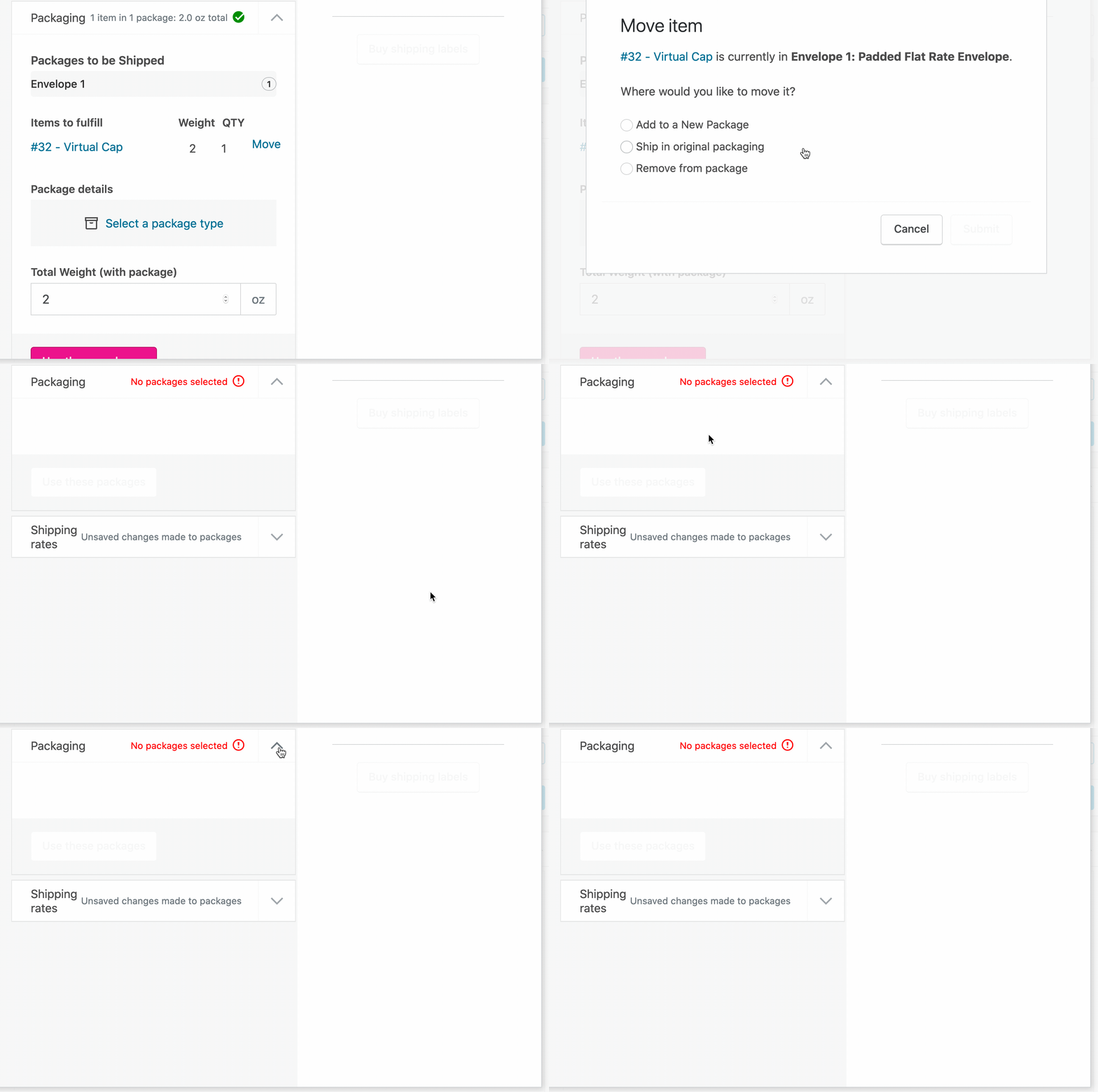
The only way to resolve this is to refresh the order page.
 c-shultz
All 9 comments
Currently, if we remove the items from the package, we can't add them back. The best we could do is display something like this:
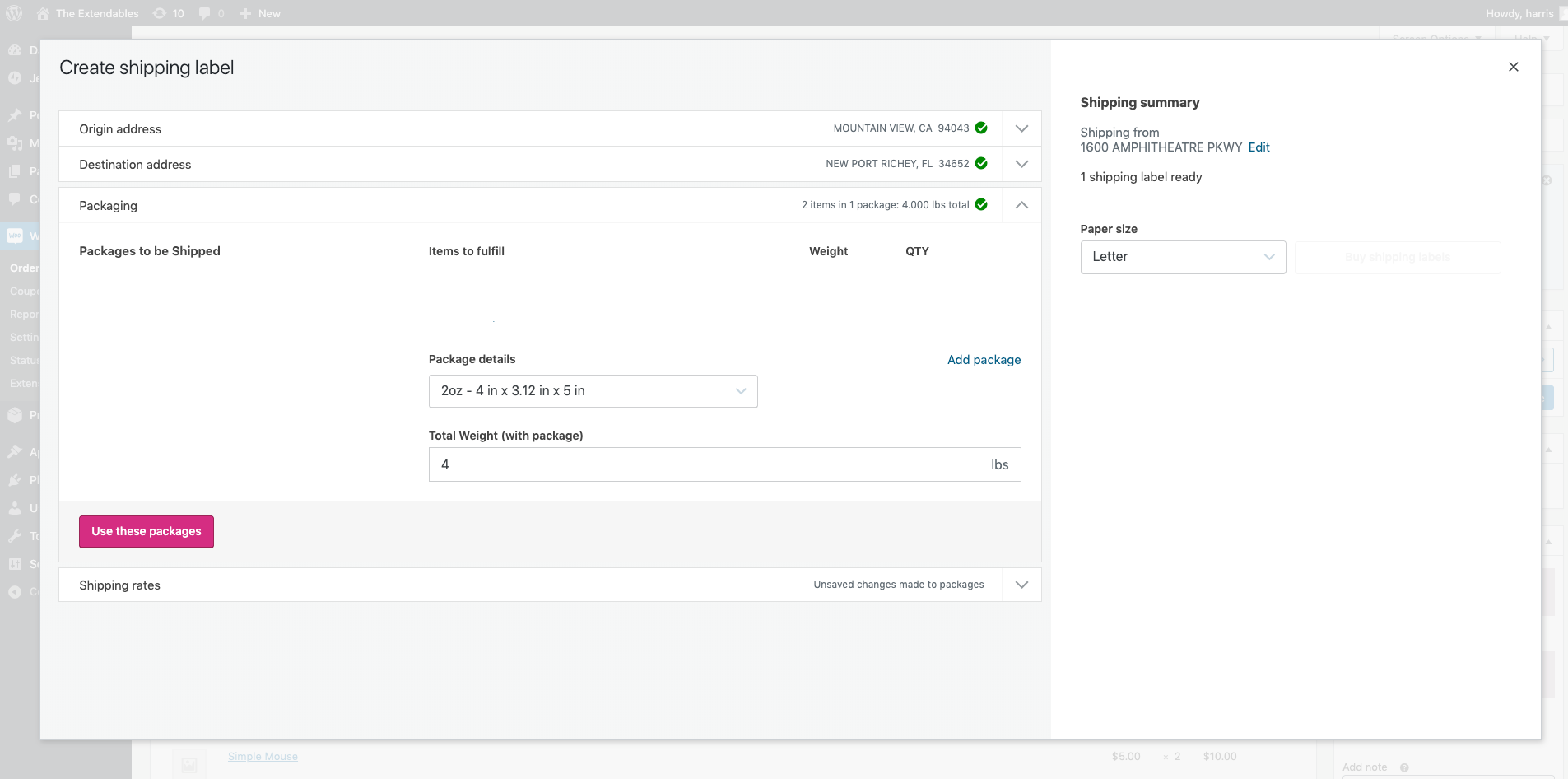
The area under "Packages to be Shipped" will be empty, and "Items to fulfilled" would also be empty. The users won't be able to do anything beside new package. Creating new package simply adds a "Custom package" to the drop down, not creating a packaging in the list.
I think this modal will be more useful if we can have some ways to display items that are not part of any package, and allow user to add items to new packages.
Once we have the above, then we can fix this issue.
 harriswong
on 23 Jan 2020
harriswong
on 23 Jan 2020
As an interim solution until we can organize this area a bit better, we could add an item for unpackaged items to the list on the left. Click through the prototype here.
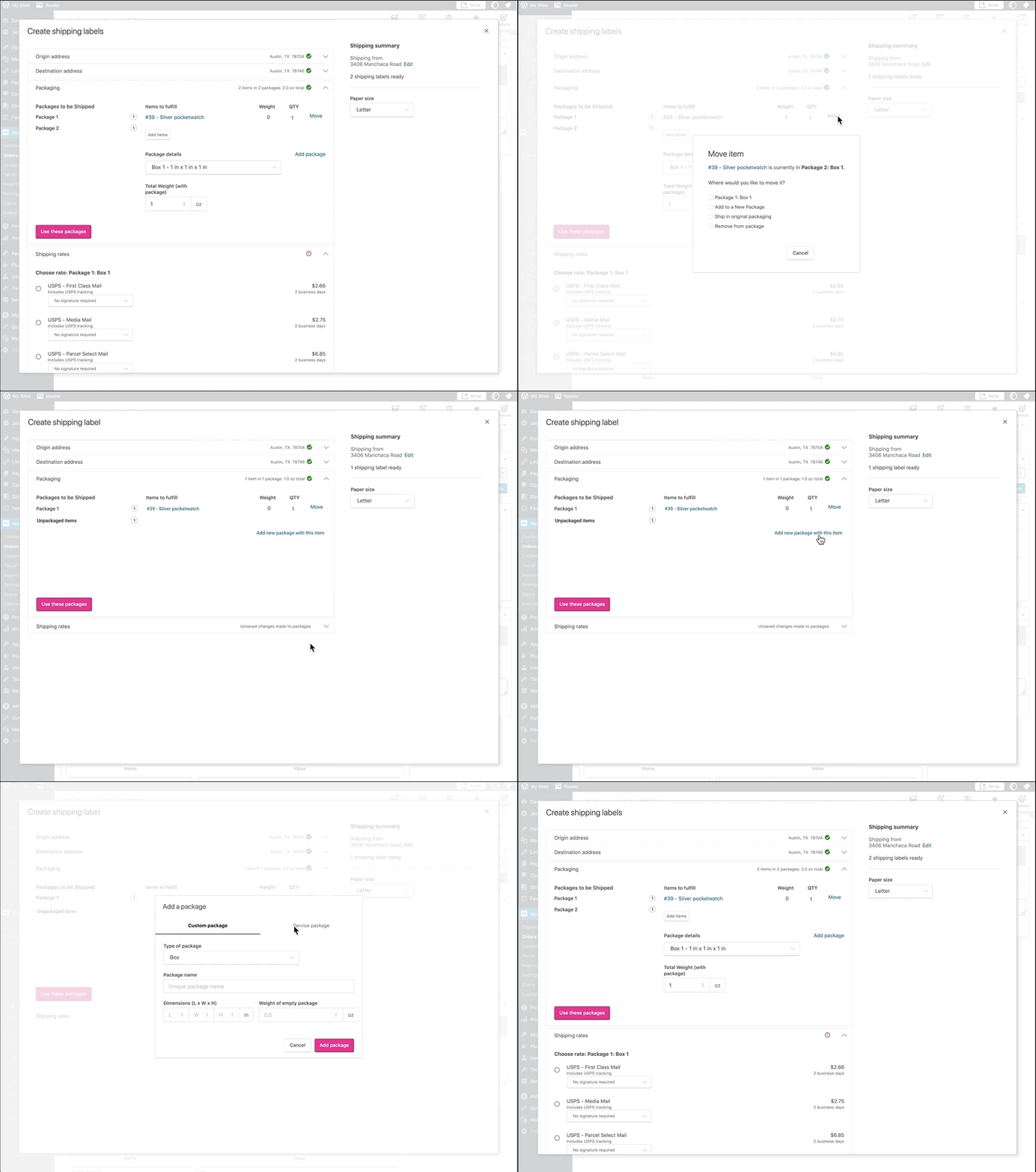
- When an item is removed from a package, it's added to a new "Unpackaged items" area.
- From the "Unpackaged items" list, you can choose to "Add new package with this item/these items"
- Clicking that will create a new package with the items and the "Unpackaged items" area is removed.
 elizaan36
on 23 Jan 2020
elizaan36
on 23 Jan 2020
We had a discussion at the dev round table this morning and we decided to move ahead with the design above.
Currently, the "Add package" inside "Package 2" adds a new "Package" option into "Custom package" in the drop down, it doesn’t actually move item into any packages.
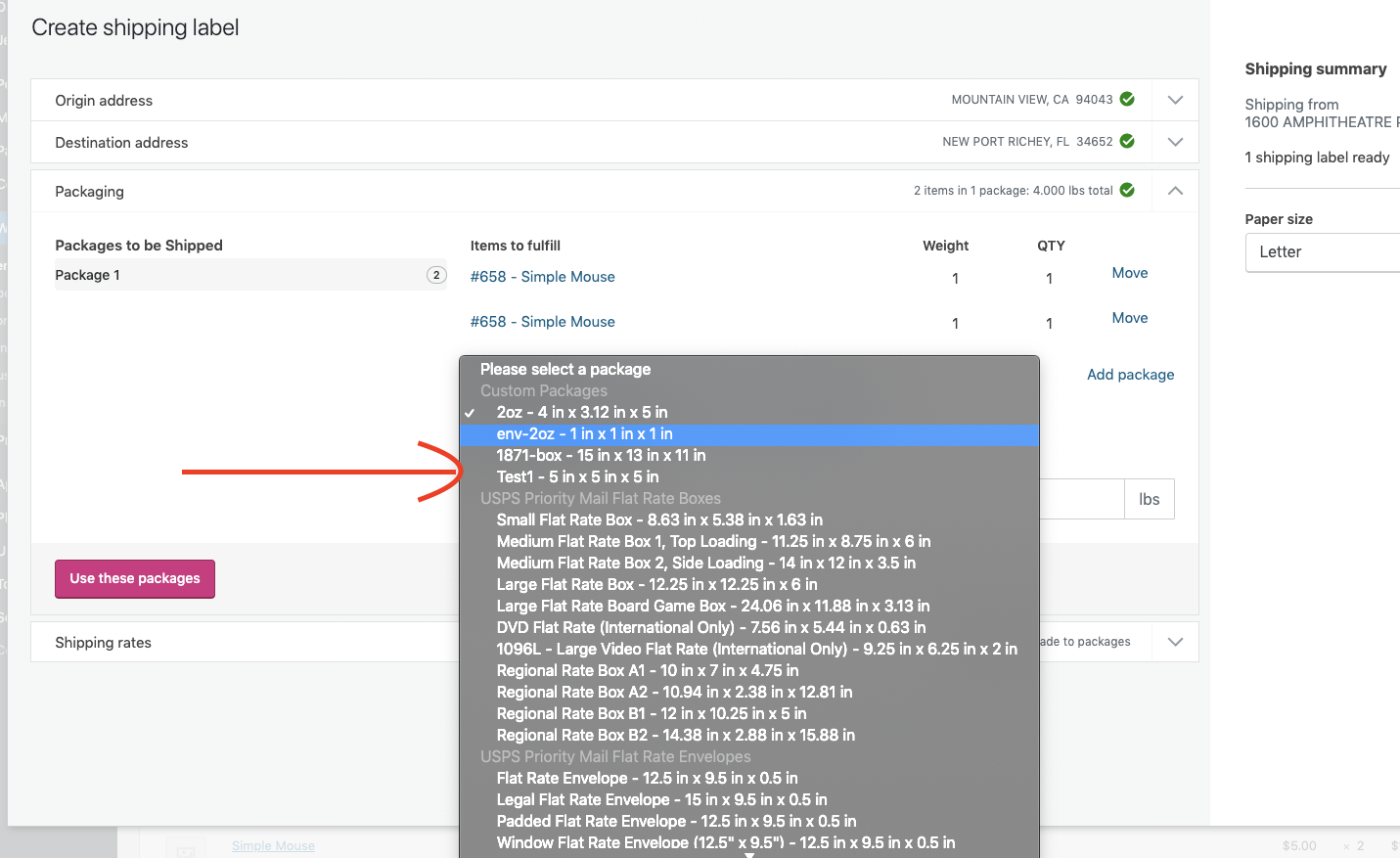
This "Add a package" modal looks like this, it will just add to the custom package drop down. So it has the dimension and weight.
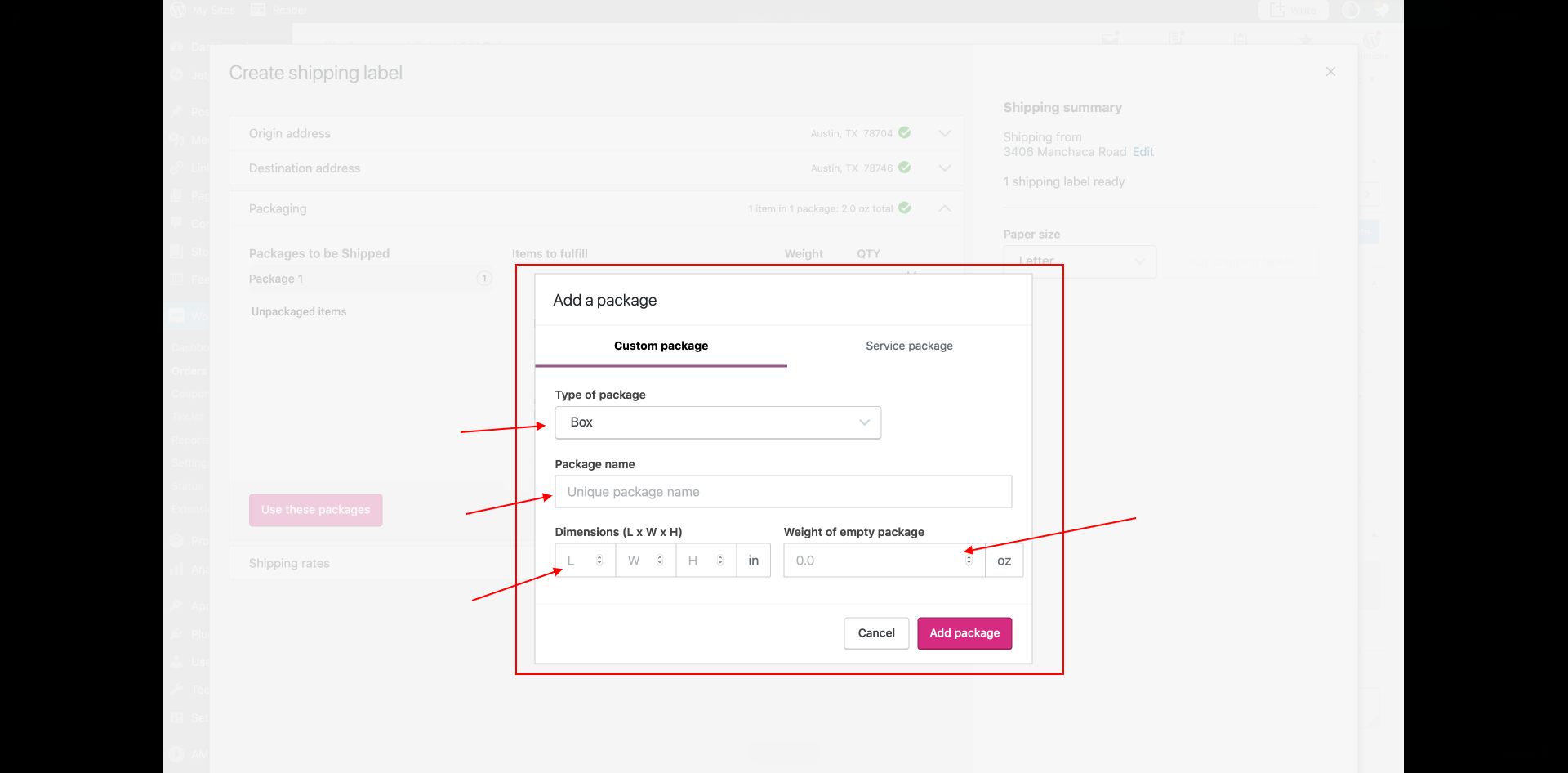
In the gif above, the "Add new package with this item" opens up the same modal as "Add package", but the "Add new package with this item" actually add items and create "Package 2" on the side.
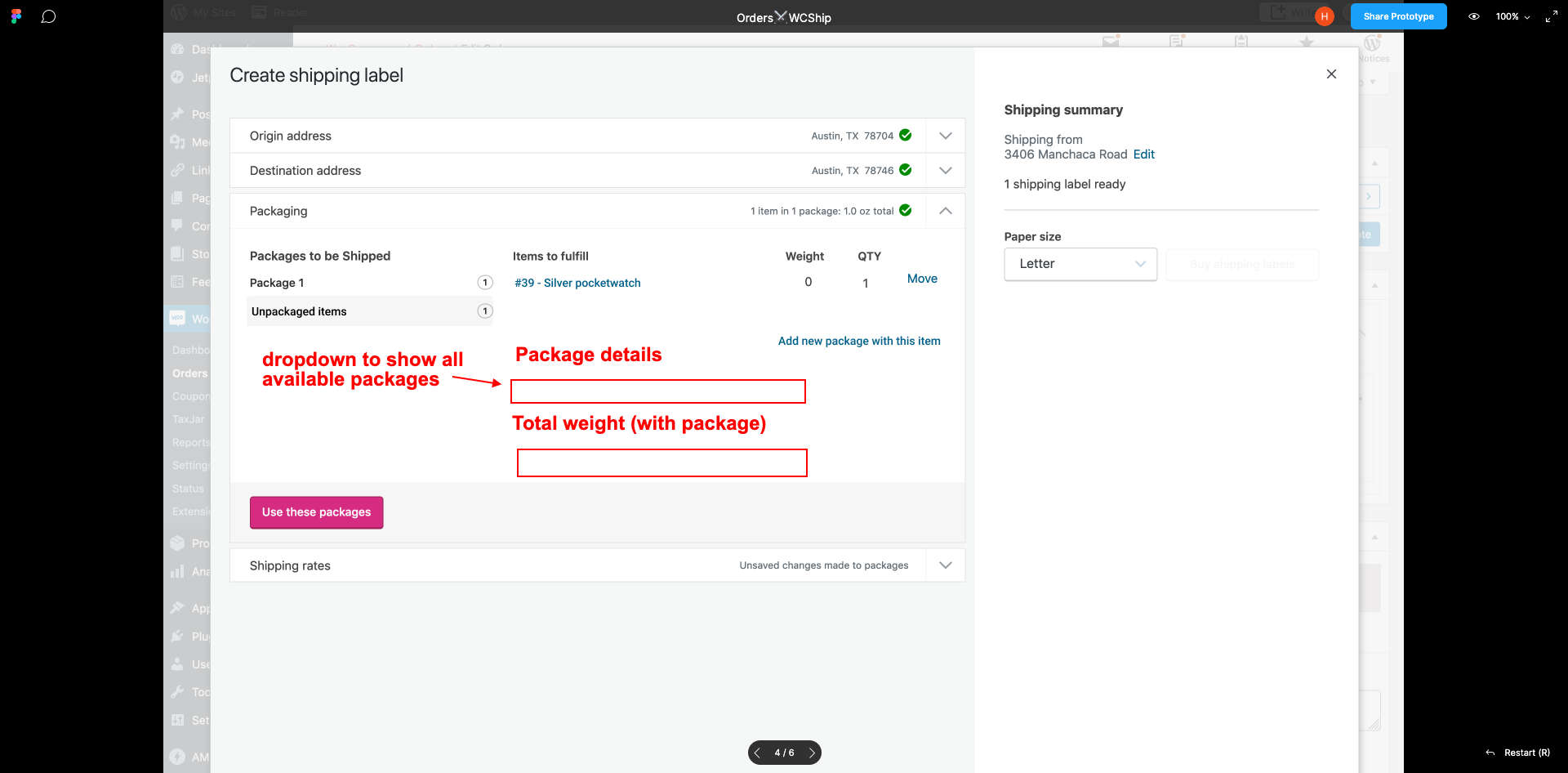
Instead of popup the modal upon clicking "Add new package with the item", maybe we can add these 2 fields back and it will create a "Package 2" on the side? Something like this:
harriswong
on 23 Jan 2020
Instead of popup the modal upon clicking "Add new package with the item", maybe we can add these 2 fields back and it will create a "Package 2" on the side
From what I understand, when "Add new package with the item" is clicked, the "Unpackaged items" would change to "Package 2" and those two fields would appear. That seems reasonable to me, just a couple questions.
- Is there any reason why we can't use this suggested pattern for consistency with the regular "Add package" link, rather than opening the modal? Looks like there are a lot more options in the modal - would merchants need to choose from those details when creating the new package?
- Do we have defaults for the last package selected so we could pre-fill those fields?
Pinging @laurendavissmith and @aleftick here too, since adding this "Unpackaged items" area would allow for partial fulfillment. To keep the status automation simple though, we could maintain the "Processing" status until all items in the order have been fulfilled.
elizaan36
on 24 Jan 2020
If I understand the figma click through correctly; when "Add new package with the item" is clicked, the "Add package" dialog pops up. Then in this dialog, clicking "Add package" will create "Package 2"?
And this popup dialog will share the same consistency as the "Add package" link.
There is no reason why we can't use the suggested pattern for UI consistency. As long as we are fine with them having different behaviours.
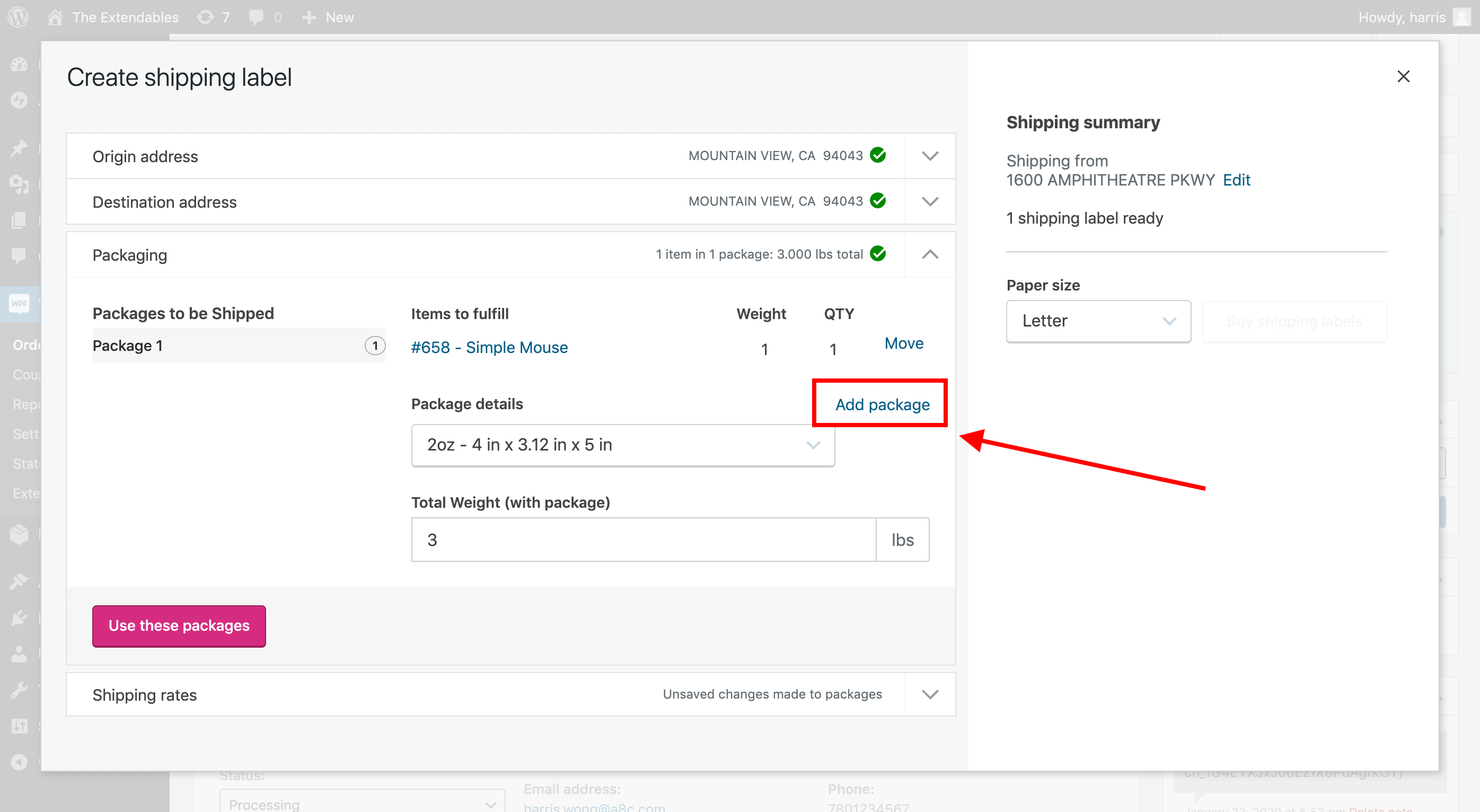
This "Add package" link (in the screenshot below) opens up a dialog to allow merchant to create a custom package option. It does not add item into package.
This "Add new package with this item" link (in screenshot below) opens up the same dialog, but adds an item to a package to the left column. It doesn't create a "custom package"
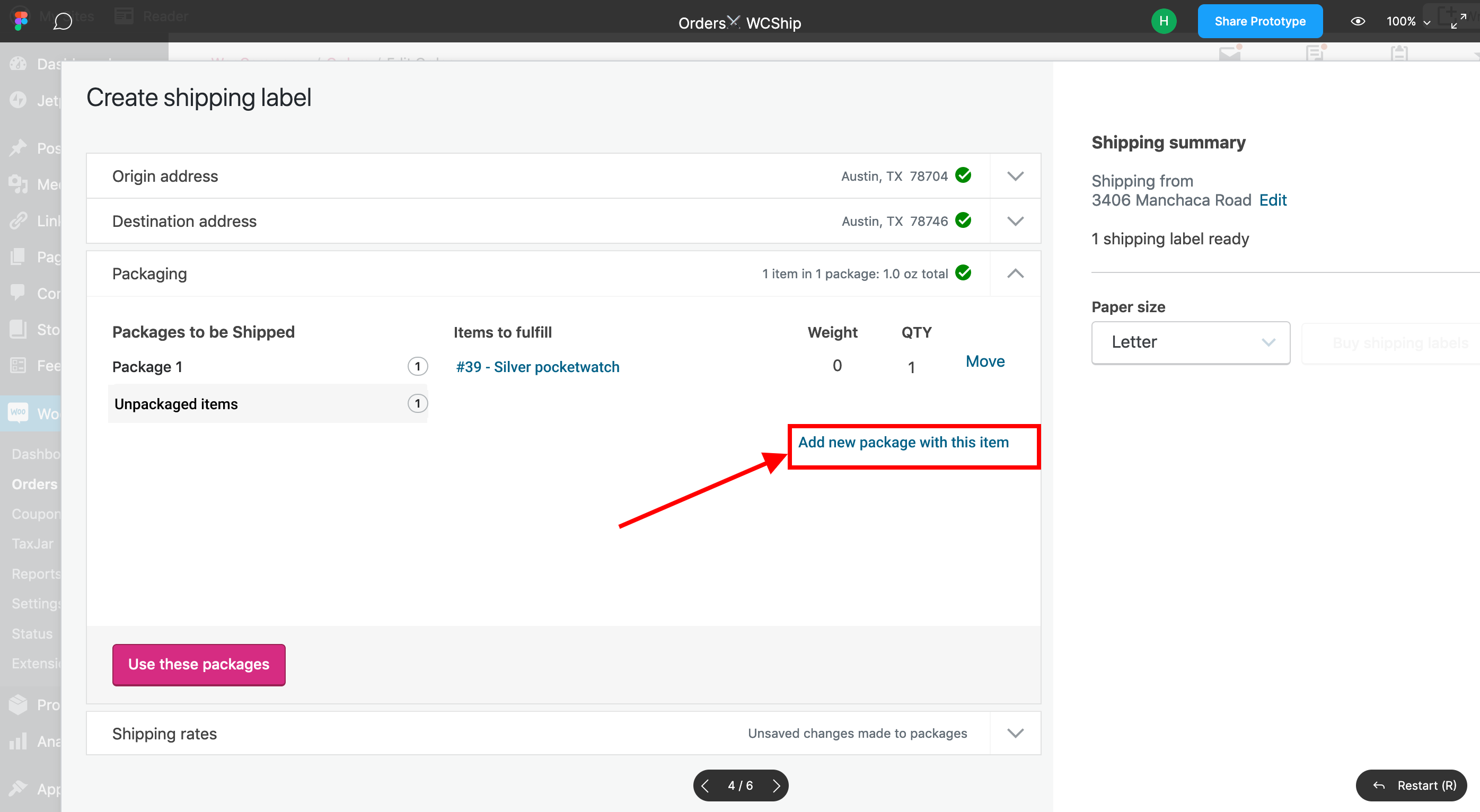
I wanted to point out that these 2 dialogs do 2 different things. And if we are okay with them using the same dialog, then we can build that. This may sound confusing so please feel free to ping me on slack if you would like me to demo what I meant.
harriswong
on 24 Jan 2020
Marking this as blocked. @aleftick plans to look into the history of the Remove from package to determine next steps. One possible path forward is remove that functionality until we can prioritize addressing partial fulfillment more holistically.
c-shultz
on 27 Jan 2020
harriswong
on 27 Jan 2020
@c-shultz found when and why we added Remove from package. 🙇 It was in issue #1811.
I see how that originated and the solution makes sense. However, it gets us into partial orders. That scenario also existed prior to the Penguin release and didn’t seem to come up in customer feedback. It’s a pretty edge case.
I feel comfortable for us removing the Remove from package option. WCShip won’t formally handle partial orders until we have a more holistic approach. Something we will tackle in due-time.
However, merchants can still buy a label for their partial orders. It's a workaround. They can override the package weight to reflect what they're actually shipping and print a label accordingly.
 aleftick
on 31 Jan 2020
aleftick
on 31 Jan 2020
PR: #1886
@harriswong - It's a good solution however it creates a few challenges for us:
- We don't have a partially fulfilled status or a way to track what is left to fulfill the next time they come to print a label for the remaining items. That might confuse merchants.
- More importantly, we want to add a new capability that isn't really compatible with this fix. We want to help automate the flow by having an opt-out option to mark the order fulfilled and email the shipping confirmation to the shopper. This fix with that new feature would likely create confusion.
Hence we need to look at partial order and partial fulfilment in a more holistic way.
aleftick
on 31 Jan 2020
Related issues
 nabsul
·
3Comments
nabsul
·
3Comments
 allendav
·
4Comments
allendav
·
4Comments
 jobthomas
·
3Comments
jobthomas
·
3Comments
 tijosh
·
5Comments
allendav
·
6Comments
tijosh
·
5Comments
allendav
·
6Comments