Woocommerce-admin: SummaryNumber component displays "N/A" when there is no delta
Describe the bug
According to the documentation for the SummaryNumber component, for the delta props, it says "If omitted, no change value will display".
When I use it in my project, it displays "N/A" in the UI when there is no delta.
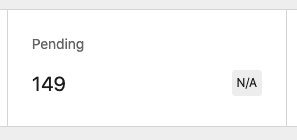
Expected behavior
Do not display "N/A" when there is no delta.
 ecgan
ecgan
All 12 comments
Hey @elizaan36 curious if you have any thoughts on this one? I suppose @LevinMedia might because I'm guessing we purposely opted to show n/a when no delta exists. Seems like we could update the documentation accordingly, or possibly add in a prop to allow for further customization, or change the default behavior.
 timmyc
on 8 Dec 2020
timmyc
on 8 Dec 2020
I'm seeing this in the SummaryNumber component when there's no delta - it shows 0%. I haven't seen the N/A before, curious how would you get that?

 elizaan36
on 9 Dec 2020
elizaan36
on 9 Dec 2020
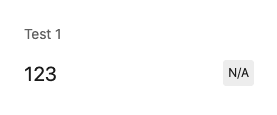
@elizaan36 , I'm using @woocommerce/components npm package current version 5.1.2, and below is a sample component to demonstrate this issue:
const Summaries = () => {
    return (
        <SummaryList>
            { () => {
                return <SummaryNumber label="Test 1" value={ 123 } />;
            } }
        </SummaryList>
    );
};
Screenshot:
ecgan
on 9 Dec 2020
thanks for that context, and for bringing up this issue @ecgan !
I think the component should read 0% by default when there's no delta, rather than N/A. In that case we'd need an update to the component and docs. @timmyc what do you think?
elizaan36
on 10 Dec 2020
@elizaan36 , can we put in a way to make it not to display anything? e.g. display nothing by default or by passing delta=""? I like to have that kind of control. By not forcing a "percentage" display, it opens up for more possibility and reuse.
ecgan
on 11 Dec 2020
@ecgan can you share with us some details around how you are planning to use this without a delta? I think that might help us arrive at the best solution.
But definitely we can make any changes that you need, just wanting to make sure we do the right thing that helps you and other devs utilize this component better.
-- edit --
Also totally cool with you doing a PR with an implementation of a false prop being passed as delta and then having it not render at all.
timmyc
on 11 Dec 2020
@timmyc , we would like to use this to display a _current status_ of things, see a sample screenshot below:
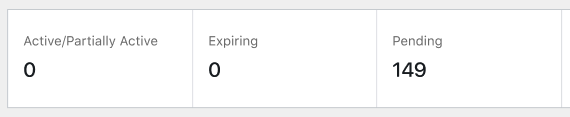
For our use case here, we don't have previous values (they are always current values) and therefore there is no delta.
Also totally cool with you doing a PR with an implementation of a false prop being passed as delta and then having it not render at all.
I would love to, but right now I got to prioritize my commitment in my project first 😄
ecgan
on 14 Dec 2020
Thanks @ecgan that is very helpful! Are you able to work around this bug using css perhaps? Just want to make sure you aren't blocked by this - if it is a blocker for you, please let me know and we can try and get someone to work on the component update.
timmyc
on 16 Dec 2020
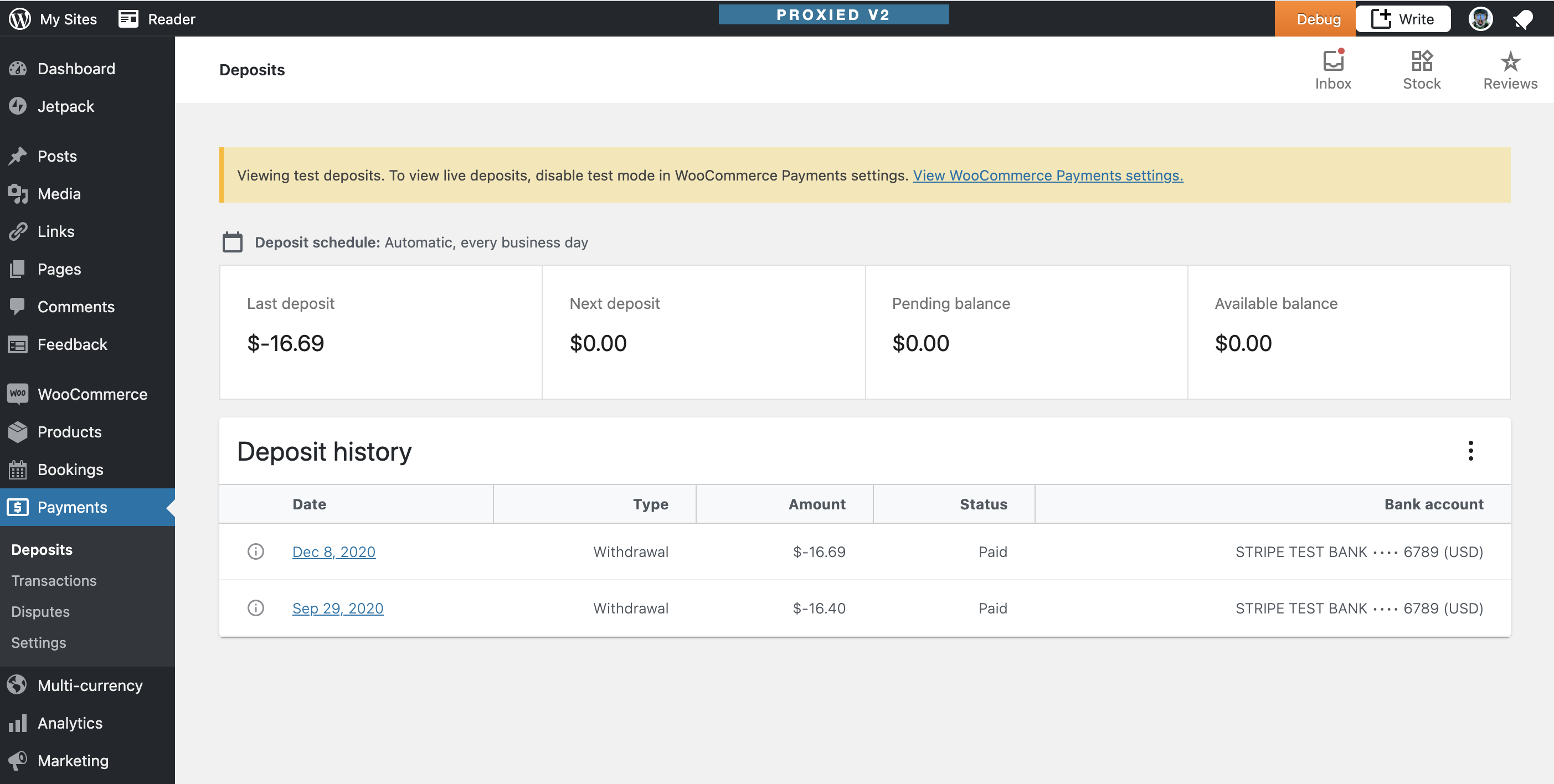
@timmyc @elizaan36 I'm wondering if we could maybe recycle or suggest using whatever technique WCpay has done regarding the "Summary Numbers" on the deposit details screen... There's no delta to display there, just the labels and numbers. Unfortunately I'm not exactly sure where the code is in that repo - but it looks similar to what @ecgan is looking for:
 LevinMedia
on 16 Dec 2020
LevinMedia
on 16 Dec 2020
I did a little digging, and I'm pretty sure WCpay his hiding it using CSS:
LevinMedia
on 16 Dec 2020
@timmyc , no worry, it's not a blocker for me, I created this GitHub issue so that there can be a future bug fix / enhancement. Yeah I can work around it using CSS.
@LevinMedia , thanks for the suggestion and digging the code 🙂 👍
ecgan
on 16 Dec 2020
To circle back on this, it seems that we could:
- if
falseis passed in as the delta value, don't show the delta (note: this needs to be a===check) - rework and clarify the documentation on the delta value
 becdetat
on 18 Dec 2020
becdetat
on 18 Dec 2020
Related issues
 pmcpinto
·
4Comments
pmcpinto
·
4Comments
 JoshuaGoode
·
3Comments
timmyc
·
4Comments
JoshuaGoode
·
3Comments
timmyc
·
4Comments
 joshuatf
·
3Comments
joshuatf
·
3Comments
joshuatf
·
3Comments
joshuatf
·
3Comments