Woocommerce-admin: Icon issue in Recommended Coupon Extensions
Describe the bug
After activating WooCommerce Admin, the icons in the Recommended Coupons Extensions look different from before and not showing up correctly on hover.
To Reproduce
Steps to reproduce the behavior:
- Have WooCommerce activated and WooCommerce Admin deactivated.
- Go to http://example.test/wp-admin/edit.php?post_type=shop_coupon
- Take note of the icons and their hover state in the Recommended Coupon Extensions section. The icons have borders and they have blue background in hover state.
- Activate WooCommerce Admin plugin.
- Go to http://example.test/wp-admin/edit.php?post_type=shop_coupon
- The icons do not have borders. When you hover over the items, the icons disappear.
Expected behavior
At least icons should not disappear on hover.
Screenshots
Before activating WooCommerce Admin (the Personalized Coupons is in hover state):

After activating WooCommerce Admin (icon disappear on hover):

Desktop (please complete the following information):
- OS: Mac OS
- Browser [e.g. chrome, safari]: FireFox
- Version [e.g. 22]: 81
Additional context
The site is create using Valet+, with fresh new git clone of WooCommerce and WooCommerce Admin.
 ecgan
ecgan
All 7 comments
Just noting that I couldn't replicate.
Potentially related to changes in https://github.com/woocommerce/woocommerce-admin/commit/7c1299c5e2b088d29d8158a3ad806672ef1d14ef#diff-565206e9c8260d12438231620ec3e6b8349464bc599bdee42b6cd11555fcc6a3 (css variables not working?) or something else causing the styles to not be applied
 jconroy
on 21 Oct 2020
jconroy
on 21 Oct 2020
Hey @becdetat just thought I'd see if you had any insight on this one - (based purely on your chiming in re: styles here)
I did some digging and some people on our team saw similar issues previously with using the css variables - I couldn't replicate the issue previously either and decided to stick with the old approach that seemed to work for most people.
jconroy
on 22 Oct 2020
Some findings:
When you have WooCommerce plugin activated and WooCommerce Admin deactivated, things are working as expected. There is a CSS stylesheet loaded with the following rule:
Stylesheet URL: http://ganwp1.test/wp-content/plugins/woocommerce/packages/woocommerce-admin/dist/marketing-coupons/style.css?ver=1.6.2
:root {
  --wp-admin-theme-color:#007cba;
  --wp-admin-theme-color-darker-10:#006ba1;
  --wp-admin-theme-color-darker-20:#005a87
}
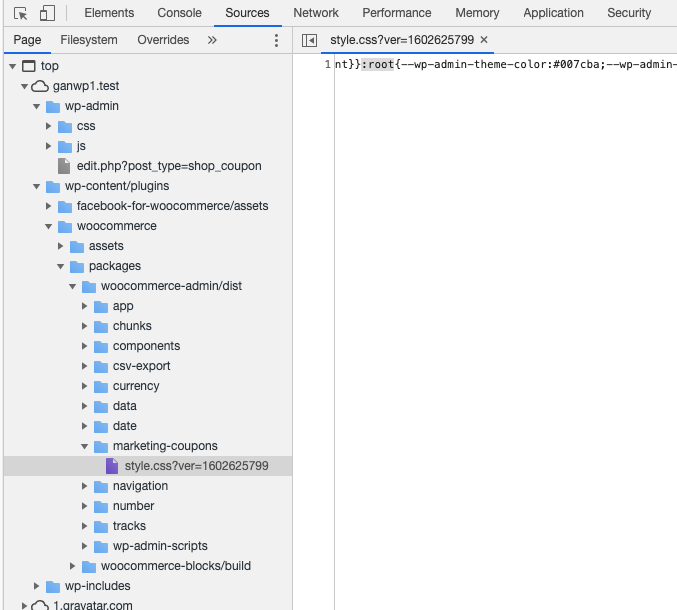
The icons would show up with WP admin theme color.

When you have the WooCommerce Admin activated, the above stylesheet is not loaded, and there is another new stylesheet, and there is no rule for :root.
New stylesheet URL: http://ganwp1.test/wp-content/plugins/woocommerce-admin/dist/marketing-coupons/style.css?ver=1602685252
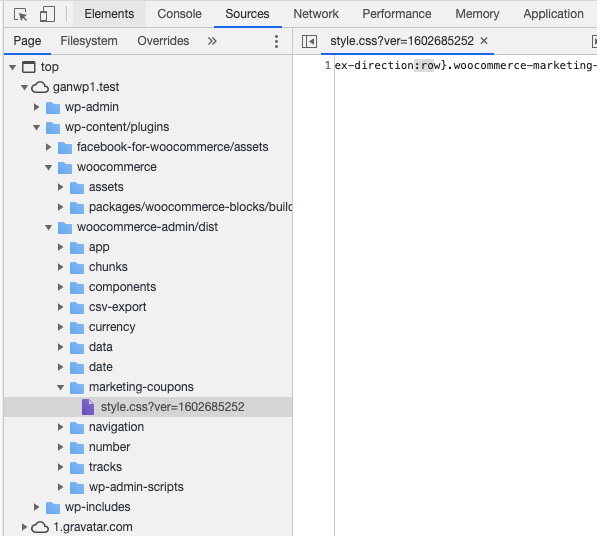
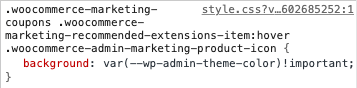
--wp-admin-theme-color is not set, which is why the icons seem to disappear - they are having white background with white text color.
ecgan
on 23 Oct 2020
More findings:
The WooCommerce plugin has the following dependency specified in composer.json file:
"woocommerce/woocommerce-admin": "1.6.2",
So based on this, I checked out WooCommerce-Admin release/1.6.2 branch, and there is no icon UI issue. Same goes with release/1.6.3 branch.
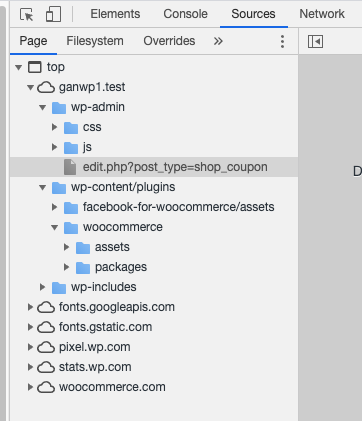
I did a git bisect to try to find out which commit causes the issue, with release/1.6.3 as the good commit and main branch (commit 38ceacedf) as the bad commit. For each commit that was being tested, I ran npm install, composer install and npm run build. Turns out the bad commit that introduces the icon issue is f6f376b6 which is to update version to 1.7.0-dev.
Just realized the message above might have been wrong. The commit prior to f6f376b6 is 2e311ef7, and it has version number 1.6.0-dev. Because it is lower than 1.6.2 as stated in the dependency above, the code for the WooCommerce-Admin plugin is not loaded at all, which is why it was working and there was no icon issue for commit 2e311ef7. The problem might be caused by other things and not f6f376b6.
ecgan
on 26 Oct 2020
@jconroy, sorry I took so long to reply.
Hey @becdetat just thought I'd see if you had any insight on this one
No, sorry, I don't. I just knew that we were preferring variables over hard-coded ones.
We are seeing an issue with styling that could be related to this but it seems unlikely.
 becdetat
on 27 Oct 2020
becdetat
on 27 Oct 2020
More findings / root cause of the issue:
By using git bisect and looking into the http://ganwp1.test/wp-content/plugins/woocommerce-admin/dist/marketing-coupons/style.css file, the problem is introduced in the commit c27e2660 which changes the "@wordpress/base-styles" dependency from "2.0.0" to "3.1.0". In the package version 2.0.0, the file _mixins.scss has the following code:
:root {
    @include admin-scheme(#007cba);
}
In version 3.1.0, the code is no longer there in _mixins.scss but moved to _default-custom-properties.scss. This is done in Gutenberg's PR #24408 and then PR #24890. This is why the marketing coupons CSS file end up missing the value for --wp-admin-theme-color.
ecgan
on 28 Oct 2020
Nice work @ecgan 🙇
jconroy
on 29 Oct 2020
Related issues
 timmyc
·
4Comments
timmyc
·
4Comments
 jessepearson
·
4Comments
jessepearson
·
4Comments
 dechov
·
3Comments
dechov
·
3Comments
 LevinMedia
·
3Comments
LevinMedia
·
3Comments
 jeffstieler
·
3Comments
jeffstieler
·
3Comments