Woocommerce-admin: [GlobalStep - WooCommerce 4.6 Beta 1][iOS] Website fails to display "Install" button for mobile app banner.
Bug Description:
Website fails to display "Install" button for mobile app banner
Environment:
iOS
Devices: iPhone 6: 12.4.4 (16G140)
iPhone 11 Pro - v13.2.2 (17B102).
Steps To Reproduce:
- Create a Jurassic Ninja test site
- Install and Activate WooCommerce, Query Monitor and WooCommerce Beta Tester Plugin.
- Switch the version to 4.6.0 Beta 1 with help of WooCommerce Beta Tester plugin
- Login to the Jurassic Ninja Site on any one of the iPhone-Safari browser
- Go to WooCommerce->Home
- Note that "View" banner is displayed, after clicking on View, user is navigated to AppStore
- After installing the app, re-visit the website on Safari, note that "Open" banner is displayed
- Refresh the page and note that banner disappears.
- Observe that website fails to display "Install" button for mobile app banner
Note:
On iPhone- Website displays "WooCommerce" banner instead of "Run your Store Anywhere" banner.
Actual Result:
Website fails to display "Install" button for mobile app banner
Expected Result:
As per the document, Website should display "Install" button for mobile banner.
Artifacts:
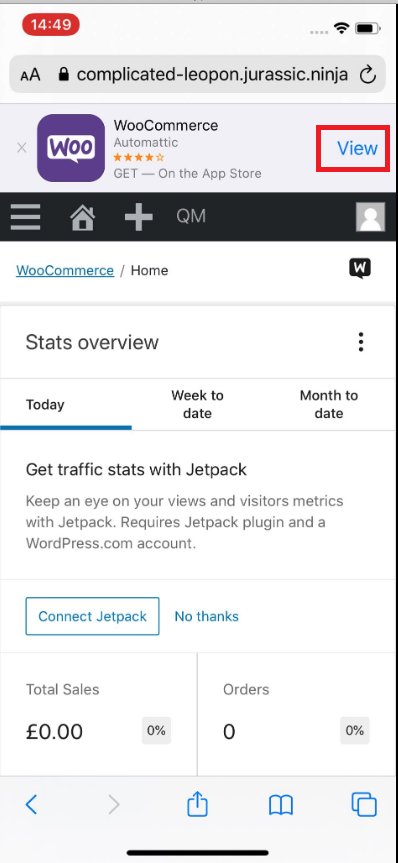
Isolating the problem (mark completed items with an [x]):
- [ ] I have deactivated other plugins and confirmed this bug occurs when only WooCommerce plugin is active.
- [ ] This bug happens with a default WordPress theme active, or Storefront.
- [x] I can reproduce this bug consistently using the steps above.
 gglobalstep
All 5 comments
Hi @gglobalstep
Thank you for reporting the issue. WooCommerce Admin is being developed in another repository: https://github.com/woocommerce/woocommerce-admin.
I am going to move your bug report there so that the right team could take a look further.
I was able to see the correct Banner on an Android device. I was only able to test a iOS device using BrowserStack and no banners were displayed however perhaps this is due to the BrowserStack device config.
 tammullen
on 24 Sep 2020
tammullen
on 24 Sep 2020
@samueljseay I _think_ this is working as designed but wanted to verify with you.
 timmyc
on 24 Sep 2020
timmyc
on 24 Sep 2020
Hey folks, yes this is working as designed. On Apple devices we display the "Smart App Banner", which is content that Apple controls and is linked directly to the WooCommerce store listing. Sorry for the confusion.
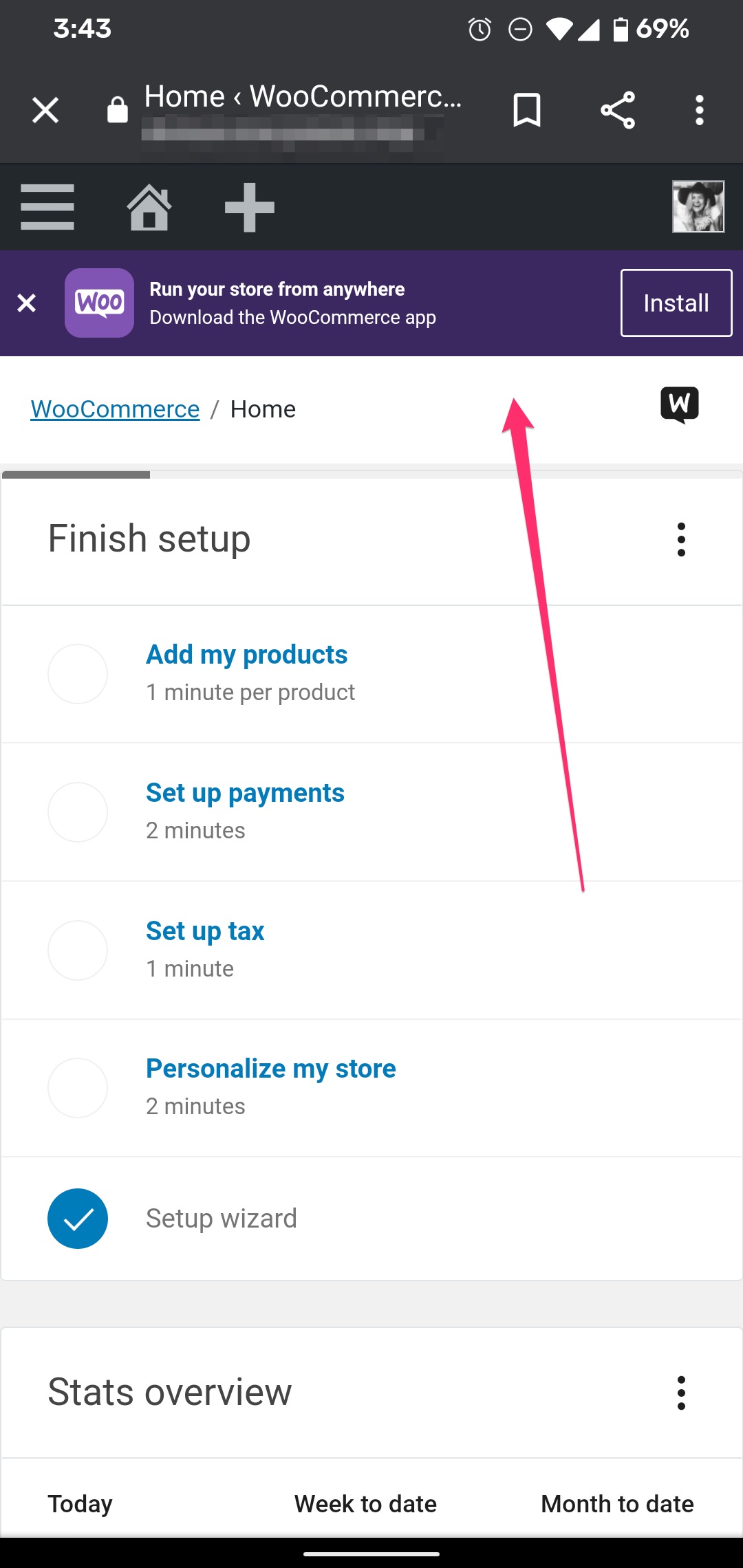
The custom banner we made ourselves (the one with the install button) should show on Android devices.
CC @timmyc
 samueljseay
on 24 Sep 2020
samueljseay
on 24 Sep 2020
Noting here that I tested it as wel and confirm that there is a prompt to Install the app on the Android device. But on iOS, there is a banner with a View prompt.
Android:
iOS:
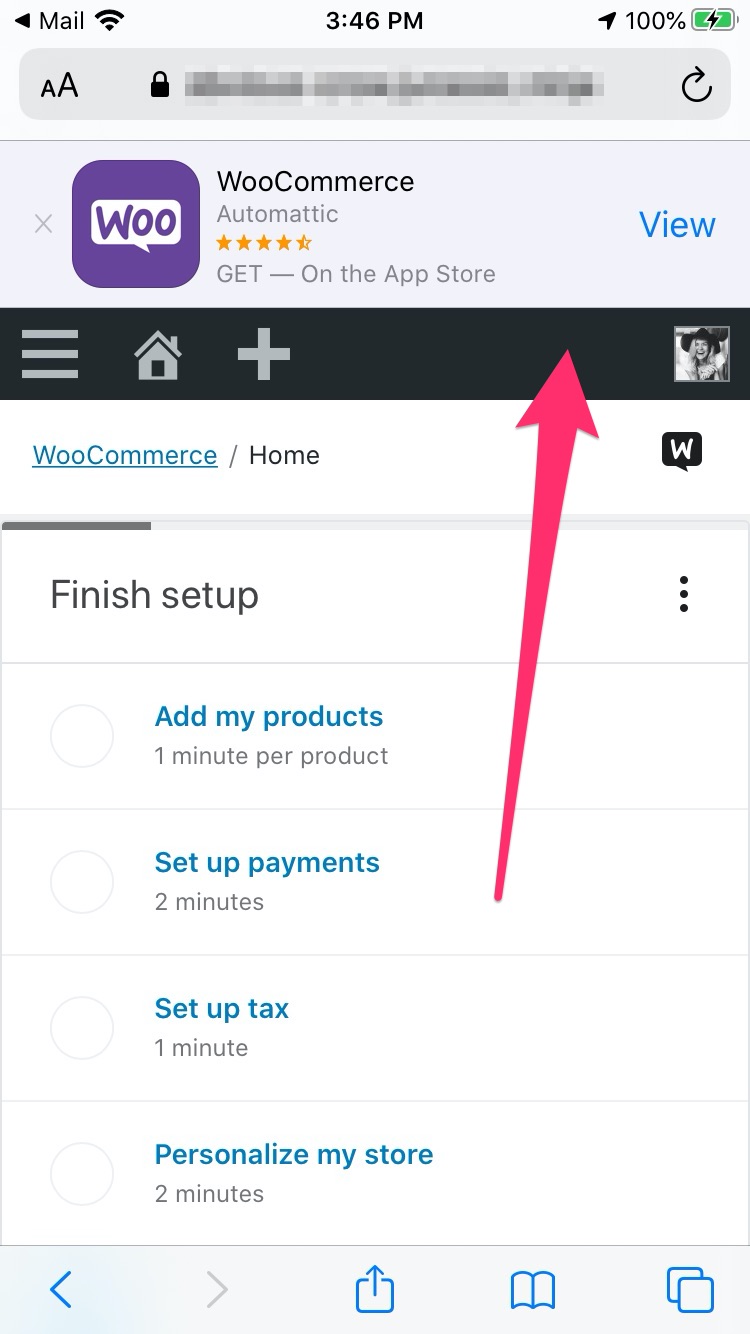
Both are expected as mentioned by @samueljseay.
 juliaamosova
on 24 Sep 2020
juliaamosova
on 24 Sep 2020
Closing this since it's working as designed/expected.
 jeffstieler
on 25 Sep 2020
jeffstieler
on 25 Sep 2020
Related issues
jeffstieler
·
3Comments
 joshuatf
·
3Comments
timmyc
·
3Comments
joshuatf
·
3Comments
timmyc
·
3Comments
 LevinMedia
·
3Comments
LevinMedia
·
3Comments
 peterfabian
·
3Comments
peterfabian
·
3Comments