Woocommerce-admin: Clicking continue on set store location task list step triggers console error
Describe the bug
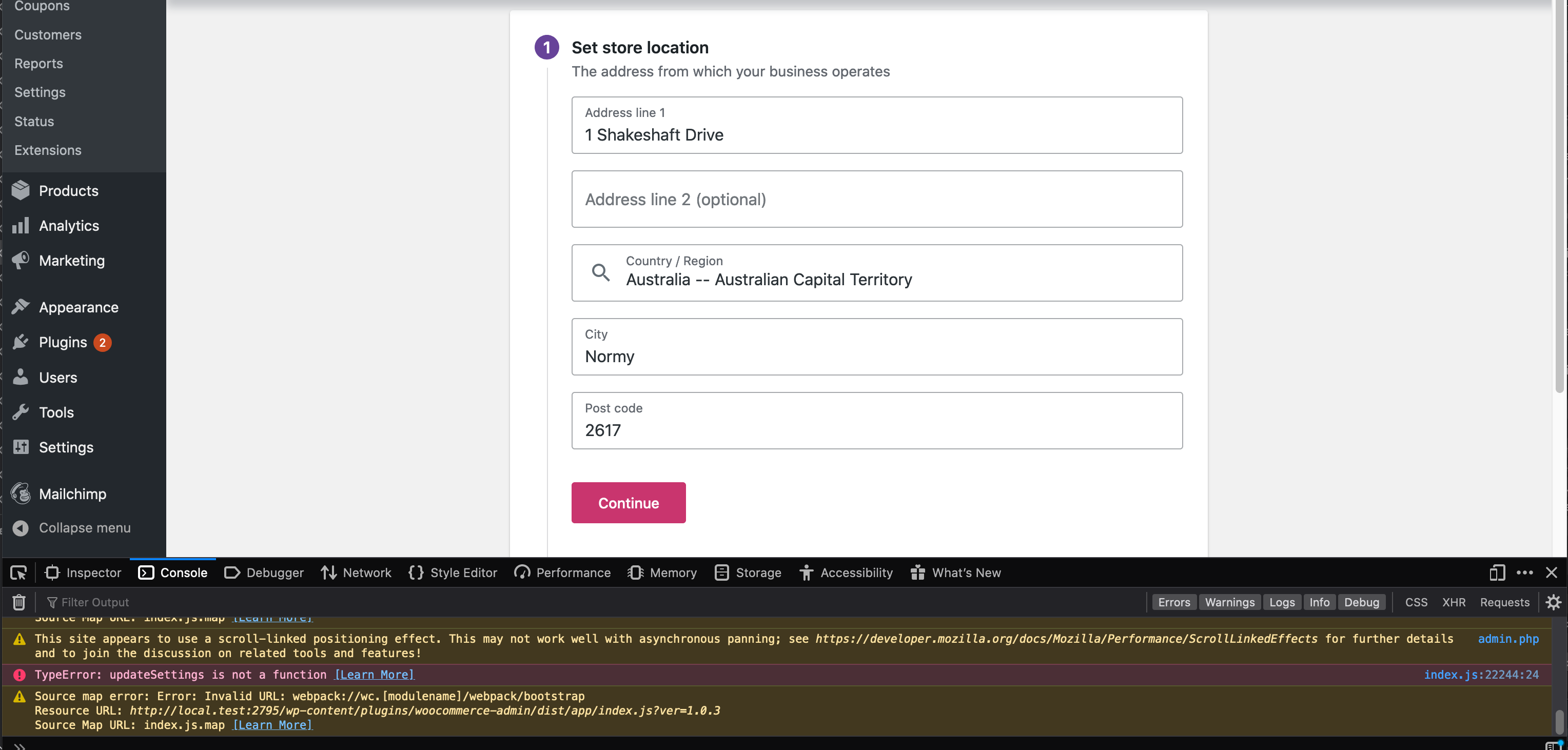
Working through the onboarding task list when I click the "Continue" button on the "Set Store Location Step" I get the following console errors on master.
Production Build:
TypeError: i is not a function
Development Build:
TypeError: updateSettings is not a function
Expected behavior
I continue to the next step.
Screenshots
Desktop (please complete the following information):
- OS: macOS
- Browser firefox dev edition
- Version 5.0b10
- WooCommerce 4.0.1
I had a look to see if this was a dupe but couldn't see anything - apologies if it is known.
 jconroy
All 7 comments
Hi @jconroy
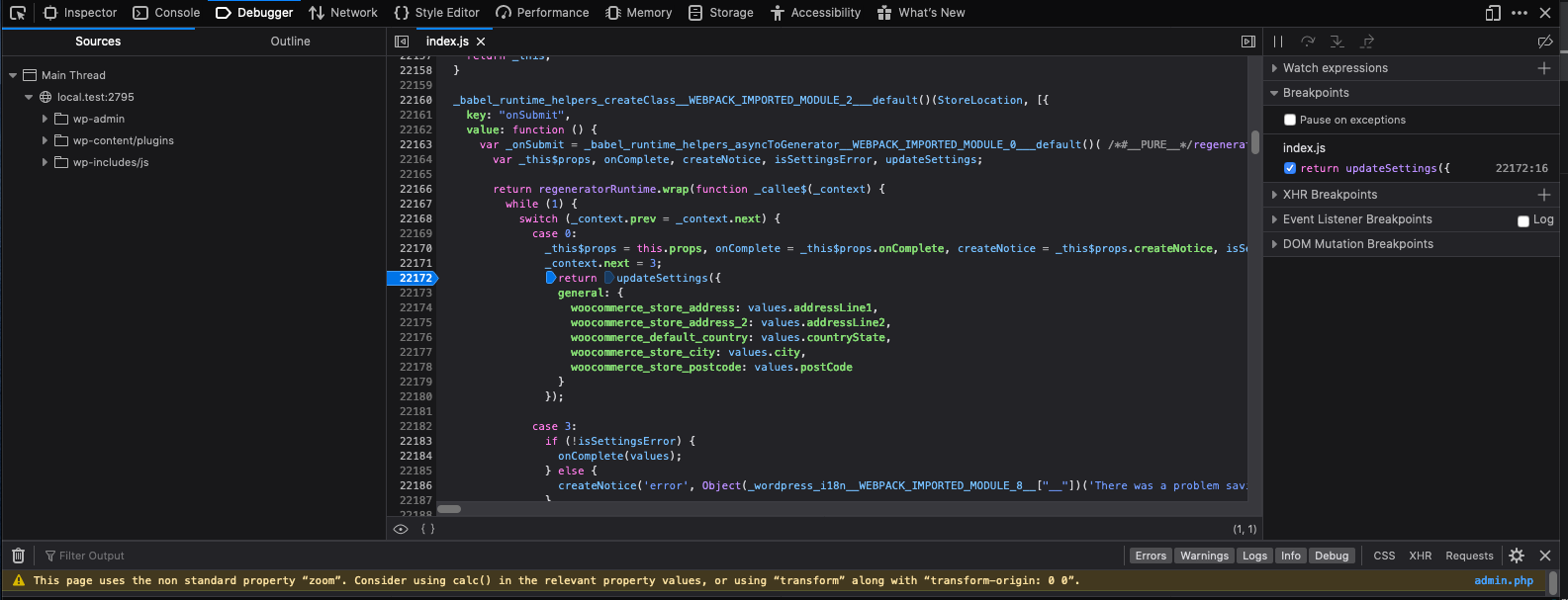
I'm having trouble reproducing this - it works fine in Firefox for me. Can you navigate to index.js:22244 and post a screenshot of the script? I might be able to find the right place to look from there.
Thanks
 becdetat
on 2 Apr 2020
becdetat
on 2 Apr 2020
Hi @becdetat sorry for the delay. I updated to latest master to double check - still seeing it (line number is slightly different below but I get the same error).
Here is a screenshot
Only way I get past is if I go to the actual settings page, enter location details and come back
jconroy
on 7 Apr 2020
I can reproduce this...
- Skip initial OBW
- On Dashboard, click _Set up tax_
- Enter store location details, click _Continue_
- Boom!
Investigating a fix!
 mattsherman
on 8 Apr 2020
mattsherman
on 8 Apr 2020
Just noting here that I wasn't able to reproduce this bug using Beta 2. My approach was to visit the Tax step in the Setup Checklist first, and all worked fine for me.
 timmyc
on 9 Apr 2020
timmyc
on 9 Apr 2020
My approach was to visit the Tax step in the Setup Checklist first, and all worked fine for me.
Interesting, I was just working through the list from top to bottom.
At the moment I've got the tax step ticked off and am still seeing it.
jconroy
on 9 Apr 2020
I know @mattsherman was able to reproduce it too. Just finding it odd that it isn't consistent. Seems like the folks helping with some QA on 4.1 haven't hit it either...
timmyc
on 9 Apr 2020
I hit it in "Set up shipping" and "Set up tax" if the conditions to get the store location task to appear are met (no store location set for "Set up tax", also need a physical product in the store to get the store location task to show up in "Set up shipping).
It's just plain broken when you enter an address and click continue -- I don't see, looking at the code, how it would ever succeed if you tried to set the store address from the task list, since it is calling a function prop that doesn't exist!
Also, once I fixed the initial problem of calling the non-existent function, it exposed an issue where the subsequent step was mistakenly skipped over. My WIP PR (#4091) has this mostly working for the "Set up tax" flow. I need to tidy up some loose ends in that and do a similar fix in "Set up shipping".
I should be able to wrap this up early next week. 🤞
mattsherman
on 9 Apr 2020
Related issues
timmyc
·
4Comments
 KZeni
·
4Comments
KZeni
·
4Comments
 peterfabian
·
3Comments
peterfabian
·
3Comments
 jessepearson
·
4Comments
jessepearson
·
4Comments
 mujuonly
·
3Comments
mujuonly
·
3Comments