Woocommerce-admin: Dashboard not showing any data
Describe the bug
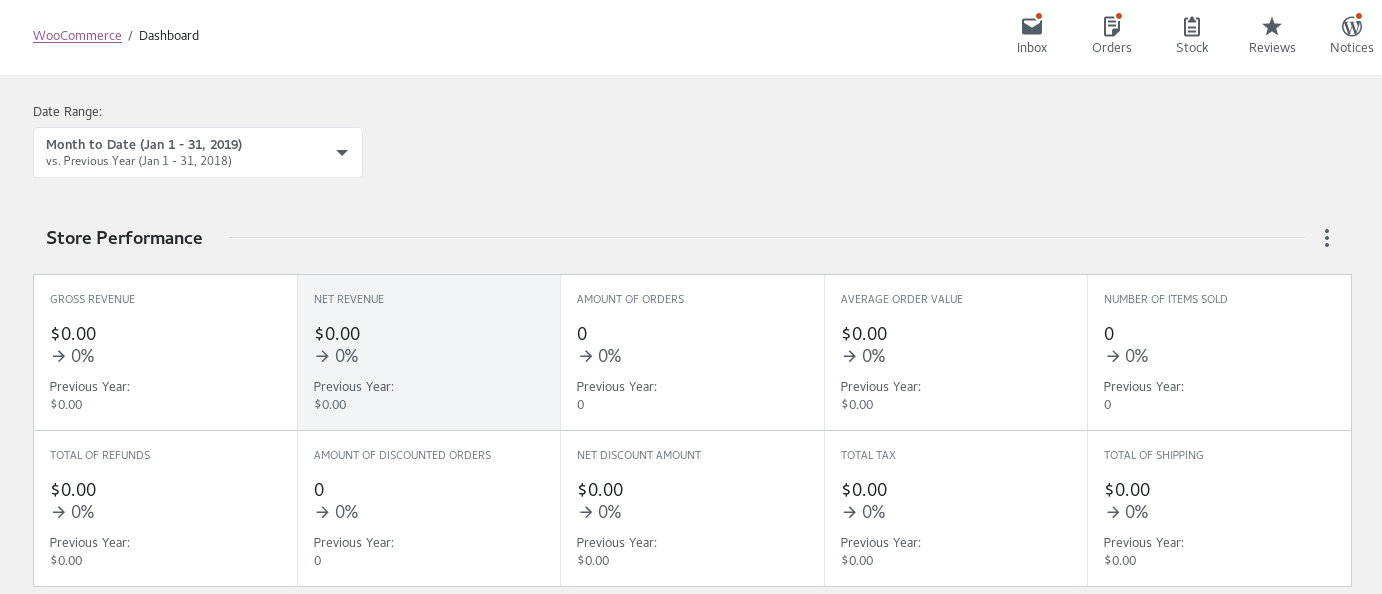
New wc-admin dashboard shows 0 for all fields (orders, customers, products, etc.) even though other WooCoommerce pages show correct data.
To Reproduce
Steps to reproduce the behavior:
- Load wc-admin dashboard and dashboard shows 0 for all data points.
Expected behavior
Dashboard should reflect actual data and not all zeroes.
Screenshots
New wc-admin dashboard:
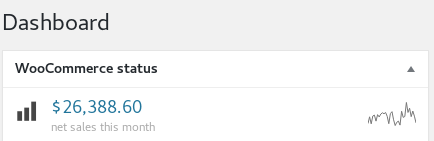
Existing WooCommerce status widget:
Desktop:
- OS: Redhat 7 and Mac OS Mojave
- Browser: Chrome and Firefox (both latest)
Smartphone:
- Device: iPhone XR
- OS: iOS12.1.2
- Browser: Safari
Additional context
WordPress 5.0.3
WooCommerce 3.5.4
I have confirmed via the chrome and firefox debuggers that there are no JavaScript console errors, and all AJAX requests are returning successfully (HTTP 200). However, the AJAX response bodies are showing 0 for all the fields.
For example, for this AJAX call:
/wp-json/wc/v4/reports/orders/stats?after=2019-01-01T00:00:00+00:00&before=2019-01-31T16:54:00+00:00&interval=day&order=asc&per_page=100&_locale=user
The response looks like this:
{"totals":{"net_revenue":0,"avg_order_value":0,"orders_count":0,"avg_items_per_order":0,"num_items_sold":0,"coupons":0,"num_returning_customers":0,"num_new_customers":0,"products":0}, ...
 michael-pratt
All 5 comments
Have you tried the «Rebuild reports data» in the Status->Tools section?
 thomas-zg
on 31 Jan 2019
thomas-zg
on 31 Jan 2019
I tried that just now. It said the tool ran, but after navigating back to the dashboard all values are still showing 0.
michael-pratt
on 31 Jan 2019
Correction: initially after the rebuild the dashboard continued to show 0. A few minutes later I checked and there was valid data.
So the next question is: do I always have to rebuild to see up to date reports?
michael-pratt
on 31 Jan 2019
@michael-pratt
New wc-admin dashboard shows 0 for all fields (orders, customers, products, etc.) even though other WooCoommerce pages show correct data.
This happens because this new dashboard uses new tables in the database, and all current data need to be indexed into this new tables. That's why you need to regenerate it into System Status -> Tools -> Rebuild reports data.
Correction: initially after the rebuild the dashboard continued to show 0. A few minutes later I checked and there was valid data.
Takes a few minutes for the data be processed in background, that's why is empty when you first look, also there's a few cache on it.
So the next question is: do I always have to rebuild to see up to date reports?
Note that this is required only in the first install, all orders placed after that will be indexed into the new tables automatically.
Also you should not need to click in that button in future versions of this plugins, soon should start rebuilding all data when installed, we are working on it.
I hope this solve your questions.
 claudiosanches
on 8 Feb 2019
claudiosanches
on 8 Feb 2019
Thanks for the clarification @claudiosanches , looking forward to the first formal release!
michael-pratt
on 8 Feb 2019
Related issues
 LevinMedia
·
3Comments
LevinMedia
·
3Comments
 justinshreve
·
3Comments
justinshreve
·
3Comments
 JoshuaGoode
·
3Comments
JoshuaGoode
·
3Comments
 pmcpinto
·
3Comments
pmcpinto
·
3Comments
 joshuatf
·
3Comments
joshuatf
·
3Comments