Wled: Multiple led strip control from single ESP
Wow!! I must congratulate you on your awesome work! It is absolutely amazing! I was working on a similar project when i stumbled across WLED. It had almost everything i was trying to make!
One requirement of my project was to connect multiple led strips of various lengths to a single esp and control them individually or grouped. Would this be possible? If you could give me some pointers I could try and implement it myself.
Thanks!
 N1nja98
All 212 comments
Hi, thank you! I'm very glad you like it that much! Multiple strips are a bit difficult, since there are only 2 pins available on the ESP8266 for "hardware accelerated" LED driving (software bit-bang can be unreliable), but I can consider rewriting the library a bit to at least allow those two strips to be connected.
On a related note, the next major feature I will work on is segment support! It will allow you to set different segments of the same strip to different colors, so you could also connect strips in series and control them separately!
 Aircoookie
on 11 Feb 2019
Aircoookie
on 11 Feb 2019
Segment support sounds like an awesome idea!
I’m currently using an ESP32 on which I understand more pins can be used than the ESP8266 so the lack of pins would not be an issue on that part.
The reason in my case for using multiple pins instead of one continuous strip divided into segments is that the strips are somewhat isolated from one another (but too short in length to add another ESP) and would require much more wiring to connect in series.
Again, your work is greatly appreciated!
N1nja98
on 11 Feb 2019
OK... I tried adding a second strip to the code that would be controlled same as the original strip. But I noticed that whichever strip is initialized last, gets updated, the first strip initialized remains blank; even when I change the order I initialize the strips.
I've tried and succeeded running 8 different strips at a time with the original WS2812FX library which uses the Adafruit NeoPixel Library so I assume it has something to do with NeoPixelBus. Is multiple strip output supported on ESP32 with NeoPixelBus?
Thanks!
N1nja98
on 19 Feb 2019
Yes, having two strips (one on DMA, one on UART) should be supported with NeoPixelBus.
Can you send me your modified NpbWrapper.h so I can take a look?
Aircoookie
on 19 Feb 2019
Only modifications are I added a third argument for ledpin to Begin() and accordingly to WS2812FX::init(). Do also need to change the PixelMethod?
N1nja98
on 20 Feb 2019
Interesting hardware method to achieve this https://youtu.be/oGB7Yrbeo_Y
 debsahu
on 20 Feb 2019
debsahu
on 20 Feb 2019
@debsahu those are really cool!
@N1nja98 here you have a NpbWrapper.h capable
of driving two strips: NpbWrapper.zip. It just mirrors them for now, so it's should work just like if you were connecting two strips to the same pin in parallel.
Please make sure not to use more than ~200 LEDs per strip with this, since you will run into memory issues with the DMA method and high LED counts.
Also, the auto brightness limiter will only work for this if you divide the amp rating by 2, since it only calculates the draw for one of the strips.
Once I added segment support, the two strips could display different content, which would make this approach that's only a demo right now actually useful.
Aircoookie
on 21 Feb 2019
Aircoookie , how many segments will support wled ? Can we make a nanoleaf? Thanks
 Mariu86
on 21 Feb 2019
Mariu86
on 21 Feb 2019
@Aircoookie Thanks for the help! I now see what I did wrong. I figured every WS2812FX strip created a new NeoPixelWrapper object when in fact you have to duplicate everything in the NeoPixelWrapper.
@debsahu I wonder if similar drivers are available somewhere.
N1nja98
on 21 Feb 2019
I found a solution for driving more than 2 strips on ESP32 using FastLED. I'm currently driving 4 strips of 284 leds each (total 1136) on 4 separate pins, addressed as one long strip. It still uses NeopixelBus to set the pixel colors in the array but instead of using NeopixelBus' show function I use FastLED's. FastLED's led array is just pointing to NeopixelBus' array. Not the most efficient solution but it suits my purpose.
With this led setup I wanted to split the strip into 4 separate ones just to increase framerate, but with another setup I'm working on I want to drive 7 strips, each individually controlled, plus a matrix showing the time. So being able to control them from separate pins instead of wiring them in series will be much easier.
Anyway here is the modified code if anyone's interested:
Update:
The latest working version I have is this commit: https://github.com/Aircoookie/WLED/commit/a4e093159e788f60a1d0d9eabace51331ff92f07 made on May 24, 2020.
WLED 0.10.0
This is placed at the top of "FX_fcn.cpp" under the include statements:
//toggle for multi-strip
#define Use_FastLED //FastLED already included in FX.h

#ifdef Use_FastLED

#define LED_TYPE    WS2812B
#define COLOR_ORDER RGB //Actually GRB. Explained later.
#define NUM_STRIPS 4
#define NUM_LEDS_PER_STRIP 284
//#define NUM_LEDS NUM_LEDS_PER_STRIP * NUM_STRIPS

CRGB* leds;
#endif // Use_FastLED
This is placed in same file in at the bottom of "WS2812FX::init" right under setBrightness(_brightness);:
//An example for driving 1136 leds in four different strips with 284 leds in each.
#ifdef Use_FastLED

        //Pointer to NeoPixelBus led array
        leds = (CRGB*)bus->GetPixels(); //GetPixels function added to "NpbWrapper.h"

    // tell FastLED there's 284 NEOPIXEL leds on pin 12, starting at index 0 in the led array
    FastLED.addLeds<LED_TYPE, 12, COLOR_ORDER>(leds, 0, NUM_LEDS_PER_STRIP).setCorrection(TypicalLEDStrip);

    // tell FastLED there's 284 NEOPIXEL leds on pin 14, starting at index 284 in the led array
    FastLED.addLeds<LED_TYPE, 14, COLOR_ORDER>(leds, 1 * NUM_LEDS_PER_STRIP, NUM_LEDS_PER_STRIP).setCorrection(TypicalLEDStrip);

    // tell FastLED there's 284 NEOPIXEL leds on pin 27, starting at index 568 in the led array
    FastLED.addLeds<LED_TYPE, 27, COLOR_ORDER>(leds, 2 * NUM_LEDS_PER_STRIP, NUM_LEDS_PER_STRIP).setCorrection(TypicalLEDStrip);

    // tell FastLED there's 284 NEOPIXEL leds on pin 26, starting at index 852 in the led array
    FastLED.addLeds<LED_TYPE, 26, COLOR_ORDER>(leds, 3 * NUM_LEDS_PER_STRIP, NUM_LEDS_PER_STRIP).setCorrection(TypicalLEDStrip);
#endif // Use_FastLED
bus->Show() in same file at bottom of "WS2812FX::show" is replaced with:
#ifndef Use_FastLED
    bus->Show();
#else
    FastLED.show();
#endif // Use_FastLED
This function is added into "NpbWrapper.h" unless it's already included in your version.
uint8_t* GetPixels()
  {
      return _pGrb->Pixels();
  }
 ```

```#define PIXELMETHOD NeoEsp32Rmt0Ws2812xMethod``` on line 56 in "NpbWrapper.h" is replaced with:
define PIXELMETHOD NeoWs2813Method
//#define PIXELMETHOD NeoEsp32Rmt0Ws2812xMethod
Version number[email protected]on line 162 in "platformio.ini" is changed to[email protected]```
Version number Esp Async [email protected] on line 166 in "platformio.ini" is changed to Esp Async [email protected]
Version number platform = [email protected] on line 233 in "platformio.ini" is changed to platform = [email protected]
I use VS Code with PlatformIO for compiling and uploading. Here is the full version of the modified code. Let me know if it works for you.
This works on WLED 0.10.0 up to the following commit:https://github.com/Aircoookie/WLED/commit/a4e093159e788f60a1d0d9eabace51331ff92f07
My color order was wrong at first. I think it's because the order of color values in NeopixelBus' led array is the same as the color order you set for your leds, while FastLED's led array is RGB no matter what color order you set. So in my case with GRB leds, showing NeopixelBus' array with FastLED results in reversed green and red. So in the COLOR_ORDER definition for FastLED I put RGB instead of GRB to change them back.
N1nja98
on 28 Feb 2019
I know this is an old Issue. But is it possible for you to create a binary that I can do an OTA upload with to include the strip segmenting? I'm not very good with updating these files and I've been at it for days without success.
 niroth81
on 16 Sep 2019
niroth81
on 16 Sep 2019
I just seen this thought I'd leave it might be helpful
https://www.reddit.com/r/esp32/comments/bkyeq0/20000_ws2812b_pushed_at_130fps_with_esp32_and/
 Jafterdark
on 12 Nov 2019
Jafterdark
on 12 Nov 2019
I too am looking for more than one data signal. I just posted a "Feature Request" about it. Segments could work for my situation as the 2 channels I would want would be located next to each other (windows).
I am also going to put leds on my roofline and want my animations to emanate from the peaks. I could accomplish this by wiring FROM the peak and having 2 strings, one on each side of the roof, with both led #0 at the peak. But "segments" could make this easier to wire IF I can call out a pixel and have the animation start there and go down stream on subsequent pixels but reverse and go upstream on previous ones. Then I wouldn't have to start 2 strings at the peak. I could start one really long string at the bottom of the roof, on one side.
 fijit586
on 4 Dec 2019
fijit586
on 4 Dec 2019
I've heard that the state of the art with regards to fast controls is the method on the teensy.
I can't find the WLED code where the actual hardware accelerated pin driving is done, other than the setting "NeoEsp8266UartWs2813Method", but this leads to the NeoPixelBus library which implements a huge number of different hardware hacks.
In an ideal world, shouldn't NeoPixelBus be used as an external library rather than copied in?
There is so much more to it than what you get in Micropython (my favourite firmware for ESPs), which is just a single unsophisticated bitbanging-timer-delay function.
 goatchurchprime
on 4 Mar 2020
goatchurchprime
on 4 Mar 2020
Working on multi strip support right now! Promising nothing, but we might be able to get 4 outputs on 8266 and 8 on ESP32 😄
@goatchurchprime NeoPixelBus is used as an external library! I'd never be as good as Makuna with low level driving goodness. NpbWrapper.h is just for dynamically changing between RGB and RGBW modes (and soon LED pins and number of strips)
Aircoookie
on 4 Mar 2020
@Aircoookie I'm glad to hear that you're working on the multiple led feature. Do you have an indication on how long it takes before we can use it?
 Timgerr321
on 16 Mar 2020
Timgerr321
on 16 Mar 2020
Yes, I would be very interested in a timeline too. Even if it would be very vague.
I could do some testing if that would somehow help?
Thanks again for the awesome software!
 CaptainDario
on 18 Mar 2020
CaptainDario
on 18 Mar 2020
Hi, thank you!
I'm glad to hear that the multi-pin support is in high demand!
Can't promise anything right now, but very likely in software selectable LED pin in early and multiple strips in late April!
Aircoookie
on 18 Mar 2020
Hi @Aircoookie, will your multi strip approach also support different types of led strips controlled by the same esp? E.g. Led Pixel Lights (RGB in my case) and LED strips (GRB in my case)?
Would be great if they can be connected in row using a single data wire.
 PaulNBerlin
on 20 Mar 2020
PaulNBerlin
on 20 Mar 2020
Hi @Aircoookie, will your multi strip approach also support different types of led strips controlled by the same esp? E.g. Led Pixel Lights (RGB in my case) and LED strips (GRB in my case)?
Would be great if they can be connected in row using a single data wire.

Yes. I have used it my led strip and connected the one you showed
 sjude68
on 20 Mar 2020
sjude68
on 20 Mar 2020
Hi @sjude68, I can connect but the collors are wrong

PaulNBerlin
on 20 Mar 2020
Yes @PaulNBerlin the color is different because that strip uses Rgb color coding. I faced the same problem and posted the query. Something to do with segments. There should be way to in next segment.
sjude68
on 20 Mar 2020
Hi Mr. Aircoookie. Did you need any help testing this or coding help on this? Please let me know.
 Xeyk
on 14 Apr 2020
Xeyk
on 14 Apr 2020
@Xeyk thank you for offering your help! I will let you know once I have something to work with :)
Here is what I'm working on, if you are interested: https://gist.github.com/Aircoookie/974ef271fa9b73db45aebc5199302ee5
But it's not yet in a state where it would be useful, there is still quite a bit to do
Aircoookie
on 15 Apr 2020
I just started with WLED yesterday to experiment with RGB in my PC with fans and strips. They use WS2812B. Having the ability to interact with each device on their own would be a great feature. I've been reading up on shift registers for more GPIO but this doesn't seem to apply to SPI type devices. I look forward to see how this progresses! Thank you for the great software!
 grainz
on 19 Apr 2020
grainz
on 19 Apr 2020
Anyone know why Ninja's solution won't work for me? I get the error:
CRGB does not define a type
 jordanadania
on 16 May 2020
jordanadania
on 16 May 2020
@jordanadania have you compiled WLED without modifications successfully? You might not have the FastLED library installed yet.
Aircoookie
on 17 May 2020
i definitely have fastled installed and have compiled wled without mod and with mod. this is my only issue so far. your code is flawless. even the most recent commits work for me. i just can NOT figure out multiple strips under this setup. I run 1200 leds on fastled using parallel output. I have a pre-soldered board where I connect all these leds to pins 6,7,5 and 8 as is the 8266 parallel output order and can't be changed afaik.
jordanadania
on 17 May 2020
@jordanadania looked at the above modification again, probably in FX_fcn.cpp the #include "FX.h" is below the pasted-in code, it needs to remain at the very top. That might be the issue.
Configurable multi-pin output will be the main feature of v0.12.0, the next major version after 0.11.0 where filesystem support will be added.
Aircoookie
on 17 May 2020
Ahh, great, above code is of course outdated 😅
Try this init (no guarantee from me that it will work!)
void WS2812FX::init(bool supportWhite, uint16_t countPixels, bool skipFirst)
{
  if (supportWhite == _useRgbw && countPixels == _length && _skipFirstMode == skipFirst) return;
  RESET_RUNTIME;
  _useRgbw = supportWhite;
  _length = countPixels;
  _skipFirstMode = skipFirst;

  uint8_t ty = 1;
  if (supportWhite) ty = 2;
  _lengthRaw = _length;
  if (_skipFirstMode) {
    _lengthRaw += LED_SKIP_AMOUNT;
  }

  bus->Begin((NeoPixelType)ty, _lengthRaw);

  _segments[0].start = 0;
  _segments[0].stop = _length;

  setBrightness(_brightness);

#ifdef Use_FastLED

    //Pointer to NeoPixelBus led array
    leds = (CRGB*)bus->GetPixels(); //GetPixels function added to "NpbWrapper.h"

    // tell FastLED there's 284 NEOPIXEL leds on pin 12, starting at index 0 in the led array
    FastLED.addLeds<LED_TYPE, 12, COLOR_ORDER>(leds, 0, NUM_LEDS_PER_STRIP).setCorrection(TypicalLEDStrip);

    // tell FastLED there's 284 NEOPIXEL leds on pin 14, starting at index 284 in the led array
    FastLED.addLeds<LED_TYPE, 14, COLOR_ORDER>(leds, 1 * NUM_LEDS_PER_STRIP, NUM_LEDS_PER_STRIP).setCorrection(TypicalLEDStrip);

    // tell FastLED there's 284 NEOPIXEL leds on pin 27, starting at index 568 in the led array
    FastLED.addLeds<LED_TYPE, 27, COLOR_ORDER>(leds, 2 * NUM_LEDS_PER_STRIP, NUM_LEDS_PER_STRIP).setCorrection(TypicalLEDStrip);

    // tell FastLED there's 284 NEOPIXEL leds on pin 26, starting at index 852 in the led array
    FastLED.addLeds<LED_TYPE, 26, COLOR_ORDER>(leds, 3 * NUM_LEDS_PER_STRIP, NUM_LEDS_PER_STRIP).setCorrection(TypicalLEDStrip);
#endif // Use_FastLED
}
This function is added into "NpbWrapper.h"
uint8_t* GetPixels()
{
return _pGrb->Pixels();
}
Says I can't overload that function. You must have added it since?
jordanadania
on 17 May 2020
Yeah, I am getting crazy random colors after updating LED count. On startup, the first 30 were correct.
WLED_GLOBAL uint16_t ledCount _INIT(NUM_LED*NUM_STRIPS); // overcurrent prevented by ABL
jordanadania
on 17 May 2020
You must have added it since?
Yes, albeit unused.
Try rebooting, it will re-initialize everything, then it might work (weird, the pointer should get updated every time the LED count is updated)
Aircoookie
on 17 May 2020
After upload, I had to change led count in LED preferences again. then save. then reboot. works perfect. THANK YOU!
jordanadania
on 17 May 2020
I tried to use multiple strips using @N1nja98 's code. On boot the two strips do indeed light up but checking the serial monitor it shows the following. Does anyone know what happens or even better how to fix it?
rst:0xc (SW_CPU_RESET),boot:0x13 (SPI_FAST_FLASH_BOOT)
configsip: 0, SPIWP:0xee
clk_drv:0x00,q_drv:0x00,d_drv:0x00,cs0_drv:0x00,hd_drv:0x00,wp_drv:0x00
mode:DIO, clock div:1
load:0x3fff0018,len:4
load:0x3fff001c,len:1044
load:0x40078000,len:8896
load:0x40080400,len:5816
entry 0x400806ac
Ada
Guru Meditation Error: Core  1 panic'ed (LoadProhibited). Exception was unhandled.
Core 1 register dump:
PC      : 0x4008570e  PS      : 0x00050031  A0      : 0x40084d40  A1      : 0x3ffbe7a0
A2      : 0x00000019  A3      : 0x00000000  A4      : 0x00000001  A5      : 0x02000000
A6      : 0x02000000  A7      : 0x00060623  A8      : 0x3ff56000  A9      : 0x3ffba264
A10     : 0x00000015  A11     : 0x3ffbd6b0  A12     : 0x00060023  A13     : 0x3ffbc2b0
A14     : 0x00000000  A15     : 0x00000000  SAR     : 0x00000007  EXCCAUSE: 0x0000001c
EXCVADDR: 0x00000014  LBEG    : 0x00000000  LEND    : 0x00000000  LCOUNT  : 0x00000000
Core 1 was running in ISR context:
EPC1    : 0x4008570e  EPC2    : 0x00000000  EPC3    : 0x00000000  EPC4    : 0x400873c1

Backtrace: 0x4008570e:0x3ffbe7a0 0x40084d3d:0x3ffbe7d0 0x4017aa97:0x3ffbc740 0x4010497e:0x3ffbc760 0x4008b875:0x3ffbc780 0x4008a091:0x3ffbc7a0

Rebooting...
ets Jun  8 2016 00:22:57
 robinzelders
on 18 May 2020
robinzelders
on 18 May 2020
I tried to use multiple strips using @N1nja98 's code. On boot the two strips do indeed light up but checking the serial monitor it shows the following. Does anyone know what happens or even better how to fix it?
rst:0xc (SW_CPU_RESET),boot:0x13 (SPI_FAST_FLASH_BOOT)
configsip: 0, SPIWP:0xee
clk_drv:0x00,q_drv:0x00,d_drv:0x00,cs0_drv:0x00,hd_drv:0x00,wp_drv:0x00
mode:DIO, clock div:1
load:0x3fff0018,len:4
load:0x3fff001c,len:1044
load:0x40078000,len:8896
load:0x40080400,len:5816
entry 0x400806ac
Ada
Guru Meditation Error: Core  1 panic'ed (LoadProhibited). Exception was unhandled.
Core 1 register dump:
PC      : 0x4008570e  PS      : 0x00050031  A0      : 0x40084d40  A1      : 0x3ffbe7a0
A2      : 0x00000019  A3      : 0x00000000  A4      : 0x00000001  A5      : 0x02000000
A6      : 0x02000000  A7      : 0x00060623  A8      : 0x3ff56000  A9      : 0x3ffba264
A10     : 0x00000015  A11     : 0x3ffbd6b0  A12     : 0x00060023  A13     : 0x3ffbc2b0
A14     : 0x00000000  A15     : 0x00000000  SAR     : 0x00000007  EXCCAUSE: 0x0000001c
EXCVADDR: 0x00000014  LBEG    : 0x00000000  LEND    : 0x00000000  LCOUNT  : 0x00000000
Core 1 was running in ISR context:
EPC1    : 0x4008570e  EPC2    : 0x00000000  EPC3    : 0x00000000  EPC4    : 0x400873c1

Backtrace: 0x4008570e:0x3ffbe7a0 0x40084d3d:0x3ffbe7d0 0x4017aa97:0x3ffbc740 0x4010497e:0x3ffbc760 0x4008b875:0x3ffbc780 0x4008a091:0x3ffbc7a0

Rebooting...
ets Jun  8 2016 00:22:57
That is on my ESP32
on my ESP8266 I get:
Exception (28):
epc1=0x4000bdc8 epc2=0x00000000 epc3=0x00000000 excvaddr=0x00000000 depc=0x00000000

>>>stack>>>

ctx: cont
sp: 3ffffd20 end: 3fffffc0 offset: 01a0
3ffffec0:  00000000 3fffdad0 3fff0fac 3fff0db4
3ffffed0:  3fffff30 3fffff3c 00000000 40220e1f
3ffffee0:  00000050 3fffc6fc 00000000 3fff0bab
3ffffef0:  00000003 3fff0d88 3fff041c 3fffff3c
3fffff00:  3fffff30 00000050 3fff0db4 40220e8a
3fffff10:  3ffe9924 3fffff30 3ffe9920 3fff0bab
3fffff20:  3ffe9924 3ffe9920 3fff0db4 40214004
3fffff30:  00706374 df01a8c0 83c6a7f0 64656c77
3fffff40:  3fff4000 8421ad40 40100af4 3fff0fac
3fffff50:  3fff0bb1 00000000 3fff0188 40214286
3fffff60:  00000000 a0aa6235 3fff0100 3fff0fac
3fffff70:  00000000 00000000 3fff0188 3fff0fac
3fffff80:  3fffdad0 00000000 3fff0188 402142f9
3fffff90:  3fffdad0 00000000 3fff0f6c 40214bc0
3fffffa0:  feefeffe feefeffe feefeffe 40227f54
3fffffb0:  feefeffe feefeffe 3ffe87f0 4010088d
<<<stack<<<

 ets Jan  8 2013,rst cause:2, boot mode:(3,6)

load 0x4010f000, len 1392, room 16
tail 0
chksum 0xd0
csum 0xd0
v3d128e5c
~ld
Which decodes to:
Exception 28: LoadProhibited: A load referenced a page mapped with an attribute that does not permit loads
PC: 0x4000bdc8
EXCVADDR: 0x00000000
But still, no idea what that means exactly
robinzelders
on 18 May 2020
Not sure if this mod works on ESP8266. I've only used it on ESP32. I've since had to modify some code after some updates. I've had to change
#define PIXELMETHOD NeoEsp32Rmt0Ws2812xMethod
to
//#define PIXELMETHOD NeoEsp32Rmt0Ws2812xMethod
#define PIXELMETHOD NeoWs2813Method
in NpbWrapper.h
N1nja98
on 18 May 2020
Hello @Aircoookie,
I would like to know in which direction the development regarding this issue will go.
In my opinion there are 2 options:
- Controlling multiple types of strips using multiple output pins of the esp
- Controlling multiple types of stript using 1 output pins + segments (e.g. first segment uses GRB color and second RGB color) --> This option would result in only 1 data wire.
Thanks
Paul
PaulNBerlin
on 18 May 2020
Not sure if this mod works on ESP8266. I've only used it on ESP32. I've since had to modify some code after some updates. I've had to change
#define PIXELMETHOD NeoEsp32Rmt0Ws2812xMethod
to
//#define PIXELMETHOD NeoEsp32Rmt0Ws2812xMethod
#define PIXELMETHOD NeoWs2813Method
in NpbWrapper.h
Still get the same error unfortunately
robinzelders
on 18 May 2020
It works perfectly on the 8266. Robinzelders error sounds like out of range. Either and array went too far or a variable like uint8_t went beyond 255. Check for something like that.
jordanadania
on 18 May 2020
I only get the error if I use FastLED.show() instead of bus->Show(); I assume the problem might be there. FastLED.clear() instead of FastLED.show() works fine, so I guess misaligned data between NeoPixel and FastLED?
Is it because something has changed in V0.10.0 or does it work on that version for you guys as well?
robinzelders
on 18 May 2020
Can I see your init?
jordanadania
on 18 May 2020
Switched to the Arduino IDE and now it works on my ESP2866 but still not on my ESP32
robinzelders
on 18 May 2020
Can I see your init?
void WS2812FX::init(bool supportWhite, uint16_t countPixels, bool skipFirst)
{
  if (supportWhite == _useRgbw && countPixels == _length && _skipFirstMode == skipFirst) return;
  RESET_RUNTIME;
  _useRgbw = supportWhite;
  _length = countPixels;
  _skipFirstMode = skipFirst;

  uint8_t ty = 1;
  if (supportWhite) ty = 2;
  _lengthRaw = _length;
  if (_skipFirstMode) {
    _lengthRaw += LED_SKIP_AMOUNT;
  }

  bus->Begin((NeoPixelType)ty, _lengthRaw);

  _segments[0].start = 0;
  _segments[0].stop = _length;

  setBrightness(_brightness);
#ifdef Use_FastLED

  //Pointer to NeoPixelBus led array
  leds = (CRGB*)bus->GetPixels(); //GetPixels function added to "NpbWrapper.h"

  // tell FastLED there's 284 NEOPIXEL leds on pin 12, starting at index 0 in the led array
  FastLED.addLeds<LED_TYPE, 2, COLOR_ORDER>(leds, 0, 165).setCorrection(TypicalLEDStrip);

  // tell FastLED there's 284 NEOPIXEL leds on pin 14, starting at index 284 in the led array
  FastLED.addLeds<LED_TYPE, 3, COLOR_ORDER>(leds, 165, 42).setCorrection(TypicalLEDStrip);


#endif // Use_FastLED
}
Also I get the following error in my compiler when trying to upload to the ESP32 in Arduino IDE. Maybe this is the problem, any idea how to fix this?
Sketch uses 1375524 bytes (104%) of program storage space. Maximum is 1310720 bytes.
text section exceeds available space in board
Global variables use 56996 bytes (17%) of dynamic memory, leaving 270684 bytes for local variables. Maximum is 327680 bytes.
Sketch too big; see http://www.arduino.cc/en/Guide/Troubleshooting#size for tips on reducing it.
Error compiling for board DOIT ESP32 DEVKIT V1.
@robinzelders I just tried updating mod with latest WLED code and received the same LoadProhibited exception. The latest working version I have is v0.9.0-b1. I’ll have to figure out what changed in newer code. If you still want it I can post the full list of mods necessary to get it working on ESP32.
N1nja98
on 25 May 2020
@N1nja98 That would be great actually, I was rewriting the code myself but to no avail.
robinzelders
on 25 May 2020
I'm trying this as well, and I'm also seeing the same problems. So go N1nja98!
 bjornbergenheim
on 25 May 2020
bjornbergenheim
on 25 May 2020
Update:
The latest working version I have is this commit: https://github.com/Aircoookie/WLED/commit/a4e093159e788f60a1d0d9eabace51331ff92f07 made on May 24, 2020.
WLED 0.10.0
Here are the mods I had to make:
This is placed at the top of "FX_fcn.cpp" under the include statements:
//toggle for multi-strip
#define Use_FastLED //FastLED already included in FX.h

#ifdef Use_FastLED

#define LED_TYPE    WS2812B
#define COLOR_ORDER RGB //Actually GRB. Explained later.
#define NUM_STRIPS 4
#define NUM_LEDS_PER_STRIP 284
//#define NUM_LEDS NUM_LEDS_PER_STRIP * NUM_STRIPS

CRGB* leds;
#endif // Use_FastLED
This is placed in same file in at the bottom of "WS2812FX::init" right under setBrightness(_brightness);:
//An example for driving 1136 leds in four different strips with 284 leds in each.
#ifdef Use_FastLED

        //Pointer to NeoPixelBus led array
        leds = (CRGB*)bus->GetPixels(); //GetPixels function added to "NpbWrapper.h"

    // tell FastLED there's 284 NEOPIXEL leds on pin 12, starting at index 0 in the led array
    FastLED.addLeds<LED_TYPE, 12, COLOR_ORDER>(leds, 0, NUM_LEDS_PER_STRIP).setCorrection(TypicalLEDStrip);

    // tell FastLED there's 284 NEOPIXEL leds on pin 14, starting at index 284 in the led array
    FastLED.addLeds<LED_TYPE, 14, COLOR_ORDER>(leds, 1 * NUM_LEDS_PER_STRIP, NUM_LEDS_PER_STRIP).setCorrection(TypicalLEDStrip);

    // tell FastLED there's 284 NEOPIXEL leds on pin 27, starting at index 568 in the led array
    FastLED.addLeds<LED_TYPE, 27, COLOR_ORDER>(leds, 2 * NUM_LEDS_PER_STRIP, NUM_LEDS_PER_STRIP).setCorrection(TypicalLEDStrip);

    // tell FastLED there's 284 NEOPIXEL leds on pin 26, starting at index 852 in the led array
    FastLED.addLeds<LED_TYPE, 26, COLOR_ORDER>(leds, 3 * NUM_LEDS_PER_STRIP, NUM_LEDS_PER_STRIP).setCorrection(TypicalLEDStrip);
#endif // Use_FastLED
bus->Show() in same file at bottom of "WS2812FX::show" is replaced with:
#ifndef Use_FastLED
    bus->Show();
#else
    FastLED.show();
#endif // Use_FastLED
This function is added into "NpbWrapper.h" unless it's already included in your version.
uint8_t* GetPixels()
  {
      return _pGrb->Pixels();
  }
 ```

```#define PIXELMETHOD NeoEsp32Rmt0Ws2812xMethod``` on line 56 in "NpbWrapper.h" is replaced with:
define PIXELMETHOD NeoWs2813Method
//#define PIXELMETHOD NeoEsp32Rmt0Ws2812xMethod
Version number[email protected]on line 162 in "platformio.ini" is changed to[email protected]```
Version number Esp Async [email protected] on line 166 in "platformio.ini" is changed to Esp Async [email protected]
Version number platform = [email protected] on line 233 in "platformio.ini" is changed to platform = [email protected]
I use VS Code with PlatformIO for compiling and uploading. Here is the full version of the modified code. Let me know if it works for you.
This works on WLED 0.10.0 up to the following commit:https://github.com/Aircoookie/WLED/commit/a4e093159e788f60a1d0d9eabace51331ff92f07
N1nja98
on 25 May 2020
Cool, before I go and change git around into your version, have you tried head and not get it to work? Also, the pin definition in NpbWrapper_h
#define LEDPIN 2
How does that pin play into the pins defined in the WS2812FX::init method?
bjornbergenheim
on 25 May 2020
@bjornbergenheim I’ve tried both releases 0.10.0 and 0.9.1. Both didn’t work. So something between 0.9.1 and the commit I mentioned previously.
Also, the pin definition in NpbWrapper_h
define LEDPIN 2
How does that pin play into the pins defined in the WS2812FX::init method?
I’m not sure actually. No data is sent to the pin because you are never calling bus->Show() but I just use different pins with the FastLed initialization.
N1nja98
on 25 May 2020
I'm using Exception Decoder, and though I'm out on a very thin limb here (not really knowing what I'm doing) if the /home/runner/work/esp32-arduino-lib-builder/esp32-arduino-lib-builder/esp-idf/components/driver/rmt.c file is actually esp32-hal-rmt.c then line 621 is close to pinMode(pin, INPUT);
I have nothing connected to this ESP32 right now. Could that causes the problem? It runs OK without crashes (also withouth LEDs connected to any pins) with the stock WLED.
The crash is decoded to this
PC: 0x4008570e: rmt_driver_isr_default at /home/runner/work/esp32-arduino-lib-builder/esp32-arduino-lib-builder/esp-idf/components/driver/rmt.c line 621
EXCVADDR: 0x00000014

Decoding stack results
0x4008570e: rmt_driver_isr_default at /home/runner/work/esp32-arduino-lib-builder/esp32-arduino-lib-builder/esp-idf/components/driver/rmt.c line 621
0x40181ec7: esp_pm_impl_waiti at /home/runner/work/esp32-arduino-lib-builder/esp32-arduino-lib-builder/esp-idf/components/esp32/pm_esp32.c line 492
0x4010b502: esp_vApplicationIdleHook at /home/runner/work/esp32-arduino-lib-builder/esp32-arduino-lib-builder/esp-idf/components/esp32/freertos_hooks.c line 63
0x4008b875: prvIdleTask at /home/runner/work/esp32-arduino-lib-builder/esp32-arduino-lib-builder/esp-idf/components/freertos/tasks.c line 3382
0x4008a091: vPortTaskWrapper at /home/runner/work/esp32-arduino-lib-builder/esp32-arduino-lib-builder/esp-idf/components/freertos/port.c line 143
There is this in NbpWrapper.h that makes the error of overloading if you try to add your own code
  uint8_t* GetPixels(void)
  {
    switch (_type) {
      case NeoPixelType_Grb:  return _pGrb->Pixels();  break;
      case NeoPixelType_Grbw: return _pGrbw->Pixels(); break;
    }
    return 0;
  }
It was added with the heartbeat feature
https://github.com/Aircoookie/WLED/commit/5befcd24b526cb5822f0dec3de071ba44af6fe2e
bjornbergenheim
on 25 May 2020
I tried your zipfile, and my esp32 still crashes.
entry 0x400806b8
Ada
Guru Meditation Error: Core  1 panic'ed (LoadProhibited). Exception was unhandled.
Core 1 register dump:
PC      : 0x4008559e  PS      : 0x00050031  A0      : 0x40084bd0  A1      : 0x3ffbe7a0
A2      : 0x00000018  A3      : 0x00000000  A4      : 0x00000000  A5      : 0x01000000
A6      : 0x01000000  A7      : 0x00000000  A8      : 0x3ff56000  A9      : 0x3ffb1ce0
A10     : 0x00000000  A11     : 0x3ffbc4c0  A12     : 0x00000020  A13     : 0x80000020
A14     : 0x00000000  A15     : 0x3ffb8058  SAR     : 0x00000008  EXCCAUSE: 0x0000001c
EXCVADDR: 0x00000014  LBEG    : 0x00000000  LEND    : 0x00000000  LCOUNT  : 0x00000000
Core 1 was running in ISR context:
EPC1    : 0x4008559e  EPC2    : 0x00000000  EPC3    : 0x00000000  EPC4    : 0x40087251

Backtrace: 0x4008559e:0x3ffbe7a0 0x40084bcd:0x3ffbe7d0 0x40176a67:0x3ffbc7d0 0x401008aa:0x3ffbc7f0 0x4008b705:0x3ffbc810 0x40089f21:0x3ffbc830
PC: 0x4008559e: rmt_driver_isr_default at /home/runner/work/esp32-arduino-lib-builder/esp32-arduino-lib-builder/esp-idf/components/driver/rmt.c line 580
EXCVADDR: 0x00000014

Decoding stack results
0x4008559e: rmt_driver_isr_default at /home/runner/work/esp32-arduino-lib-builder/esp32-arduino-lib-builder/esp-idf/components/driver/rmt.c line 580
0x401008aa: IRrecv::decodeCarrierAC(decode_results*, unsigned short, unsigned short, bool) at E:\Mina dokument\Arduino\libraries\IRremoteESP8266\src\ir_Carrier.cpp line 101
0x4008b705: vTaskPrioritySet at /home/runner/work/esp32-arduino-lib-builder/esp32-arduino-lib-builder/esp-idf/components/freertos/tasks.c line 1677
0x40089f21: xQueueReceiveFromISR at /home/runner/work/esp32-arduino-lib-builder/esp32-arduino-lib-builder/esp-idf/components/freertos/queue.c line 1616
I just recompiled and reuploaded code. No Errors. Lights are happily twinkling away. Here is the compiled binary I'm using if you want to try an OTA update to check if it works.
Or if want you could tell me your pin numbers and number of leds per strip and I could compile a binary.
N1nja98
on 26 May 2020
@bjornbergenheim
There is this in NbpWrapper.h that makes the error of overloading if you try to add your own code
  uint8_t* GetPixels(void)
  {
    switch (_type) {
      case NeoPixelType_Grb:  return _pGrb->Pixels();  break;
      case NeoPixelType_Grbw: return _pGrbw->Pixels(); break;
    }
    return 0;
  }
It was added with the heartbeat feature
5befcd2
This wasn't added yet in the working code.
N1nja98
on 26 May 2020
So I tried to flash your .bin file, and my board still crashes.
[10:53:25]ets Jun  8 2016 00:22:57
[10:53:25]
[10:53:25]rst:0xc (SW_CPU_RESET),boot:0x13 (SPI_FAST_FLASH_BOOT)
[10:53:25]configsip: 0, SPIWP:0xee
[10:53:25]clk_drv:0x00,q_drv:0x00,d_drv:0x00,cs0_drv:0x00,hd_drv:0x00,wp_drv:0x00
[10:53:25]mode:DIO, clock div:2
[10:53:25]load:0x3fff0018,len:4
[10:53:25]load:0x3fff001c,len:1044
[10:53:25]load:0x40078000,len:8896
[10:53:25]load:0x40080400,len:5828
[10:53:25]entry 0x400806ac
[10:53:25]Guru Meditation Error: Core  1 panic'ed (LoadProhibited). Exception was unhandled.
[10:53:25]Core 1 register dump:
[10:53:25]PC      : 0x400dc4d3  PS      : 0x00060330  A0      : 0x800eed44  A1      : 0x3ffb1f00
[10:53:25]A2      : 0x00000000  A3      : 0x3ffc165c  A4      : 0x3ffc0fb8  A5      : 0x00000001
[10:53:25]A6      : 0x00000000  A7      : 0x00000000  A8      : 0x800dc4c9  A9      : 0x3ffb1ee0
[10:53:25]A10     : 0x3ffc135c  A11     : 0x0000007f  A12     : 0x0000001f  A13     : 0x3ffb8e4c
[10:53:25]A14     : 0x3ffb8e50  A15     : 0x00000000  SAR     : 0x0000001e  EXCCAUSE: 0x0000001c
[10:53:25]EXCVADDR: 0x0000000c  LBEG    : 0x400fd238  LEND    : 0x400fd257  LCOUNT  : 0x00000000
[10:53:25]
[10:53:25]Backtrace: 0x400dc4d3:0x3ffb1f00 0x400eed41:0x3ffb1f20 0x400eef0f:0x3ffb1f90 0x400fc64b:0x3ffb1fb0 0x4008ee5d:0x3ffb1fd0
[10:53:25]
[10:53:25]Rebooting...
Have you tried your board with nothing connected to it?
My board is a brand new esp32-wrover-b esp32-devkit-v4 board from espressif.
bjornbergenheim
on 26 May 2020
@bjornbergenheim Yeah still works with no pins connected. My board is a ESP-WROOM-32 ESP32 ESP-32S Development Board. https://www.amazon.com/HiLetgo-ESP-WROOM-32-Development-Microcontroller-Integrated/dp/B0718T232Z
I’m sorry, not sure what else to tell you.
N1nja98
on 26 May 2020
This is the board and LED pins I'm using if you're wondering why I'm using such random pin numbers.
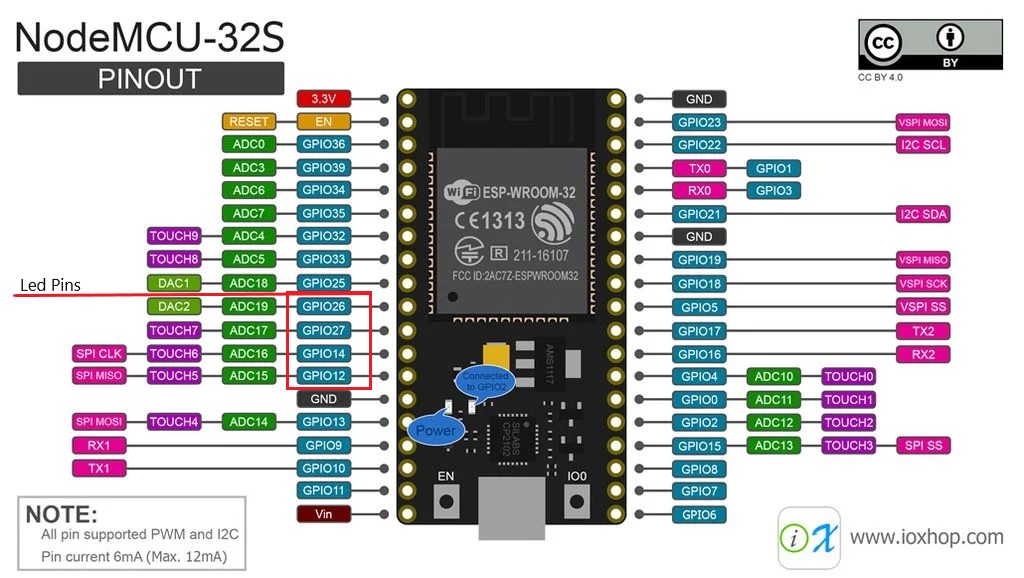
I’m currently using two of these with WLED and multi-strip mod. One with 4 the other with 8 strips.
N1nja98
on 26 May 2020
Also I intended this mod as more of a hack than a permanent solution, at least until @Aircoookie finds a better solution. I have no guarantee that it will work for everyone.
N1nja98
on 26 May 2020
I understand your sentiments, and I am just looking for a way to get this to work.
I tried a few other things, tried to flash the bootloader again with ESPHome-Flasher-1.2.0, got an error saying the checksum didn't work out, downloaded a new version, had the same checksum and got the same error. So erased the flash with esptool.py , and the flashed your firmware again, but I'm still getting these dumps the minute it finishes the flash. If I flash back the original WLED binaries from github it stops crashing and just works.
bjornbergenheim
on 26 May 2020
One thing I tried now, with just a tiny 3 led strip with your code compiled in Arduino IDE. Moving around the LED, with power off, and then connecting the power, I get strobing on pin 12 and 13, slight purple on one led on 13, plain white on 12. 27 and 26 are steady white blueish. Pin 2 gives nothing. The strobes sort of syncs with the reboots of the device.
bjornbergenheim
on 26 May 2020
rst:0xc (SW_CPU_RESET),boot:0x13 (SPI_FAST_FLASH_BOOT)
configsip: 0, SPIWP:0xee
clk_drv:0x00,q_drv:0x00,d_drv:0x00,cs0_drv:0x00,hd_drv:0x00,wp_drv:0x00
mode:DIO, clock div:1
load:0x3fff0018,len:4
load:0x3fff001c,len:1044
load:0x40078000,len:8896
load:0x40080400,len:5816
entry 0x400806ac
This is the error I get on my ESP32.
Feel free to hook me up with a test binary: 13, 12, 27, 14 is a special led type.
FastLED.addLeds
FastLED.addLeds
FastLED.addLeds
FastLED.addLeds
jordanadania
on 26 May 2020
N1nja98, what I find weird is that you seem to get exactly the same error as I get on latest WLED-code. And I keep getting the same error on your binaries (and code compiled by me on https://github.com/Aircoookie/WLED/tree/558811e4f9fd0a546e28275a6982d6768ae50d74 ), yet it works on your board.
bjornbergenheim
on 27 May 2020
So I changed to this
#define LED_TYPE    WS2812B
#define COLOR_ORDER GRB //Actually GRB. Explained later.
#define NUM_STRIPS 4
#define NUM_LEDS_PER_STRIP 300
and
#ifdef Use_FastLED

        //Pointer to NeoPixelBus led array
        leds = (CRGB*)bus->GetPixels(); //GetPixels function added to "NpbWrapper.h"

    // tell FastLED there's 284 NEOPIXEL leds on pin 12, starting at index 0 in the led array
    FastLED.addLeds<LED_TYPE, 13, COLOR_ORDER>(leds, 0, NUM_LEDS_PER_STRIP).setCorrection(TypicalLEDStrip);

    // tell FastLED there's 284 NEOPIXEL leds on pin 14, starting at index 284 in the led array
    FastLED.addLeds<LED_TYPE, 12, COLOR_ORDER>(leds, 1 * NUM_LEDS_PER_STRIP, NUM_LEDS_PER_STRIP).setCorrection(TypicalLEDStrip);

    // tell FastLED there's 284 NEOPIXEL leds on pin 27, starting at index 568 in the led array
    FastLED.addLeds<LED_TYPE, 27, COLOR_ORDER>(leds, 2 * NUM_LEDS_PER_STRIP, NUM_LEDS_PER_STRIP).setCorrection(TypicalLEDStrip);

    // tell FastLED there's 284 NEOPIXEL leds on pin 26, starting at index 852 in the led array
    FastLED.addLeds<WS2811, 14, RGB>(leds, 3 * NUM_LEDS_PER_STRIP, 150).setCorrection(TypicalLEDStrip);
#endif // Use_FastLED
Not sure but I think changing that will result in reversed green and red as stated in my first example.
My color order was wrong at first. I think it's because the order of color values in NeopixelBus' led array is the same as the color order you set for your leds, while FastLED's led array is RGB no matter what color order you set. So in my case with GRB leds, showing NeopixelBus' array with FastLED results in reversed green and red. So in the COLOR_ORDER definition for FastLED I put RGB instead of GRB to change them back.
N1nja98
on 27 May 2020
@bjornbergenheim
N1nja98, what I find weird is that you seem to get exactly the same error as I get on latest WLED-code. And I keep getting the same error on your binaries (and code compiled by me on https://github.com/Aircoookie/WLED/tree/558811e4f9fd0a546e28275a6982d6768ae50d74 ), yet it works on your board.
Yes it’s strange.
I am working on finding out exactly what commit causes the code to stop working. Updating the code a few commits at a time until I find it.
N1nja98
on 27 May 2020
Not sure but I think changing that will result in reversed green and red as stated in my first example.
My color order was wrong at first. I think it's because the order of color values in NeopixelBus' led array is the same as the color order you set for your leds, while FastLED's led array is RGB no matter what color order you set. So in my case with GRB leds, showing NeopixelBus' array with FastLED results in reversed green and red. So in the COLOR_ORDER definition for FastLED I put RGB instead of GRB to change them back.
This was done as a test binary for @jordanadania , so not anything used by me.
bjornbergenheim
on 28 May 2020
@N1nja98 , another thought. When you reupload a binary to the esp32, does any of the "settings" like nr of LEDS etc for the app stay? If so, would a complete erasure of the flash of your esp32 perhaps start to cause your binaries to fail? Like if there is something in your settings that survive a reflash of the binaries, that keeps your esp32 from crashing.
bjornbergenheim
on 28 May 2020
@bjornbergenheim
When you reupload a binary to the esp32, does any of the "settings" like nr of LEDS etc for the app stay?
Yes all settings are retained.
If so, would a complete erasure of the flash of your esp32 perhaps start to cause your binaries to fail? Like if there is something in your settings that survive a reflash of the binaries, that keeps your esp32 from crashing.
The only setting affecting this mod is number of LEDs, because you can set number of LEDs in mod and in the UI. If both don’t match the LEDs will just not get updated. But it doesn’t cause a crash in my experience.
Also I once did a factory reset in UI without problems. But I’d have to test erasing flash.
N1nja98
on 28 May 2020
What I find interesting in your decoded exception when running the code in zip file is the IR library references.
PC: 0x4008559e: rmt_driver_isr_default at /home/runner/work/esp32-arduino-lib-builder/esp32-arduino-lib-builder/esp-idf/components/driver/rmt.c line 580
EXCVADDR: 0x00000014 Decoding stack results
0x4008559e: rmt_driver_isr_default at /home/runner/work/esp32-arduino-lib-builder/esp32-arduino-lib-builder/esp-idf/components/driver/rmt.c line 580
0x401008aa: IRrecv::decodeCarrierAC(decode_results*, unsigned short, unsigned short, bool) at E:Mina dokumentArduinolibrariesIRremoteESP8266srcir_Carrier.cpp line 101
0x4008b705: vTaskPrioritySet at /home/runner/work/esp32-arduino-lib-builder/esp32-arduino-lib-builder/esp-idf/components/freertos/tasks.c line 1677
0x40089f21: xQueueReceiveFromISR at /home/runner/work/esp32-arduino-lib-builder/esp32-arduino-lib-builder/esp-idf/components/freertos/queue.c line 1616
Like this
IRrecv::decodeCarrierAC(decode_results*, unsigned short, unsigned short, bool) at E:Mina dokumentArduinolibrariesIRremoteESP8266srcir_Carrier.cpp line 101
The reason why is that the rmt driver used to generate the LED signals is also used to send and receive IR signals. Maybe it could cause some sort of interference? Just a hunch but could you try compiling code with infrared disabled in wled00.ino? And maybe some of the other options as well.
N1nja98
on 28 May 2020
I have tried to disable infra IR_PIN set to -1 (I'm pretty sure it is by default with ESP32 anyway?
#ifdef ARDUINO_ARCH_ESP32
  #undef WLED_USE_ANALOG_LEDS  // Solid RGBW not implemented for ESP32 yet
 /*#ifndef WLED_DISABLE_INFRARED
  #include <IRremote.h>
 #endif*/ //there are issues with ESP32 infrared, so it is disabled for now
#else
Also, I came across this regarding WROVER
External connections can be made to any GPIO except for GPIOs in the range 6-11, 16, or 17. GPIOs 6-11 are connected to the module’s integrated SPI flash and PSRAM. GPIOs 16 and 17 are connected to the module’s integrated PSRAM. For details, please see Chapter6Schematics
This spec says that pin 27 is "GPIO27, ADC2_CH7, TOUCH7, RTC_GPIO17, EMAC_RX_DV"
So perhaps this is whats causing my ESP-WROVER to dislike your build. Can you perhaps make a binary (that works for you) without using pin 27 (GPIO 17) pin 14 (GPIO 16)?
I'm not sure if RTC_GPIO17 is the same as GPIO17 though?
bjornbergenheim
on 28 May 2020
Here is a binary with pins 4 and 5 GPIO 36,39:
``` // tell FastLED there's 284 NEOPIXEL leds on pin 12, starting at index 0 in the led array
FastLED.addLeds
// tell FastLED there's 284 NEOPIXEL leds on pin 14, starting at index 284 in the led array
FastLED.addLeds<LED_TYPE, 5, COLOR_ORDER>(leds, 1 * NUM_LEDS_PER_STRIP, NUM_LEDS_PER_STRIP).setCorrection(TypicalLEDStrip);
```
If that doesn't work let me know what pins you think will,
N1nja98
on 28 May 2020
So this was interesting! With your new binary, I get LEDs working if I connect to pin 4. I also get a WLED error 2 once I use the app. And I get this message in the serial monitoring (not at the same time as the WLED error 2).
E (34785) event: mismatch or invalid event, id=63
E (34786) event: default event handler failed!
If I don't connect any LEDS, I dont get any errors (I can access the app through WIFI). If I only connect to pin 5 I don't get any LEDS lit up. Same if I try with pin #2. But it does seem to work with pin 4, and perhaps if I have leds connected to both pin 4 and 5 I would get them both to work.
bjornbergenheim
on 28 May 2020
A little bit more digging around, and if I use NeoPixelBus 2.5.1 (just like you said you did), I get a working binary with the code you send me as a zipfile. It's slightly confusing with the NUM_LEDS_PER_STRIP parameter, the number of leds in the led-config in the app, and when you involve segments. I still feel they act up and don't really display correctly when I use the segments.
I most likely would want to replicate the data on all 5 segments I would be running, and I guess I could just split the datacable 5-ways instead of driving each strip with a different pin, but if I can get away without using voltage bosters to do 3.3->5v I would be happy. I've heard people have more trouble with ws2815 since they are 12v, but I'll see.
bjornbergenheim
on 28 May 2020
Wow! I'm glad to hear you got it working this far! It seems like its mostly a matter of finding pins that work. When I compile the code FastLED gives a compiler error message if I specify an unusable pin saying "Invalid pin specified". But I suppose it must know exactly what board you're using.
So are you using the latest version of WLED then? I've updated the mod code to work with it.
N1nja98
on 28 May 2020
Wow! I'm glad to hear you got it working this far! It seems like its mostly a matter of finding pins that work. When I compile the code FastLED gives a compiler error message if I specify an unusable pin saying
"Invalid pin specified". But I suppose it must know exactly what board you're using.So are you using the latest version of WLED then? I've updated the mod code to work with it.
No, I have not tried the latest. Will do that, however I'm not sure how to deal with the overloading problem, since the new method you created
uint8_t* GetPixels()
  {
      return _pGrb->Pixels();
  }
already exists. I'll give it a go with standard pins (your selection works with 2.5.1 of NeoPixelBus) and latest WLED with just the your new stuff added in.
bjornbergenheim
on 28 May 2020
Just comment out the already added function. It is unused. It does basically the same thing but will also work for RGBW LEDs but FastLED doesn't support them.
N1nja98
on 28 May 2020
You can also download the latest version with mod in the updated post. I've updated zip file as well. Just change your number of LEDs and pins.
N1nja98
on 28 May 2020
So. With NeoPixelBus 2.5.1 the newest WLED works, but I still have to use
#define PIXELMETHOD NeoWs2813Method
in NbpWrapper.h rather then
#define PIXELMETHOD NeoEsp32Rmt0Ws2812xMethod
If I don't I get the same error as if I run the newest NeoPixelBus. I'm pretty sure the pins weren't really an issue, it was more the version of NeoPixelBus.
bjornbergenheim
on 28 May 2020
Going forward, I start to get crashes (even with NeoWs2813Method) on 2.5.3. So last version of NeoPixelBus that works for me is 2.5.2.
Looking at the diff between 2.5.2 and 2.5.3 I mostly see stuff relating to invert. Nothing really stands out that would cause this problem. Then again, I'm not really a c++ coder.
bjornbergenheim
on 28 May 2020
I just recompiled and reuploaded code. No Errors. Lights are happily twinkling away. Here is the compiled binary I'm using if you want to try an OTA update to check if it works.
Or if want you could tell me your pin numbers and number of leds per strip and I could compile a binary.
How to uplaoad this code to my esp8266?
 siemaszka
on 3 Jul 2020
siemaszka
on 3 Jul 2020
I have tried this again and running for longer perios of times with config for 300 leds (2x150), I get dumps/reboots. Its not the same as if I use NeoPixelBus 2.5.7 (dumps at start-up), but after a while I get a
`Guru Meditation Error: Core 1 panic'ed (Interrupt wdt timeout on CPU1)
Core 1 register dump:
PC : 0x40084b8a PS : 0x00050034 A0 : 0x4000bff0 A1 : 0x3ffbe7d0
A2 : 0x00000240 A3 : 0x3ffb1df0 A4 : 0x0000024f A5 : 0x3ffbe7a0
A6 : 0x00000008 A7 : 0x3ff56000 A8 : 0x00000000 A9 : 0x3ffc6de8
A10 : 0x00000001 A11 : 0x00000001 A12 : 0x0000001f A13 : 0x00000020
A14 : 0x00000000 A15 : 0x00000000 SAR : 0x0000001b EXCCAUSE: 0x00000006
EXCVADDR: 0x00000000 LBEG : 0x400dead1 LEND : 0x400deae0 LCOUNT : 0x00000000
Core 1 was running in ISR context:
EPC1 : 0x4000bff0 EPC2 : 0x00000000 EPC3 : 0x00000000 EPC4 : 0x40084b8a
Backtrace: 0x40084b8a:0x3ffbe7d0 0x4000bfed:0x3ffb1df0 0x4008a12d:0x3ffb1e00 0x4015e8ad:0x3ffb1e20 0x400e0a41:0x3ffb1e50 0x400e0ac2:0x3ffb1e70 0x400e182d:0x3ffb1e90 0x400d2dcd:0x3ffb1ed0 0x400df5d1:0x3ffb1f10 0x400e06a7:0x3ffb1f40 0x400eb05a:0x3ffb1f70 0x400eb13a:0x3ffb1f90 0x400fd9b5:0x3ffb1fb0 0x40088fc1:0x3ffb1fd0`
This is running on latest stable (and also on the Audio WLED version, same thing).
bjornbergenheim
on 19 Jul 2020
How awesome, I'm eagerly awaiting this feature too, especially paired with an ESP32 which should easily be able to handle the processing grunt of running them all full speed!
I'm preparation for this, most know my QuinLED-Dig-Uno controller, in secret, it actually has two level-shifted outputs since I wanted to support APA102 strips, but there is nothing, with the right code, preventing you from using 2 strips, especially with an ESP32 on there.
But, to expand further and add more power handling and fuses on the board itself, I've spent the last year creating the QuinLED-Dig-Quad which is now available DIY! This has 4 level shifted channels and as I said, lots more power handling, etc.. I'm going try to get the WLED mod running on it, that's awesome! :D
 intermittech
on 19 Jul 2020
intermittech
on 19 Jul 2020
Is it safe to say that this mod only works for ESP32? I have a bunch of ESP8266s and would like to flash these...
 sogeniusio
on 9 Aug 2020
sogeniusio
on 9 Aug 2020
Is it safe to say that this mod only works for ESP32? I have a bunch of ESP8266s and would like to flash these...
From what I've understood they are looking into doing some form of multi-output for the ESP8266 but it will be very much limited versus the functionality an ESP32 can offer with it's hardware engines and processing grunt it has over the ESP8266.
Nothing of this is available yet, they are working on it. :)
intermittech
on 11 Aug 2020
@N1nja98 Interestingly, both binaries don't work for me as well, despite i use the exact same board as you. :laughing: I'm getting the same panic error as @bjornbergenheim.
EDIT: Ok, compiled one by myself kinda works (as stated above NeopixelBus needs to be 2.5.2 or lower).
 Shamshala
on 12 Aug 2020
Shamshala
on 12 Aug 2020
I see early on in this discussion @Aircoookie mentioned
"
there are only 2 pins available on the ESP8266 for "hardware accelerated" LED driving
"
Could you indicate which those are for certain? I'm building out the hardware for my D1mini based LED strip drivers (basically a daughter board for the D1mini), and I'd like to make sure that both pins are setup in the hardware at least so that I can use them both down the road if it gets enabled in the wled software.
Thanks.
 jonadis
on 13 Aug 2020
jonadis
on 13 Aug 2020
@sogeniusio
Is it safe to say that this mod only works for ESP32? I have a bunch of ESP8266s and would like to flash these...
An ESP32 is not necessary. I am running three channels with over 1000 pixels on an ESP8266 using the FastLED changes from @N1nja98.
 twlare
on 14 Aug 2020
twlare
on 14 Aug 2020
@jonadis GPIO 2 and 3. Technically my statement was incorrect as GPIO1 can also be used for hardware UART driving, but in that case the Serial debug interface will not be usable.
Aircoookie
on 14 Aug 2020
@Shamshala I am using Visual Studio Code with PlatformIO for a nodemcuv2
ESP8266 board. I started with version 0.10.1 (found in wled.h, line 6), but
did not use all the code changes suggested by N1nja98. I did not make
changes to PIXELMETHOD in NpbWrapper.h or the version numbers in
platformio.ini. I put the definitions for my LED strips in usermod.cpp to
keep the changes to the main code as few as possible. This is just a style
preference and shouldn't make or break the code.
Can you compile WLED version 0.10.1 for the ESP8266 without any changes and
get it to work with a single strip on pin D4? If yes, then I can lead you
through my exact changes to see if that will help.
On Sat, Aug 15, 2020 at 1:26 AM Shamshala notifications@github.com wrote:
@twlare https://github.com/twlare Have you done any tinkering with the
@N1nja98 https://github.com/N1nja98's code? I was able to compile it
for ESP32 but ESP8266 doesn't work no matter what i try.—
You are receiving this because you were mentioned.
Reply to this email directly, view it on GitHub
https://github.com/Aircoookie/WLED/issues/104#issuecomment-674368027,
or unsubscribe
https://github.com/notifications/unsubscribe-auth/AJHBQ66CSIGRW7VK4X2BE43SAZBCXANCNFSM4GWN6ROA
.
twlare
on 16 Aug 2020
Thank you for the answer despite i removed my question :smile: (i asked for differences and then i noticed you mentioned using FastLED)
Anyway, yes i'm able to compile my own WLED without issues (means it works as well).
Shamshala
on 16 Aug 2020
@Shamshala FastLED is included in WLED so you can use all of the functionality of WLED and then use parts of the FastLED library to send the pixel data to multiple strips. The changes are minimal.
Use N1nja98's post from Feb 27, 2019 above to modify FX_fcn.cpp. Stop there! Do not make any other changes.
For my NodeMCU ESP8266 board the pin numbers in the library correspond to the board labels. I used D1, D2, and D5 for output which translates to 1, 2 and 5 for the pin numbers in the FastLED.addLeds<...> calls.
twlare
on 16 Aug 2020
Thanks so much @N1nja98 for your mods! And @Aircoookie for putting WLED together!
I've got lots of PC RGB fans I'm controlling with WLED, it works great! The problem I'm trying to overcome is most PC RGB accessories only provide 3 pins for the led strip inside the fan, so I need a dedicated output pin per device.
How many output pins can be used with this mod on an esp32? That will effectively be how many fans we can control with a single esp32.
Thanks again!
 peacepenguin
on 17 Aug 2020
peacepenguin
on 17 Aug 2020
@twlare FastLED is included in WLED so you can use all of the functionality of WLED and then use parts of the FastLED library to send the pixel data to multiple strips. The changes are minimal.
Use N1nja98's post from Feb 27, 2019 above to modify FX_fcn.cpp. Stop there! Do not make any other changes.
For my NodeMCU ESP8266 board the pin numbers in the library correspond to the board labels. I used D1, D2, and D5 for output which translates to 1, 2 and 5 for the pin numbers in the FastLED.addLeds<...> calls.
Nice, it works. Thanks! But do you get a "normal framerate" with this? Animations looks kinda choppy to me (i use only two strips under 500LEDs total).
Another interesting thing is that i'm not able to compile WLED for ESP32 even without any modification. :thinking: (i mean, i'm able to compile a firmware but it causes core panic) So the issue could be elsewhere than in @N1nja98's code.
Shamshala
on 18 Aug 2020
Tried the patch for @N1nja98 with strange results.
Setup:
- 5v40A PSU
- 2 WS2812B 300 Led Strips
- ESP32 HILETGO
On boot, first 30 LEDs of 1 of the strips is set to boot orange color, but the rest are random colors or not lit (e.g. white, pink, green). Controlling these 30 through the GUI works great.
When I go to the GUI, I turn off current limiting and set LED's to 300. This causes both strips to be full random, and it is now impossible to change any settings without "Error 2".
I have tried just the normal firmware.bin to full success when they share 1 data pin, mirroring it.
 reteps
on 19 Aug 2020
reteps
on 19 Aug 2020
The first 30 orange is normal, rest random seems like a problem with signal (do you use level shifter of some kind?).
Overall i saw some flickering with ESP32, not with ESP8266 (thanks to @twlare ) Try to change the "284" LEDs per strip in the modification to 300 or more. (i noticed similar behaviour/more flickering when a number of LEDs on strips overlapps this number)
Shamshala
on 19 Aug 2020
Just wrote my own modification, don't have to hack into anything, just add another strip and if >300 set the second strip (I did 559-index because it suited my purposes.
This is NpbWrapper.h
class NeoPixelWrapper
{
public:
  NeoPixelWrapper() : // initialize each member to null
    _pGrb(NULL),
    _pGrb2(NULL), // new led strip
    _pGrbw(NULL),
    _type(NeoPixelType_None)
  {

  }

  ~NeoPixelWrapper()
  {
    cleanup();
  }

  void Begin(NeoPixelType type, uint16_t countPixels)
  {
    cleanup();
    _type = type;

    switch (_type)
    {
      case NeoPixelType_Grb:
      #if defined(USE_APA102) || defined(USE_WS2801) || defined(USE_LPD8806) || defined(USE_P9813)
        _pGrb = new NeoPixelBrightnessBus<PIXELFEATURE3,PIXELMETHOD>(countPixels, CLKPIN, DATAPIN);
      #else
        _pGrb = new NeoPixelBrightnessBus<PIXELFEATURE3,PIXELMETHOD>(countPixels, LEDPIN);
        _pGrb2 = new NeoPixelBrightnessBus<PIXELFEATURE3, NeoEsp32Rmt1Ws2812xMethod>(300, 15); // new led strip
      #endif
        _pGrb->Begin();
        _pGrb2->Begin(); // new led strip
        break;

      case NeoPixelType_Grbw:
      #if defined(USE_APA102) || defined(USE_WS2801) || defined(USE_LPD8806) || defined(USE_P9813)
        _pGrbw = new NeoPixelBrightnessBus<PIXELFEATURE4,PIXELMETHOD>(countPixels, CLKPIN, DATAPIN);
      #else
        _pGrbw = new NeoPixelBrightnessBus<PIXELFEATURE4,PIXELMETHOD>(countPixels, LEDPIN);
      #endif
        _pGrbw->Begin();
      break;
    }

    #ifdef WLED_USE_ANALOG_LEDS
      #ifdef ARDUINO_ARCH_ESP32
        ledcSetup(0, 5000, 8);
        ledcAttachPin(RPIN, 0);
        ledcSetup(1, 5000, 8);
        ledcAttachPin(GPIN, 1);
        ledcSetup(2, 5000, 8);
        ledcAttachPin(BPIN, 2);
        if(_type == NeoPixelType_Grbw)
        {
          ledcSetup(3, 5000, 8);
          ledcAttachPin(WPIN, 3);
          #ifdef WLED_USE_5CH_LEDS
            ledcSetup(4, 5000, 8);
            ledcAttachPin(W2PIN, 4);
          #endif
        }
      #else  // ESP8266
        //init PWM pins
        pinMode(RPIN, OUTPUT);
        pinMode(GPIN, OUTPUT);
        pinMode(BPIN, OUTPUT);
        if(_type == NeoPixelType_Grbw)
        {
          pinMode(WPIN, OUTPUT);
          #ifdef WLED_USE_5CH_LEDS
            pinMode(W2PIN, OUTPUT);
          #endif
        }
        analogWriteRange(255);  //same range as one RGB channel
        analogWriteFreq(880);   //PWM frequency proven as good for LEDs
      #endif
    #endif
  }

#ifdef WLED_USE_ANALOG_LEDS
    void SetRgbwPwm(uint8_t r, uint8_t g, uint8_t b, uint8_t w, uint8_t w2=0)
    {
      #ifdef ARDUINO_ARCH_ESP32
        ledcWrite(0, r);
        ledcWrite(1, g);
        ledcWrite(2, b);
        switch (_type) {
          case NeoPixelType_Grb:                                                  break;
          #ifdef WLED_USE_5CH_LEDS
            case NeoPixelType_Grbw: ledcWrite(3, w); ledcWrite(4, w2);            break;
          #else
            case NeoPixelType_Grbw: ledcWrite(3, w);                              break;
          #endif
        }
      #else   // ESP8266
        analogWrite(RPIN, r);
        analogWrite(GPIN, g);
        analogWrite(BPIN, b);
        switch (_type) {
          case NeoPixelType_Grb:                                                  break;
          #ifdef WLED_USE_5CH_LEDS
            case NeoPixelType_Grbw: analogWrite(WPIN, w); analogWrite(W2PIN, w2); break;
          #else
            case NeoPixelType_Grbw: analogWrite(WPIN, w);                         break;
          #endif
        }
      #endif
    }
#endif

  void Show()
  {
    byte b;
    switch (_type)
    {
      case NeoPixelType_Grb:  _pGrb->Show(); _pGrb2->Show(); break;
      case NeoPixelType_Grbw: _pGrbw->Show(); break;
    }
  }

  void SetPixelColor(uint16_t indexPixel, RgbwColor color)
  {
    switch (_type) {
      case NeoPixelType_Grb: {

        if (indexPixel >= 300) { // new led strip reversed
          _pGrb2->SetPixelColor(599 - indexPixel, RgbColor(color.R, color.G, color.B));
        }
        else {
          _pGrb->SetPixelColor(indexPixel, RgbColor(color.R,color.G,color.B));
        }
      }
      break;
      case NeoPixelType_Grbw: {
        #if defined(USE_LPD8806) || defined(USE_WS2801)
        _pGrbw->SetPixelColor(indexPixel, RgbColor(color.R,color.G,color.B));
        #else
        _pGrbw->SetPixelColor(indexPixel, color);
        #endif
      }
      break;
    }

  }

  void SetBrightness(byte b)
  {
    switch (_type) {
      case NeoPixelType_Grb: _pGrb->SetBrightness(b);
        _pGrb2->SetBrightness(b); break; // new led strip
      case NeoPixelType_Grbw:_pGrbw->SetBrightness(b);  break;
    }
  }

  // NOTE:  Due to feature differences, some support RGBW but the method name
  // here needs to be unique, thus GetPixeColorRgbw
  RgbwColor GetPixelColorRgbw(uint16_t indexPixel) const
  {
    switch (_type) {
      case NeoPixelType_Grb:
        if (indexPixel >= 300) {
          return _pGrb2->GetPixelColor(599 - indexPixel); // new led strip reversed
          break;
        } else {
          return _pGrb->GetPixelColor(indexPixel);
          break;
        }
      case NeoPixelType_Grbw: return _pGrbw->GetPixelColor(indexPixel); break;
    }
    return 0;
  }

private:
  NeoPixelType _type;

  // have a member for every possible type
  NeoPixelBrightnessBus<PIXELFEATURE3,PIXELMETHOD>*  _pGrb;
  NeoPixelBrightnessBus<PIXELFEATURE3, NeoEsp32Rmt1Ws2812xMethod> *_pGrb2;
  NeoPixelBrightnessBus<PIXELFEATURE4,PIXELMETHOD>* _pGrbw;

  void cleanup()
  {
    switch (_type) {
      case NeoPixelType_Grb:  delete _pGrb ; _pGrb  = NULL; delete _pGrb2 ; _pGrb2  = NULL; break; // new led strip
      case NeoPixelType_Grbw: delete _pGrbw; _pGrbw = NULL; break;
    }
  }
};
#endif
@Shamshala, WLED normally has a framerate of 42 fps. I use two methods for driving my strips. One uses two pins to drive 720 pixels where I get 42 fps. The second uses three pins to drive 1,020 pixels where I get 32 fps (limited by the time it takes to send the pixel data). In both configurations I get smooth animations with my ESP8266 NodeMCU board.
I use separate pins to drive pixels in different "zones." I define segments in WLED to match those "zones." For the 720 pixel strip, I use two pins and have two WLED segments - one with 420 pixels and one with 300 pixels.
Which development environment are you using - Arduino IDE, Visual Studio Code, or ... ?
twlare
on 20 Aug 2020
I've made some mods to the multi-strip mod created by @N1nja98 to allow easy configuration of variable length strips instead of all strips in the multi needing to be the same number of LEDs.
You just define the number of strips your using, and how many LEDs are in each strip in the FX_fcn.cpp file at the top.
For ease of use and testing I created a new zip with latest working build tools and code with the multi-strip mods anyone can duplicate to start playing with these features. Currently its working well building against the latest master branch of WLED, with [email protected] build tools.
Here's how I'm building from the modified sources:
Currently using an ESP32, DOIT DEVKIT v1:
(I'm using windows 10, but these tools are all cross platform:)
- Install Python
- Install git
- Install Visual Studio Code
- Install PlatformIO Extension inside Visual Studio code
- download the zip with the FastLED mods:
WLED-withFastLEDmultipinMod.zip - extract the zip to your home folder
Now inside Visual Studio Code, click the PlatformIO option in the left menu.
From PlatformIO home, click "Open Project" Find the WLED folder extracted above.
Then click the Project Tasks section of platformio, click "Upload" to build and upload to your ESP32, assuming its attached via serial.
Modify and re-upload the code as needed.
This code uses pin 2 for strip 1 to match the default builds, then goes on to these pins for the additional strips: 13,12,14,27,26,25,33,32 these can be adjusted in the FastLED lines in FX_fcn.cpp
peacepenguin
on 21 Aug 2020
Thanks guys looks like a great mod on the already awesome Wled.
Got a question though....
How are the other channels controlled? Are the secondary channels controlled as an extension to primary? I mean will animations run from primary to secondary?? Or does it animates parallel?
 Justdigit
on 23 Aug 2020
Justdigit
on 23 Aug 2020
@Justdigit the multi-strip/multi-pin mod is for driving multiple strips uniquely at once, but they still appear as a big string to WLED.
The mod lets you do this:
pin1: led1 led2 led3
pin2: led4 led5 led6
Instead of default, where you must wire the strips end-to-end, in series, to make sure they're all uniquely addressable:
pin1: led1 led2 led3 led4 led5 led6
Both result in the same configuration and led mapping from WLED's perspective, the driving of the pins themselves is abstracted away by the multi-strip mod. In both those cases, WLED is configured with 6 total LEDs to control. WLED doesn't see or care how that data gets written out to the pins, it just knows it needs to prep all its colors and affects based on 6 total LEDs.
Also, I'm noticing some flashing and glitching on the multi-pin mod though. It appears the esp32 has a highly optimized RMT pin writing method that is used in the default build of WLED. It leverages NeoPixelBus to write to the pins by default, this works perfect with no delay or flashing or glitching.
Switching to the multi-pin mod, we're using the FastLED library to write out the pin data, this works, but the FastLED library isn't as robust at the actual pin writing of data used in NeoPixelBus. Even without a level shifter attached, neopixelbus's esp32 specific RMT method works perfect on all my strips. The FastLED method is a little glitchy. Also neopixelbus can write to more types of strips than FastLED, so in the long term we need to re-write the multi-pin mod to leverage neopixelbus the way the default WLED build does.
I'm working on that right now, trying to get the pixel array from "getpixels" cut into chunks based on qty of leds on each pin, and given out to multiple neopixelbus calls instead of just one. Same concept as what the current mod does with FastLED just before the "show" call.
peacepenguin
on 23 Aug 2020
@peacepenguin That's just awesome!!
Hmzzz just moved away from WLED because I use to control the RGB in my PC.
All my fans have data out/in. But my GPU And another RGB strip not. So that was out off sync in WLED.
Edit: the GPU was in sync... I connected as last strip
Just switched to the Arduino Corsair Commander Pro project.
It works okay. But it's not as versatile in all animations. And Icue is a heavy process eater.
WLED has the most extended animation library i guess. Just staring at the pc and enjoying the show. 😂
With the tutorial you have made to compile a firmware i guess I will try WLED again..
Thanks!!
Here is some show material WLED in a PC.
Justdigit
on 23 Aug 2020
Guys, am I the only one that 1, wont get this to run unless I use a lesser version of NeoPixelBus (2.5.2)? It crashes on bootup on my ESP32 (esp32dev version 4 I think) if I use 2.5.3 -> 2.5.7). Even with 2.5.2, after a few minutes of changing effects (basically clicking around in the UI), my ESP32 crashes. I have tried this with 2 pins of 150 or so pixel each.
Basically, Ben, what configs are you running this, and with what libraries?
bjornbergenheim
on 23 Aug 2020
Just wrote my own modification, don't have to hack into anything, just add another strip and if >300 set the second strip (I did
559-indexbecause it suited my purposes.
```
So with this hack, you don't use Fastled at all, no other changes from the master branch of Aircookies WLED?
bjornbergenheim
on 23 Aug 2020
@Justdigit I have three sets of LED strips that are connected to three ESP8266 pins - 300 pixels, 420 pixels, and 300 pixels. I define three matching segments in WLED and animate the three strips independently. Each strip can run the same effect, but they don't have to.
@peacepenguin I made two additional changes to @N1nja98's original code, one of which might help with flickering.
After the call to FastLED.addLeds<...>; I added:
FastLED.setCorrection(UncorrectedColor); // Let WLED control color correction
FastLED.setDither(DISABLE_DITHER); // Disable dither at low intensity (this eliminated flicker in my setup)
twlare
on 23 Aug 2020
@Justdigit I have three sets of LED strips that are connected to three ESP8266 pins - 300 pixels, 420 pixels, and 300 pixels. I define three matching segments in WLED and animate the three strips independently. Each strip can run the same effect, but they don't have to.
@peacepenguin I made two additional changes to @N1nja98's original code, one of which might help with flickering.
After the call to FastLED.addLeds<...>; I added:
FastLED.setCorrection(UncorrectedColor); // Let WLED control color correction
FastLED.setDither(DISABLE_DITHER); // Disable dither at low intensity (this eliminated flicker in my setup)
That's a nice addition.... I can change a bit in a sketch but without written guidelines it's out of my scope...
But I guess when this thread and the code is involving you guys will certainly or say I hope you give one...
Peacepenguin already had the impression there are some codenoobs out here... 🤣
Justdigit
on 23 Aug 2020
@bjornbergenheim > Basically, Ben, what configs are you running this, and with what libraries?
Your not alone, my esp32 doit devkit v1 would crash and not boot on all the .zips and mods provided in the posts here. So, I created my own git repo and found library versions that worked for me and my hardware. Follow my "codenoobs" instructions from my post a few days ago, Check the platformio.ini file, all the library versions that I needed to get the mod to work are listed there, and using platformio, they auto-install too.
I would highly suggest using platformio, I didn't have much luck with Arduino IDE, and dealing with library and espressif32 framework versions in Arduino is difficult even if you know what your doing.
@Justdigit , good advice on cleaning up the signal from FastLED, that should help people get into production with this method now!
@reteps , this mod you've made uses neopixelbus natively, I think this is the right direction to move to ensure we don't lose features that NeoPixelBus has that FastLed doesn't have (RBGW, etc)
I'm talking with @Makuna, the neopixelbus creator, he's given some pointers to move this forward: (https://gitter.im/Makuna/NeoPixelBus)
Michael Miller @Makuna 12:42
There is no magic solution. You will need to implement a wrapping class that contains two NeoPixelBus (defined with different RMT channels) that splits the calls. An example of the SetPixelColor for the wrapping class would be like
void SetPixelColor(uint16_t index, RgbColor color) {
    if (index < stripA.PixelCount()) {
        stripA.SetPixeColor(index, color);
    }
    else {
        stripB.SetPixelColor(index - stripA.PixelCount(), color);
    }
}
The other way is to use a Buffer (see the examples) instead of NeoPixelBus as the target that is full size. Then before you call Show on the strips, you call the Blt method on the buffer to each of the strips. This doubles the memory but Blt is a fast routine.
Ben @peacepenguin 13:03
is it possible to take the existing neopixelbus object, and do a GetPixels();, to "copy" the leds into a buffer? ThenIi could use the Blt method to actually send out the buffer data?Michael Miller @Makuna 13:20
Generally, this isn't the best approach as NeoPixelBus is heavier than the buffers and the buffer abstractions were meant for this job.
BUT, if you the sketch writer KNOW that the format of the pixels (same Feature) is the same between all, then you can just copy the first half of the buffer to the first strip and the second half of the buffer to the second strip by using the GetPixels() from the destination two strips. remember to call Dirty() on the destination strips before you call Show().
Looks like we can quick-n-dirty copy leds from the existing array of LEDs to new neopixelbus objects for each pin, just like how @N1nja98 copies them to new FastLED objects in the current working mod.
Makuna shows this is non-ideal for neopixelbus, and arbitrarily restricts the Format/feature to be the same on each strip for no good reason.
Instead it looks like we should start the LED array's life as a "buffer". This allows the color and brightness rules for each pixel to be stored generically. Then just before the "show" would be called, assign the buffer leds to new neopixelbus objects via "blt" this adds the extra metadata for that feature type, to be ready to transmit via "show".
I'm going to play around with the buffer/blt method that Makuna pointed to, should be easy enough to convert all the LED colorization and brightness rules to a buffer of leds instead of a neopixelbus object full of leds. Then before the "show" at the end; we'll check for multi-pin params and divide out the LEDs to new neopixelbus objects for each pin, then "show" them all, or just send them all to a single neopixelbus object and show it like normal on a single pin.
peacepenguin
on 23 Aug 2020
@peacepenguin I built your repo, got it running and couldn't provoke a crash. I see strobing in even the "peek"-view without any leds connected though.
I then added 145 leds per pin, and added 5 pins, up to 725 leds (this is what I plan to use on my project). When I set # of leds in the settings in the webbrowser, WLED freezes. Nothing is coming out from serial output though.
Restarting the ESP32, and puting 500 in, I get it to start, but there is severe blinking going on. I's say even 500 is useless, bouncing ball is just strobing. I think I saw somewhere that the limit set in software of # of leds are 500, you guys know if there is a way to change this to a higher number?
bjornbergenheim
on 23 Aug 2020
I did 600 with the method I provided on the master branch. I will outline the exact changes I made.
reteps
on 24 Aug 2020
Btw I found the limits. Its 500 only on 8266, esp32 has 1500 as max leds.
bjornbergenheim
on 24 Aug 2020
So essentially, NeoPixelBus gives us 8 channels to send LED Data. So for each pin, you need to send the data on a different channel.
On line 105of NpbWrapper.h, we see
#ifdef ARDUINO_ARCH_ESP32
  #define PIXELMETHOD NeoEsp32Rmt0Ws2812xMethod
So channel 0 is already used.
Changes
Add new members
Since channel 0 is used, add new private variables for each LED Strip. Make sure to use a different channel than in the #DEFINE.
private:
  NeoPixelType _type;

  // have a member for every possible type
  NeoPixelBrightnessBus<PIXELFEATURE3,PIXELMETHOD>*  _pGrb;
  NeoPixelBrightnessBus<PIXELFEATURE3, NeoEsp32Rmt1Ws2812xMethod> *_pGrb2;
  NeoPixelBrightnessBus<PIXELFEATURE4,PIXELMETHOD>* _pGrbw;
Initialize new members
For each led strip, add a new member initializer and set it to null. I added just 1 strip, so I added _pGrb2(NULL). Make sure to also modify cleanup.
Line 165:
NeoPixelWrapper(): _pGrb(NULL), _pGrb2(NULL), _pGrbw(NULL)
Line 339 (cleanup):
case NeoPixelType_Grb: delete _pGrb ; _pGrb = NULL; delete _pGrb2 ; _pGrb2 = NULL; break;
Update Show and SetBrightness
This depends on if you have Grb or Grbw, so modify the appropriate case statement.
Line 278 (Show):
case NeoPixelType_Grb: _pGrb->Show(); _pGrb2->Show(); break;
Line 303 (SetBrightness):
case NeoPixelType_Grb: _pGrb->SetBrightness(b);
        _pGrb2->SetBrightness(b); break;
Modify Begin
We have to modify the Begin function by setting the number of LED's, the PIN Numbers, then Begin.
      case NeoPixelType_Grb:
      #if defined(USE_APA102) || defined(USE_WS2801) || defined(USE_LPD8806) || defined(USE_P9813)
        _pGrb = new NeoPixelBrightnessBus<PIXELFEATURE3,PIXELMETHOD>(countPixels, CLKPIN, DATAPIN);
      #else
        _pGrb = new NeoPixelBrightnessBus<PIXELFEATURE3,PIXELMETHOD>(300 , LEDPIN); // 300 LEDs on Pin 2
        _pGrb2 = new NeoPixelBrightnessBus<PIXELFEATURE3, NeoEsp32Rmt1Ws2812xMethod>(300, 15); // 300 LEDs on pin 15
      #endif
        _pGrb->Begin();
        _pGrb2->Begin();
        break;
Modify SetPixelColor and GetPixelColorRgbw.
This is the trickiest modification. Now we have to set and get from _pGrb or _pGrb2depending on the indexPixel.
Inside SetPixelColor I did:
      case NeoPixelType_Grb: {

        if (indexPixel >= 300) {
          _pGrb2->SetPixelColor(indexPixel - 300, RgbColor(color.R, color.G, color.B));
        }
        else {
          _pGrb->SetPixelColor(indexPixel, RgbColor(color.R,color.G,color.B));
        }
      }
Inside GetPixelColorRgbw:
   switch (_type) {
      case NeoPixelType_Grb:
        if (indexPixel >= 300) {
          return _pGrb2->GetPixelColor(indexPixel - 300);
          break;
        } else {
          return _pGrb->GetPixelColor(indexPixel);
          break;
        }
Oher changes
In platformio.ini, I set default_envs = esp32dev
reteps
on 24 Aug 2020
Bjorn sounds like you just need to define the led info in the code. And make sure to power cycle after setting the led qty in the web gui.
Inside platformio, just open up the file "wled00FX_fcn.cpp".
Near the top of the file you define how many active strips, and how many leds are on each specific strip. Then you have to set the total led count in the web gui as normal. Then finally you should power off then power on the esp32, things seem unstable without this reboot.
It seems like the fastled changes are causing some packet loss on the wifi too, so the web page stuff might take a few tries.
peacepenguin
on 24 Aug 2020
@reteps thanks for the full rundown on your code changes. That helps me see how to get all 8 channels of RMT added by following your scheme.
Looks like we've got two different but working multi-pin mods right now. @reteps is doing it "right" using native neopixelbus functions, similar to the neopixelbus author's suggested method.
And we've got the @N1nja98 mod with my small adds for variable length strips. This mod hands the pixel array over to fastled to drive the pins instead of neopixelbus as normal.
peacepenguin
on 24 Aug 2020
Bjorn sounds like you just need to define the led info in the code. And make sure to power cycle after setting the led qty in the web gui.
Inside platformio, just open up the file "wled00FX_fcn.cpp".
Near the top of the file you define how many active strips, and how many leds are on each specific strip. Then you have to set the total led count in the web gui as normal. Then finally you should power off then power on the esp32, things seem unstable without this reboot.
It seems like the fastled changes are causing some packet loss on the wifi too, so the web page stuff might take a few tries.
I already did that, thats how I changed the stuff to my liking.
`// How many strips will be connected:
define NUM_STRIPS 5
// How many LEDs on each strip:
define NUM_LEDS_STRIP_1 145
define NUM_LEDS_STRIP_2 145
define NUM_LEDS_STRIP_3 145
define NUM_LEDS_STRIP_4 145
define NUM_LEDS_STRIP_5 145`
Still doesn't want to play with 725 leds though.
500 worked for me with two switching settings, and it kept going overnight, so that seems stable.
bjornbergenheim
on 24 Aug 2020
We have to modify the
Beginfunction by setting the number of LED's, the PIN Numbers, then Begin.case NeoPixelType_Grb: #if defined(USE_APA102) || defined(USE_WS2801) || defined(USE_LPD8806) || defined(USE_P9813) _pGrb = new NeoPixelBrightnessBus<PIXELFEATURE3,PIXELMETHOD>(countPixels, CLKPIN, DATAPIN); #else _pGrb = new NeoPixelBrightnessBus<PIXELFEATURE3,PIXELMETHOD>(countPixels, LEDPIN); _pGrb2 = new NeoPixelBrightnessBus<PIXELFEATURE3, NeoEsp32Rmt1Ws2812xMethod>(300, 15); // 300 LEDs on pin 15 #endif _pGrb->Begin(); _pGrb2->Begin(); break;So here, the variable countPixels, is this the # of pixels we set in the settings (ei the UI)? If so, should this then be set as the length of just the first strip? Does the rest of the system knows we have much more pixels to play with?
Oher changes
I deleted the
GetPixelsfunction, as it would no longer build with it.
My code builds fine with this in, and I guess you would need to modify this to work with the extra strips.
bjornbergenheim
on 24 Aug 2020
Some digging regarding getPixels. It was added in https://app.codacy.com/manual/cschwinne/WLED/pullRequest?prid=5010096 , but the request from FX.cpp was later removed. So its dead code.
bjornbergenheim
on 24 Aug 2020
I made a mistake, whoops. CountPixels should be defined to the length of the whole strip, but in the ‘_pGrb’, DO NOT rely on the ‘CountPixels’ variable as it will take up extra memory and instead set the number manually.
My mistake is that if you rely on ‘CountPixels’ there are 300 LEDS in ‘_pGrb’ that are unused (600 total - only 300 on the strip before ‘_pGrb2’ is used instead, so 301-600 are unused).
CountPixels is set through the UI, so the code will just use the first strip until it goes above 300leds.
On Mon, Aug 24, 2020 at 7:54 AM bjornbergenheim notifications@github.com
wrote:
Some digging regarding getPixels. It was added in
https://app.codacy.com/manual/cschwinne/WLED/pullRequest?prid=5010096 ,
but the request from FX.cpp was later removed. So its dead code.—
You are receiving this because you were mentioned.
Reply to this email directly, view it on GitHub
https://github.com/Aircoookie/WLED/issues/104#issuecomment-679081716,
or unsubscribe
https://github.com/notifications/unsubscribe-auth/ADJ2B56QXOTTJUD5XPYWYIDSCJIJHANCNFSM4GWN6ROA
.
reteps
on 24 Aug 2020
I've adapted @reteps mod to a repo (edit: zipfile ), now with 8-pin output, and easy to configure all at the top of this file: wled00/NpbWrapper.h
Just set the pins to use for each strip, total number of strips to use, and how many total LEDs are on each strip, then compile, upload using platformio to your esp32. Then in the webgui set the number of leds to match the TOTAL LED count in your system. Configure and enjoy as normal.
WLED-multipin-variableLength-npbmethod.zip
edit: my repo's platformio file was chopped up, and was still missing basic features, so I'm re-doing the repo entirely, rebased from the recently updated WLED master. The zip file here has the working modded repo from yesterday that works with esp32 only, with 8-pins using RMT NeoPixelBus output instead of Fastled, build using platformio. I would consider this attached zip a working proof of concept that 8-pin output is possible with minimal re-factoring.
I'll post new links to repo/zip as I get further with the ideas suggested here. But for anyone to join in on the multi-pin fun, the .zip file here works well for my simple esp32 dev board in multipin mode.
peacepenguin
on 31 Aug 2020
I was able to compile the repo of @peacepenguin on my esp8266 using the code below.
But after compiling my nodemcu starts blinking and provides the following output:
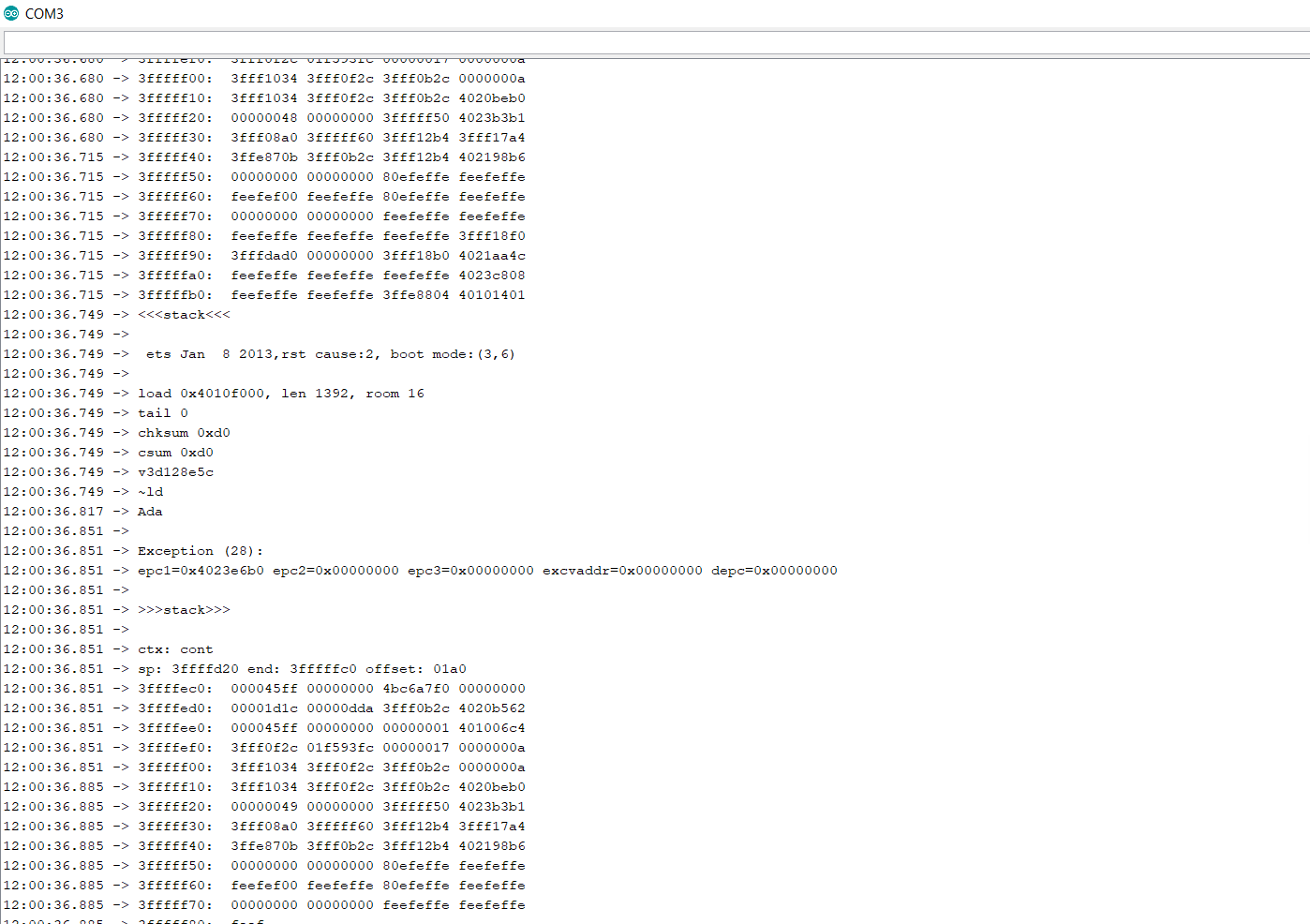
```
//PIN CONFIGURATION
ifndef LEDPIN
define LEDPIN 2 //strip pin. Any for ESP32, gpio2 or 3 is recommended for ESP8266 (gpio2/3 are labeled D4/RX on NodeMCU and Wemos)
endif
// How many strips will be connected:
define NUM_STRIPS 2
// What pins to use:
define STRIP1_PIN LEDPIN // first strip uses same pin as default LEDPIN output pin for whatever platform is being used.
define STRIP2_PIN 3
// How many LEDs are on each strip:
define STRIP1_LEDCOUNT 14
define STRIP2_LEDCOUNT 9
// do calculations to find the starting LED index position of each strip:
define STRIP1_STARTLED 0
define STRIP2_STARTLED STRIP1_STARTLED + STRIP1_LEDCOUNT
define STRIP3_STARTLED STRIP2_STARTLED + STRIP2_LEDCOUNT
// calculate the ending LED index of each strip:
define STRIP1_ENDLED STRIP2_STARTLED - 1
define STRIP2_ENDLED STRIP3_STARTLED - 1
else //esp8266
#define PIXELMETHOD NeoEsp8266Uart1Ws2813Method //if you get an error here, try to change to NeoEsp8266UartWs2813Method or update Neopixelbus
void Begin(NeoPixelType type, uint16_t countPixels)
{
cleanup();
_type = type;
switch (_type)
{
  case NeoPixelType_Grb:
  #if defined(USE_APA102) || defined(USE_WS2801) || defined(USE_LPD8806) || defined(USE_P9813)
    _pGrb = new NeoPixelBrightnessBus<PIXELFEATURE3,PIXELMETHOD>(countPixels, CLKPIN, DATAPIN);
  #else
    _pGrb = new NeoPixelBrightnessBus<PIXELFEATURE3,PIXELMETHOD>(STRIP1_LEDCOUNT, STRIP1_PIN);   // strip1
    _pGrb2 = new NeoPixelBrightnessBus<PIXELFEATURE3, NeoEsp8266Dma800KbpsMethod>(STRIP2_LEDCOUNT, STRIP2_PIN); // strip2
private:
NeoPixelType _type;
// have a member for every possible type
NeoPixelBrightnessBus
NeoPixelBrightnessBus
NeoPixelBrightnessBus
PaulNBerlin
on 31 Aug 2020
You have to run the code through the Arduino IDE, but this will help you a lot to decode what happends when the board dumps.
https://github.com/me-no-dev/EspExceptionDecoder
bjornbergenheim
on 31 Aug 2020
I compiled the code in Arduino IDE without any errors. But after flashing I have the described issues.
PaulNBerlin
on 31 Aug 2020
What I wrote about is a way to decode your dumps you get, in the Arduino IDE. To figure out whats causing the crashes.
bjornbergenheim
on 31 Aug 2020
@PaulNBerlin The mod only works for the ESP32, not ESP8266 due to hardware differences. You cannot create 2 NeoPixelBrightnessBus objects on the same channel. The ESP32 code only works because the creators of NeoPixelBus provide 8 channels to use.
Additionally, please format your code using ``` and only include the relevant sections :)
@peacepenguin I like the repo, possibly a couple of changes:
- Use
-not-=operator - Add a boolean flag to each strip, e.g.
#DEFINE STRIP_2_REVERSED true, and if so do calculations flipped, soSTRIP2_ENDLED - indexPixelinstead ofindexPixel - STRIP2_STARTLED. This would be helpful if for example 2 strips start at the same spot and go opposite directions, it would behave as one continuous line instead.
reteps
on 31 Aug 2020
@reteps I read in this issue that somebody got it to work with an esp8266 with just 2 strips. 2strips would be enough for me.
Finally, I got my esp8266 working after fully erased its flash memory before flashing again. But after I entered my wifi information it was crashing again. I believe due to some memory issues... -> But you might be more correct with the NeoPixelBus
If anybody got it working with an esp8266 please let me know your mods.
PaulNBerlin
on 31 Aug 2020
@reteps great suggestions, I'm EXTREMLEY new to C++, so by the awesome example mod you created, and a little luck, I was able to make my repo version work at all ;)
For the reversing boolean, that's a great suggestion for wiring flexibility when using multipins. I'll try to implement something like that in my repo.
The - vs -= operator was my last challenge last night to make it work at all. I just couldn't get it to work with just a - . Finally I found some examples of "in place" variable addition and subtraction and gave it a shot and it worked in its current -= syntax. any suggestions there would be appreciated. Is the "-" on its own more efficient code-wise?
@PaulNBerlin I kinda gutted the platformio.ini file to make sure it only would work on ESP32, and no matter how many strips you have, and I'm initializing all 8, so memory alone may be another issue just from initializing all those objects needlessly even when only using 2 strips.
You can certainly fix and make it work with esp8266 by changing all references of "NeoEsp32Rmt_Ws2812xMethod" where "_" is a number 0-7 for the 8 available Rmt channels on esp32, change those references to the ESP8266's writing method, which i'm not sure what it is by defualt, i think one of the UART methods.
Here's a place to start making those changes to make that work:
Check out this DIFF to see all the changes I've made from the master WLED code, this will help you quickly see what to do for esp8266:
https://github.com/Aircoookie/WLED/compare/master...peacepenguin:multipin
Change lines 284 npbwrapper.h  to the proper methods for esp8266:

        _pGrb = new NeoPixelBrightnessBus<PIXELFEATURE3,PIXELMETHOD>(STRIP1_LEDCOUNT, STRIP1_PIN);   // strip1
        _pGrb2 = new NeoPixelBrightnessBus<PIXELFEATURE3, NeoEsp32Rmt1Ws2812xMethod>(STRIP2_LEDCOUNT, STRIP2_PIN); // strip2
        _pGrb3 = new NeoPixelBrightnessBus<PIXELFEATURE3, NeoEsp32Rmt2Ws2812xMethod>(STRIP3_LEDCOUNT, STRIP3_PIN); // strip3
        _pGrb4 = new NeoPixelBrightnessBus<PIXELFEATURE3, NeoEsp32Rmt3Ws2812xMethod>(STRIP4_LEDCOUNT, STRIP4_PIN); // strip4
        _pGrb5 = new NeoPixelBrightnessBus<PIXELFEATURE3, NeoEsp32Rmt4Ws2812xMethod>(STRIP5_LEDCOUNT, STRIP5_PIN); // strip5
        _pGrb6 = new NeoPixelBrightnessBus<PIXELFEATURE3, NeoEsp32Rmt5Ws2812xMethod>(STRIP6_LEDCOUNT, STRIP6_PIN); // strip6
        _pGrb7 = new NeoPixelBrightnessBus<PIXELFEATURE3, NeoEsp32Rmt6Ws2812xMethod>(STRIP7_LEDCOUNT, STRIP7_PIN); // strip7
        _pGrb8 = new NeoPixelBrightnessBus<PIXELFEATURE3, NeoEsp32Rmt7Ws2812xMethod>(STRIP8_LEDCOUNT, STRIP8_PIN); // strip8


And on Lines 516 of npbwrapper.h

  NeoPixelBrightnessBus<PIXELFEATURE3,PIXELMETHOD>*  _pGrb;   //strip1
  NeoPixelBrightnessBus<PIXELFEATURE3,NeoEsp32Rmt1Ws2812xMethod>*  _pGrb2;  //strip2
  NeoPixelBrightnessBus<PIXELFEATURE3,NeoEsp32Rmt2Ws2812xMethod>*  _pGrb3;  //strip3
  NeoPixelBrightnessBus<PIXELFEATURE3,NeoEsp32Rmt3Ws2812xMethod>*  _pGrb4;  //strip4
  NeoPixelBrightnessBus<PIXELFEATURE3,NeoEsp32Rmt4Ws2812xMethod>*  _pGrb5;  //strip5
  NeoPixelBrightnessBus<PIXELFEATURE3,NeoEsp32Rmt5Ws2812xMethod>*  _pGrb6;  //strip6
  NeoPixelBrightnessBus<PIXELFEATURE3,NeoEsp32Rmt6Ws2812xMethod>*  _pGrb7;  //strip7
  NeoPixelBrightnessBus<PIXELFEATURE3,NeoEsp32Rmt7Ws2812xMethod>*  _pGrb8;  //strip8
There's probly a few other things that need modified to make that work, but these hard-coded NeoEsp32Rmt...'s are the first thing to fix.
I'll probly make these variable, where the primary "PIXELMETHOD" can be converted into multi pin if LED_STRIPS is greater than 1, and match the platforms default PIXELMETHOD.
In theory even the ESP32 could go higher than 8 strips, but we'd need to use bitbang or UART in addition to the 8 RMT channels I've hard-coded here. Memory may become an issue even on the ESP32 though.
peacepenguin
on 31 Aug 2020
8266 would have to use:
 #elif LEDPIN == 2
  #define PIXELMETHOD NeoEsp8266Uart1Ws2813Method //if you get an error here, try to change to NeoEsp8266UartWs2813Method or update Neopixelbus
 #elif LEDPIN == 3
  #define PIXELMETHOD NeoEsp8266Dma800KbpsMethod
Depending on the pin in use. I could probably add esp8286 support into my fork at https://github.com/ragzilla/WLED/tree/multiled (based on @reteps comments above) if there's interest, but I don't have one to test on.
-edit-
@PaulNBerlin updated my fork for esp8266, set -D MULTILED=2 in your platformio.ini for your chip. Should use pins 2 & 3, defaults to 64 LEDs per string (adjustable on lines 14-16 of NpbWrapper.h, just heed the note about using matching values).
 ragzilla
on 1 Sep 2020
ragzilla
on 1 Sep 2020
@ragzilla I got your code compiled on my nodemcuv3 but there is no signal comming out of PIN3 RX.
PIN2 works fine but it seems that the changes in NpbWrapper.h in lines 14-16 or 53-55 in my case do not work because all 14 leds are lighting up.
In addition, I dont really understand your lines 14-16 --> How can I tell the code for example that string 1 has 14 leds and string 2 has 9?
I made the following changes in NpbWrapper.h
Lines 14-16:
  #define LEDPERPIN 2   // this needs to represent a binary digit value,  e.g. 2,    4,    8,    16,   32,   64,   128,  256
  #define LEDSHIFT 1     // number of bits to shift, based on LEDSPERPIN        1,    2,    3,    4,    5,    6,    7,    8
  #define LEDMASK 0x01   // the remainder mask, to send pin specific led        0x01, 0x03, 0x07, 0x0f, 0x1f, 0x3f, 0x7f, 0xff
Lines 53-55
  #define LEDPERPIN 2   // this needs to represent a binary digit value,  e.g. 2,    4,    8,    16,   32,   64,   128,  256
  #define LEDSHIFT 1     // number of bits to shift, based on LEDSPERPIN        1,    2,    3,    4,    5,    6,    7,    8
  #define LEDMASK 0x01   // the remainder mask, to send pin specific led        0x01, 0x03, 0x07, 0x0f, 0x1f, 0x3f, 0x7f, 0xff
platformio.ini:
```
Travis CI binaries
default_envs = travis_esp8266, travis_esp32
Release binaries
; default_envs = nodemcuv2, esp01, esp01_1m_ota, esp01_1m_full, esp32dev, custom_WS2801, custom_APA102, custom_LEDPIN_16, custom_LEDPIN_4, custom32_LEDPIN_16
Single binaries (uncomment your board)
default_envs = nodemcuv2
; default_envs = esp01
...
------------------------------------------------------------------------------
WLED BUILDS
------------------------------------------------------------------------------
[env:nodemcuv2]
board = nodemcuv2
platform = ${common.platform_wled_default}
board_build.ldscript = ${common.ldscript_4m1m}
build_flags = ${common.build_flags_esp8266} -D MULTILED=2
PaulNBerlin
on 1 Sep 2020
So, I remember reading somewhere what pins are useful to use together, on the ESP32. They were clustered, and it made sense to use them together, rather then just random assign pins.
The reason I'm asking is that right now we use pin 14, which is used in I2S communication to a microphone in the soundreactive branch of WLED see here.
Looking here it seems like we can use pin 2,4,5,12,13,14,15,16,17,18,19,21,22,23,25,26,27,32 and 33. But (not colliding with other selected pins already in WLED) can we choose whatever pins we want?
bjornbergenheim
on 1 Sep 2020
Looking here it seems like we can use pin 2,4,5,12,13,14,15,16,17,18,19,21,22,23,25,26,27,32 and 33. But (not colliding with other selected pins already in WLED) can we choose whatever pins we want?
yes you should in theory be able to use any GPIO pin on the ESP32, so long as its already not in use for something.
I've personally tested these GPIO pins and found them compatible with my ESP32 DOIT DEVKIT V1 (30-pin version) in RMT mode:
GPIO pin #'s: 2,13,12,14,27,26,25,33,22
All my tested pins above are also listed on the pin list you found, so that gives it credence in my mind that those should all work too. On my board, gpio5 has a pullup resistor in series to the esp32 chip, so that might cause issues (or is ideal?) Gpio2 has the boards blue led, and a resistor before the pin, that pin still seems to work fine though.
So just be aware your specific board may have some of those pins in a weird configuration that MIGHT prevent you from using it in RMT mode. But pin2 does work great for driving over RMT, and the little blue led on the board blinks when WLED is doing its thing, so even with some "junk" in front of the output pin it still may work fine or even be a good thing.
Note that on any given esp32, these GPIO pin numbers may or may not match the physical pin numbers in the row. Make sure to reference your ESP32's specific pinout info to make sure your attached to the right pin.
I chose my pinout because they are all next to each other on my esp32 board, so its easy to jam it in a breadboard. Although I have to disable the RELAYPIN which is usually on pin 12 in WLED. So I set that to -1 instead of 12 to disable the WLED's relay action in my fork.
peacepenguin
on 1 Sep 2020
I fixed up my fork to be on WLED 0.10.2, with NPB multi-pin mods, and now with IF pre-processor statements to avoid building code for unused pins. This works up to 8 pin output, but could be quickly modified for more pins. All use RMT, but can be overridden to use any method. All changes and "config" for the multi pin mod is in NpbWrapper.h
This fork is somewhat hard-coded to only work with ESP32, but that can be overcome pretty quickly. I left the platformio.ini file alone, but set the default_envs to "esp32dev". I also disabled Relay and IR since the pins i'm using collide with those features.
So if you have an ESP32, just adjust pins/length/qty of strips in NpbWrapper.h and build using Platformio. Then set the WLED gui LED count to the total LED count in your system accross all strips. Enjoy WLED as normal with multi-pin!
https://github.com/peacepenguin/WLED
edit1: was getting packet loss on wifi, updated all libraries to latest in platformio.ini. Seemed to fix the issue and WLED still works fine.
peacepenguin
on 2 Sep 2020
@PaulNBerlin I've uploaded a new version which uses pins 2 & 1, both in Uart mode, not sure why the default in WLED is to use uart1 rather than uart0 (perhaps there's a problem with uart0 I'm not aware of)
To control string length for proper animation on my fork I recommend creating a segment per string. Unfortunately that doesn't really work for chained animations though (but that wasn't the use case I was working toward).
ragzilla
on 2 Sep 2020
@ragzilla I tested your code but I dont get any signal out of pin 1. No matter which LEDPERPIN option I choose all LEDs turn up on PIN2 :-(
I made the following adaptions in your code:
in platformio.ini
# Travis CI binaries
;default_envs = travis_esp8266, travis_esp32
...

# Single binaries (uncomment your board)
default_envs = nodemcuv2

...
[env:nodemcuv2]
...
build_flags = ${common.build_flags_esp8266} -D MULTILED=2
And in NpbWrapper.h
#ifdef ESP8266
...
  #define LEDPERPIN 16   // this needs to represent a binary digit value,  e.g. 2,    4,    8,    16,   32,   64,   128,  256
  #define LEDSHIFT 4     // number of bits to shift, based on LEDSPERPIN        1,    2,    3,    4,    5,    6,    7,    8
  #define LEDMASK 0x0f   // the remainder mask, to send pin specific led        0x01, 0x03, 0x07, 0x0f, 0x1f, 0x3f, 0x7f, 0xff
@PaulNBerlin if your not having any luck with @ragzilla 's fork, you could try my current fork. I just fixed it so the PIXELMETHOD can be overridden for each strip, so my changes are no longer only applicable to ESP32. It should work fine for ESP8266 devices now too.
You just need to set a few params in the code before building and uploading:
In NpbWrapper.h adjust:
NUM_STRIPS to the total # of pins you want to output on.
STRIPx_LEDCOUNT for all the strips you want to drive.
STRIPx_PIN to set what GPIO pins to output on for each strip.
STRIPx_PIXELMETHOD set to that pins desired driving method, these for esp8266 should work:
NeoEsp8266Uart1Ws2813Method or NeoEsp8266Dma800KbpsMethod
Strip1 just uses the platform specific driving method set at build time, so you only need to set STRIP2_PIXELMETHOD and above for the extra pins.
Then finally, adjust platformio.ini DEFAULT_ENVS to your board instead of the ESP32.
And In the WLED gui, make sure to set the LED qty to match the TOTAL qty of leds in your system.
peacepenguin
on 3 Sep 2020
Hi guys, I am really thankful for help but the luck is not on my side.
@peacepenguin: I did what I was told to do:
In NpbWrapper.h adjust:
NUM_STRIPS 2
STRIPx_LEDCOUNT 13 and 9
STRIPx_PIN 3
STRIPx_PIXELMETHOD NeoEsp8266Dma800KbpsMethod
Then finally, adjust platformio.ini DEFAULT_ENVS:
default_envs = nodemcuv2
; default_envs = esp32dev
When compiling I am getting the following error:
Arduino: 1.8.12 (Windows 10), Board: "NodeMCU 1.0 (ESP-12E Module), 80 MHz, Flash, Legacy (new can return nullptr), All SSL ciphers (most compatible), 4MB (FS:2MB OTA:~1019KB), 2, v2 Lower Memory, Disabled, HTTP_SERVER, Only Sketch, 115200"

sketch\json.cpp: In function 'bool serveLiveLeds(AsyncWebServerRequest*, uint32_t)':

json.cpp:518:22: error: 'class AsyncWebSocketClient' has no member named 'queueLength'

     if (!wsc || wsc->queueLength() > 0) return false; //only send if queue free

                      ^

exit status 1
'class AsyncWebSocketClient' has no member named 'queueLength'

This report would have more information with
"Show verbose output during compilation"
option enabled in File -> Preferences.
No idea where this comes from.
I am also having a general question: Is my assumtion correct, that you are ony adapting the platformio.ini and the NpbWrapper.h for this mod? All other files are the default ones?
PaulNBerlin
on 3 Sep 2020
Try putting the libraries back to default in platformio.ini.
I set it to use latest versions of all the libraries, works on the esp32, but @Aircoookie probly has a reason they are specifically chosen for compatibility.
And yes only platformio.ini and npbwrapper.h were modified.
I don't have an esp8266, so let me know if that works. It looks like you're close!
peacepenguin
on 3 Sep 2020
My error is more general: https://github.com/Aircoookie/WLED/issues/1129 will figure it out and let you know my results
PaulNBerlin
on 3 Sep 2020
@peacepenguin: I got your code compiled. I used the latest wled release from aircookie which I can compile without any In aircookies release I only replace the npbwrapper.h file with your file where I made my modifications. In a second try I also set my board in platformio.ini.
BUT :-( : When I press the reset button on my esp8266 with the compiled code and your npbwrapper.h file the onboard led starts blinking and nothing elso is working anymore. So I have the same issue already described above...
PaulNBerlin
on 3 Sep 2020
That is the endless output of my serial monitor:
08:35:58.647 -> <<<stack<<<
08:35:58.647 ->
08:35:58.647 ->  ets Jan  8 2013,rst cause:2, boot mode:(3,6)
08:35:58.647 ->
08:35:58.647 -> load 0x4010f000, len 1392, room 16
08:35:58.647 -> tail 0
08:35:58.647 -> chksum 0xd0
08:35:58.647 -> csum 0xd0
08:35:58.647 -> v3d128e5c
08:35:58.647 -> ~ld
08:35:58.715 -> Ada
08:35:58.715 ->
08:35:58.715 -> Exception (28):
08:35:58.715 -> epc1=0x40238030 epc2=0x00000000 epc3=0x00000000 excvaddr=0x00000000 depc=0x00000000
08:35:58.749 ->
08:35:58.749 -> >>>stack>>>
08:35:58.749 ->
08:35:58.749 -> ctx: cont
08:35:58.749 -> sp: 3ffffd20 end: 3fffffc0 offset: 01a0
08:35:58.749 -> 3ffffec0:  000052ff 00000000 4bc6a7f0 00000000
08:35:58.749 -> 3ffffed0:  00001cf6 00000dda 3fff0bc8 4020ba7e
08:35:58.749 -> 3ffffee0:  000052ff 00000000 00000001 40100610
08:35:58.749 -> 3ffffef0:  3fff0fc8 0026f520 00000016 0000000a
08:35:58.749 -> 3fffff00:  3fff0fc8 3fff10d8 3fff0bc8 0000000a
08:35:58.749 -> 3fffff10:  3fff0fc8 3fff10d8 3fff0bc8 4020c40d
08:35:58.782 -> 3fffff20:  00000048 00000085 00000006 3fff352a
08:35:58.782 -> 3fffff30:  00ff0000 ff000000 3fff13d0 3fff18a4
08:35:58.782 -> 3fffff40:  3ffe8707 3fff0bc8 3fff13d0 40218463
08:35:58.782 -> 3fffff50:  00000000 00000000 80efeffe feefeffe
08:35:58.782 -> 3fffff60:  feefef00 feefeffe 80efeffe feefeffe
08:35:58.782 -> 3fffff70:  00000000 00000000 feefeffe feefeffe
08:35:58.782 -> 3fffff80:  feefeffe feefeffe feefeffe 3fff19f0
08:35:58.816 -> 3fffff90:  3fffdad0 00000000 3fff19b0 4021968c
08:35:58.816 -> 3fffffa0:  feefeffe feefeffe feefeffe 40236100
08:35:58.816 -> 3fffffb0:  feefeffe feefeffe 3ffe8828 40101191
08:35:58.816 -> <<<stack<<<
08:35:58.816 ->
08:35:58.816 ->  ets Jan  8 2013,rst cause:2, boot mode:(3,6)
08:35:58.816 ->
08:35:58.816 -> load 0x4010f000, len 1392, room 16
08:35:58.816 -> tail 0
08:35:58.850 -> chksum 0xd0
08:35:58.850 -> csum 0xd0
08:35:58.850 -> v3d128e5c
08:35:58.850 -> ~ld
08:35:58.918 -> Ada
08:35:58.918 ->
08:35:58.918 -> Exception (28):
08:35:58.918 -> epc1=0x40238030 epc2=0x00000000 epc3=0x00000000 excvaddr=0x00000000 depc=0x00000000
08:35:58.918 ->
08:35:58.918 -> >>>stack>>>
08:35:58.918 ->
08:35:58.918 -> ctx: cont
08:35:58.918 -> sp: 3ffffd20 end: 3fffffc0 offset: 01a0
08:35:58.918 -> 3ffffec0:  000052ff 00000000 4bc6a7f0 00000000
08:35:58.918 -> 3ffffed0:  00001cf6 00000dda 3fff0bc8 4020ba7e
08:35:58.918 -> 3ffffee0:  000052ff 00000000 00000001 40100610
08:35:58.918 -> 3ffffef0:  3fff0fc8 0026f520 00000016 0000000a
08:35:58.952 -> 3fffff00:  3fff0fc8 3fff10d8 3fff0bc8 0000000a
08:35:58.952 -> 3fffff10:  3fff0fc8 3fff10d8 3fff0bc8 4020c40d
08:35:58.952 -> 3fffff20:  00000048 00000085 00000006 3fff352a
08:35:58.952 -> 3fffff30:  00ff0000 ff000000 3fff13d0 3fff18a4
08:35:58.952 -> 3fffff40:  3ffe8707 3fff0bc8 3fff13d0 40218463
08:35:58.952 -> 3fffff50:  00000000 00000000 80efeffe feefeffe
08:35:58.952 -> 3fffff60:  feefef00 feefeffe 80efeffe feefeffe
08:35:58.986 -> 3fffff70:  00000000 00000000 feefeffe feefeffe
08:35:58.986 -> 3fffff80:  feefeffe feefeffe feefeffe 3fff19f0
08:35:58.986 -> 3fffff90:  3fffdad0 00000000 3fff19b0 4021968c
08:35:58.986 -> 3fffffa0:  feefeffe feefeffe feefeffe 40236100
08:35:58.986 -> 3fffffb0:  feefeffe feefeffe 3ffe8828 40101191
08:35:58.986 -> <<<stack<<<
08:35:59.019 ->
@PaulNBerlin I realized that platformio now have the stacktrace decode thingie built in.
I use the esp32, but you should be able to use esp8266_exception_decoder . You add this in the common config in platformio.ini with a
monitor_filters = esp8266_exception_decoder
Btw this can be done in the platformio-ui as well
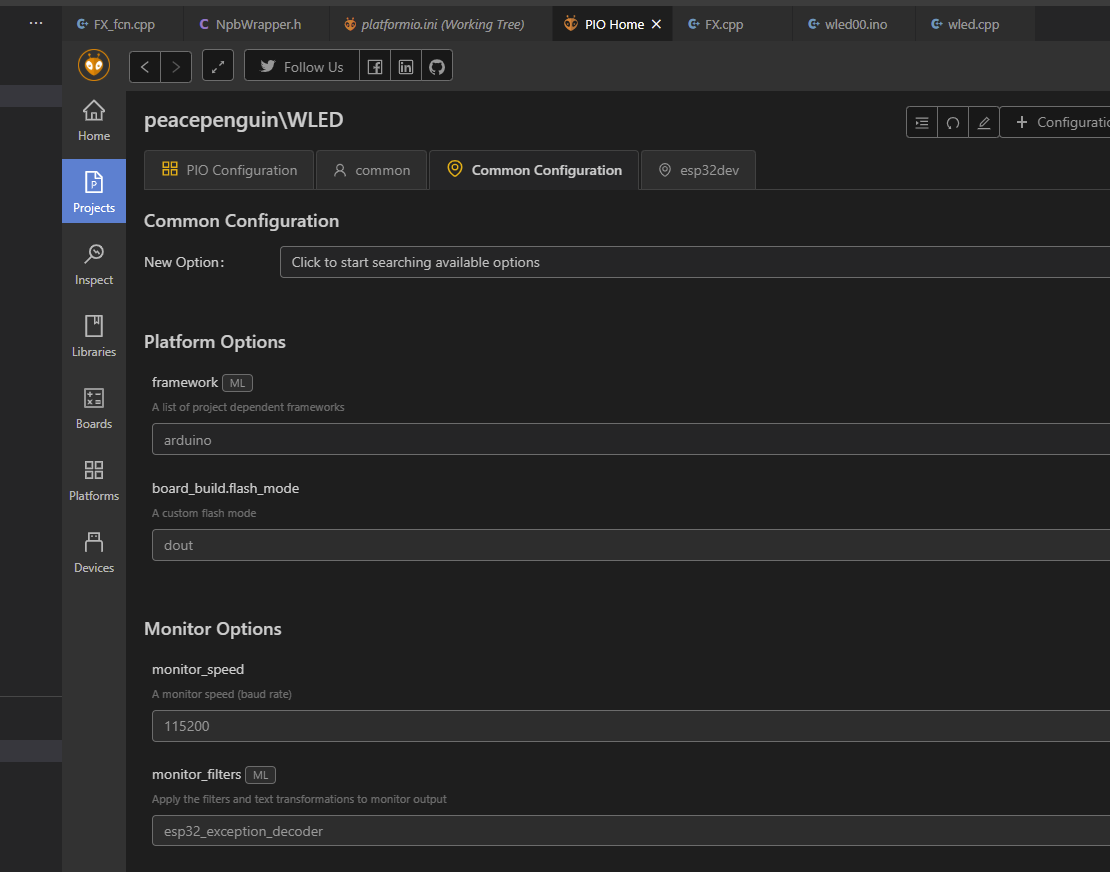
This way you should get a slightly clearer view of whats crashing.
Also, I sometimes need to build with debug to get this starting, but not sure if its always like that.
bjornbergenheim
on 3 Sep 2020
Guys, another thing. I'm seeing crashes on my esp32 after a while, usually it happends when I switch settings in the UI. If I turn on peek, and then click on next settings around 20-30 times, it crashes. This is a esp32 devkit C. Right now without any leds hooked up, but with 5 pins active and 150 leds on each. Can anyone reproduce this?
bjornbergenheim
on 3 Sep 2020
Sorry @PaulNBerlin I don't have a esp8266 to test, but the changes are minimal from the source, so it may be something like an out of memory condition, or maybe a duplicate output pin or output method was chosen? @bjornbergenheim I'm not getting crashes but haven't attempted to run more than 2 strips except as a quick test on the other RMT output pins to confirm the indexpixel math worked correctly.
The only thing I would suggest is always build with PlatformIO. If you're using the ArduinoIDE, then your kind of on your own in choosing library versions and ESP-IDE versions, lots of variations are possible depending on how you go about ArduinoIDE setup too.
Using platformIO, you'll pick up the changes I made to the platformio.ini file that are very important, like disabling relay output since that pin is used in my case, and disabling IR, since that uses pins that you may want to use for strips. You'll miss those changes entirely if building in the ArduinoIDE; it doesn't look at or care about platformio.ini.
Here's a quick overview of building WLED using PlatformIO from scratch:
(I'm using windows 10, but these tools are all cross platform:)
Install Python
Install git
Install Visual Studio Code
Reboot
Install PlatformIO Extension inside Visual Studio code
Open git bash:
cd ~
git clone https://github.com/peacepenguin/WLED
Now inside Visual Studio Code, click the PlatformIO option in the left menu.
From PlatformIO home, click "Open Project" Find the WLED code downloaded from git: c:users
Then click the Project Tasks section of Platformio, click "Upload" to build and upload to your ESP32, assuming its attached via serial.
Modify and re-upload the code as needed.
peacepenguin
on 3 Sep 2020
the current version of the fork now bypasses the auto-detected board PIXELMETHOD, so you must set each pin to your desired pixel method.
My hunch on some of the crashes you're seeing are because the esp8266 has a few board variations where the default PIXELMETHOD can be set by the compiler differently across boards. The crash may be because your attempting to use the same PIXELMETHOD on more than one pin without knowing it. Compiler wouldn't care about that, but it would cause a crash of the device after upload.
So with all the pin's pixel methods being manually set, you'll be able to know for sure your not re-using the same method on two different pins.
On an ESP32, these are the methods that work for me up to 8 pins, you'll have to figure out what methods you want on each pin.
Also I see pin 2 vs pin 3 being chosen for some different esp8622 boards, so I also made all pin assignments manual, so you can set your pin numbers to be whatever you want to avoid pin collisions too. Basically this is just an attempt to make is easier for you guys on untested boards to troubleshoot this yourselves without depending on the board-selection logic setting methods and pins for you.
// What pixelmethod to use on each strip?
#define STRIP1_PIXELMETHOD NeoEsp32Rmt0Ws2812xMethod    // the board specific PIXELMETHOD variable is being ignored now, so make sure it's set here!
#define STRIP2_PIXELMETHOD NeoEsp32Rmt1Ws2812xMethod    // define what method you want to use to drive the extra pins. For esp32 RMT 0-7 works best.
#define STRIP3_PIXELMETHOD NeoEsp32Rmt2Ws2812xMethod
#define STRIP4_PIXELMETHOD NeoEsp32Rmt3Ws2812xMethod
#define STRIP5_PIXELMETHOD NeoEsp32Rmt4Ws2812xMethod
#define STRIP6_PIXELMETHOD NeoEsp32Rmt5Ws2812xMethod
#define STRIP7_PIXELMETHOD NeoEsp32Rmt6Ws2812xMethod
#define STRIP8_PIXELMETHOD NeoEsp32Rmt7Ws2812xMethod


// What pins to use:
#define STRIP1_PIN 2 // manually specify all pins now, avoid issues with some boards by changing pins.  2  is default LEDPIN for esp32dev boards.
#define STRIP2_PIN 13
#define STRIP3_PIN 12
#define STRIP4_PIN 14
#define STRIP5_PIN 27
#define STRIP6_PIN 26
#define STRIP7_PIN 25
#define STRIP8_PIN 33
About esp8266 here is some very important information
https://github.com/Makuna/NeoPixelBus/wiki/ESP8266-NeoMethods
 Makuna
on 4 Sep 2020
Makuna
on 4 Sep 2020
@Makuna quite interesting. I also figured out the the usage of GPIO1 or 3 RX/TX might not be the best solution or requires at least an extra step:
Add this to your code at the beginning of set void setup():
//********** CHANGE PIN FUNCTION  TO GPIO **********
//GPIO 1 (TX) swap the pin to a GPIO.
pinMode(1, FUNCTION_3);
//GPIO 3 (RX) swap the pin to a GPIO.
pinMode(3, FUNCTION_3);
//**************************************************
I can test this but I have concerns that I will not be able to flash my nodemcu anymore afterwards using usb because RX/TX are defined differently...
PaulNBerlin
on 4 Sep 2020
@PaulNBerlin The changes by pinMode are not permanent. They will be reset at reboot, worst case hit the reset button; I yet have had to hit the reset button.
The esp8266 neopixelbus methods applies something similar. Note that arbitrary pins can not be used, each "function" (hardware peripheral) has only a few pins it can be used with and they often collide with the few others can use.
Makuna
on 4 Sep 2020
Just wanted to leave a quick note, for everyone who worked on this fork and especially @peacepenguin who certainly made it easy with his Github repo.
I recently introduced a board called the QuinLED-Dig-Quad with the purpose of making a board that makes using multi-channel LED setups easier. I've been testing it with some custom code and such and it works fine, but compiling this mod and setting up segmenting so I can control all 4 outputs indivudally with all the WLED stardust is just maigc.
Thnx for all the work!
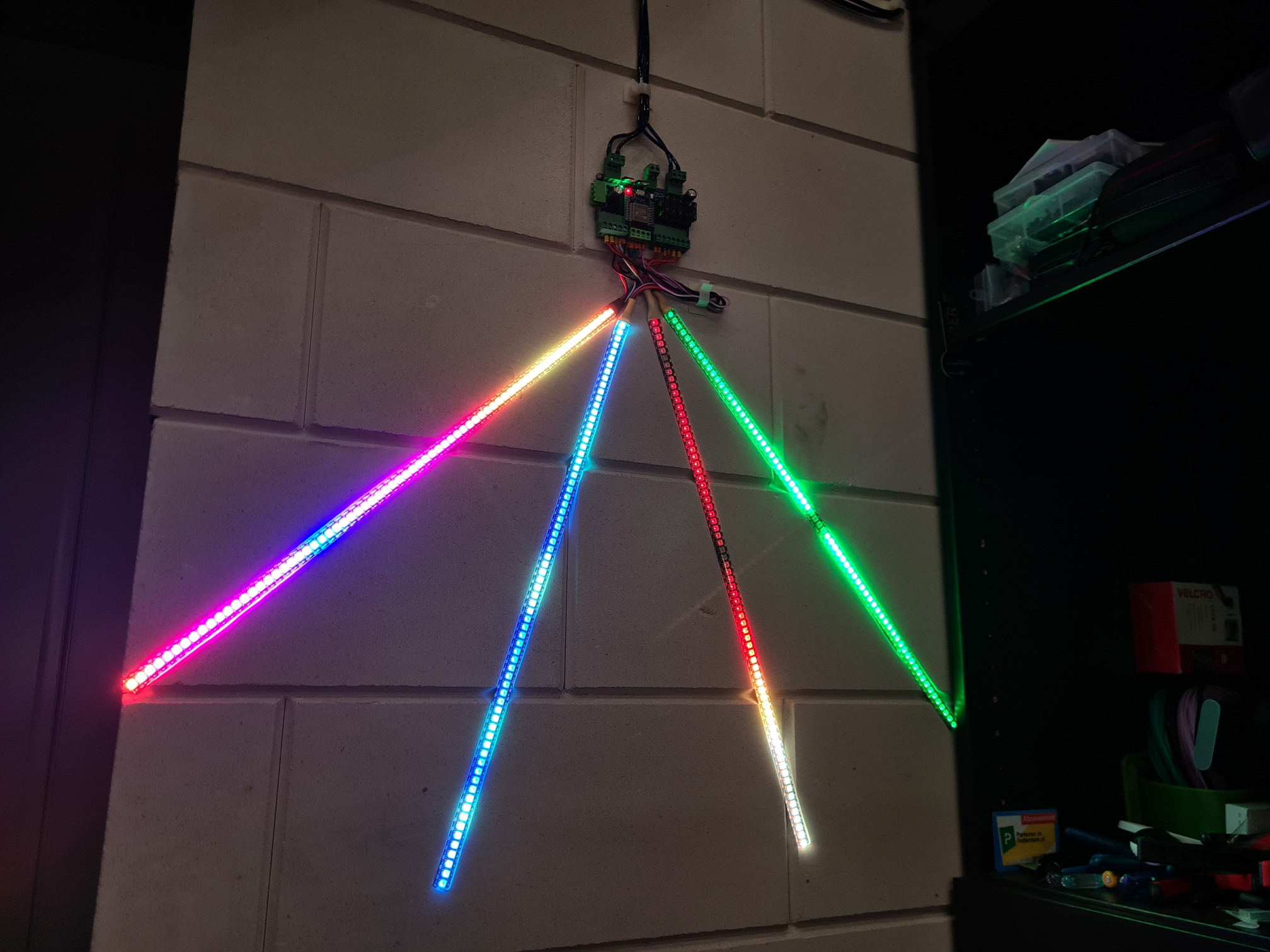
intermittech
on 6 Sep 2020
@intermittech glad to see you've got something working with the mod! And your hardware project to drive it all looks really cool!
And an extra shout out to @reteps and @N1nja98 for example mod code, and @Aircoookie for creating WLED, and @Makuna for creating NeoPixelBus and helping me understand how to go about any of this on the gitter chat!
peacepenguin
on 6 Sep 2020
So.... finally found some time to swap the Arduino's (with Corsair fan controller clonee) to ESP32 with peacepenguin his mod.
First i have tried with the Casefans and a 26 led rgb strip. Compiling was no problem. But uploading with Platformio was not working so i picked up the bin file and flashed with ESP flasher...
At first everything was looking okay. But when i played with some animations the leds are flickering white and other colors also by the way especially with animation breathe but with others also.
What could that be? I only changed led count.
Justdigit
on 8 Sep 2020
@Justdigit I've seen this too right after uploading. So far I've not had the issue reoccur if you do all this:
Format flash on the esp32 (not necessary in most cases, but good for troubleshooting to wipe all old code from the device)
Build and Flash the firmware, make sure to set your strip counts, qty per strip, etc in npbwrapper.h first.
Configure wifi, reboot.
Configure LED count in gui to match the total Led count accross all strips.
Reboot
Then it seems to work fine from that point.
I assume it has to do with the mismatch of led quantity hard coded for multipin vs the gui configured value. Seems like if the value doesn't match, things wont be right till its set to match, saved, then rebooted.
The setbrightness portion of the modified code sets all strips to the same byte, it's possible that's way over simplified mod for this, and specific effects I may not have tested may have bugs. Let me know how it looks after trying the above procedure.
peacepenguin
on 9 Sep 2020
Ben, have tried this with a lot of LEDs, say 750? And also, is the "peek" function known to be wonky when there are this many LEDs to display? I haven't tried this hooked up to all my LEDs yet, still in soldering phase, but I notice a lot of blinking in the peek part.
bjornbergenheim
on 9 Sep 2020
@Justdigit I just tested a bunch more scenarios to see if I get any flashes or issues with breathe and other effects. I'm able to get my 2 strip setup working fine with breathe, different brightness on each strip using segments etc. So far zero issues for me with my simple 2 strip/pin 36 total led setup.
Note that I am using a SN74HCT245N as a level shifter to boost the output data signal from my esp32 from 3.3 volt to 5v. 5 volt is what the strips really want to see. These SN74HCT245N chips are very cheap, and by chance, it's got 8-channels, just like the number of available RMT channels on the ESP32. I was seeing sporadic flashing on my breadboard setup even without the multi-pin mods. The level shifter cleared that right up.
@bjornbergenheim I have a very small amount of leds per strip at 18, and only using 2 strips/pins regularly. Total of 36 in my system. I only tested with my 2 strips and then copied the logic for the 8 strips. So even 8-channel output is not tested by me yet, only in theory it should work based on the code being the same and the successful 2 strip setup I'm using. Although above we see @intermittech with what looks like 4 channels running solid.
So on a big installation like yours, the issues you're encountering sound like normal big install issues. Voltage drop, signal degradation etc. Try the normal tricks: add a level shifter, increase the wire gauge for the power runs, use a higher amp power supply, put capacitors across the +5 and gnd. Or best case add power taps at locations along each strip to inject more direct paths for +5v and gnd.
Also I've never done a CPU/memory check on any of this before or after the multipin mods. So I'm not sure what the upper limits of WLED are in general or the limits of the mod. Might be trying to do too much in too little time for some bigger animations to be able to refresh quick enough to look right.
peacepenguin
on 10 Sep 2020
I can confirm 8 channels working, 512 total LED length in the config, using segment lengths of: 48, 28, 28, 28, 28, 28, 28, 28 (fixed 64 LED string length in the multipin mod to make the math fast). Level shifting using a pair of SN74HCT157N in my case (relay output used to fail over to an external w2812 in when the board is powered but the ESP is missing or off).
ragzilla
on 10 Sep 2020
@ragzilla your build sounds great! and awesome to hear it's working well with that many LEDs and strips!
peacepenguin
on 10 Sep 2020
@Justdigit I just tested a bunch more scenarios to see if I get any flashes or issues with breathe and other effects. I'm able to get my 2 strip setup working fine with breathe, different brightness on each strip using segments etc. So far zero issues for me with my simple 2 strip/pin 36 total led setup.
Note that I am using a SN74HCT245N as a level shifter to boost the output data signal from my esp32 from 3.3 volt to 5v. 5 volt is what the strips really want to see. These SN74HCT245N chips are very cheap, and by chance, it's got 8-channels, just like the number of available RMT channels on the ESP32. I was seeing sporadic flashing on my breadboard setup even without the multi-pin mods. The level shifter cleared that right up.
Played around yesterday and I am sure it's not in your code.... Hooked up the old esp8266 with normal Wled and it's flickering too. On the other hand the Arduino's are working fine.
I never used a level shifter..... The only thing I can imagine is wire length or some radio interference (idk if that's possible)
The wire (data) lengths are longer as before...
Go gonna try these days... Short in my time i will report back..
Justdigit
on 10 Sep 2020
@peacepenguin , I understand the lack of hardware to test. But if you try with no leds connected, and just look at the "peek" mode? Since I don't use leds at the moments, the flashing can't be due to cables, level shifters etc.
bjornbergenheim
on 10 Sep 2020
@peacepenguin I had to know what was causing the flicker.....so i made some extra time in it....
-the problem was a too long data+ wire. When i shortened the cable it was all okay.
The wires are not that thick. (breadboard) with a length approx 50cm.
Is it better to use a level shifter??? Will it solve the flicker when i want to have that longer Data+ wire?
Justdigit
on 10 Sep 2020
@Justdigit a level shifter definitely helps, as it'll send the w2812b the signaling voltages it's expecting to see. The ESP32 has VOH and VOL of 0.8xVDD and 0.1xVDD respectively (2.64V and 0.33V at 3.3V nominal), while your w2812b (assuming that's what you're using) is expecting a VIH/VIL of 0.7xVDD and 0.3xVDD (3.5V, and 1.5V). So while the low signal is good, the high signal is substantially out of range without a level shift (but frequently works anyway).
It can also help to have a series damping resistor (100-470ohm) before leaving on a signal line from the board to the LED, to reduce ringing due to the impedance mismatch between the w2812b, the ESP32, and the wire or trace connecting them. https://electronics.stackexchange.com/questions/7709/why-put-a-resistor-in-series-with-signal-line has some good answers on why this is a problem, and why it's done.
ragzilla
on 10 Sep 2020
@ragzilla Thanks mate hooked up a 100Ohm resistor in serie with data wire!! And here is a happy person!!
Thanks
@peacepenguin and the rest who are involved with this mod many many thanks
Justdigit
on 10 Sep 2020
Hey there all, I'm working on a project I'd like to uses WLED on with ESP32, and would rather control separate strips on separate pins if possible. given the thread is well over 100 posts now, I was wondering:
- Who has the most up to date community mod I should be trying the multi pin version from?
- if I control WLED via E1.31 (say, via xlights/FPP), is the multi pin version compatible with this? would separate pins be reported allow for additional universes to be reported?
- If I have to resort to single pin for some reason, does anyone know how long I can run a data wire, if I need to run one single continuous "strip" (for example, if I need a single "strip" to run down two hand railings, but my only option is to run the datawire along the base of the stairs to reach the other railing)
 rclough
on 26 Sep 2020
rclough
on 26 Sep 2020
@rclough
I think the fork I put together from some other's success here is being used reliably for a few people besides me now using esp32 boards for multipin/parallel output. https://github.com/peacepenguin/WLED
It's working well for me as-is in my PC for controlling all the RGB devices independently, and driving a few traditional led strips. I'm using a doit devkit v1 esp32 board.
Here's an updated overview of building this mod:
You have to use platformio to get this compiled correctly:
(I'm using windows 10, but these tools are all cross platform:)
Install Python
Install git
Install Visual Studio Code
Reboot
Install PlatformIO Extension inside Visual Studio code
Open git bash:
cd ~
git clone https://github.com/peacepenguin/WLED
Now inside Visual Studio Code, click the PlatformIO option in the left menu.
From PlatformIO home, click "Open Project" Find the WLED code downloaded from git: c:users
In the file:
NUM_STRIPS to the total # of pins you want to output on.
STRIPx_LEDCOUNT for all the strips you want to drive.
STRIPx_PIN to set what GPIO pins to output on for each strip.
STRIPx_PIXELMETHOD set to that pins desired driving method. They're preset for ESP32 RMT mode for up to 8 pins.
Then click the Project Tasks section of Platformio, click "Upload" to build and upload to your ESP32, assuming its attached via serial.
Configure WLED as normal, make sure to set the WEB gui's LED quantity to match your Total LED count in the system. Then save and reboot the ESP32. Use WLED as normal.
The multi-pin mod is currently entirely abstracted from wled's logic. WLED just sees the parallel outputs as one big giant strip. So any upstream control of WLED also would see it as just a big single strip.
3.
Run the data wire in a twisted pair configuration with its ground for best long range results: use a single pair in a cat5e cable. But data lines have issues at length. Better to home run them all from the esp32 with the multipin mod, or wire them up in series like usual with only one pin. Or a little of both; parallel output to multiple strips wired in series.
Then you just have to run large gauge wire for power/ground separately to each strip as needed. 5v needs lots of amps to run larger installations. Make sure to use appropriate guage wire for the amps being delivered. LED strips are raw components and can cause fires if not fused and wired correctly. They have no built-in protections from faults.
peacepenguin
on 27 Sep 2020
@peacepenguin Did something happen to the fork? I'm not seeing any of the variables like NUM_STRIPS in the NpbWrapper.h file.
It says it's even with Aircoookie:master branch. I'm so confused. I just pulled it an hour and the variables were there but now it seems like the whole branch has been merged into oblivion.
 veteze
on 16 Oct 2020
veteze
on 16 Oct 2020
Ah, nevermind. See you're merging upstream. ;)
veteze
on 16 Oct 2020
Yep just now finished getting the latest from @Aircoookie upstream, also merged in @cornehemme contribution for rgbw strip support.
Let me know if things look good to you! @veteze
Thanks!
peacepenguin
on 16 Oct 2020
Let me know if things look good to you! @veteze
Looks good so far. Was able to get the webserver running easily. Just doing the wiring now.
Is Pin 2 really the 3v3 line?
veteze
on 17 Oct 2020
Pin 2 for my esp32 is a gpio pin. Using it for strip 1 output pin.
Some esp32 might have different pin assignments though.
peacepenguin
on 17 Oct 2020
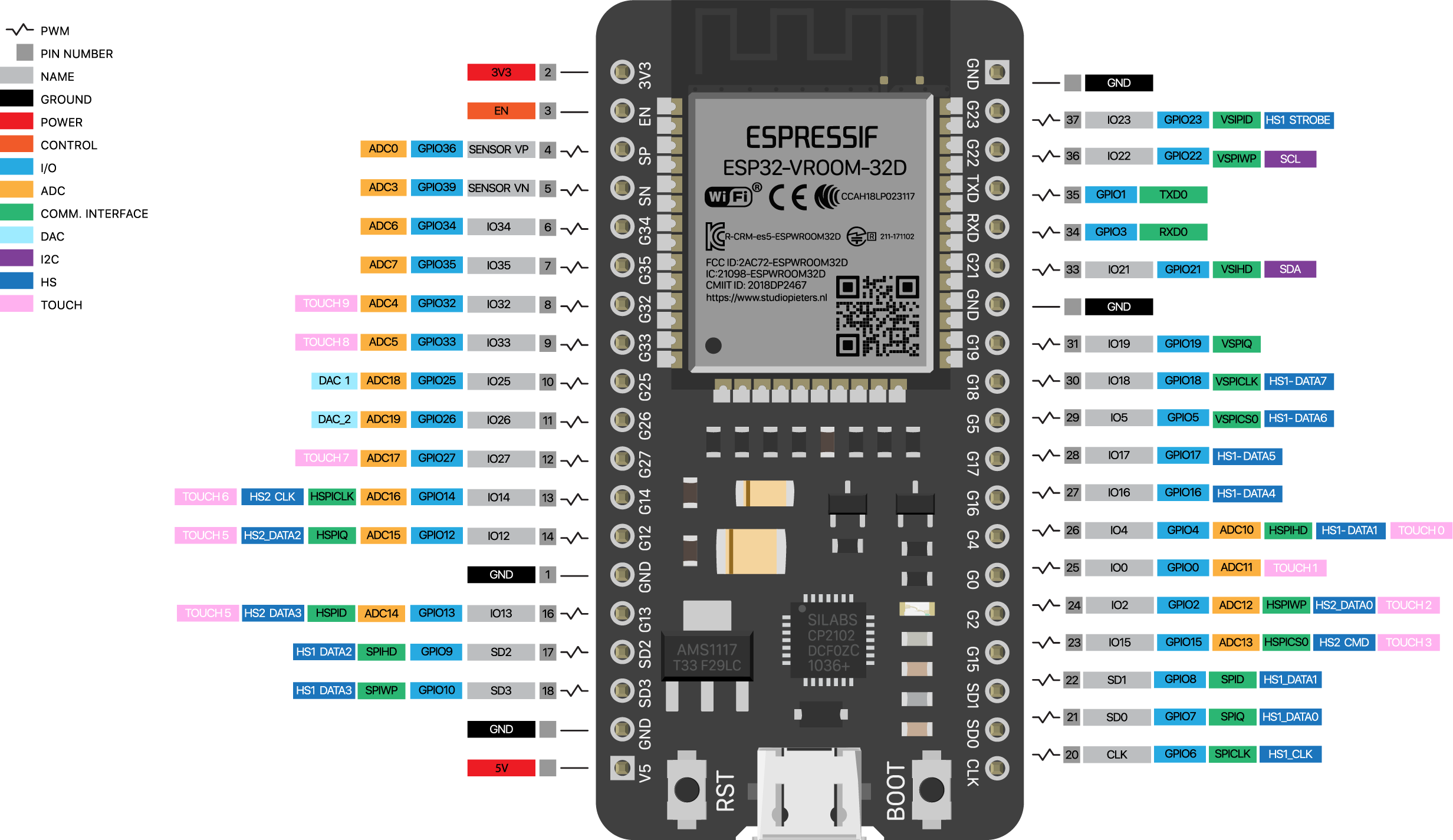
this is mine. i'm coming from teensy's and arduinos. this thing is nuts. ;) would I just use GPIO1,2,3,4? does it matter?
veteze
on 17 Oct 2020
good thing I didn't just blindly connect it to the 3v3 line. hahaha. ;)
veteze
on 17 Oct 2020
good thing I didn't just blindly connect it to the 3v3 line. hahaha. ;)
Yes exactly. When we're talking pin #s, always find the gpio number. Pin 2 I'm talking about is gpio2.
All boards layout differently, so pin2 is the label on your 3v3, but your really looking for gpio2.
Find any free gpio # pins, and set those in npbwrapper.h
Looks like thd pin2 you need is actually labeled G2 on your board.
peacepenguin
on 17 Oct 2020
Yes exactly. When we're talking pin #s, always find the gpio number. Pin 2 I'm talking about is gpio2.
All boards layout differently, so pin2 is the label on your 3v3, but your really looking for gpio2.
Find any free gpio # pins, and set those in npbwrapper.h
Looks like thd pin2 you need is actually labeled G2 on your board.
Awesome. I've got 4 pins working plainlessly. Effortless really. Code uploaded great from VS Code.
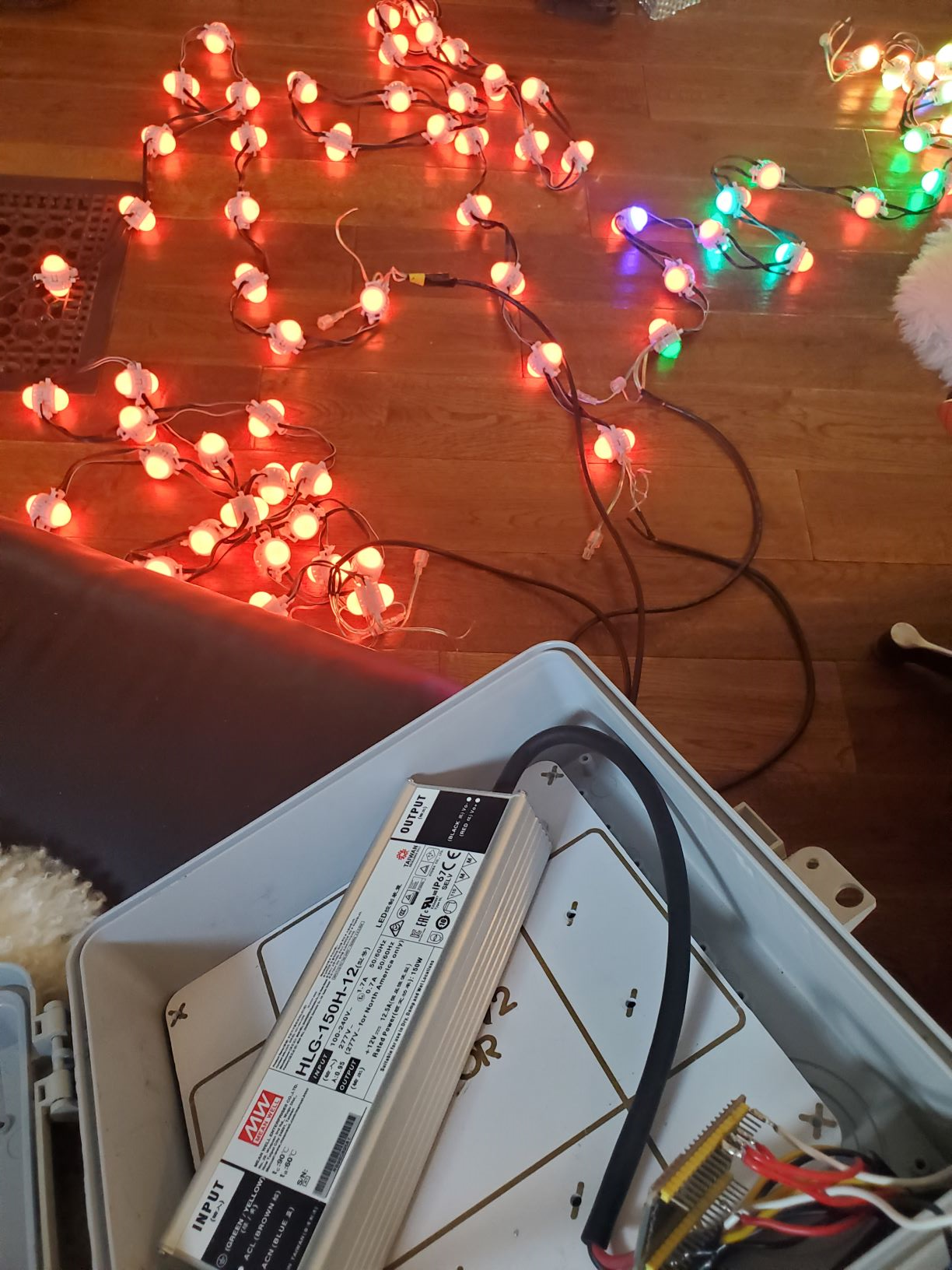
Lights on line 2, 3 and 4 are pretty glitchy. I'm using 1 meter cables (edit: actually, it's about 2 meters of cable. Line 1 works great. Very smooth.) . Will adding the resistor fix that? Or do I need to do the extra work with the level shifter(s)?
I think I also need to step down my voltage going into the esp32 from 12v to 5v. It's getting really hot after a few mins. ;)
veteze
on 17 Oct 2020
@veteze yikes! No 12v directly into the esp32! Can't believe you didn't get the magic smoke already!
And check a few posts up above for help with the glitchyness. I use a level shifter myself, but hear the resistor method gives great results too. A few options were discussed a few weeks back on this thread.
Glad to hear you got it running!
peacepenguin
on 17 Oct 2020
@veteze Ah yes on all those things.
- Data cables longer then 20cm maybe 30cm will require level-shifter to function correctly
- Resistors can help with some anti-ringing on the data lines, but level-shifters are much more important
- Development board is made to get 5v in, uses linear dropper to 3.3v, so now it needs to burn off way more voltage to get down to 3.3v from 12v, generating the heat.
intermittech
on 17 Oct 2020
@veteze Re: Flickering - I had two LED strips from the same vendor, ordered the same day. I wired them up with the same distance from the controller to the strip using a level shifter - one flickered, one did not. Adding a 330 ohm resistor in series with the data line at the strip end solved the problem. Adding the same resistor to the non-flickering strip did not cause any problems.
I made two test cables that help with troubleshooting. The first is a power injection adapter that passes through the voltage, but not the data. The second has a capacitor across the power lines and a 330 ohm resistor in the data line. These two adapters have saved me many hours of problem solving.
I built some DIY Christmas props and included the capacitor and resistor at the input point of each prop. Everything works great so far. I have one strip located 50 feet/16 meters from the controller.
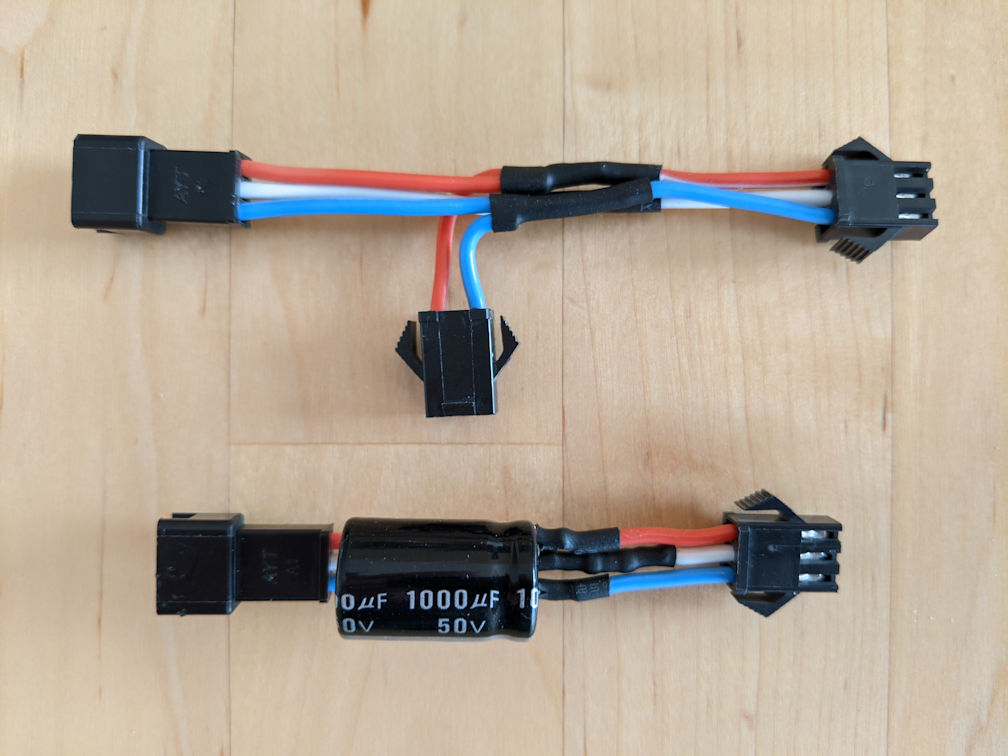
twlare
on 17 Oct 2020
@veteze yikes! No 12v directly into the esp32! Can't believe you didn't get the magic smoke already!
And check a few posts up above for help with the glitchyness. I use a level shifter myself, but hear the resistor method gives great results too. A few options were discussed a few weeks back on this thread.
Glad to hear you got it running!
Ben, my esp32 accept 15-7v and transform that down to 3.3v. But yea, you get lots of heat. But no magic smoke.
bjornbergenheim
on 18 Oct 2020
@peacepenguin Thanks for your fork for multiple pin use. As I am totaly new to platformIO, I have some difficulties which may be easy to solve....
First, I use a wemos d1 mini board. I connected my primary strip with 284 LEDs on Pin D4 (GPIO2) and a second one with 120 LEDs on RX (GPIO3).
I changed npbwrapper.h to ...
`// How many strips will be connected:
define NUM_STRIPS 2
// What pins to use:
define STRIP1_PIN 2 // manually specify all pins now, avoid issues with some boards by changing pins. 2 is default LEDPIN for esp32dev boards.
define STRIP2_PIN 3
define STRIP3_PIN 12
define STRIP4_PIN 14
define STRIP5_PIN 27
define STRIP6_PIN 26
define STRIP7_PIN 25
define STRIP8_PIN 33
// How many LEDs are on each strip:
define STRIP1_LEDCOUNT 284
define STRIP2_LEDCOUNT 120
define STRIP3_LEDCOUNT 18
define STRIP4_LEDCOUNT 18
define STRIP5_LEDCOUNT 18
define STRIP6_LEDCOUNT 18
define STRIP7_LEDCOUNT 18
define STRIP8_LEDCOUNT 18`
I am unsure ábout
define LEDPIN 2
and about changes in
define STRIP1_PIXELMETHOD NeoEsp32Rmt0Ws2812xMethod
and what do i need to change in my platform.ini file to use it with d1 mini please ?
Many thanks,
Tom
 DarthWeber
on 22 Oct 2020
DarthWeber
on 22 Oct 2020
@DarthWeber
Try the normal wled build first, make sure you can get that built and working before attempting to build this multipin mod version.
I think the board your using is esp32 based, so no changes are needed to platformio file or the pixel methods already defined in the mod.
The pin number defined in platformio is ignored in the mod. All setup values are overridden in npbwrapper.h for this mod.
Good luck!
peacepenguin
on 22 Oct 2020
@DarthWeber
Looks like d1 mini is really esp8266. So you'll have to change pixel method to something else. Not sure how the multipin mod works with esp8266 boards though since they don't support RMT output like the esp32.
Check the details on some other possible pixel method values to use here:
https://github.com/Makuna/NeoPixelBus/wiki/ESP8266-NeoMethods
Some examples of esp8266 methods:
NeoEsp8266Dma800KbpsMethod
NeoEsp8266BitBang800KbpsMethod
I only have an esp32 doit devkit v1, so that's all i can confirm works with this fork'd code. But the mainline WLED works great with esp8266, just on single pin output only.
Good luck!
peacepenguin
on 22 Oct 2020
@DarthWeber
I use exactly the same setup, and after a few hours of playing I just got it working:
1) in platformio.ini, comment line 35, and uncomment line 30.
(for me, I also had to add upload_port = /dev/ttyUSB1 on 155, but I don't think you'll need to do that. That's just because my linux puts the ESP on a different than default port)
2) In the NpbWrapper.h, you already set the strip pins to the right values, but you need to change: STRIP1_PIXELMETHOD to NeoEsp8266Uart1Ws2812xMethodand STRIP2_PIXELMETHOD to NeoEsp8266DmaWs2812xMethod, otherwise it won't work
#define LEDPIN 2 doesn't do anything anymore, and could as well be removed from the code (@peacepenguin hint hint)
 Davincible
on 23 Oct 2020
Davincible
on 23 Oct 2020
@peacepenguin do I need to do anything in NpbWrapper.h to use sk6812 (RGBW) LEDS?
 dsw-solutions
on 6 Nov 2020
dsw-solutions
on 6 Nov 2020
@peacepenguin do I need to do anything in NpbWrapper.h to use sk6812 (RGBW) LEDS?
I think you just need to configure WLED to use RGBW in the GUI web interface after flashing.
I merged in @cornehemme 's contribution to this fork that adds support for RGBW, but I don't have any sk6812's to test with. Let me know if it works!
peacepenguin
on 6 Nov 2020
@peacepenguin do I need to do anything in NpbWrapper.h to use sk6812 (RGBW) LEDS?
I think you just need to configure WLED to use RGBW in the GUI web interface after flashing.
I merged in @cornehemme 's contribution to this fork that adds support for RGBW, but I don't have any sk6812's to test with. Let me know if it works!
That's right. You just need to enable the "leds are 4 channel type (rgbw)" option in the GUI under the led preferences tab.
 cornehemme
on 6 Nov 2020
cornehemme
on 6 Nov 2020
Okay what am I doing wrong here?... I modified the NpbWrapper.h to:
define NUM_STRIPS 5
define STRIP1_PIN 13 // even tried putting this one first...
define STRIP2_PIN 2
define STRIP3_PIN 12
define STRIP4_PIN 14
define STRIP5_PIN 27
define STRIP1_LEDCOUNT 5
define STRIP2_LEDCOUNT 5
define STRIP3_LEDCOUNT 5
define STRIP4_LEDCOUNT 5
define STRIP5_LEDCOUNT 5
...and it still runs like a standard WLED build! The only data pin that seems to be working is pin 2.
I'm using a d1 mini. Thanks for any help!
 RDAppel
on 24 Nov 2020
RDAppel
on 24 Nov 2020
I am using @peacepenguin code and have successfully compiled it to run the 3 LED (GRB) strips and 1 LED string (RGB) on a DigQuad. Where can I set the 4th strips Color Order to RGB so the correct colors show up?
I have sifted through these comments and I didn't see a definitive answer yet people asked the same question. Can anyone highlight the answer if it's here?
 dkarpinski
on 26 Nov 2020
dkarpinski
on 26 Nov 2020
I am using @peacepenguin code and have successfully compiled it to run the 3 LED (GRB) strips and 1 LED string (RGB) on a DigQuad. Where can I set the 4th strips Color Order to RGB so the correct colors show up?
I have sifted through these comments and I didn't see a definitive answer yet people asked the same question. Can anyone highlight the answer if it's here?
Hmmmmm I dont think you can mix both types of strips yet. I have the dig-quad also with 4 channels and 4 rgbw strips. There is only 1 spot in WLED Config to set the type.
 mojotaker
on 26 Nov 2020
mojotaker
on 26 Nov 2020
@RDAppel d1 mini is esp8266 i think. If esp8266 then it doesn't support RMT like the esp32. Look back a few posts to see some workarounds, but i think you end up with only 2 pins max. You have to adjust the "PIXELMETHOD" for each strip for esp8266. These are defined in neopixelbus library documentation. A few people posted some examples here though. But if you want 5 pins i think you need an esp32 board for rmt.
peacepenguin
on 26 Nov 2020
@dkarpinski you just need to manually adjust the PIXELFEATURE for each pin.
In the forked code right now all strips are set to PIXELFEATURE3 starting on line 347 for strip 1's initialization in npbwrapper.h. so just replace PIXELFEATURE3 with one of the other feature types for the strip thats not working right.
PIXELFEATURE3 is set to:
NeoRbgFeature
So i think you just need to change your off color strip feature to:
NeoGrbFeature
You mention strip 4 is the wrong color, so try setting on line 362, change PIXELFEATURE3 to:
NeoGrbFeature
Or alternatively set 1 through 3 to NeoGrbFeature, and leave 4 alone, then change the web gui value around till they look right.
Let me know if that works. Either way I'll add params for manually setting each strips feature in the config variables so this scenario is simple to configure.
peacepenguin
on 26 Nov 2020
@peacepenguin thank you for responding.
I tried the first option... replacing strip 4 PIXELFEATURE3 with NeoGrbFeature
line 358: _pGrb4 = new NeoPixelBrightnessBus<NeoRgbFeature, STRIP4_PIXELMETHOD>(STRIP4_LEDCOUNT, STRIP4_PIN); // strip4
Compilation fails with this error:
In file included from wled00\FX.h:33:0,
                 from wled00\FX_fcn.cpp:27:
wled00\NpbWrapper.h: In member function 'void NeoPixelWrapper::Begin(NeoPixelType, uint16_t)':
wled00\NpbWrapper.h:358:18: error: cannot convert 'NeoPixelBrightnessBus<NeoRbgFeature, NeoEsp32RmtMethodBase<NeoEsp32RmtSpeedWs2812x, NeoEsp32RmtChannel3> >*' to 'NeoPixelBrightnessBus<NeoGrbFeature, NeoEsp32RmtMethodBase<NeoEsp32RmtSpeedWs2812x, NeoEsp32RmtChannel3> >*' in assignment
           _pGrb4 = new NeoPixelBrightnessBus<NeoRbgFeature, STRIP4_PIXELMETHOD>(STRIP4_LEDCOUNT, STRIP4_PIN); // strip4
This appears to be a type mismatch on the NeoPixelBrightnessBus() call somewhere....
When I do the inverse and set lines 347, 350, 354 PIXELFEATURE3 as NeoGrbFeature, things compile.
_pGrb4 = new NeoPixelBrightnessBus<NeoGrbFeature, STRIP1_PIXELMETHOD>(STRIP1_LEDCOUNT, STRIP4_PIN); // strip1
However, the behavior in WLED when running appears to still set ALL LED strings to use whatever color order has been chosen in the settings. I would have thought doing this would have "hard coded" strings 1-3 to use GRB no matter what was selected in the settings.
Did I do this incorrectly?
dkarpinski
on 26 Nov 2020
I think this will work if we can compile
So do this again:
line 358: _pGrb4 = new NeoPixelBrightnessBus
And also the same change on line 856.
That should fix the compile error and might work.
I will test on my strips soon and see if I can make an override for a single pin output Ike your trying to do.
peacepenguin
on 26 Nov 2020
Unfortunately the build still fails. This is the error:
In file included from wled00\FX.h:33:0,
                 from wled00\FX.cpp:27:
wled00\NpbWrapper.h: In member function 'void NeoPixelWrapper::Begin(NeoPixelType, uint16_t)':
wled00\NpbWrapper.h:359:18: error: cannot convert 'NeoPixelBrightnessBus<NeoRgbFeature, NeoEsp32RmtMethodBase<NeoEsp32RmtSpeedWs2812x, NeoEsp32RmtChannel3> >*' to 'NeoPixelBrightnessBus<NeoGrbFeature, NeoEsp32RmtMethodBase<NeoEsp32RmtSpeedWs2812x, NeoEsp32RmtChannel3> >*' in assignment
           _pGrb4 = new NeoPixelBrightnessBus<NeoRgbFeature, STRIP4_PIXELMETHOD>(STRIP4_LEDCOUNT, STRIP4_PIN); // strip4
                  ^
In file included from wled00\FX.h:33:0,
                 from wled00\FX_fcn.cpp:27:
wled00\NpbWrapper.h: In member function 'void NeoPixelWrapper::Begin(NeoPixelType, uint16_t)':
wled00\NpbWrapper.h:359:18: error: cannot convert 'NeoPixelBrightnessBus<NeoRgbFeature, NeoEsp32RmtMethodBase<NeoEsp32RmtSpeedWs2812x, NeoEsp32RmtChannel3> >*' to 'NeoPixelBrightnessBus<NeoGrbFeature, NeoEsp32RmtMethodBase<NeoEsp32RmtSpeedWs2812x, NeoEsp32RmtChannel3> >*' in assignment
           _pGrb4 = new NeoPixelBrightnessBus<NeoRgbFeature, STRIP4_PIXELMETHOD>(STRIP4_LEDCOUNT, STRIP4_PIN); // strip4
                  ^
*** [.pio\build\esp32dev\src\FX.cpp.o] Error 1
*** [.pio\build\esp32dev\src\FX_fcn.cpp.o] Error 1
In file included from wled00\FX.h:33:0,
                 from wled00\fcn_declare.h:97,
                 from wled00\wled.h:110,
                 from wled00\blynk.cpp:1:
wled00\NpbWrapper.h: In member function 'void NeoPixelWrapper::Begin(NeoPixelType, uint16_t)':
wled00\NpbWrapper.h:359:18: error: cannot convert 'NeoPixelBrightnessBus<NeoRgbFeature, NeoEsp32RmtMethodBase<NeoEsp32RmtSpeedWs2812x, NeoEsp32RmtChannel3> >*' to 'NeoPixelBrightnessBus<NeoGrbFeature, NeoEsp32RmtMethodBase<NeoEsp32RmtSpeedWs2812x, NeoEsp32RmtChannel3> >*' in assignment
           _pGrb4 = new NeoPixelBrightnessBus<NeoRgbFeature, STRIP4_PIXELMETHOD>(STRIP4_LEDCOUNT, STRIP4_PIN); // strip4
                  ^
In file included from wled00\FX.h:33:0,
                 from wled00\fcn_declare.h:97,
                 from wled00\wled.h:110,
                 from wled00\alexa.cpp:1:
wled00\NpbWrapper.h: In member function 'void NeoPixelWrapper::Begin(NeoPixelType, uint16_t)':
wled00\NpbWrapper.h:359:18: error: cannot convert 'NeoPixelBrightnessBus<NeoRgbFeature, NeoEsp32RmtMethodBase<NeoEsp32RmtSpeedWs2812x, NeoEsp32RmtChannel3> >*' to 'NeoPixelBrightnessBus<NeoGrbFeature, NeoEsp32RmtMethodBase<NeoEsp32RmtSpeedWs2812x, NeoEsp32RmtChannel3> >*' in assignment
           _pGrb4 = new NeoPixelBrightnessBus<NeoRgbFeature, STRIP4_PIXELMETHOD>(STRIP4_LEDCOUNT, STRIP4_PIN); // strip4
                  ^
*** [.pio\build\esp32dev\src\blynk.cpp.o] Error 1
*** [.pio\build\esp32dev\src\alexa.cpp.o] Error 1
@dkarpinski
Ok got this figured out. I tested this and it works well.
Revert all those other changes and do this instead:
On line 567 is strip 4's set color:
_pGrb4->SetPixelColor((indexPixel -= STRIP4_STARTLED), RgbColor(color.R,color.G,color.B));
Change the color order after "RgbColor("
From this:
RgbColor(color.R,color.G,color.B))
Into this:
RgbColor(color.G,color.R,color.B))
Not certain that's the right color order for your strip 4. But green is now red, and red is now green on just the strip where I made this change. Blue is still blue, which makes sense i didn't change the blue param position.
Keep adjusting till you find what works to correct your strip 4 colors.
peacepenguin
on 27 Nov 2020
Hi @peacepenguin I compiled your peacepenguin/WLED for the QuinLED-Dig-Quad and it works great!
I am using it with 10Meter WS2815 strips (600 LEDs per strip). I use 4 outputs (so 40Meter Strip in total), every strip has an own output/segment.
I also use the relay, works great! However, I bought a 4-relay module and want to switch every strip via it's own relay.
So it can happen that only LEDstrip3 is working (Ledstrip1,2 and 4 are off) and so only Relay3 will be switched on.
I checked the code and I am in doubt what to change, I think there are two possibilities:
A) Changing the code (button.cpp) around line 85-108, So I add some code here to detect which LEDs are on and which are OFF (segments) and then digitalWrite the other PINs/Relays.
B) Add some code in NpbWrapper.h around line 349-364 to set the PINnumber of the Relay for each strip. Then later on I need to catch that PINnumber and do the DigitalWrite there. So this method requires changing code in different places.
Since you made the whole Multi-Strip implementation, what do you think is best to do?
Kind regards,
Roel Broersma
PS. See below some photos of the box I made for outdoor use. I want to put multiple of them in very large gardens and shopping streets.
- It's build in a full Aluminium Rittal Case
- Is using a MeanWell 12V 22Amp LED Driver (Voltage and Max.Amps. can be fine tuned via potmeter)
- Using WEIPU plugs (4pole) for connecting the LED strips with 4x 1.5mm2 (H07RN-F) Cable
- Using a LilyGO TTGO T7 Mini32 v1.3 (because of more powerfull CPU and the external antenna connector)
- It has an Outdoor antenna (because the case is aluminium) and because of better/more-far signal.
- The Voltage regulators which are built onto the QuinLED-Dig-Quad have an extra Aluminium Cool block to keep them a bit cooler in the closed case (and longer life).
- Also see the 4-relay module there.
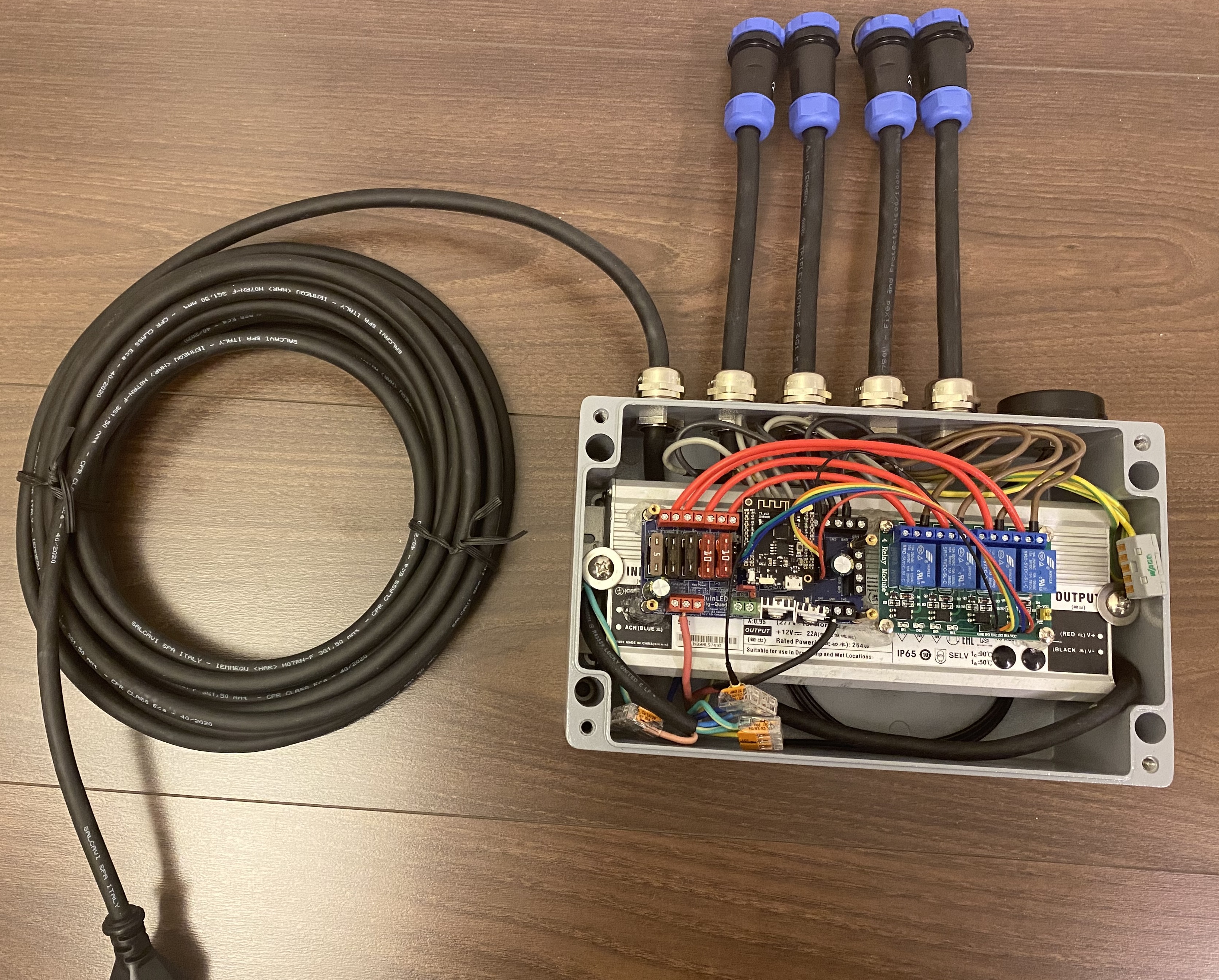
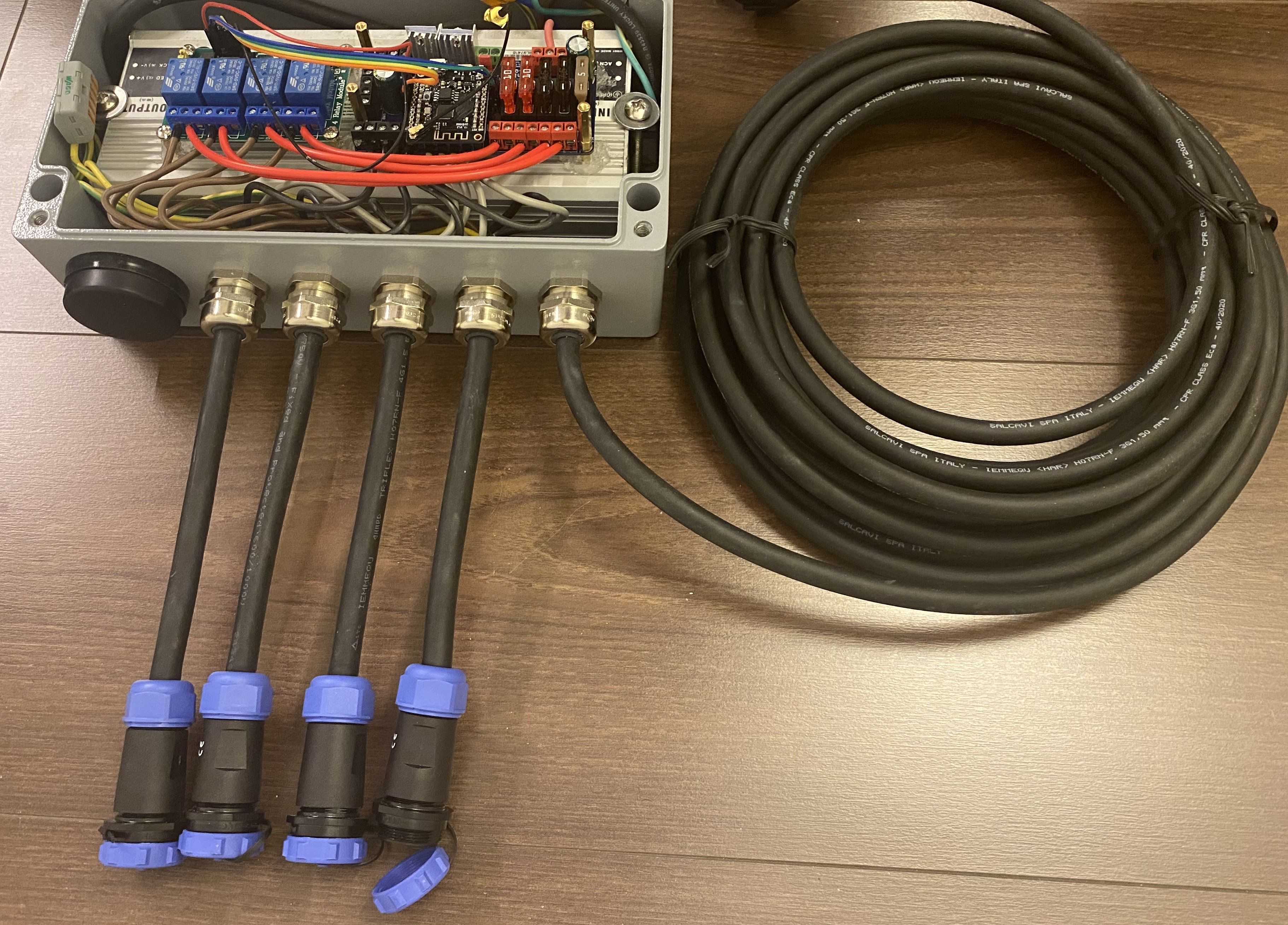
(the 10meter cable you see is just a 230V Neopropeen cable with a plug, for power)
 roelbroersma
on 27 Nov 2020
roelbroersma
on 27 Nov 2020
@roelbroersma Sweet looking setup!
Unfortunately I'm not familiar with even the "out of box" relay configuration for WLED.
What behavior are you looking to control with the relay? On/off for the power delivered to each strip?
What decides if it's on or off? Just a manual toggle in the web gui?
peacepenguin
on 27 Nov 2020
@dkarpinski
Ok got this figured out. I tested this and it works well.
Revert all those other changes and do this instead:
On line 567 is strip 4's set color:
_pGrb4->SetPixelColor((indexPixel -= STRIP4_STARTLED), RgbColor(color.R,color.G,color.B));Change the color order after "RgbColor("
From this:
RgbColor(color.R,color.G,color.B))Into this:
RgbColor(color.G,color.R,color.B))Not certain that's the right color order for your strip 4. But green is now red, and red is now green on just the strip where I made this change. Blue is still blue, which makes sense i didn't change the blue param position.
Keep adjusting till you find what works to correct your strip 4 colors.
@peacepenguin, this worked! Thank you. I had to set the first 3 strips to RgbColor(color.G,color.R,color.B) and I left the 4th string as RgbColor(color.R,color.G,color.B), cos that's what they are. Then I set the "Color Order" in the prefs to RGB. All works!
dkarpinski
on 28 Nov 2020
New version is up.... Can we update the repository and flash as usual??
Justdigit
on 29 Nov 2020
I have been using the development version with the multiple strip changes and there are a number of other significant improvements so yes, you should upgrade. However, the official multiple strip implementation is different than the @peacepenguin version. You will need to recompile the code yourself to set it up because the configuration uses compiler flags for the pixel counts and data pins.
twlare
on 29 Nov 2020
@Justdigit
Just updated the multipin fork with all the newest upstream code from Aircookie
Configure, build, then install instructions and notes here:
https://github.com/peacepenguin/WLED/blob/master/installation.md
@dkarpinski see the install notes for updated GRB -> RGB color order fixes for your setup. Same concept for the fix, but some variable names changed a little.
peacepenguin
on 30 Nov 2020
FYI there is now a usermod for esp32 specific multipin use in the upstream repo:
https://github.com/Aircoookie/WLED/commits/master/usermods/esp32_multistrip
It's not 100% up to date with the current upstream version of NpbWrapper.h yet. And so far doesn't have support for esp8622.
I'll continue to maintain this fork until the new usermod reaches feature parity or when official multi-pin functionality is added to WLED's default binary builds.
https://github.com/peacepenguin/WLED/
https://github.com/peacepenguin/WLED/blob/master/installation.md
peacepenguin
on 30 Nov 2020
I have updated from Peacepenquin repo. And everything works just fine. Thanks.
Justdigit
on 1 Dec 2020
@peacepenguin Here I am again (the one from the fancy Outdoor Rittal case). I was working on it offline and dived into the code, also the difference between the WLED 0.11 with multistrip-usermod and your version.
I compiled the WLED 0.11 version with multistrip-usermod with some additional stuff to make it possible to switch a specific relay (up to 8) for a specific ledstrip. I think this should best fit into the multistrip mod.
In NpbWrapper.h I added:
ifndef RLYPIN2
  #define RLYPIN2 21  //pin for relay2, will be set HIGH if LEDs are on (-1 to disable). Also usable for standby leds, triggers,...
#endif

#ifndef RLYPIN3
  #define RLYPIN3 19  //pin for relay3, will be set HIGH if LEDs are on (-1 to disable). Also usable for standby leds, triggers,...
#endif

#ifndef RLYPIN4
  #define RLYPIN4 23  //pin for relay4, will be set HIGH if LEDs are on (-1 to disable). Also usable for standby leds, triggers,...
#endif


#ifndef RLYMDE2
  #define RLYMDE2 0  //mode for relay, 0: LOW if LEDs are on 1: HIGH if LEDs are on
#endif

#ifndef RLYMDE3
  #define RLYMDE3 1  //mode for relay, 0: LOW if LEDs are on 1: HIGH if LEDs are on
#endif

#ifndef RLYMDE4
  #define RLYMDE4 1  //mode for relay, 0: LOW if LEDs are on 1: HIGH if LEDs are on
#endif
In wled.cpp I added:
// init relay pin
#if RLYPIN2 >= 0
  pinManager.allocatePin(RLYPIN2);
  pinMode(RLYPIN2, OUTPUT);
#if RLYMDE
  digitalWrite(RLYPIN2, bri);
#else
  digitalWrite(RLYPIN2, !bri);
#endif
#endif

// init relay pin
#if RLYPIN3 >= 0
  pinManager.allocatePin(RLYPIN3);
  pinMode(RLYPIN3, OUTPUT);
#if RLYMDE
  digitalWrite(RLYPIN3, bri);
#else
  digitalWrite(RLYPIN3, !bri);
#endif
#endif


// init relay pin
#if RLYPIN4 >= 0
  pinManager.allocatePin(RLYPIN4);
  pinMode(RLYPIN4, OUTPUT);
#if RLYMDE
  digitalWrite(RLYPIN4, bri);
#else
  digitalWrite(RLYPIN4, !bri);
#endif
#endif
In button.cpp I added some lines around 91.
The purpose of this is to Switch up to 4 (in my above example, but we should set it up to 8) relays, for every LEDSTRIP one relay.
Can we incorporate this in the multistrip mod?
I need to add one more thing;
Currently it switches all the relays at the same time when a single ledstrip is running. I do want to switch relay3 only for Ledstrip3, etc.. So I need to add a:
GetBrightness (byte b) function for each specific Ledstrip.
I saw you already made the SetBrightness (byte b) functions for specific ledstrips:
void SetBrightness(byte b)
  {
    switch (_type)
    {
      case NeoPixelType_Grb:
      {
        for (uint8_t idx = 0; idx < numStrips; idx++)
        {
          switch (idx)
          {
            case 0: pGrb0->SetBrightness(b); break;
            case 1: pGrb1->SetBrightness(b); break;
            case 2: pGrb2->SetBrightness(b); break;
            case 3: pGrb3->SetBrightness(b); break;
            case 4: pGrb4->SetBrightness(b); break;
            case 5: pGrb5->SetBrightness(b); break;
            case 6: pGrb6->SetBrightness(b); break;
            case 7: pGrb7->SetBrightness(b); break;
          }
        }
        break;
      } .....
....
(The above works so far for the Quinled Quad which I have running)
roelbroersma
on 7 Dec 2020
@roel
This all looks great! Can you goto github and fork the multipin mod from my repo and add the needed changes you've listed here, then clone your repo and make sure it compiles. Then create a pull request for the changes. I'd be able to merge it right into the multipin repo that way.
Edit. Reading again it looks like this applies to the new usermod multipin setup. So might be better to fork Aircoookie's master version, and submit the pull request against that. The repo I'm maintaining is different still from the usermod version, so these changes might not work in the fork. If the pull request is accepted it'll also get into this multipin fork as I merge all upstream changes regularly.
peacepenguin
on 7 Dec 2020
Hi @peacepenguin I see you have a https://github.com/peacepenguin/npb-multipin repository, but I don't think that's the one you mean? I did git-clone the Aircoookie/WLED, do you want me to git clone peacepenguin/WLED and create a pull request from there?
I'm a bit sceptic: I cannot make all the neccessary changes in 1 of the 3 files in the /usermods/esp32_multistrip/ directory.
Because it also needs some changes in button.cpp and wled.cpp (as you see in my previous message). Do you want me to make all those changes in the files and then you mergen them? Because we need to have it in the Aircoookie/WLED repo somehow,. isn't it?
roelbroersma
on 7 Dec 2020
Ah i see what you mean. Sounds like you're using the usermod, then have added some changes for the relay. My WLED repo ignores the usermod entirely. So your code changes would fit better in the fork I'm maintaining since we're already changing files instead of putting it all into the usermod.
Only problem is the changes you've made change the usermod version, so we'll need to adapt those same changes into the multipin fork instead of the usermod.
And yes my WLED repo is the multipin WLED fork. The npb-multipin repo was POC repo for figuring out multipin output on neopixel bus in a simple single file project.
Thanks for putting this code together to add the multipin relay feature!
peacepenguin
on 7 Dec 2020
@peacepenguin Do you want to allow me to create a pullrequest on the peacepenhuin/wled repo ?
roelbroersma
on 7 Dec 2020
@peacepenguin Do you want to allow me to create a pullrequest on the peacepenhuin/wled repo ?
The usual process would be:
Fork my repo into your github account, by browsing to my repo and clicking "Fork" in the top left.
Work out your changes locally in your own version of the repo.
Then create a pull request from the front page of your repo, by clicking "compare" next to the title area of your repo, then "create pull request". It will then create a pull request in my repo with all your changes.
Thanks!
peacepenguin
on 7 Dec 2020
I'm sitting here with baited breath...
I'm new to this whole programming game and was just starting this morning playing with the code from @peacepenguin when I saw this. I was going to try and modify a Sonoff 4ch v2 (esp8285) flashed with WLED to be able to control it from xlights. The thought was that if I used 4 pins and set the LED count to 1 and brightness for all channels to 255, I could run the relays in an on/off state and control 110v light strings.
Now that I'm reading this here, I'm thinking that the mods @roelbroersma is working on would allow relay control alone, without the need to use the data outputs to strips? Would this serve this purpose?
If so, then this could possibly be expanded to allow use of an 8 ch relay board to be controlled wirelessly over e1.31 for other displays and purposes.
 coppertop1973
on 8 Dec 2020
coppertop1973
on 8 Dec 2020
Can someone please tell me how to go back to version before this one?? I have nothing but troubles with 0.11... Some effects are crashing. already made an issue.
I am not familiar with visual code. I have tried to change to 10.2 but i guess its not the multipin wled github repo?? IDK
Justdigit
on 8 Dec 2020
@Justdigit you can browse commit history and get any version that's ever existed in the repo. This link is for a version of the multipin mod prior to the 0.11 merge:
https://github.com/peacepenguin/WLED/tree/e33a0bf940529145cff46a297831046b11366f35
Or go browse the commit history and find one you like, click the button that looks like this: <> next to the commit you want to use to "browse the repo at this point in the history" to find a version that works for you.
https://github.com/peacepenguin/WLED/commits/master
I just merged in the latest post 0.11 updates from Aircoookie, so maybe the bug your running into is fixed now?
edit: looks like i overwrote the old multi-pin commits when merging upstream for 0.11, so maybe there's no going back after all. I need to change my merge process to account for that moving forward.
peacepenguin
on 8 Dec 2020
@coppertop1973 so far we haven't merged in the new relay control yet, even for four pins, and then no code exists yet for 8-pin relay. But you could absolutely adapt the code @roelbroersma posted here into a new fork of this repo though. He posted all his mods here in this thread for anyone to be able to use and borrow ideas from.
peacepenguin
on 8 Dec 2020
@Justdigit you can browse commit history and get any version that's ever existed in the repo. This link is for a version of the multipin mod prior to the 0.11 merge:
https://github.com/peacepenguin/WLED/tree/e33a0bf940529145cff46a297831046b11366f35
Or go browse the commit history and find one you like, click the button that looks like this: <> next to the commit you want to use to "browse the repo at this point in the history" to find a version that works for you.
https://github.com/peacepenguin/WLED/commits/masterI just merged in the latest post 0.11 updates from Aircoookie, so maybe the bug your running into is fixed now?
edit: looks like i overwrote the old multi-pin commits when merging upstream for 0.11, so maybe there's no going back after all. I need to change my merge process to account for that moving forward.
Yeah i have tried but the link you gave me builds to 0.11. The commits from Aircookie didnt solve the problems several effects are not working and i get an error agter flashing from littleFS.
Guess i just have to patient.....no problem and thanks.... learning a lot from this. Thats fun.
Justdigit
on 8 Dec 2020
@peacepenguin I have got a question. Is it possible to turn the led strip effect180 degrees? I know you can do for the whole setup.
Justdigit
on 10 Dec 2020
@Justdigit
Yes you can create a custommappingtable to change the led order in this code to accomplish what your after:
wled00/FX_fcn.cpp
Assume a really simple example of three output pins, 5 leds on each pin, total of 15 leds. If we want to flip 180 on just strip two, the custom mapping table would look like this:
Default mapping:
1,2,3,4,5,6,7,8,9,10,11,12,13,14,15
Strip two reversed:
1,2,3,4,5,10,9,8,7,6,11,12,13,14,15
Hope that helps!
peacepenguin
on 12 Dec 2020
@peacepenguin
That was a piece of cake.... When you know which code where is haha... Thanks...
I wonder if and when Aircoookie will merge this usermod in a release version.... I am so happy with this multistring option. I have now two esp32 running in my PC both with six channels.
The only problem.... It crashes on some effects and littleFS gives an error in the log after flashing in esp homeflasher for both i issued with logs...
Justdigit
on 12 Dec 2020
Related issues
 Sasquatch6ft9
·
4Comments
Sasquatch6ft9
·
4Comments
 Legsmaniac
·
3Comments
Legsmaniac
·
3Comments
 Brausmith
·
4Comments
Brausmith
·
4Comments
 athlon1900
·
3Comments
athlon1900
·
3Comments
 cemasss
·
3Comments
cemasss
·
3Comments
Most helpful comment
Working on multi strip support right now! Promising nothing, but we might be able to get 4 outputs on 8266 and 8 on ESP32 😄
@goatchurchprime NeoPixelBus is used as an external library! I'd never be as good as Makuna with low level driving goodness.
NpbWrapper.his just for dynamically changing between RGB and RGBW modes (and soon LED pins and number of strips)