Wled: MQTT support implementation details question
Hello all,
some of you already asked for MQTT support, so I want to implement it for WLED some time soon.
This is the first feature of WLED that will be added without me using it, so I'd like to get some feedback from you on how you want the implementation to work! I'm planning to use the popular PubSubClient library.
For those planning to use MQTT, I'd be very happy if you could tell me something about your requirements and if they are met by the things I though about already:
What topics does WLED need to subscribe to? Is it enough if each ESP subscribes to the 2 configurable topics
<yourcustomtopic>/<devicename>/<property>and<yourcustomtopic>/all/<property>.The custom topic could be anything you want, for example/myhome/bedroom/wled. With the "devicename" you could target one or with the "all" every device in that "group".What "properties" would you like to see supported? Brightness and color for sure, also one to do any API call that would be possible via HTTP is what I thought of. In what format should brightness and color be supported? Comma separated ASCII integers, raw bits or hex strings?
Do you need WLED to publish any topics? Like current brightness, color, FX, or anything else? If yes, I think this would be easiest if WLED publishes to the topic
<yourcustomtopic>/<devicename>/out/<property>every time the color or other property updates, right?Do you have any other suggestions?
Thanks for your help! Since I don't use an MQTT broker or a central home automation framework, you will know your specific requirements better than I do :)
 Aircoookie
All 23 comments
Sounds like pretty much what we need,
here's an example of a light i use MQTT in Homeassistant
state_topic: "homie/livingroom/light/on"
command_topic: "homie/livingroom/light/on/set"
rgb_state_topic: "homie/livingroom/light/color"
rgb_command_topic: "homie/livingroom/light/color/set"
With these topics i could turn it on and off and set the colours.
(homie is the esp firmware i used on the bulb)
Being able to control start and stop the effects would be pretty cool, especially the user defined one. (movie starts, i can automatically make it call a theatre chase effect on wled, thats sort of thing.)
I'm happy to do any testing etc.
 raymiec
on 23 Sep 2018
raymiec
on 23 Sep 2018
seems pretty straight forward using pubsubclient
https://gist.github.com/balloob/1176b6d87c2816bd07919ce6e29a19e9
raymiec
on 23 Sep 2018
Thanks for the feedback, Raymie! I'll get to work on it soon :)
FX changing will be supported because I'll add support for all HTTP API calls to MQTT.
So you could publish "FX=13" to the topic "wled/livingroom/light/api" and it would set it to the chase effect, for example :)
Aircoookie
on 23 Sep 2018
Sounds good man.
sidenote,
I pulled this file from my HomeAssistant setup, its the component for Hyperion, A component like this would be great for WLED, you'd pull in a lot of users from there as there's not really any good easy solution just now.
`"""
Support for Hyperion remotes.
For more details about this platform, please refer to the documentation at
https://home-assistant.io/components/light.hyperion/
"""
import json
import logging
import socket
import voluptuous as vol
from homeassistant.components.light import (
ATTR_BRIGHTNESS, ATTR_HS_COLOR, ATTR_EFFECT, SUPPORT_BRIGHTNESS,
SUPPORT_COLOR, SUPPORT_EFFECT, Light, PLATFORM_SCHEMA)
from homeassistant.const import (CONF_HOST, CONF_PORT, CONF_NAME)
import homeassistant.helpers.config_validation as cv
import homeassistant.util.color as color_util
_LOGGER = logging.getLogger(__name__)
CONF_DEFAULT_COLOR = 'default_color'
CONF_PRIORITY = 'priority'
CONF_HDMI_PRIORITY = 'hdmi_priority'
CONF_EFFECT_LIST = 'effect_list'
DEFAULT_COLOR = [255, 255, 255]
DEFAULT_NAME = 'Hyperion'
DEFAULT_PORT = 19444
DEFAULT_PRIORITY = 128
DEFAULT_HDMI_PRIORITY = 880
DEFAULT_EFFECT_LIST = ['HDMI', 'Cinema brighten lights', 'Cinema dim lights',
'Knight rider', 'Blue mood blobs', 'Cold mood blobs',
'Full color mood blobs', 'Green mood blobs',
'Red mood blobs', 'Warm mood blobs',
'Police Lights Single', 'Police Lights Solid',
'Rainbow mood', 'Rainbow swirl fast',
'Rainbow swirl', 'Random', 'Running dots',
'System Shutdown', 'Snake', 'Sparks Color', 'Sparks',
'Strobe blue', 'Strobe Raspbmc', 'Strobe white',
'Color traces', 'UDP multicast listener',
'UDP listener', 'X-Mas']
SUPPORT_HYPERION = (SUPPORT_COLOR | SUPPORT_BRIGHTNESS | SUPPORT_EFFECT)
PLATFORM_SCHEMA = PLATFORM_SCHEMA.extend({
vol.Required(CONF_HOST): cv.string,
vol.Required(CONF_PORT, default=DEFAULT_PORT): cv.port,
vol.Optional(CONF_DEFAULT_COLOR, default=DEFAULT_COLOR):
vol.All(list, vol.Length(min=3, max=3),
[vol.All(vol.Coerce(int), vol.Range(min=0, max=255))]),
vol.Optional(CONF_NAME, default=DEFAULT_NAME): cv.string,
vol.Optional(CONF_PRIORITY, default=DEFAULT_PRIORITY): cv.positive_int,
vol.Optional(CONF_HDMI_PRIORITY,
default=DEFAULT_HDMI_PRIORITY): cv.positive_int,
vol.Optional(CONF_EFFECT_LIST,
default=DEFAULT_EFFECT_LIST): vol.All(cv.ensure_list,
[cv.string]),
})
def setup_platform(hass, config, add_devices, discovery_info=None):
"""Set up a Hyperion server remote."""
host = config.get(CONF_HOST)
port = config.get(CONF_PORT)
priority = config.get(CONF_PRIORITY)
hdmi_priority = config.get(CONF_HDMI_PRIORITY)
default_color = config.get(CONF_DEFAULT_COLOR)
effect_list = config.get(CONF_EFFECT_LIST)
device = Hyperion(config.get(CONF_NAME), host, port, priority,
                  default_color, hdmi_priority, effect_list)

if device.setup():
    add_devices([device])
    return True
return False
class Hyperion(Light):
"""Representation of a Hyperion remote."""
def __init__(self, name, host, port, priority, default_color,
             hdmi_priority, effect_list):
    """Initialize the light."""
    self._host = host
    self._port = port
    self._name = name
    self._priority = priority
    self._hdmi_priority = hdmi_priority
    self._default_color = default_color
    self._rgb_color = [0, 0, 0]
    self._rgb_mem = [0, 0, 0]
    self._brightness = 255
    self._icon = 'mdi:lightbulb'
    self._effect_list = effect_list
    self._effect = None
    self._skip_update = False

@property
def name(self):
    """Return the name of the light."""
    return self._name

@property
def brightness(self):
    """Return the brightness of this light between 0..255."""
    return self._brightness

@property
def hs_color(self):
    """Return last color value set."""
    return color_util.color_RGB_to_hs(*self._rgb_color)

@property
def is_on(self):
    """Return true if not black."""
    return self._rgb_color != [0, 0, 0]

@property
def icon(self):
    """Return state specific icon."""
    return self._icon

@property
def effect(self):
    """Return the current effect."""
    return self._effect

@property
def effect_list(self):
    """Return the list of supported effects."""
    return self._effect_list

@property
def supported_features(self):
    """Flag supported features."""
    return SUPPORT_HYPERION

def turn_on(self, **kwargs):
    """Turn the lights on."""
    if ATTR_HS_COLOR in kwargs:
        rgb_color = color_util.color_hs_to_RGB(*kwargs[ATTR_HS_COLOR])
    elif self._rgb_mem == [0, 0, 0]:
        rgb_color = self._default_color
    else:
        rgb_color = self._rgb_mem

    brightness = kwargs.get(ATTR_BRIGHTNESS, self._brightness)

    if ATTR_EFFECT in kwargs:
        self._skip_update = True
        self._effect = kwargs[ATTR_EFFECT]
        if self._effect == 'HDMI':
            self.json_request({'command': 'clearall'})
            self._icon = 'mdi:video-input-hdmi'
            self._brightness = 255
            self._rgb_color = [125, 125, 125]
        else:
            self.json_request({
                'command': 'effect',
                'priority': self._priority,
                'effect': {'name': self._effect}
            })
            self._icon = 'mdi:lava-lamp'
            self._rgb_color = [175, 0, 255]
        return

    cal_color = [int(round(x*float(brightness)/255))
                 for x in rgb_color]
    self.json_request({
        'command': 'color',
        'priority': self._priority,
        'color': cal_color
    })

def turn_off(self, **kwargs):
    """Disconnect all remotes."""
    self.json_request({'command': 'clearall'})
    self.json_request({
        'command': 'color',
        'priority': self._priority,
        'color': [0, 0, 0]
    })

def update(self):
    """Get the lights status."""
    # postpone the immediate state check for changes that take time
    if self._skip_update:
        self._skip_update = False
        return
    response = self.json_request({'command': 'serverinfo'})
    if response:
        # workaround for outdated Hyperion
        if 'activeLedColor' not in response['info']:
            self._rgb_color = self._default_color
            self._rgb_mem = self._default_color
            self._brightness = 255
            self._icon = 'mdi:lightbulb'
            self._effect = None
            return
        # Check if Hyperion is in ambilight mode trough an HDMI grabber
        try:
            active_priority = response['info']['priorities'][0]['priority']
            if active_priority == self._hdmi_priority:
                self._brightness = 255
                self._rgb_color = [125, 125, 125]
                self._icon = 'mdi:video-input-hdmi'
                self._effect = 'HDMI'
                return
        except (KeyError, IndexError):
            pass

        led_color = response['info']['activeLedColor']
        if not led_color or led_color[0]['RGB Value'] == [0, 0, 0]:
            # Get the active effect
            if response['info'].get('activeEffects'):
                self._rgb_color = [175, 0, 255]
                self._icon = 'mdi:lava-lamp'
                try:
                    s_name = response['info']['activeEffects'][0]["script"]
                    s_name = s_name.split('/')[-1][:-3].split("-")[0]
                    self._effect = [x for x in self._effect_list
                                    if s_name.lower() in x.lower()][0]
                except (KeyError, IndexError):
                    self._effect = None
            # Bulb off state
            else:
                self._rgb_color = [0, 0, 0]
                self._icon = 'mdi:lightbulb'
                self._effect = None
        else:
            # Get the RGB color
            self._rgb_color = led_color[0]['RGB Value']
            self._brightness = max(self._rgb_color)
            self._rgb_mem = [int(round(float(x)*255/self._brightness))
                             for x in self._rgb_color]
            self._icon = 'mdi:lightbulb'
            self._effect = None

def setup(self):
    """Get the hostname of the remote."""
    response = self.json_request({'command': 'serverinfo'})
    if response:
        if self._name == self._host:
            self._name = response['info']['hostname']
        return True
    return False

def json_request(self, request, wait_for_response=False):
    """Communicate with the JSON server."""
    sock = socket.socket(socket.AF_INET, socket.SOCK_STREAM)
    sock.settimeout(5)

    try:
        sock.connect((self._host, self._port))
    except OSError:
        sock.close()
        return False

    sock.send(bytearray(json.dumps(request) + '\n', 'utf-8'))
    try:
        buf = sock.recv(4096)
    except socket.timeout:
        # Something is wrong, assume it's offline
        sock.close()
        return False

    # Read until a newline or timeout
    buffering = True
    while buffering:
        if '\n' in str(buf, 'utf-8'):
            response = str(buf, 'utf-8').split('\n')[0]
            buffering = False
        else:
            try:
                more = sock.recv(4096)
            except socket.timeout:
                more = None
            if not more:
                buffering = False
                response = str(buf, 'utf-8')
            else:
                buf += more

    sock.close()
    return json.loads(response)`
Woah, thats a lot of Python :) I'd imagine it wouldn't be too easy to port the gist of it to C++...
That said, syncing Hyperion to WLED lights wourld be really cool!
I'm not sure if you know it yet, but it already works the other way around! You can add a UDP protocol 0 device on port 19446 in Hyperion and then use your WLED strip as an ambilight or similar!
Aircoookie
on 23 Sep 2018
Looking forward to the MQTT protocol support! I've tried setting up Hyperion but haven't found a good way to setup the service alongside HomeAssistant in the server. Seems to have QT dependencies and image processing pieces that aren't needed - I just want a proxy that translates orders from the JSON Hyperion protocol to the UDP protocol (haven't found any other tool that uses the UDP protocol).
Fashed the latest version of WLED with E1.31 support and had some success there but I have to find a good controller (LedFx looks promising but still very green).
 kendersec
on 30 Sep 2018
kendersec
on 30 Sep 2018
ah sorry i wasn't clear, i posted the code as an example.
That just shows how Hyperion is controlled through HomeAssistant.
Forgetting Hyperion, something similar to that code to control WLED from HomeAssistant would be sweet.
raymiec
on 30 Sep 2018
Sounds great! Quick update about MQTT implementation: Pubsubclient library is working nicely, can reliably control the lights via a test broker! Now all thats left to do is add the settings where you can select your custom topics, and to add some documentation in the wiki. You'll be able to find MQTT in the development branch in max. 2 days time. Master branch will not be updated for now because there are instabilities in AP mode i still need to work out.
Yes, I agree. It would be awesome to have a module for HA that translates from their internal protocol to the WLED http API!
Aircoookie
on 1 Oct 2018
Does Wled publish all of its state changes, on, off, fx, etc. i can only see brightness and colour?
 aidbish
on 10 Feb 2019
aidbish
on 10 Feb 2019
Hi @aidbish ! No, the current MQTT implementation only supports brightness and color, unfortunately. The brightness value contains on/off, if it's 0 the light is off, else on.
With the upcoming JSON API, more states will be changable/published hopefully. I don't really want the implementation to publish to even more topics as that could negatively affect performance.
Currently, you can activate the HTTP API response to be published to /wled/devicetopic/v by uncommenting from line 61 in wled17_mqtt.ino, but your client will need to parse the normal XML response to obtain the fx and other values and you have to increase the MQTT buffer in Pubsubclient.h, so it's not an optimal solution.
Aircoookie
on 10 Feb 2019
Thanks for the prompt reply. Hopefully with the json api more states can be published. I am using Home Assistant as my automation software and would like to implement WLED into it including all its states
I will see if uncommenting that line helps as i maybe able to parse the response using a template
aidbish
on 10 Feb 2019
Aidbish can you tell me how hard it's to implement wled to home assistant ? I am a newbie in software but I will like to implement home assistant in my house. Thanks
 Mariu86
on 10 Feb 2019
Mariu86
on 10 Feb 2019
@Mariu86 Hi mate, i haven't figured out how i will implement yet
aidbish
on 10 Feb 2019
If You figure out please tell us here. Thanks
Mariu86
on 10 Feb 2019
Hi, I also use Homeassistant and use currently McLightning ... this works perfect together with HA and could be a good example. for mqtt implementation. I see some problems with the current wled behavior. For example the effects must be setup by a list for the topics and the same values will be shown in the light entity. With wled one list item would be e.g. "FX=13" and this is then the item in the list of effects. Nobody knows which effect it is. That means the name of the effect would be a lot better as the payload of the topic. Also we would need a feedback back to HA if a change of effect is done by the webUI. Next problem HA expect for color set a value like 255,255,255 and not a hex value. Also missing a topic for the animation speed. For my a No Go is currently the "no security" without username and password for my local broker.
If you would find time please take a look on HA component site: https://www.home-assistant.io/components/light.mqtt/
This are all only my 2cents ... but really awesome tool ...
 Obicom
on 2 Mar 2019
Obicom
on 2 Mar 2019
Hi @Obicom, thanks for the heads up! The ha mqtt components api looks good, I'll try supporting that!
About effects, I agree this is a problem. Normally you are expected to HTTP GET [IP]/json/effects to obtain a list of the effect names, but of course this is not possible using MQTT alone. While I could certainly have a topic publish the name of the currently selected effect, this wouldn't help much, since setting the FX would still be possible by ID number only.
Feedback back to HA is provided. Any change to the light values will result in WLED publishing the state to /devicetopic/g (brightness) and /devicetopic/col (color). We could extend this to publish a JSON response to another topic.
Color is also not a problem, I can extend it to use that syntax.
The "no security" is intentional for now, because MQTT "authentication" sends passwords in plain and can therefore not be considered secure in any way. I plan on adding TLS support at some point, but until then, I might add the MQTT auth with a big warning that it's not actually secure since you are not the first one to ask for this feature.
Hope we can find a nice solution to integrate WLED with HA. Ideally I'd really appreciate it if we made a separate HA component for WLED, because the generic MQTT type required quite a bit of config by the user (most of the values like name, max-brightness, etc. could be provided automatically, in addition to that a native component could solve the FX/palette name issue), but I realize this might be a lot of work, so using the MQTT component would be an option as well. Let me know what you think.
Aircoookie
on 3 Mar 2019
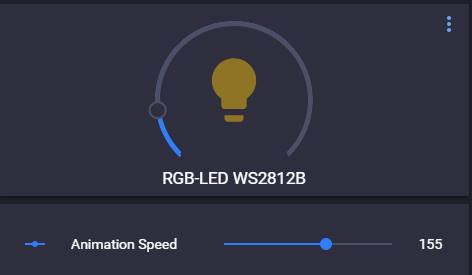
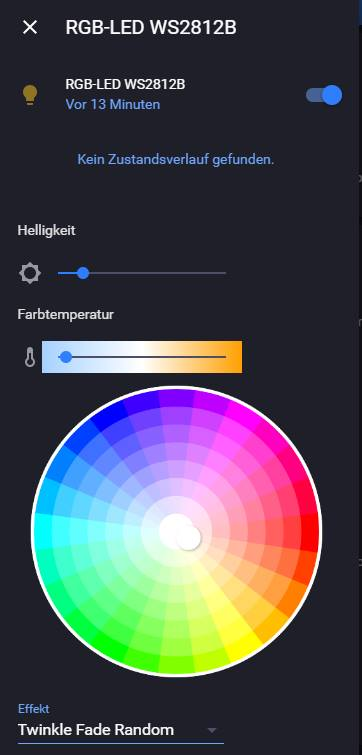
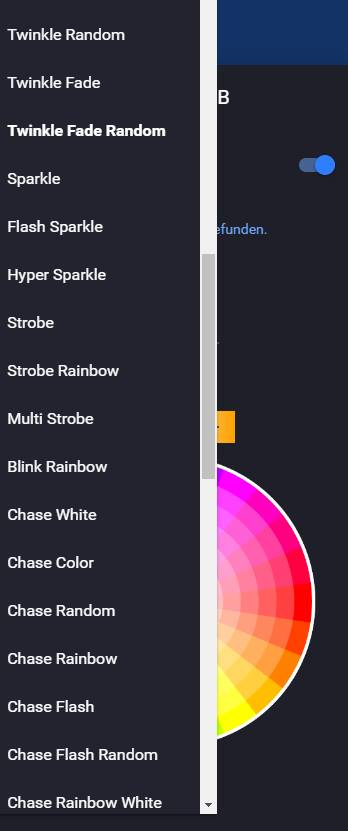
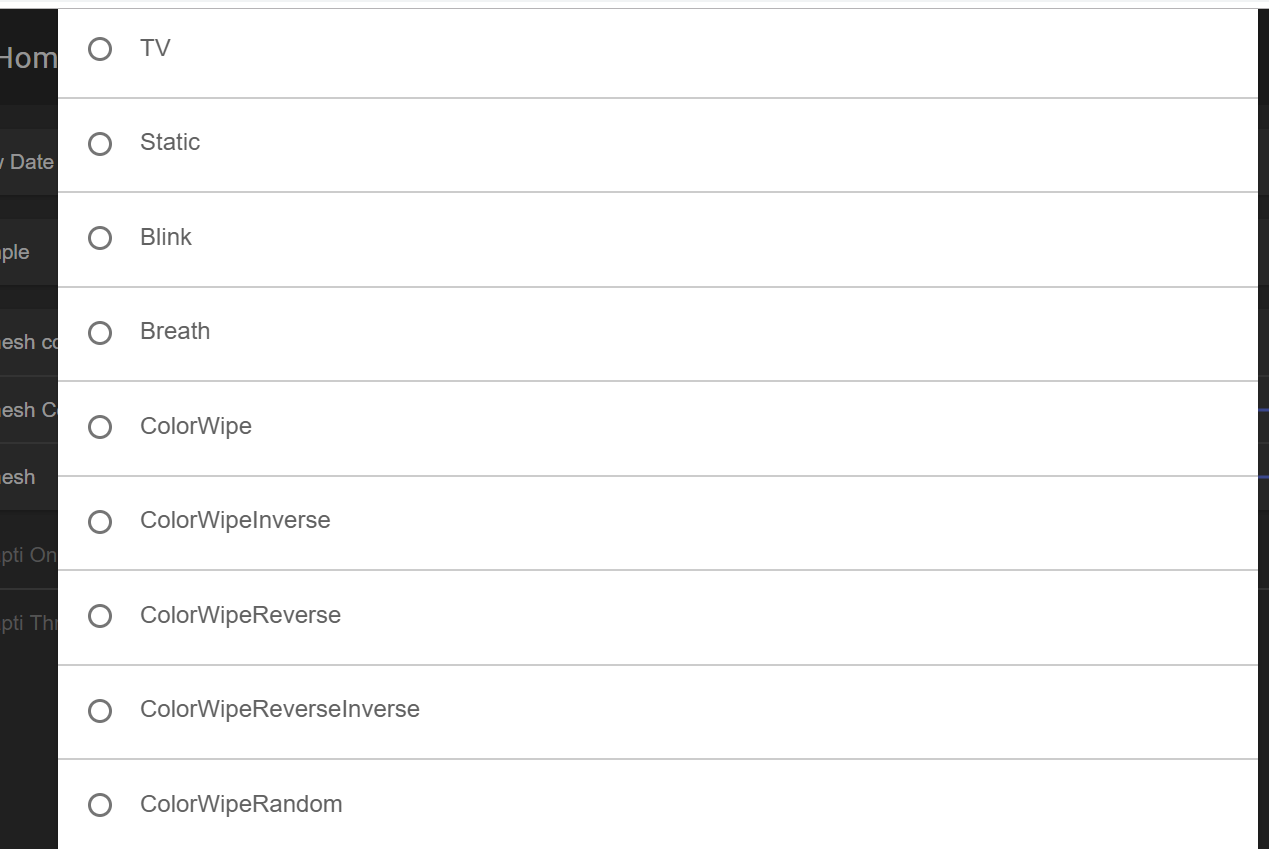
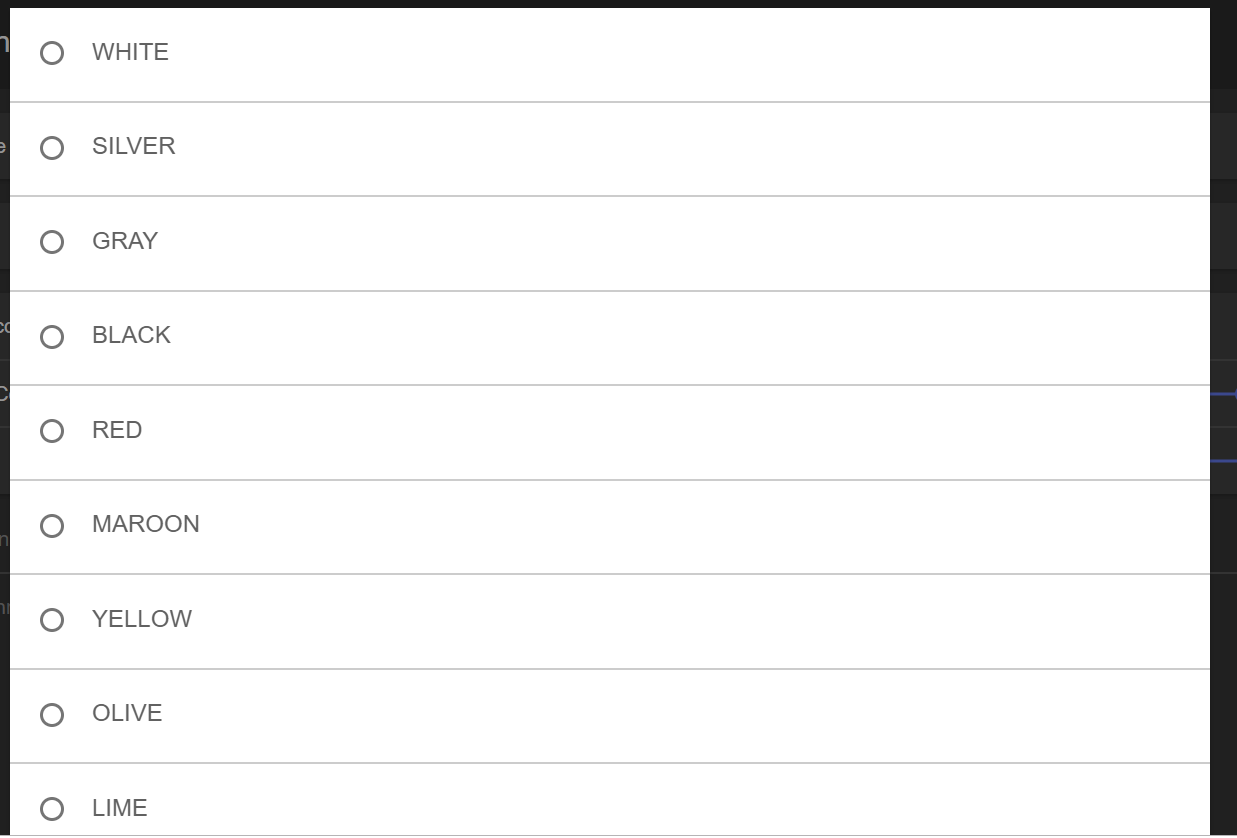
Maybe a flag in Sync Interface for HA support could solve this point. If the flag is set the topic would follow the HA mqtt light component rules. To get an impression how it looks like in HA here some pictures:
Obicom
on 3 Mar 2019
That UI looks good! Really want to support HA now, it will definitely happen soon!
Yes, I'll have an option to enable "Home Assistant mode" in the MQTT settings.
About the effects, I don't really like the way HA implemented it with requiring a string.
It leads to this sort of madness code (of course having the only benefit that the FX name will stay the same even if the FX ID change):
void setEffect(String effect) {
  if (effect == "static")
    ws2812fx.setMode(FX_MODE_STATIC);
  if (effect == "blink")
    ws2812fx.setMode(FX_MODE_BLINK);
  if (effect == "breath")
    ws2812fx.setMode(FX_MODE_BREATH);
  if (effect == "color wipe")
    ws2812fx.setMode(FX_MODE_COLOR_WIPE);
  if (effect == "color wipe inverted")
    ws2812fx.setMode(FX_MODE_COLOR_WIPE_INV);
  if (effect == "color wipe reverse")
    ws2812fx.setMode(FX_MODE_COLOR_WIPE_REV);
  if (effect == "color wipe reverse inverted")

  //goes on for 150 lines and wastes lots of global memory and cpu
}
Luckily i thought of a workaround, which is to name the FX something like "1: Blink" in the configuration yaml. Then i can just let the esp parse the int at the beginning but the user still has useful FX names in the list!
Aircoookie
on 6 Mar 2019
Based on toblum/McLighting project using openhab & MQTT :
toblum/McLighting mqtt : McLighting listens for commands on the topic "
any change using mqtt / http / web soket / HTML UI publishes the changes to ..../out topic
due to this fetaure i am able to consume keep status updated in all the clients .
any client can give input command once the change completed the ..../out topic gives an update . (Broadcast MQTT)
Note :
My suggestion will be user define topic / out to publish the any change in WLED by any source of input.
https://github.com/toblum/McLighting
In this project toblum & debsahu are doing fantastic job . i can see both of then part of WLED project too.
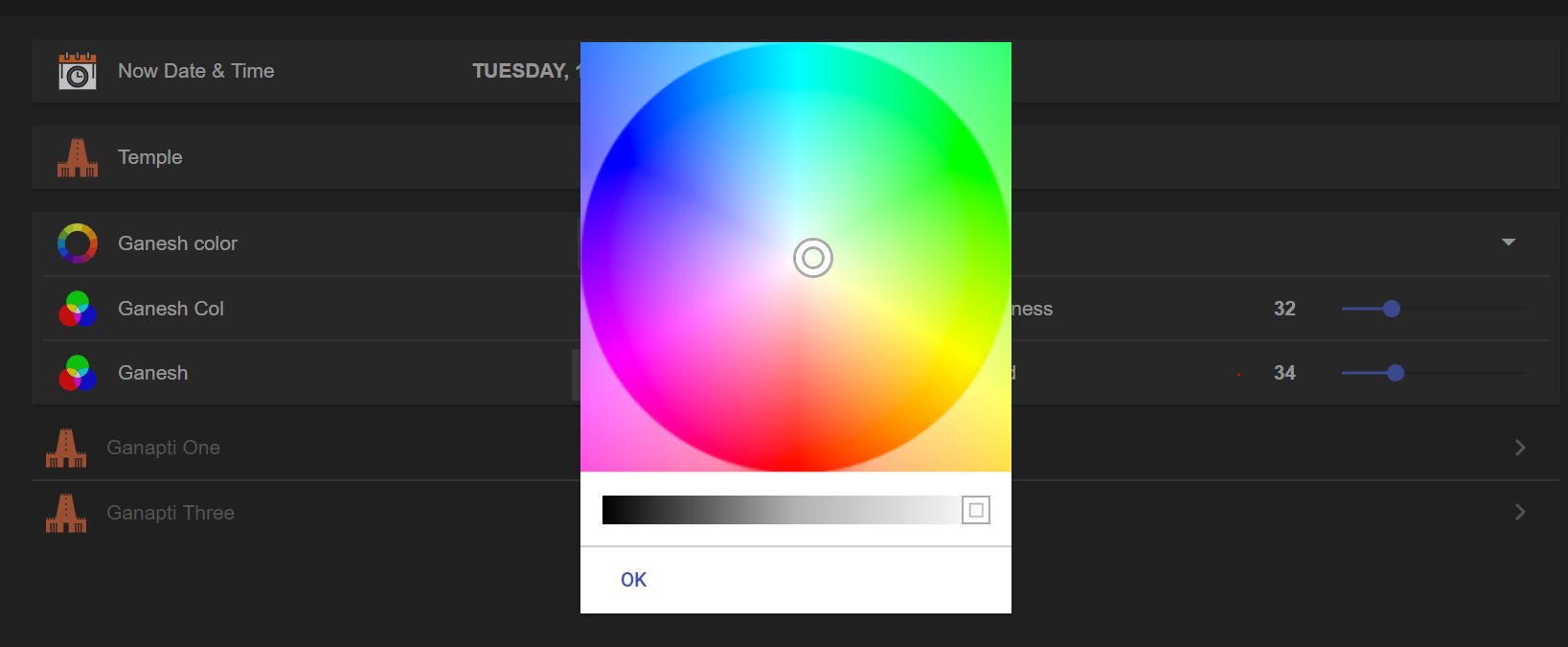
Following is Openhab Dashboard : Alexa ,Siri , Google home integration done .
My project video
https://www.youtube.com/playlist?list=PLY5D5GD5dZDAtn9f0cT8c4ydVDBNiu0uo
I shifted to WLED because it is more matured with functionality and effects .

 sujitrp
on 18 Mar 2019
sujitrp
on 18 Mar 2019
Maybe a flag in Sync Interface for HA support could solve this point. If the flag is set the topic would follow the HA mqtt light component rules. To get an impression how it looks like in HA here some pictures:
Hay, can you share your Configuration for Home Assistant?
Did you use JSON or MQTT?
 stockklauser
on 22 Jul 2019
stockklauser
on 22 Jul 2019
@stockklauser could you please share what you have working re WLED and HA, and with what code? I think i have all the components running, but haven't figured out how to connect the parts to work together. Tx in advance!
 raoulteeuwen
on 1 Sep 2019
raoulteeuwen
on 1 Sep 2019
@Obicom can you share your config? I have not got it to work with seperate whitechannel.
 TimmyUll
on 28 Sep 2019
TimmyUll
on 28 Sep 2019
Please direct all future MQTT suggestions to #207 :)
Aircoookie
on 25 Oct 2019
Related issues
 djhampson
·
3Comments
djhampson
·
3Comments
 Legsmaniac
·
3Comments
Legsmaniac
·
3Comments
 Dann-io
·
3Comments
Dann-io
·
3Comments
 athlon1900
·
3Comments
athlon1900
·
3Comments
 Mombonav
·
4Comments
Mombonav
·
4Comments
Most helpful comment
Maybe a flag in Sync Interface for HA support could solve this point. If the flag is set the topic would follow the HA mqtt light component rules. To get an impression how it looks like in HA here some pictures: