Wire-desktop: [Windows] login loop
Wire version: 3.10.3138
Wire for web version: 2019.08.21.1333
Operating system: Windows 10
Which antivirus software do you have installed: Defender
What steps will reproduce the problem?
- Update from previous Wire version
- Restart Wire
What is the expected result?
Wire should be logged in with both existing accounts
What is the actual result?
One account is logged in, the other not.
If I try to log in the progress bar shows fetching something, fetching events and I am back at the log in screen...
Please provide any additional information below. Attach a screenshot if possible.
 miicha
All 31 comments
2968 is the same problem...
I got the same problem now without clicking the update button but simply restarting Wire.
This one is a major bummer
miicha
on 22 Aug 2019
@miicha what do you mean by "Update from previous Wire version"? Did you click the "update now" button in Wire or did you install the latest version?
 ffflorian
on 22 Aug 2019
ffflorian
on 22 Aug 2019
I'm running into a similar problem on Windows after using the "Update Now" button inside of Wire, but I'm redirected to the login screen at the "Checking for new messages" step.
Let me know if I can provide any debug info.
 pfitzseb
on 22 Aug 2019
pfitzseb
on 22 Aug 2019
@ffflorian on one PC I actually clicked the update button inside Wire, on another PC I just restarted Wire without clicking anything.
What I tried so far
- On the first PC (Wire with two accounts and one still working) I installed the previous version of Wire (from github releases) and got the same problem...
- installed 3.7.2917, same problem
- installed newest version, same problem
- renamed %appdata%\Wire, login possible, but as new device without any chat history
- restored the original %appdata%\Wire folder same problem as before
- installed 3.9.2928 and copy %appdata%\Wire folder from a PC with still running and working Wire (3.9.2928) and again the same problem (progress bar and back to login screen)
@ffflorian what is the minimal data in %appdata%\Wire to log in as existing device and get the chat history back?
miicha
on 22 Aug 2019
@miicha thanks for the details.
@miicha @pfitzseb Can you please zip the %APPDATA%\Wire\logs\ dir and post it here?
ffflorian
on 22 Aug 2019
Logs are empty for me: logs.zip
An additional data point: If I rename %APPDATA%\Wire\ and restart Wire, I end up in the same login loop. Logs are still empty afterwards.
pfitzseb
on 22 Aug 2019
@miicha Thanks for writing us. We have the guess that a bug slipped through in our latest webapp release. To verify that we need to get webapp log files from people that are affected. You can enable debugging for our webapp by starting the Wire desktop application with --devtools --enable-logging:
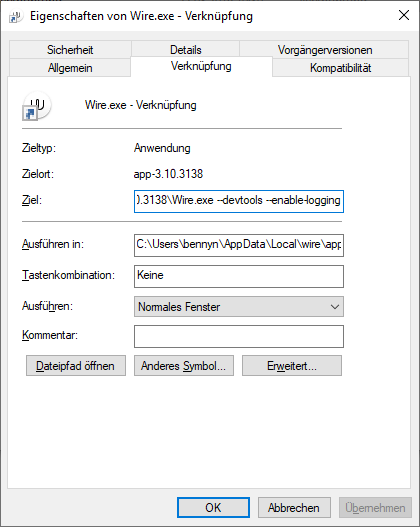
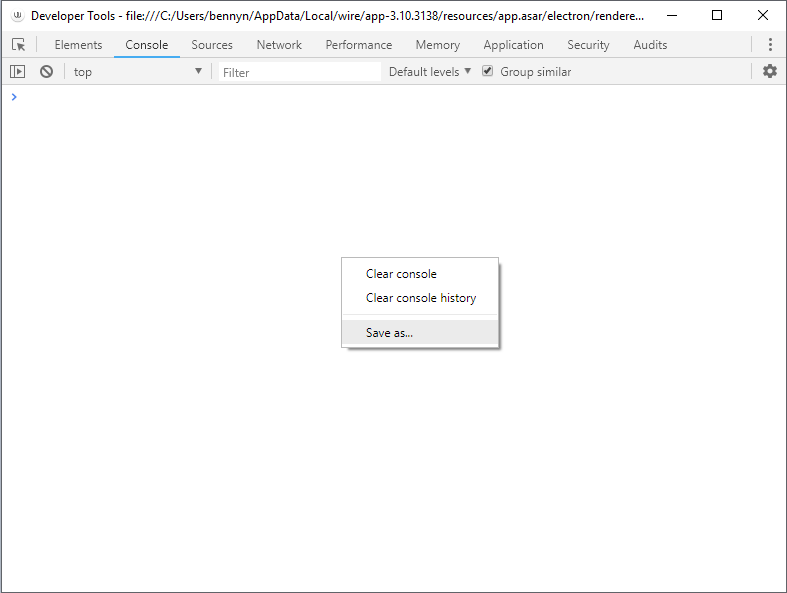
If you do that, a "Developer Tools" panel will show up from which you can click "Save as..." to save logs written to that window:
Do you have the problem on both of your computers?
 bennycode
on 22 Aug 2019
bennycode
on 22 Aug 2019
@bennyn Now I got the problem on all 3 Computers but only with one account...
The console log doesnt seem to be very helpful
console log just after starting Wire
-1566463184659.log
and after failed login:
-1566463365641.log
miicha
on 22 Aug 2019
Neither the terminal nor the devtools output seems terribly helpful:
wire_logs.zip
pfitzseb
on 22 Aug 2019
I have the same problem on wire-desktop Linux. Tried the Debian, Ubuntu PPA, flatpak and appimage versions. All have the same problem.
The only versions working for my account are the browser web app and the Android app.
App version is 3.10.2904
-1566466244415.log
 tonirug
on 22 Aug 2019
tonirug
on 22 Aug 2019
Thank you all for taking the time helping us with the login loop issue. We are very thankful for your reports and it helps us to narrow down the problem. At the moment we think that some local client data might be invalid.
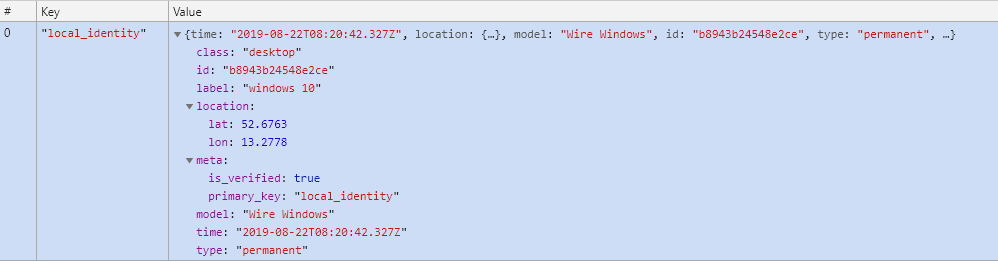
To debug further we need information about the JSON payload of your local clients. If you don't mind then please send us a screenshot of your "local_client" from the "clients" table of your IndexedDB.
It should look like this:
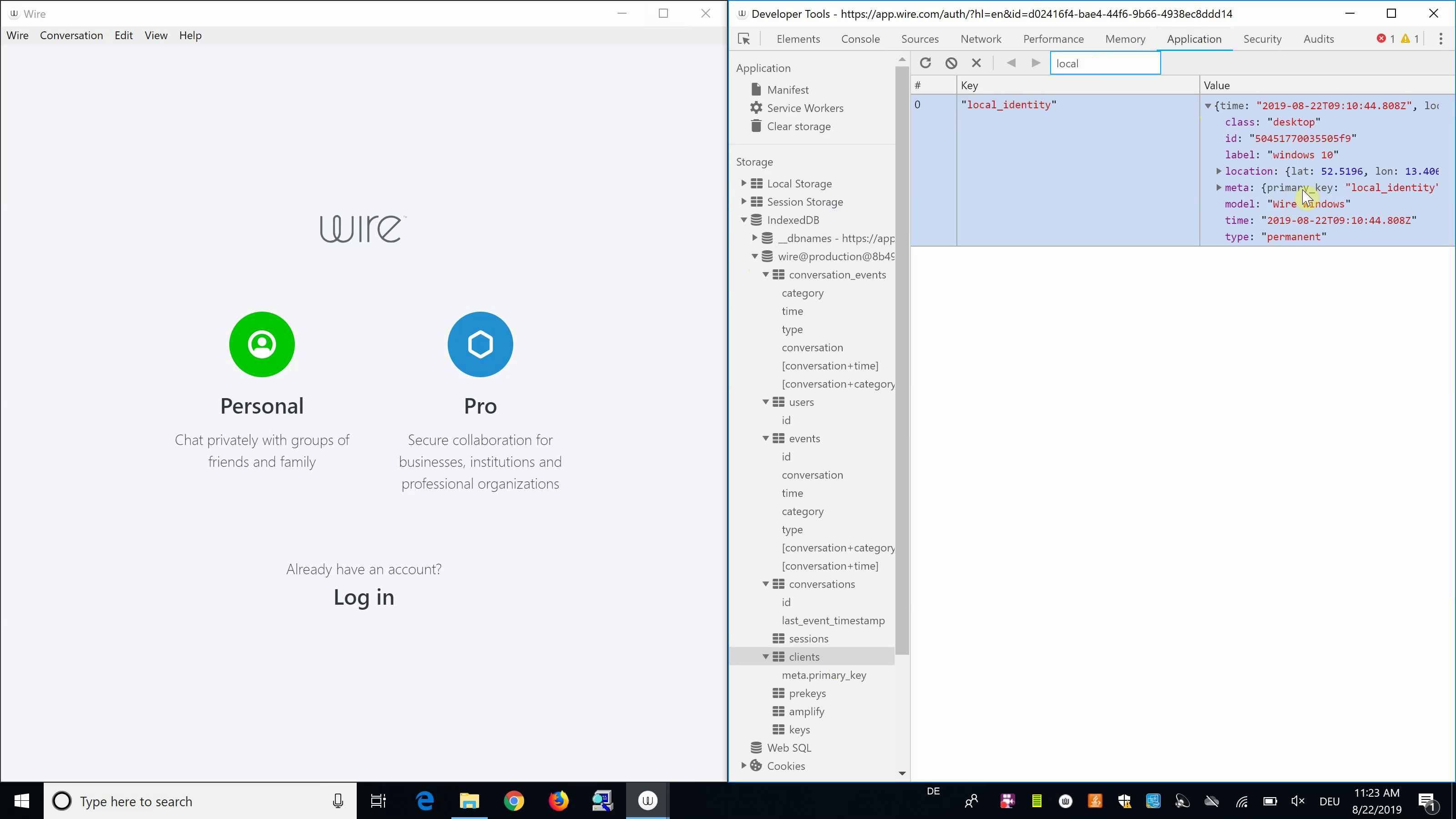
You can get this information the following way:
- Open Windows Explorer
- Navigate to
%LOCALAPPDATA% - Navigate to
wire\app-[latest-version] - Create a shortcut for
Wire.exe - Open properties of the shortcut
- Append
--devtools --enable-debuggingto the shortcut's target - Start the shortcut ("Chrome Developer Tools" plus "Wire" will open)
- Open the "Elements" tab within the Developer Tools
- Select the
<webview>HTML tag of your account (you may have multiple) - Open the "Console" tab within the Developer Tools
- Enable "Preserve log" to keep console log statements
- Run
$0.openDevTools()from the "Console" ("Chrome Developer Tools" for our webapp will open) - Open the "Application" tab
- Select "IndexedDB"
- Select the database name of your active account (
wire@production@...) - Select "clients" table
- Search for key "local_identity"
We know that getting this information requires some steps. That's why we just recorded a video tutorial:
Enable Debugging in Wire Desktop Application.zip
bennycode
on 22 Aug 2019
pfitzseb
on 22 Aug 2019
The webview devtools also spit out a couple errors that might be relevant:

pfitzseb
on 22 Aug 2019

local_identity
tonirug
on 22 Aug 2019
Thanks for sending in your identities. We now have enough sample data for the identities.
Next thing we will focus on is the readAsDataUrl error. To the ones who have it, can you please click on the at Promise (/min/app.js?...) link to see if you can get a more detailed stracktrace? And is the affected account part of a team in Wire?
bennycode
on 22 Aug 2019
Full stacktrace:
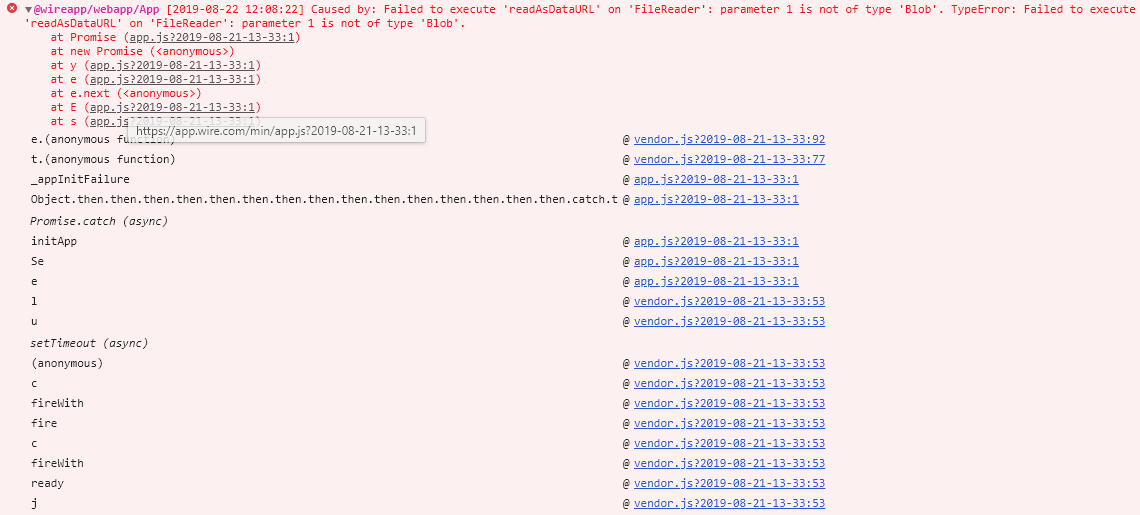
And no, my account is not part of any team (as far as I'm aware).
pfitzseb
on 22 Aug 2019
My account is not a team account. I get a different error. See the attached stacktrace.
app.wire.com-1566469753758.log
tonirug
on 22 Aug 2019
Breaking on uncaught exception produces something more useful:
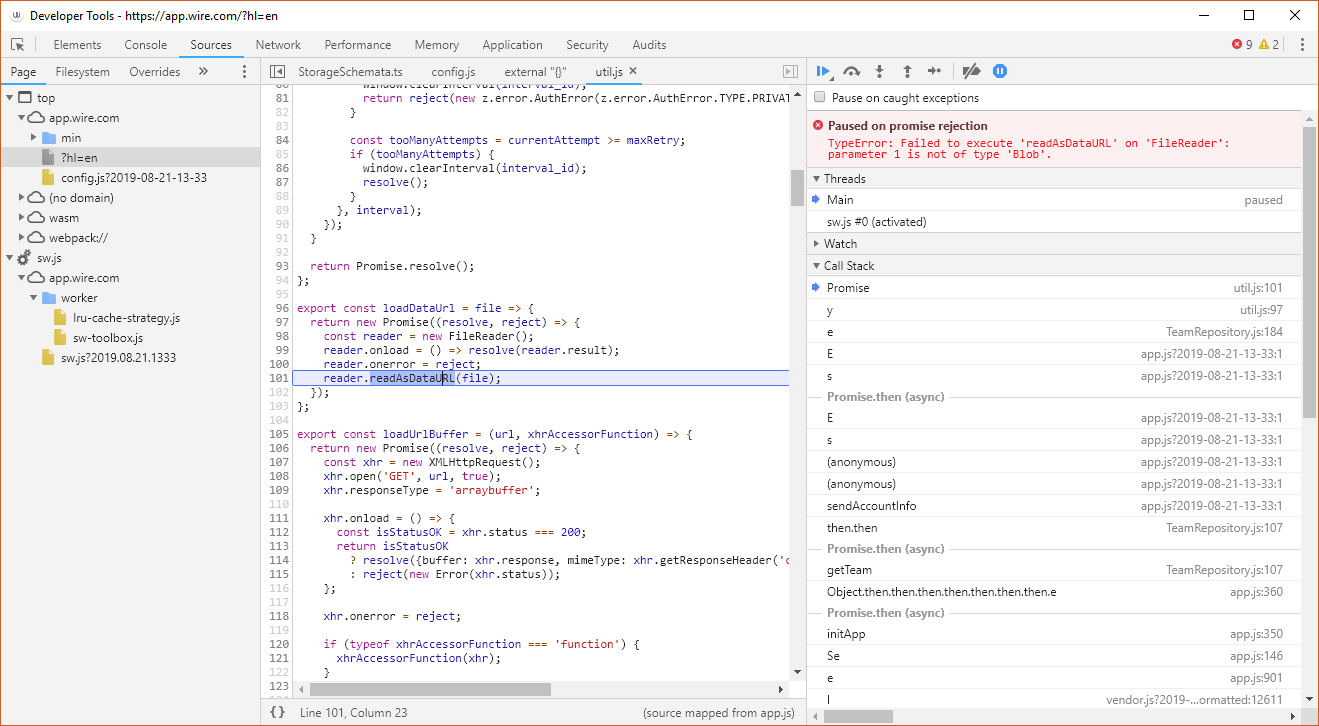
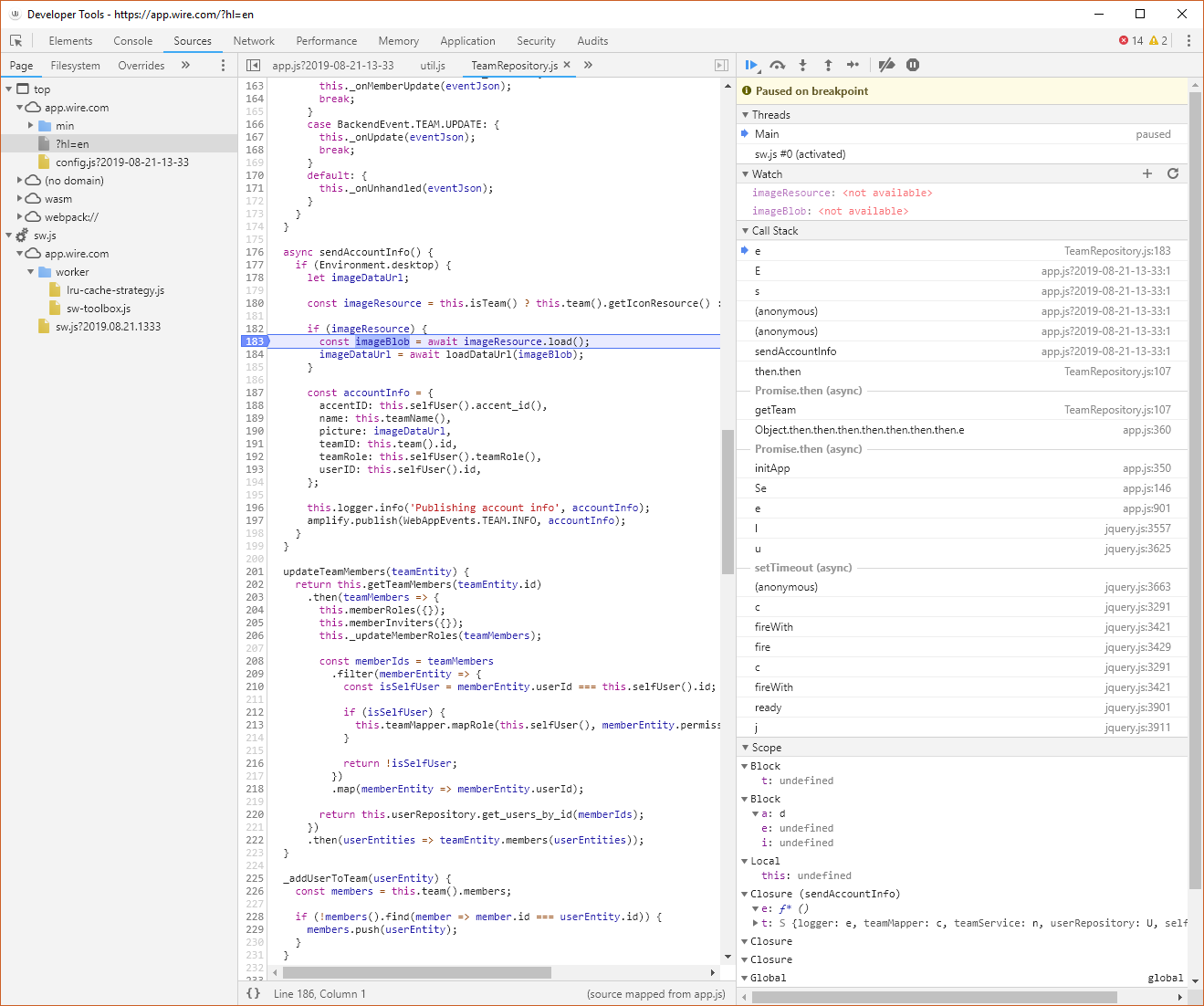
Couldn't figure out how to access those local variables, but ¯\_(ツ)_/¯
pfitzseb
on 22 Aug 2019
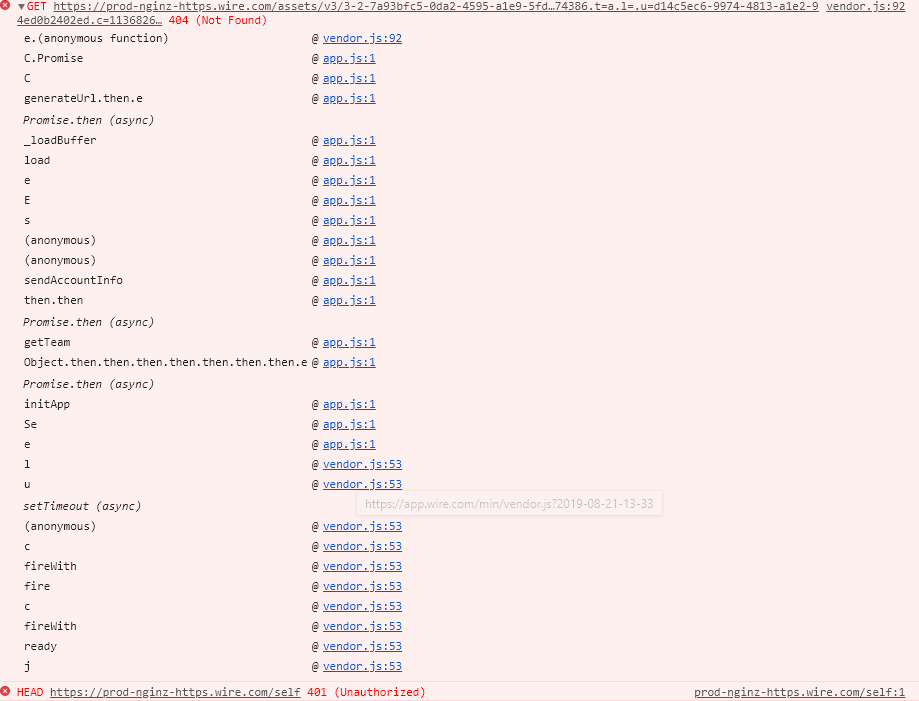
after cleaning console and another login attempt I get the following:
miicha
on 22 Aug 2019
@miicha @tonirug @pfitzseb
Thank you very much for your debugging help!
We just deployed a hotfix, can you please restart Wire for Desktop and check if you can log in now?
ffflorian
on 22 Aug 2019
Login OK on both Windows and Linux!
Thanks a lot
tonirug
on 22 Aug 2019
great work
login fixed on all 3 Windows machines
miicha
on 22 Aug 2019
Whoop! Whoop! Thanks everyone for your significant help. @miicha @tonirug @pfitzseb we would like to name your handles in our release notes to credit you. Are you okay with that?
bennycode
on 22 Aug 2019
ok for me
tonirug
on 22 Aug 2019
We just deployed a hotfix, can you please restart Wire for Desktop and check if you can log in now?
Works. Thanks for the quick fix!
Are you okay with that?
Sure.
pfitzseb
on 22 Aug 2019
yes sure
miicha
on 22 Aug 2019
@miicha @tonirug @pfitzseb
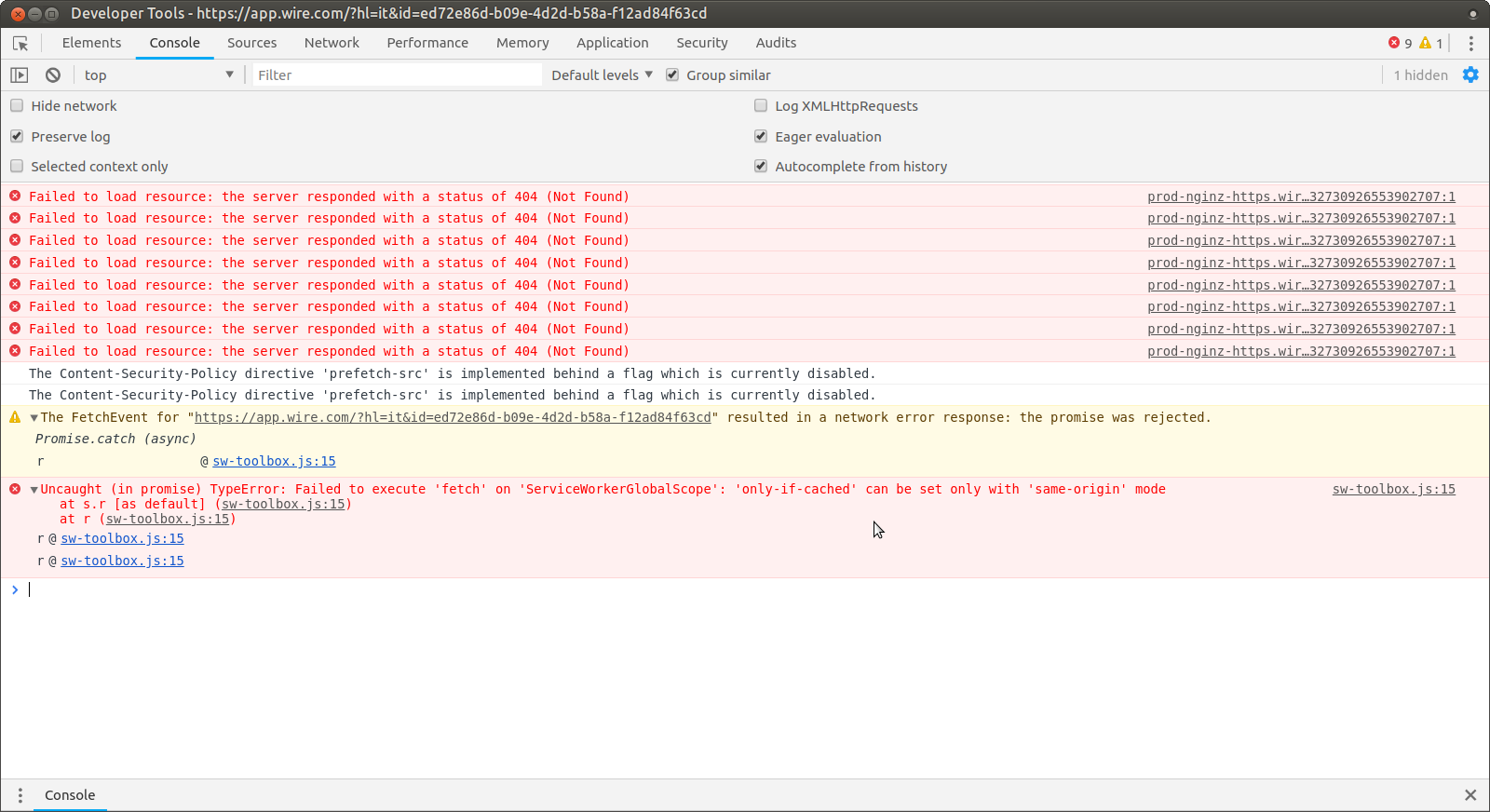
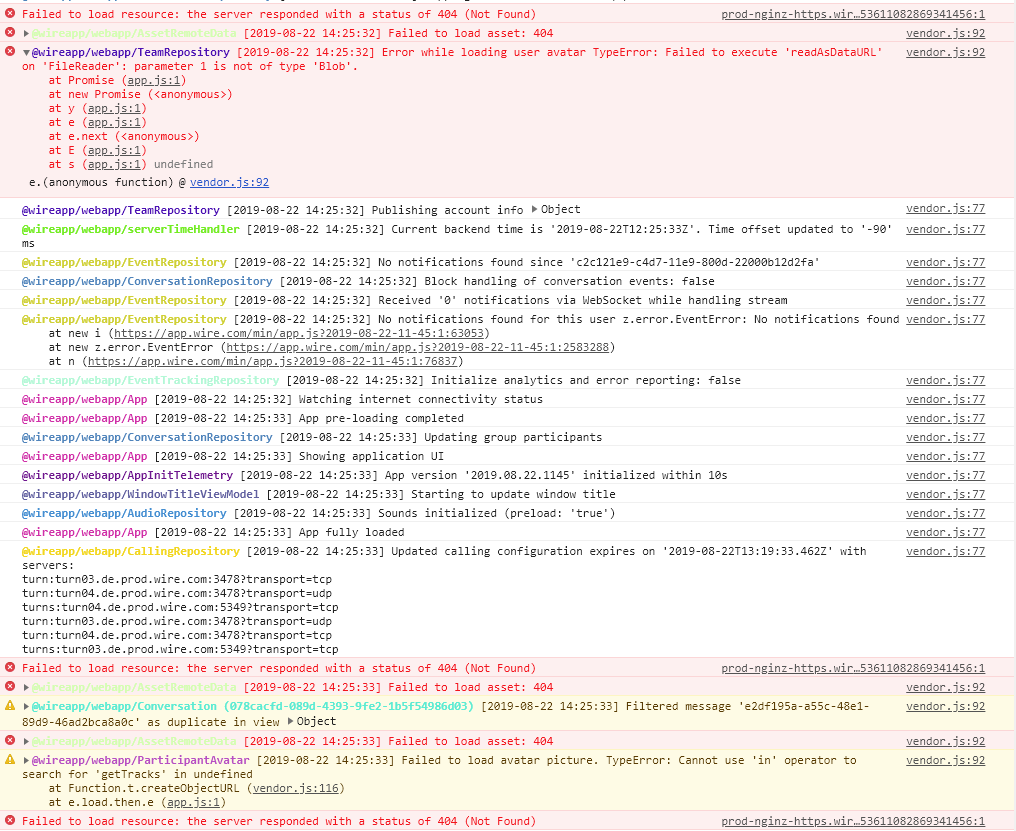
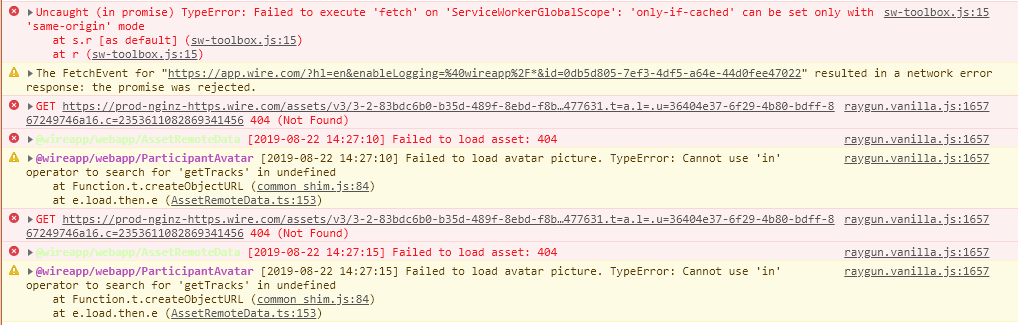
Now it would be great to get your logs one more time, since we are now catching and logging the error which prevented you from logging in.
ffflorian
on 22 Aug 2019
Here the log from the Linux box:
tonirug
on 22 Aug 2019
which ones do you mean? %appdata%\wire\logs contains nothing new...
and I got these:
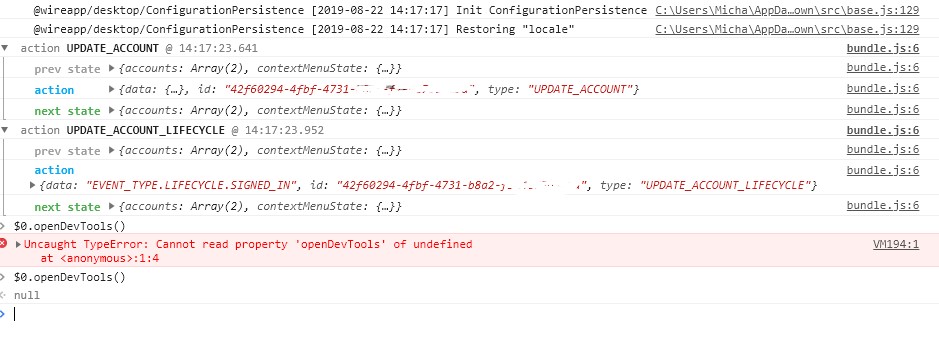
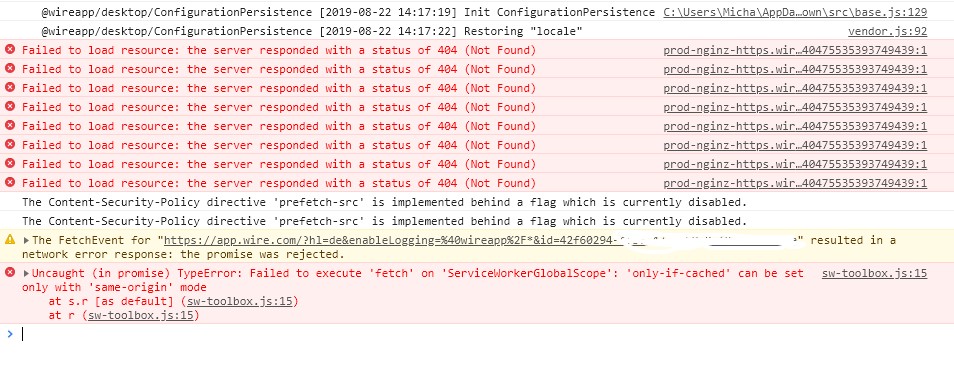
and while sending messages I get everytime a 412 (Precondition Failed) and a 404 (Not Found)
miicha
on 22 Aug 2019
pfitzseb
on 22 Aug 2019
Thanks, that was helpful :slightly_smiling_face:
ffflorian
on 22 Aug 2019
Related issues
 TalviT
·
4Comments
TalviT
·
4Comments
 xloem
·
3Comments
xloem
·
3Comments
 tokariu
·
3Comments
tokariu
·
3Comments
 amun1
·
4Comments
amun1
·
4Comments
 Nuruddinjr
·
4Comments
Nuruddinjr
·
4Comments
Most helpful comment
Thanks, that was helpful :slightly_smiling_face: