Wire version: Version 3.0.2816
Wire for web version: Version 3.0.2816
Operating system: Linux Mint 18.3
Which antivirus software do you have installed: n/a
What steps will reproduce the problem?
- A week or two ago something got broken with updating Wire...
I'm not sure was it Wire-desktop App or LInux Mint...
Anyway on the start of the program the Wire starts normally but all it shows is "blue screen" and it doesn't respond at all...
I'll attach "pic no.1"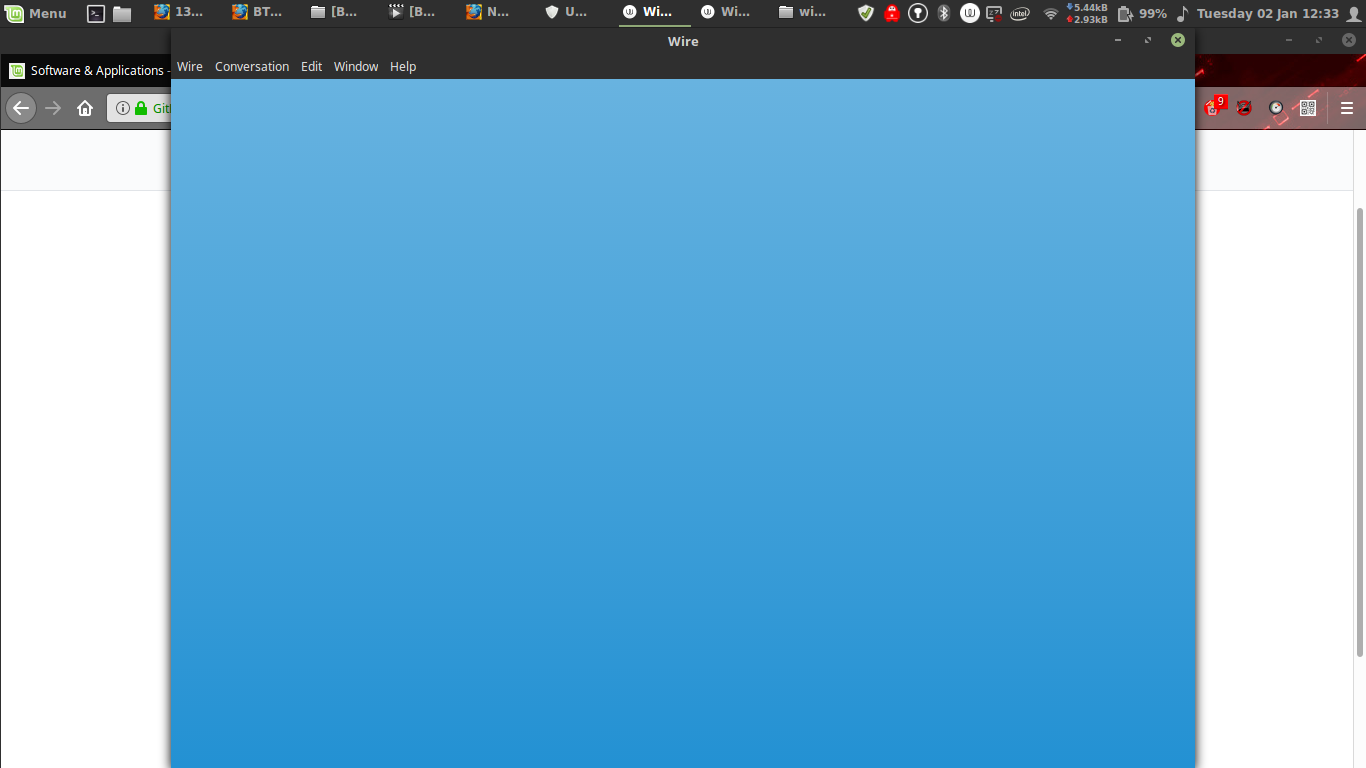
I tried deleting and reinstalling the app... didn't help...
Then I noticed that my "update manager" sends this message when I try to refresh the repositories:
"W: GPG error: https://wire-app.wire.com/linux/debian stable InRelease: The following signatures couldn't be verified because the public key is not available: NO_PUBKEY D599C1AA126762B1
W: The repository 'https://wire-app.wire.com/linux/debian stable InRelease' is not signed."
This wasn't happening before.
Now I'm not sure where to start fixing the problem....?
Is it Wire repository or Linux Mint that's giving me problems...?
Thank you very much for your help.
I degoogled my life just a few months ago and I'm still a newbie in Linux and open source projects.
But I love your app and what you are trying to do.
Best regards,
OJM
 juju515
All 6 comments
Maybe it might help to reset your local configuration of Wire. The configuration is saved in your home directory under ~/.config/Wire/. You can rename the directory by running mv ~/.config/Wire/ ~/.config/Wire.old/.
The GPG error seems to be unrelated. It seems like the key was not added to apt. To re-add it use:wget -q https://wire-app.wire.com/linux/releases.key -O- | sudo apt-key add -
Please let us know if one of these fixes helped you solve the issue. You can also try to run wire from the console with wire-desktop --devtools and enter $("webview").openDevTools() into the web console to get some logs.
 mythsunwind
on 2 Jan 2018
mythsunwind
on 2 Jan 2018
Thank you so much for the fast replay..
I renamed the config file and updated the app again getting the brand new config file... no changes at all... (but thanks for the tip... I'll remember it for the next time)
I already tried to add the key a few times and I always get: > gpg: no valid OpenPGP data found.
tried "wire-desktop --devtools" command --> Wire window pops up but still blue and not responding... with no changes at all...
So I was thinking my Linux Mint got broken...
But I'm testing Qubes OS on a different machine (I'm new to linux so I'm testing and learning as much as I can)
So I tried installing Wire App on a Debian 8 system in Qubes AppVM.. (following the terminal installation instructions)
And it worked perfectly... got the keys and everything...
Changes in AppVM's get deleted after restart so I decided to do the exactly same in my Debian 8 TemplateVM...
and I followed the exact same procedure in the exact same operating system (different VM) maybe 20 minutes after I successfully installed it...
And it didn't work...
The exact same results as on my Linux Mint machine...
???????????????
now I'm really confused
the two virtual machines are the exact copy of each other...
I did the exactly same procedure...
first it did work... than 20 minutes later it didn't work...
now Debian system is not importing the key... or opening devtools.... just the "blue screen" as in Mint
Do you have any ideas where to try next ?
juju515
on 2 Jan 2018
From my experience I assume a network issue. Because the blue screen is actually still a local "page" and because it got stuck it might not load the actual login screen (which it has to fetch from app.wire.com). Plus we experienced some issues with virtual machines before when it comes to bridge adapters that are usually used to bridge the network.
What you should definitely see is the dev tools though. Please make sure that you really closed the app before by using the menu or killall wire-desktop. Then run the $("webview").openDevTools() command in it and make sure to check "preserve logs". Then try to run a location.reload(); and check the title bar of the dev console or run location.href. The title bar/command indicates on which "location" you are actually on.
Another thing you might want to try is to open app.wire.com in a browser on the VM and check if this works or not.
mythsunwind
on 2 Jan 2018
ok...
after killall wire-desktop command the devtool works.
I run $("webview").openDevTools() and I checked "preserve logs"
and this is what I get now:
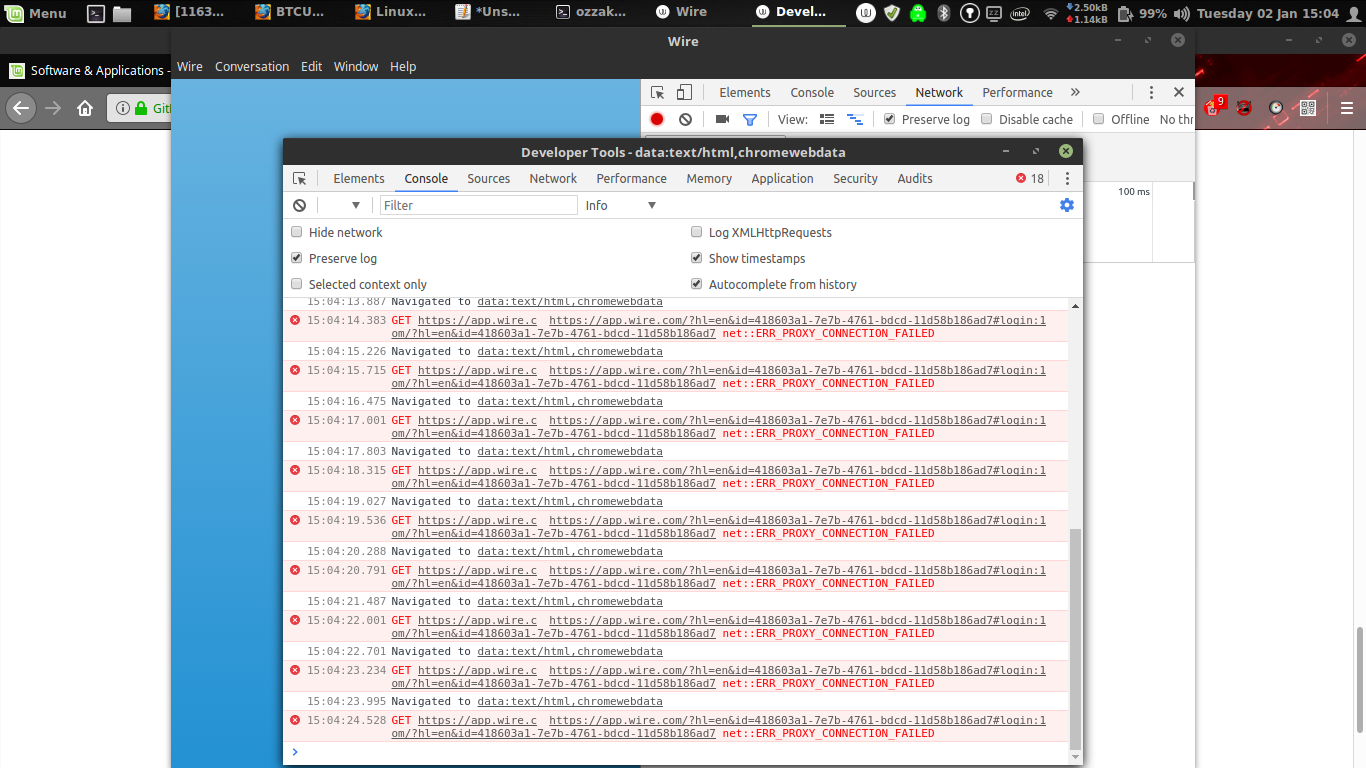
The title bar says "-data:text/html,cromewebdata"
I'm using Mozilla mostly, don't have Crome installed, but I do have Cromium... so I tried to run Cromium first time in weeks...
It doesn't work as well...
I also tried logging in at app.wire.com in Mozilla and it worked just fine...
I guess it's a networking problem as you say...
Do you have any suggestions where to look for instructions how to fix it ?
juju515
on 2 Jan 2018
Nice! The error message ERR_PROXY_CONNECTION_FAILED is quite helpful. It seems that chromium and wire cannot reach app.wire.com because both try to connect to it via a proxy server. It seems like both using the general network settings for this, while Mozilla Firefox is not.
From the screenshot I guess that you are using gnome shell. Go to the network settings of gnome and check if you may have setup a proxy. To disable the proxy set Method to "none" under Network Proxy.
mythsunwind
on 2 Jan 2018
weeeee.... it works... :)
you'r a legend...
utmost respect for you and all open source developers...
this "quiet revolution" happening in the corners of the net will change the world one day... I'm sure of it...
and you and developers like you are the driving force.... don't give up... ;)
"we the people" are caching up...
I'd send you some BTC if the fees were not so high at the moment... (waiting for the lightning network)
juju515
on 2 Jan 2018
Related issues
![dependabot-preview[bot] picture](https://avatars3.githubusercontent.com/in/2141?v=4&s=40) dependabot-preview[bot]
·
3Comments
dependabot-preview[bot]
·
3Comments
 xloem
·
3Comments
xloem
·
3Comments
 mohammadrafigh
·
4Comments
mohammadrafigh
·
4Comments
 cardassian-tailor
·
4Comments
cardassian-tailor
·
4Comments
 amun1
·
4Comments
amun1
·
4Comments
Most helpful comment
weeeee.... it works... :)
you'r a legend...
utmost respect for you and all open source developers...
this "quiet revolution" happening in the corners of the net will change the world one day... I'm sure of it...
and you and developers like you are the driving force.... don't give up... ;)
"we the people" are caching up...
I'd send you some BTC if the fees were not so high at the moment... (waiting for the lightning network)