Winston: [ts] Property 'createLogger' does not exist on type '{}'.
Please tell us about your environment:
- _
winstonversion?_
- [x]
winston@2 - [x]
winston@3
- [x]
- _
node -voutputs:_ - _Operating System?_ macOS
- _Language?_ ASP.NET Core, TypeScript 2.9.1, es5, ReactJS
What is the problem?
After installing ASP.NET Core with React.js
dotnet new react
And add the getting-started example for either winston3 or winston2 on Home.tsx
import * as React from 'react';
import { RouteComponentProps } from 'react-router';
const winston = require('winston');
const logger = winston.createLogger({
    transports: [
         new winston.transports.Console(),
        new winston.transports.File({ filename: 'combined.log' })
    ]
 });

 logger.log({
     level: 'info',
     message: 'Hello distributed log files!'
 });
I'm seeing compilation errors from TypeScript.

What do you expect to happen instead?
I'm expecting to be able to log to Console and File.
{"level":"info","message":"Hello distributed log files!"}
Other information
My tsconfig.json:
{
"compilerOptions": {
"baseUrl": ".",
"module": "es2015",
"moduleResolution": "node",
"target": "es5",
"jsx": "react",
"sourceMap": true,
"skipDefaultLibCheck": true,
"strict": true,
"types": ["webpack-env"]
},
"exclude": [
"bin",
"node_modules"
]
}
I can fix the TypeScript error by defining
const winstonType: any = winston;
const logger = winstonType.createLogger({
    transports: [
       new winstonType.transports.Console(),
       new winstonType.transports.File({ filename: 'combined.log' })
   ]
});
But then get errors:
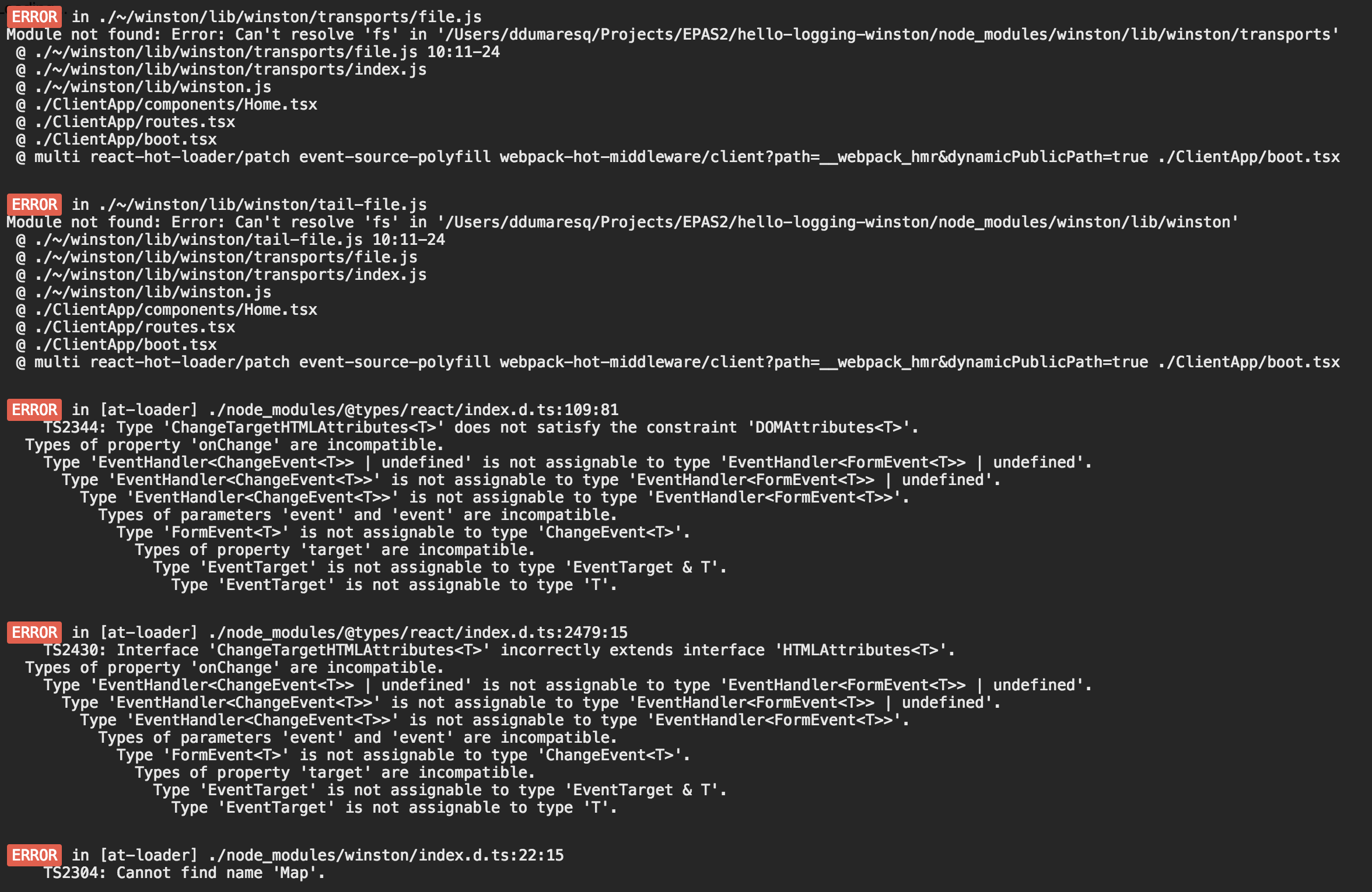
Module not found: Error: Can't resolve 'fs' in '/hello-logging-winston/node_modules/winston/lib/winston'
Module not found: Error: Can't resolve 'fs' in '/hello-logging-winston/node_modules/winston/lib/winston/transports'
I've since found that ReactJS is not supported but is on the v3 roadmap.
According to https://github.com/winstonjs/winston/issues/900, I must use import * as winston from 'winston' in order to get all exports.

That fixes the compiler issues I was getting. However, I am still getting the errors Module Not Found Can't resolve 'fs' ...

 dfdumaresq
All 15 comments
Can I get some direction on this, please??
dfdumaresq
on 8 Jun 2018
Sorry, what version of winston are you using exactly? Can you try winston@master, by e.g. specifying
...
"winston": "winstonjs/winston#master",
...
in your package.json? (And then reinstall node modules, e.g. rm -rf node_modules && npm install .)
It does look like you're running into other errors as well (e.g. with react), or possibly your project is trying to typecheck TS definitions under node_modules, which it shouldn't do (that should be some setting in tsconfig.json or something).
 DABH
on 12 Jun 2018
DABH
on 12 Jun 2018
Are you using @types/winston with Winston 3.0?
 sangaman
on 12 Jun 2018
sangaman
on 12 Jun 2018
Thanks for the replies! I was using [email protected].
npm list winston
[email protected] /Users/ddumaresq/Projects/EPAS2/hello-logging-winston
└── [email protected]
And have now updated including @types/winston.
npm list winston
[email protected] /Users/ddumaresq/Projects/EPAS2/hello-logging-winston
└── [email protected] (github:winstonjs/winston#8be746b4fba623c7167420c887ee9cf3d4147664)
npm list @types/winston
[email protected] /Users/ddumaresq/Projects/EPAS2/hello-logging-winston
└── @types/[email protected]
Still getting errors, though. I've removed node_modules and reinstalled. Got one additional error.
dfdumaresq
on 12 Jun 2018
I believe the issue is that @types/winston is still designed for version 2.x of winston, which has some major differences from version 3.x. I think once @types/winston is updated to version 3.x, you should be able to use that and this error will go away.
sangaman
on 12 Jun 2018
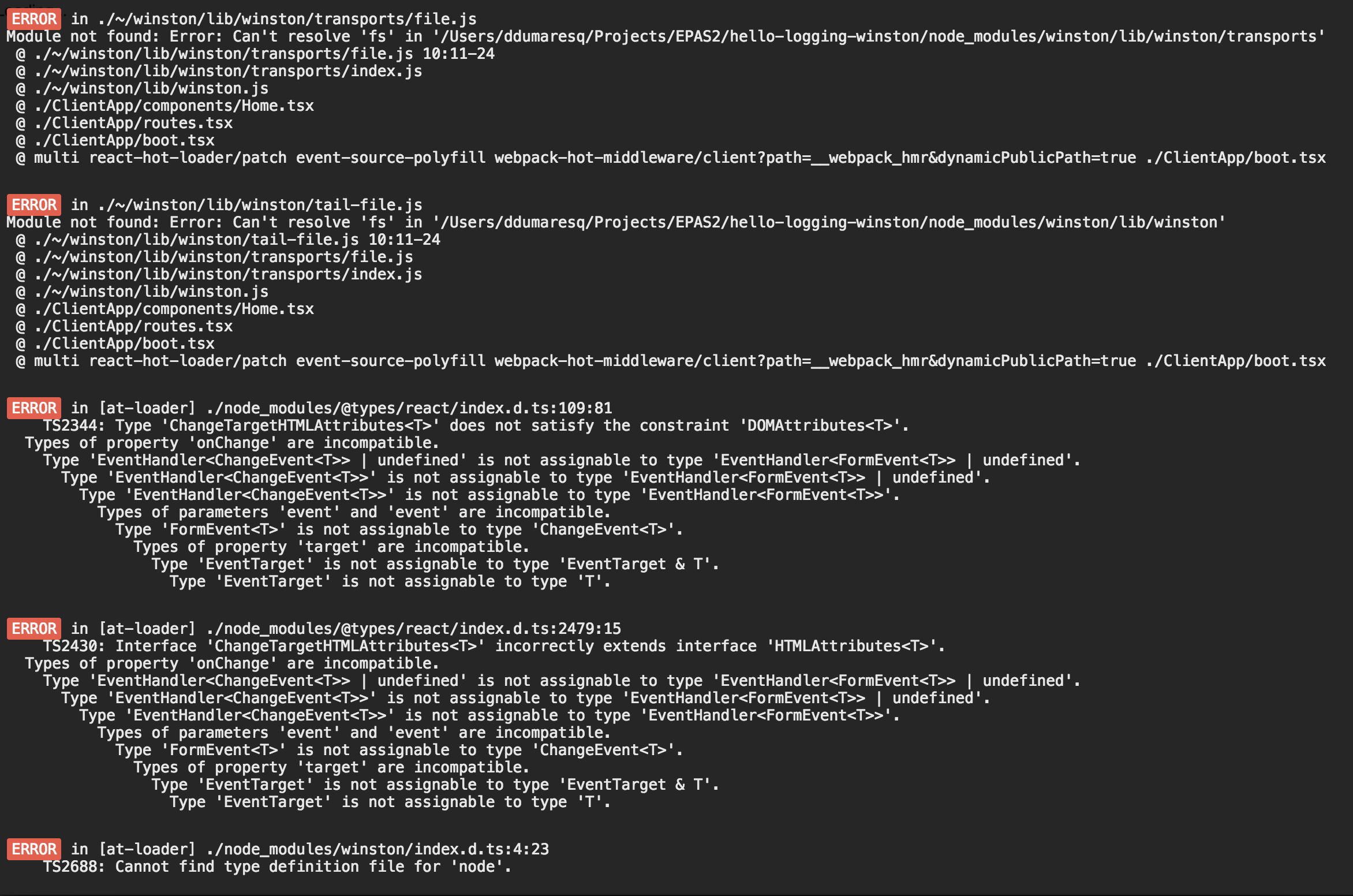
I've removed @types/winston and get
dfdumaresq
on 12 Jun 2018
Hmmm I don't have any ideas off the top of my head. I've never used winston with react personally.
sangaman
on 12 Jun 2018
Cool, those seem like legitimate errors. The file transport uses the native Node fs module for writing to log files on a server. It's not possible to directly use the fs module in the browser since the browser filesystem (e.g. HTML5 local storage) is very different than the native fs e.g. in a server environment (and you can't directly log to a cilent's filesystem from the browser -- security issues etc.). You could try another transport like the console transport that doesn't rely on that module. Otherwise you would need to use some other transport that is browser-compatible.
DABH
on 13 Jun 2018
Btw if you add the following to your webpack config, it seems the console transport at least works. But the point is you just ignore the fs module...
node: {
    fs: 'empty'
}
This worked for me in a test webpack project with the console transport. Good luck!
DABH
on 13 Jun 2018
@DABH - I've followed your advice and fixed a number of errors. But one remains:
ERROR in [at-loader] ./node_modules/winston/index.d.ts:22:15
TS2304: Cannot find name 'Map'.
Just to add a reference that helped me with the react issue screenshotted above.
Type 'ChangeTargetHTMLAttributes<T>' does not satisfy the constraint 'DOMAttributes<T>'
dfdumaresq
on 13 Jun 2018
Are you sure you’re using ES6?
https://stackoverflow.com/a/49569255/4451284
ES5 will not work since it’s missing types like Map
DABH
on 13 Jun 2018
(If you have to use ES5 for some reason, I think there are polyfills available for Map etc. that could make things work... but just use ES6 ;) )
DABH
on 13 Jun 2018
Thanks, it fixes the Map error, but unleashes many more @types errors in react, react-dom, react-router and history.
I'll look at polyfills for Map...
dfdumaresq
on 13 Jun 2018
Going to close this for now (seems we are outside the scope of winston issues) but feel free to open a new issue if you find any new winston-specific problems. Thanks!
DABH
on 16 Jun 2018
i am getting this error .
ERROR in ./node_modules/winston/dist/winston/tail-file.js
Module not found: Error: Can't resolve 'fs' in 'C:\Users\703247433\Desktopwinstontoolkit\toolkit\node_moduleswinston\distwinston'
ERROR in ./node_modules/winston/dist/winston/transports/file.js
Module not found: Error: Can't resolve 'fs' in 'C:\Users\703247433\Desktopwinstontoolkit\toolkit\node_moduleswinston\distwinston\transports'
 ArpithaGMGowda
on 21 Feb 2020
ArpithaGMGowda
on 21 Feb 2020
Related issues
 ghost
·
4Comments
ghost
·
4Comments
 amiram
·
4Comments
amiram
·
4Comments
 anks333
·
3Comments
anks333
·
3Comments
 jlank
·
4Comments
jlank
·
4Comments
 xungwoo
·
3Comments
xungwoo
·
3Comments
Most helpful comment
Btw if you add the following to your webpack config, it seems the console transport at least works. But the point is you just ignore the fs module...
This worked for me in a test webpack project with the console transport. Good luck!