Winforms: [Accessibility] Keyboard focus is getting trapped while pressing right/left arrow to leave the ComboBox/TextBox items
.NET Core Version:
.NET SDK 5.0.100-rc.1.20378.13Have you experienced this same bug with .NET Framework?:
Yes
More Info
The BindingNavigator/MenuStrip/ToolStrip also reproduce this issue.
Problem description:
Step 4: Keyboard focus cannot use right/left arrow to leave ComboBox/TextBox items.
Step 5: Keyboard focus cannot use alt+right arrow to leave ComboBox/TextBox clockwise, only can use alt+left arrow to leave ComboBox/TextBox anticlockwise.

Expected behavior:
While navigating through right/left arrow or alt+arrow, Keyboard focus should leave ComboBox/TextBox items.
Minimal repro:
- Extract "WindowsFormsApp1.zip" and open it in VS
- Build and run the project.
- Switch focus to TextBox item in ToolStrip.
- Using right/left arrow navigate to leave the ComboBox/TextBox items and observe.
- Using alt+arrow navigate to leave the ComboBox/TextBox items and observe.
 Jenna-Zheng
All 14 comments
@Jenna-Zheng What happens with ComboBoxes in the ToolStrip?
 merriemcgaw
on 31 Jul 2020
merriemcgaw
on 31 Jul 2020
@merriemcgaw Same as TextBox, Keyboard focus cannot use right/left arrow to leave ComboBox item. the keyboard focus is getting trapped while pressing right/left arrow to leave the ComboBox item.

Jenna-Zheng
on 31 Jul 2020
Focus traps are a must fix for 5.0.
merriemcgaw
on 4 Aug 2020
Hi @merriemcgaw. I fixed issue from STEP 5, but I afraid that expected behavior from STEP 4 can confuse users. For example: focus leaves textbox when user moves the caret to the end of the text and again click right arrow. I think that current behavior is correct for TextBox/Combobox. Could you please take a look at this and share your opinion?`
 SergeySmirnov-Akvelon
on 20 Aug 2020
SergeySmirnov-Akvelon
on 20 Aug 2020
@SergeySmirnov-Akvelon can you post a gif of how it behaves now?
merriemcgaw
on 3 Sep 2020
@Jenna-Zheng - can you tell me what happens with navigation using the tab button?
merriemcgaw
on 3 Sep 2020
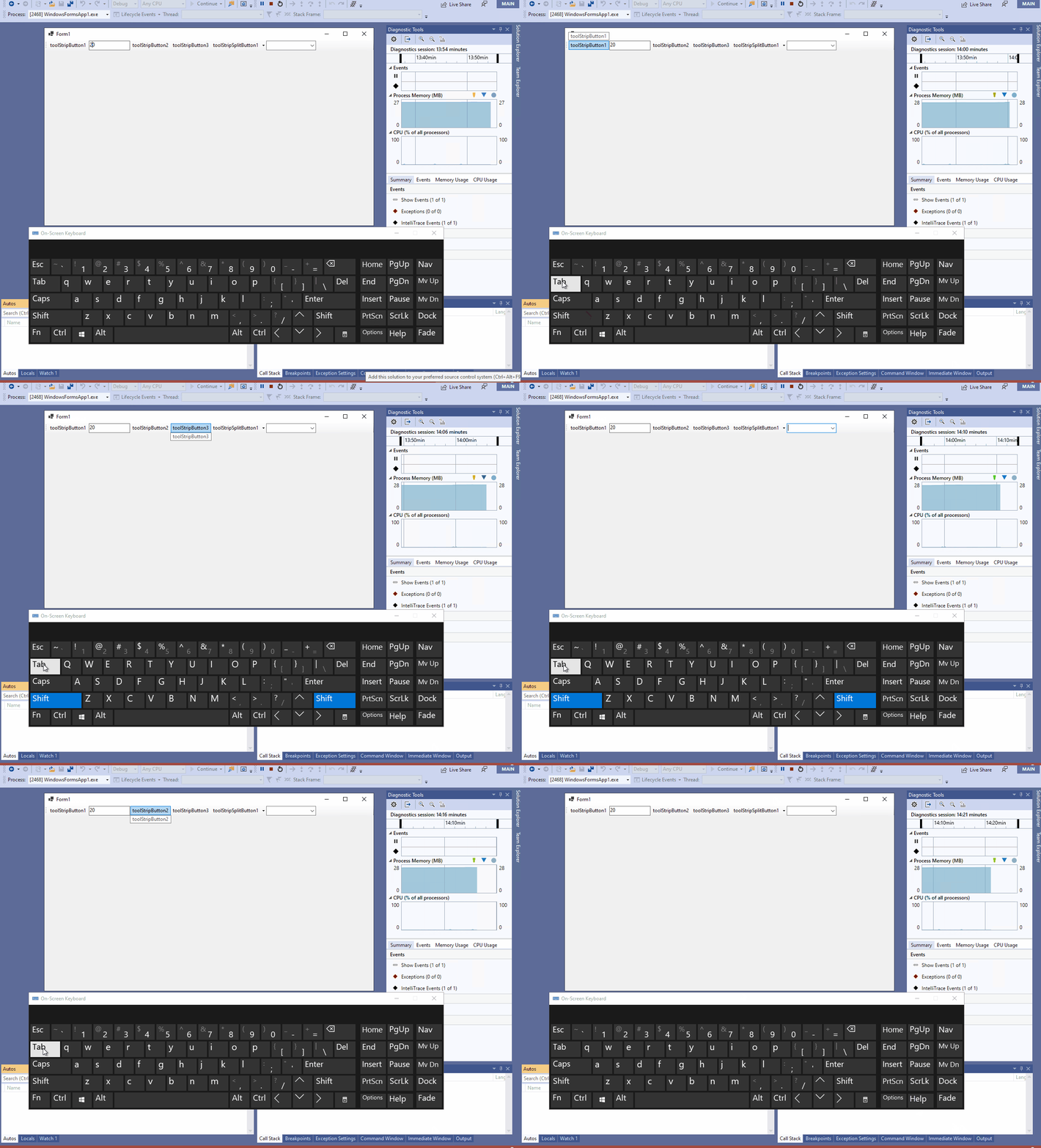
@merriemcgaw The focus can leave the ComboBox/TextBox with navigation using the tab button, but both tab & shift + Tab are clockwise. please see following gif.
Jenna-Zheng
on 4 Sep 2020
@Jenna-Zheng please raise a new issue.
 RussKie
on 4 Sep 2020
RussKie
on 4 Sep 2020
@RussKie I have raise a new issue, it's # 3835
Jenna-Zheng
on 4 Sep 2020
Fix has been ported to 5.0-rc1 branch
SergeySmirnov-Akvelon
on 9 Sep 2020
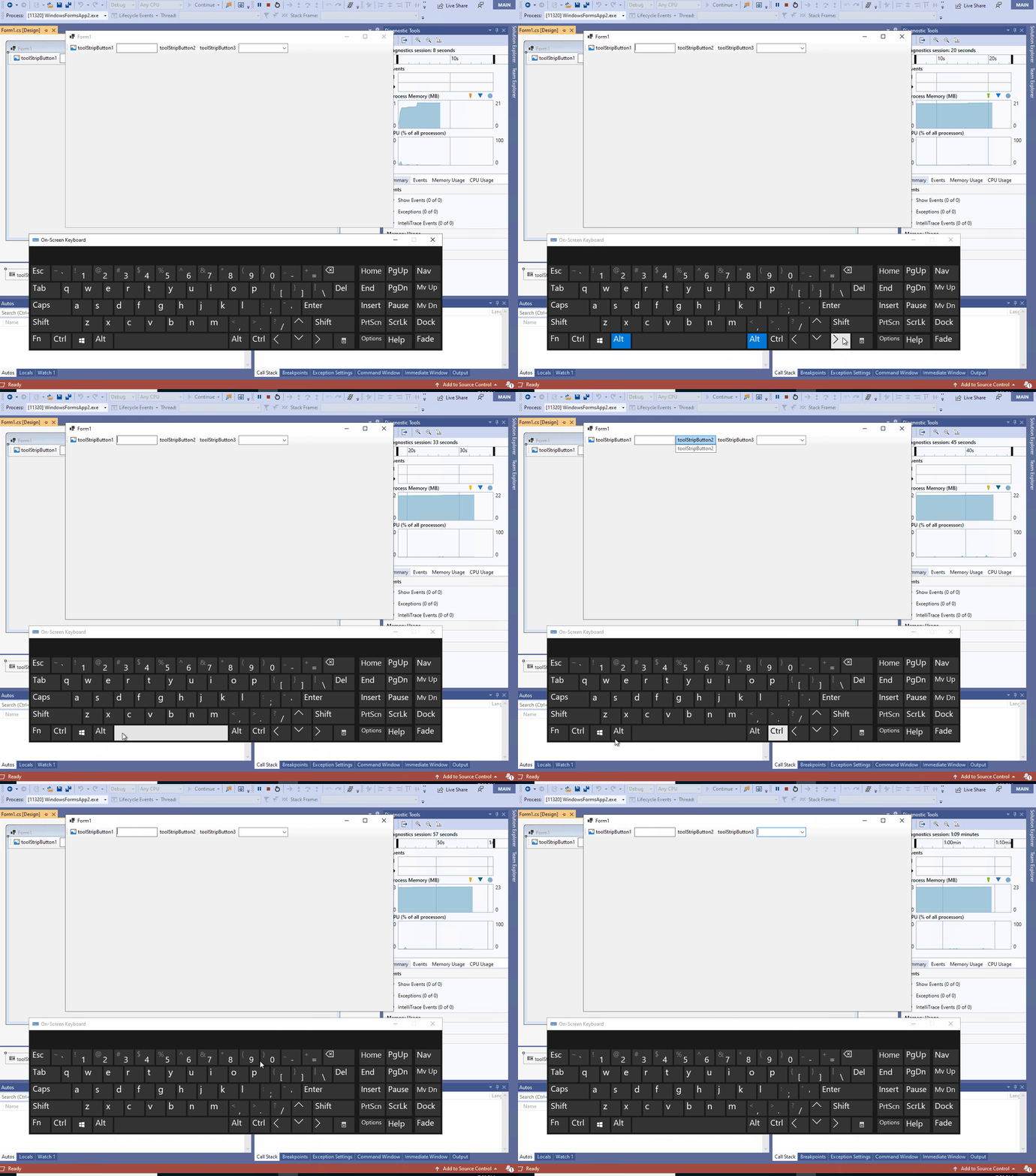
Verified this issue with the lasted .NET 5.0 RC1, the Step 5 is fixed that can use alt+left arrow to leave ComboBox/TextBox anticlockwise now, but the Step 4 still reproduce. please see the following gif.
Jenna-Zheng
on 11 Sep 2020
Reopening so @SergeySmirnov-Akvelon can take a look.
merriemcgaw
on 13 Sep 2020
Hi @merriemcgaw , @Jenna-Zheng. We had a doubt that expected behavior from step 4 is correct. Therefore, we contacted a Guy Barker. He also considers the expected behavior to be strange, because it is inconsistent with the behavior of other editable controls. Also it can be inconvenient for a user who, by editing / selecting text in textbox, can accidentally switch to next control. As result, we have kept the behavior from step 4 as behavior by design.
SergeySmirnov-Akvelon
on 14 Sep 2020
Attach @guybark's response to the internal bug so they know we aren't changing that part please.
merriemcgaw
on 14 Sep 2020
Related issues
 Vino-Wang
·
4Comments
Vino-Wang
·
4Comments
 vladimir-krestov
·
3Comments
vladimir-krestov
·
3Comments
 kirsan31
·
4Comments
kirsan31
·
4Comments
 KlausLoeffelmann
·
3Comments
RussKie
·
5Comments
KlausLoeffelmann
·
3Comments
RussKie
·
5Comments