Winforms: Winforms Designer Not Working with .NET Core 3.1 SDK
.NET Core Version: 3.1 LTS Version
Have you experienced this same bug with .NET Framework?: No
Problem description:
Winform Designer looks like in a screenshot given below

Could not do any designing in Winforms
I am using Visual Studio 16.6.0 Version Last Updated 20/05/2020
 nirzaf
All 6 comments
@nirzaf - we had seen similar issues in multi-monitor setup, where the primary monitor has resolution other than 100%. What screen resolutions do you have?
Why do you think this is related to the Core SDK version? What version is your application targeting?
 Tanya-Solyanik
on 21 May 2020
Tanya-Solyanik
on 21 May 2020
I am using a single monitor in my laptop ThinkPad i7, with resolution 1366 X 768 (Recommended by Windows 10) My targeting .NET Core SDK Version is 3.1 LTS Version
nirzaf
on 21 May 2020
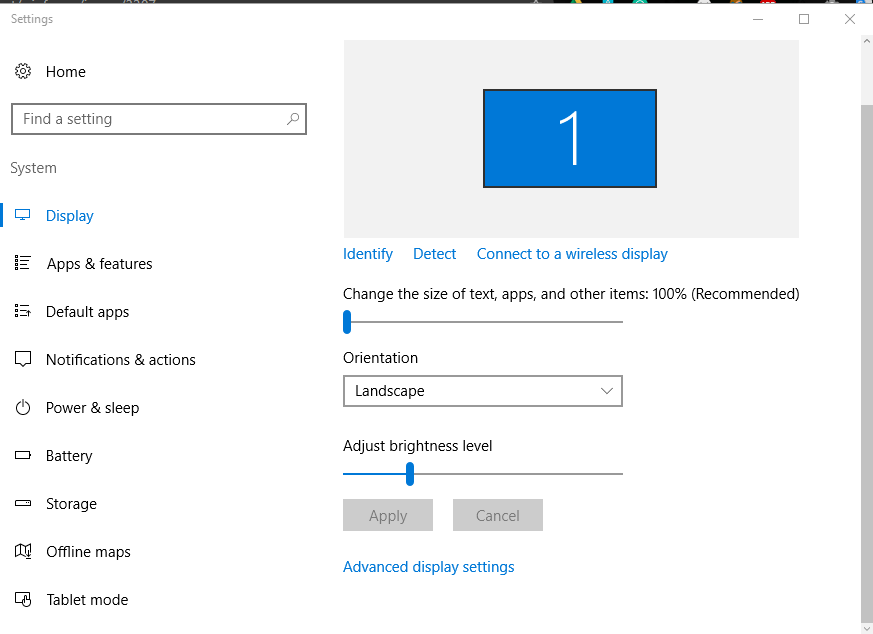
I'm sorry, I meant to ask what your scale on the primary monitor was, could you please lookup it as well:

Why do you think the issue is related to .NET SDK, what happens when you switch to NET 5.0?
Tanya-Solyanik
on 21 May 2020
I couldn't find any options called Scale & Layout in my windows settings

nirzaf
on 21 May 2020
Hm, had you tried typing "scale" in the search box on the upper left? Had you looked in the "Advanced" link?
Tanya-Solyanik
on 22 May 2020
Yes, I tried all the possible way to find that option but could not find it,
I am using Windows 10 Enterprise Version 2016 LTSB, Updated always, I had this problem in previous visual studio versions as well, but Previously I didn't even get that white blank screen After updated to 16.6 I get this white blank screen
nirzaf
on 22 May 2020
Related issues
 M-Lipin
·
4Comments
M-Lipin
·
4Comments
 Olina-Zhang
·
5Comments
Olina-Zhang
·
5Comments
 RussKie
·
5Comments
RussKie
·
5Comments
 weltkante
·
5Comments
weltkante
·
5Comments
 vladimir-krestov
·
4Comments
vladimir-krestov
·
4Comments