Winforms: Form icon can not be (properly) hide.
.NET Core Version: 3.0, 3.1.2
Have you experienced this same bug with .NET Framework?: No
Problem description:
In WinForms core app run this.ShowIcon = false; Icon is hiding, but default app. icon appear:

Expected behavior:
Icon is hiding:
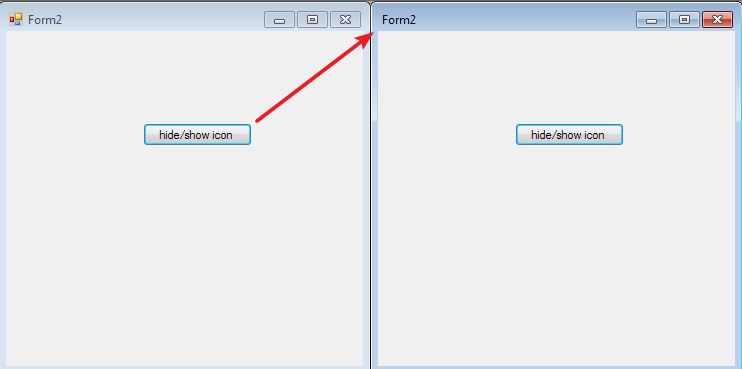
Windows 7 x64.
Minimal repro:
WinFormsCoreTest1.zip
 kirsan31
All 14 comments
This is not MDI related problem, it's a problem of every form. 100% regression from .net :(
I've updated 1 post,
kirsan31
on 2 Apr 2020
I think this is caused by swapping the condition under which UpdateStyle is called:
- DesktopFramework calls
UpdateStylewhenShowIconswitches to false - .NET Core calls
UpdateStylewhenShowIconswitches to true
 weltkante
on 2 Apr 2020
weltkante
on 2 Apr 2020
@weltkante
I think this is caused by swapping the condition under which UpdateStyle is called:
DesktopFramework calls UpdateStyle when ShowIcon switches to false
.NET Core calls UpdateStyle when ShowIcon switches to true
Yea, I saw it and tried this:
ShowIcon = false;
UpdateStyles();
with no luck. May be it's critical that UpdateStyles(); must be called before UpdateWindowIcon(true); ? ...
kirsan31
on 2 Apr 2020
Yeah, calling UpdateWindowIcon with incorrect styles messes something up that doesn't repair itself. I tried calling UpdateWindowIcon(true) via reflection after doing your UpdateStyles but that doesn't help, yet this works (replicated ShowIcon behavior from Desktop Framework via reflection):
var value = !ShowIcon;
var vectorField = typeof(Form).GetField("formStateEx", BindingFlags.Instance | BindingFlags.NonPublic);
var vector = (BitVector32)vectorField.GetValue(this);
var section = (BitVector32.Section)typeof(Form).GetField("FormStateExShowIcon", BindingFlags.Static | BindingFlags.NonPublic).GetValue(this);
vector[section] = value ? 1 : 0;
vectorField.SetValue(this, vector); // struct field needs explicit update
if (!value) UpdateStyles();
typeof(Form).GetMethod("UpdateWindowIcon", BindingFlags.Instance | BindingFlags.NonPublic).Invoke(this, new object[] { true });
I can certainly understand this is an annoying bug.
Is this a blocker? If so, what's the impact? We need to have a good justification for servicing to accept a fix.
 RussKie
on 3 Apr 2020
RussKie
on 3 Apr 2020
@RussKie Maybe this is a known issue in core designer.
 Vino-Wang
on 3 Apr 2020
Vino-Wang
on 3 Apr 2020
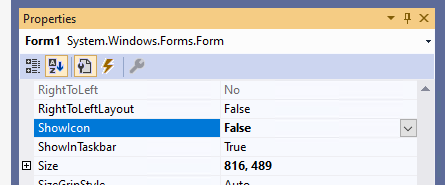
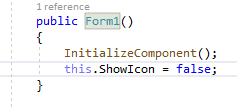
There is no icon shown in runtime when setting the Form’s ShownIcon property to false in property browser(press F4 when focus on the form) or setting it in InitializeComponent() part.
- The icon is still shown when setting the Form’s ShownIcon property to false by adding code in Form_Load or Button_Click events.
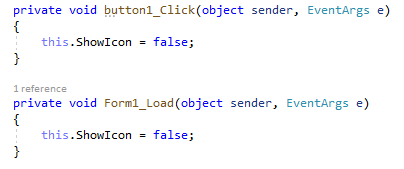
- The icon is still shown when setting the Form’s ShownIcon property to false by adding code in Form_Load or Button_Click events.
Vino-Wang
on 3 Apr 2020
I can certainly understand this is an annoying bug.
Is this a blocker? If so, what's the impact? We need to have a good justification for servicing to accept a fix.
In our app we have _worker_ forms, each of them have 3 states differ (to the user) by form icon:
- Not working - stop icon.
- Working in demo mode - demo icon.
- Working - no icon.
This is a key point and users are used to it. So, yes this is a blocker :(
@Vino-Wang Yes, I think this is related to this and 2 posts down.
kirsan31
on 3 Apr 2020
- Working - no icon.
This is a key point and users are used to it. So, yes this is a blocker :(
As a workaround could you not set an empty transparent icon?
RussKie
on 6 Apr 2020
Another workaround is to perform an interop call to hide the icon _before_ hiding the icon:
if (myform.ShowIcon)
{
    int extendedStyle = (int)User32.GetWindowLong(myform.Handle, User32.GWL.EXSTYLE);
    User32.SetWindowLong(myform.Handle, User32.GWL.EXSTYLE, (IntPtr)(extendedStyle | (int)User32.WS_EX.DLGMODALFRAME));
}

myform.ShowIcon = false;
@RussKie Yes, thank you. Of course we can do such a workarounds, but if this was the only problem. As I mentioned in this post, we are stopped our migration to core process, so no workarounds (for us) currently needed :(
kirsan31
on 6 Apr 2020
This is a very simple fix per @Tanya-Solyanik , I'd be willing to take it to Servicing shiproom if @kirsan31 would be able to continue the migration exercise, even though it's possible to work around the issue.
 merriemcgaw
on 10 Apr 2020
merriemcgaw
on 10 Apr 2020
Let's mark this a known issue for 3.1 including the workaround.
merriemcgaw
on 14 Apr 2020
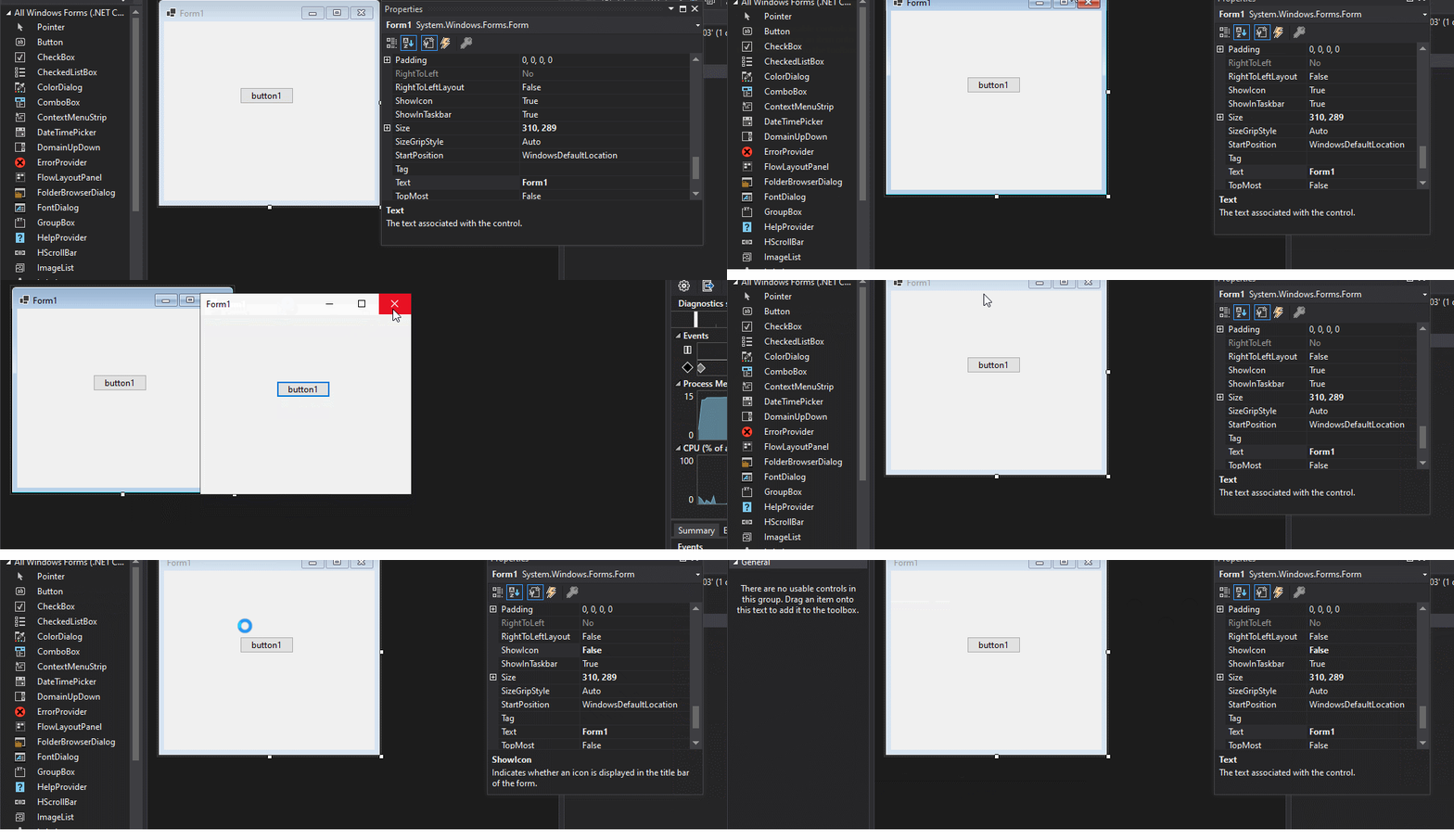
Verified the issue with latest .NET Core SDK 5.0, the issue has been fixed that hide the icon of the form successfully in running.
 Zheng-Li01
on 15 Apr 2020
Zheng-Li01
on 15 Apr 2020
Related issues
Vino-Wang
·
4Comments
 0x084E
·
3Comments
0x084E
·
3Comments
 SergeySmirnov-Akvelon
·
3Comments
SergeySmirnov-Akvelon
·
3Comments
 Jenna-Zheng
·
3Comments
weltkante
·
5Comments
Jenna-Zheng
·
3Comments
weltkante
·
5Comments