Winforms: The value of ScrollBar has be changed automatically when release the mouse
.NET Core Version: 5.0.100-preview.2.20120.11
Have you experienced this same bug with .NET Framework?:
Yes
More info
- This issue can reproduce in the framework application, and it's not a regression issue, it can reproduce on .Net framework 4.0.
- This issue cannot reproduce on TrackBar.
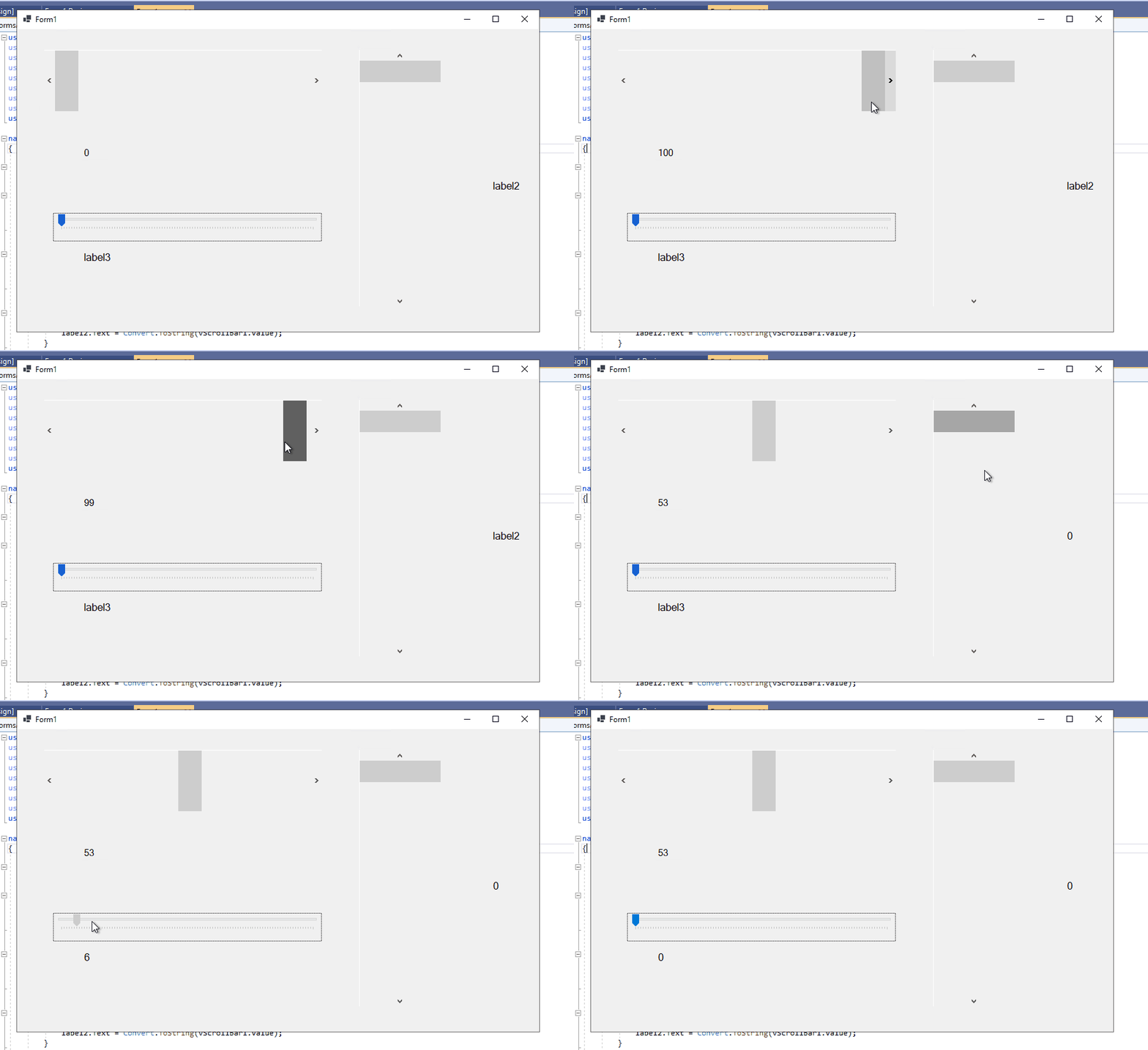
- The value of the scrollbar increases by one depending on the right/down drag.
- The value of the scrollbar decreases by one depending on the left/up drag.
- When sliding the wheel with the mouse, the right / left values do not reach the maximum / minimum value. It will only be reached when the mouse is released.
Minimal repro:
- Open the attached ‘WindowsFormsApp3’ .NET Core app in VS.
- Build and run this application, use the mouse to slide the scroll wheel of the HScrollBar/VScrollBar to the right/down.
- Observe the change of the label value when you release the mouse.
WindowsFormsApp3.zip
Expected behavior:
The value of ScrollBar cannot be changed automatically when release the mouse.
Actual behavior:
The value of ScrollBar has be changed automatically when release the mouse.
 Jessie-Zhang01
All 6 comments
Looking at the code
case ScrollEventType.SmallDecrement:
    newValue = Math.Max(_value - SmallChange, _minimum);
    break;

case ScrollEventType.SmallIncrement:
    newValue = Math.Min(_value + SmallChange, _maximum - LargeChange + 1);
    break;

case ScrollEventType.LargeDecrement:
    newValue = Math.Max(_value - LargeChange, _minimum);
    break;

case ScrollEventType.LargeIncrement:
    newValue = Math.Min(_value + LargeChange, _maximum - LargeChange + 1);
    break;
Could the problem be that LargeChange below should be SmallChange?
case ScrollEventType.SmallIncrement:
    newValue = Math.Min(_value + SmallChange, _maximum - LargeChange + 1);
 hughbe
on 26 Feb 2020
hughbe
on 26 Feb 2020
Could the problem be that LargeChange below should be SmallChange?
No, definitely not SmallChange, that is for individual increments, while the formula you see there is to limit scrolling when the last item appears on screen.
Maximum is the total number of items, LargeChange is the maximum number of items visible at a time (aka the size of the viewport), Value is the index of the first item visible. This means that when the last item is visible the first item will be Maximum-(LargeChange-1). Changing this behavior will regress applications which take this behavior into account and correct for it when they desire different behavior.
 weltkante
on 26 Feb 2020
weltkante
on 26 Feb 2020
I agree fully, thanks @weltkante . This would be a compat breaking change and could make it harder for people to migrate existing apps.
 merriemcgaw
on 6 Mar 2020
merriemcgaw
on 6 Mar 2020
@merriemcgaw I'm not entirely convinced there is no bug, the code @hughbe showed may not be related to the observed behavior at all, so the fact that we don't want to change that code in the suggested way has nothing to do with the issue itself.
The issue describes that on the mouse release (MouseUp event?) something happens that nudges the value even though a mouse release by itself shouldn't really move the position.
Its unclear (to me) how a mouse move/release is connected to the switch block @hughbe showed. I think this can use further investigation (or if @hughbe already did that, more explanation about what actually happens).
weltkante
on 6 Mar 2020
We talked about this one yesterday and closing it by design was mostly because there wasn't a label for Won't Fix because we're worried about compat breaks. (@RussKie should we have one?). If developers are migrating existing apps that have been working around this bad behavior it would be one of those weird to find changes of behavior that make migration more difficult.
So, there is a bug here and it is doing the wrong thing, I think everyone agrees there. But I don't want to break existing apps if I don't have to. It would be interesting however to understand what is happening here. If we get pushback about closing this bug I am also open to investigating further, but it would be low on the priority list.
merriemcgaw
on 6 Mar 2020
Sure, just wanted to make sure the decision wasn't based solely on my comment, since its unclear whether my comment is connected to the OP issue at all. I was mostly replying to a question from hughbe, explaining the reasoning behind the math.
weltkante
on 6 Mar 2020
Related issues
 Zheng-Li01
·
4Comments
weltkante
·
5Comments
Zheng-Li01
·
4Comments
weltkante
·
5Comments
 noseratio
·
5Comments
noseratio
·
5Comments
 Jenna-Zheng
·
3Comments
Jenna-Zheng
·
3Comments
 lonitra
·
5Comments
lonitra
·
5Comments
Most helpful comment
Sure, just wanted to make sure the decision wasn't based solely on my comment, since its unclear whether my comment is connected to the OP issue at all. I was mostly replying to a question from hughbe, explaining the reasoning behind the math.