Windowscommunitytoolkit: Classic Menu tweeks
I have the following requests to the classic menu:
- [x] Slow opening animation at some time:
- [x] ~Add icons to menu items into the left side~ Sorry I missed that MenuFlyoutItem has Icon property. MenuItem does not need to have Icon. Maybe we can add some example of MenuFlyoutItem.Icon to the sample app.
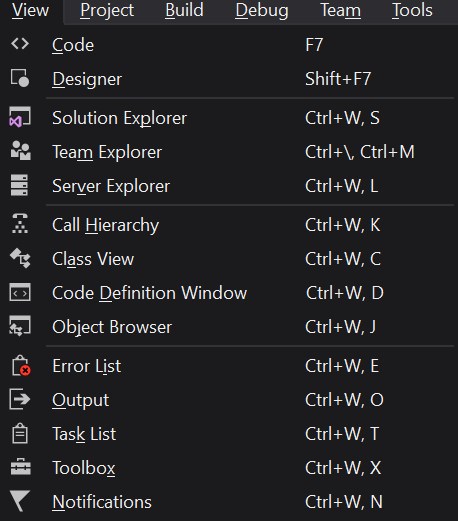
- [x] Add shortcut info to menu items into to right side
anim:

 tibitoth
All 7 comments
ping @IbraheemOsama
Thanks for the feedback @totht91
Not sure what you mean by
Slow opening animation at some time:
Could you expand?
We can easily change the Header of a MenuItem to support any Content and I think we should do that, then you can just do this to add the icon:
<controls:MenuItem Name="FileMenu"
                   controls:Menu.InputGestureText="Alt+F">
    <controls:MenuItem.Header>
        <StackPanel Orientation="Horizontal">
            <SymbolIcon Symbol="Accept"></SymbolIcon>
            <TextBlock Text="Hello"></TextBlock>
        </StackPanel>
    </controls:MenuItem.Header>
</controls:MenuItem>
Tooltips show up under the MenuItems when alt is pressed and released. Did you have something else in mind?
 nmetulev
on 5 Jul 2017
nmetulev
on 5 Jul 2017
For 3, it's something like this where we should be able to (optionally?) display the keyboard shortcut alongside the content in the menu
 JohnnyWestlake
on 6 Jul 2017
JohnnyWestlake
on 6 Jul 2017
I also notice.
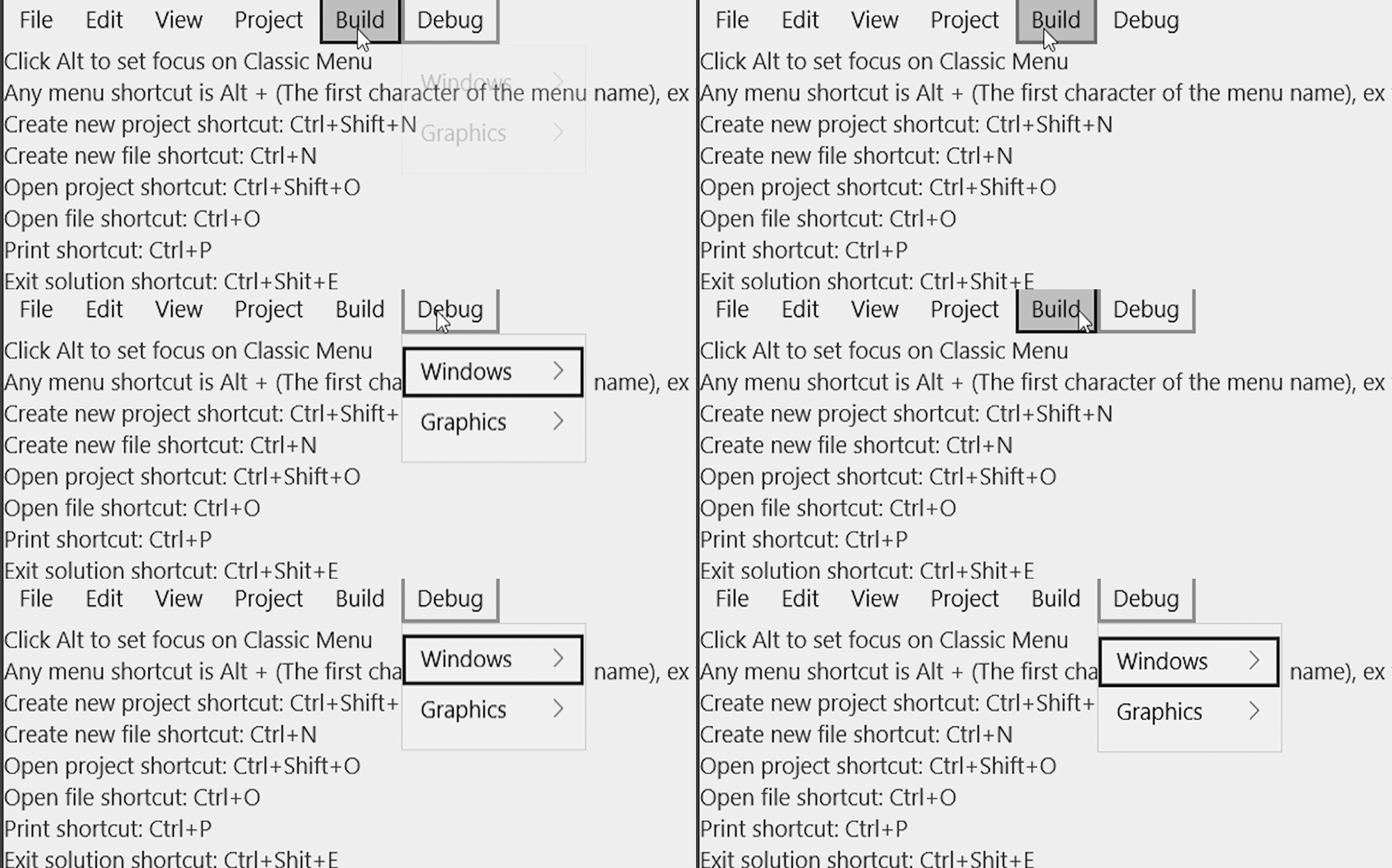
Slow opening animation at some time
Focus Box(Black box) will appear on the MenuItem but MenuItemFlyout only opens after the Focus Box hide. If we move fast then Flyout will not open.
 Vijay-Nirmal
on 6 Jul 2017
Vijay-Nirmal
on 6 Jul 2017
I see what you mean, this is something we should take a look at for both 1 and 3. @IbraheemOsama, any thoughts on this?
nmetulev
on 6 Jul 2017
@nmetulev
- See the two attached gif. Sometimes the menu is not showing immediately.
- Sorry I missed that MenuFlyoutItem has Icon property. MenuItem does not need to have Icon property. Maybe we can add some example of MenuFlyoutItem.Icon to the sample app.
- Exactly what @JohnnyWestlake mentioned.
tibitoth
on 6 Jul 2017
Will start working on the tweeks :)
 IbraheemOsama
on 7 Jul 2017
IbraheemOsama
on 7 Jul 2017
PR merged
nmetulev
on 22 Aug 2017
Related issues
 andriihorpenko
·
3Comments
andriihorpenko
·
3Comments
 shweaver-MSFT
·
3Comments
shweaver-MSFT
·
3Comments
 miguelarcilla
·
4Comments
miguelarcilla
·
4Comments
 Joebeazelman
·
3Comments
Joebeazelman
·
3Comments
 SmartPolarBear
·
4Comments
SmartPolarBear
·
4Comments