Windows-itpro-docs: Windows Device Recovery Tool Link
This page has a link to Windows Device Recovery Tool that redirects to a private Azure Devops page to which the public does not have access. Is there a public-facing link?
Document Details
⚠ Do not edit this section. It is required for docs.microsoft.com ➟ GitHub issue linking.
- ID: cd4de184-bdeb-2611-8d75-28376e30b0fc
- Version Independent ID: 7b330f9a-d1c0-72f9-0d00-d7fac13e7e00
- Content: Reset or recover your HoloLens
- Content Source: devices/hololens/hololens-recovery.md
- Product: hololens
- Technology: windows
- GitHub Login: @mattzmsft
- Microsoft Alias: mazeller
 natejgardner
All 20 comments
@officedocsbot assign @jvsam
 jvsam
on 26 Oct 2019
jvsam
on 26 Oct 2019
Hi @natejgardner, can you please try http://go.microsoft.com/fwlink/p/?LinkId=522381, which you can also find here. Here's another link http://go.microsoft.com/fwlink/?LinkID=525569. Please let us know if they work for you.
Hello @mattzmsft, how are you? Does the private link for the Windows Device Recovery Tool that goes to this URL - https://dev.azure.com/ContentIdea/ContentIdea/_queries/query/8a004dbe-73f8-4a32-94bc-368fc2f2a895/, still work? We're unable to verify due to error. Thank you.

jvsam
on 3 Nov 2019
@jvsam : I tested both your links
and they both start downloading the same file (same size, same version).

Even so, I am guessing that it could be better if the Hololens doc page could have a link to the download page instead of the direct download link. What are your thoughts?
edit: Sorry, I missed your link to one of the download source pages:
Anyway, I presume it will be more useful to wait for a reply from Matt Zeller.
 illfated
on 3 Nov 2019
illfated
on 3 Nov 2019
@illfated yes they are, same version and confirmed with the same release log. I am not sure if https://dev.azure.com/ContentIdea/ContentIdea/_queries/query/8a004dbe-73f8-4a32-94bc-368fc2f2a895/ is a private link that requires special access, or if it's a broken link. The author can confirm.
jvsam
on 3 Nov 2019
@officedocsbot assign @mattzmsft
jvsam
on 3 Nov 2019
Thank you for your reply. Well, I have tried to access that site (https://dev.azure.com/ContentIdea/ContentIdea/_queries/query/8a004dbe-73f8-4a32-94bc-368fc2f2a895/) and I do not have access to that site with my Microsoft address, with which I have access to ordinary developer sites like MS Visual Studio Team services for ordinary users, but I do not have a subscription to the full DevOps service. The page is blocked from others than subscribers or members of the MS VS Dev Team members and owners.
illfated
on 3 Nov 2019
Hi @natejgardner, can you please try http://go.microsoft.com/fwlink/p/?LinkId=522381, which you can also find here. Here's another link http://go.microsoft.com/fwlink/?LinkID=525569. Please let us know if they work for you.
Hello @mattzmsft, how are you? Does the private link for the Windows Device Recovery Tool that goes to this URL - https://dev.azure.com/ContentIdea/ContentIdea/_queries/query/8a004dbe-73f8-4a32-94bc-368fc2f2a895/, still work? We're unable to verify due to error. Thank you.
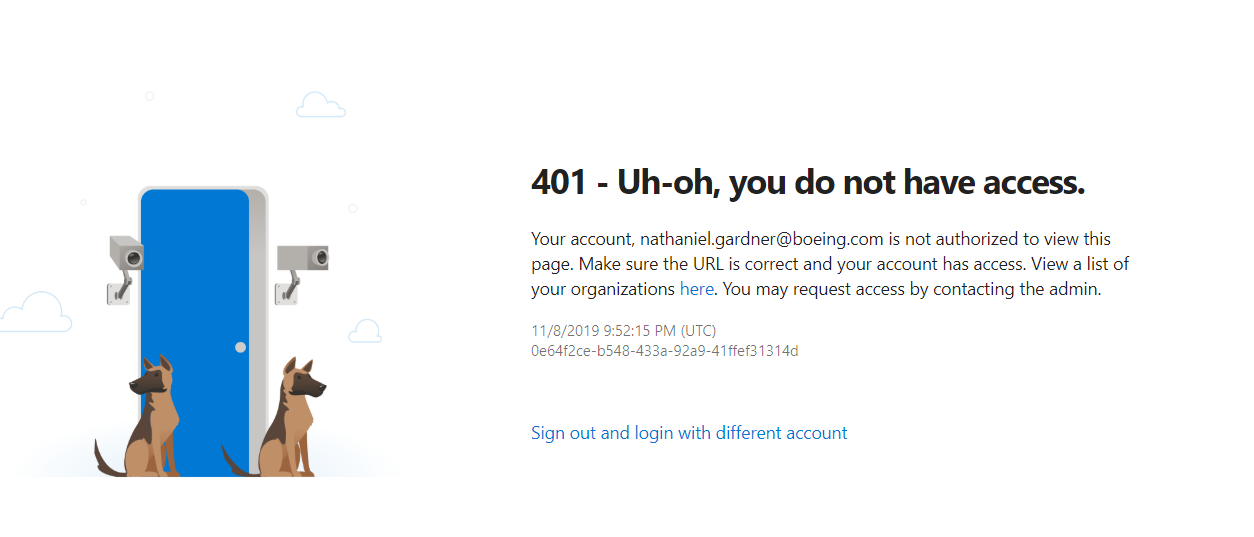
@jvsam, I verified the two public-facing links you posted work just fine for me as well. The dev.azure link gives the following:
natejgardner
on 8 Nov 2019
I get exactly the same error message for that page, so that page is truly private and only accessible by Microsoft employed developers (or possibly also paying subscribers).
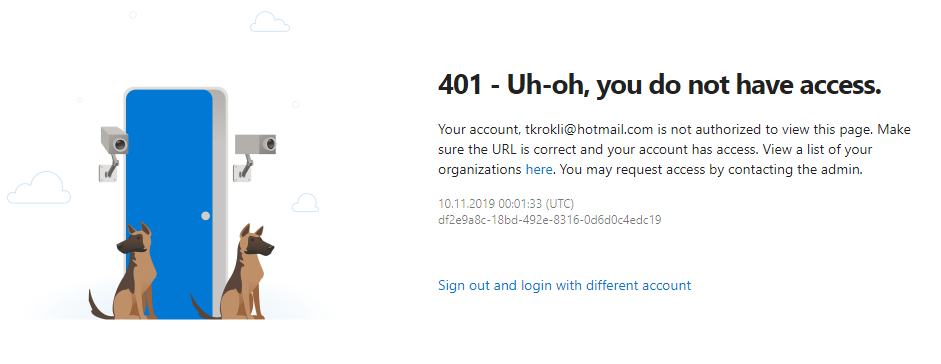
The link in the image to show a list of your organizations is: https://go.microsoft.com/fwlink/?LinkId=309329
The link resolves to the following for me: https://aex.dev.azure.com/me?mkt=en-US
and it shows me my current project pages on <username>.visualstudio.com
Under "Manage authorizations" I am only able to revoke my Visual Studio Developer Community access, which I created when I started using Microsoft Visual Studio 2017.
I don't know if the access to https://dev.azure.com/ContentIdea/ContentIdea/ is comparable to Github private repositories or if the access is limited to access via specific paid application subscriptions, because the content or information about that page/repository does not appear in web search results.
illfated
on 10 Nov 2019
BTW, I looked back at the page Reset or recover your HoloLens (https://docs.microsoft.com/en-us/hololens/hololens-recovery#hololens-1st-gen) and verified that the link in
To recover your HoloLens
- Download and install the Windows Device Recovery Tool on your computer.
still is the inaccessible private link for https://dev.azure.com/ContentIdea/ContentIdea/_queries/query/8a004dbe-73f8-4a32-94bc-368fc2f2a895/
After tracing the steps back to the origin of the link in the change https://github.com/MicrosoftDocs/windows-itpro-docs/commit/b9b113b873d1aa7abd4c708299dc1e7284f34d49#diff-f01cada38b185d6bc7b081a3e428178d (commit https://github.com/MicrosoftDocs/windows-itpro-docs/commit/b9b113b873d1aa7abd4c708299dc1e7284f34d49), I find it reasonable to ask @scooley if any customers have got access to that page at all, and if yes, then how is the access granted.
illfated
on 10 Nov 2019
Hi @mattzmsft, do you own this documentation now? I referred to the metadata before tagging you. It would be great to hear from you if the link is valid and only accessible to, e.g. specific subscriptions, etc.? If it's no longer working, then we can create a PR to correct the link (if you can provide one) so other users will not have the same issue in the future. Looking forward to your feedback. Thank you.
jvsam
on 13 Nov 2019
I am experiencing the same Uh-oh, you don't have access issues as @illfated using my microsoft.com corporate login ID. The https://dev.azure.com/ContentIdea/ContentIdea/_queries/query/8a004dbe-73f8-4a32-94bc-368fc2f2a895/ link from page https://docs.microsoft.com/en-us/hololens/hololens-recovery#hololens-1st-gen doesn't work and hasn't been fixed.
 craigarno
on 16 Nov 2019
craigarno
on 16 Nov 2019
@craigarno : That has been the case for at least 3 weeks now, since commit https://github.com/MicrosoftDocs/windows-itpro-docs/commit/b9b113b873d1aa7abd4c708299dc1e7284f34d49 (would appreciate hearing from @scooley about it) and we need to replace that link with one that points to a publicly available page.
If you do find a working public page, please post the information here for us to open a correcting Pull Request to have that broken link repaired.
illfated
on 16 Nov 2019
@illfated The links above work. I used the direct links above, ran the software, and it still doesn't recognize my Hololens 1. Something about outdated certificate or some such. I left both at work, so can't repro at the moment. I tried all contingencies in the documentation, still nothing works. The problem I have is an account login which says "[email protected]" and it wants a password I don't have. So I am attempting to do a factory reset, or full reinstall to restore the unit to service.
I took this unit to China and discovered the internet to the US (through the Chinese firewall) is so bad ~80K/sec data rate (on a good day) with session disconnects every 15 minutes, that I couldn't even run this software. We really need a standalone installer. Now that I'm back in the US, I'm experiencing different show stopping problems. This unit is effectively "bricked" if I can't find a workaround. We need this unit for a customer who is creating an Azure cloud AR application for his BIM business. I ended up having a second unit flown over to replace this one because of all these unresolved issues.
craigarno
on 16 Nov 2019
Oh. I see. I can only offer my sympathy with your recent issues using this technology.
Looks like we need to await some direct feedback from the document author/manager.
illfated
on 17 Nov 2019
Hi @natejgardner, how are you? Were you able to update your device? I've been sleuthing :) since we haven't heard from MS team, it seems that there was an issue before where the Microsoft’s firmware servers were not working. Hence, even if you had the recovery tool installed, you wouldn't be able to reset HoloLens to the earlier version. The tool will need to connect to the server to download the updates. Perhaps the Azure link may have been a workaround? But the issue is it's not working anymore. Here's an old discussion in Twitter (this is an external and public site, and I can't guarantee the accuracy of it) and from this conversation, it may have been fixed and the WDRT tool should be working again. I'm really hoping you can get it to work. By the way, have you contacted Windows Support to get their feedback on this matter?
Hi @illfated, the azure link may have been a private project to host the firmware. Since it's no longer working (I even created a dev account and I still can't access it), I personally think we can go ahead and propose an update to the URL. We can reference to the Update HoloLens (see Go back to a previous version - HoloLens (1st Gen) section) content page. The instruction is to download the Windows Device Recovery Tool (WDRT) from https://support.microsoft.com/help/12379/windows-10-mobile-device-recovery-tool-faq. What do you think? Happy to hear your opinion.
jvsam
on 8 Dec 2019
@jvsam : Thank you very much for your follow-up and suggestion. I presume that the link https://support.microsoft.com/en-ph/help/12379/windows-10-mobile-device-recovery-tool-faq can be used as an alternative to the current private link, but it would be preferable if we could have a confirmation from @natejgardner and/or @craigarno if that linked page provides the correct version for the Windows Device Recovery Tool.
When we get a confirmation that this link and the downloaded tool works as expected, I will be happy to create a Pull Request to have the link in question amended as shown below:
To recover your HoloLens
- Download and install the Windows Device Recovery Tool on your computer.
- Connect the HoloLens (1st gen) to your computer using the Micro USB cable that came with your HoloLens.
- Run the Windows Device Recovery Tool and follow the instructions.
illfated
on 8 Dec 2019
@illfated , this procedure/tool version recognized and reflashed my Hololens 1 in the US @ the Microsoft campus. This solution appears to be what I need when connected to a very high speed network. My Hololens 1 appears to be ready to configure/use.
I still need an off-line version of this tool so it will work in remote places like China where download speeds are 80K/Sec or less and the connection is interrupted every 15 minutes. Reflash (this procedure and link) won't work in China without an off-line version of this software as this procedure tries to download 2.3GB of data which will never succeed with current China network conditions.
craigarno
on 10 Dec 2019
Hey, for some reason I didn't get a notification for this thread. Sincere apologies for the slow response. In the future, email me or assign the issue to me for a faster response. Similarly to the dev docs, you should also feel completely empowered to submit PRs to this doc set - it takes a village to keep the docs up to date and awesome.
I just updated the link to https://support.microsoft.com/help/12379/windows-10-mobile-device-recovery-tool-faq I'm sure the pull request will merge shortly.
I'll make a note about download size, though I am curious how you download the ffu to flash in that environment?
 scooley
on 11 Dec 2019
scooley
on 11 Dec 2019
scooley
on 11 Dec 2019
scooley
on 11 Dec 2019
Thank you so much for your help, @scooley and @illfated! I can see the link has been updated.
@natejgardner, with regard to the offline version of the tool, I encourage you to submit this feedback on UserVoice when you have time. Your feedback goes directly to the Microsoft product team and they would love to hear what you think. If there's already a request or suggestion similar to yours, you can add your vote to the request. Thanks for being part of the Microsoft Docs community!
jvsam
on 12 Dec 2019
Related issues
 iadgovuser1
·
3Comments
iadgovuser1
·
3Comments
 michalzobec
·
3Comments
michalzobec
·
3Comments
 jadelise
·
3Comments
jadelise
·
3Comments
 andrewpong
·
3Comments
andrewpong
·
3Comments
 marcnil815
·
3Comments
marcnil815
·
3Comments
Most helpful comment
Fixed in PR https://github.com/MicrosoftDocs/windows-docs-pr/pull/1692