Winappdriver: An element command couldn't be completed because the element is not a pointer - or keyboard interactable
Hello all,
My scripts fail as the element is not clickable. I even tried to degrade Winappdriver to V0.9 but the
element is not clickable yet. (Appium WebDriver 4.0.0)
My failing point is , unable to click don't save button to close the Notepad
Could anyone please advise me ?
[Please note, scripts were run before 2 months but not now , It might be some upgrade issue ]
POST /session/C75FE950-4885-4F46-B9DB-A6C940D3DF59/element/42.331874.3.-2147483647.331874.-2.5/click HTTP/1.1
Accept: application/json, image/png
Content-Length: 2
Content-Type: application/json;charset=utf-8
Host: 127.0.0.1:4723
User-Agent: selenium/3.141.0 (.net windows)
{}
HTTP/1.1 400 Bad Request
Content-Length: 175
Content-Type: application/json
{"status":105,"value":{"error":"element not interactable","message":"An element command could not be completed because the element is not pointer- or keyboard interactable."}}
==========================================
DELETE /session/C75FE950-4885-4F46-B9DB-A6C940D3DF59 HTTP/1.1
Accept: application/json, image/png
Host: 127.0.0.1:4723
User-Agent: selenium/3.141.0 (.net windows)
HTTP/1.1 200 OK
Content-Length: 63
Content-Type: application/json
{"sessionId":"C75FE950-4885-4F46-B9DB-A6C940D3DF59","status":0}
 dildilshani
All 21 comments
Is the notepad sample working for you?
We implemented logic to handle don't save as well which is working fine on my end.
 hassanuz
on 18 Nov 2019
hassanuz
on 18 Nov 2019
Thank you @hassanuz for the reply. I;m looking into it , Can you please provide the WinAppDriver and Appium Version supported to notepad sample script ?
dildilshani
on 19 Nov 2019
@hassanuz , Also could you please confirm if the notpad sample working fine now ? I have used same code like you
dildilshani
on 19 Nov 2019
Yes sample notepad is working for me also, what version of WIN10 are you using.
 anunay1
on 19 Nov 2019
anunay1
on 19 Nov 2019
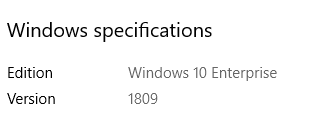
@anunay1 , I'm using Version 1809 (WIN10)
dildilshani
on 19 Nov 2019
That seems ok, as I am using a lower version.
anunay1
on 19 Nov 2019
If i describe the issue more,
My scenario is :
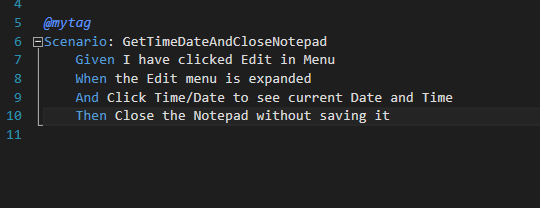
This is my implementation for the scenario and the error is coming after clicking the close button in notepad
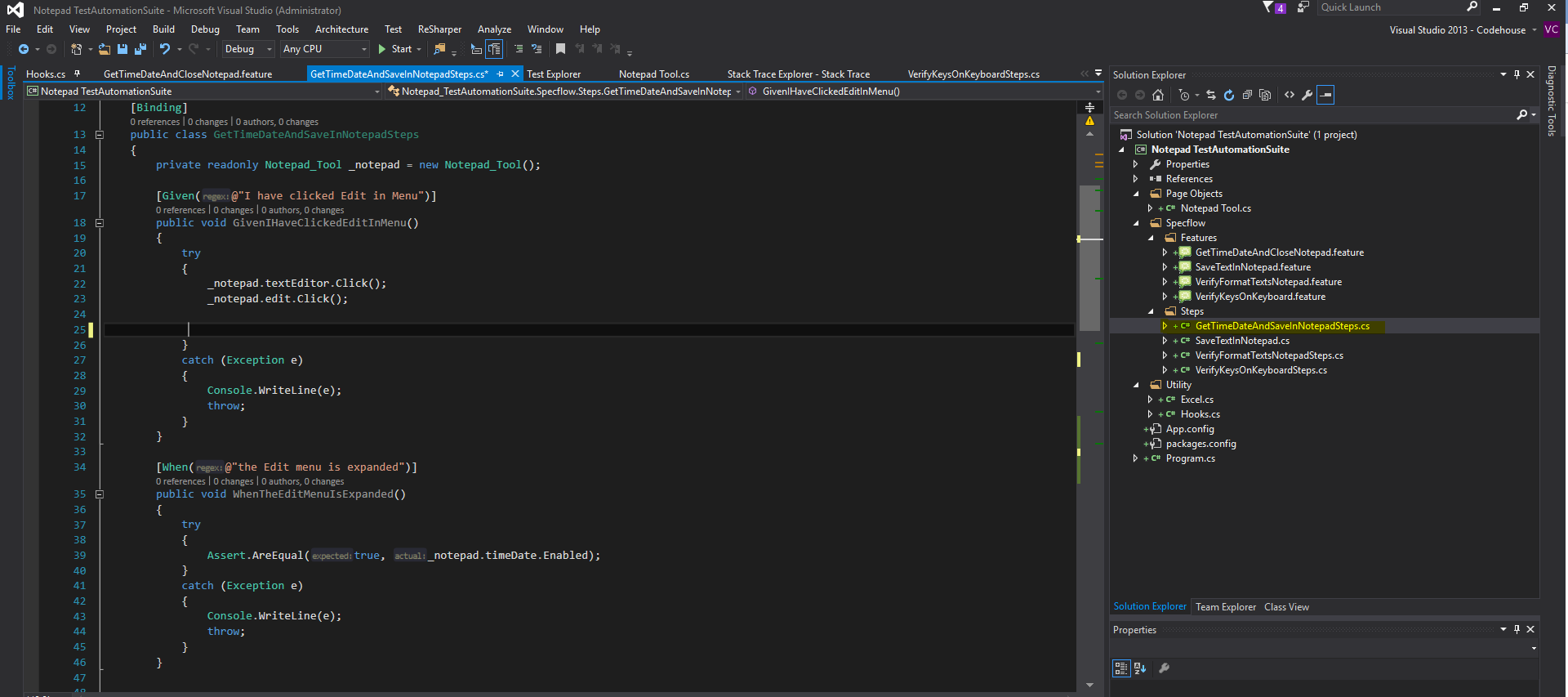
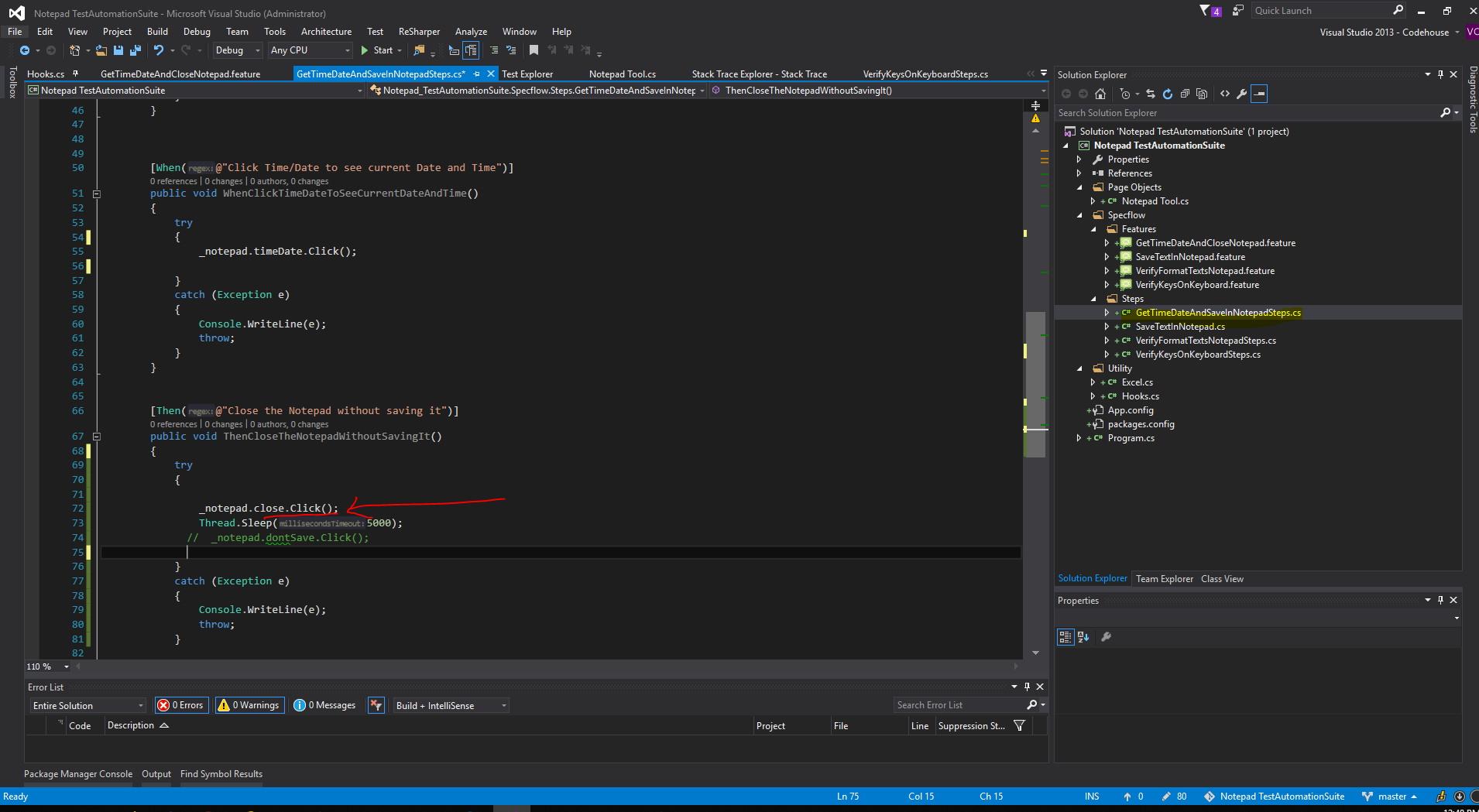
After whole scenario run, driver is Quit
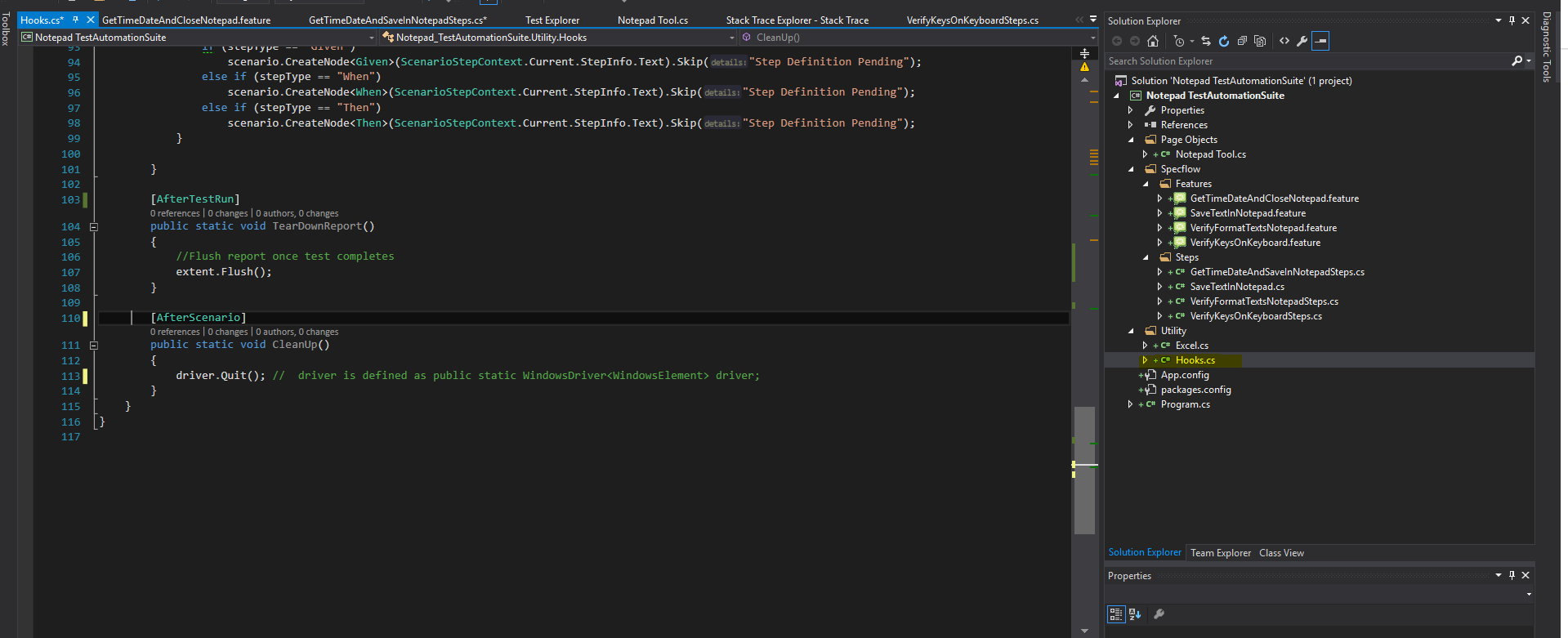
So the thing is, i couldn't close the note pad and click dont save button (Currently i commented dont save code line to find the issue)
My output would be like this

@anunay1 @hassanuz or someone else , Could you advise me please ?
dildilshani
on 19 Nov 2019
Please share the solution
anunay1
on 19 Nov 2019
@anunay1 @hassanuz or anyone help me to fix this
dildilshani
on 19 Nov 2019
Zip the entire solution can upload to the bug.
anunay1
on 19 Nov 2019
Zip the entire solution can upload to the bug.
Sorry, I’m afraid I don’t follow you.
dildilshani
on 19 Nov 2019
I require the entire solution to debug at my end, please upload the entire solution
anunay1
on 19 Nov 2019
I require the entire solution to debug at my end, please upload the entire solution
Please find it under https://github.com/dra123/Test-Automation-Notepad/tree/test . My Project is Notepad TestAutomationSuite
dildilshani
on 20 Nov 2019
Thanks, I got the solution but you are using some excel, please share the excel as well.
anunay1
on 21 Nov 2019
Hi after commenting the excel part, it works perfectly in my system.
{"using":"name","value":"Close"}
HTTP/1.1 200 OK
Content-Length: 123
Content-Type: application/json
{"sessionId":"DA464960-07A3-41DC-8DAC-4D42C0B2ABDF","status":0,"value":{"ELEMENT":"42.2230116.2.-2147483647.2230116.-2.5"}}
==========================================
POST /session/DA464960-07A3-41DC-8DAC-4D42C0B2ABDF/element/42.2230116.2.-2147483647.2230116.-2.5/click HTTP/1.1
Accept: application/json, image/png
Content-Length: 2
Content-Type: application/json;charset=utf-8
Host: 127.0.0.1:4723
User-Agent: selenium/3.141.0 (.net windows)
{}
HTTP/1.1 200 OK
Content-Length: 63
Content-Type: application/json
{"sessionId":"DA464960-07A3-41DC-8DAC-4D42C0B2ABDF","status":0}
==========================================
POST /session/DA464960-07A3-41DC-8DAC-4D42C0B2ABDF/element HTTP/1.1
Accept: application/json, image/png
Content-Length: 37
Content-Type: application/json;charset=utf-8
Host: 127.0.0.1:4723
User-Agent: selenium/3.141.0 (.net windows)
{"using":"name","value":"Don't Save"}
HTTP/1.1 200 OK
Content-Length: 95
Content-Type: application/json
{"sessionId":"DA464960-07A3-41DC-8DAC-4D42C0B2ABDF","status":0,"value":{"ELEMENT":"42.529842"}}
==========================================
POST /session/DA464960-07A3-41DC-8DAC-4D42C0B2ABDF/element/42.529842/click HTTP/1.1
Accept: application/json, image/png
Content-Length: 2
Content-Type: application/json;charset=utf-8
Host: 127.0.0.1:4723
User-Agent: selenium/3.141.0 (.net windows)
{}
HTTP/1.1 200 OK
Content-Length: 63
Content-Type: application/json
{"sessionId":"DA464960-07A3-41DC-8DAC-4D42C0B2ABDF","status":0}
anunay1
on 21 Nov 2019
Are you using mac or windows.
anunay1
on 21 Nov 2019
I'm using windows.
It may be my machine issue ?
dildilshani
on 21 Nov 2019
could be,
anunay1
on 21 Nov 2019
Thank you for looking into this @anunay1 , Could you tell me the Windows SDK build version on your machine ?
dildilshani
on 21 Nov 2019
10.0.17134.12
anunay1
on 21 Nov 2019
@anunay1, Thank you so much for looked the issue. I think the problem might be an issue on my machine
dildilshani
on 21 Nov 2019
Related issues
hassanuz
·
4Comments
 sky205
·
3Comments
sky205
·
3Comments
 tomw93
·
4Comments
tomw93
·
4Comments
 SimonKirkhamCL4U
·
3Comments
SimonKirkhamCL4U
·
3Comments
 SanjeevKumarmn
·
4Comments
SanjeevKumarmn
·
4Comments