I'm developing a UI test program with WinAppDriver.
We use Visual Studio 2019 and WinAppDriver 1.1 version and inspect.
What I'm going to test function is Project Create With Visual Studio and our Extension Explorer.
I finished create project with WinAppDriver but WinAppDriver seems to not to find our extension explorer in visual studio 2019.
this is my code. firstLine projectName Click is not work.
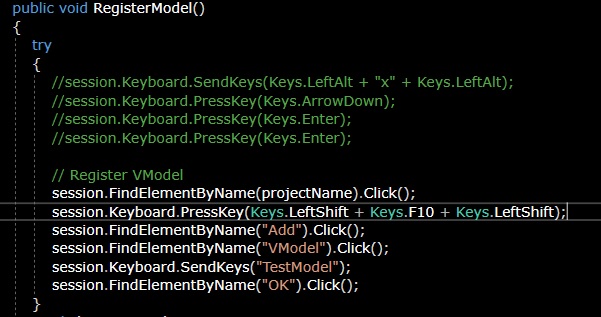
in projectName "Site.FP_Planning1" is setting.
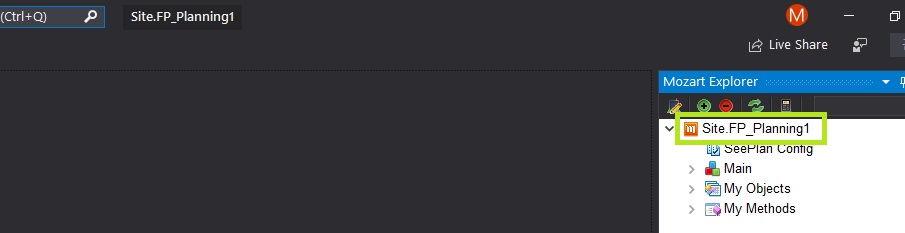
inspect also say that this element is called projectName.

below is error message.
{"status":7,"value":{"error":"no such element","message":"An element could not be located on the page using the given search parameters."}}
Please tell me any solutions if exist.
Thank you.
ps. not our extend explorer but also solution explorer and team explorer can't found by WinAppDriver in visual studio 2019.
 didhddldlq
All 3 comments
Use UIRecorder for location elements.
 riccione
on 7 Jul 2019
riccione
on 7 Jul 2019
@riccione
Thank you for reply.
but I already have used UI Recorder but it doesn't work. I have try once again today but there is status 7 error.
like this..

didhddldlq
on 8 Jul 2019
I did it by another approach.
But there is problem in typing keyboard. session.KeyBoard.SendKeys is sometimes(*) return state 13 error. "unknown error","message":"An unknown error occurred in the remote end while processing the command."
This is always suffering me.
if i reboot my computer, It works... so strange.
Anyone know why?
didhddldlq
on 9 Jul 2019
Related issues
 AmitVerma4HP
·
3Comments
AmitVerma4HP
·
3Comments
 jsa34
·
3Comments
jsa34
·
3Comments
 sandeepdroid
·
3Comments
sandeepdroid
·
3Comments
 viji-123
·
4Comments
viji-123
·
4Comments
 SimonKirkhamCL4U
·
3Comments
SimonKirkhamCL4U
·
3Comments
Most helpful comment
Use UIRecorder for location elements.