Wiki: Some Font Awesome 5 icons do not render
Describe the bug
Some icons in the Font Awesome library do not render in the navigation section of the admin panel or the main wiki.
To Reproduce
Steps to reproduce the behavior:
- Go the navigation section in the admin panel
- Choose an icon like fas fa-house-user
- Visit the wiki
Expected behavior
The icon should change according to the name specified
Screenshots

Host Info (please complete the following information):
- OS: Ubuntu 18.04
- Wiki.js version: 2.3.77
- Database engine: MySQL (latest version)
Additional context
This only happens for some icons. Few other icons I tried: fas fa-caravan, fal fa-house-night
 siddhartha-lal
All 6 comments
I attempted to "upgrade" to Wiki.js 2.3.81 by downloading and unpacking the latest version, copying over config.yml and the assets/ folder and as you can see, the icons (mostly "Material Design") are all messed up on my wiki. Odd because I simply installed the new version and re-used my old database, and nothing is wrong with the content itself: just the icons from the theme.
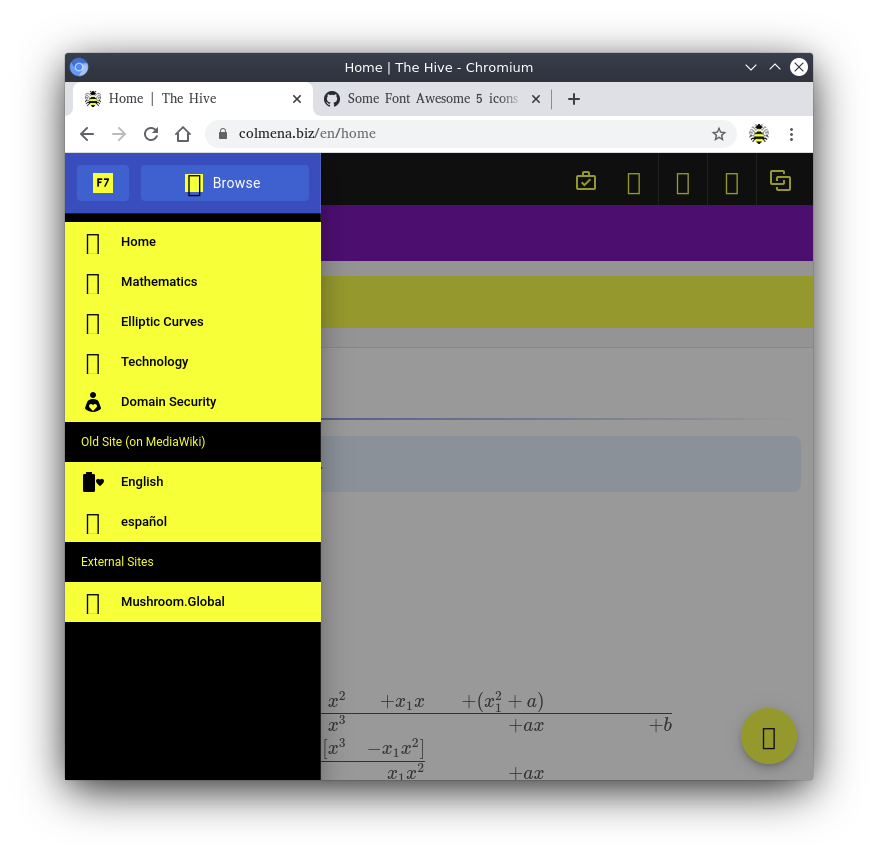
Any ideas?
 justinacolmena
on 7 May 2020
justinacolmena
on 7 May 2020
@justinacolmena clear your cache
 NGPixel
on 7 May 2020
NGPixel
on 7 May 2020
@justinacolmena me too 🤷🏻♂️🤷🏻♂️ and yet I cleared the cache
 MaxSliw
on 9 May 2020
MaxSliw
on 9 May 2020
Make sure you also clear any reverse proxy cache (e.g. Cloudflare, nginx, etc.)
NGPixel
on 9 May 2020
Make sure you also clear any reverse proxy cache (e.g. Cloudflare, nginx, etc.)
You are the best ! Thx
MaxSliw
on 9 May 2020
Hello,
i'm find this topic because i can rendering the Navigation section with all Font Awesome icon, however, with any research i'm find an option on Theme to activate a Icon Set.
Maybe this issue can be close @NGPixel .
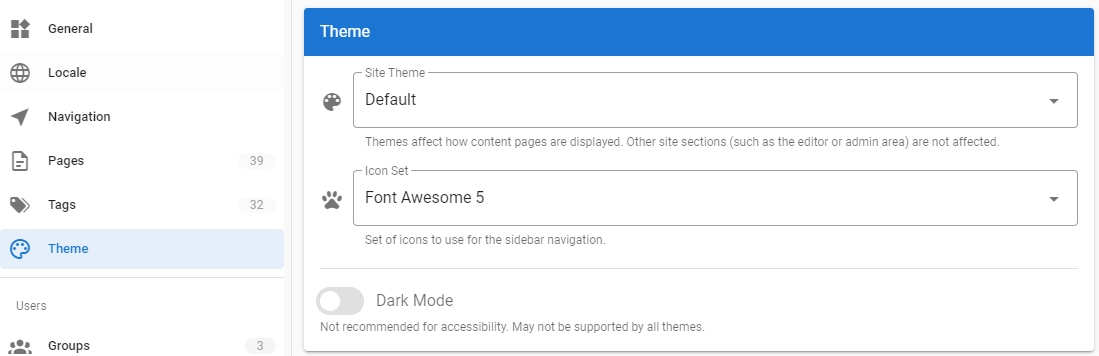
 stilobique
on 13 Jan 2021
stilobique
on 13 Jan 2021
Related issues
 leandro-hermes
·
4Comments
leandro-hermes
·
4Comments
 sbonaime
·
3Comments
sbonaime
·
3Comments
 raikoug
·
3Comments
raikoug
·
3Comments
 bennycode
·
4Comments
bennycode
·
4Comments
 touhoku-japan
·
3Comments
touhoku-japan
·
3Comments