Wiki: How to activate list of all pages / global navigation in Wiki.js v2.1
In Wiki.js v1 there was a global navigation point called _All pages_, where user could browser the wiki (tree) structure.
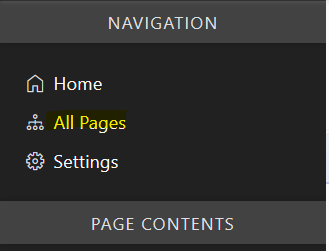
I saw in the Wikijs v2 introduction that this feature should be available from the _navigation menu_:
Navigation Menu - Menu to go Home, Browse the Wiki Structure or Browse by Tags.
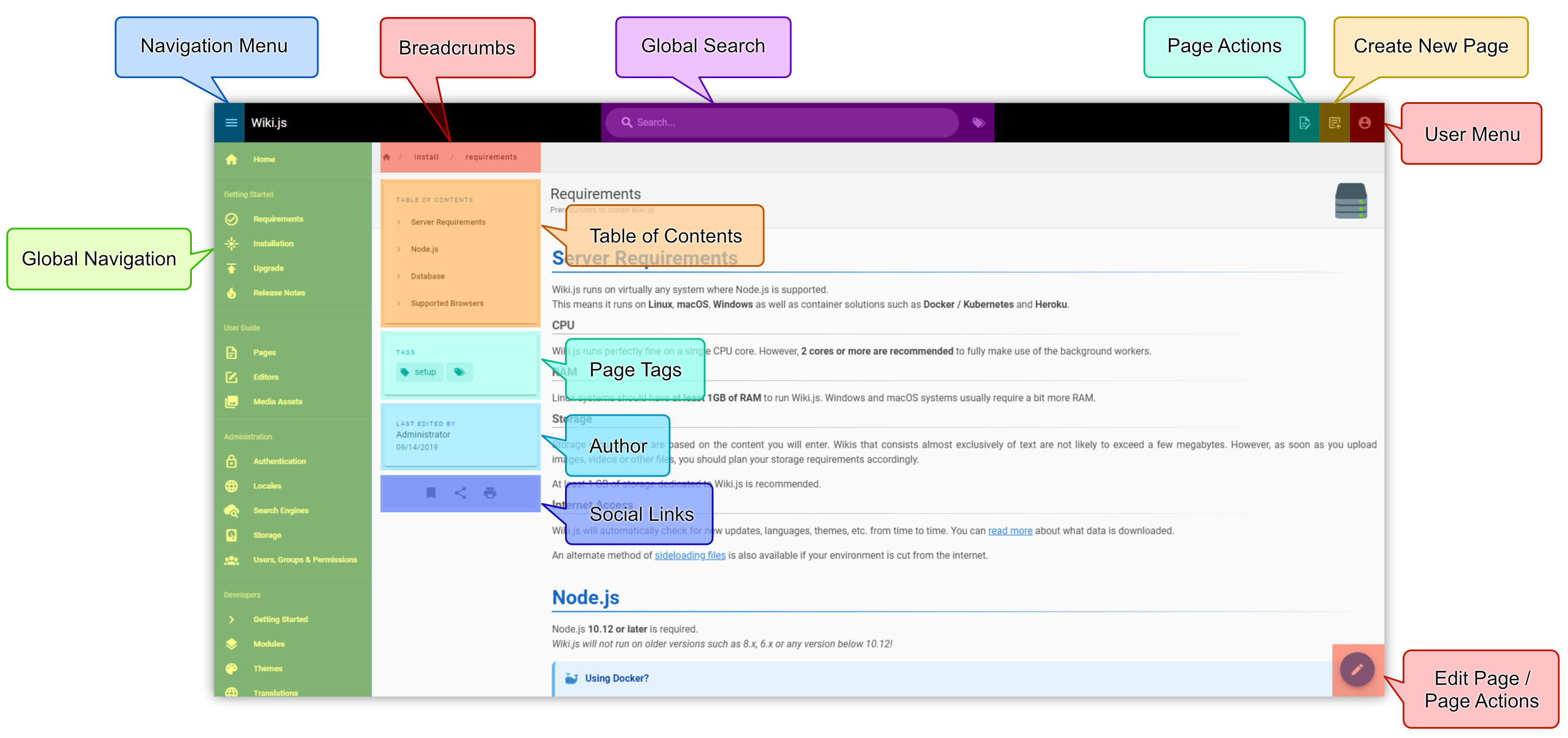
According to tickets https://github.com/Requarks/wiki/issues/21, https://github.com/Requarks/wiki/issues/1312, or https://github.com/Requarks/wiki/issues/1334 this should be available in v2.1. However, when I installed the v2.1.113 I was not able to find or activate this feature. Could you please provide some instructions how to activate this feature? Thanks in advance.
 thinkh
All 4 comments
This is coming in a future release.
 NGPixel
on 18 Mar 2020
NGPixel
on 18 Mar 2020
Ok, thanks. Looking forward to this feature so that we can upgrade from v1. Wiki.js v2 looks great so far!
thinkh
on 18 Mar 2020
This would be a very welcome feature, is there a timeframe you can share when this will be available?@NGPixel
 sll552
on 16 Apr 2020
sll552
on 16 Apr 2020
Tree-based navigation was added in 2.3.71.
 EricFromCanada
on 26 Oct 2020
EricFromCanada
on 26 Oct 2020
Related issues
 failover88
·
4Comments
failover88
·
4Comments
 ccolella-mdc
·
3Comments
ccolella-mdc
·
3Comments
 ghost
·
3Comments
ghost
·
3Comments
 ramirahikkala
·
3Comments
ramirahikkala
·
3Comments
 ahkimkoo
·
4Comments
ahkimkoo
·
4Comments
Most helpful comment
This is coming in a future release.