Wiki: Video is not rendered in view mode, but is ok in edit mode
Describe the bug
Youtube embedded video is not rendered in view mode, but is ok in edit mode
To Reproduce
Steps to reproduce the behavior:
- Embed videon on page
- Save page
- Open page in preview mode
Expected behavior
Video should be rendered for viewing, but it's invisible.
Host Info (please complete the following information):
- OS: Ubuntu 18.04
- Wiki.js version: 2.1.107
- Database engine: PostgreSQL 12.1
 akavato
All 22 comments
Same here. On the night mode.
Google chrome on windows 10
 Jhobean
on 10 Feb 2020
Jhobean
on 10 Feb 2020
Videos are not yet supported in the rendering pipeline.
 NGPixel
on 15 Feb 2020
NGPixel
on 15 Feb 2020
Any idea as to when this will be implemented?
 joppehoekstra
on 20 Mar 2020
joppehoekstra
on 20 Mar 2020
I too have just discovered this bug. Embed video shows just fine in edit mode (whether using Markdown or WYSIWYG editors), but page render fails.
Thanks for all the hard work on this app - embed vids would really help.
 newfoundfreedom
on 30 Mar 2020
newfoundfreedom
on 30 Mar 2020
Videos are not yet supported in the rendering pipeline.
Perhaps a good approach would be to hide the interface element for features that are not yet supported.
 brewerc1
on 9 Apr 2020
brewerc1
on 9 Apr 2020
It is possible to embed videos via iframes if HTML sanitation is turned off in Administration→Rendering→HTML→Security→Sanitize HTML
 despens
on 10 May 2020
despens
on 10 May 2020
Also came across this, hope the feature will be implemented soon!
 grandixximo
on 1 Jun 2020
grandixximo
on 1 Jun 2020
It is possible to embed videos via iframes if HTML sanitation is turned off in
Administration→Rendering→HTML→Security→Sanitize HTML
is it possible to embed iframes in the WYSIWYG or markdown editor?
 j0lol
on 4 Jun 2020
j0lol
on 4 Jun 2020
While I am able to use iframes thanks to @despens suggestion, the content fails to load when I am using assets that are uploaded into the editor's asset manager. I was able to display these through a hack before the latest update but now I cannot anymore.
While most of my users can figure out an iframe (either through google, asking me, or looking at an example I did) they cannot upload assets elsewhere like I can.
 ccolella-mdc
on 9 Jun 2020
ccolella-mdc
on 9 Jun 2020
Is there any timeline for implementing support for videos in rendering pipeline? And will this include local video assets? I really like wiki.js but building up a user manual without videos is a bit frustrating. Hope this can be fixed soon.
 dude1756
on 16 Jun 2020
dude1756
on 16 Jun 2020
Ooh, just encountered this issue. Good there is a temporary workaround
 tenwalls
on 6 Jul 2020
tenwalls
on 6 Jul 2020
Videos still not showing, even with "Allow frames" on and "Sanitize HTML" off.
 gengue
on 12 Aug 2020
gengue
on 12 Aug 2020
Anything here? Pretty big deal.
 ideasandpixels
on 19 Aug 2020
ideasandpixels
on 19 Aug 2020
this embed share link code from youtube works for me:
<iframe
    width="560"
    height="315"
    src="https://www.youtube.com/embed/Mh5LY4Mz15o"
    frameborder="0"
    allow="accelerometer; autoplay; encrypted-media; gyroscope; picture-in-picture"
    allowfullscreen>
</iframe>
And changing the source to a local video also works:
<iframe
    width="560"
    height="315"
    src="/video/test.mp4"
    frameborder="0"
    allow="accelerometer; autoplay; encrypted-media; gyroscope; picture-in-picture"
    allowfullscreen>
</iframe>
note: it still works without the allow attribute and that content but i'm not sure if that help it with anything. maybe on mobile. and you can play with the hight and width, or use css for them. Like this:
<iframe
    width="560"
    height="315"
    src="/video/test.mp4"
    frameborder="0"
    allowfullscreen>
</iframe>
My Settings:
Security > Block IFrame Embedding: off
Rendering > html > Sanitize HTML: on
Rendering > html > Allow iframes: on
the first one allows you assets to be loaded in an iframe. The third one allows you to have an iframe on your site.
The middle one can be set to either one but on does not hidner you in doing this.
ccolella-mdc
on 19 Aug 2020
Would love to have this feature without needing any type of workaround, because I agree with @dude1756 that a "building up a user manual without videos is a bit frustrating".
I tried @ccolella-mdc's settings and can get videos to show in Markdown, but I couldn't get WYSIWYG to work.
What I did for responsively sized videos in Markdown:
- Grabbed YouTube CSS example from https://embedresponsively.com/
- Put only the 'embed-container' div/iframe into the markdown code
- Added the "embed-container" CSS to the "Head HTML Injection" field in our theme at Administration > Theme so that this CSS is available on any page we create.

So now we add:
<div class='embed-container'>
<iframe src='https://www.youtube.com/embed/xxx' frameborder='0' allowfullscreen></iframe>
</div>
on any page where we need a responsively sized YouTube video.
 ryanmasuga
on 9 Oct 2020
ryanmasuga
on 9 Oct 2020
Further - does anyone have a clear explanation of how to get an iframe to show on a WYSIWYG page? I must be confused - I don't see any way to edit source directly on a WYSIWYG page, so I'm not clear how to manually embed an iframe that would actually output an iframe. Is this only possible with the Markdown page type?
ryanmasuga
on 9 Oct 2020
@ryanmasuga It also works (surprise, surprise) on the HTML editor. I don't use the WYSIWYG editor because it has so many fewer features, and, as a software engineer myself, it feels too limiting.
ccolella-mdc
on 9 Oct 2020
@ryanmasuga The WYSIWYG editor is not an HTML editor and it's not possible to edit / insert HTML code because CKEditor 5 simply doesn't have that feature.
Use the Markdown editor if you need to edit / insert HTML code in your page.
NGPixel
on 9 Oct 2020
@ccolella-mdc I hadn't tried the HTML page type yet, but yes - the responsive embed code works there, too.
@NGPixel Thanks. I know some WYSIWYG editors have a "Source" button that can expose the underlying HTML (useful for when something gets so bungled you have to manually fix it...), but I guess that's not the case here. We'll likely carry on with Markdown pages.
ryanmasuga
on 9 Oct 2020
I think There a solution in progress by @KingRial https://github.com/Requarks/wiki/pull/2160.
Me too I need this implementation...
Jhobean
on 9 Oct 2020
Another solution is to use youtube's video images to display the video until this is fixed.
i.e.
http://img.youtube.com/vi/{video-id}/0.jpg
Like so ...
[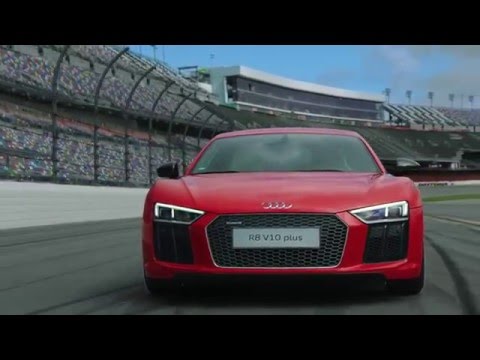](https://www.youtube.com/watch?v=KOxbO0EI4MA "Audi R8")
Technically this is NOT embedding (link is opened in new tab) but for our case it works until it's fixed.
Oh and this only works in Markdown. WYSIWYG editor doesn't have the functionality to link an external image :(
 idimitrakopoulos
on 7 Jan 2021
idimitrakopoulos
on 7 Jan 2021
+1
 felixgoldstein
on 15 Jan 2021
felixgoldstein
on 15 Jan 2021
Related issues
 ghost
·
3Comments
ccolella-mdc
·
3Comments
ghost
·
3Comments
ccolella-mdc
·
3Comments
 failover88
·
4Comments
failover88
·
4Comments
 SharkProgramming
·
4Comments
SharkProgramming
·
4Comments
 axisofentropy
·
4Comments
axisofentropy
·
4Comments
Most helpful comment
It is possible to embed videos via iframes if HTML sanitation is turned off in
Administration→Rendering→HTML→Security→Sanitize HTML