Wiki: Language selector doesn't show all languages on mobile (missing scrollbar)
Actual behavior
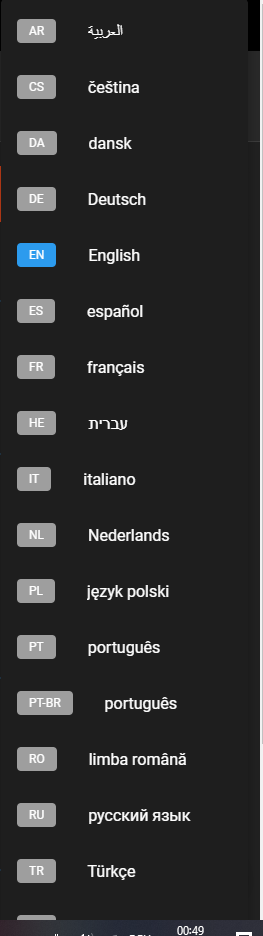
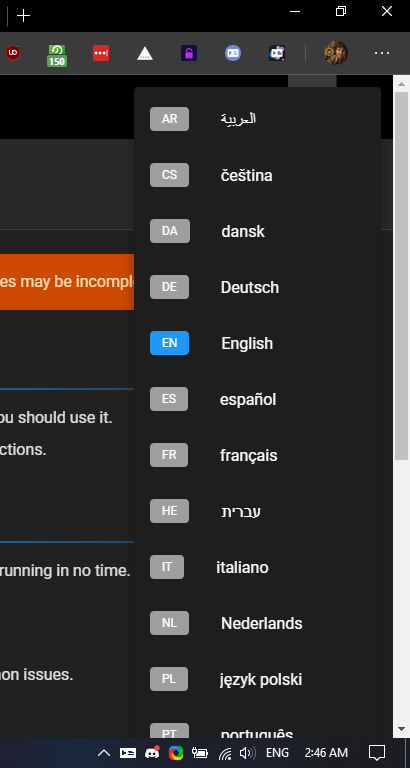
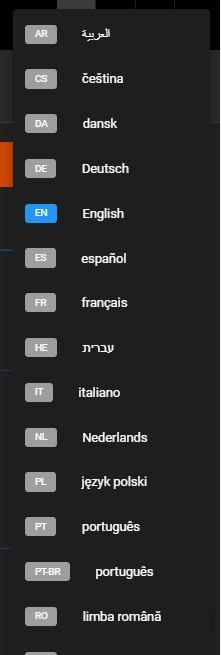
The language selector is cut off on the bottom of the screen due to not available space on mobile devices. Therefor some languages are not accessible on mobile devices.
Expected behavior
All languages being selectable.
I suggest adding a scrollbar similar to the one used on the navbar.
For very large language selections, a pop up showing just the country codes side by side may be an option - Perhaps adding a search bar.
Steps to reproduce the behavior
- Go to a v2 wiki with lots of languages available (12+).
I used https://discordia.me/en/home for my testing. - Go to the responsive testing tab within the developer tools and select any mobile device size for testing.
- Try to select the 13th or so language. It's not possible. :open_mouth:
P.S.: It would be cool to have the option to use country flag symbols instead of the two-letter code.
Thanks for your contribution!
 UnlimitedCookies
All 7 comments
Same with desktop.
 Timeraa
on 8 Feb 2020
Timeraa
on 8 Feb 2020
Can confirm.
 Fruxh
on 8 Feb 2020
Fruxh
on 8 Feb 2020
Same for almost _every_ existing laptops out there...
 eggsy
on 8 Feb 2020
eggsy
on 8 Feb 2020
Also thanks for fixing the remote repository import bug (v2.1.103)
Fruxh
on 8 Feb 2020
Can confirm³
 fr0r
on 8 Feb 2020
fr0r
on 8 Feb 2020
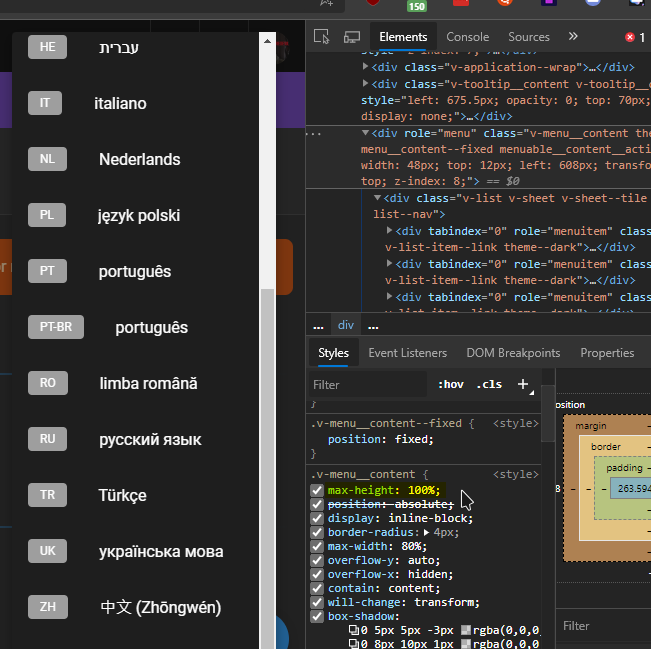
So adding just max-height: 100% to the v-menu__content class fixes it all if anyone's interested.
eggsy
on 8 Feb 2020
Fixed by 48ea692afe53164f33cab572b89bdbc196b843fb
 NGPixel
on 8 Feb 2020
NGPixel
on 8 Feb 2020
Related issues
 touhoku-japan
·
3Comments
touhoku-japan
·
3Comments
 gruesomehit
·
4Comments
gruesomehit
·
4Comments
 ghost
·
3Comments
ghost
·
3Comments
 LionNatsu
·
3Comments
LionNatsu
·
3Comments
 failover88
·
4Comments
failover88
·
4Comments
Most helpful comment
Also thanks for fixing the remote repository import bug (v2.1.103)