Widescreenfixespack: Psychonauts Widescreen Fix: 2d /dialog issues, xbox bumper placement issues
So i start game with your fix and gamepad on my hands and right away i found two issues with fix.I will show you them on example of screen from 4:3 (1440x1080) original aspect ratio with hud elements arranged by developers and 16:9 (1920x1080) with your fix.
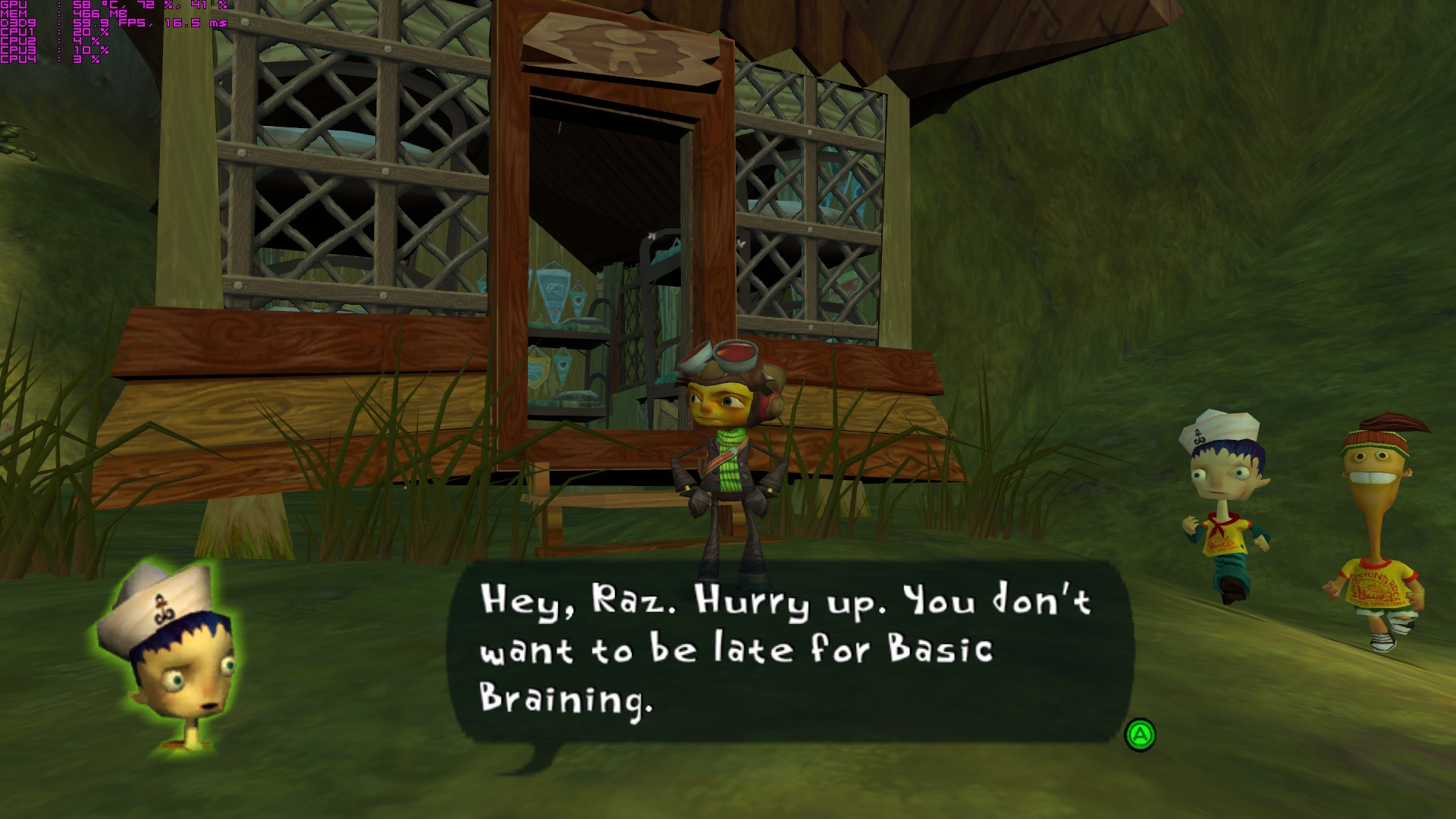
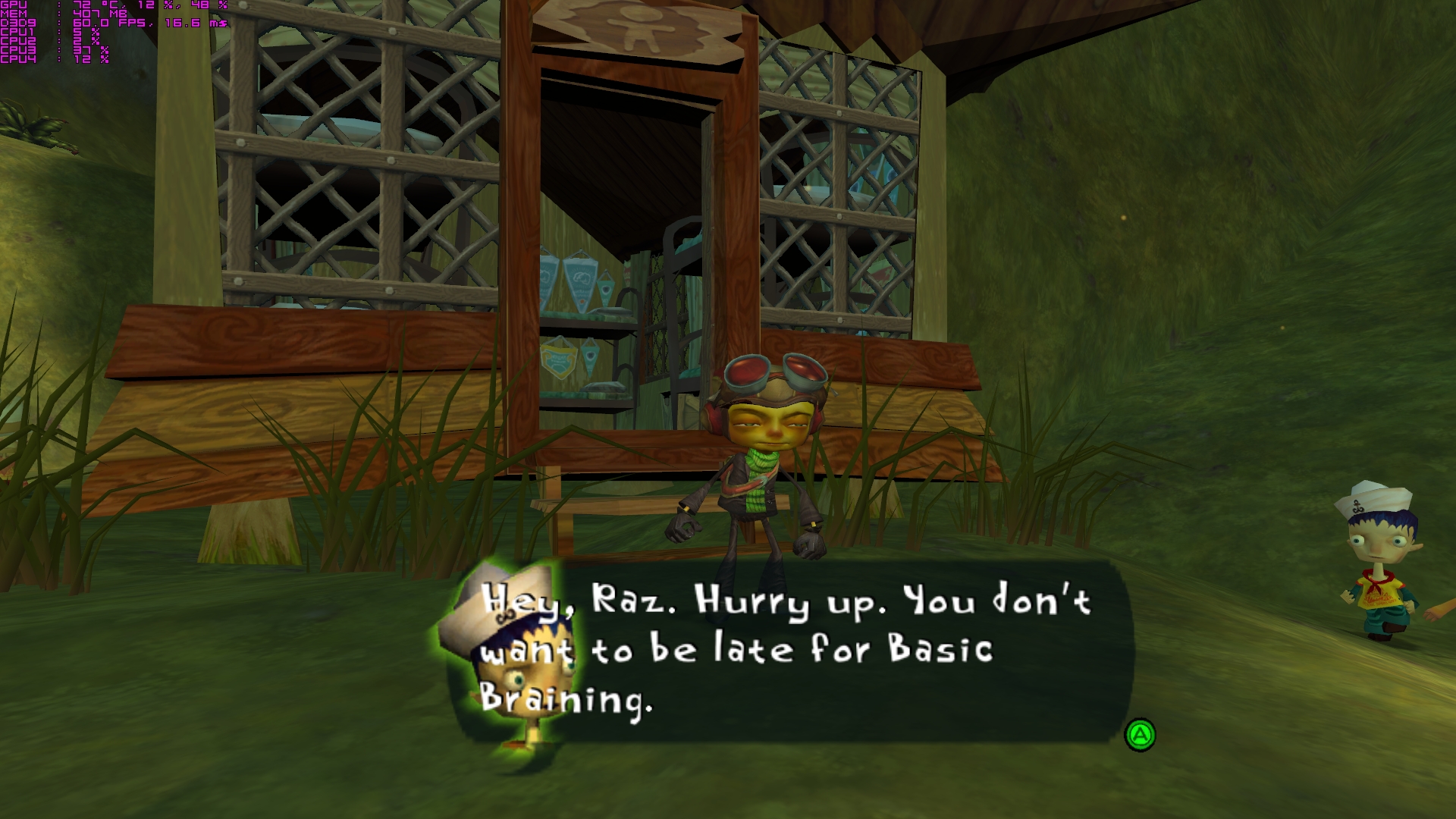
So first are 2d elements in dialogs outside of cut-scene in gameplay time. Subtitles and portraits of characters overlap to each other. Original proper way:
 and widescreen with your fix:

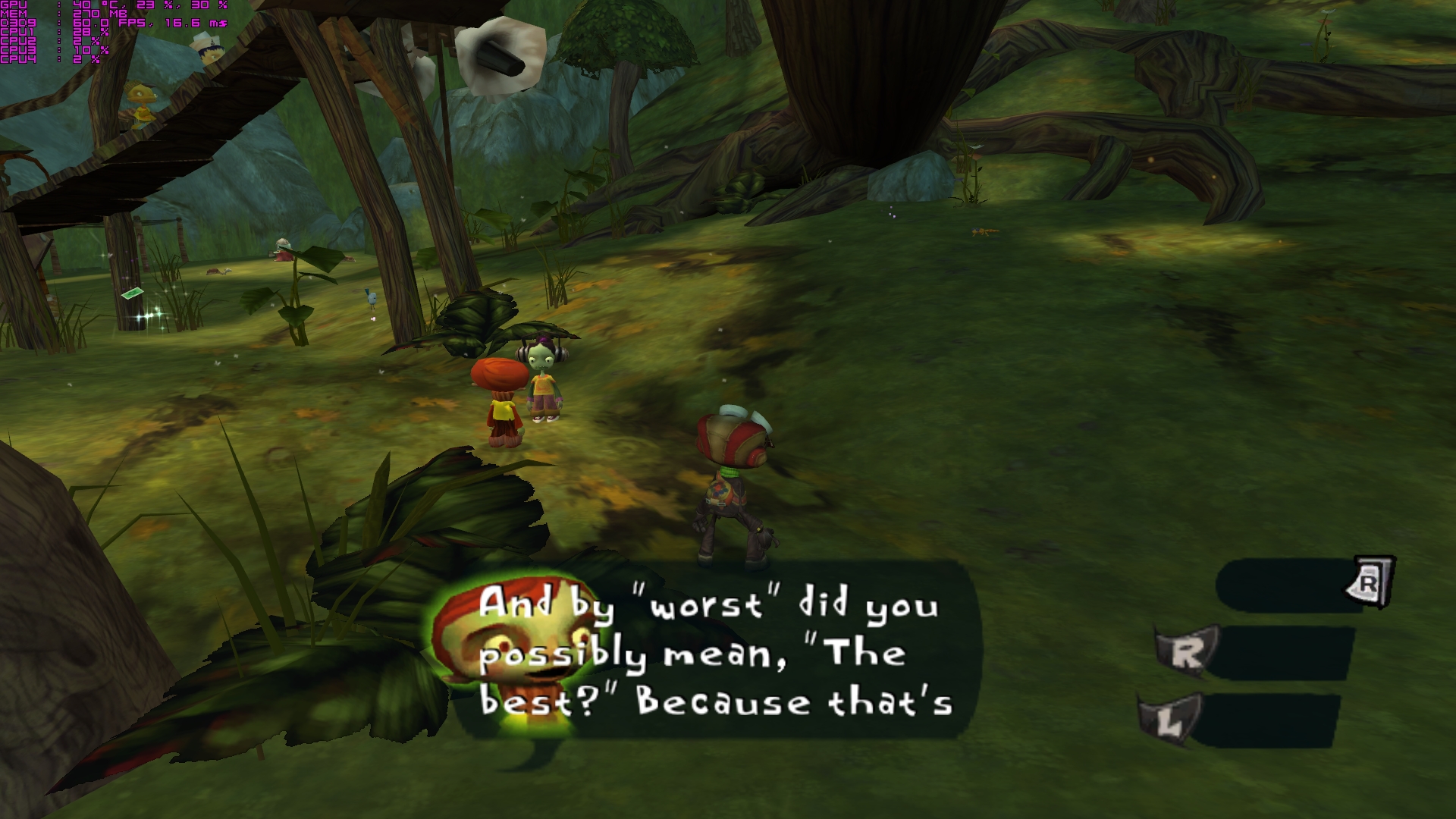
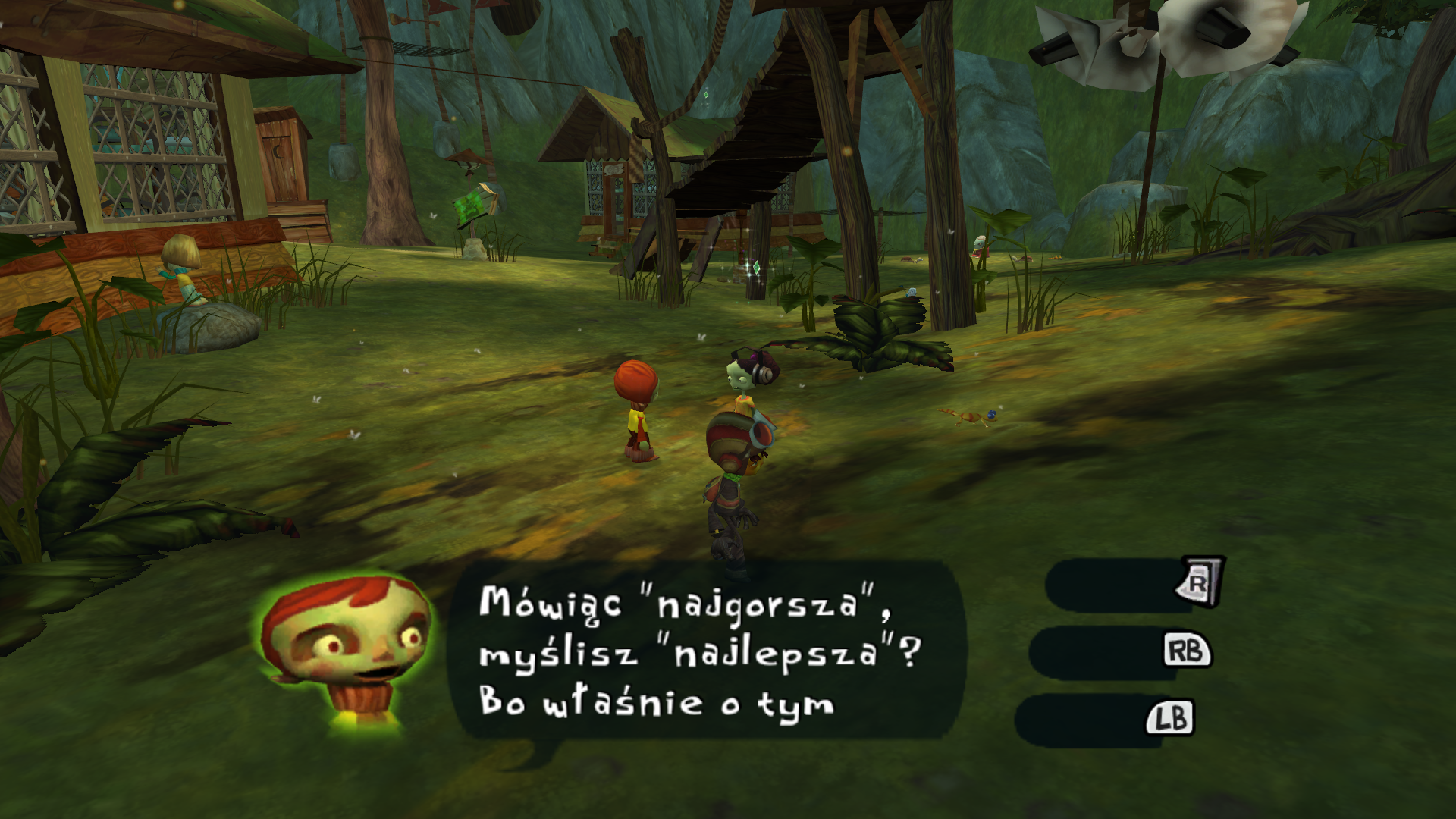
Second one are xbox pad bumper placement on the screen. They just not moved to the edge of the screen with reset of HUD in 16:9 stucking in position from 4:3 mode. If you download my screenshot and look at first one and then second one you see that "R" trigger move to the left but "L" and "R" bumper stay on the same place even if aspect ratio and resolution has changed.
My other screen from that moment of game: Original 4:3
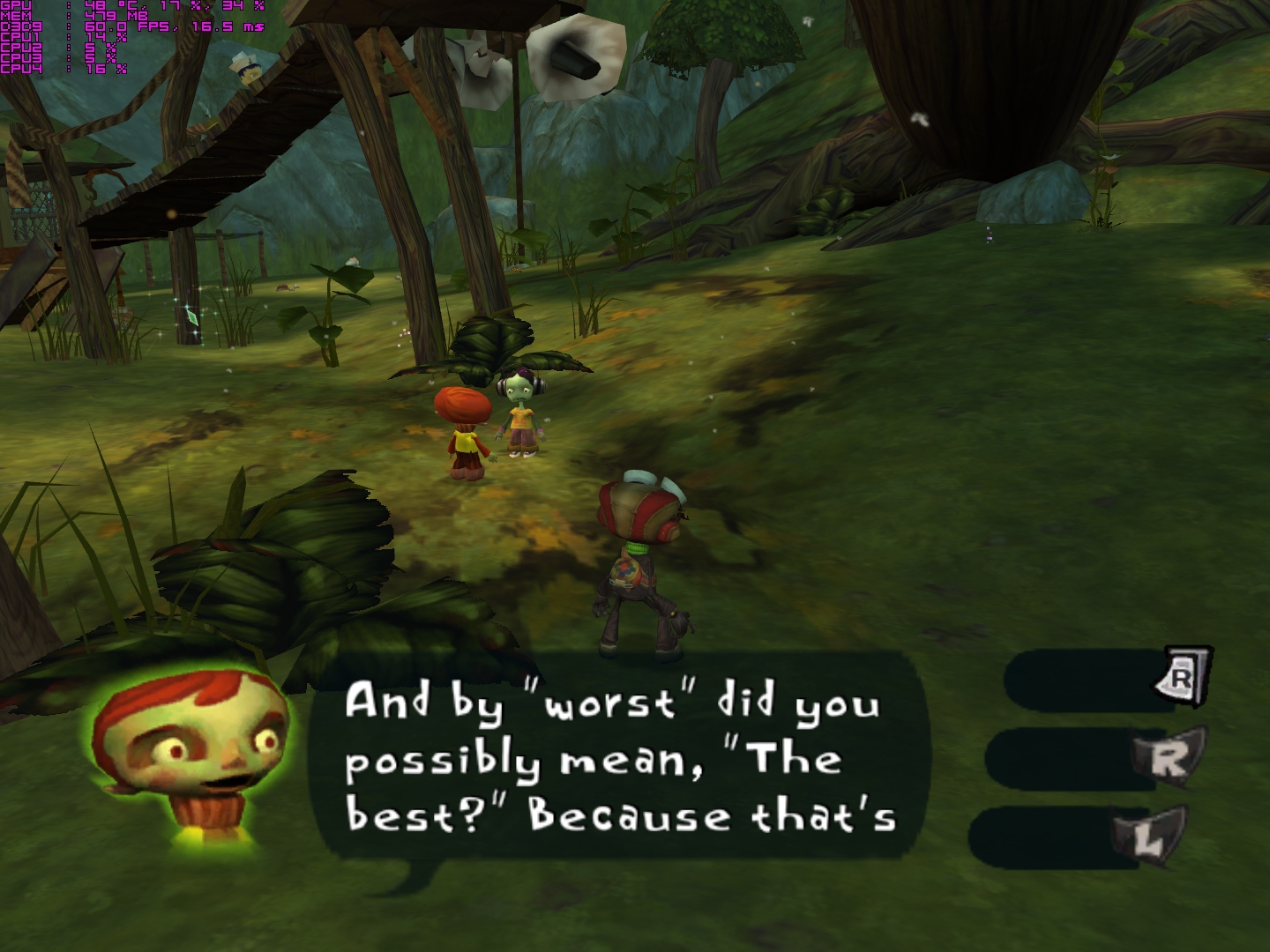
16:9 with your fix:
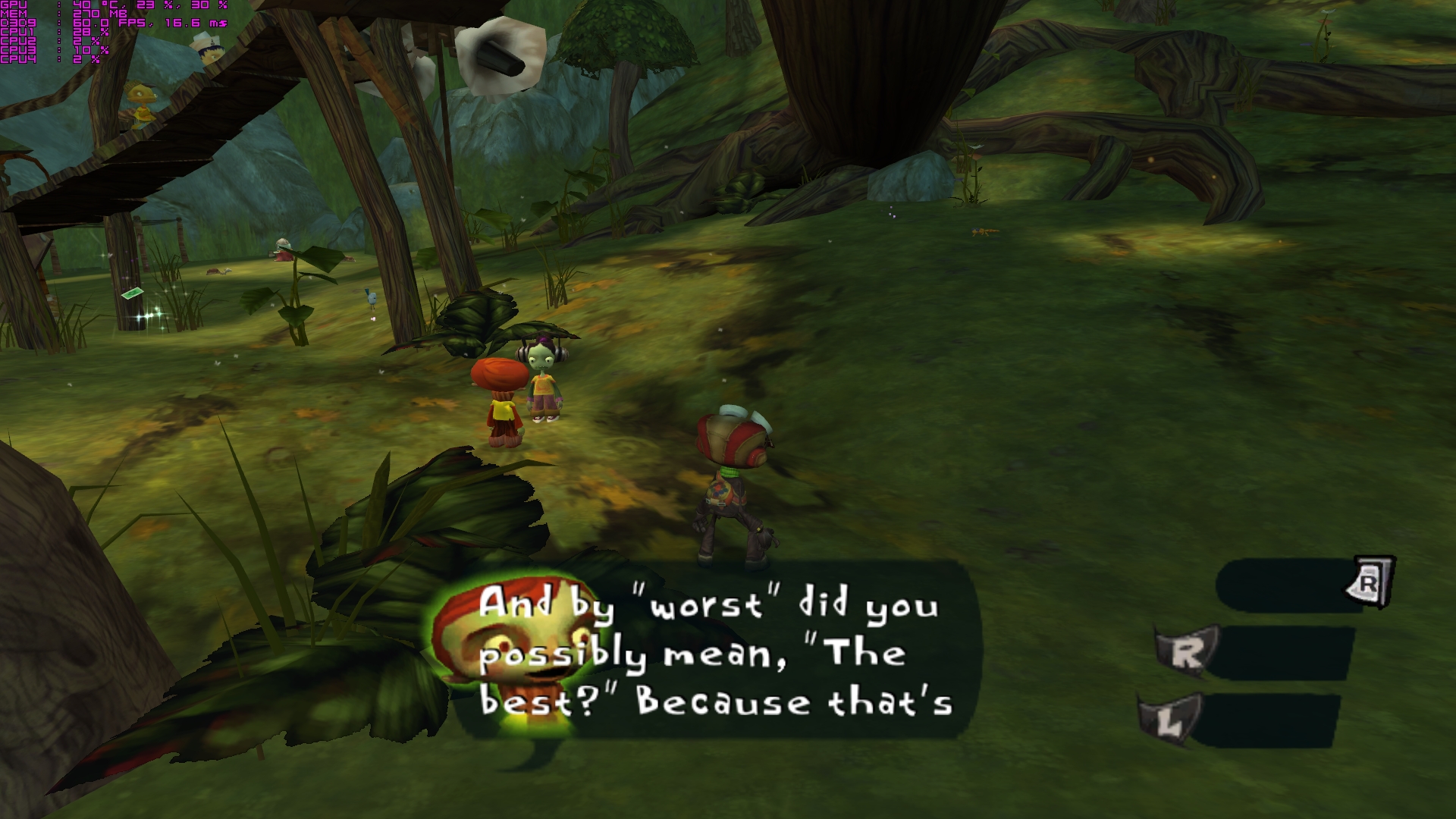
16:9 without fix:

4:3 resolution with your fix:
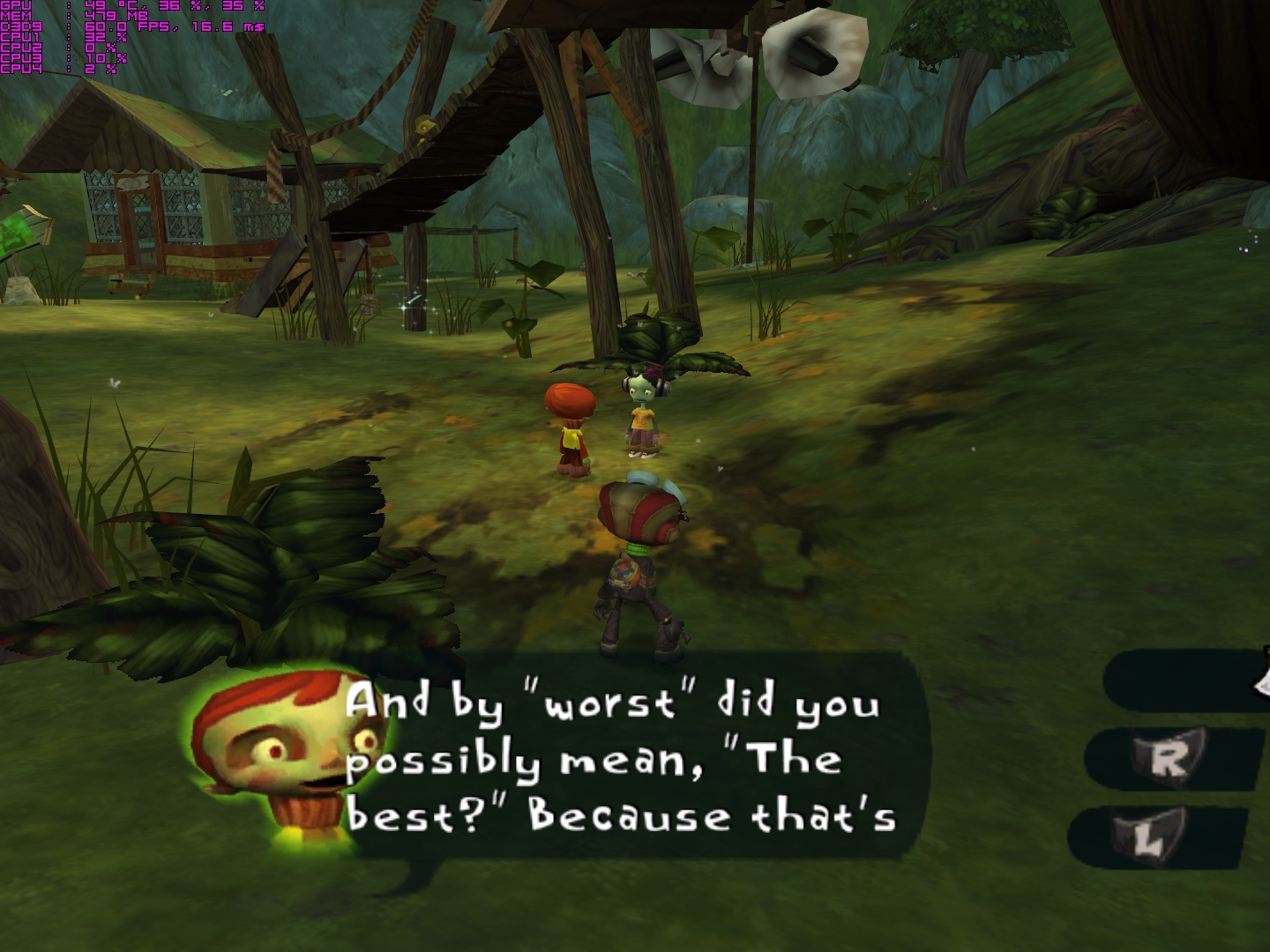
And one question, loading screen are stretched ?
PS: Do you stop making widescreen fix for older games ? I was hope for Jade Empire with fix for hud/2d elements (just like psychonuts) and maybe buttons replacement to xbox buttons. And fix for Armed and Dangerous letterbox widescreen to true on. Any chance?
 Ka-mook
All 20 comments
Installing "PsychoPadLite" fix the bumper issues.

Dont you think that portraits of characters in game cutscene should be closer to speech bubble?
Original:
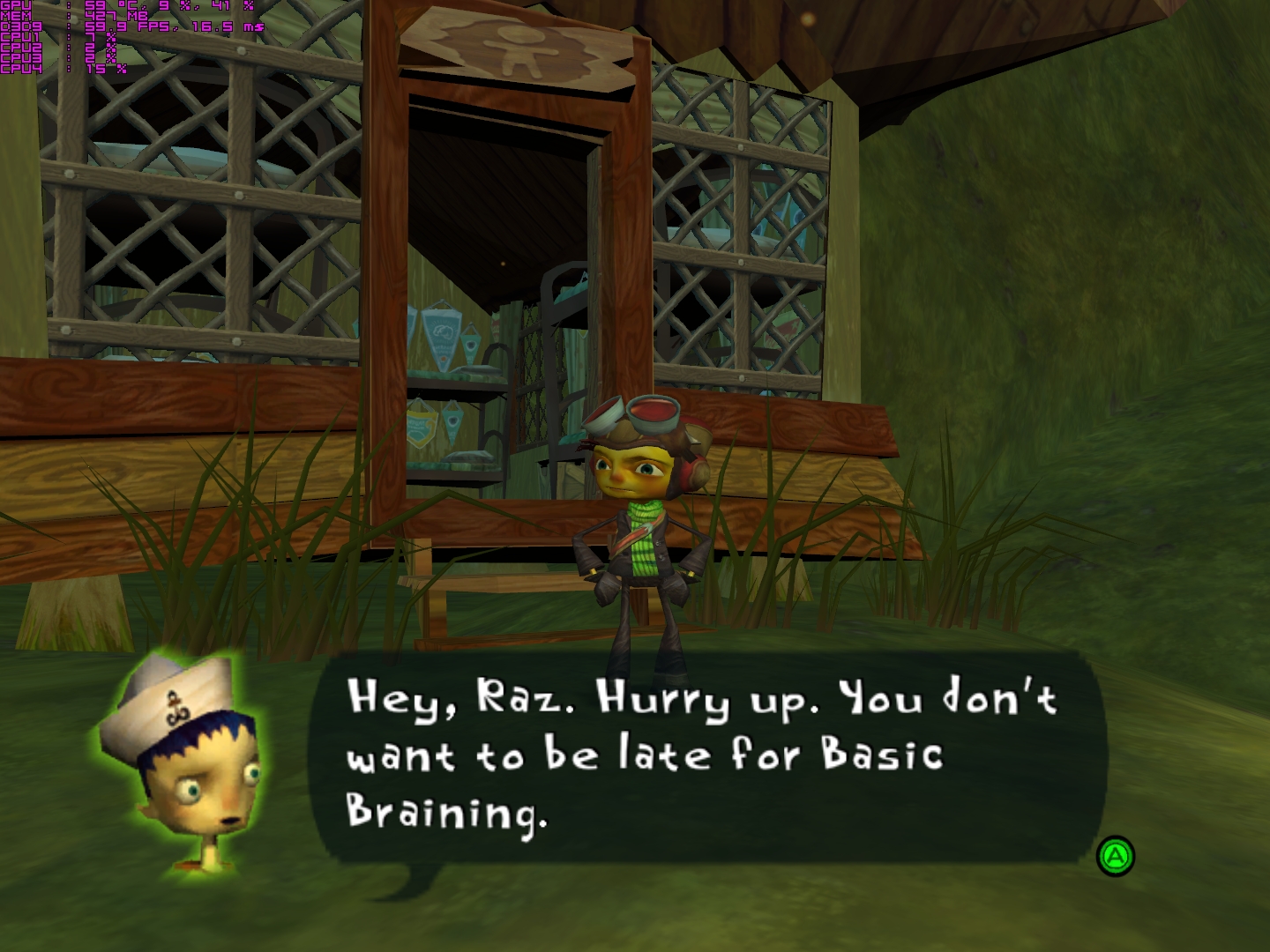
16:9 With your fix:
Ka-mook
on 6 Nov 2017
I just tried to fix it, but unfortunately I can't do anything. Same thing that moves hud to the sides also moves these faces and it seems like there's no way for me to separate them. You can avoid that issue by disabling widescreen hud option in the ini file.
 ThirteenAG
on 7 Nov 2017
ThirteenAG
on 7 Nov 2017
Ok, thanks. It's kind off solution, all hud elements have still proper proportions but they closer to the center of the screen. That bug is less annoying than subtitles and portraits of characters overlap to each other and that gap between portrait and speech bubble. But still there is a issues :(
If only that could be combined or separate somehow to get that proper center dialogue and hud on corners of the screen :(
WidescreenHud = 1
WidescreenHud = 0
WidescreenHud = 1
WidescreenHud = 0
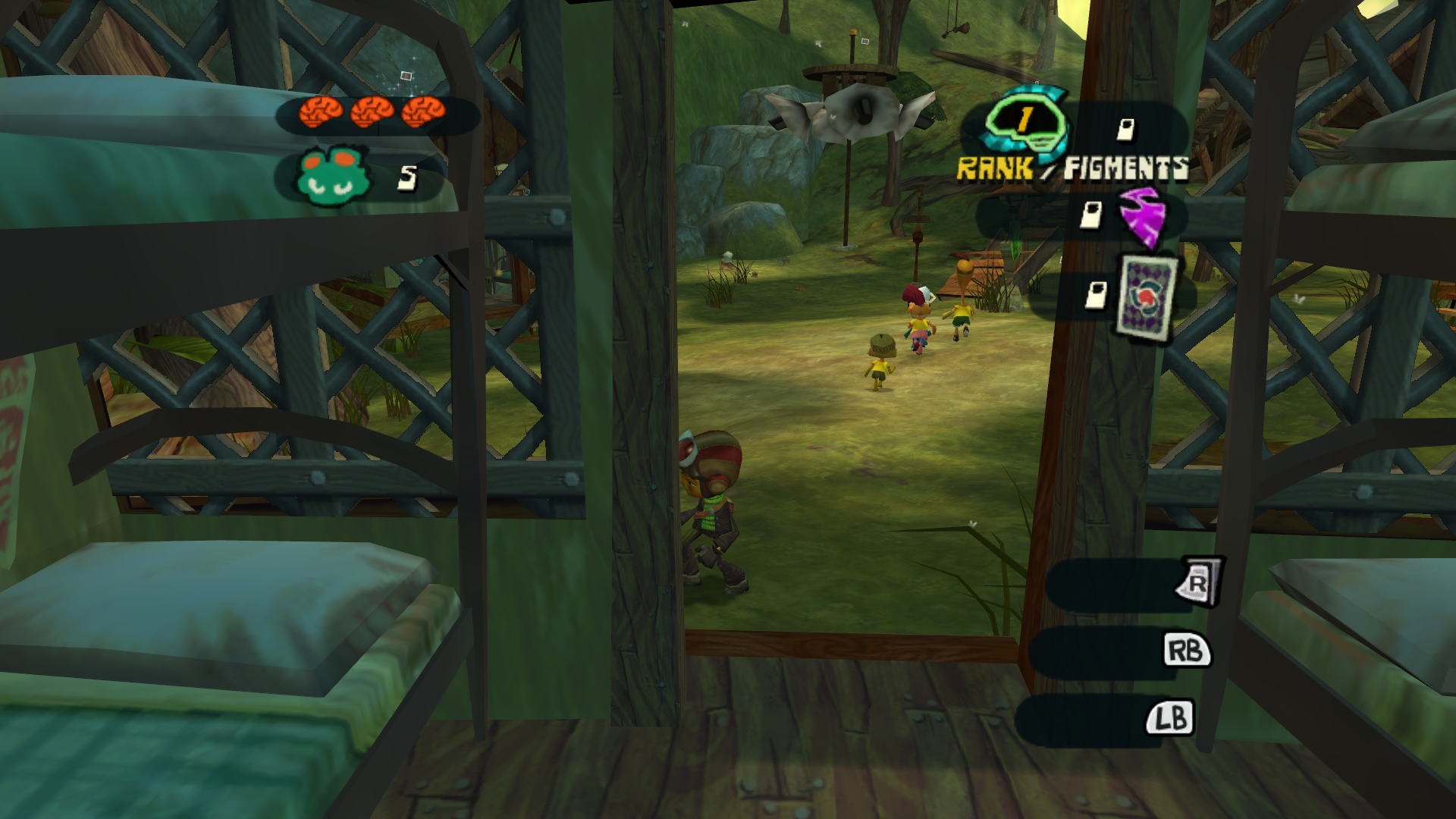
So it's unfixiable? And that loading screen arent streched, or its my imagination?
Ka-mook
on 7 Nov 2017
I tried to use some trickery last couple of days and I think I got something.
Can you download latest dev build and see if those issues are fixed?
https://ci.appveyor.com/api/projects/ThirteenAG/widescreenfixespack/artifacts/Psychonauts.WidescreenFix.zip
Also keep in mind that some other things might be broken now, tests needed.
ThirteenAG
on 9 Nov 2017
Definitely you get something. It's what i observe.
1.) You fix dialogs outside of cut-scene in gameplay time:
Old fix:
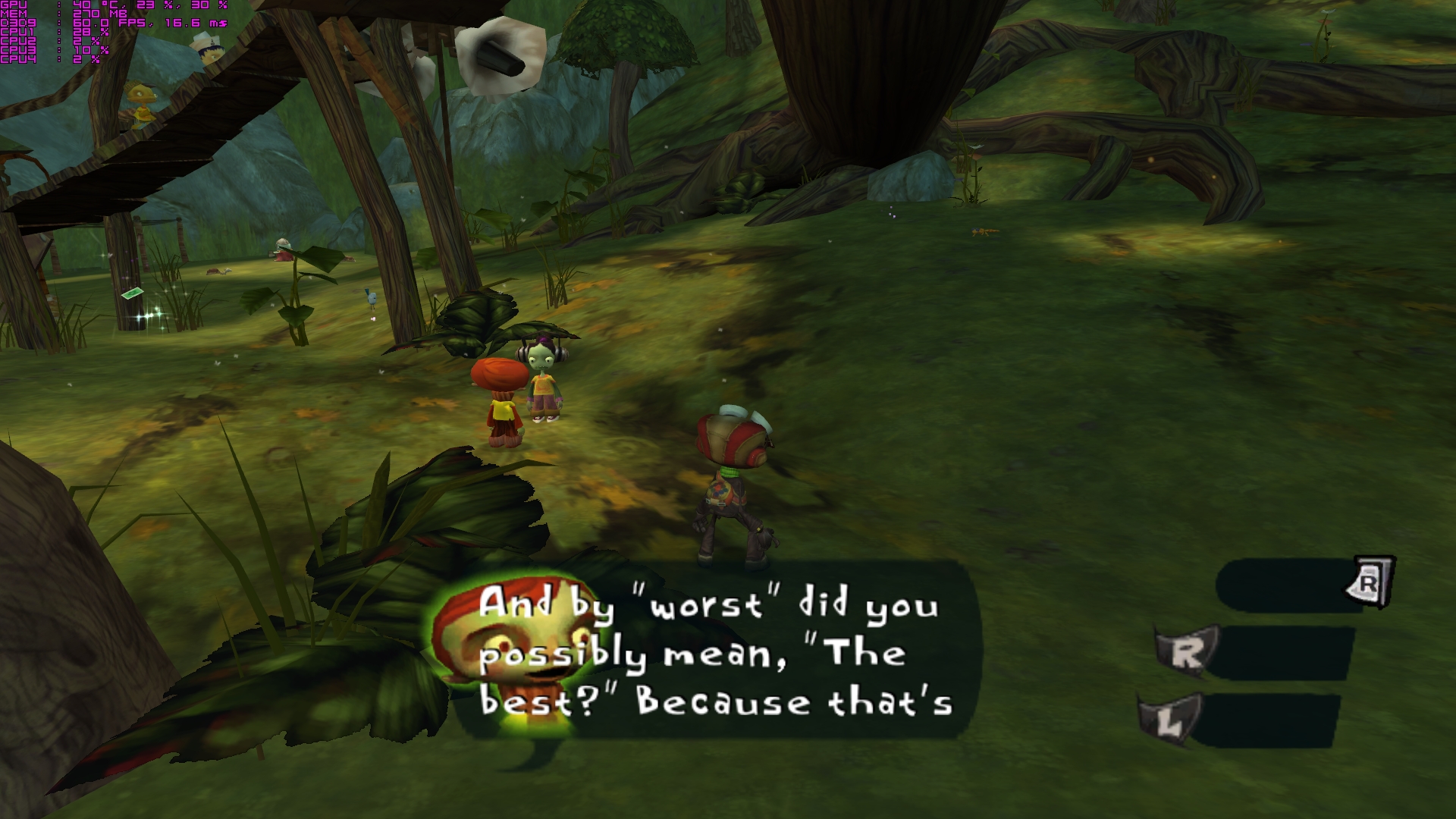
Dev bulid:
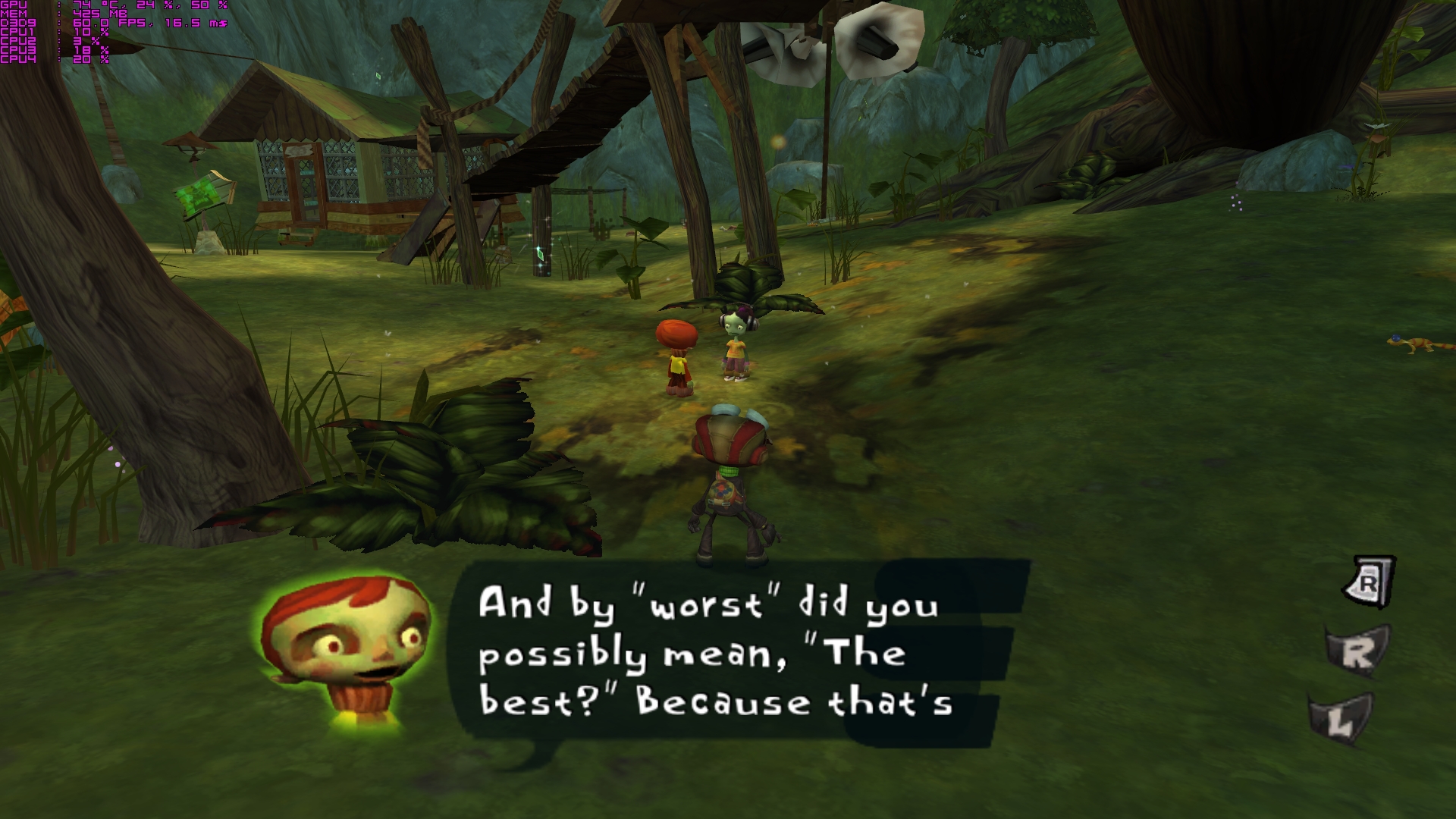
2.) But probably it broke pre-rendered cutscene dialogue which was perfectly fine:
Old fix:
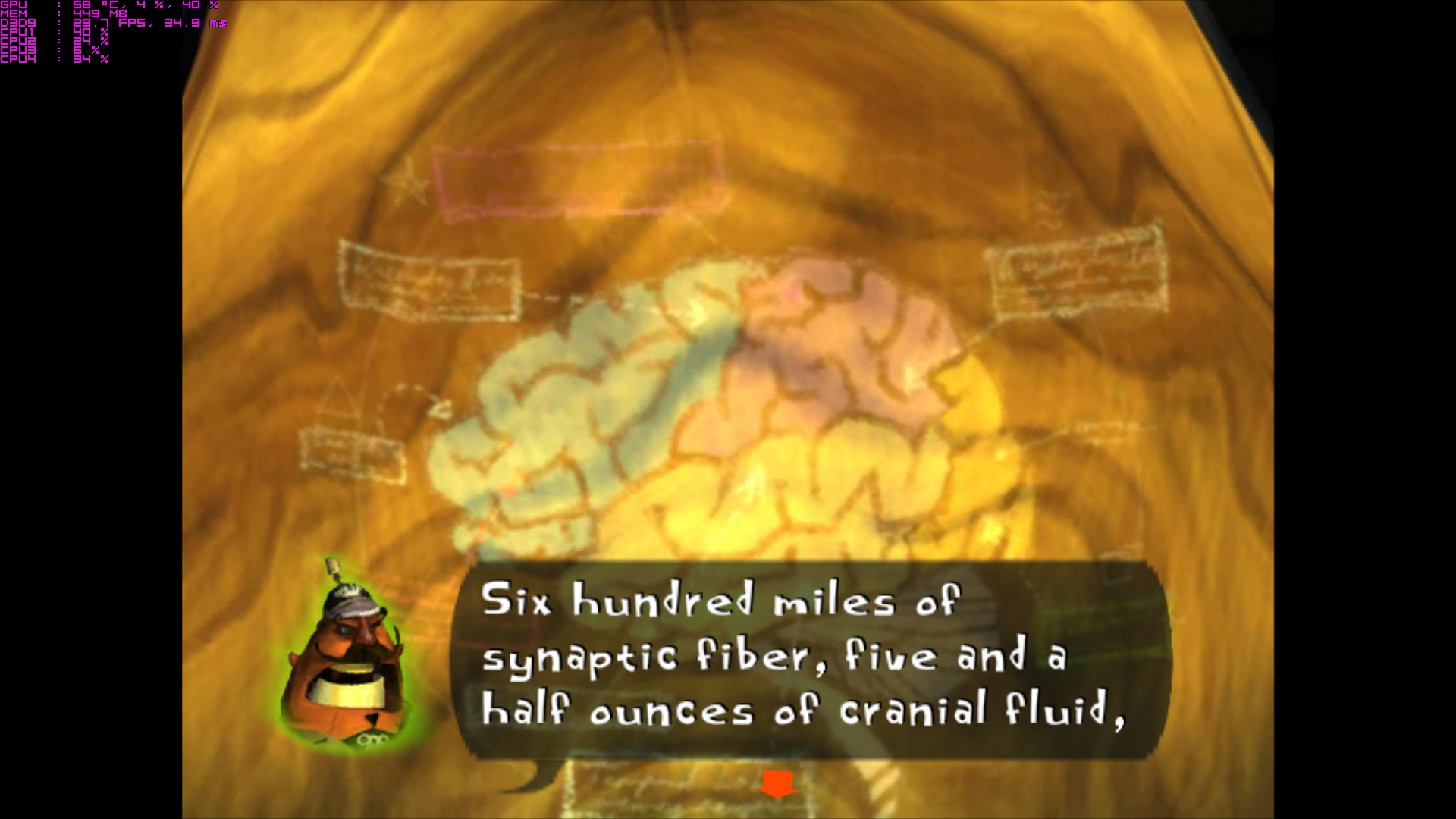
Dev bulid:
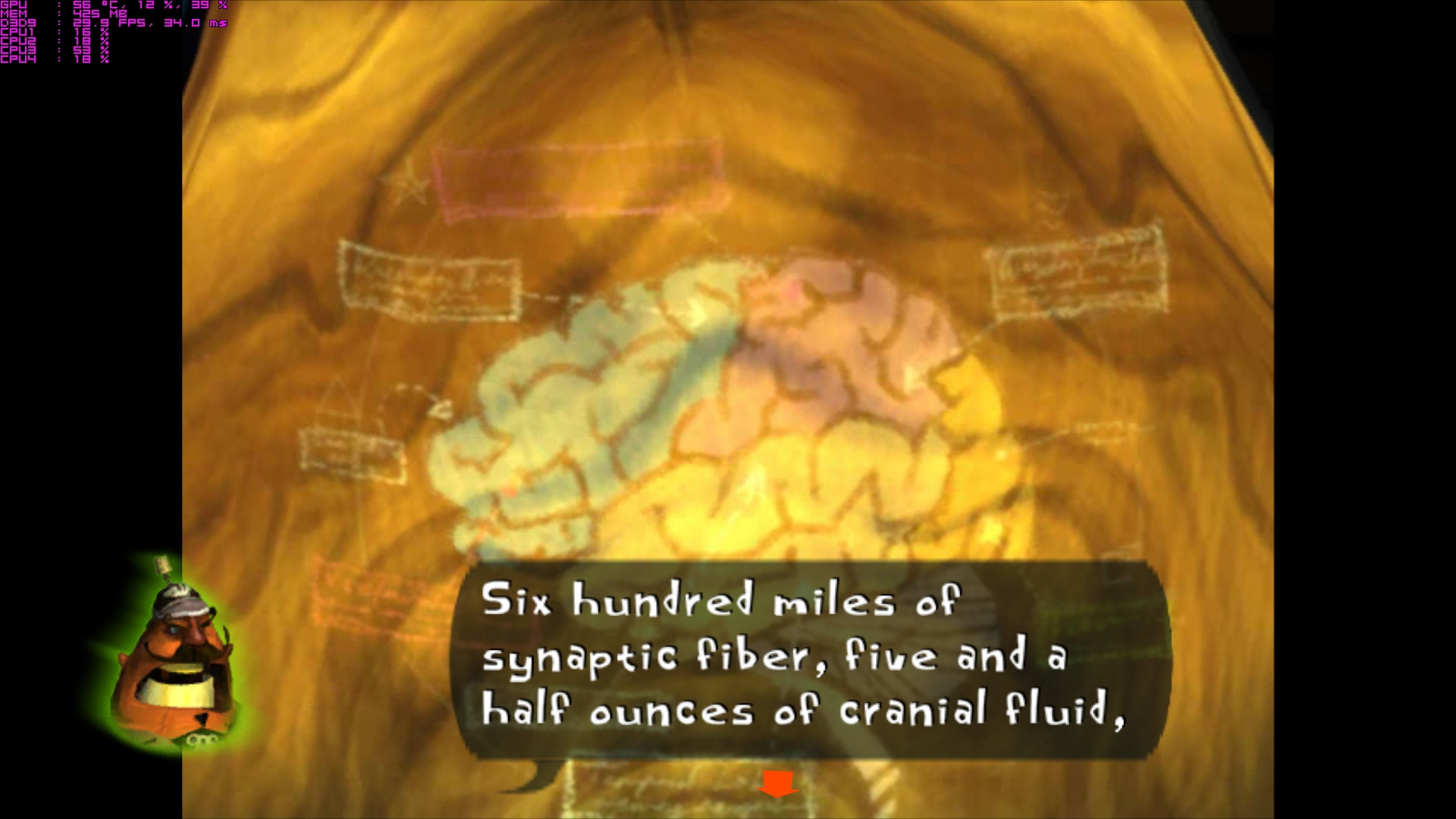
3.) In game cut-scene now just get another issues, previously portraits of characters should be closer to speech bubble, now they overlap on each other just like dialogs outside of cut-scene previously (1.).
Old fix:
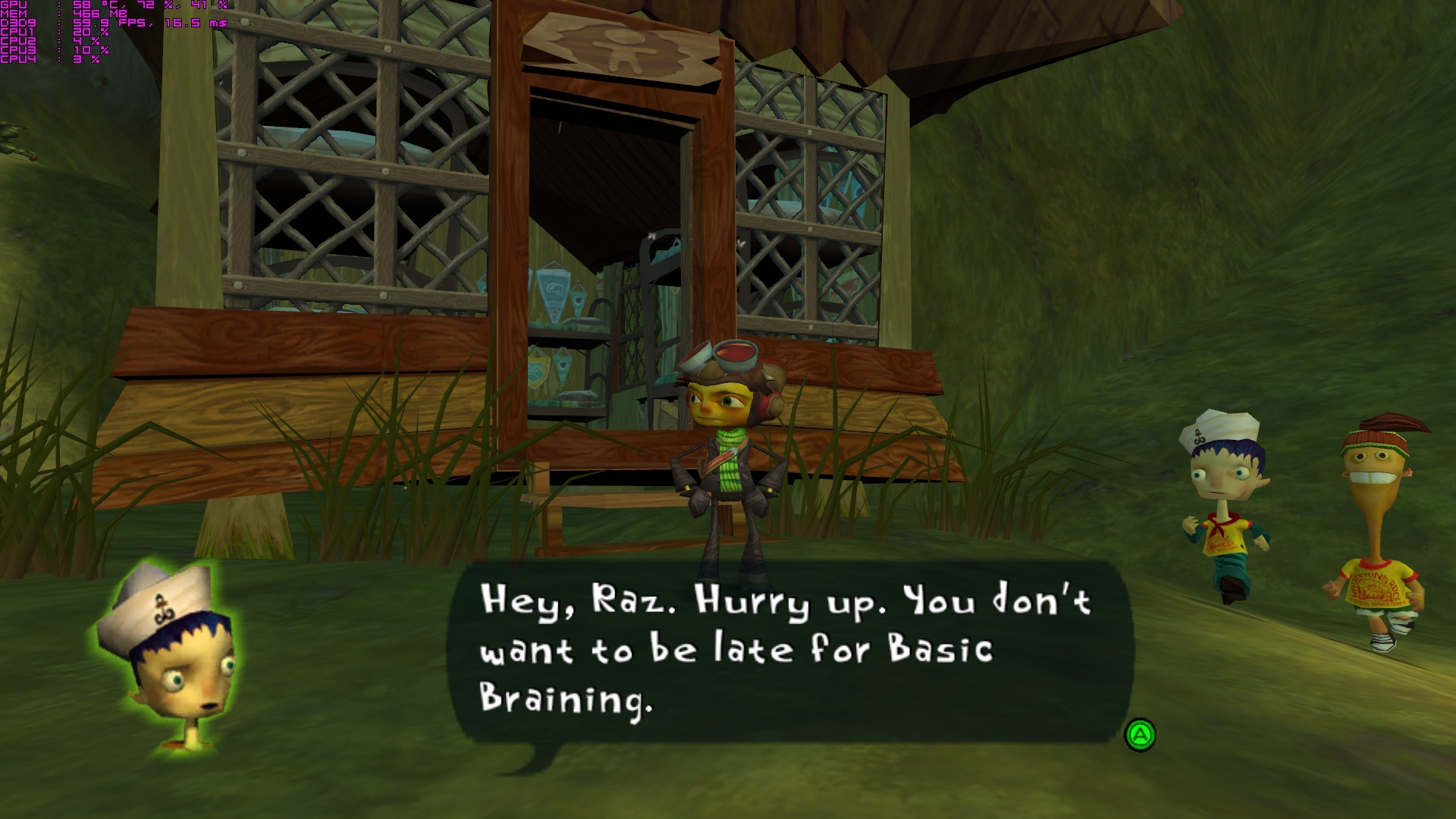
Dev bulid:
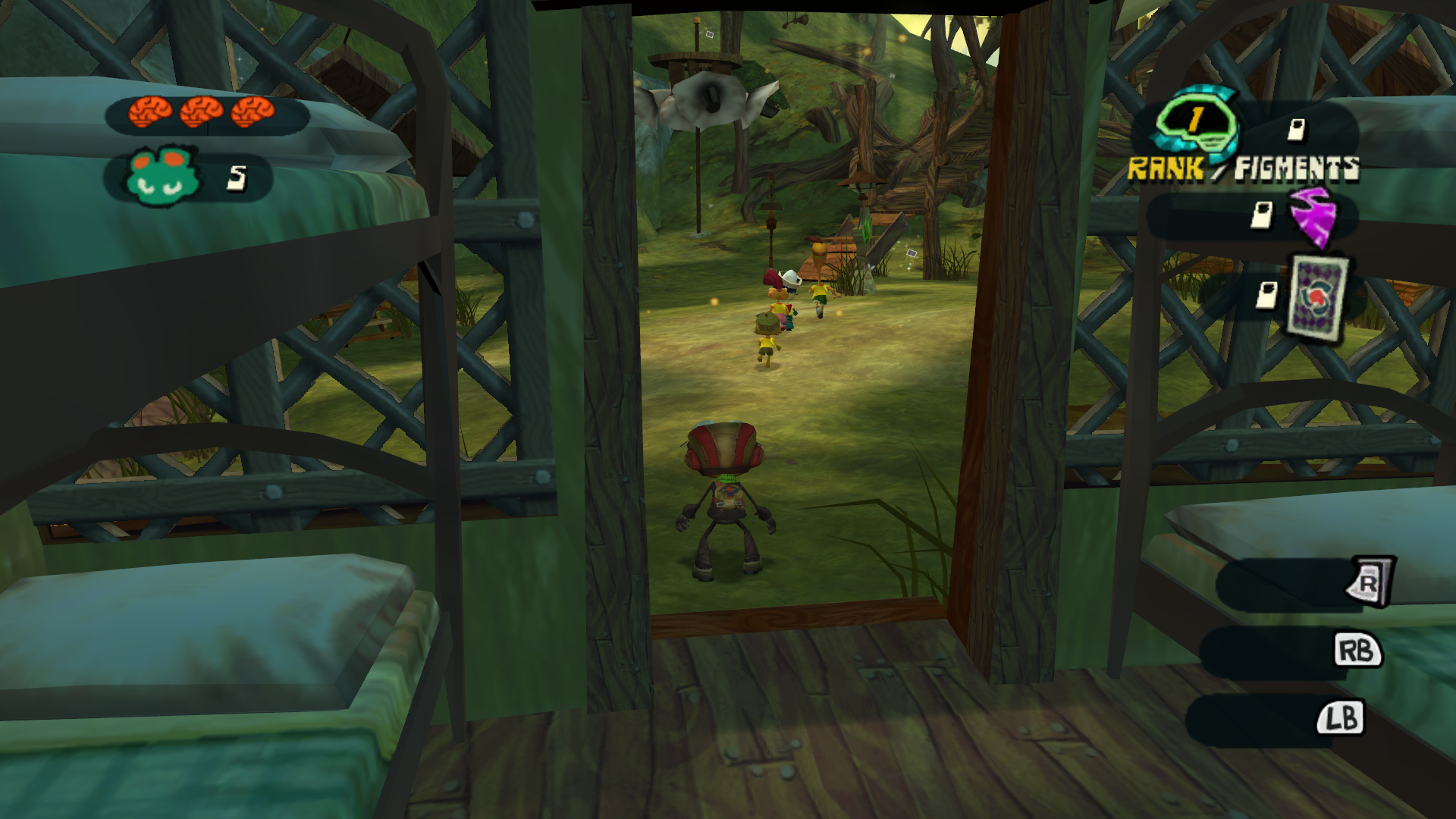
HUD is crazy at that bulid:) It was almost fine previously (when "PsychoPad Lite" fix the bumper issues)
What i noticed:
- xbox pad bumper placement seems to be correct but shadow benight theme change position even closer to the center of the screen then position from "WidescreenHud = 0"
- Brain icon have proper position
- Counter of lives icon have position from "WidescreenHud = 0" Configuration
- Rest of icon (rank/figment ...) also just like shadows from bumpers move closer to the center of the screen. It seems that same amount of distance that brain icon moveto the left which for them is more likely proper position.
WidescreenHud = 1
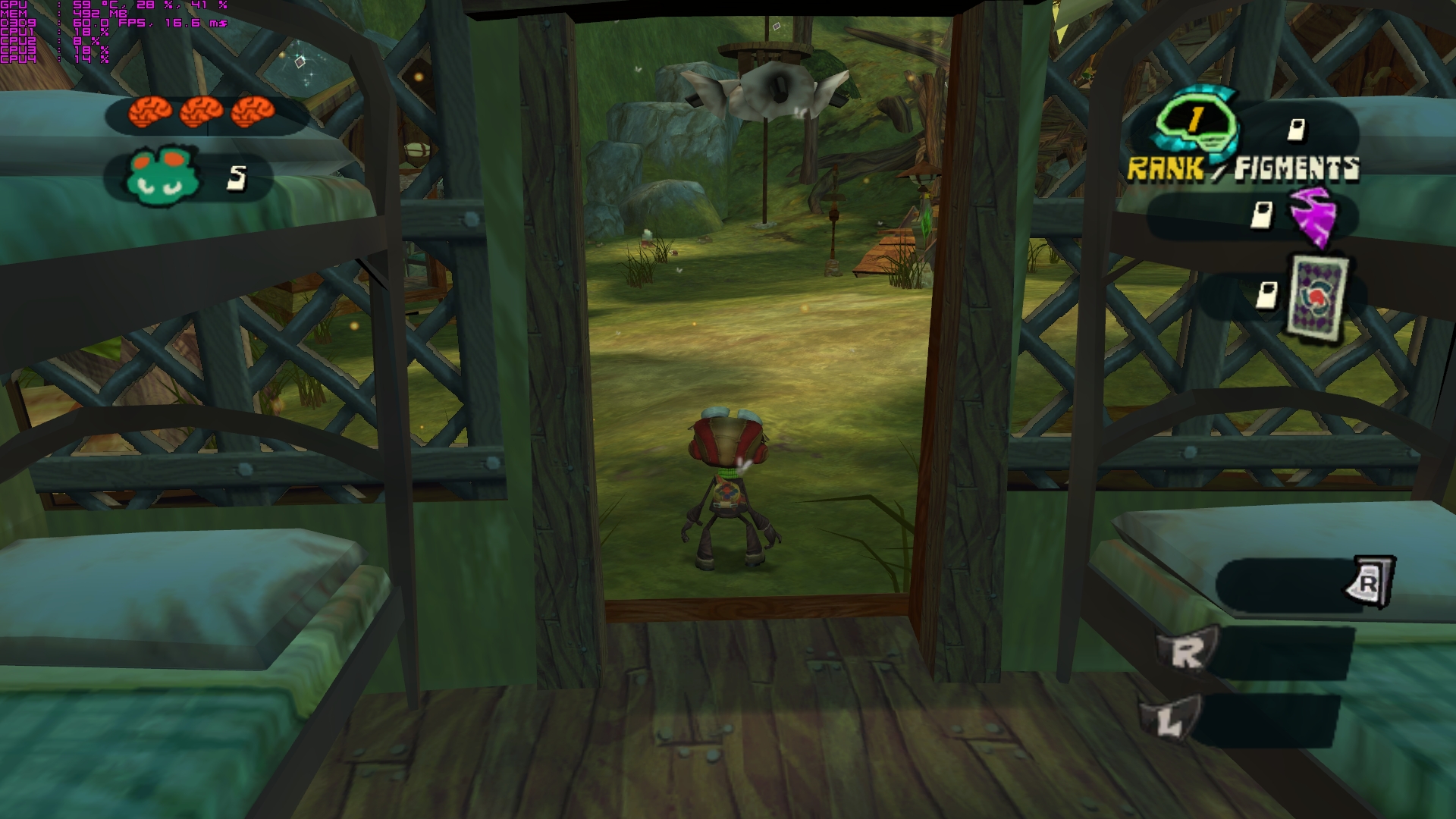
WidescreenHud = 0
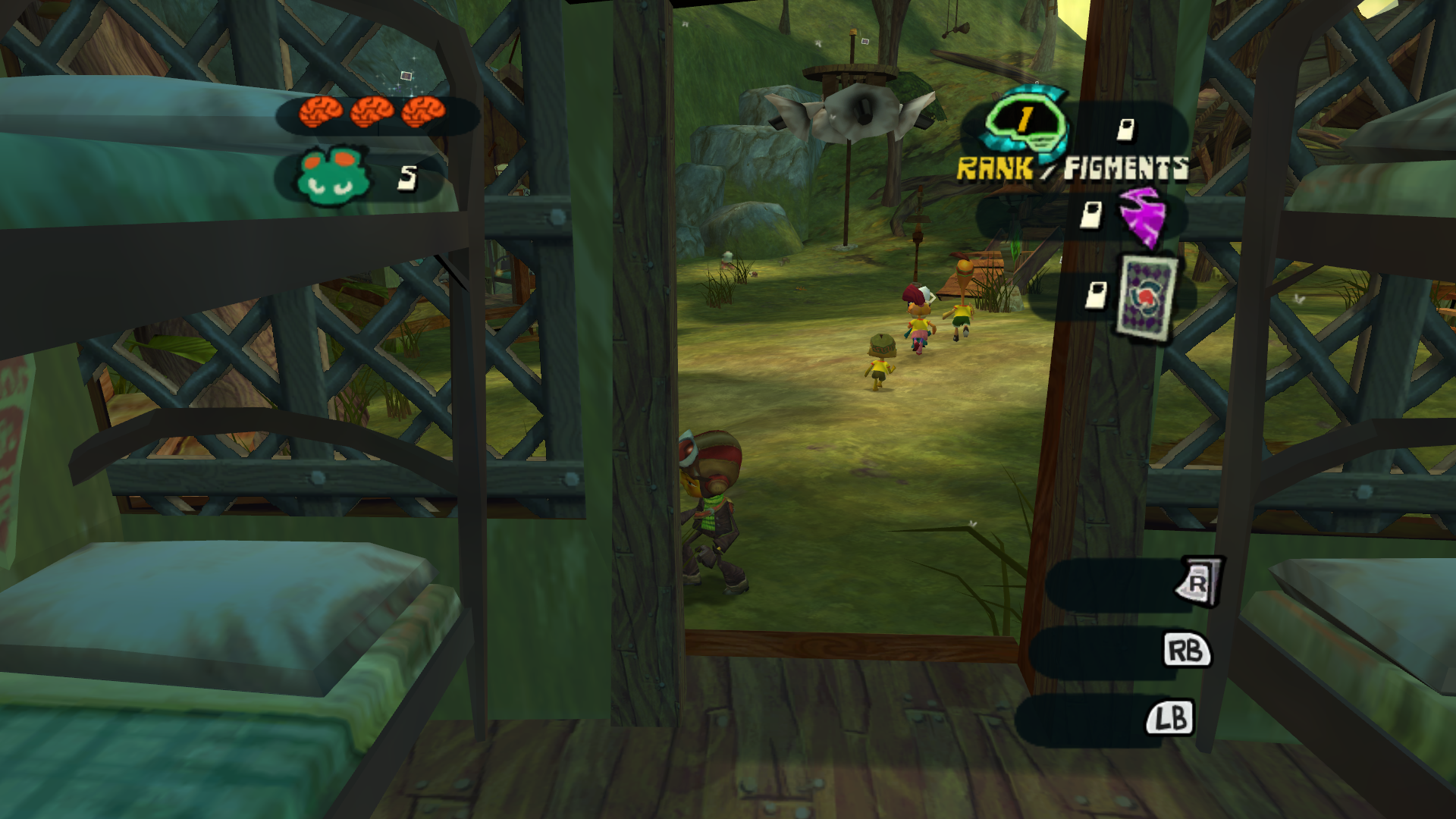
WidescreenHud = 1 (Dev bulid):
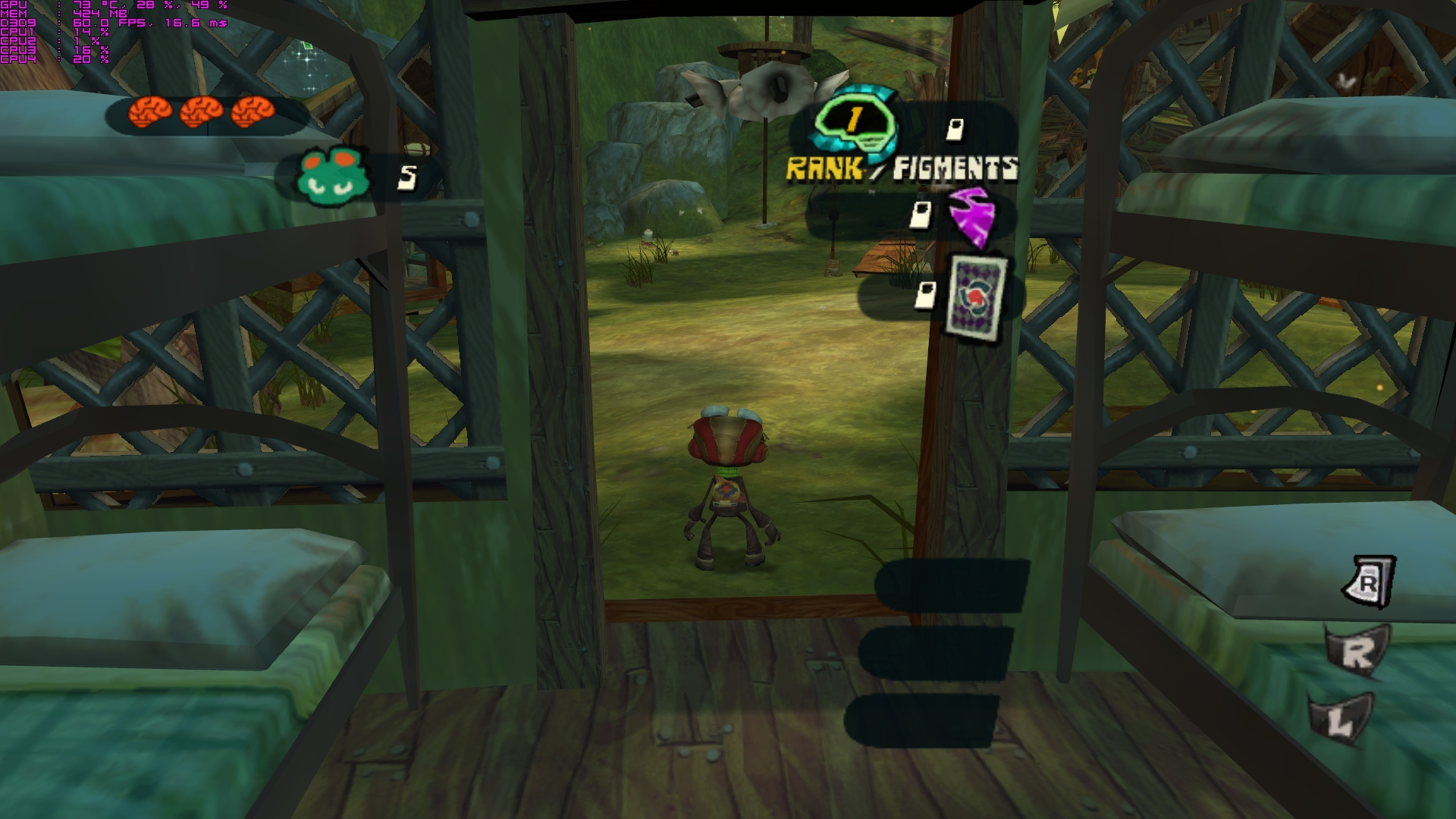
At the moment to bugge like you said. I will play with WidescreenHud = 0 for now, but i hope that you figure it out, good luck.
Ka-mook
on 9 Nov 2017
I don't have this:
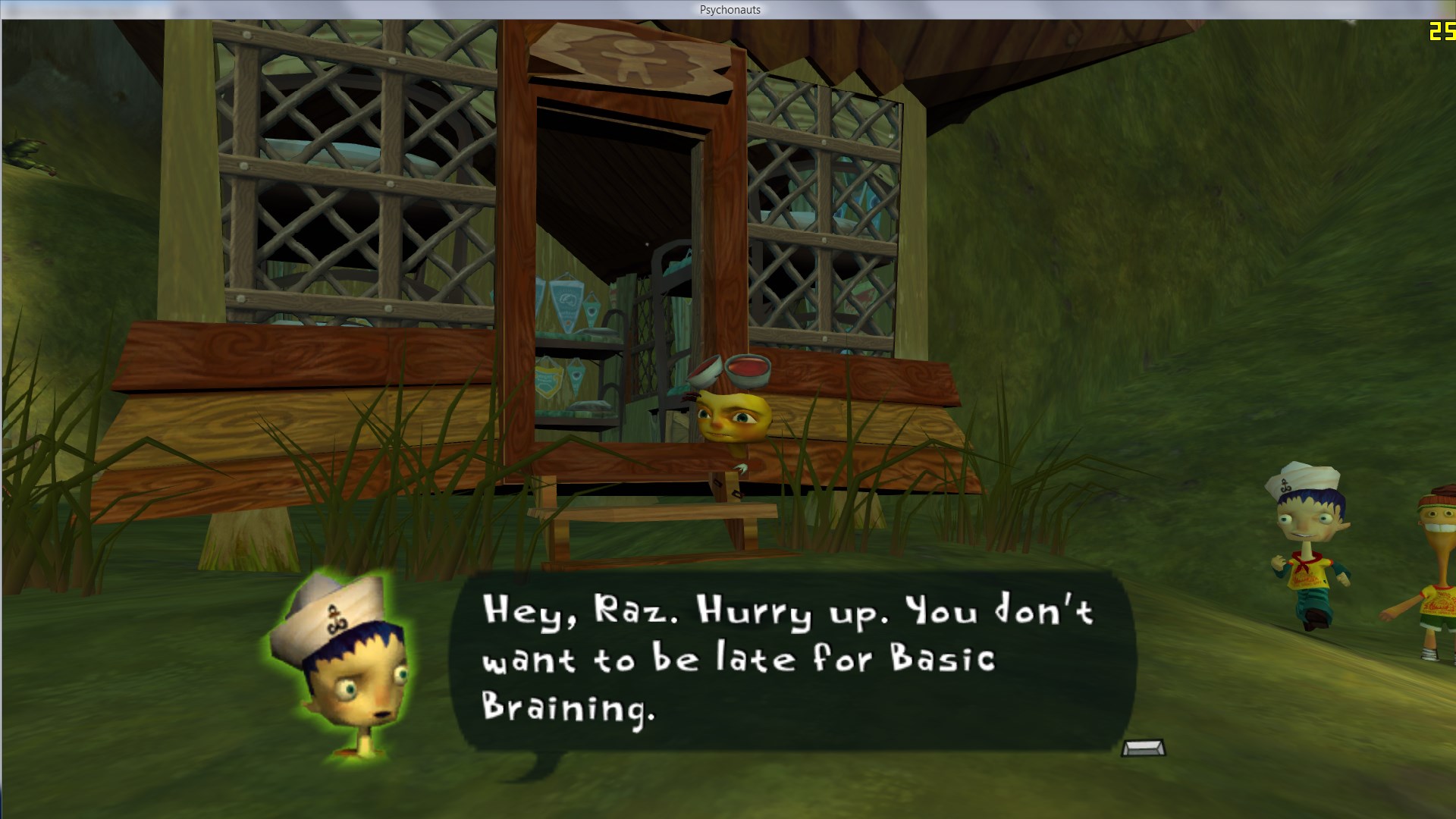
And hud is fine too, default pc version at least. And yeah, some faces will be offset still, but it's better than overlapping with text.
ThirteenAG
on 10 Nov 2017
Sorry i should start with version of game i had. In 2016 doublefine like i believe released last patch to psychonauts which gives icons from xbox gamepad buttons and my humblebundle drm-free version had them so i supposed that it's latest version ripped off from steam. HB inform that last update is from february 2016 so its must be that and i had that icons so... i am pretty sure.
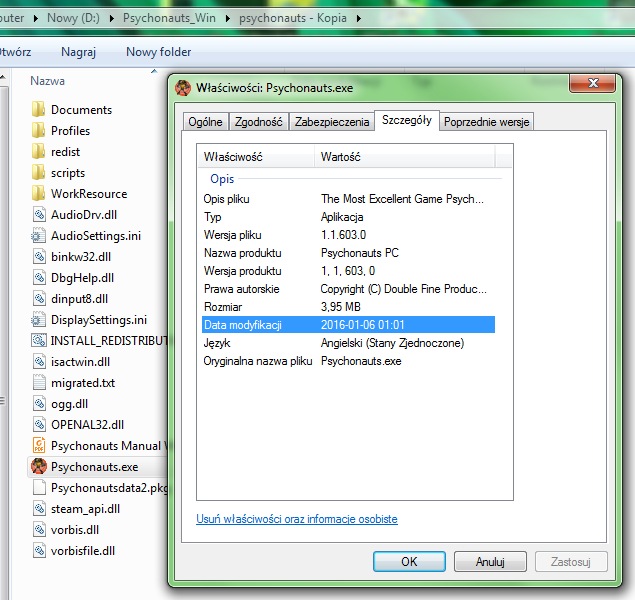
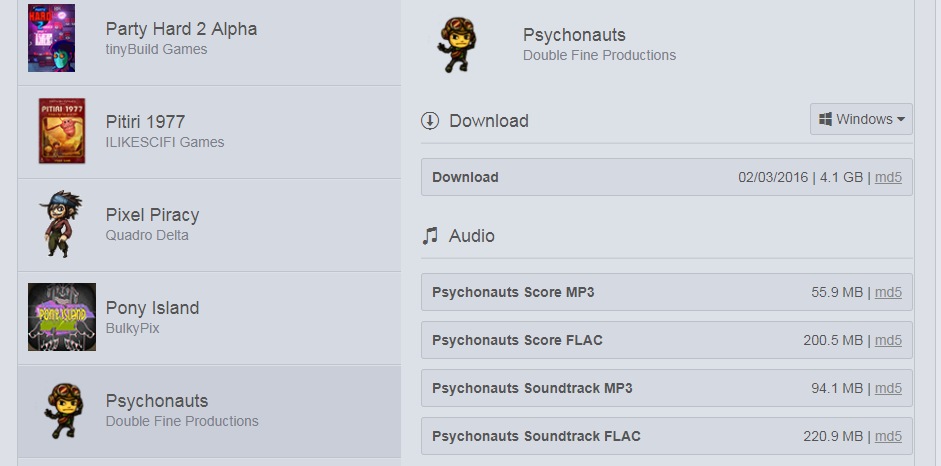
So i download fresh version of psychonauts, add developer build and sadly i had still exactly same resultats like in my previous post :( So for me its still bug with dialogs and HUD on version from 02.2016.
Ka-mook
on 13 Nov 2017
I probably need that version to check out, I only have the steam one.
ThirteenAG
on 13 Nov 2017
Due to size of the file HB provide download via torrent, so it's possible to find torrent file like this in internet if you look, it's exactly copy of game i play. HB actually give away psychonauts for free couple of months ago, i buy it on bundle years ago.
Ka-mook
on 13 Nov 2017
I made a mistake and didn't realize it. That's why those faces were moved in the first place.
Try the lastest dev build. Let me know if gamepad buttons are still offset.
ThirteenAG
on 16 Nov 2017
Using the current download (Regular and Dev Build), Steam version, and setting the .ini to WidescreenHud = 1 looks just like the screens of the Dev Build on the Nov 9, 2017 post.
I hope there are plans in the future to fix this.
 HMBM47
on 2 Jan 2018
HMBM47
on 2 Jan 2018
@HMBM47 But I did fix it, it was working okay for me,
ThirteenAG
on 2 Jan 2018
This is what my game currently looks like.
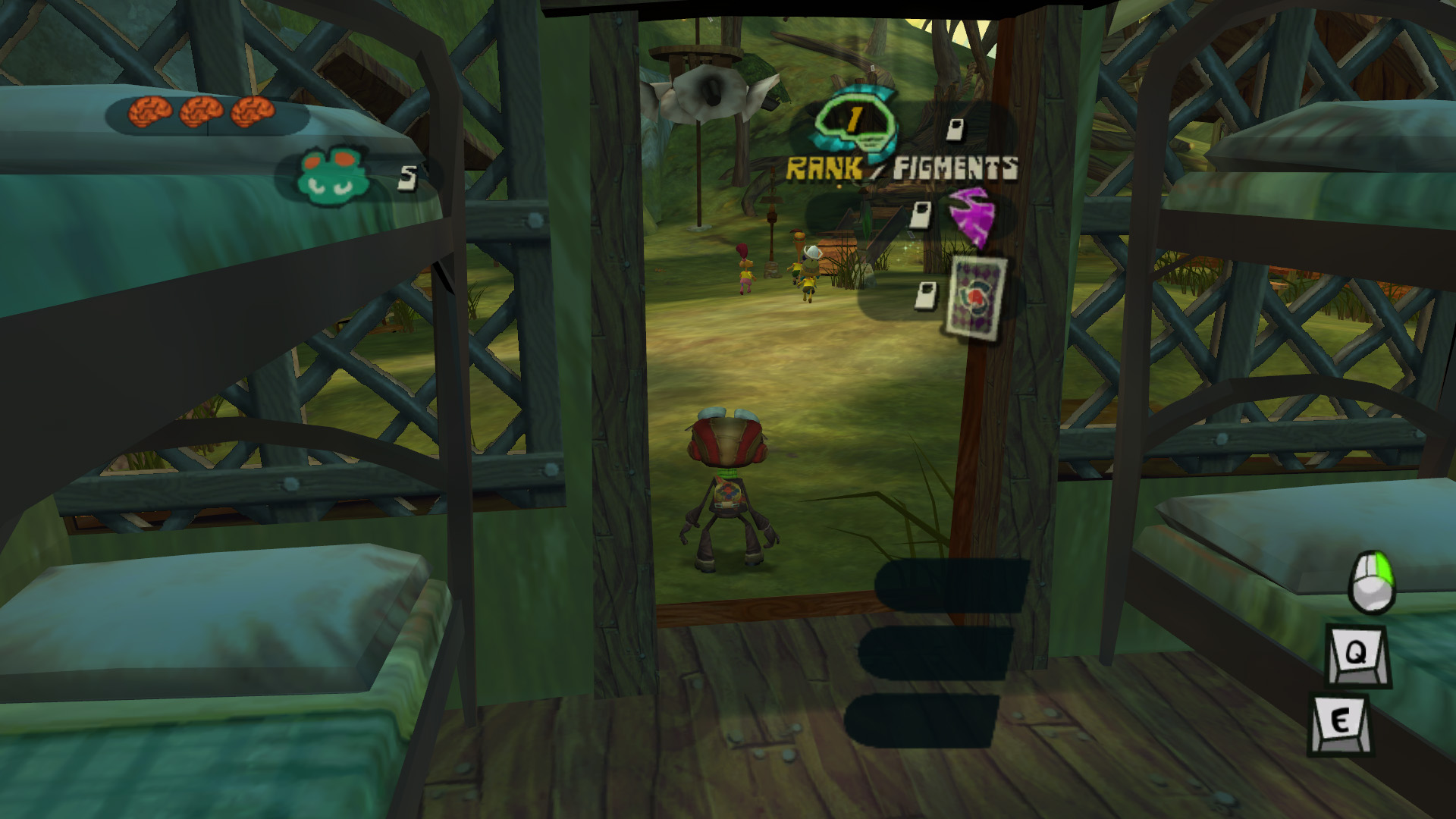
If it works for you, hopefully you can help me get to the bottom of this.
BTW, yes it seems the head placement for subtitles has been completely fixed. Is that all you were referring to as being fixed, or should the GUI be placed correctly as well?
HMBM47
on 2 Jan 2018
Well, no, doesn't work for me either anymore. I don't know what happened, need to take a look.
ThirteenAG
on 2 Jan 2018
I was able to take a look and I think I fixed the problem. Please try this version and let me know if it works:
Psychonauts.WidescreenFix.asi.zip
ThirteenAG
on 1 Feb 2018
It's working great so far, but there are two icons you missed.
 AeroWidescreen
on 2 Feb 2018
AeroWidescreen
on 2 Feb 2018
Save game maybe?
ThirteenAG
on 2 Feb 2018
Load the auto save, skip the cutscene, and then wait for the game to automatically show those two icons.
AeroWidescreen
on 2 Feb 2018
Thanks, added those, hopefully it didn't break anything else. I'll keep it in the dev build for now.
Regular build reuploaded with previous fix.
ThirteenAG
on 5 Feb 2018
I found more missing icons, but they only show in very specific situations like completing an objective and earning a new item or something. I think I understand how you're changing their position, since I was able to pin point a few HUD elements through references, so I'll see if I can find any information for them later.
AeroWidescreen
on 7 Feb 2018
Related issues
AeroWidescreen
·
12Comments
 FunkyDarkKnight
·
3Comments
FunkyDarkKnight
·
3Comments
 D3xxtr
·
10Comments
D3xxtr
·
10Comments
 Diamondew
·
11Comments
Diamondew
·
11Comments
 Half-dude
·
4Comments
Half-dude
·
4Comments
Most helpful comment
Well, no, doesn't work for me either anymore. I don't know what happened, need to take a look.